tow Hyundai Sonata Hybrid 2015 User Guide
[x] Cancel search | Manufacturer: HYUNDAI, Model Year: 2015, Model line: Sonata Hybrid, Model: Hyundai Sonata Hybrid 2015Pages: 543, PDF Size: 25.53 MB
Page 123 of 543

Features of your vehicle
42
4
Speedometer
The speedometer indicates the speed of
the vehicle.
The speedometer is calibrated in miles
per hour and/or kilometers per hour.
Engine temperature gauge
This gauge shows the temperature of the
engine coolant when the engine start/stop
button is ON.
Do not continue driving with an overheat-
ed engine. If your vehicle overheats, refer
to “If the engine overheats” in section 6.
WARNING
Never remove the radiator cap
when the engine is hot. The engine
coolant is under pressure and
could cause severe burns. Wait
until the engine is cool before
adding coolant to the reservoir.
OYFH041047NOYFH041043N
CAUTION
If the gauge moves beyond the nor-
mal range area toward the “H” posi-tion, it indicates overheating thatmay damage the engine.
Page 133 of 543

Features of your vehicle
52
4
Auto door lock
Off - The auto door lock operation will be
canceled.
Speed - All doors will be automatically
locked when the vehicle speed
exceeds 9.3mph (15km/h).
Shift Lever
All doors will be automatically locked if
the shift lever is shifted from the P(Park)
position to the R(Reverse), N(Neutral) or
D(Drive) position.
Auto door unlock
Off - The auto door unlock operation will
be canceled.
Key Out - All doors will be automatically
unlocked when smart key is
removed from the smart key
holder.
Door - All doors will be automatically
unlocked if the driver's door is
unlocked inside.
Shift Lever
All doors will be automatically unlocked if
the shift lever is shifted to the P(Park)
position.
Two-press unlock
Driver Door 1st Press - The driver's door
will unlock when pressing the unlock but-
ton on the transmitter or smart key, press-
ing the button of the driver's outside door
handle with the smart key, or inserting the
key into the key hole of the driver's out-
side door and turning the key toward the
rear of the vehicle. All doors will unlock
when pressing the unlock button on the
smart key, pressing the button of the dri-
ver's outside door handle with the smart
key, or inserting the key into the key hole
of the driver's outside door and turning
the key toward the rear of the vehicle
within 4 seconds.
All Doors 1st Press - All doors will
unlock when pressing the unlock button
on the smart key, pressing the button on
the driver's outside door handle with the
smart key, or inserting the key into the
key hole of the driver's outside door and
turning the key toward the rear of the
vehicle.
Headlamp delay
On - If you turn the engine start/stop but-
ton to the ACC or OFF position with
the headlamp ON, the headlamps
remain on for about 20 minutes.
Also, the headlamp welcome opera-
tion will be activated. Refer to the
[LIGHTING] section in this chapter.
Off - The headlamp delay and headlamp
welcome operation will be disabled.
Page 137 of 543
Features of your vehicle
56
4
WARNING
Driving the vehicle with a warning
light on is dangerous. If the brake
warning light remains on, have the
brakes checked and repaired imme-
diately by an authorized HYUNDAI
dealer.
Brake system &
Parking brake & Brake fluid warning light
When the service brake system or the
regenerative brake system malfunctions,
the brake warning light is turned on and
'check brake' is displayed on the LCD.
Have the system checked by an author-
ized HYUNDAI dealer as soon as possi-
ble.
Parking brake warning
This light illuminated when the parking
brake is applied with engine start/stop
button in the START or ON position. The
warning light should go off when the
parking brake is released. Low brake fluid level warning
If the warning light remains on, it may
indicate that the brake fluid level in the
reservoir is low.
If the warning light remains on:
1. Drive carefully to the nearest safe
location and stop your vehicle.
2. With the engine stopped, check the brake fluid level immediately and add
fluid as required. Then check all brake
components for fluid leaks.
3. Do not drive the vehicle if leaks are found, the warning light remains on or
the brakes do not operate properly.
Have the vehicle towed to any author-
ized HYUNDAI dealer for a brake sys-
tem inspection and necessary repairs.
Your vehicle is equipped with a dual-
diagonal braking system. This means you
still have braking on two wheels even if
one of the brake circuits is damaged or
malfunctions. With only one of the circuits
working, more than normal pedal travel
and greater pedal pressure are required
to stop the car. Also, the car will not stop
in as short a distance with only a portion
of the brake system working. If the
brakes fail while you are driving, shift to a
lower gear for additional engine braking
and stop the car as soon as it is safe to
do so. To check bulb operation, check whether
the parking brake and brake fluid warning
light illuminates when the engine
start/stop button is in the ON position.
CAUTION
When the service brake system and
the regenerative brake system mal-functions, the brake warning light is turned on and 'check brake' is dis-played on the LCD, and also the warn- ing chime will sound. If this occursyou can stop your vehicle by apply-ing greater force to the brake pedal than normal and the stopping dis-tance will be longer. Have the system checked by an authorized HYUNDAIdealer as soon as possible.
Page 149 of 543
Features of your vehicle
68
4
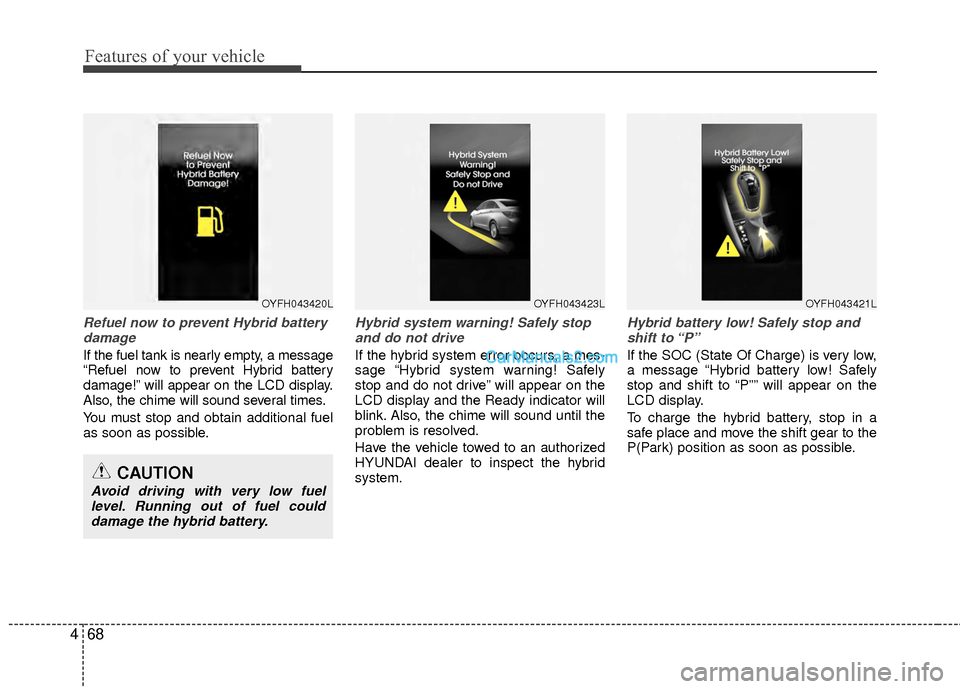
Refuel now to prevent Hybrid battery
damage
If the fuel tank is nearly empty, a message
“Refuel now to prevent Hybrid battery
damage!” will appear on the LCD display.
Also, the chime will sound several times.
You must stop and obtain additional fuel
as soon as possible.
Hybrid system warning! Safely stopand do not drive
If the hybrid system error occurs, a mes-
sage “Hybrid system warning! Safely
stop and do not drive” will appear on the
LCD display and the Ready indicator will
blink. Also, the chime will sound until the
problem is resolved.
Have the vehicle towed to an authorized
HYUNDAI dealer to inspect the hybrid
system.
Hybrid battery low! Safely stop andshift to “P”
If the SOC (State Of Charge) is very low,
a message “Hybrid battery low! Safely
stop and shift to “P”” will appear on the
LCD display.
To charge the hybrid battery, stop in a
safe place and move the shift gear to the
P(Park) position as soon as possible.
OYFH043420LOYFH043423LOYFH043421L
CAUTION
Avoid driving with very low fuel level. Running out of fuel coulddamage the hybrid battery.
Page 150 of 543
469
Features of your vehicle
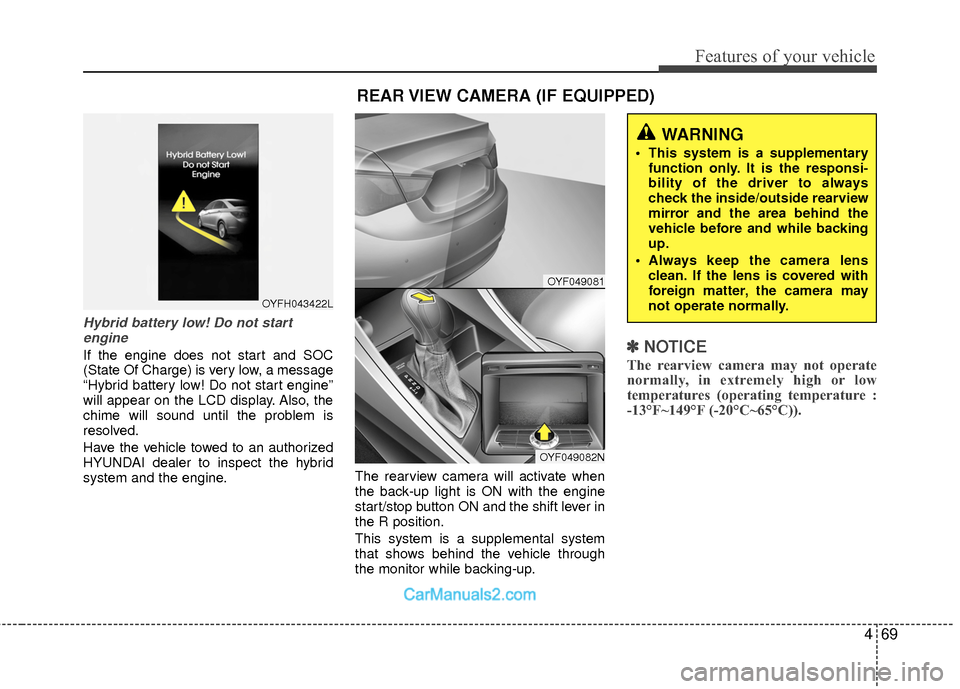
Hybrid battery low! Do not startengine
If the engine does not start and SOC
(State Of Charge) is very low, a message
“Hybrid battery low! Do not start engine”
will appear on the LCD display. Also, the
chime will sound until the problem is
resolved.
Have the vehicle towed to an authorized
HYUNDAI dealer to inspect the hybrid
system and the engine. The rearview camera will activate when
the back-up light is ON with the engine
start/stop button ON and the shift lever in
the R position.
This system is a supplemental system
that shows behind the vehicle through
the monitor while backing-up.✽ ✽
NOTICE
The rearview camera may not operate
normally, in extremely high or low
temperatures (operating temperature :
-13°F~149°F (-20°C~65°C)).
OYFH043422L
REAR VIEW CAMERA (IF EQUIPPED)
WARNING
This system is a supplementary
function only. It is the responsi-
bility of the driver to always
check the inside/outside rearview
mirror and the area behind the
vehicle before and while backing
up.
Always keep the camera lens clean. If the lens is covered with
foreign matter, the camera may
not operate normally.
OYF049081
OYF049082N
Page 155 of 543
Features of your vehicle
74
4
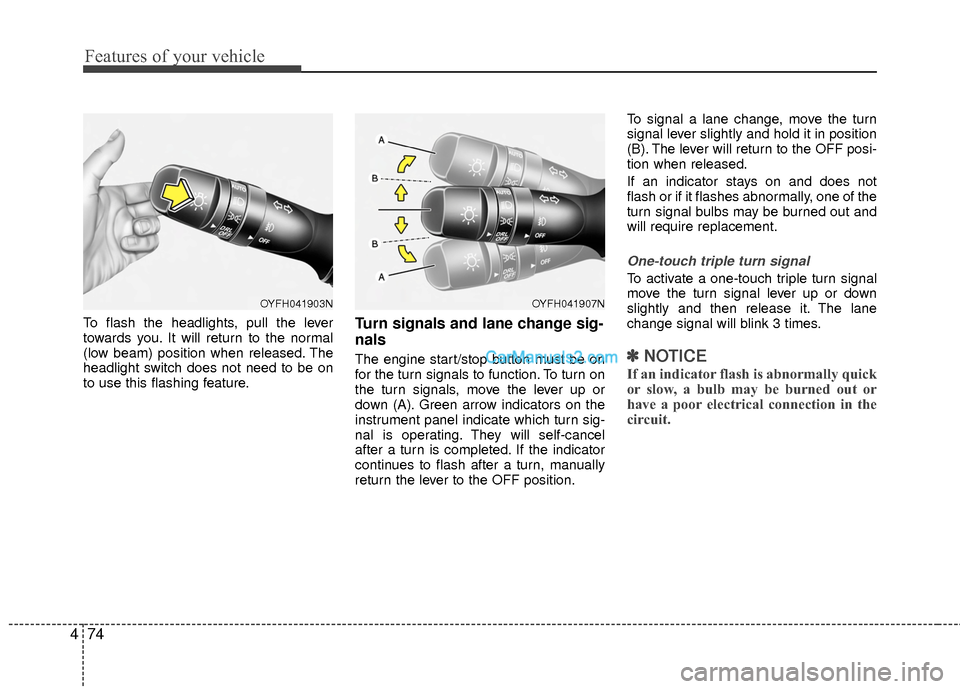
To flash the headlights, pull the lever
towards you. It will return to the normal
(low beam) position when released. The
headlight switch does not need to be on
to use this flashing feature.Turn signals and lane change sig-
nals
The engine start/stop button must be on
for the turn signals to function. To turn on
the turn signals, move the lever up or
down (A). Green arrow indicators on the
instrument panel indicate which turn sig-
nal is operating. They will self-cancel
after a turn is completed. If the indicator
continues to flash after a turn, manually
return the lever to the OFF position. To signal a lane change, move the turn
signal lever slightly and hold it in position
(B). The lever will return to the OFF posi-
tion when released.
If an indicator stays on and does not
flash or if it flashes abnormally, one of the
turn signal bulbs may be burned out and
will require replacement.
One-touch triple turn signal
To activate a one-touch triple turn signal
move the turn signal lever up or down
slightly and then release it. The lane
change signal will blink 3 times.
✽ ✽
NOTICE
If an indicator flash is abnormally quick
or slow, a bulb may be burned out or
have a poor electrical connection in the
circuit.
OYFH041903NOYFH041907N
Page 158 of 543

477
Features of your vehicle
Windshield washers (if equipped)
In the OFF position, pull the lever gently
toward you to spray washer fluid on the
windshield and to run the wipers 1-3
cycles.
Use this function when the windshield is
dirty.
The spray and wiper operation will con-
tinue until you release the lever.
If the washer does not work, check the
washer fluid level. If the fluid level is not
sufficient, you will need to add appropri-
ate non-abrasive windshield washer fluid
to the washer reservoir.
The reservoir filler neck is located in the
front of the engine compartment on the
passenger side.
CAUTION
To prevent possible damage to thewasher pump, do not operate thewasher when the fluid reservoir isempty.
WARNING
Do not use the washer in freezing
temperatures without first warming
the windshield with the defrosters;
the washer solution could freeze on
contact with the windshield and
obscure your vision.
CAUTION
To prevent possible damage to the wipers or windshield, do notoperate the wipers when thewindshield is dry.
To prevent damage to the wiper blades, do not use gasoline,kerosene, paint thinner, or othersolvents on or near them.
To prevent damage to the wiper arms and other components, donot attempt to move the wipersmanually.
OYF049101
Page 167 of 543
Features of your vehicle
86
4
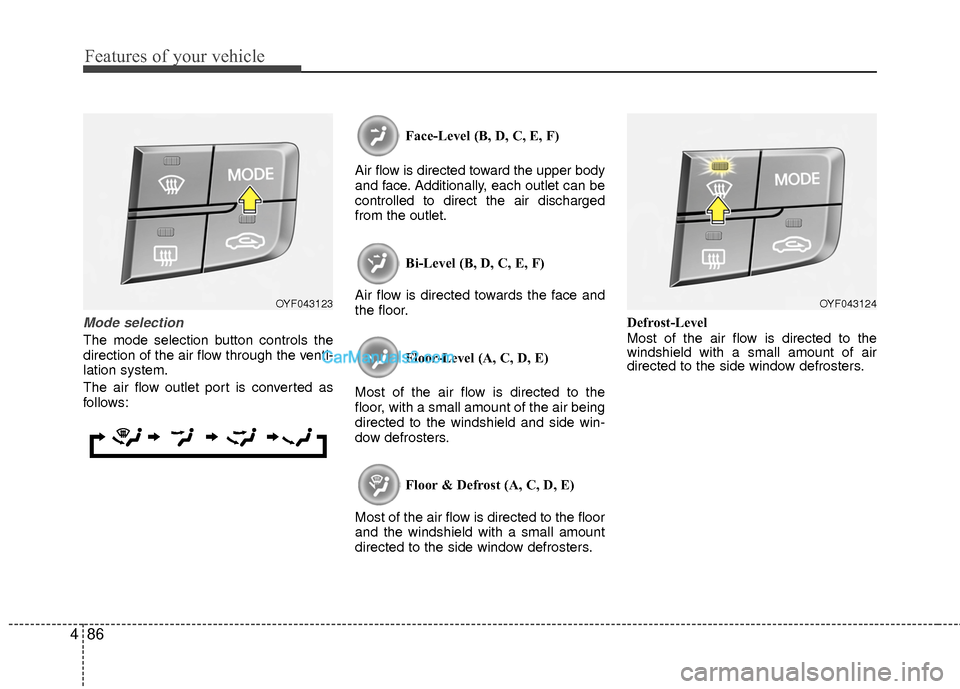
Mode selection
The mode selection button controls the
direction of the air flow through the venti-
lation system.
The air flow outlet port is converted as
follows: Face-Level (B, D, C, E, F)
Air flow is directed toward the upper body
and face. Additionally, each outlet can be
controlled to direct the air discharged
from the outlet.
Bi-Level (B, D, C, E, F)
Air flow is directed towards the face and
the floor.
Floor-Level (A, C, D, E)
Most of the air flow is directed to the
floor, with a small amount of the air being
directed to the windshield and side win-
dow defrosters.
Floor & Defrost (A, C, D, E)
Most of the air flow is directed to the floor
and the windshield with a small amount
directed to the side window defrosters. Defrost-Level
Most of the air flow is directed to the
windshield with a small amount of air
directed to the side window defrosters.
OYF043123OYF043124
Page 178 of 543
497
Features of your vehicle
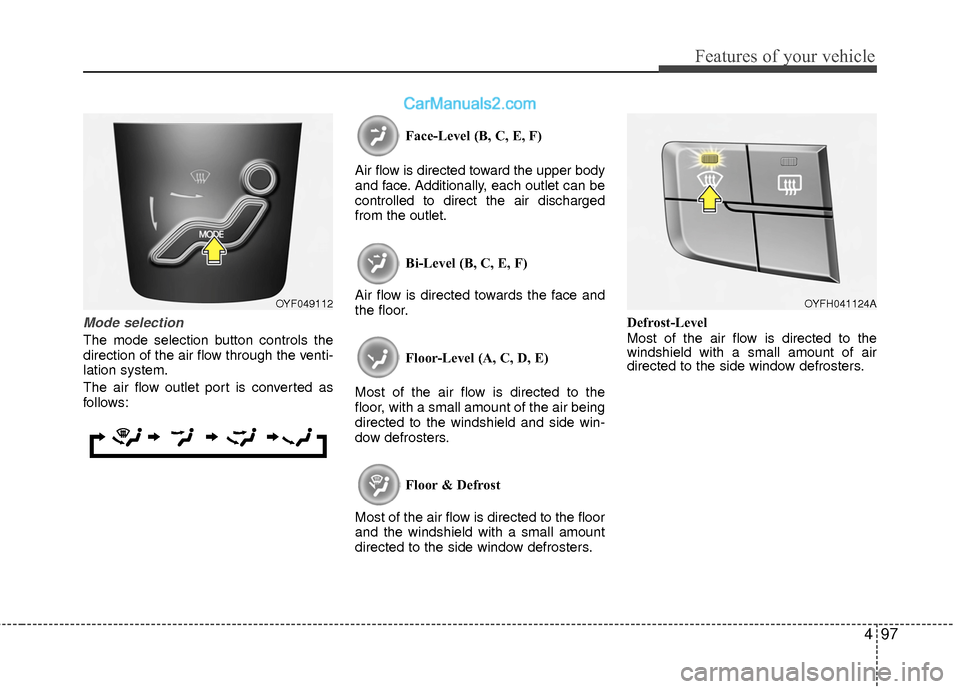
Mode selection
The mode selection button controls the
direction of the air flow through the venti-
lation system.
The air flow outlet port is converted as
follows:Face-Level (B, C, E, F)
Air flow is directed toward the upper body
and face. Additionally, each outlet can be
controlled to direct the air discharged
from the outlet.
Bi-Level (B, C, E, F)
Air flow is directed towards the face and
the floor.
Floor-Level (A, C, D, E)
Most of the air flow is directed to the
floor, with a small amount of the air being
directed to the windshield and side win-
dow defrosters.
Floor & Defrost
Most of the air flow is directed to the floor
and the windshield with a small amount
directed to the side window defrosters. Defrost-Level
Most of the air flow is directed to the
windshield with a small amount of air
directed to the side window defrosters.
OYF049112OYFH041124A
Page 189 of 543
Features of your vehicle
108
4
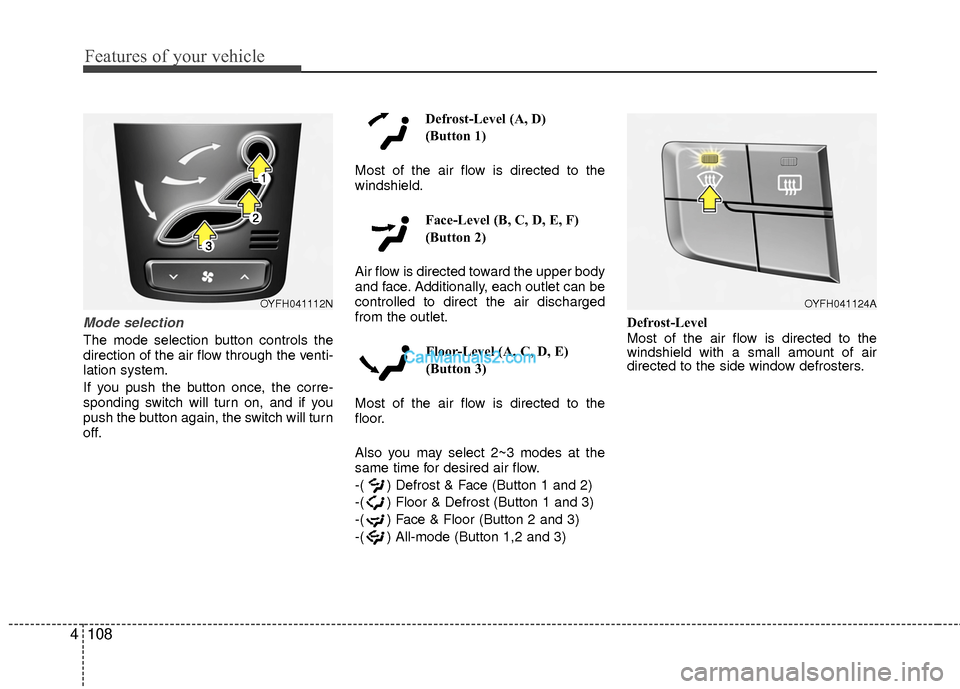
Mode selection
The mode selection button controls the
direction of the air flow through the venti-
lation system.
If you push the button once, the corre-
sponding switch will turn on, and if you
push the button again, the switch will turn
off. Defrost-Level (A, D)
(Button 1)
Most of the air flow is directed to the
windshield. Face-Level (B, C, D, E, F)
(Button 2)
Air flow is directed toward the upper body
and face. Additionally, each outlet can be
controlled to direct the air discharged
from the outlet. Floor-Level (A, C, D, E)
(Button 3)
Most of the air flow is directed to the
floor.
Also you may select 2~3 modes at the
same time for desired air flow.
-( ) Defrost & Face (Button 1 and 2)
-( ) Floor & Defrost (Button 1 and 3)
-( ) Face & Floor (Button 2 and 3)
-( ) All-mode (Button 1,2 and 3) Defrost-Level
Most of the air flow is directed to the
windshield with a small amount of air
directed to the side window defrosters.
OYFH041112NOYFH041124A