change time Hyundai Sonata Hybrid 2015 Owner's Manual
[x] Cancel search | Manufacturer: HYUNDAI, Model Year: 2015, Model line: Sonata Hybrid, Model: Hyundai Sonata Hybrid 2015Pages: 543, PDF Size: 25.53 MB
Page 1 of 543
All information in this Owner's Manual is current at the time of publication.
However, Hyundai reserves the right to make changes at any time so that
our policy of continual product improvement may be carried out.
This manual applies to all Hyundai models and includes descriptions and
explanations of optional as well as standard equipment. As a result, you may
find material in this manual that does not apply to your specific vehicle.
O
OW
W N
NE
ER
R '
'S
S M
M A
AN
N U
UA
A L
L
Operation
Maintenance
Specifications
Page 24 of 543
35
Safety features of your vehicle
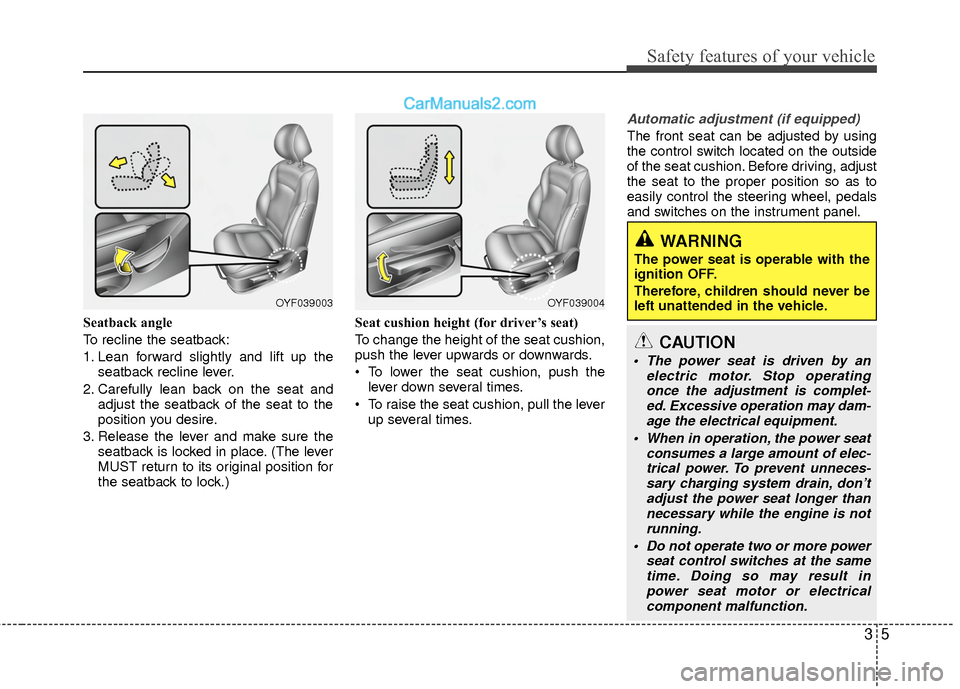
Seatback angle
To recline the seatback:
1. Lean forward slightly and lift up theseatback recline lever.
2. Carefully lean back on the seat and adjust the seatback of the seat to the
position you desire.
3. Release the lever and make sure the seatback is locked in place. (The lever
MUST return to its original position for
the seatback to lock.) Seat cushion height (for driver’s seat)
To change the height of the seat cushion,
push the lever upwards or downwards.
• To lower the seat cushion, push the
lever down several times.
To raise the seat cushion, pull the lever up several times.
Automatic adjustment (if equipped)
The front seat can be adjusted by using
the control switch located on the outside
of the seat cushion. Before driving, adjust
the seat to the proper position so as to
easily control the steering wheel, pedals
and switches on the instrument panel.
WARNING
The power seat is operable with the
ignition OFF.
Therefore, children should never be
left unattended in the vehicle.
OYF039003OYF039004
CAUTION
The power seat is driven by an electric motor. Stop operatingonce the adjustment is complet-ed. Excessive operation may dam-age the electrical equipment.
When in operation, the power seat consumes a large amount of elec-trical power. To prevent unneces- sary charging system drain, don’tadjust the power seat longer than necessary while the engine is notrunning.
Do not operate two or more power seat control switches at the sametime. Doing so may result in power seat motor or electricalcomponent malfunction.
Page 29 of 543
Safety features of your vehicle
10
3
Seat warmer (if equipped)
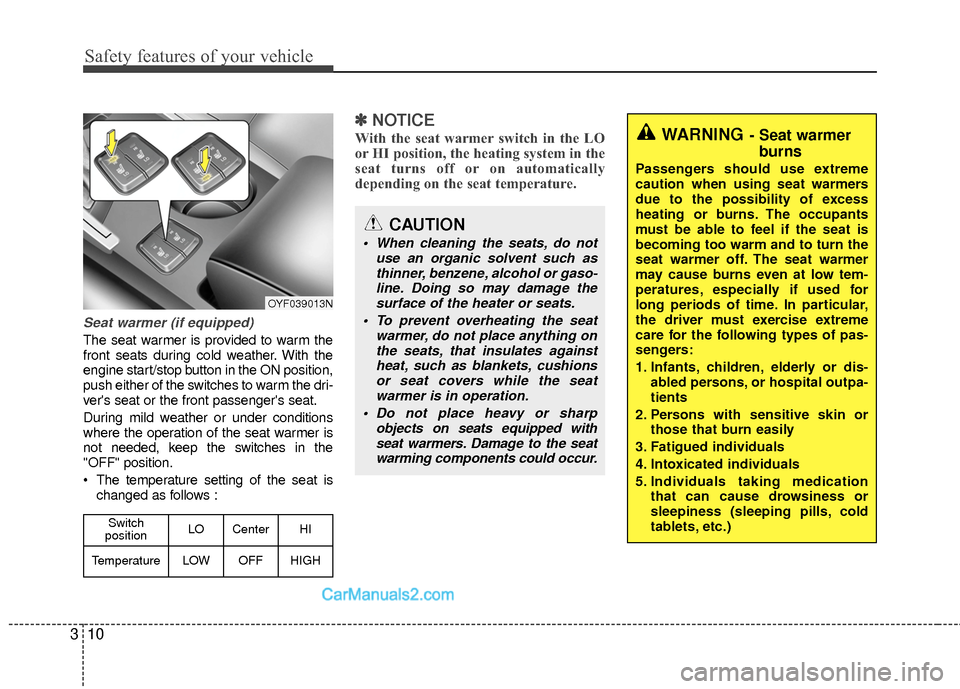
The seat warmer is provided to warm the
front seats during cold weather. With the
engine start/stop button in the ON position,
push either of the switches to warm the dri-
ver's seat or the front passenger's seat.
During mild weather or under conditions
where the operation of the seat warmer is
not needed, keep the switches in the
"OFF" position.
The temperature setting of the seat is
changed as follows :
✽ ✽ NOTICE
With the seat warmer switch in the LO
or HI position, the heating system in the
seat turns off or on automatically
depending on the seat temperature.
CAUTION
When cleaning the seats, do not
use an organic solvent such asthinner, benzene, alcohol or gaso- line. Doing so may damage thesurface of the heater or seats.
To prevent overheating the seat warmer, do not place anything onthe seats, that insulates against heat, such as blankets, cushionsor seat covers while the seatwarmer is in operation.
Do not place heavy or sharp objects on seats equipped withseat warmers. Damage to the seat warming components could occur.
WARNING- Seat warmer burns
Passengers should use extreme
caution when using seat warmers
due to the possibility of excess
heating or burns. The occupants
must be able to feel if the seat is
becoming too warm and to turn the
seat warmer off. The seat warmer
may cause burns even at low tem-
peratures, especially if used for
long periods of time. In particular,
the driver must exercise extreme
care for the following types of pas-
sengers:
1. Infants, children, elderly or dis-
abled persons, or hospital outpa-
tients
2. Persons with sensitive skin or those that burn easily
3. Fatigued individuals
4. Intoxicated individuals
5. Individuals taking medication that can cause drowsiness or
sleepiness (sleeping pills, cold
tablets, etc.)
OYF039013N
Switch
position LO Center HI
TemperatureLOWOFFHIGH
Page 116 of 543
435
Features of your vehicle
Programming HomeLink®
✽
✽NOTICE
• When programming a garage door
opener, it is advised to park the vehi-
cle outside of the garage.
• It is recommended that a new battery be placed in the hand-held transmit-
ter of the device being programmed to
HomeLink
®for quicker training and
accurate transmission of the radio-
frequency signal.
• Some vehicles may require the igni- tion switch to be turned to the second
(or "accessories") position for pro-
gramming and/or operation of
HomeLink.
• In the event that there are still pro- gramming difficulties or questions
after following the programming steps
listed below, contact HomeLink
®at:
www.homelink.com or 1-800-355-
3515.
Programming
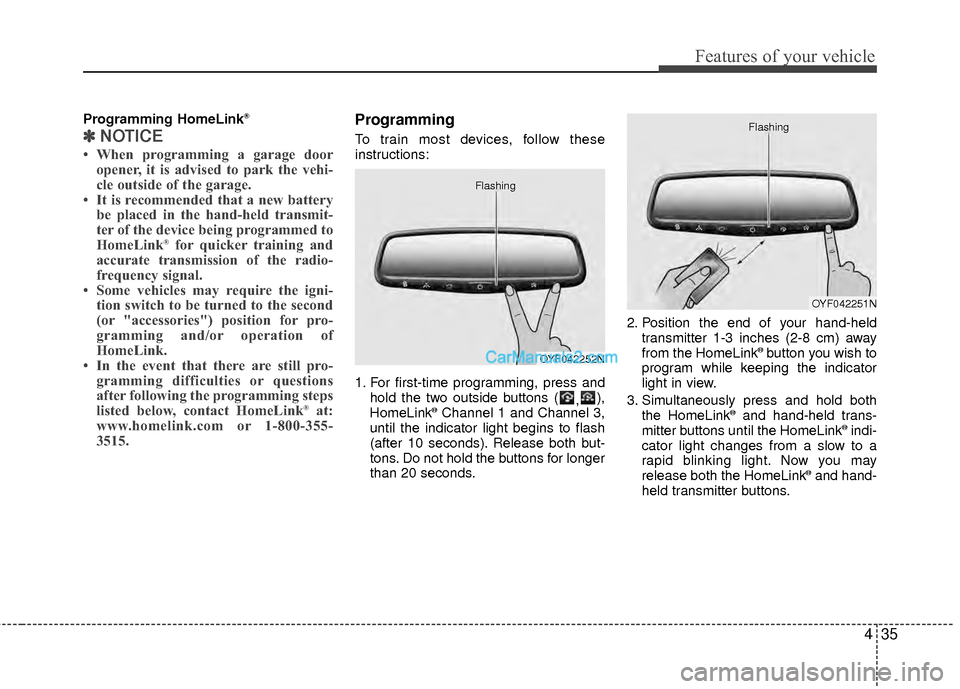
To train most devices, follow these
instructions:
1. For first-time programming, press and
hold the two outside buttons ( ,),
HomeLink
®Channel 1 and Channel 3,
until the indicator light begins to flash
(after 10 seconds). Release both but-
tons. Do not hold the buttons for longer
than 20 seconds. 2. Position the end of your hand-held
transmitter 1-3 inches (2-8 cm) away
from the HomeLink
®button you wish to
program while keeping the indicator
light in view.
3. Simultaneously press and hold both the HomeLink
®and hand-held trans-
mitter buttons until the HomeLink®indi-
cator light changes from a slow to a
rapid blinking light. Now you may
release both the HomeLink
®and hand-
held transmitter buttons.
OYF042252N
Flashing
OYF042251N
Flashing
Page 117 of 543
Features of your vehicle
36
4
✽
✽
NOTICE
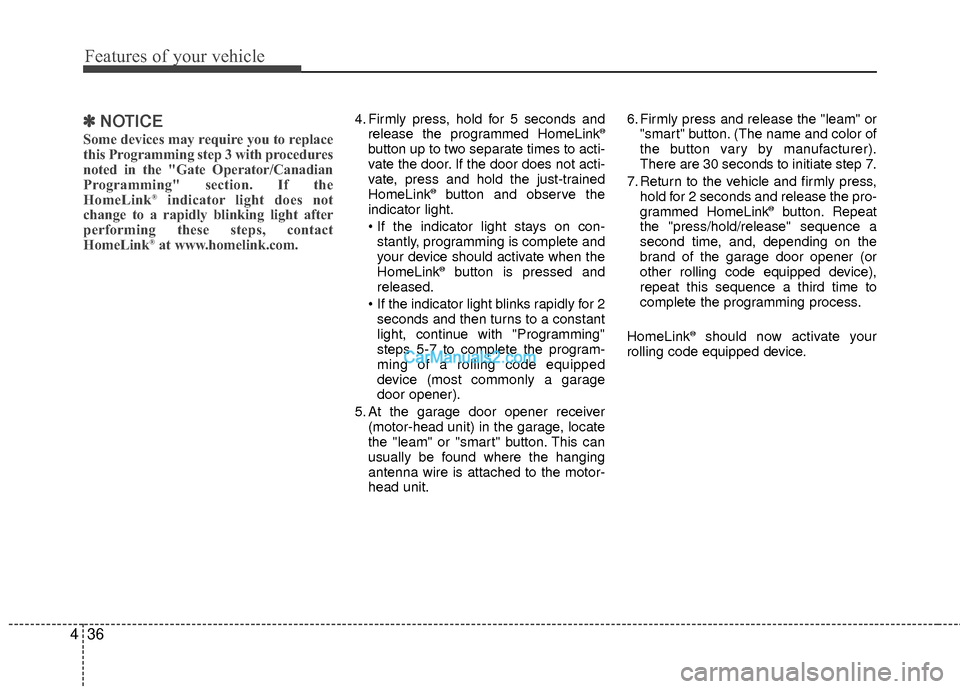
Some devices may require you to replace
this Programming step 3 with procedures
noted in the "Gate Operator/Canadian
Programming" section. If the
HomeLink
®indicator light does not
change to a rapidly blinking light after
performing these steps, contact
HomeLink
®at www.homelink.com.
4. Firmly press, hold for 5 seconds and
release the programmed HomeLink®
button up to two separate times to acti-
vate the door. If the door does not acti-
vate, press and hold the just-trained
HomeLink
®button and observe the
indicator light.
stantly, programming is complete and
your device should activate when the
HomeLink
®button is pressed and
released.
If the indicator light blinks rapidly for 2 seconds and then turns to a constant
light, continue with "Programming"
steps 5-7 to complete the program-
ming of a rolling code equipped
device (most commonly a garage
door opener).
5. At the garage door opener receiver (motor-head unit) in the garage, locate
the "leam" or "smart" button. This can
usually be found where the hanging
antenna wire is attached to the motor-
head unit. 6. Firmly press and release the "leam" or
"smart" button. (The name and color of
the button vary by manufacturer).
There are 30 seconds to initiate step 7.
7. Return to the vehicle and firmly press, hold for 2 seconds and release the pro-
grammed HomeLink
®button. Repeat
the "press/hold/release" sequence a
second time, and, depending on the
brand of the garage door opener (or
other rolling code equipped device),
repeat this sequence a third time to
complete the programming process.
HomeLink
®should now activate your
rolling code equipped device.
Page 118 of 543
437
Features of your vehicle
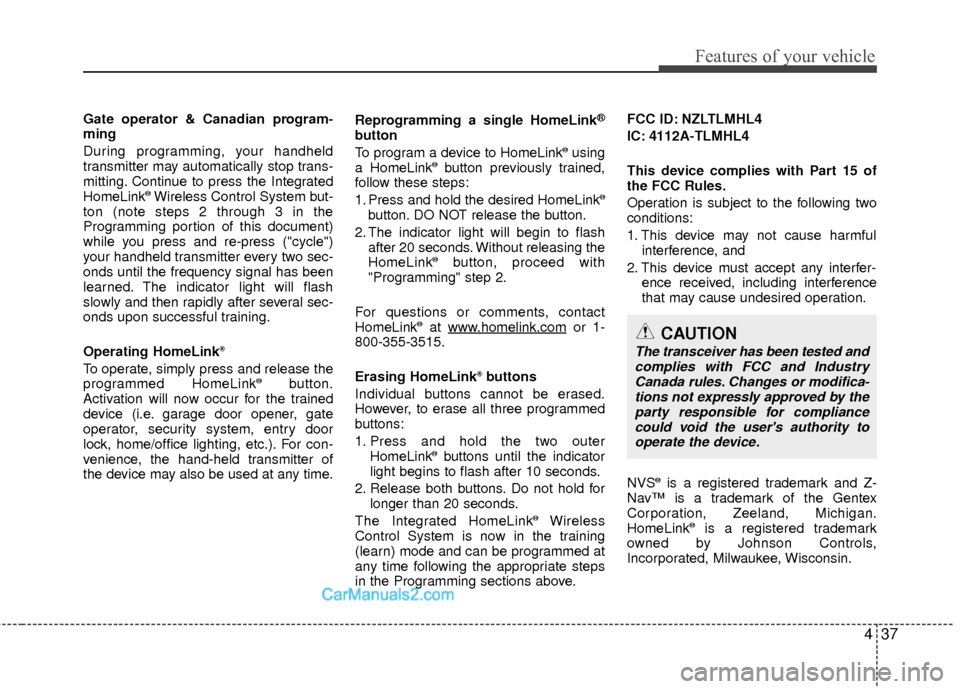
Gate operator & Canadian program-
ming
During programming, your handheld
transmitter may automatically stop trans-
mitting. Continue to press the Integrated
HomeLink
®Wireless Control System but-
ton (note steps 2 through 3 in the
Programming portion of this document)
while you press and re-press ("cycle")
your handheld transmitter every two sec-
onds until the frequency signal has been
learned. The indicator light will flash
slowly and then rapidly after several sec-
onds upon successful training.
Operating HomeLink
®
To operate, simply press and release the
programmed HomeLink®button.
Activation will now occur for the trained
device (i.e. garage door opener, gate
operator, security system, entry door
lock, home/office lighting, etc.). For con-
venience, the hand-held transmitter of
the device may also be used at any time. Reprogramming a single HomeLink
®
button
To program a device to HomeLink®using
a HomeLink®button previously trained,
follow these steps:
1. Press and hold the desired HomeLink
®
button. DO NOT release the button.
2. The indicator light will begin to flash after 20 seconds. Without releasing the
HomeLink
®button, proceed with
"Programming" step 2.
For questions or comments, contact
HomeLink
®at www.homelink.comor 1-
800-355-3515.
Erasing HomeLink
®buttons
Individual buttons cannot be erased.
However, to erase all three programmed
buttons:
1. Press and hold the two outer HomeLink
®buttons until the indicator
light begins to flash after 10 seconds.
2. Release both buttons. Do not hold for longer than 20 seconds.
The Integrated HomeLink
®Wireless
Control System is now in the training
(learn) mode and can be programmed at
any time following the appropriate steps
in the Programming sections above. FCC ID: NZLTLMHL4
IC: 4112A-TLMHL4
This device complies with Part 15 of
the FCC Rules.
Operation is subject to the following two
conditions:
1. This device may not cause harmful
interference, and
2. This device must accept any interfer- ence received, including interference
that may cause undesired operation.
NVS
®is a registered trademark and Z-
Nav™ is a trademark of the Gentex
Corporation, Zeeland, Michigan.
HomeLink
®is a registered trademark
owned by Johnson Controls,
Incorporated, Milwaukee, Wisconsin.
CAUTION
The transceiver has been tested and complies with FCC and Industry Canada rules. Changes or modifica-tions not expressly approved by theparty responsible for compliancecould void the user's authority to operate the device.
Page 155 of 543
Features of your vehicle
74
4
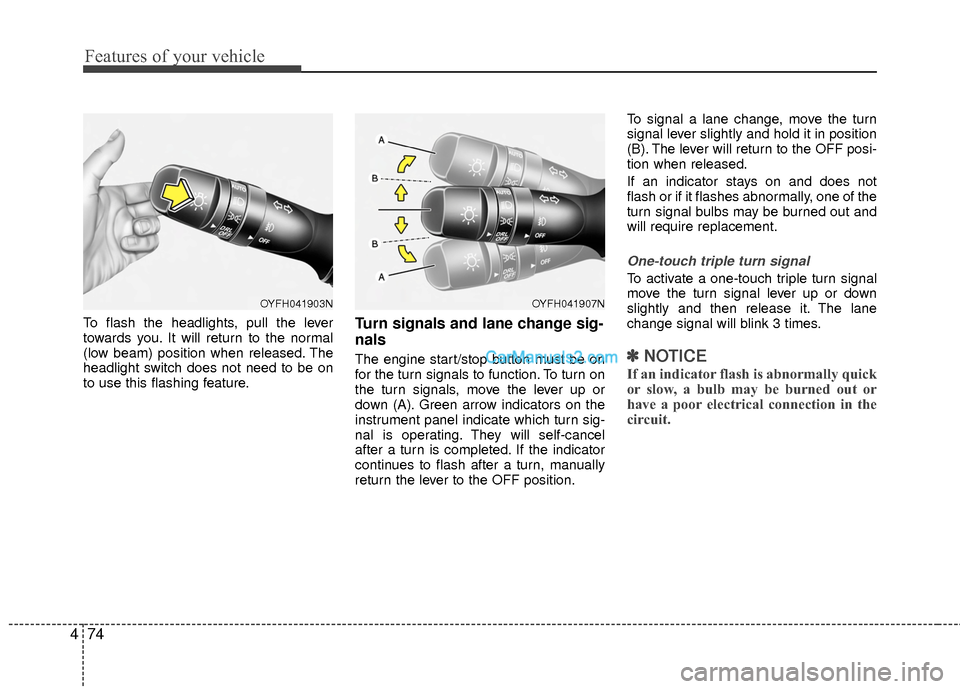
To flash the headlights, pull the lever
towards you. It will return to the normal
(low beam) position when released. The
headlight switch does not need to be on
to use this flashing feature.Turn signals and lane change sig-
nals
The engine start/stop button must be on
for the turn signals to function. To turn on
the turn signals, move the lever up or
down (A). Green arrow indicators on the
instrument panel indicate which turn sig-
nal is operating. They will self-cancel
after a turn is completed. If the indicator
continues to flash after a turn, manually
return the lever to the OFF position. To signal a lane change, move the turn
signal lever slightly and hold it in position
(B). The lever will return to the OFF posi-
tion when released.
If an indicator stays on and does not
flash or if it flashes abnormally, one of the
turn signal bulbs may be burned out and
will require replacement.
One-touch triple turn signal
To activate a one-touch triple turn signal
move the turn signal lever up or down
slightly and then release it. The lane
change signal will blink 3 times.
✽ ✽
NOTICE
If an indicator flash is abnormally quick
or slow, a bulb may be burned out or
have a poor electrical connection in the
circuit.
OYFH041903NOYFH041907N
Page 160 of 543
479
Features of your vehicle
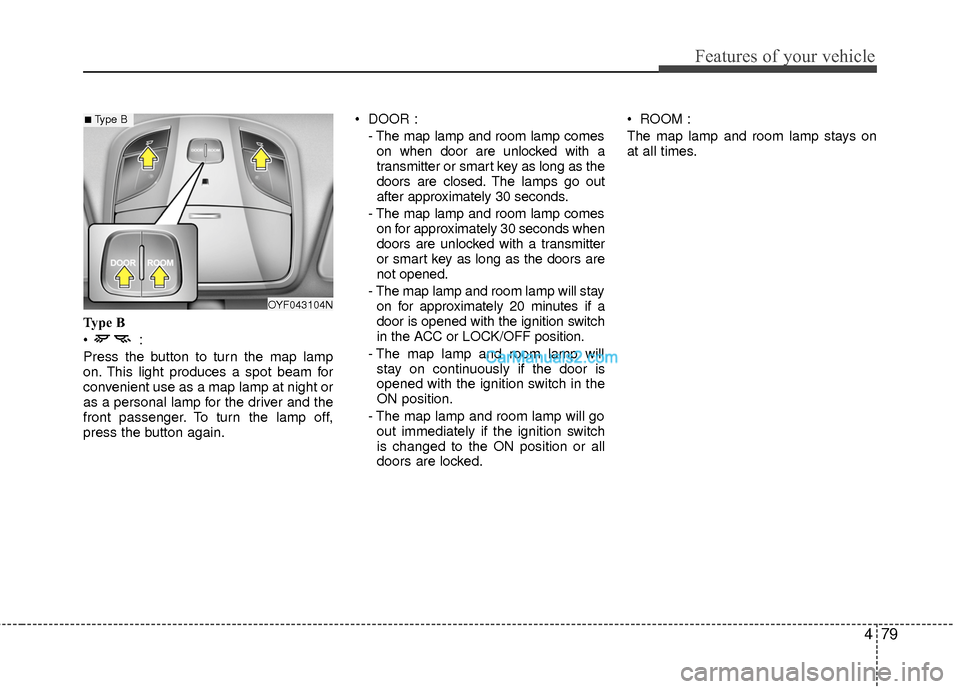
Type B
Press the button to turn the map lamp
on. This light produces a spot beam for
convenient use as a map lamp at night or
as a personal lamp for the driver and the
front passenger. To turn the lamp off,
press the button again. DOOR :
- The map lamp and room lamp comeson when door are unlocked with a
transmitter or smart key as long as the
doors are closed. The lamps go out
after approximately 30 seconds.
- The map lamp and room lamp comes on for approximately 30 seconds when
doors are unlocked with a transmitter
or smart key as long as the doors are
not opened.
- The map lamp and room lamp will stay on for approximately 20 minutes if a
door is opened with the ignition switch
in the ACC or LOCK/OFF position.
- The map lamp and room lamp will stay on continuously if the door is
opened with the ignition switch in the
ON position.
- The map lamp and room lamp will go out immediately if the ignition switch
is changed to the ON position or all
doors are locked. ROOM :
The map lamp and room lamp stays on
at all times.
OYF043104N
■Type B
Page 173 of 543
Features of your vehicle
92
4
✽
✽
NOTICE
• While using the air conditioning sys-
tem, monitor the engine temperature
gauge closely while driving up hills or
in heavy traffic when outside temper-
atures are high. Air conditioning sys-
tem operation may cause engine over-
heating. Continue to use the blower
fan but turn the air conditioning sys-
tem off if the engine temperature
gauge indicates engine overheating.
• Opening the windows in humid weather while the air conditioning
operates may create water droplets
inside the vehicle. Since excessive
water droplets may cause damage to
electrical equipment, air conditioning
should only be used with the windows
closed.
Air conditioning system operation tips
If the vehicle has been parked in direct
sunlight during hot weather, open the
windows for a short time to let the hot
air inside the vehicle escape.
To help reduce moisture inside of the windows on rainy or humid days,
decrease the humidity inside the vehi-
cle by operating the air conditioning
system.
During air conditioning system opera- tion, you may occasionally notice a
slight change in engine speed as the
air conditioning compressor cycles.
This is a normal system operation
characteristic.
Use the air conditioning system every month for a few minutes to ensure
maximum system performance.
When using the air conditioning sys- tem, you may notice clear water drip-
ping (or even puddling) on the ground
under the passenger side of the vehi-
cle. This is a normal system operation
characteristic. Operating the air conditioning system
in the recirculated air position provides
maximum cooling, however, continual
operation in this mode may cause the
air inside the vehicle to become stale.
During cooling operation, you may occasionally notice a misty air flow
because of rapid cooling and humid air
intake. This is a normal system opera-
tion characteristic.
If you operate the air conditioner excessively, the difference between the
temperature of the outside air and that
of the windshield could cause the outer
surface of the windshield to fog up,
causing loss of visibility. In this case,
set the mode selection knob or button
to the position and fan speed con-
trol to the lower speed.
Page 174 of 543
493
Features of your vehicle
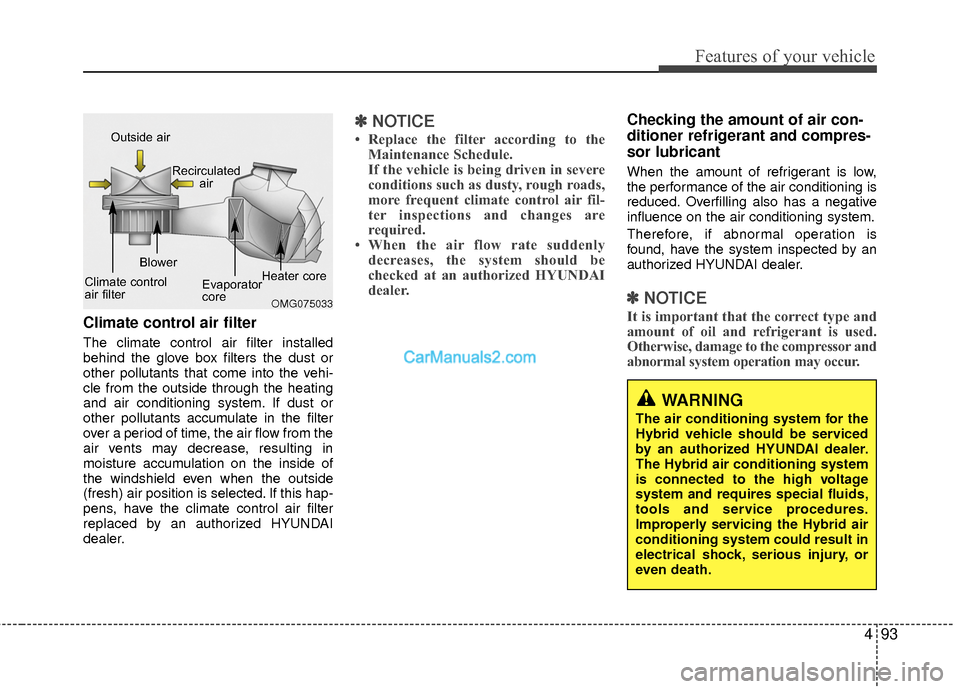
Climate control air filter
The climate control air filter installed
behind the glove box filters the dust or
other pollutants that come into the vehi-
cle from the outside through the heating
and air conditioning system. If dust or
other pollutants accumulate in the filter
over a period of time, the air flow from the
air vents may decrease, resulting in
moisture accumulation on the inside of
the windshield even when the outside
(fresh) air position is selected. If this hap-
pens, have the climate control air filter
replaced by an authorized HYUNDAI
dealer.
✽ ✽NOTICE
• Replace the filter according to the
Maintenance Schedule.
If the vehicle is being driven in severe
conditions such as dusty, rough roads,
more frequent climate control air fil-
ter inspections and changes are
required.
• When the air flow rate suddenly decreases, the system should be
checked at an authorized HYUNDAI
dealer.
Checking the amount of air con-
ditioner refrigerant and compres-
sor lubricant
When the amount of refrigerant is low,
the performance of the air conditioning is
reduced. Overfilling also has a negative
influence on the air conditioning system.
Therefore, if abnormal operation is
found, have the system inspected by an
authorized HYUNDAI dealer.
✽ ✽ NOTICE
It is important that the correct type and
amount of oil and refrigerant is used.
Otherwise, damage to the compressor and
abnormal system operation may occur.
WARNING
The air conditioning system for the
Hybrid vehicle should be serviced
by an authorized HYUNDAI dealer.
The Hybrid air conditioning system
is connected to the high voltage
system and requires special fluids,
tools and service procedures.
Improperly servicing the Hybrid air
conditioning system could result in
electrical shock, serious injury, or
even death.
OMG075033
Outside air
Recirculatedair
Climate control
air filter Blower
Evaporator
coreHeater core