navigation Hyundai Sonata Hybrid 2016 Multimedia Manual

Hyundai Sonata Hybrid 2016 Multimedia Manual Sonata Hybrid 2016 Hyundai Hyundai https://www.carmanualsonline.info/img/35/19641/w960_19641-0.png Hyundai Sonata Hybrid 2016 Multimedia Manual

Page 300 of 308
Hyundai Sonata Hybrid 2016  Multimedia Manual 80
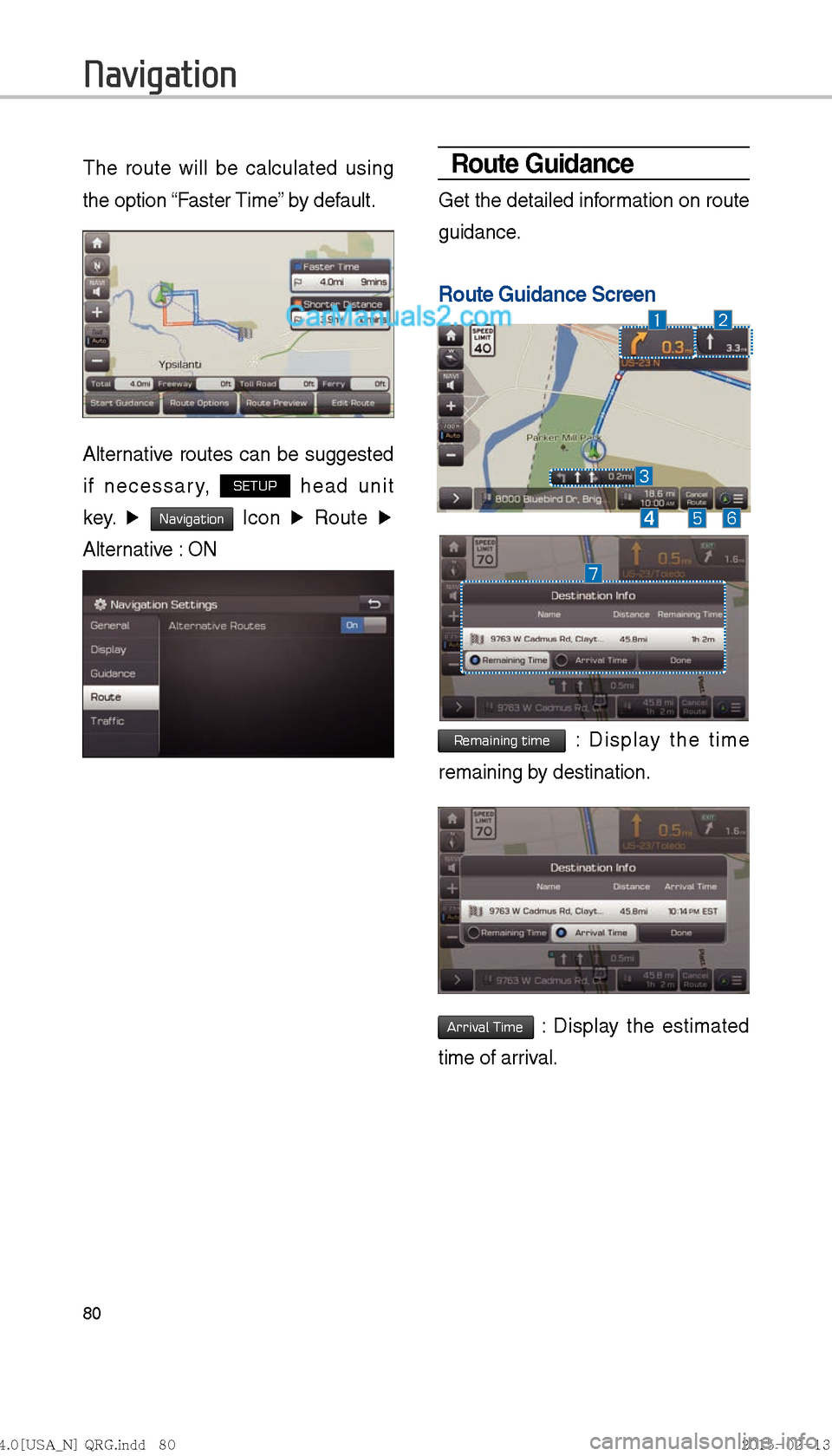
The route will be calculated using 
the option “Faster Time” by default.
Alternative routes can be suggested 
if necessary, 
SETUP head unit 
key.  ▶ 
Navigation 
Icon  ▶
 Route  ▶ 
Alter

Page 302 of 308

Hyundai Sonata Hybrid 2016  Multimedia Manual 82
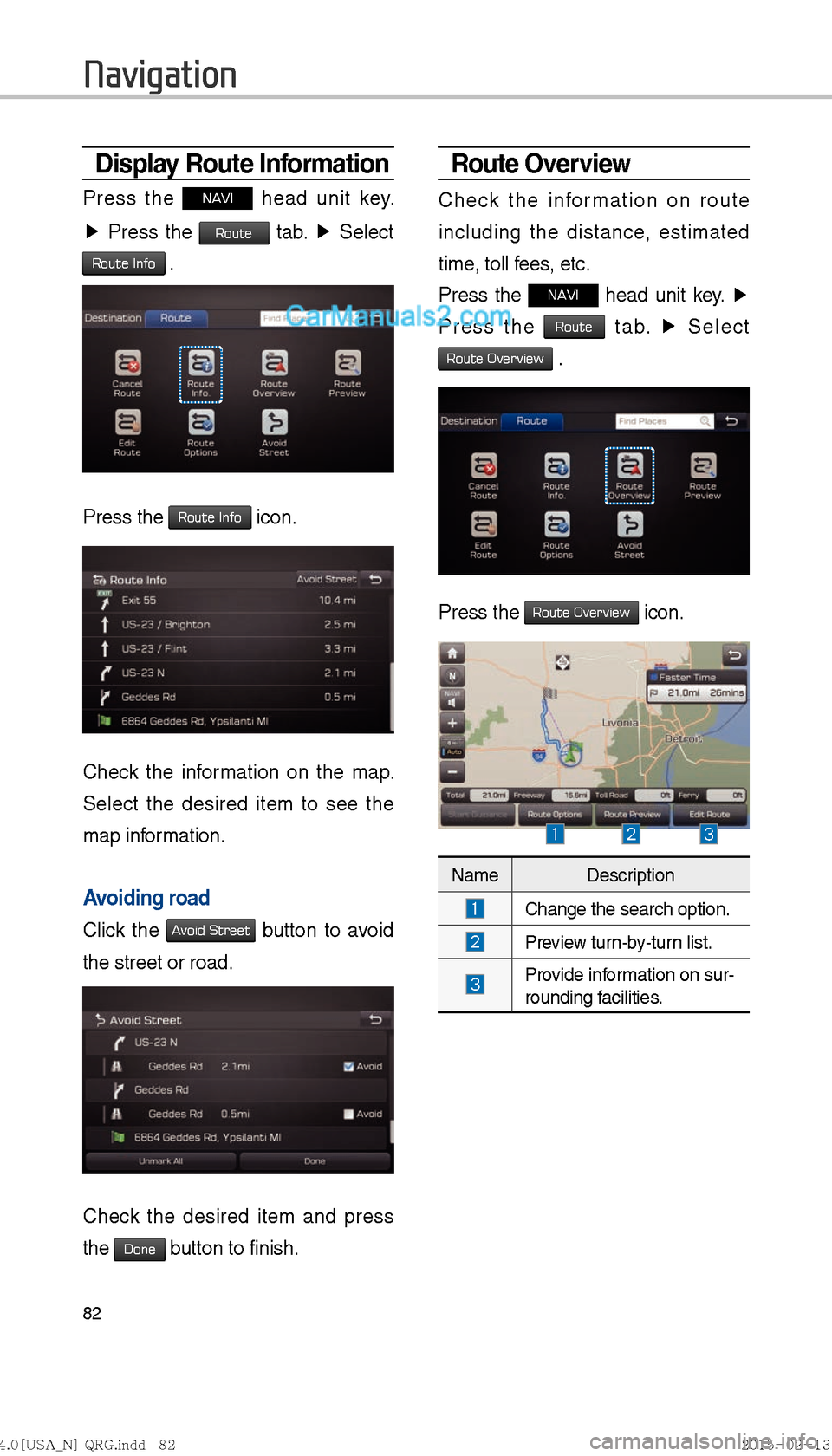
Display Route Information
Press the NAVI head unit key. 
▶  Press the 
Route tab.  ▶
 Select   
Route Info .
Press the Route Info icon.
Check the information on the map. 
Select the desired ite

Page 304 of 308

Hyundai Sonata Hybrid 2016  Multimedia Manual 84
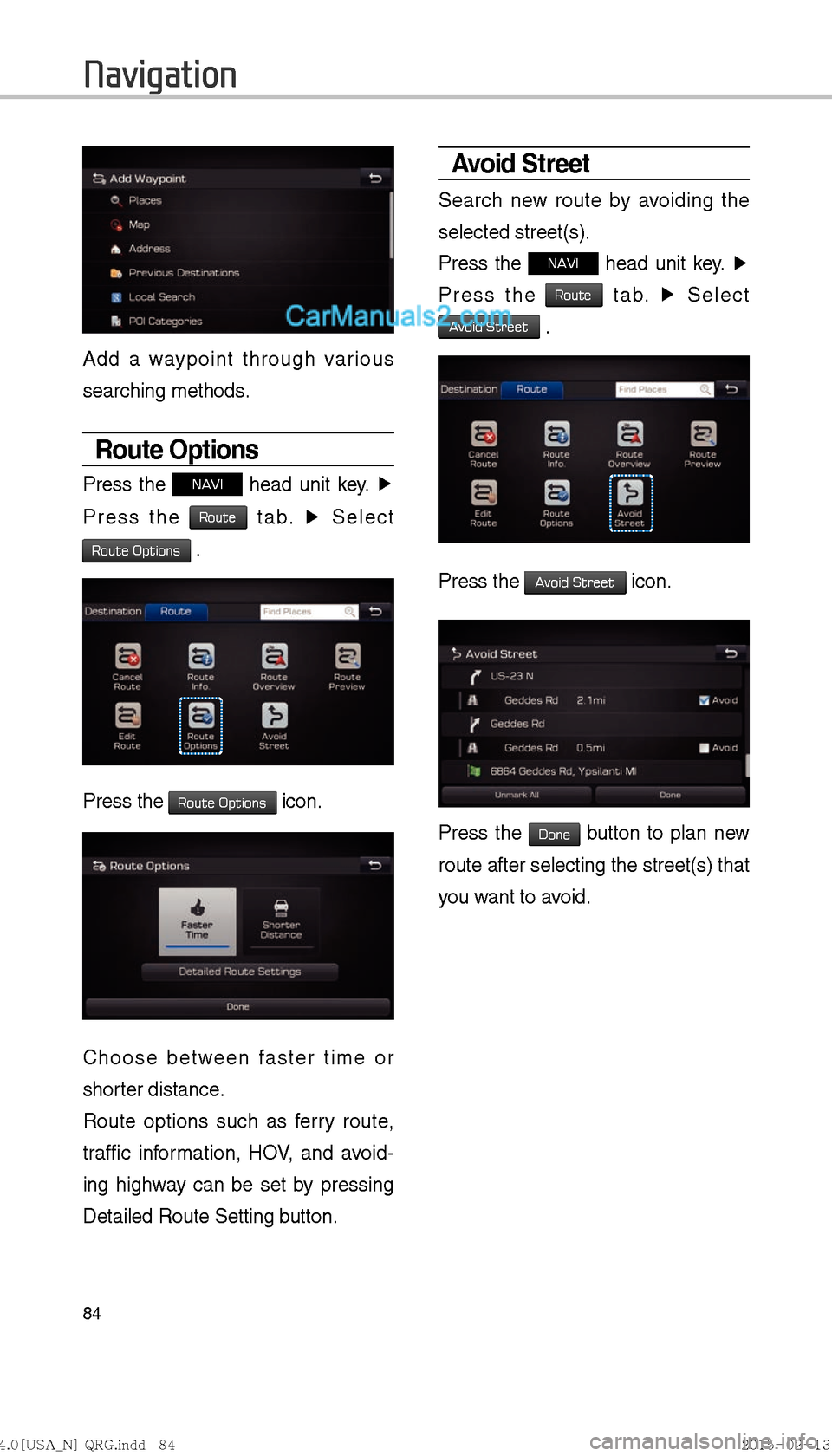
Add a waypoint through various 
searching methods.
Route Options
Press the NAVI head unit key. ▶
 
Press the 
Route tab.  ▶
 Select   
Route Options .
             
Press the Route Options icon

Page 305 of 308

Hyundai Sonata Hybrid 2016  Multimedia Manual 85
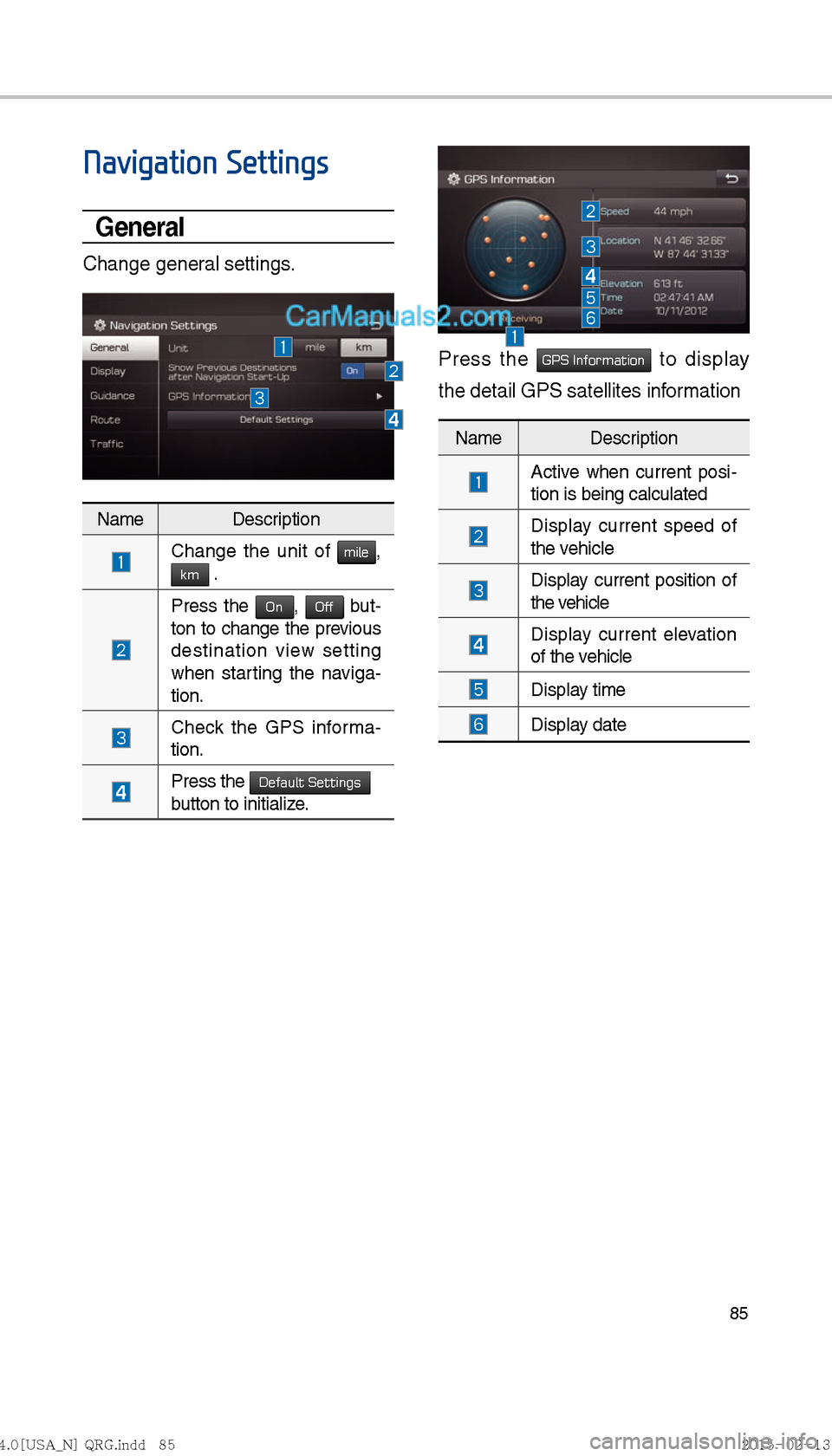
Navigation Settings
General
Change general settings.
Press the GPS Information to display 
the detail GPS satellites information 
Name Description
  Change the unit of mile, km .
 Press the 
On, Of

Page 306 of 308

Hyundai Sonata Hybrid 2016  Multimedia Manual 86
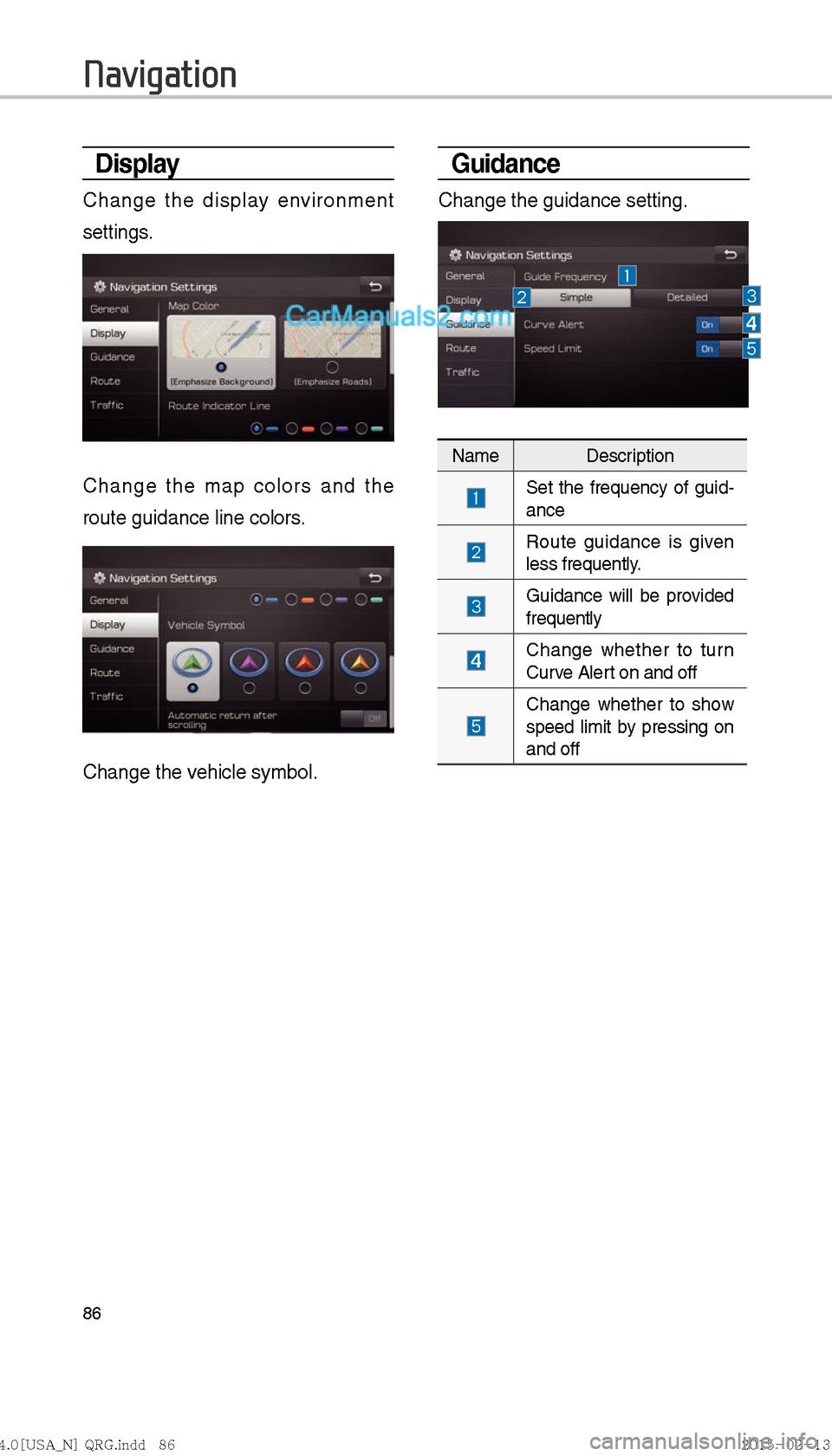
Display
Change the display environment 
settings.
Change the map colors and the 
route guidance line colors.
Change the vehicle symbol.
Guidance
Change the guidance setting.
Name Description
 Set t
Page:   < prev 1-10 ... 31-40 41-50 51-60 61-70 71-80