bsd Hyundai Sonata Hybrid 2016 Owner's Manual
[x] Cancel search | Manufacturer: HYUNDAI, Model Year: 2016, Model line: Sonata Hybrid, Model: Hyundai Sonata Hybrid 2016Pages: 708, PDF Size: 25.92 MB
Page 16 of 708
F16F16
Engine Start/Stop button .....................................5-5
Illuminated Engine Start/Stop button ..........................5-6
Engine Stop/Start button positions ..............................5-7
Starting the hybrid system .............................................5-9
Automatic transaxle ............................................5-12
Automatic transaxle operation ....................................5-12
Parking ........................................................................\
.......5-17
Good driving practices ...................................................5-17
Braking system.....................................................5-19
Power brakes ...................................................................5-19
Disc brakes wear indicator ...........................................5-20
Foot parking brake .........................................................5-20
Electronic Parking Brake (EPB)...................................5-22
AUTO HOLD ......................................................................5-\
28
Anti-lock Brake System (ABS) ....................................5-32
Electronic Stability Control (ESC)................................5-34
Vehicle Stability Management......................................5-38
Hill-Start Assist Control (HAC) ....................................5-39
Good braking practices..................................................5-40
Drive mode integrated control system .............5-41
Cruise control .......................................................5-43
Cruise Control operation ...............................................5-43
Smart Cruise Control system..............................5-48
To adjust the sensitivity of Smart Cruise Control ..5-49
To convert to Cruise Control Mode ............................5-49
Smart Cruise Control speed ..........................................5-50
Smart Cruise Control vehicle-to-vehicle distance..5-54
Radar to detect distance to the vehicle ahead .......5-57
Limitations of the system .............................................5-58
Forward collision warning system (FCWS) ......5-63
FCWS operation ...............................................................5-63
Limitations of the system .............................................5-65
Lane departure warning system (LDWS) .........5-66
LDWS Operation ..............................................................5-67
Warning Light and Message.........................................5-68
Blind spot detection system (BSD) ...................5-70
BSD (Blind Spot Detection) /
LCA (Lane Change Assist) .............................................5-71
RCTA (Rear Cross Traffic Alert) ..................................5-74
Special driving conditions ...................................5-78
Hazardous driving conditions.......................................5-78
Rocking the vehicle ........................................................5-78
Smooth cornering ...........................................................5-79
Driving at night ................................................................5-79
Driving in the rain ...........................................................5-80
Driving in flooded areas ................................................5-80
Highway driving ...............................................................5-81
Page 165 of 708
3-70
Convenient features of your vehicle
Master Warning Light
This warning light illuminates in
one of the following situations:
When there is a problem with theCollision Warning System (FCWS).
When there is a problem with the Smart Cruise Control (SCC).
When there is a problem with the Blind Spot Detection (BSD).
When washer fluid level is low.
When there is a problem with the Tire Pressure Monitoring System
(TPMS).
To identify the cause of the warning,
look at the LCD display.
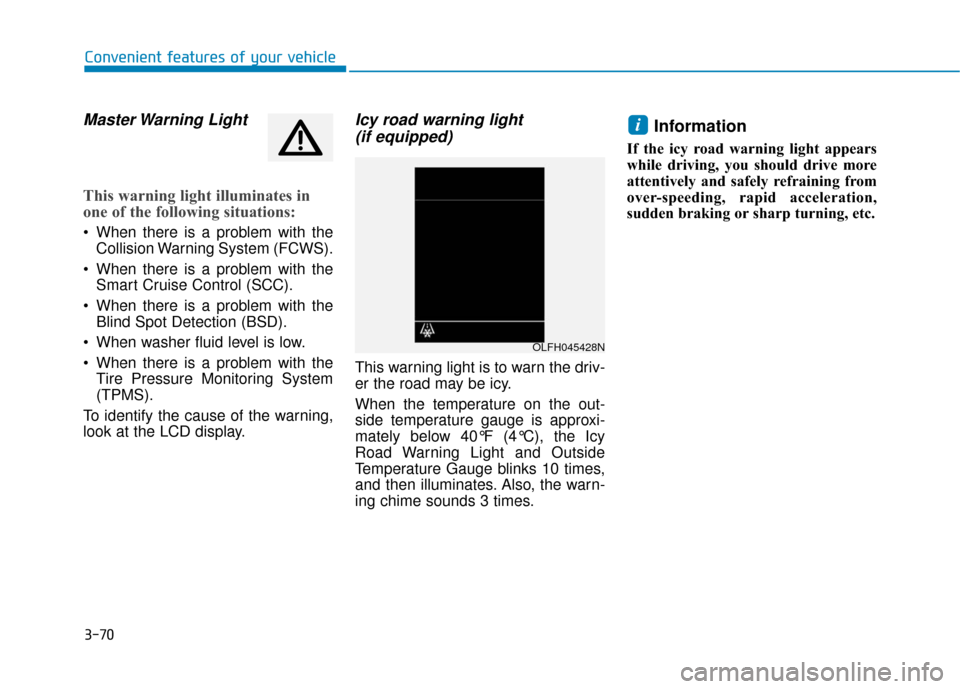
Icy road warning light (if equipped)
This warning light is to warn the driv-
er the road may be icy.
When the temperature on the out-
side temperature gauge is approxi-
mately below 40°F (4°C), the Icy
Road Warning Light and Outside
Temperature Gauge blinks 10 times,
and then illuminates. Also, the warn-
ing chime sounds 3 times.
Information
If the icy road warning light appears
while driving, you should drive more
attentively and safely refraining from
over-speeding, rapid acceleration,
sudden braking or sharp turning, etc.
i
OLFH045428N
Page 186 of 708
3-91
Convenient features of your vehicle
3
Information mode
This mode displays the service inter-
val (mileage and days).
For the setting of the service inter-
val, refer to "User Settings Mode"
of the LCD display.
Warning Message
If one of followings occurs, warning
messages will be displayed in the infor-
mation mode for about 10 seconds.
- Malfunction of the Forward CollisionWarning System (FCWS)
- Malfunction of the Smart Cruise Control (SCC)
- Malfunction of the Lane Departure Warning System (LDWS)
- Malfunction of the Blind Spot Detection (BSD)
- Low washer fluid Service Interval
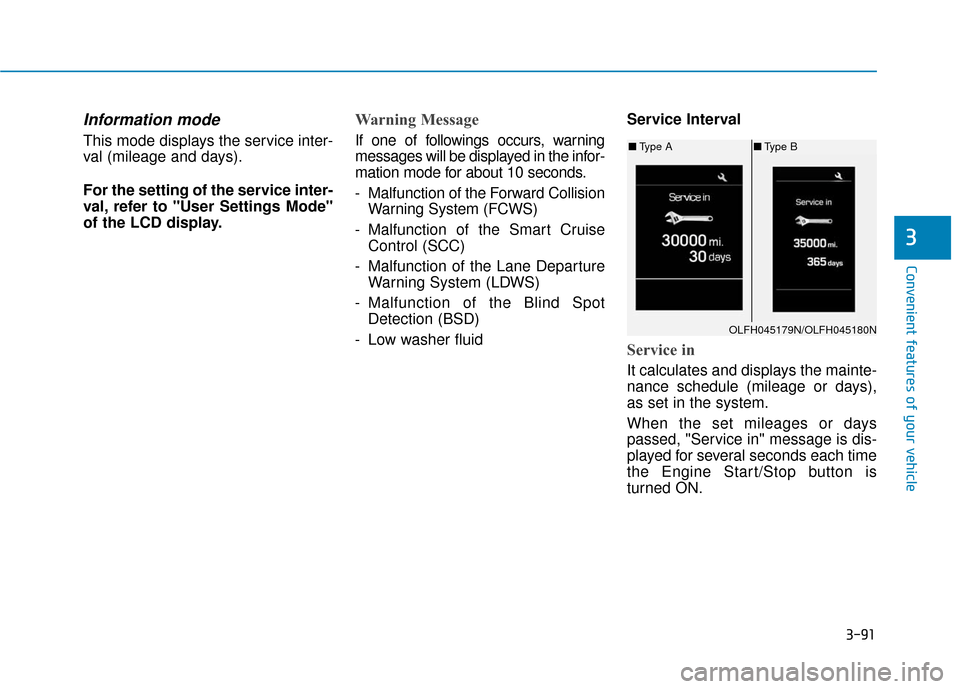
Service in
It calculates and displays the mainte-
nance schedule (mileage or days),
as set in the system.
When the set mileages or days
passed, "Service in" message is dis-
played for several seconds each time
the Engine Start/Stop button is
turned ON.
OLFH045179N/OLFH045180N
■
Type A ■Type B
Page 190 of 708
3-95
Convenient features of your vehicle
3
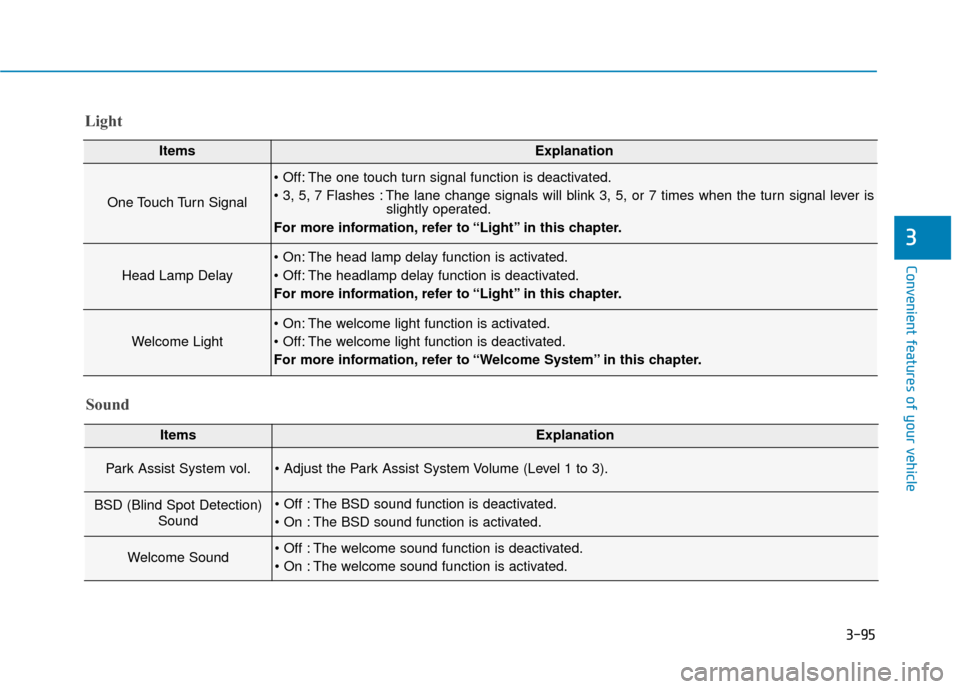
Light
ItemsExplanation
One Touch Turn Signal
The one touch turn signal function is deactivated.
The lane change signals will blink 3, 5, or 7 times when the turn signal lever isslightly operated.
For more information, refer to “Light” in this chapter.
Head Lamp Delay
The head lamp delay function is activated.
The headlamp delay function is deactivated.
For more information, refer to “Light” in this chapter.
Welcome Light
The welcome light function is activated.
The welcome light function is deactivated.
For more information, refer to “Welcome System” in this chapter.
Sound
ItemsExplanation
Park Assist System vol.
BSD (Blind Spot Detection) Sound The BSD sound function is deactivated.
The BSD sound function is activated.
Welcome Sound The welcome sound function is deactivated.
The welcome sound function is activated.
Page 447 of 708
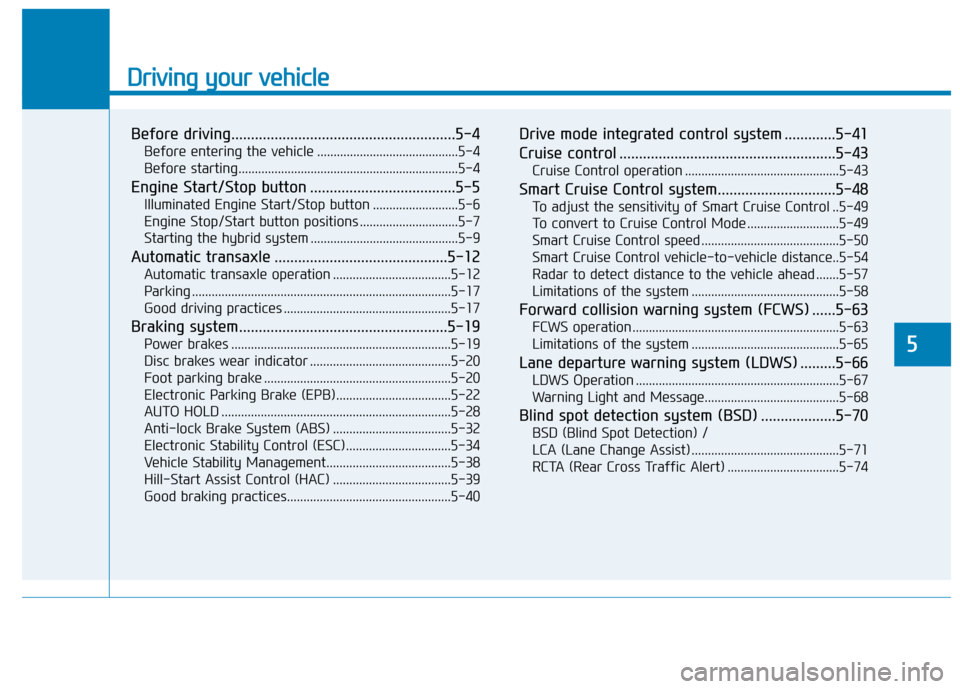
Driving your vehicle
Before driving.........................................................5-4
Before entering the vehicle ...........................................5-4
Before starting...................................................................5-4
Engine Start/Stop button .....................................5-5
Illuminated Engine Start/Stop button ..........................5-6
Engine Stop/Start button positions ..............................5-7
Starting the hybrid system .............................................5-9
Automatic transaxle ............................................5-12
Automatic transaxle operation ....................................5-12
Parking ........................................................................\
.......5-17
Good driving practices ...................................................5-17
Braking system.....................................................5-19
Power brakes ...................................................................5-19
Disc brakes wear indicator ...........................................5-20
Foot parking brake .........................................................5-20
Electronic Parking Brake (EPB)...................................5-22
AUTO HOLD ......................................................................5-\
28
Anti-lock Brake System (ABS) ....................................5-32
Electronic Stability Control (ESC)................................5-34
Vehicle Stability Management......................................5-38
Hill-Start Assist Control (HAC) ....................................5-39
Good braking practices..................................................5-40
Drive mode integrated control system .............5-41
Cruise control .......................................................5-43
Cruise Control operation ...............................................5-43
Smart Cruise Control system..............................5-48
To adjust the sensitivity of Smart Cruise Control ..5-49
To convert to Cruise Control Mode ............................5-49
Smart Cruise Control speed ..........................................5-50
Smart Cruise Control vehicle-to-vehicle distance..5-54
Radar to detect distance to the vehicle ahead .......5-57
Limitations of the system .............................................5-58
Forward collision warning system (FCWS) ......5-63
FCWS operation ...............................................................5-63
Limitations of the system .............................................5-65
Lane departure warning system (LDWS) .........5-66
LDWS Operation ..............................................................5-67
Warning Light and Message.........................................5-68
Blind spot detection system (BSD) ...................5-70
BSD (Blind Spot Detection) /
LCA (Lane Change Assist) .............................................5-71
RCTA (Rear Cross Traffic Alert) ..................................5-74
5
Page 516 of 708
5-70
Driving your vehicle
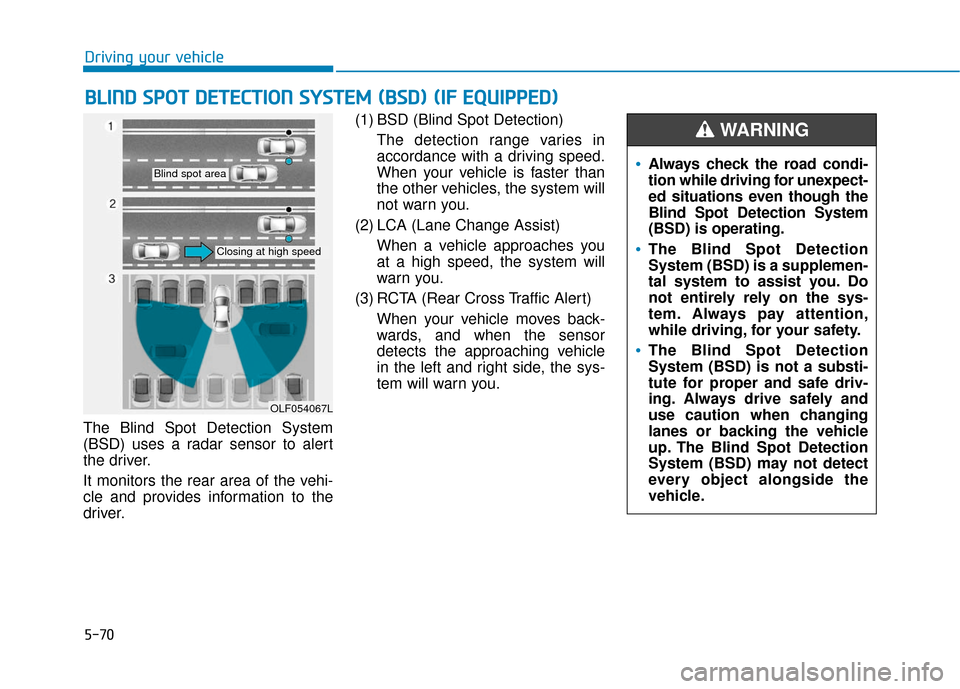
The Blind Spot Detection System
(BSD) uses a radar sensor to alert
the driver.
It monitors the rear area of the vehi-
cle and provides information to the
driver. (1) BSD (Blind Spot Detection)
The detection range varies in
accordance with a driving speed.
When your vehicle is faster than
the other vehicles, the system will
not warn you.
(2) LCA (Lane Change Assist) When a vehicle approaches you
at a high speed, the system will
warn you.
(3) RCTA (Rear Cross Traffic Alert) When your vehicle moves back-
wards, and when the sensor
detects the approaching vehicle
in the left and right side, the sys-
tem will warn you.
B BL
LI
IN
N D
D
S
S P
P O
O T
T
D
D E
ET
T E
EC
CT
T I
IO
O N
N
S
S Y
Y S
ST
T E
EM
M
(
( B
B S
SD
D )
)
(
( I
IF
F
E
E Q
Q U
UI
IP
P P
PE
ED
D )
)
OLF054067L
Blind spot area
Closing at high speed
Always check the road condi-
tion while driving for unexpect-
ed situations even though the
Blind Spot Detection System
(BSD) is operating.
The Blind Spot Detection
System (BSD) is a supplemen-
tal system to assist you. Do
not entirely rely on the sys-
tem. Always pay attention,
while driving, for your safety.
The Blind Spot Detection
System (BSD) is not a substi-
tute for proper and safe driv-
ing. Always drive safely and
use caution when changing
lanes or backing the vehicle
up. The Blind Spot Detection
System (BSD) may not detect
every object alongside the
vehicle.
WARNING
Page 517 of 708
5-71
Driving your vehicle
5
BSD (Blind Spot Detection) /
LCA (Lane Change Assist)
Operating conditions
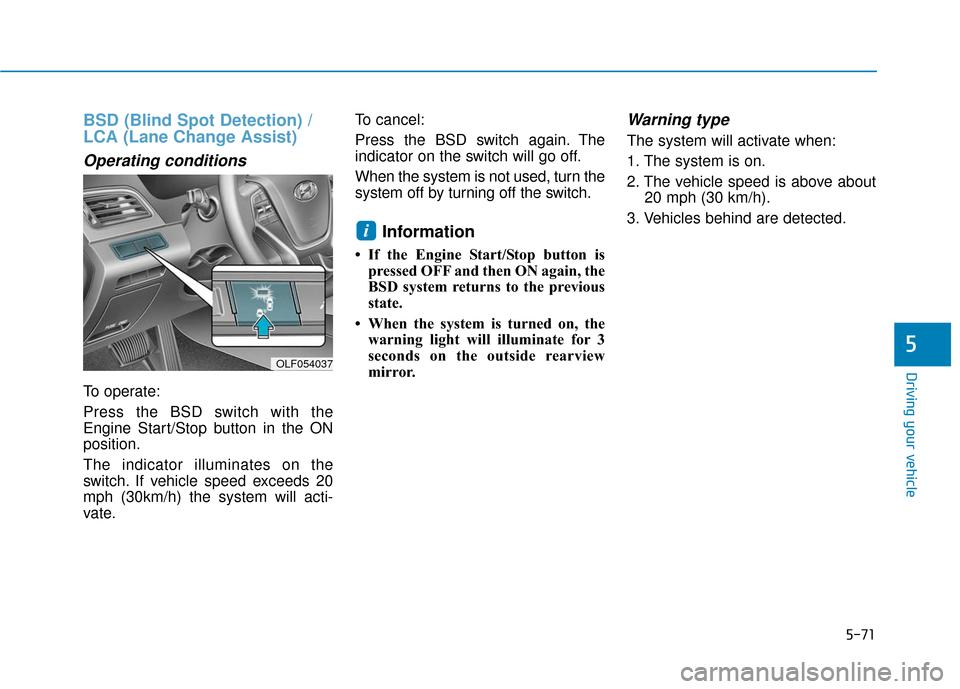
To operate:
Press the BSD switch with the
Engine Start/Stop button in the ON
position.
The indicator illuminates on the
switch. If vehicle speed exceeds 20
mph (30km/h) the system will acti-
vate.To cancel:
Press the BSD switch again. The
indicator on the switch will go off.
When the system is not used, turn the
system off by turning off the switch.
Information
• If the Engine Start/Stop button is
pressed OFF and then ON again, the
BSD system returns to the previous
state.
• When the system is turned on, the warning light will illuminate for 3
seconds on the outside rearview
mirror.
Warning type
The system will activate when:
1. The system is on.
2. The vehicle speed is above about 20 mph (30 km/h).
3. Vehicles behind are detected.
i
OLF054037
Page 520 of 708
5-74
Driving your vehicle
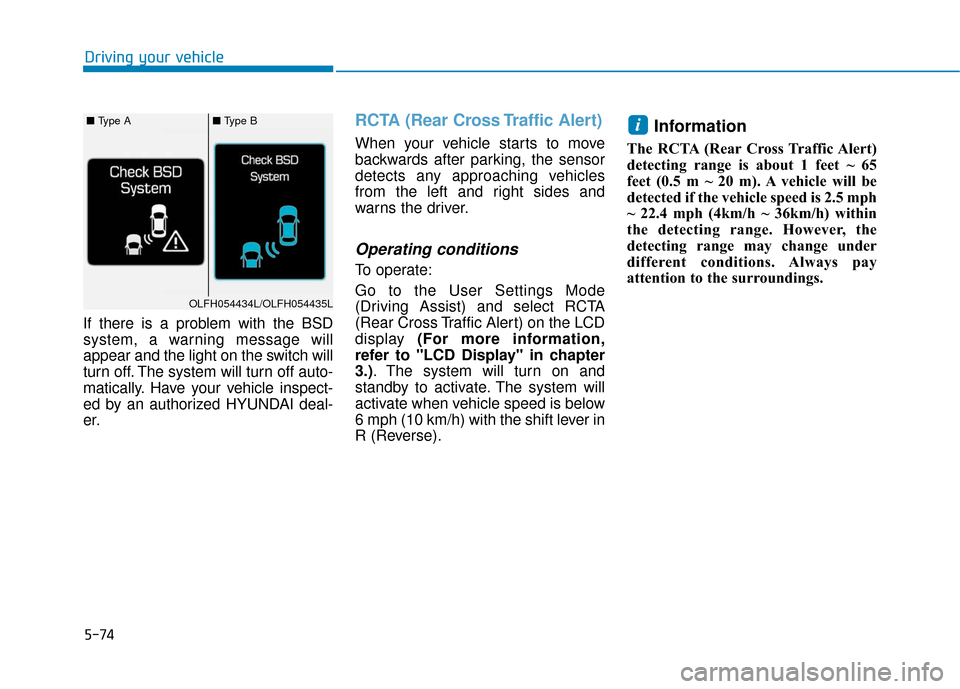
If there is a problem with the BSD
system, a warning message will
appear and the light on the switch will
turn off. The system will turn off auto-
matically. Have your vehicle inspect-
ed by an authorized HYUNDAI deal-
er.
RCTA (Rear Cross Traffic Alert)
When your vehicle starts to move
backwards after parking, the sensor
detects any approaching vehicles
from the left and right sides and
warns the driver.
Operating conditions
To operate:
Go to the User Settings Mode
(Driving Assist) and select RCTA
(Rear Cross Traffic Alert) on the LCD
display (For more information,
refer to "LCD Display" in chapter
3.). The system will turn on and
standby to activate. The system will
activate when vehicle speed is below
6 mph (10 km/h) with the shift lever in
R (Reverse).
Information
The RCTA (Rear Cross Traffic Alert)
detecting range is about 1 feet ~ 65
feet (0.5 m ~ 20 m). A vehicle will be
detected if the vehicle speed is 2.5 mph
~ 22.4 mph (4km/h ~ 36km/h) within
the detecting range. However, the
detecting range may change under
different conditions. Always pay
attention to the surroundings.
i■ Type A■ Type B
OLFH054434L/OLFH054435L
Page 521 of 708
5-75
Driving your vehicle
5
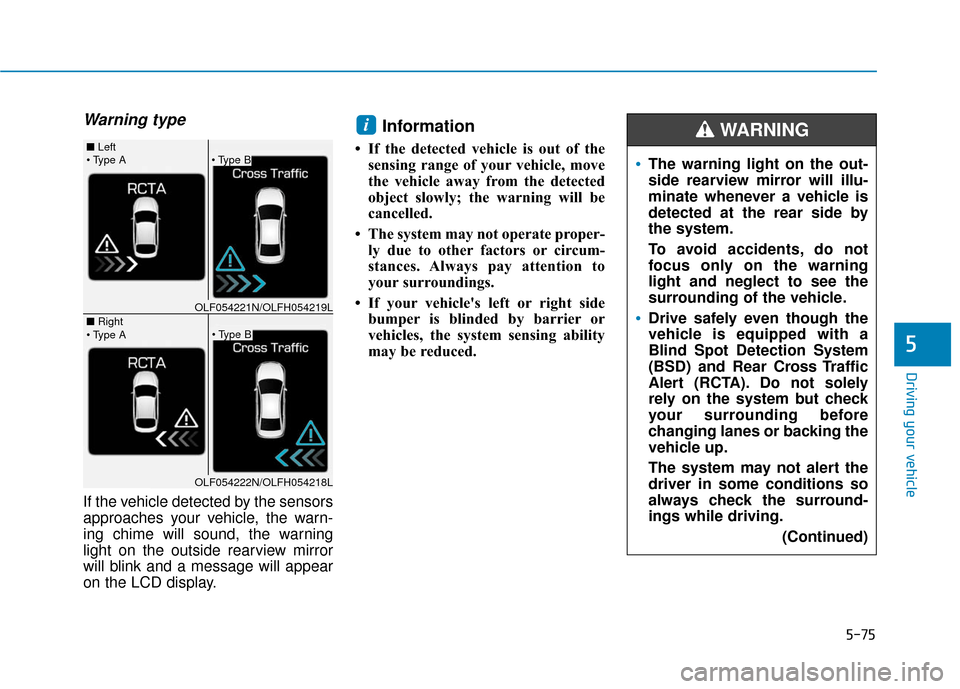
Warning type
If the vehicle detected by the sensors
approaches your vehicle, the warn-
ing chime will sound, the warning
light on the outside rearview mirror
will blink and a message will appear
on the LCD display.
Information
• If the detected vehicle is out of thesensing range of your vehicle, move
the vehicle away from the detected
object slowly; the warning will be
cancelled.
• The system may not operate proper- ly due to other factors or circum-
stances. Always pay attention to
your surroundings.
• If your vehicle's left or right side bumper is blinded by barrier or
vehicles, the system sensing ability
may be reduced.
i
The warning light on the out-
side rearview mirror will illu-
minate whenever a vehicle is
detected at the rear side by
the system.
To avoid accidents, do not
focus only on the warning
light and neglect to see the
surrounding of the vehicle.
Drive safely even though the
vehicle is equipped with a
Blind Spot Detection System
(BSD) and Rear Cross Traffic
Alert (RCTA). Do not solely
rely on the system but check
your surrounding before
changing lanes or backing the
vehicle up.
The system may not alert the
driver in some conditions so
always check the surround-
ings while driving.
(Continued)
WARNING
■ Left
■ Right
OLF054221N/OLFH054219L
OLF054222N/OLFH054218L
Page 522 of 708
5-76
Driving your vehicle The system may not properlyoperate, when the bumper is
replaced, or when a repair work
is done near the sensor.
The sensing range differs accord- ing to the roads width. When the
road is narrow, the system may
detect other vehicles in the next
lane.
The system may turn off due to strong electromagnetic waves.
Non-operating condition
Outside rearview mirror may not
alert the driver when:
- The outside rearview mirror hous-ing is damaged or covered with
debris.
- The window is covered with debris.
- The windows are severely tinted.
NOTICE(Continued)
The Blind Spot Detection
System (BSD) and Rear Cross
Traffic Alert (RCTA) are not a
substitute for proper and safe
driving practices. Always
drive safely and use caution
when changing lanes or back-
ing the vehicles up. The Blind
Spot Detection System (BSD)
may not detect every object
alongside the vehicle.