ECO mode HYUNDAI SONATA HYBRID 2019 User Guide
[x] Cancel search | Manufacturer: HYUNDAI, Model Year: 2019, Model line: SONATA HYBRID, Model: HYUNDAI SONATA HYBRID 2019Pages: 546, PDF Size: 78.75 MB
Page 194 of 546
3-58
Convenient features of your vehicle
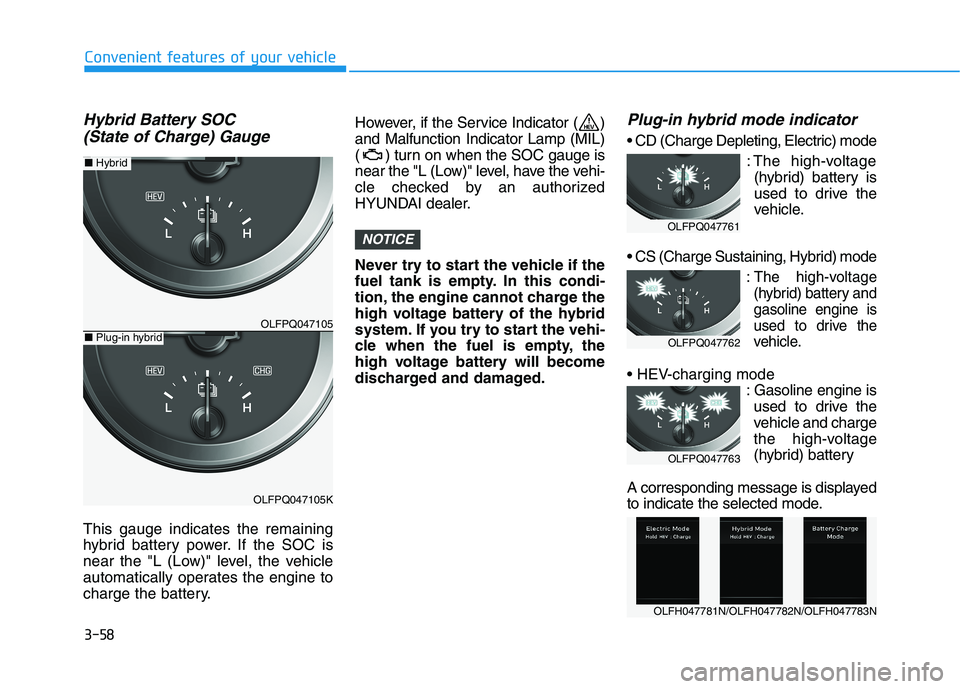
Hybrid Battery SOC (State of Charge) Gauge
This gauge indicates the remaining
hybrid battery power. If the SOC is
near the "L (Low)" level, the vehicle
automatically operates the engine to
charge the battery. However, if the Service Indicator ( )and Malfunction Indicator Lamp (MIL)
( ) turn on when the SOC gauge is
near the "L (Low)" level, have the vehi-
cle checked by an authorized
HYUNDAI dealer.
Never try to start the vehicle if the
fuel tank is empty. In this condi-
tion, the engine cannot charge the
high voltage battery of the hybrid
system. If you try to start the vehi-
cle when the fuel is empty, the
high voltage battery will become
discharged and damaged.
Plug-in hybrid mode indicator
: The high-voltage(hybrid) battery is
used to drive the
vehicle.
:The high-voltage
(hybrid) battery andgasoline engine is
used to drive the
vehicle.
: Gasoline engine isused to drive the
vehicle and charge
the high-voltage
(hybrid) battery
A corresponding message is displayed
to indicate the selected mode.
NOTICE
OLFPQ047105
OLFPQ047105K
■ Plug-in hybrid
■ Hybrid
OLFH047781N/OLFH047782N/OLFH047783N
OLFPQ047761
OLFPQ047762
OLFPQ047763
Page 197 of 546
3-61
Convenient features of your vehicle
3
Warning and indicator lights
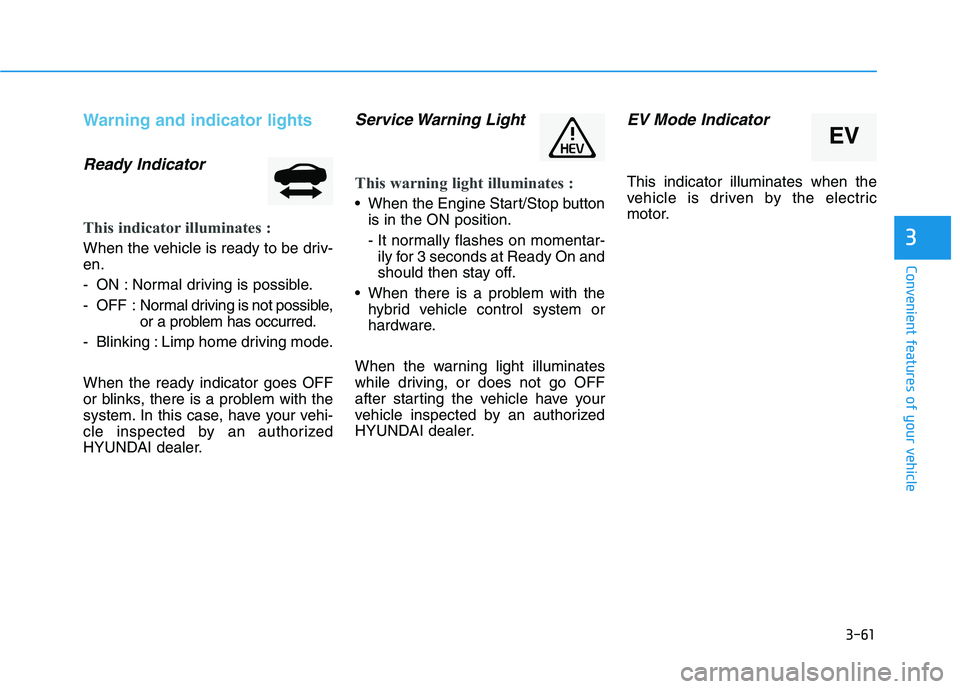
Ready Indicator
This indicator illuminates :
When the vehicle is ready to be driv- en.
- ON : Normal driving is possible.
- OFF : Normal driving is not possible,
or a problem has occurred.
- Blinking : Limp home driving mode. When the ready indicator goes OFF
or blinks, there is a problem with the
system. In this case, have your vehi-
cle inspected by an authorized
HYUNDAI dealer.
Service Warning Light
This warning light illuminates :
When the Engine Start/Stop button is in the ON position.
- It normally flashes on momentar-ily for 3 seconds at Ready On and
should then stay off.
When there is a problem with the hybrid vehicle control system or
hardware.
When the warning light illuminates
while driving, or does not go OFF
after starting the vehicle have your
vehicle inspected by an authorized
HYUNDAI dealer.
EV Mode Indicator
This indicator illuminates when the
vehicle is driven by the electric
motor.
EV
Page 209 of 546
3-73
Convenient features of your vehicle
3
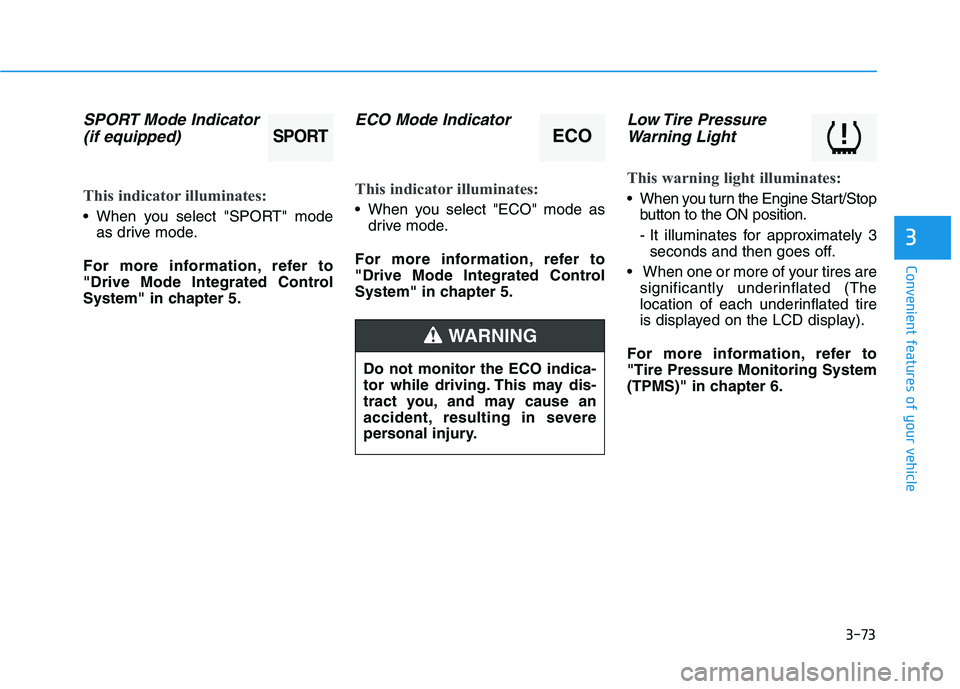
SPORT Mode Indicator(if equipped)
This indicator illuminates:
When you select "SPORT" mode as drive mode.
For more information, refer to
"Drive Mode Integrated Control
System" in chapter 5.
ECO Mode Indicator
This indicator illuminates:
When you select "ECO" mode as drive mode.
For more information, refer to
"Drive Mode Integrated Control
System" in chapter 5.
Low Tire Pressure Warning Light
This warning light illuminates:
When you turn the Engine Start/Stop button to the ON position.
- It illuminates for approximately 3seconds and then goes off.
When one or more of your tires are significantly underinflated (The
location of each underinflated tire
is displayed on the LCD display).
For more information, refer to"Tire Pressure Monitoring System
(TPMS)" in chapter 6.
Do not monitor the ECO indica-
tor while driving. This may dis-
tract you, and may cause an
accident, resulting in severe
personal injury.
WARNING
SPORTECO
Page 213 of 546
3-77
Convenient features of your vehicle
3
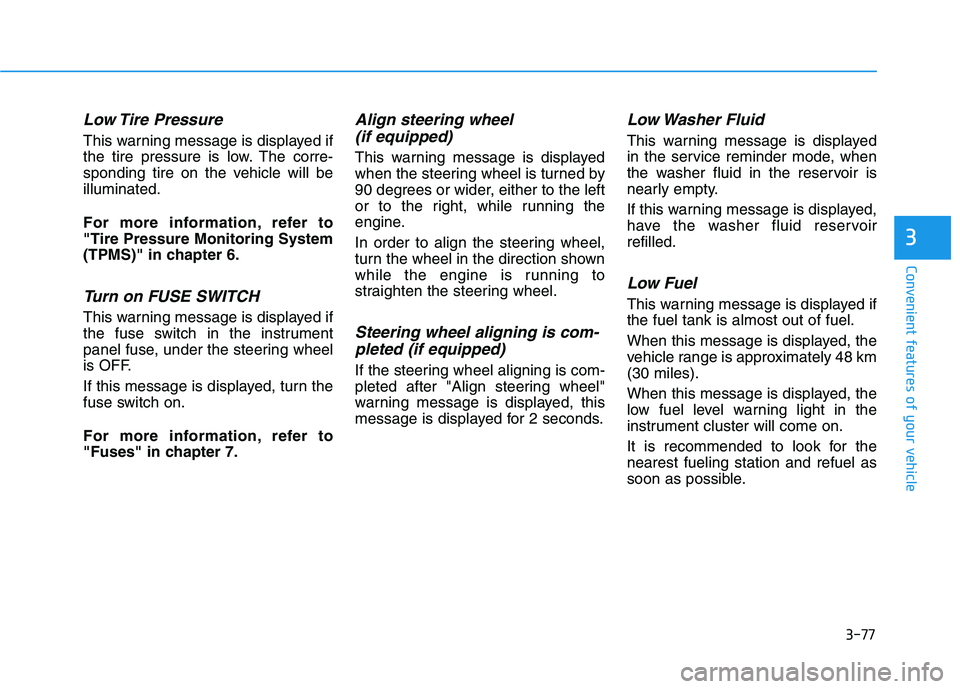
Low Tire Pressure
This warning message is displayed if
the tire pressure is low. The corre-
sponding tire on the vehicle will beilluminated.
For more information, refer to "Tire Pressure Monitoring System
(TPMS)" in chapter 6.
Turn on FUSE SWITCH
This warning message is displayed if
the fuse switch in the instrument
panel fuse, under the steering wheel
is OFF.
If this message is displayed, turn the
fuse switch on.
For more information, refer to
"Fuses" in chapter 7.
Align steering wheel (if equipped)
This warning message is displayed
when the steering wheel is turned by
90 degrees or wider, either to the left
or to the right, while running the
engine.
In order to align the steering wheel,
turn the wheel in the direction shown
while the engine is running to
straighten the steering wheel.
Steering wheel aligning is com-pleted (if equipped)
If the steering wheel aligning is com-
pleted after "Align steering wheel"
warning message is displayed, this
message is displayed for 2 seconds.
Low Washer Fluid
This warning message is displayed
in the service reminder mode, when
the washer fluid in the reservoir is
nearly empty.
If this warning message is displayed,
have the washer fluid reservoirrefilled.
Low Fuel
This warning message is displayed ifthe fuel tank is almost out of fuel.
When this message is displayed, the
vehicle range is approximately 48 km(30 miles).
When this message is displayed, the
low fuel level warning light in the
instrument cluster will come on.
It is recommended to look for the nearest fueling station and refuel as
soon as possible.
Page 218 of 546
3-82
Convenient features of your vehicle
❈Example of a deceleration event is
going down an extended hill, slow-
ing down approaching a toll booth,and approaching reduced speed
zones.
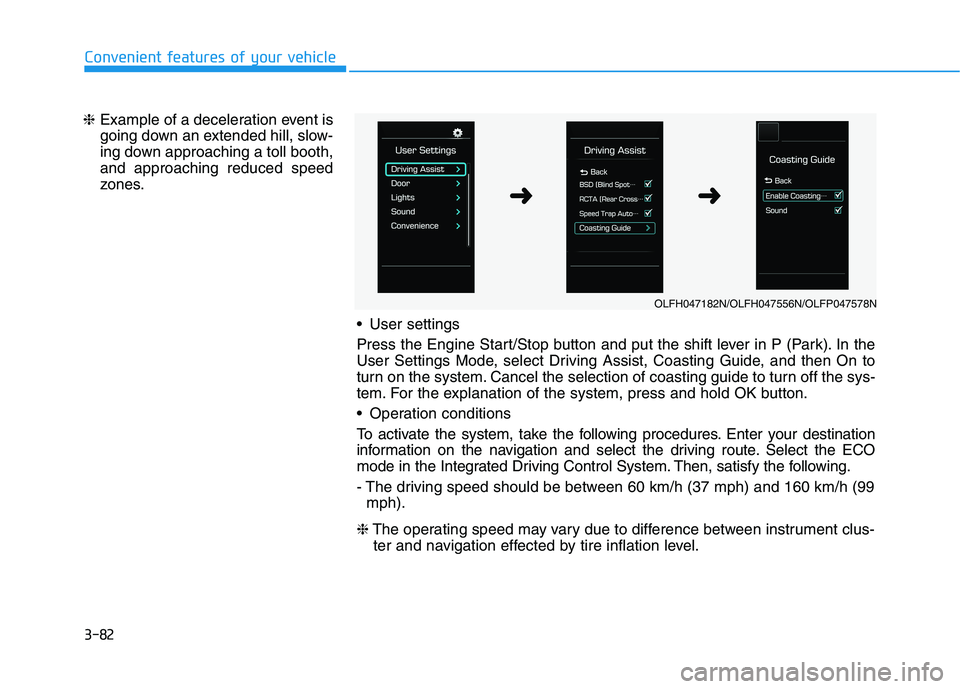
User settings
Press the Engine Start/Stop button and put the shift lever in P (Park). In the
User Settings Mode, select Driving Assist, Coasting Guide, and then On to
turn on the system. Cancel the selection of coasting guide to turn off the sys-
tem. For the explanation of the system, press and hold OK button.
Operation conditions
To activate the system, take the following procedures. Enter your destination
information on the navigation and select the driving route. Select the ECO
mode in the Integrated Driving Control System. Then, satisfy the following.
- The driving speed should be between 60 km/h (37 mph) and 160 km/h (99mph).
❈ The operating speed may vary due to difference between instrument clus-
ter and navigation effected by tire inflation level.
OLFH047182N/OLFH047556N/OLFP047578N
➜➜
Page 219 of 546
3-83
Convenient features of your vehicle
3
Information
Coasting guide is only a supplemental
system to assist with fuel-efficient
driving. Thus, the operating condi-
tions may be different in accordance
with traffic/road conditions (i.e. driv-
ing in a traffic jam, driving on a slope,
driving on a curve). Thus, take the
actual driving conditions into consid-
eration, such as distances from the
vehicles ahead/behind, while referring
to the coasting guide system as guid-
ance.
Unplugging vehicle to start (Plug-in hybrid)
The message is displayed when you
start the engine without unplugging
the charging cable. Unplug the
charging cable, and then start the
vehicle.
Remaining time to fully chargethe battery (Plug-in hybrid)
The message is displayed to notifythe remaining time to fully charge the
battery.
2WD Certification Mode (Plug-in hybrid)
The message is displayed when the
2WD vehicle enters the fuel econo-
my certification test mode.
Wait until fuel door opens (Plug-in hybrid)
The message is displayed when youattempt to open the fuel filler door
with the fuel tank pressurized. Wait
until the fuel tank is depressurized.
Information
It may take up to 20 seconds to open fuel filler door.
When the fuel filler door is frozen and does not open after 20 seconds
at freezing temperature, slightly tap
the fuel filler door and then attempt
to open it.
Fuel door open
(Plug-in hybrid)
The message is displayed when thefuel filler door opens after the fuel
tank is depressurized. If this mes-
sage is displayed, you can refuel thefuel tank.
Check fuel door(Plug-in hybrid)
The message is displayed when the
vehicle is driven with the fuel filler
door opened. Close the fuel filler
door and then start driving.
Park with engine
On to charge battery (Plug-in hybrid)
The message is displayed when thecharging connector is plugged with
the shift lever in R (Reverse), N
(Neutral) or D (Drive). Move the shift
lever to P (Park) and re-start the
charging process.
i
i
Page 221 of 546
3-85
Convenient features of your vehicle
LCD display control
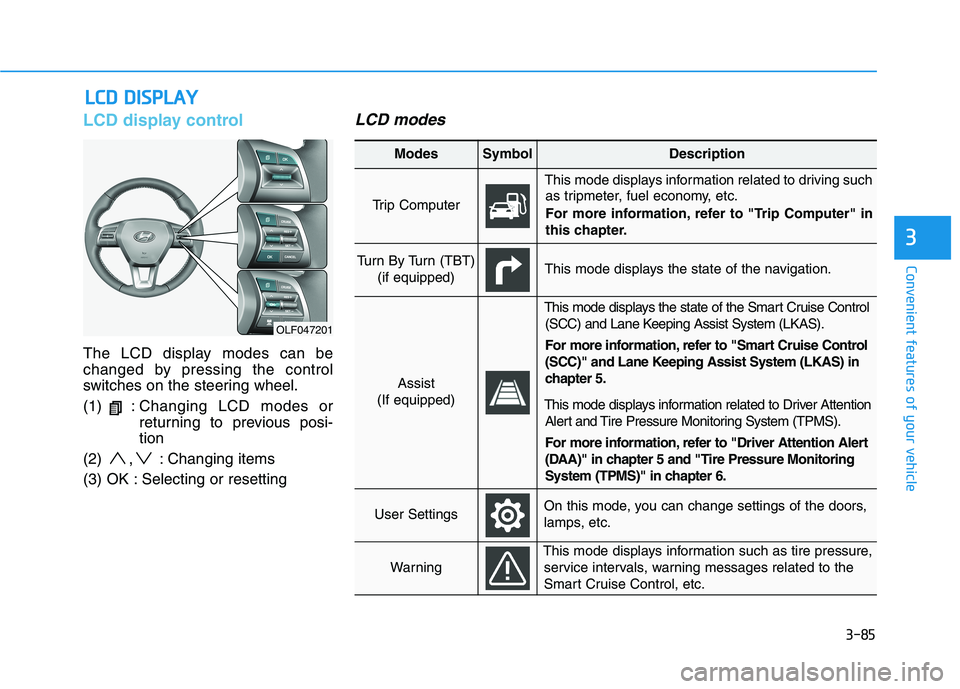
The LCD display modes can be
changed by pressing the control
switches on the steering wheel. (1) :Changing LCD modes or
returning to previous posi-tion
(2) , : Changing items
(3) OK : Selecting or resetting
LCD modes
LL CC DD DD IISS PP LLAA YY
3
OLF047201
Modes SymbolDescription
Trip Computer
This mode displays information related to driving such
as tripmeter, fuel economy, etc.
For more information, refer to "Trip Computer" in
this chapter.
Turn By Turn (TBT)
(if equipped)This mode displays the state of the navigation.
Assist
(If equipped)
This mode displays the state of the Smart Cruise Control (SCC) and Lane Keeping Assist System (LKAS).
For more information, refer to "Smart Cruise Control
(SCC)" and Lane Keeping Assist System (LKAS) in
chapter 5.
This mode displays information related to Driver Attention Alert and Tire Pressure Monitoring System (TPMS).
For more information, refer to "Driver Attention Alert
(DAA)" in chapter 5 and "Tire Pressure Monitoring
System (TPMS)" in chapter 6.
User SettingsOn this mode, you can change settings of the doors,
lamps, etc.
Warning
This mode displays information such as tire pressure,service intervals, warning messages related to the
Smart Cruise Control, etc.
Page 222 of 546
3-86
Convenient features of your vehicle
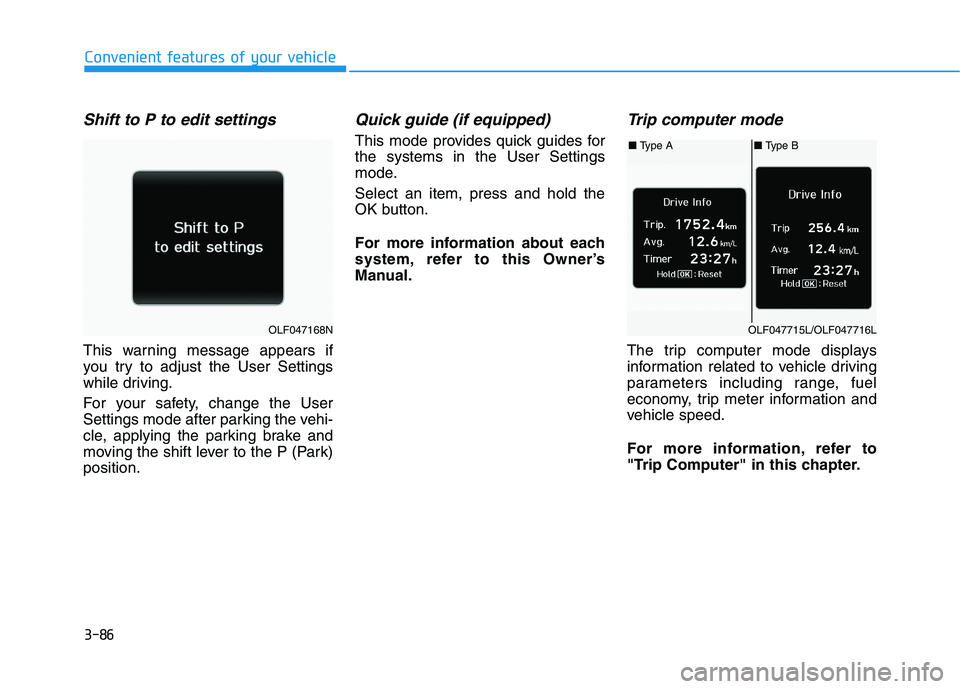
Shift to P to edit settings
This warning message appears if
you try to adjust the User Settings
while driving.
For your safety, change the User
Settings mode after parking the vehi-
cle, applying the parking brake and
moving the shift lever to the P (Park)position.
Quick guide (if equipped)
This mode provides quick guides forthe systems in the User Settings
mode. Select an item, press and hold the
OK button.
For more information about each
system, refer to this Owner’s
Manual.
Trip computer mode
The trip computer mode displays
information related to vehicle driving
parameters including range, fuel
economy, trip meter information and
vehicle speed.
For more information, refer to
"Trip Computer" in this chapter.
OLF047168N
■ Type A■ Type B
OLF047715L/OLF047716L
Page 228 of 546
3-92
Convenient features of your vehicle
If the service interval is activated and the time and distance is adjusted,
messages are displayed in the fol-
lowing situations each time the vehi-
cle is turned on.
- Service in: Displayed to inform the driver theremaining mileage and days to
service.
- Service required
: Displayed when the mileage anddays to service has been reachedor passed.
Information
If any of the following conditions
occur, the mileage and number of days
to service may be incorrect.
- The battery cable is disconnected.
- The fuse switch is turned off.
- The battery is discharged. 7. Other Features
Battery Saver+
To activate or deactivate the Aux.
Battery Saver+ function.
When activated, the high voltage bat-
tery is used to keep the 12V batterycharged.
For more information, refer to the
"Hybrid System Overview" provid-
ed in the front of the owner's man-ual.
Fuel Economy Auto Reset
- Off: The average fuel economy will
not reset automatically whenever refueling.
- After Ignition: The average fuel economy will reset automatically
whenever it has passed 4 hours
after turning OFF the engine.
- After recharging: The average fuel economy will reset automaticallywhen refueling.
For more information, refer to
"Trip Computer" in this chapter. Fuel Economy Unit
To select the fuel economy unit. (km/L, L/100, MPG)
Temperature Unit
To select the temperature unit.
(°C,°F)
Tire Pressure Unit
To select the tire pressure unit.
(psi, kPa, bar)
8. Reset
You can reset the menus in the User
Settings Mode. All menus in the User
Settings Mode are initialized, except
language and service interval.
i
Page 229 of 546
3-93
Convenient features of your vehicle
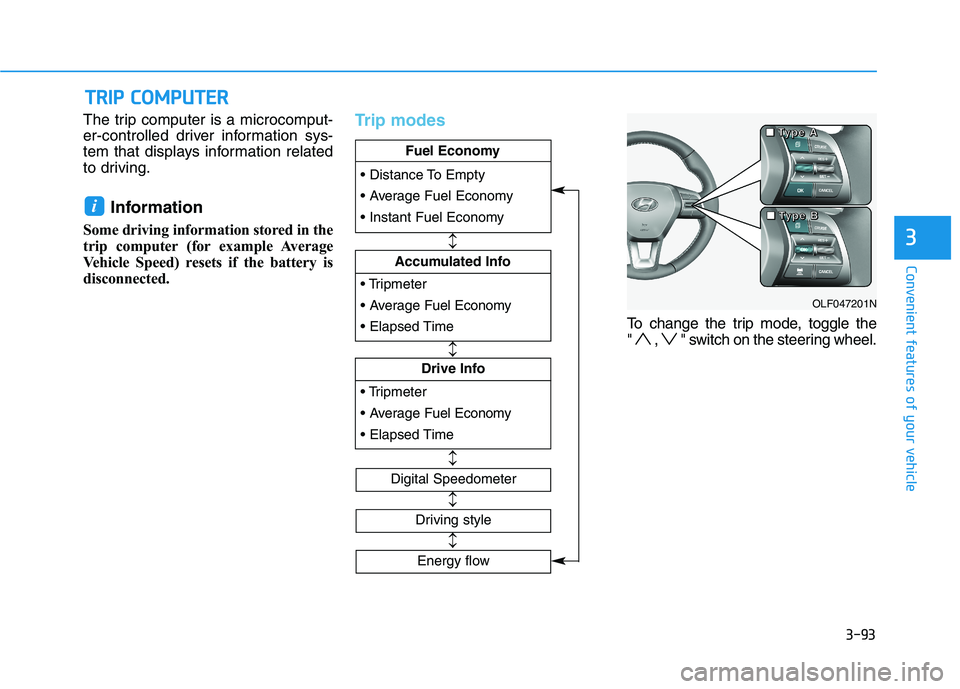
The trip computer is a microcomput-
er-controlled driver information sys-
tem that displays information related
to driving.Information
Some driving information stored in the
trip computer (for example Average
Vehicle Speed) resets if the battery is
disconnected.Trip modes
To change the trip mode, toggle the
" , " switch on the steering wheel.
i
TT RR IIPP CC OO MM PPUU TTEERR
3
Fuel Economy
Drive Info
Fuel Economy
Accumulated Info
Fuel Economy
Digital Speedometer
Driving style
OLF047201N
■
■■■TTTTyyyyppppeeee AAAA
■■■■TTTTyyyyppppeeee BBBB
Energy flow