trunk HYUNDAI SONATA HYBRID 2019 User Guide
[x] Cancel search | Manufacturer: HYUNDAI, Model Year: 2019, Model line: SONATA HYBRID, Model: HYUNDAI SONATA HYBRID 2019Pages: 546, PDF Size: 78.75 MB
Page 149 of 546
3-13
Convenient features of your vehicle
3
This system helps to protect your
vehicle and valuables. The horn will
sound and the hazard warning lights
will blink continuously if any of the
following occurs:
- A door is opened without using thesmart key.
- The trunk is opened without using the smart key.
- The hood is opened.
The alarm continues for 30 seconds,
then the system resets. To turn off
the alarm, unlock the doors with
smart key.
The Theft Alarm System automati-
cally sets 30 seconds after you lock
the doors and the trunk. For the sys-
tem to activate, you must lock the
doors and the trunk from outside the
vehicle with the smart key or by
pressing the button on the outside of
the door handle with the smart key in
your possession.
The hazard warning lights will blink and the chime will sound once to
indicate the system is armed. Once the security system is set,
opening any door, the trunk, or the
hood without using the smart key will
cause the alarm to activate.
The Theft Alarm System will not set if
the hood, the trunk, or any door is
not fully closed. If the system will not
set, check the hood, the trunk, or thedoors are fully closed. Do not attempt to alter this system or
add other devices to it.
Information
Do not lock the doors until all pas- sengers have left the vehicle. If the
remaining passenger leaves the
vehicle when the system is armed,
the alarm will be activated.
If the vehicle is not disarmed with the smart key, open the doors by
using the mechanical key and start
hybrid system by directly pressing
the switch with the smart key.
If the system is disarmed by unlock- ing the vehicle, but neither a door or
the trunk is opened within 30 sec-
onds, the doors will relock and the
system will rearm automatically.i
TTHH EEFFTT --AA LLAA RRMM SS YY SSTT EEMM
Page 176 of 546
3-40
Convenient features of your vehicle
Trunk
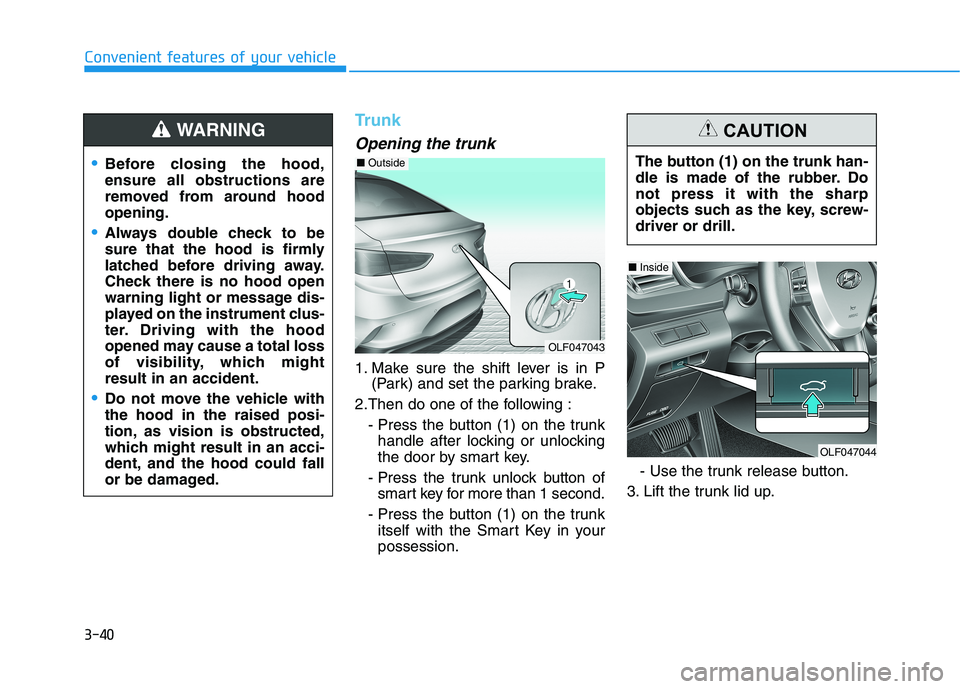
Opening the trunk
1. Make sure the shift lever is in P(Park) and set the parking brake.
2.Then do one of the following : - Press the button (1) on the trunkhandle after locking or unlocking
the door by smart key.
- Press the trunk unlock button of smart key for more than 1 second.
- Press the button (1) on the trunk itself with the Smart Key in yourpossession. - Use the trunk release button.
3. Lift the trunk lid up.
Before closing the hood, ensure all obstructions are
removed from around hoodopening.
Always double check to be
sure that the hood is firmly
latched before driving away.
Check there is no hood open
warning light or message dis-
played on the instrument clus-
ter. Driving with the hood
opened may cause a total loss
of visibility, which mightresult in an accident.
Do not move the vehicle with the hood in the raised posi-
tion, as vision is obstructed,
which might result in an acci-
dent, and the hood could fall
or be damaged.
WARNING
OLF047043
■ Outside
The button (1) on the trunk han-
dle is made of the rubber. Donot press it with the sharp
objects such as the key, screw-driver or drill.
CAUTION
OLF047044
■Inside
Page 177 of 546
3-41
Convenient features of your vehicle
3
Closing the trunk
Lower the trunk lid and press down
until it locks.To prevent damage to the trunk lift
cylinders and the attached hard-
ware, always close the trunk
before driving.
Information
In cold and wet climates, trunk lock
and trunk mechanisms may not work
properly due to freezing conditions.
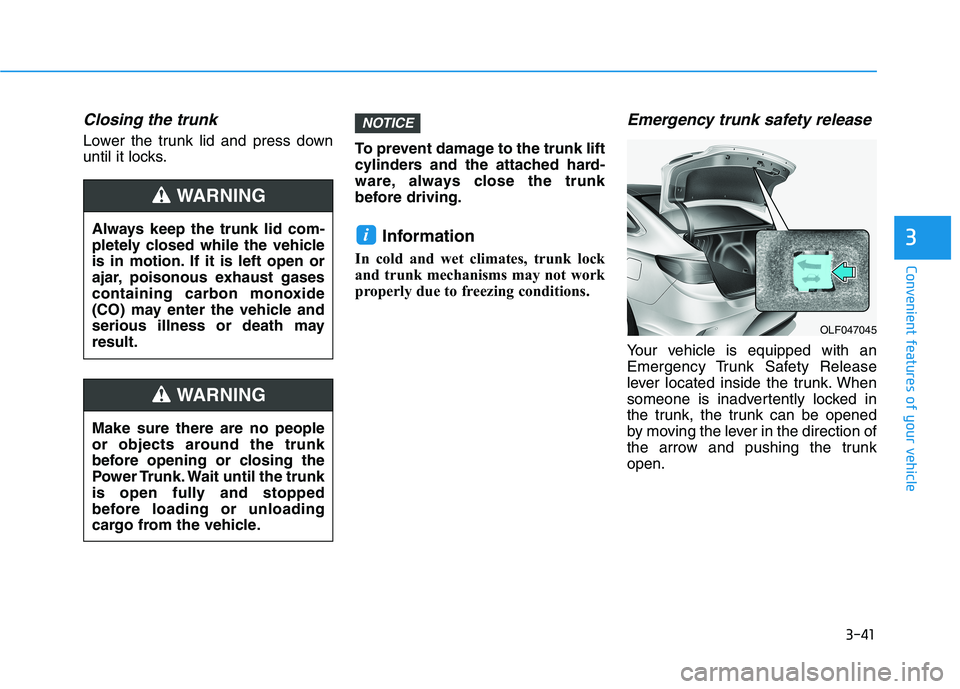
Emergency trunk safety release
Your vehicle is equipped with an
Emergency Trunk Safety Release
lever located inside the trunk. When
someone is inadvertently locked in
the trunk, the trunk can be opened
by moving the lever in the direction of
the arrow and pushing the trunkopen.
i
NOTICE
Make sure there are no people
or objects around the trunk
before opening or closing the
Power Trunk. Wait until the trunk
is open fully and stopped
before loading or unloading
cargo from the vehicle.
WARNING
Always keep the trunk lid com-
pletely closed while the vehicle
is in motion. If it is left open or
ajar, poisonous exhaust gases
containing carbon monoxide
(CO) may enter the vehicle and
serious illness or death mayresult.
WARNING
OLF047045
Page 178 of 546
3-42
Convenient features of your vehicle
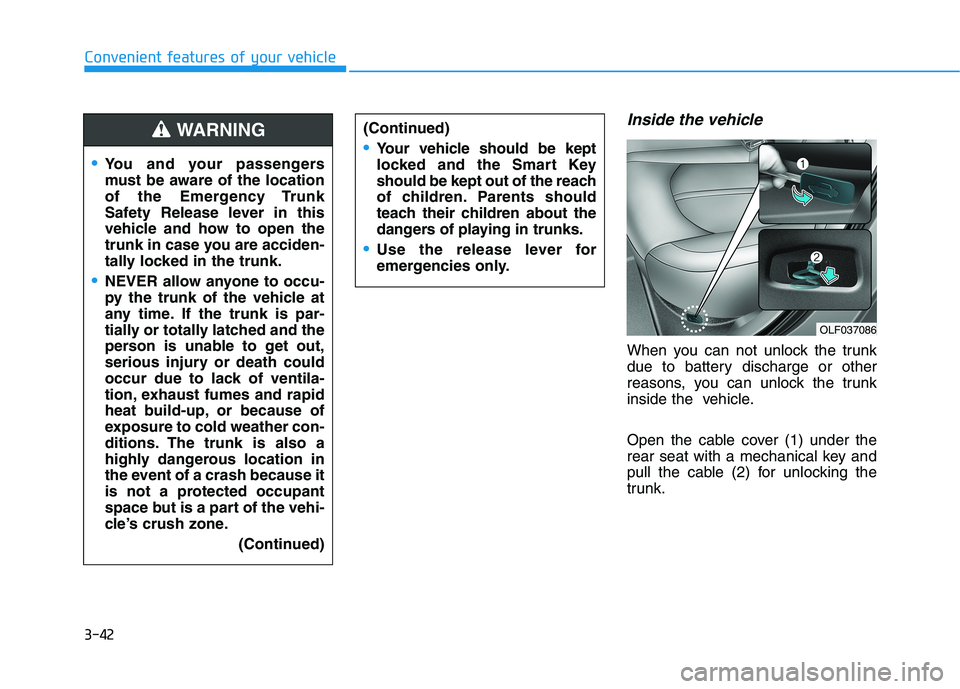
Inside the vehicle
When you can not unlock the trunk
due to battery discharge or other
reasons, you can unlock the trunk
inside the vehicle.
Open the cable cover (1) under the
rear seat with a mechanical key and
pull the cable (2) for unlocking the
trunk.
You and your passengers
must be aware of the location
of the Emergency Trunk
Safety Release lever in this
vehicle and how to open the
trunk in case you are acciden-
tally locked in the trunk.
NEVER allow anyone to occu-
py the trunk of the vehicle at
any time. If the trunk is par-
tially or totally latched and the
person is unable to get out,
serious injury or death could
occur due to lack of ventila-
tion, exhaust fumes and rapid
heat build-up, or because of
exposure to cold weather con-
ditions. The trunk is also a
highly dangerous location in
the event of a crash because it
is not a protected occupant
space but is a part of the vehi-
cle’s crush zone.(Continued)
(Continued)
Your vehicle should be kept
locked and the Smart Key
should be kept out of the reach
of children. Parents should
teach their children about the
dangers of playing in trunks.
Use the release lever for
emergencies only.
WARNING
OLF037086
Page 179 of 546
3-43
Convenient features of your vehicle
3
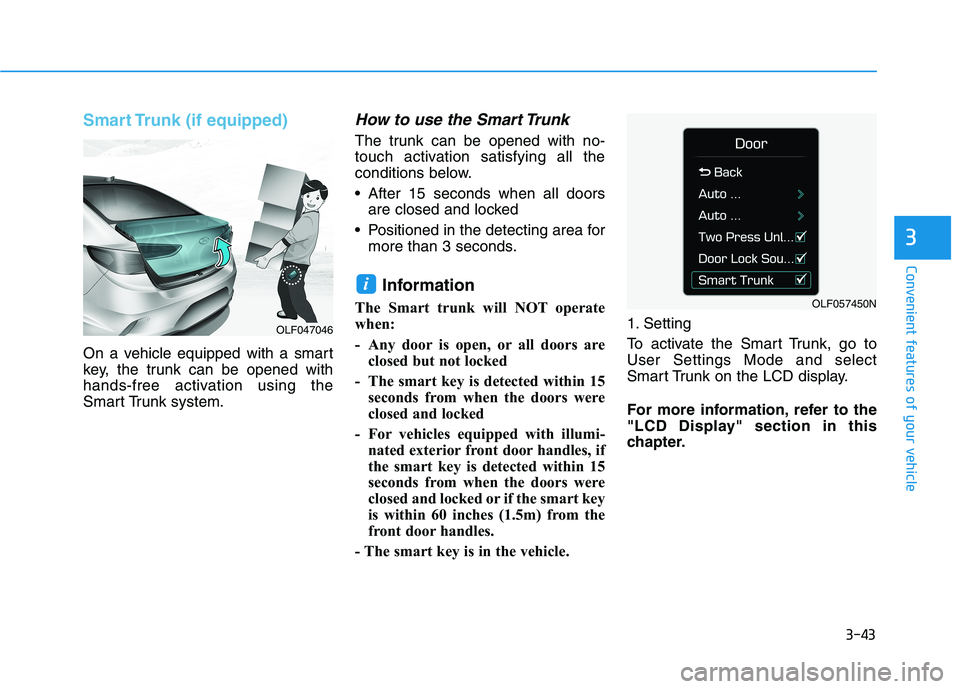
Smart Trunk (if equipped)
On a vehicle equipped with a smart
key, the trunk can be opened with
hands-free activation using the
Smart Trunk system.
How to use the Smart Trunk
The trunk can be opened with no-
touch activation satisfying all the
conditions below.
After 15 seconds when all doorsare closed and locked
Positioned in the detecting area for more than 3 seconds.
Information
The Smart trunk will NOT operate
when:
- Any door is open, or all doors are closed but not locked
- The smart key is detected within 15 seconds from when the doors were
closed and locked
- For vehicles equipped with illumi- nated exterior front door handles, if
the smart key is detected within 15
seconds from when the doors were
closed and locked or if the smart key
is within 60 inches (1.5m) from the
front door handles.
- The smart key is in the vehicle. 1. Setting
To activate the Smart Trunk, go to User Settings Mode and select
Smart Trunk on the LCD display.
For more information, refer to the
"LCD Display" section in this
chapter.
i
OLF047046
OLF057450N
Page 180 of 546
3-44
Convenient features of your vehicle
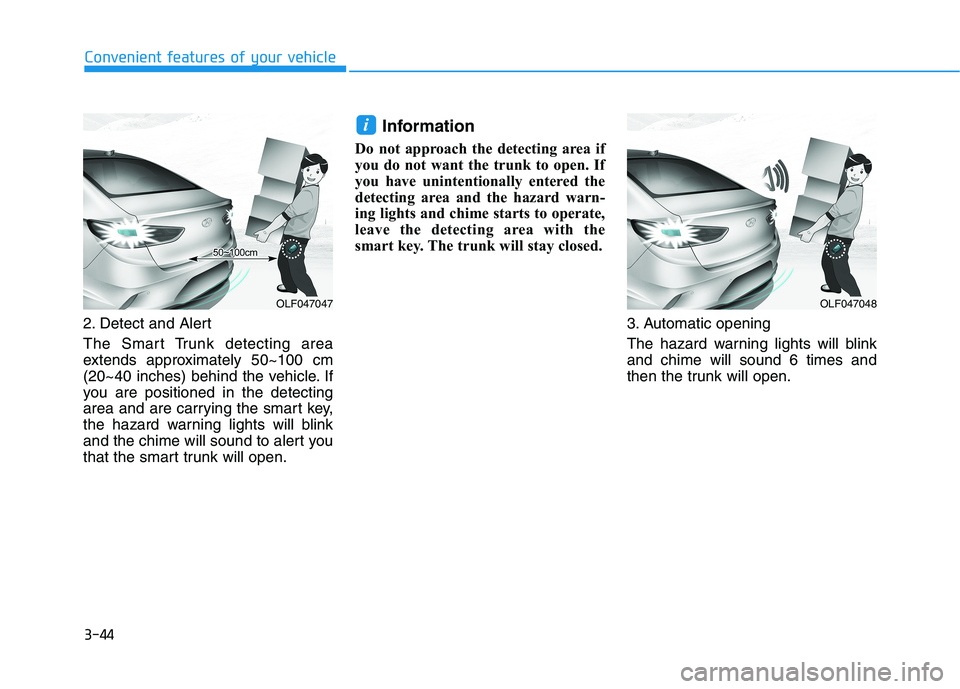
2. Detect and Alert
The Smart Trunk detecting area
extends approximately 50~100 cm
(20~40 inches) behind the vehicle. If
you are positioned in the detecting
area and are carrying the smart key,
the hazard warning lights will blink
and the chime will sound to alert you
that the smart trunk will open.Information
Do not approach the detecting area if
you do not want the trunk to open. If
you have unintentionally entered the
detecting area and the hazard warn-
ing lights and chime starts to operate,
leave the detecting area with the
smart key. The trunk will stay closed.
3. Automatic opening
The hazard warning lights will blink and chime will sound 6 times and
then the trunk will open.
i
OLF047048OLF047047
Page 181 of 546
3-45
Convenient features of your vehicle
3
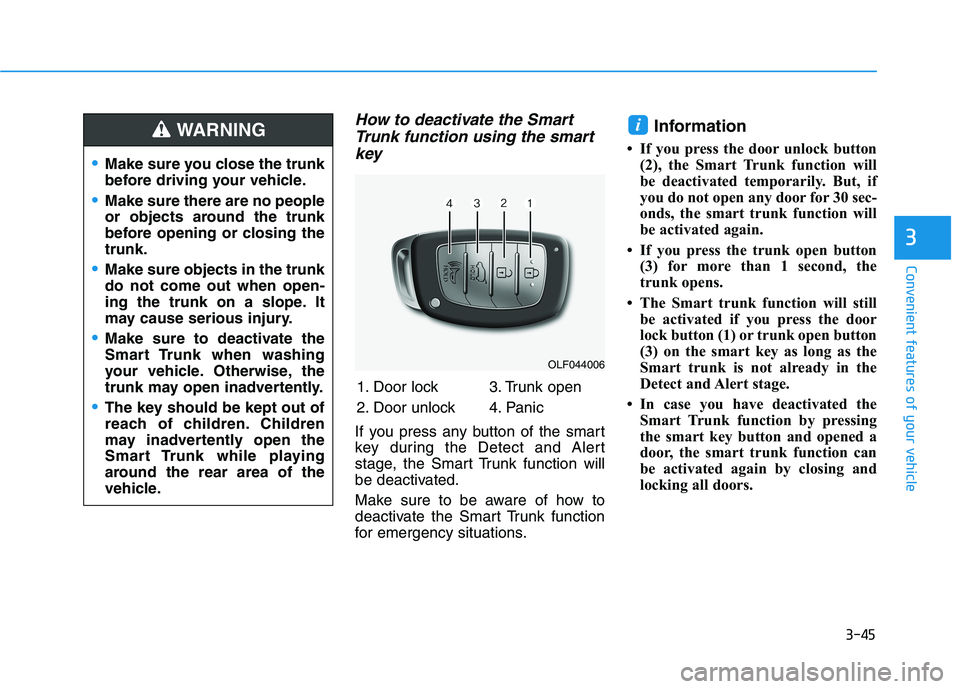
How to deactivate the SmartTrunk function using the smart
key
If you press any button of the smart
key during the Detect and Alert
stage, the Smart Trunk function will
be deactivated.
Make sure to be aware of how to
deactivate the Smart Trunk function
for emergency situations. Information
If you press the door unlock button (2), the Smart Trunk function will
be deactivated temporarily. But, if
you do not open any door for 30 sec-
onds, the smart trunk function will
be activated again.
If you press the trunk open button (3) for more than 1 second, the
trunk opens.
The Smart trunk function will still be activated if you press the door
lock button (1) or trunk open button
(3) on the smart key as long as the
Smart trunk is not already in the
Detect and Alert stage.
In case you have deactivated the Smart Trunk function by pressing
the smart key button and opened a
door, the smart trunk function can
be activated again by closing and
locking all doors.
i
OLF044006
1. Door lock
2. Door unlock 3. Trunk open
4. Panic
Make sure you close the trunk
before driving your vehicle.
Make sure there are no people
or objects around the trunk
before opening or closing thetrunk.
Make sure objects in the trunk do not come out when open-
ing the trunk on a slope. It
may cause serious injury.
Make sure to deactivate the
Smart Trunk when washing
your vehicle. Otherwise, the
trunk may open inadvertently.
The key should be kept out of
reach of children. Children
may inadvertently open the
Smart Trunk while playing
around the rear area of the
vehicle.
WARNING
Page 182 of 546
3-46
Convenient features of your vehicle
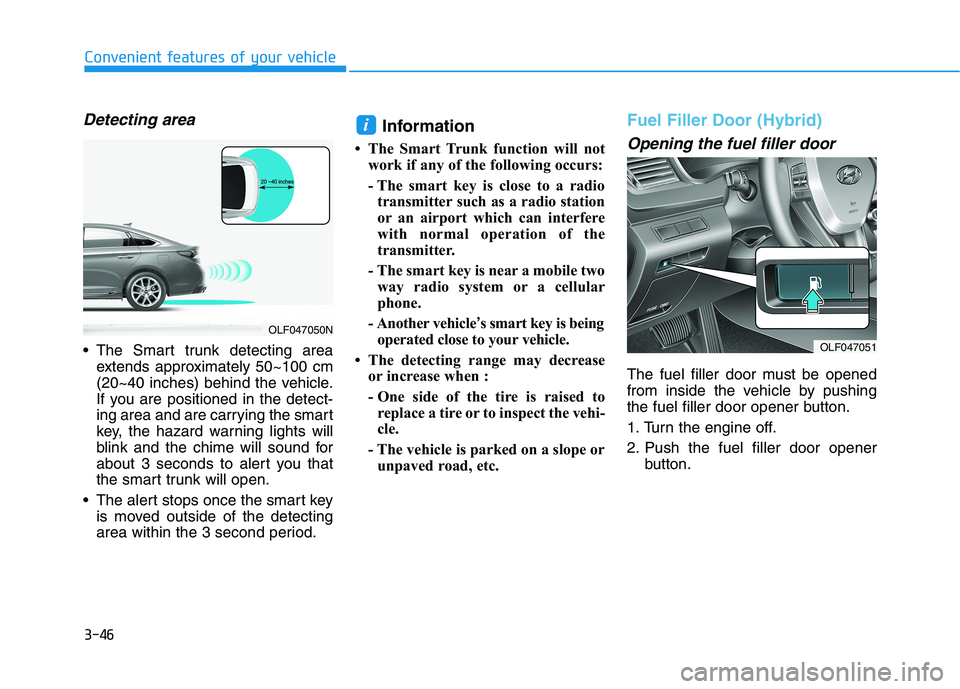
Detecting area
The Smart trunk detecting areaextends approximately 50~100 cm
(20~40 inches) behind the vehicle.
If you are positioned in the detect-
ing area and are carrying the smart
key, the hazard warning lights will
blink and the chime will sound for
about 3 seconds to alert you that
the smart trunk will open.
The alert stops once the smart key is moved outside of the detecting
area within the 3 second period. Information
The Smart Trunk function will not work if any of the following occurs:
- The smart key is close to a radiotransmitter such as a radio station
or an airport which can interfere
with normal operation of the
transmitter.
- The smart key is near a mobile two way radio system or a cellular
phone.
- Another vehicle ’s smart key is being
operated close to your vehicle.
The detecting range may decrease or increase when :
- One side of the tire is raised toreplace a tire or to inspect the vehi-
cle.
- The vehicle is parked on a slope or unpaved road, etc.
Fuel Filler Door (Hybrid)
Opening the fuel filler door
The fuel filler door must be opened
from inside the vehicle by pushing
the fuel filler door opener button.
1. Turn the engine off.
2. Push the fuel filler door opener button.
i
OLF047051
OLF047050N
Page 212 of 546
3-76
Convenient features of your vehicle
Press START button with key
This warning message is displayed
when you press the Engine Start/Stop
button while the warning message,
"Key not detected," is displayed.
At this time, the immobilizer indicator
light blinks.
Check BRAKE SWITCH fuse
This warning message is displayed if
the brake switch fuse is disconnected.
If this message is displayed, replace
the fuse with a new one before start-
ing the vehicle. If not possible, you
can start the engine by pressing the
Engine Start/Stop button for 10 sec-
onds in the ACC position.
Shift to P to start engine
This warning message is displayed
when you try to start the vehicle with
the shift lever not in P (Park).
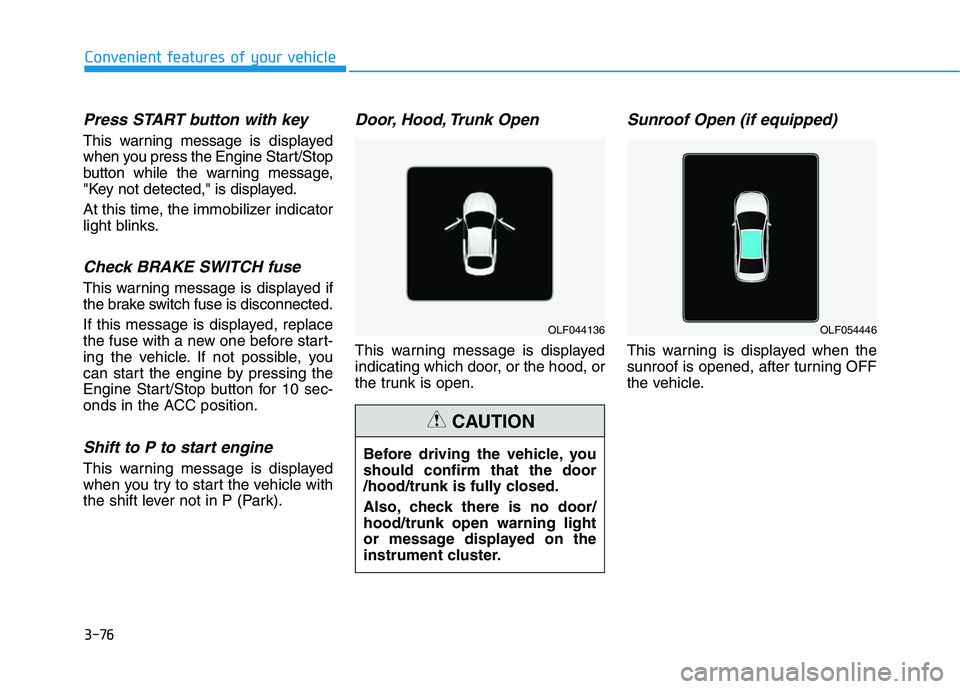
Door, Hood, Trunk Open
This warning message is displayed
indicating which door, or the hood, or
the trunk is open.
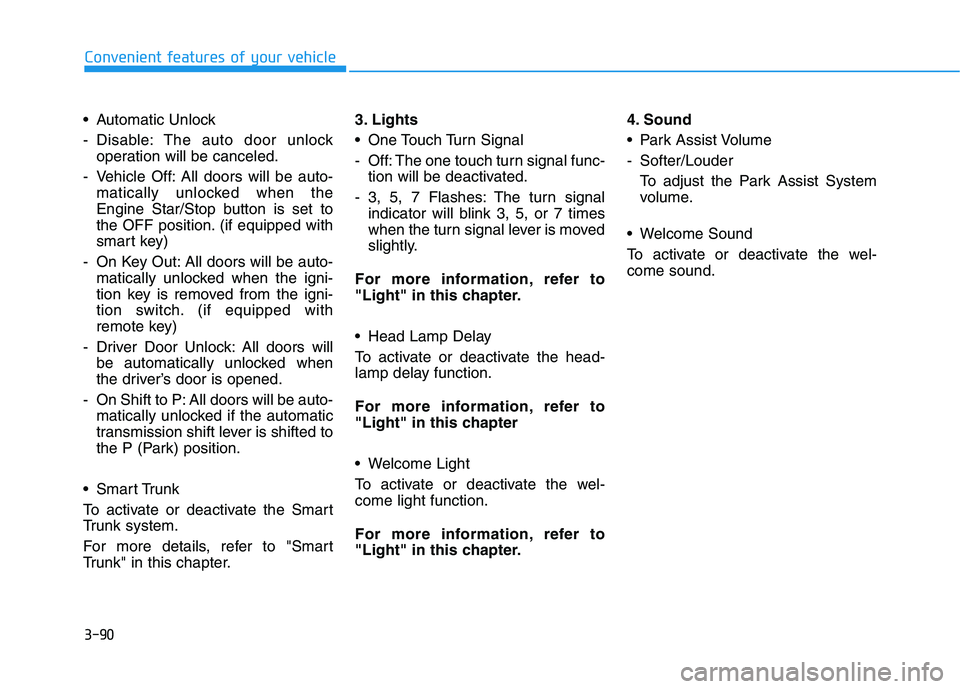
Sunroof Open (if equipped)
This warning is displayed when the
sunroof is opened, after turning OFF
the vehicle.
OLF044136
Before driving the vehicle, you should confirm that the door
/hood/trunk is fully closed.
Also, check there is no door/ hood/trunk open warning light
or message displayed on the
instrument cluster.
CAUTION
OLF054446
Page 226 of 546
3-90
Convenient features of your vehicle
Automatic Unlock
- Disable: The auto door unlockoperation will be canceled.
- Vehicle Off: All doors will be auto- matically unlocked when the
Engine Star/Stop button is set to
the OFF position. (if equipped with
smart key)
- On Key Out: All doors will be auto- matically unlocked when the igni-
tion key is removed from the igni-
tion switch. (if equipped with
remote key)
- Driver Door Unlock: All doors will be automatically unlocked when
the driver’s door is opened.
- On Shift to P: All doors will be auto- matically unlocked if the automatic
transmission shift lever is shifted to
the P (Park) position.
Smart Trunk
To activate or deactivate the Smart
Trunk system.
For more details, refer to "Smart
Trunk" in this chapter. 3. Lights
One Touch Turn Signal
- Off: The one touch turn signal func-
tion will be deactivated.
- 3, 5, 7 Flashes: The turn signal indicator will blink 3, 5, or 7 times
when the turn signal lever is moved
slightly.
For more information, refer to
"Light" in this chapter.
Head Lamp Delay
To activate or deactivate the head-
lamp delay function.
For more information, refer to
"Light" in this chapter
Welcome Light
To activate or deactivate the wel- come light function.
For more information, refer to
"Light" in this chapter. 4. Sound
Park Assist Volume
- Softer/Louder
To adjust the Park Assist System
volume.
Welcome Sound
To activate or deactivate the wel- come sound.