maintenance HYUNDAI SONATA HYBRID 2019 Owners Manual
[x] Cancel search | Manufacturer: HYUNDAI, Model Year: 2019, Model line: SONATA HYBRID, Model: HYUNDAI SONATA HYBRID 2019Pages: 546, PDF Size: 78.75 MB
Page 4 of 546
F4
INTRODUCTION
Congratulations, and thank you for choosing HYUNDAI. We are pleased to welcome you to the growing number of
discerning people who drive HYUNDAIs. We are very proud of the advanced engineering and high-quality construc-
tion of each HYUNDAI we build.
Your Owner's Manual will introduce you to the features and operation of your new HYUNDAI. To become familiar with
your new HYUNDAI, so that you can fully enjoy it, read this Owner's Manual carefully before driving your new vehicle.
This manual contains important safety information and instructions intended to familiarize you with your vehicle's con-
trols and safety features so you can safely operate your vehicle.
This manual also contains information on maintenance designed to enhance safe operation of the vehicle. It is recom-
mended that all service and maintenance on your car be performed by an authorized HYUNDAI dealer. HYUNDAI deal-
ers are prepared to provide high-quality service, maintenance and any other assistance that may be required.
This Owner's Manual should be considered a permanent part of your vehicle, and should be kept in the vehicle so you
can refer to it at any time. The manual should stay with the vehicle if you sell it to provide the next owner with impor-
tant operating, safety and maintenance information.
HYUNDAI MOTOR CANADA
This Owner's manual copyright 2018, HYUNDAI Auto Canada Corp. All rights reserved. No part of this publication
may be reproduced, stored in any retrieval system or transmitted in any form or by any means without prior written
permission of HYUNDAI Auto Canada Corp.
All trademarks and tradenames owned in Canada by HYUNDAI Auto Canada Corp.Severe engine and transmission damage may result from the use of poor quality fuels and lubricants that
do not meet HYUNDAI specifications. You must always use high quality fuels and lubricants that meet the
specifications listed on Page 8-6 in the Vehicle Specifications section of the Owner's Manual.
CAUTION
Page 11 of 546
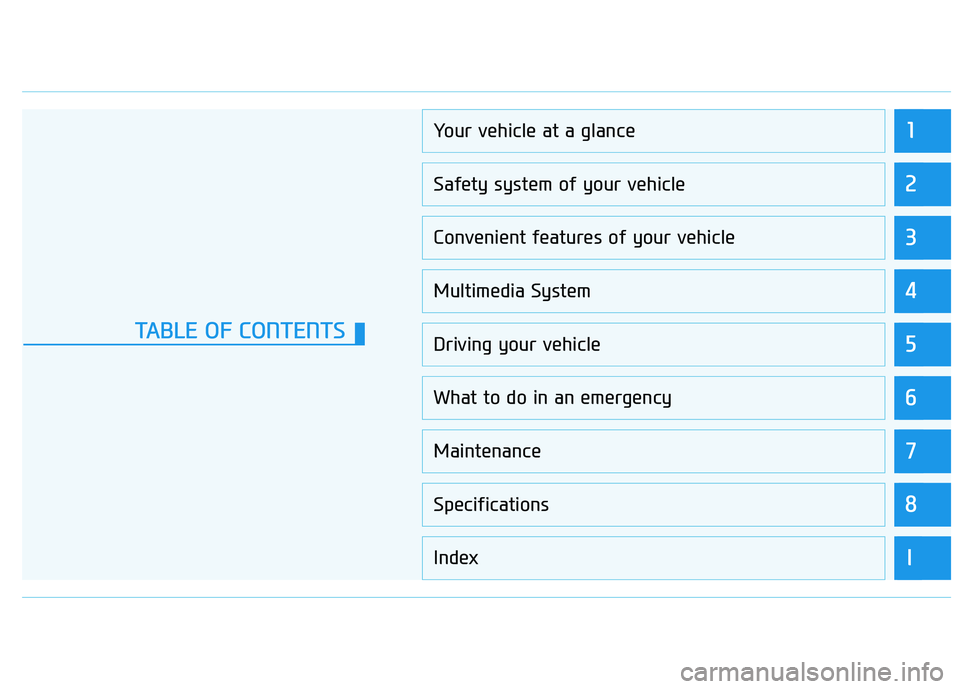
1
2
3
4
5
6
7
8
I
Your vehicle at a glance
Safety system of your vehicle
Convenient features of your vehicle
Multimedia System
Driving your vehicle
What to do in an emergency
Maintenance
Specifications
Index
TABLE OF CONTENTS
Page 48 of 546
H37
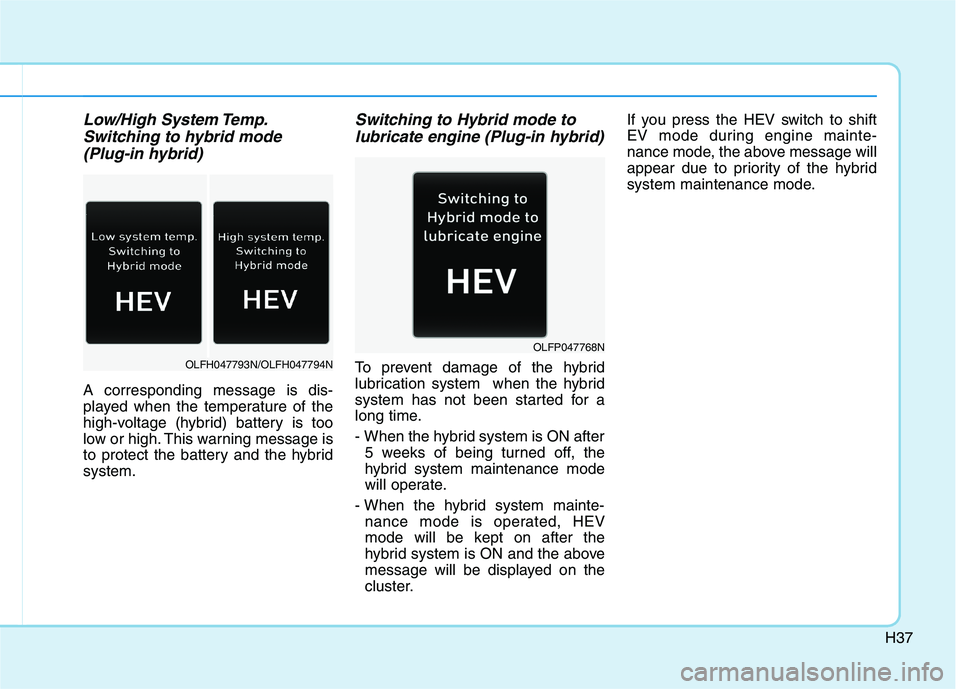
Low/High System Temp.Switching to hybrid mode
(Plug-in hybrid)
A corresponding message is dis-
played when the temperature of the
high-voltage (hybrid) battery is too
low or high. This warning message is
to protect the battery and the hybridsystem.
Switching to Hybrid mode to lubricate engine (Plug-in hybrid)
To prevent damage of the hybrid
lubrication system when the hybrid
system has not been started for a
long time.
- When the hybrid system is ON after 5 weeks of being turned off, the
hybrid system maintenance mode
will operate.
- When the hybrid system mainte- nance mode is operated, HEV
mode will be kept on after the
hybrid system is ON and the above
message will be displayed on the
cluster. If you press the HEV switch to shift
EV mode during engine mainte-
nance mode, the above message will
appear due to priority of the hybrid
system maintenance mode.OLFH047793N/OLFH047794N
OLFP047768N
Page 49 of 546
H38
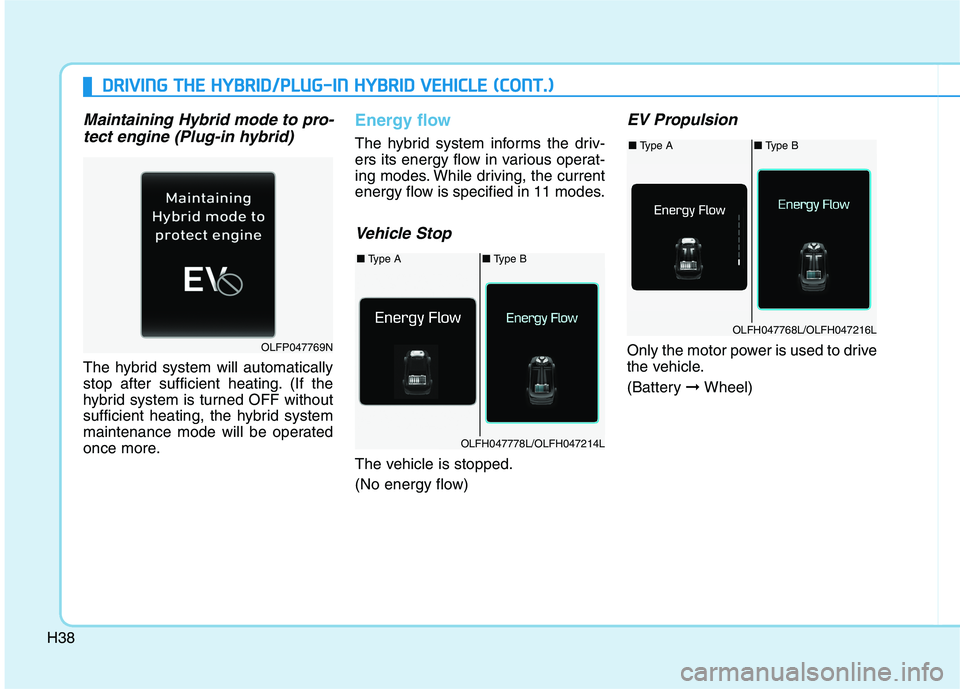
Maintaining Hybrid mode to pro-tect engine (Plug-in hybrid)
The hybrid system will automatically
stop after sufficient heating. (If the
hybrid system is turned OFF without
sufficient heating, the hybrid system
maintenance mode will be operated
once more.
Energy flow
The hybrid system informs the driv-
ers its energy flow in various operat-
ing modes. While driving, the current
energy flow is specified in 11 modes.
Vehicle Stop
The vehicle is stopped.
(No energy flow)
EV Propulsion
Only the motor power is used to drive
the vehicle.
(Battery ➞Wheel)
■ Type A■ Type B
OLFH047778L/OLFH047214L
OLFP047769N
DDRRIIVV IINN GG TT HH EE HH YY BBRRIIDD //PP LLUU GG--IINN HH YY BBRRIIDD VV EEHH IICC LLEE (( CC OO NNTT..))
■ Type A■ Type B
OLFH047768L/OLFH047216L
Page 69 of 546
2-3
Safety system of your vehicle
• ALWAYS set up your mobiledevices (i.e., MP3 players, phones,
navigation units, etc.) when your
vehicle is parked or safely stopped.
ONLY use your mobile device when allowed by laws and when
conditions permit safe use. NEVER
text or email while driving. Most
countries have laws prohibiting
drivers from texting. Some coun-
tries and cities also prohibit drivers
from using handheld phones.
NEVER let the use of a mobile device distract you from driving.
You have a responsibility to yourpassengers and others on the road
to always drive safely, with your
hands on the wheel as well as your
eyes and attention on the road.Control Your Speed
Excessive speed is a major factor in
crash injuries and deaths. Generally,
the higher the speed, the greater the
risk, but serious injuries can also
occur at lower speeds. Never drive
faster than is safe for current condi-
tions, regardless of the maximumspeed posted.
Keep Your Vehicle in Safe Condition
Having a tire blowout or a mechanical
failure can be extremely hazardous. Toreduce the possibility of such prob-
lems, check your tire pressures and
condition frequently, and perform all
regularly scheduled maintenance.
2
Page 129 of 546
2-63
Safety system of your vehicle
2
Why Didn't My Air Bag Go Off in a Collision?
Air bags are not designed to inflate in
every collision. There are certaintypes of accidents in which the air
bag would not be expected to pro-
vide additional protection. These
include rear impacts, second or third
collisions in multiple impact acci-
dents, as well as low speed impacts.
Damage to the vehicle indicates a
collision energy absorption, and isnot an indicator of whether or not an
air bag should have inflated.
Air bag collision sensors
To reduce the risk of an air bag
deploying unexpectedly and
causing serious injury or death:
Do not hit or allow any objects to impact the locations where air
bags or sensors are installed.
Do not perform maintenance
on or around the air bag sen-
sors. If the location or angle of
the sensors is altered, the air
bags may deploy when they
should not or may not deploy
when they should.
Do not install bumper guards
or replace the bumper with a
non-genuine HYUNDAI parts.
This may adversely affect the
collision and air bag deploy-
ment performance.(Continued)
(Continued)
Place the ignition switch in
the LOCK/OFF or ACC posi-
tion when the vehicle is being
towed to prevent inadvertent
air bag deployment.
Have all air bag repairs conduct-
ed by an authorized HYUNDAI
dealer.
WARNING
Page 134 of 546
2-68
Safety system of your vehicle
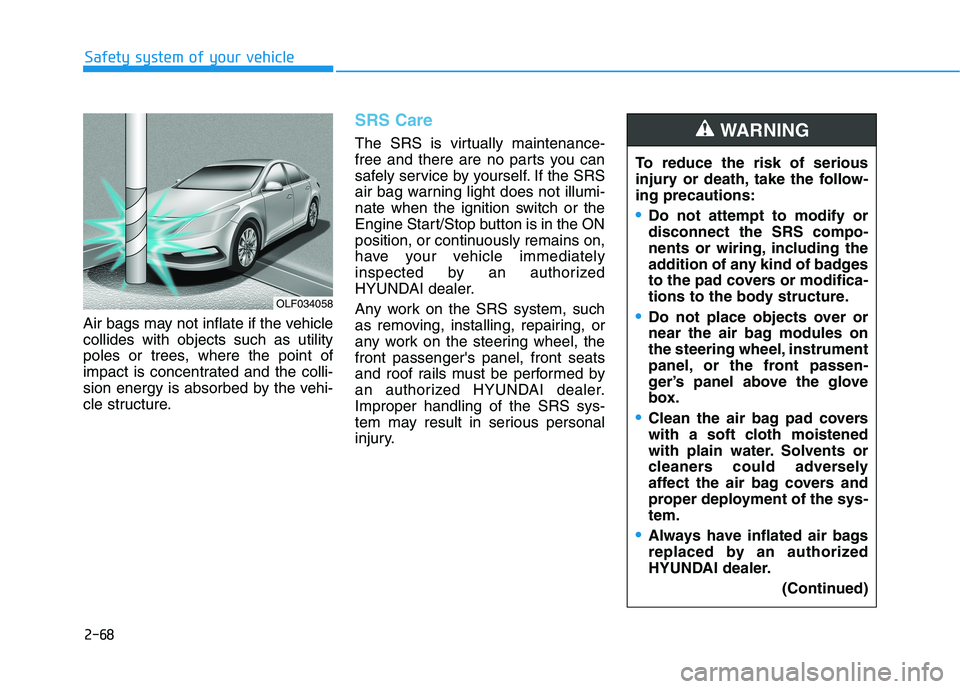
Air bags may not inflate if the vehicle collides with objects such as utility
poles or trees, where the point of
impact is concentrated and the colli-
sion energy is absorbed by the vehi-
cle structure.
SRS Care
The SRS is virtually maintenance-
free and there are no parts you can
safely service by yourself. If the SRS
air bag warning light does not illumi-
nate when the ignition switch or the
Engine Start/Stop button is in the ON
position, or continuously remains on,
have your vehicle immediately
inspected by an authorized
HYUNDAI dealer.
Any work on the SRS system, such
as removing, installing, repairing, or
any work on the steering wheel, thefront passenger's panel, front seats
and roof rails must be performed by
an authorized HYUNDAI dealer.Improper handling of the SRS sys-
tem may result in serious personal
injury.To reduce the risk of serious
injury or death, take the follow-ing precautions:
Do not attempt to modify or disconnect the SRS compo-
nents or wiring, including the
addition of any kind of badges
to the pad covers or modifica-
tions to the body structure.
Do not place objects over or
near the air bag modules on
the steering wheel, instrument
panel, or the front passen-
ger’s panel above the glove
box.
Clean the air bag pad covers
with a soft cloth moistened
with plain water. Solvents or
cleaners could adversely
affect the air bag covers and
proper deployment of the sys-tem.
Always have inflated air bags
replaced by an authorized
HYUNDAI dealer.
(Continued)
WARNING
OLF034058
Page 138 of 546
Light .......................................................................3-98Exterior Lights .................................................................3-98
Smart High Beam ..........................................................3-100
Welcome System ...........................................................3-106
Interior Lights ................................................................3-107
Wipers and washers ..........................................3-111 Windshield Wipers ........................................................3-111
Windshield Washers .....................................................3-112
Driver assist system ..........................................3-113 Rear view camera .........................................................3-113
Rear parking assist system ........................................3-114
Rear parking assist system precautions .................3-117
Defroster .............................................................3-118 Rear Window Defroster ..............................................3-118
Automatic climate control system ...................3-119 Automatic heating and air conditioning ..................3-120
Manual heating and air conditioning .......................3-121
System operation ..........................................................3-129
System maintenance ....................................................3-131
Windshield defrosting and defogging ............3-133 Automatic Climate Control System ...........................3-134
Defogging logic..............................................................3-135
Climate control additional features.................3-136 Automatic Ventilation ...................................................3-136
Sunroof Inside Air Recirculation ...............................3-136 Storage compartment ........................................3-137
Center Console Storage ..............................................3-137
Glove Box ........................................................................3-137
Sunglass Holder.............................................................3-138
Multi box .........................................................................3-138
Interior features.................................................3-139 Wireless Cellular Phone Charging System..............3-139
Cup Holder ......................................................................3-141
Sunvisor ...........................................................................3-142
Power Outlet ..................................................................3-142
Clock .................................................................................3-144
Clothes Hanger ..............................................................3-144
Floor Mat Anchor(s).....................................................3-145
Rear curtain....................................................................3-146
Side Curtain ....................................................................3-147
Luggage Net Holder .....................................................3-147
3
Page 196 of 546
3-60
Convenient features of your vehicle
Outside Temperature Gauge
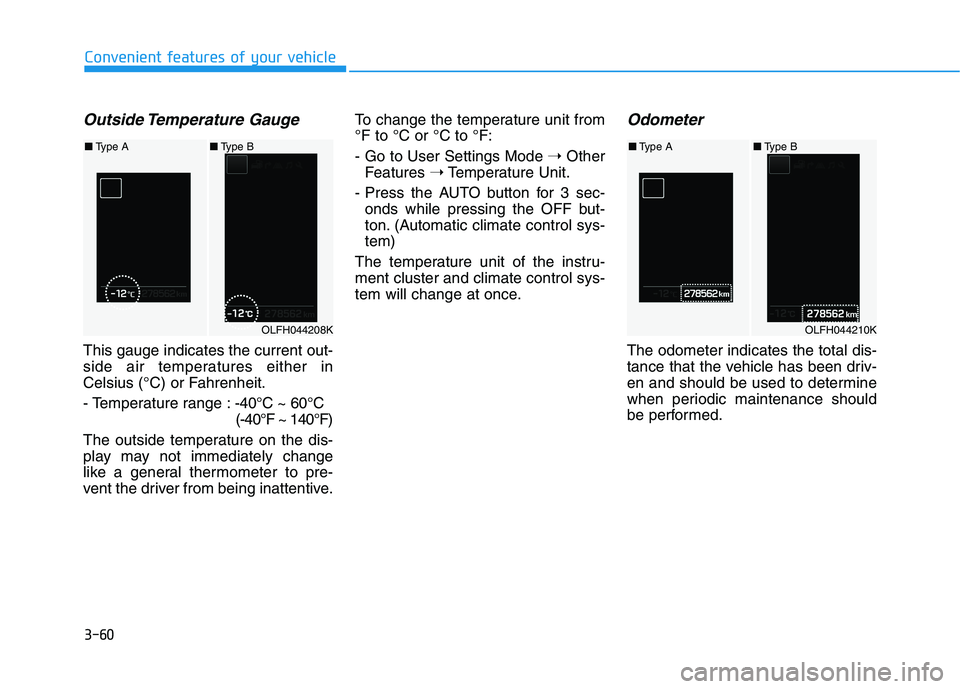
This gauge indicates the current out-
side air temperatures either in
Celsius (°C) or Fahrenheit.
- Temperature range :-40°C ~ 60°C
(-40°F ~ 140°F)
The outside temperature on the dis-
play may not immediately change
like a general thermometer to pre-
vent the driver from being inattentive. To change the temperature unit from°F to °C or °C to °F:
- Go to User Settings Mode
➝Other
Features ➝Temperature Unit.
- Press the AUTO button for 3 sec- onds while pressing the OFF but-
ton. (Automatic climate control sys-tem)
The temperature unit of the instru-ment cluster and climate control sys-
tem will change at once.
Odometer
The odometer indicates the total dis-
tance that the vehicle has been driv-
en and should be used to determine
when periodic maintenance should
be performed.
OLFH044208K
■ Type A ■Type B
OLFH044210K
■Type A ■Type B
Page 220 of 546
3-84
Convenient features of your vehicle
EV/HEV/CHG modes (Plug-in hybrid)
A corresponding message is dis-
played when a mode is selected by
pressing the HEV button
Battery charged. Maintainingcurrent mode/Low battery.
Maintaining hybrid mode (Plug-in hybrid)
A corresponding message is dis-
played when the high-voltage
(hybrid) battery is fully charged or
nearly discharged.
Charging complete.Switching to Hybrid mode
(Plug-in hybrid)
The message is displayed when the
high-voltage (hybrid) battery is fullycharged, and when the mode is
changed to the HEV mode.
Low/High System Temp. Maintaining Hybrid mode
(Plug-in hybrid)
A corresponding message is dis-
played when the temperature of the
high-voltage (hybrid) battery is too
low or too high. This warning mes-
sage is to protect the battery and the
hybrid system.
Low/High System Temp. Switching to Hybrid mode
(Plug-in hybrid)
A corresponding message is dis-
played when the temperature of the
high-voltage (hybrid) battery is too
low or high. This warning message is
to protect the battery and the hybridsystem.
Switching to Hybrid mode tolubricate engine (Plug-in hybrid)
To prevent damage of the hybrid
lubrication system when the hybrid
system has not been started for a
long time.
- When the hybrid system is ON after 5 weeks of being turned off, the
hybrid system maintenance mode
will operate.
- When the hybrid system mainte- nance mode is operated, HEV
mode will be kept on after the
hybrid system is ON and the above
message will be displayed on the
cluster.
If you press the HEV switch to shift
EV mode during engine mainte-
nance mode, the above message will
appear due to priority of the hybrid
system maintenance mode.
Maintaining Hybrid mode to pro- tect engine (Plug-in hybrid)
The hybrid system will automatically
stop after sufficient heating. (If the
hybrid system is turned OFF without
sufficient heating, the hybrid system
maintenance mode will be operated
once more.