warning lights HYUNDAI SONATA HYBRID 2019 Owners Manual
[x] Cancel search | Manufacturer: HYUNDAI, Model Year: 2019, Model line: SONATA HYBRID, Model: HYUNDAI SONATA HYBRID 2019Pages: 546, PDF Size: 78.75 MB
Page 12 of 546
HHyybbrriidd ss yy ssttee mm qq uu iicc kk rr ee ffee rree nn ccee
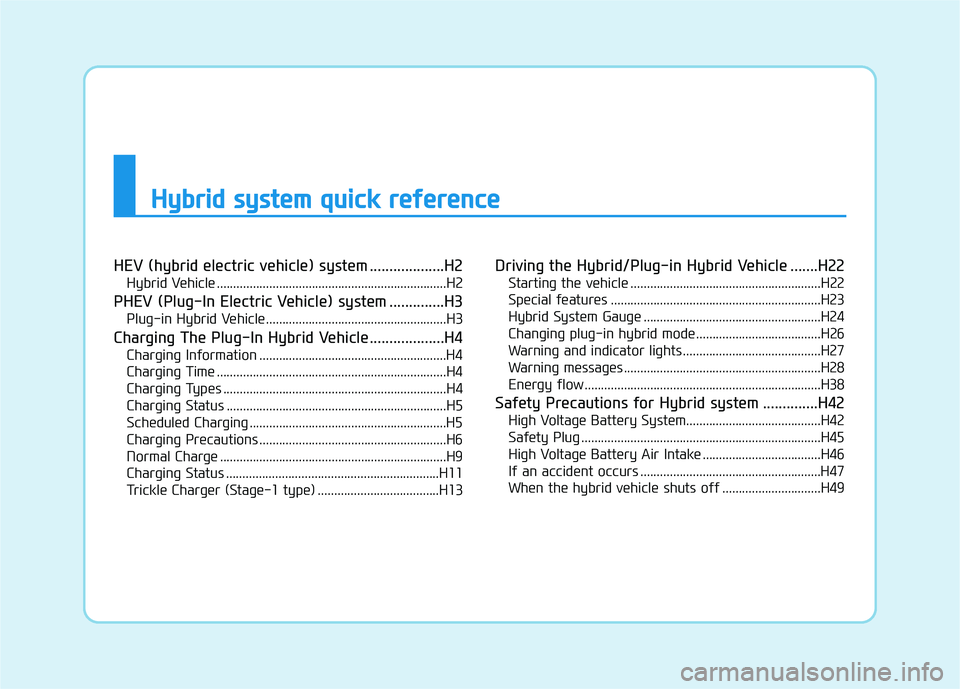
HEV (hybrid electric vehicle) system ...................H2
Hybrid Vehicle ......................................................................H2
PHEV (Plug-In Electric Vehicle) system ..............H3 Plug-in Hybrid Vehicle.......................................................H3
Charging The Plug-In Hybrid Vehicle ...................H4 Charging Information .........................................................H4
Charging Time ......................................................................H4
Charging Types ....................................................................H4
Charging Status ...................................................................H5
Scheduled Charging ............................................................H5
Charging Precautions .........................................................H6
Normal Charge .....................................................................H9
Charging Status .................................................................H11
Trickle Charger (Stage-1 type) .....................................H13 Driving the Hybrid/Plug-in Hybrid Vehicle .......H22
Starting the vehicle ..........................................................H22
Special features ................................................................H23
Hybrid System Gauge ......................................................H24
Changing plug-in hybrid mode ......................................H26
Warning and indicator lights ..........................................H27
Warning messages ............................................................H28
Energy flow ........................................................................H38
Safety Precautions for Hybrid system ..............H42 High Voltage Battery System.........................................H42
Safety Plug .........................................................................H45
High Voltage Battery Air Intake ....................................H46
If an accident occurs .......................................................H47
When the hybrid vehicle shuts off ..............................H49
Page 33 of 546
H22
DDRRIIVV IINN GG TT HH EE HH YY BBRRIIDD //PP LLUU GG--IINN HH YY BBRRIIDD VV EEHH IICC LLEE
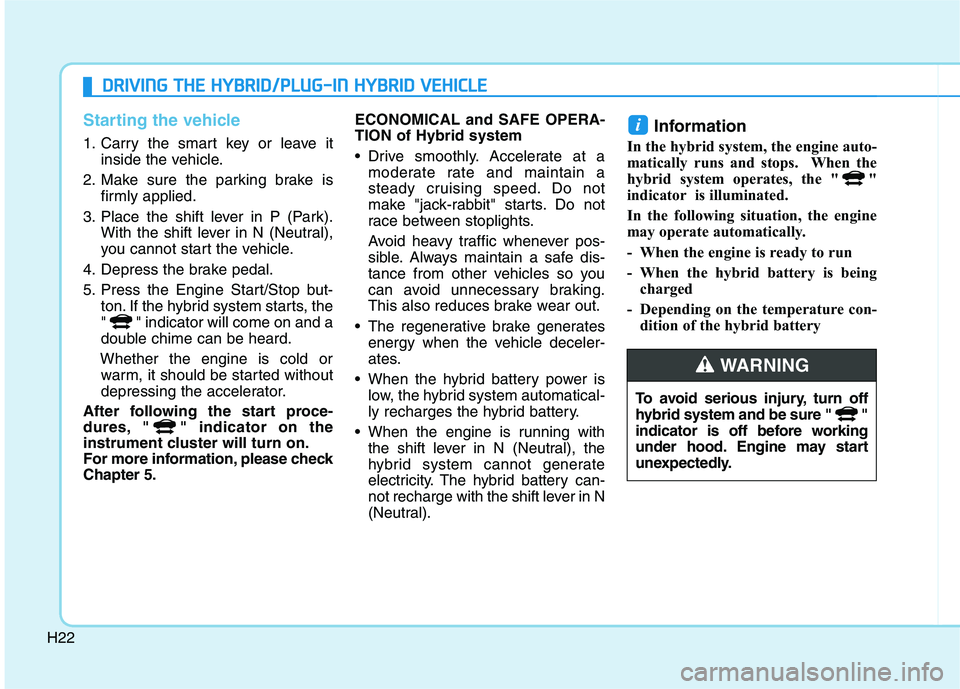
Starting the vehicle
1. Carry the smart key or leave it
inside the vehicle.
2. Make sure the parking brake is firmly applied.
3. Place the shift lever in P (Park). With the shift lever in N (Neutral),
you cannot start the vehicle.
4. Depress the brake pedal.
5. Press the Engine Start/Stop but- ton. If the hybrid system starts, the
" " indicator will come on and a
double chime can be heard.
Whether the engine is cold or warm, it should be started without
depressing the accelerator.
After following the start proce-
dures, " " indicator on the
instrument cluster will turn on.
For more information, please checkChapter 5. ECONOMICAL and SAFE OPERA- TION of Hybrid system
Drive smoothly. Accelerate at a
moderate rate and maintain a
steady cruising speed. Do not
make "jack-rabbit" starts. Do not
race between stoplights.
Avoid heavy traffic whenever pos-
sible. Always maintain a safe dis-
tance from other vehicles so you
can avoid unnecessary braking.
This also reduces brake wear out.
The regenerative brake generates energy when the vehicle deceler-
ates.
When the hybrid battery power is low, the hybrid system automatical-
ly recharges the hybrid battery.
When the engine is running with the shift lever in N (Neutral), the
hybrid system cannot generate
electricity. The hybrid battery can-
not recharge with the shift lever in N
(Neutral). Information
In the hybrid system, the engine auto-
matically runs and stops. When the
hybrid system operates, the " "
indicator is illuminated.
In the following situation, the engine
may operate automatically.
- When the engine is ready to run
- When the hybrid battery is being charged
- Depending on the temperature con- dition of the hybrid battery
i
To avoid serious injury, turn off
hybrid system and be sure " "
indicator is off before working
under hood. Engine may start
unexpectedly.
WARNING
Page 38 of 546
H27
Warning and indicator lights
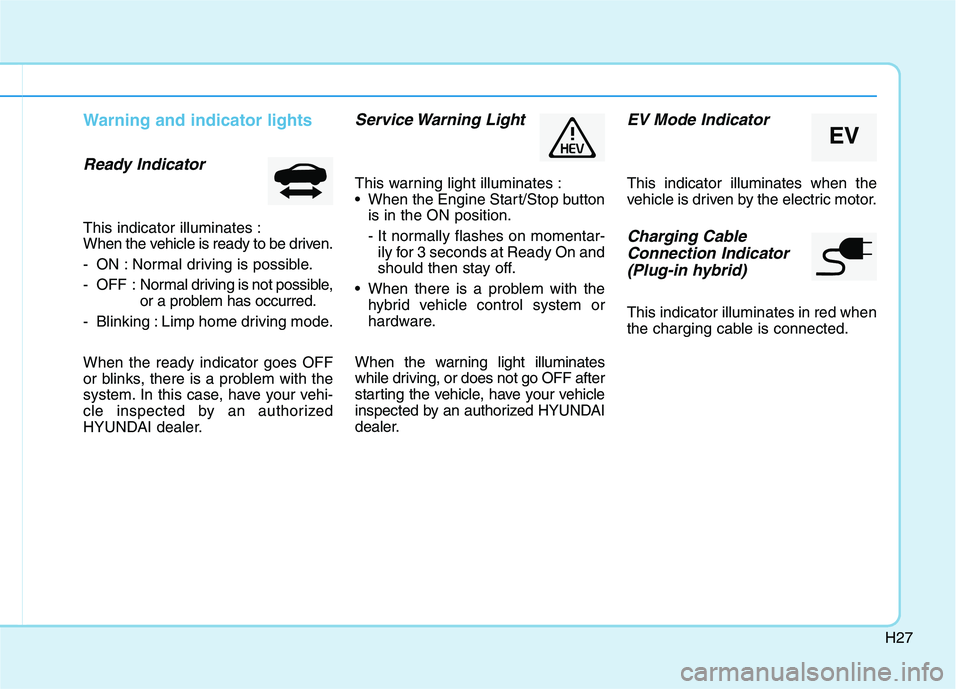
Ready Indicator
This indicator illuminates :
When the vehicle is ready to be driven.
- ON : Normal driving is possible.
- OFF : Normal driving is not possible,
or a problem has occurred.
- Blinking : Limp home driving mode. When the ready indicator goes OFF
or blinks, there is a problem with the
system. In this case, have your vehi-
cle inspected by an authorized
HYUNDAI dealer.
Service Warning Light
This warning light illuminates :
When the Engine Start/Stop button is in the ON position.
- It normally flashes on momentar-ily for 3 seconds at Ready On and
should then stay off.
When there is a problem with the hybrid vehicle control system or
hardware.
When the warning light illuminates
while driving, or does not go OFF after
starting the vehicle, have your vehicle
inspected by an authorized HYUNDAI
dealer.
EV Mode Indicator
This indicator illuminates when the
vehicle is driven by the electric motor.
Charging Cable Connection Indicator (Plug-in hybrid)
This indicator illuminates in red when
the charging cable is connected.
EV
Page 125 of 546
2-59
Safety system of your vehicle
2
Always be sure that you and all vehi-
cle occupants are seated properly
and wearing the seat belt properly for
the most effective protection by theair bag and the seat belt.
The OCS may not function properly if
the passenger takes actions which
can affect the classification system.These include:
Failing to sit in an upright position.
Leaning against the door or centerconsole.
Sitting towards the sides of the front of the seat.
Putting their legs on the dashboard or resting them on other locations which reduce the passenger
weight on the front seat.
Wearing the seat belt improperly.
Reclining the seatback.
Wearing a thick cloth like ski wear or hip protection wear.
Putting an additional thick cushion on the seat.
Putting electrical devices (e.g. notebook, satellite radio) on the
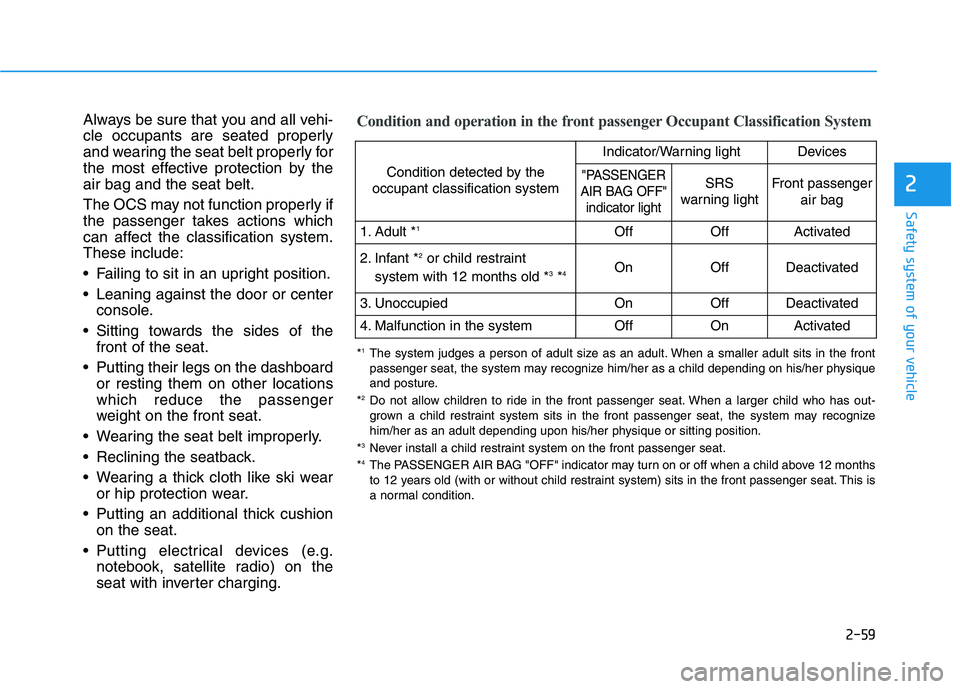
seat with inverter charging.Condition and operation in the front passenger Occupant Classification System
Condition detected by the
occupant classification system
Indicator/Warning lightDevices
"PASSENGER
AIR BAG OFF" indicator lightSRS
warning lightFront passenger
air bag
1. Adult * 1OffOffActivated
2. Infant * 2
or child restraint
system with 12 months old * 3
*4 OnOffDeactivated
3. Unoccupied OnOffDeactivated
4. Malfunction in the systemOffOnActivated
*
1
The system judges a person of adult size as an adult. When a smaller adult sits in the front
passenger seat, the system may recognize him/her as a child depending on his/her physique
and posture.
* 2
Do not allow children to ride in the front passenger seat. When a larger child who has out-
grown a child restraint system sits in the front passenger seat, the system may recognize
him/her as an adult depending upon his/her physique or sitting position.
* 3
Never install a child restraint system on the front passenger seat.
* 4
The PASSENGER AIR BAG "OFF" indicator may turn on or off when a child above 12 months
to 12 years old (with or without child restraint system) sits in the front passenger seat. This is
a normal condition.
Page 137 of 546
Convenient features of your vehicle
Accessing your vehicle .........................................3-3Smart Key ............................................................................3-3
Immobilizer System ...........................................................3-8
Door locks ...............................................................3-9 Operating Door Locks from Outside the Vehicle ......3-9
Operating Door Locks from Inside the Vehicle .......3-10
Auto Door Lock/Unlock Features ...............................3-12
Child-Protector Rear Door locks ................................3-12
Theft-alarm system.............................................3-13
Driver position memory system .........................3-14 Storing Positions into Memory ....................................3-14
Easy Access Function ....................................................3-15
Steering wheel......................................................3-16 Electric Power Steering (EPS) .....................................3-16
Tilt Steering / Telescope Steering ..............................3-17
Heated Steering Wheel ..................................................3-18
Horn ....................................................................................3-18
Mirrors ...................................................................3-19 Inside Rearview Mirror ..................................................3-19
Side View Mirrors ...........................................................3-27
Reverse Parking Aid Function......................................3-30
Windows ................................................................3-31 Power Windows ...............................................................3-32 Panoramic sunroof ..............................................3-35
Sunshade ...........................................................................3-36
Sliding the sunroof .........................................................3-36
Tilting the sunroof ..........................................................3-37
Closing the sunroof ........................................................3-37
Resetting the sunroof ....................................................3-38
Exterior features .................................................3-39 Hood ...................................................................................3-39
Trunk ..................................................................................3-40
Smart Trunk ......................................................................3-43
Fuel Filler Door (Hybrid) ...............................................3-46
Fuel Filler Door (Plug-in hybrid).................................3-50
Instrument cluster................................................3-54 Instrument cluster control ............................................3-56
Gauges ...............................................................................3-57
Warning and indicator lights ........................................3-61
Warning messages ..........................................................3-75
LCD display ...........................................................3-85 LCD display control.........................................................3-85
Trip computer .......................................................3-93 Trip modes ........................................................................3-93
3
Page 139 of 546
3-3
Convenient features of your vehicle
3
AACCCCEE SSSSIINN GG YY OO UURR VV EEHH IICC LLEE
Smart Key
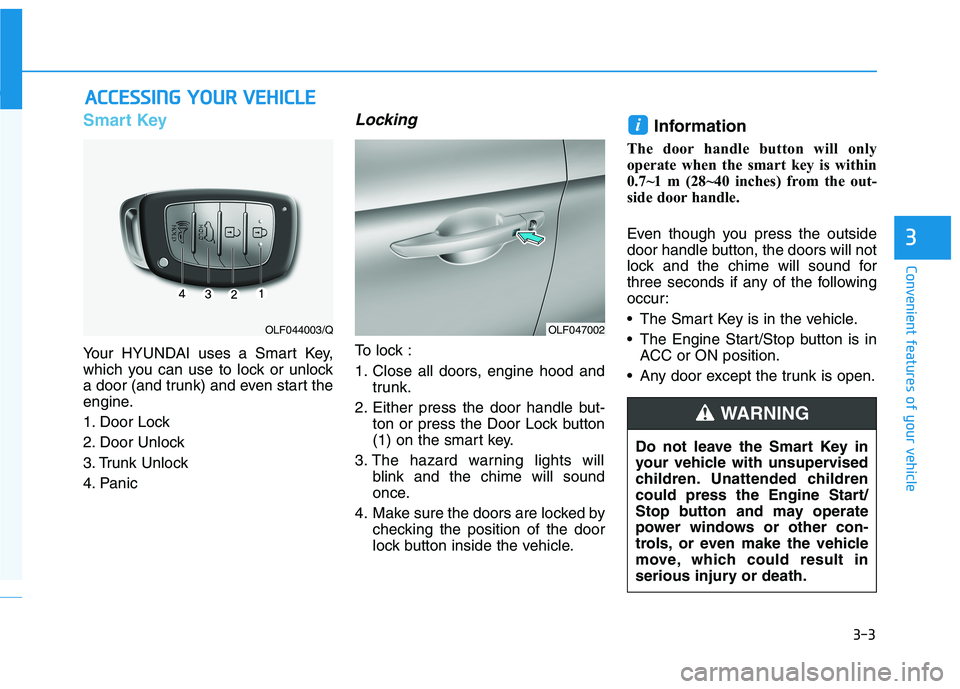
Your HYUNDAI uses a Smart Key,
which you can use to lock or unlock
a door (and trunk) and even start the
engine.
1. Door Lock
2. Door Unlock
3. Trunk Unlock
4. Panic
Locking
To lock :
1. Close all doors, engine hood and
trunk.
2. Either press the door handle but- ton or press the Door Lock button
(1) on the smart key.
3. The hazard warning lights will blink and the chime will sound
once.
4. Make sure the doors are locked by checking the position of the door
lock button inside the vehicle. Information
The door handle button will only
operate when the smart key is within
0.7~1 m (28~40 inches) from the out-
side door handle.
Even though you press the outside
door handle button, the doors will not
lock and the chime will sound for
three seconds if any of the following
occur:
• The Smart Key is in the vehicle.
The Engine Start/Stop button is in ACC or ON position.
Any door except the trunk is open.
i
OLF047002OLF044003/Q
Do not leave the Smart Key in
your vehicle with unsupervised
children. Unattended children
could press the Engine Start/
Stop button and may operate
power windows or other con-
trols, or even make the vehicle
move, which could result in
serious injury or death.
WARNING
Page 140 of 546
3-4
Convenient features of your vehicle
Unlocking your vehicle
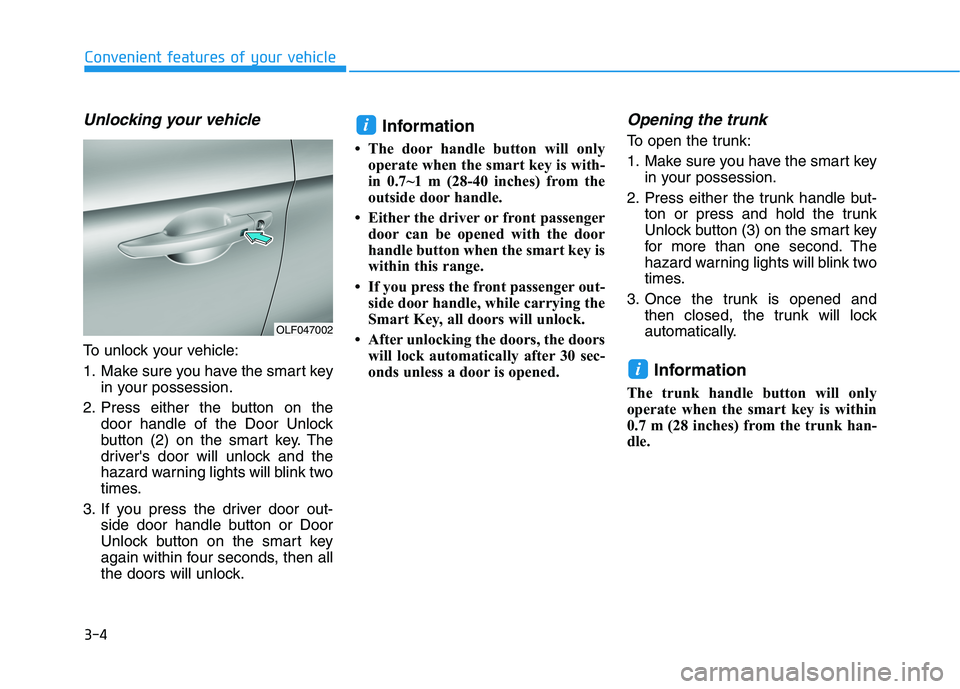
To unlock your vehicle:
1. Make sure you have the smart keyin your possession.
2. Press either the button on the door handle of the Door Unlock
button (2) on the smart key. The
driver's door will unlock and the
hazard warning lights will blink two
times.
3. If you press the driver door out- side door handle button or Door
Unlock button on the smart key
again within four seconds, then all
the doors will unlock. Information
The door handle button will only operate when the smart key is with-
in 0.7~1 m (28-40 inches) from the
outside door handle.
Either the driver or front passenger door can be opened with the door
handle button when the smart key is
within this range.
If you press the front passenger out- side door handle, while carrying the
Smart Key, all doors will unlock.
After unlocking the doors, the doors will lock automatically after 30 sec-
onds unless a door is opened.
Opening the trunk
To open the trunk:
1. Make sure you have the smart key in your possession.
2. Press either the trunk handle but- ton or press and hold the trunk
Unlock button (3) on the smart key
for more than one second. The
hazard warning lights will blink two
times.
3. Once the trunk is opened and then closed, the trunk will lock
automatically.
Information
The trunk handle button will only
operate when the smart key is within
0.7 m (28 inches) from the trunk han-
dle.
i
i
OLF047002
Page 141 of 546
3-5
Convenient features of your vehicle
3
Panic button
Press the Panic button (4) and hold
for more than one second. The horn
sounds and hazard warning lights
blink for about 30 seconds. To cancel
the panic mode, press any button on
the Smart Key.
Start-up
You can start the engine without
inserting the key.
For more information, refer to the
"Engine Start/Stop Button" sec-
tion in chapter 5.
To prevent damaging the smart key:
• Keep the smart key in a cool, dryplace to avoid damage or mal-
function. Exposure to moisture
or high temperature may cause
the internal circuit of the smart
key to malfunction which may
not be covered under warranty.
Avoid dropping or throwing the smart key.
Protect the smart key from extreme temperatures. Always have the smart key with
you when leaving the vehicle. If
the smart key is left near the vehi-
cle, the vehicle battery may be dis-
charged.
Mechanical key
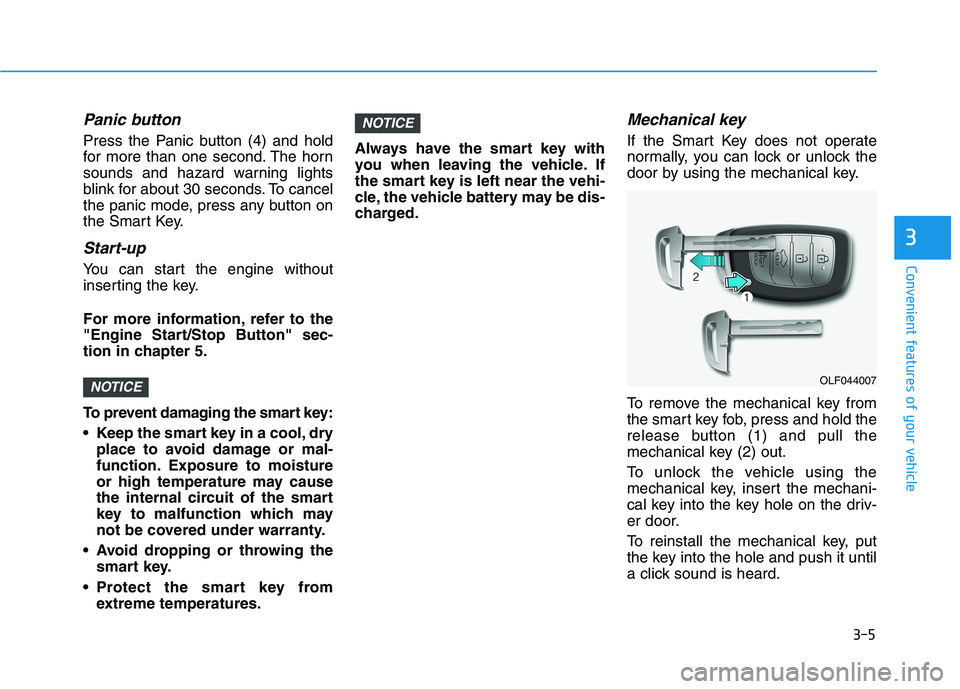
If the Smart Key does not operate
normally, you can lock or unlock the
door by using the mechanical key.
To remove the mechanical key from
the smart key fob, press and hold the
release button (1) and pull the
mechanical key (2) out.
To unlock the vehicle using the
mechanical key, insert the mechani-
cal key into the key hole on the driv-
er door.
To reinstall the mechanical key, put
the key into the hole and push it until
a click sound is heard.
NOTICE
NOTICEOLF044007
Page 149 of 546
3-13
Convenient features of your vehicle
3
This system helps to protect your
vehicle and valuables. The horn will
sound and the hazard warning lights
will blink continuously if any of the
following occurs:
- A door is opened without using thesmart key.
- The trunk is opened without using the smart key.
- The hood is opened.
The alarm continues for 30 seconds,
then the system resets. To turn off
the alarm, unlock the doors with
smart key.
The Theft Alarm System automati-
cally sets 30 seconds after you lock
the doors and the trunk. For the sys-
tem to activate, you must lock the
doors and the trunk from outside the
vehicle with the smart key or by
pressing the button on the outside of
the door handle with the smart key in
your possession.
The hazard warning lights will blink and the chime will sound once to
indicate the system is armed. Once the security system is set,
opening any door, the trunk, or the
hood without using the smart key will
cause the alarm to activate.
The Theft Alarm System will not set if
the hood, the trunk, or any door is
not fully closed. If the system will not
set, check the hood, the trunk, or thedoors are fully closed. Do not attempt to alter this system or
add other devices to it.
Information
Do not lock the doors until all pas- sengers have left the vehicle. If the
remaining passenger leaves the
vehicle when the system is armed,
the alarm will be activated.
If the vehicle is not disarmed with the smart key, open the doors by
using the mechanical key and start
hybrid system by directly pressing
the switch with the smart key.
If the system is disarmed by unlock- ing the vehicle, but neither a door or
the trunk is opened within 30 sec-
onds, the doors will relock and the
system will rearm automatically.i
TTHH EEFFTT --AA LLAA RRMM SS YY SSTT EEMM
Page 153 of 546
3-17
Convenient features of your vehicle
3
Tilt Steering / Telescope Steering
When adjusting the steering wheel to
a comfortable position, adjust the
steering wheel so that it points
toward your chest, not toward your
face. Make sure you can see the
instrument panel warning lights and
gauges. After adjusting, push the
steering wheel both up and down to
be certain it is locked in position.
Always adjust the position of the
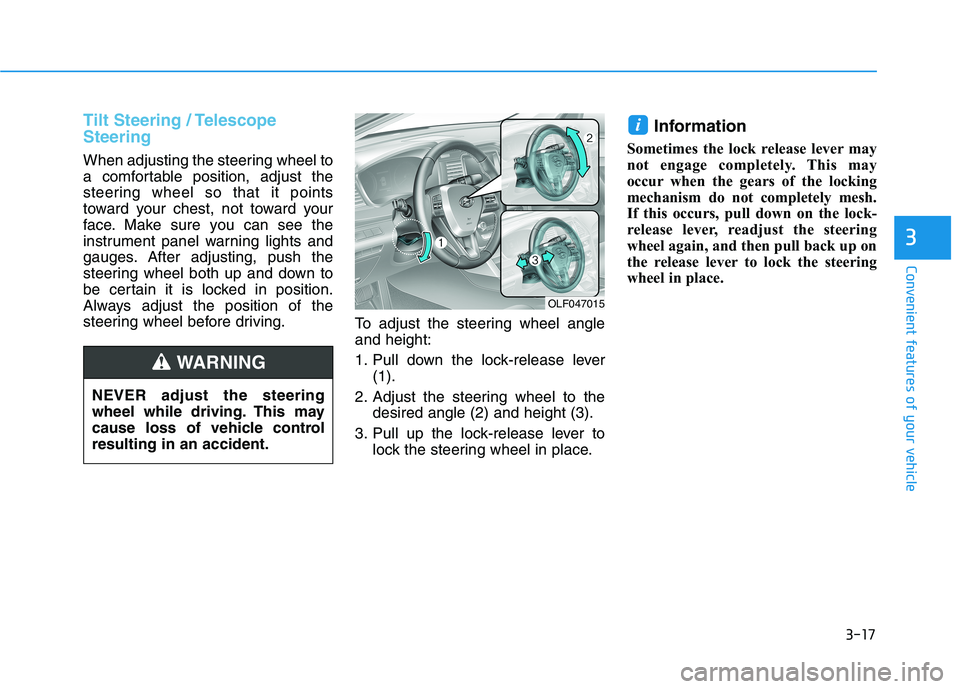
steering wheel before driving.To adjust the steering wheel angleand height:
1. Pull down the lock-release lever
(1).
2. Adjust the steering wheel to the desired angle (2) and height (3).
3. Pull up the lock-release lever to lock the steering wheel in place. Information
Sometimes the lock release lever may
not engage completely. This may
occur when the gears of the locking
mechanism do not completely mesh.
If this occurs, pull down on the lock-
release lever, readjust the steering
wheel again, and then pull back up on
the release lever to lock the steering
wheel in place.
i
OLF047015
NEVER adjust the steering
wheel while driving. This may
cause loss of vehicle controlresulting in an accident.
WARNING