ignition HYUNDAI SONATA HYBRID 2020 User Guide
[x] Cancel search | Manufacturer: HYUNDAI, Model Year: 2020, Model line: SONATA HYBRID, Model: HYUNDAI SONATA HYBRID 2020Pages: 527, PDF Size: 64.14 MB
Page 99 of 527
3-53
03
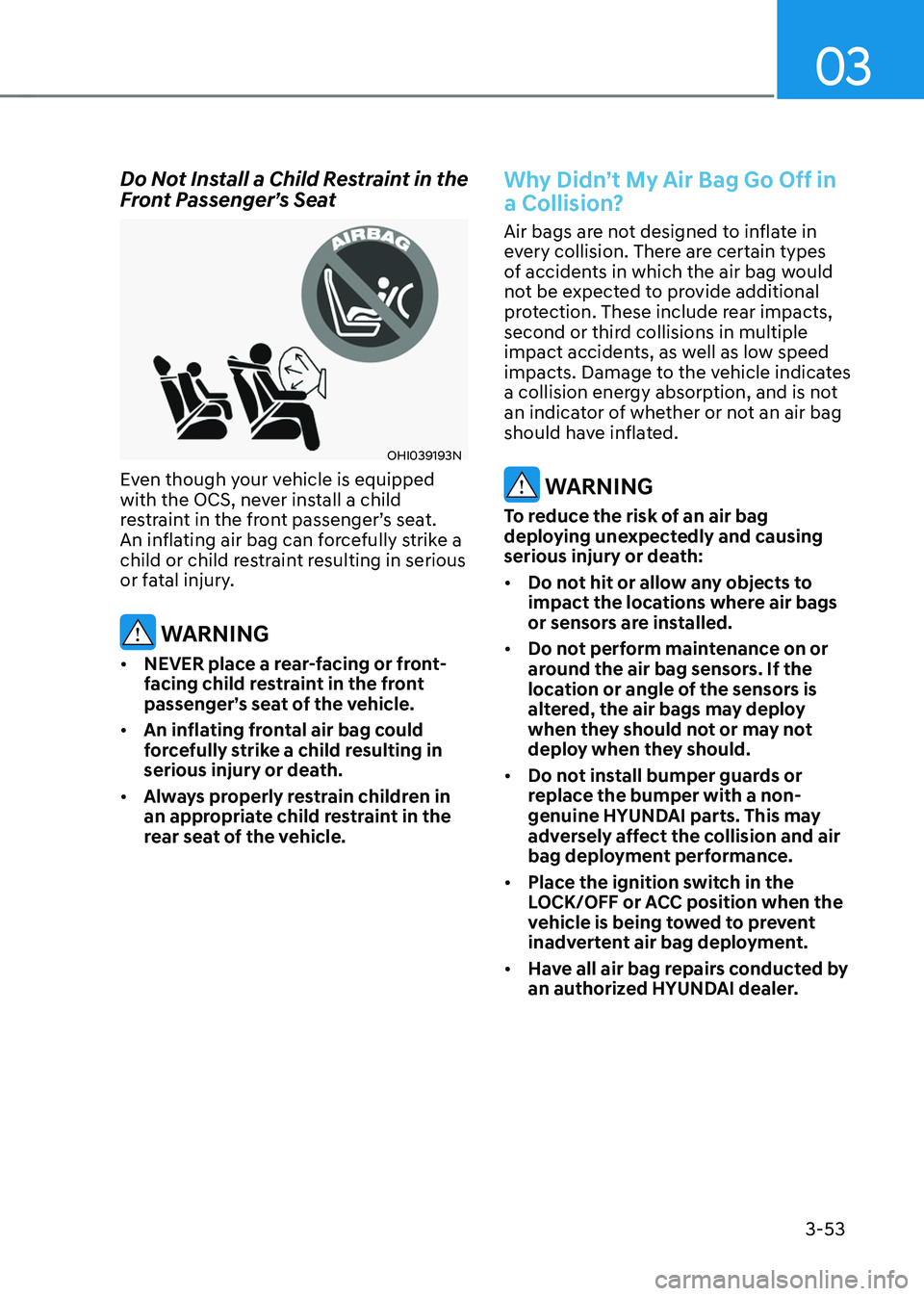
Do Not Install a Child Restraint in the Front Passenger’s Seat
OHI039193N
Even though your vehicle is equipped
with the OCS, never install a child
restraint in the front passenger’s seat.
An inflating air bag can forcefully strike a
child or child restraint resulting in serious
or fatal injury.
WARNING
• NEVER place a rear-facing or front-
facing child restraint in the front
passenger’s seat of the vehicle.
• An inflating frontal air bag could
forcefully strike a child resulting in
serious injury or death.
• Always properly restrain children in
an appropriate child restraint in the
rear seat of the vehicle.
Why Didn’t My Air Bag Go Off in
a Collision?
Air bags are not designed to inflate in
every collision. There are certain types
of accidents in which the air bag would
not be expected to provide additional
protection. These include rear impacts,
second or third collisions in multiple
impact accidents, as well as low speed
impacts. Damage to the vehicle indicates
a collision energy absorption, and is not
an indicator of whether or not an air bag
should have inflated.
WARNING
To reduce the risk of an air bag
deploying unexpectedly and causing
serious injury or death:
• Do not hit or allow any objects to
impact the locations where air bags
or sensors are installed.
• Do not perform maintenance on or
around the air bag sensors. If the
location or angle of the sensors is
altered, the air bags may deploy
when they should not or may not
deploy when they should.
• Do not install bumper guards or
replace the bumper with a non-
genuine HYUNDAI parts. This may
adversely affect the collision and air
bag deployment performance.
• Place the ignition switch in the
LOCK/OFF or ACC position when the
vehicle is being towed to prevent
inadvertent air bag deployment.
• Have all air bag repairs conducted by
an authorized HYUNDAI dealer.
Page 103 of 527
03
3-57
ODN8A039088
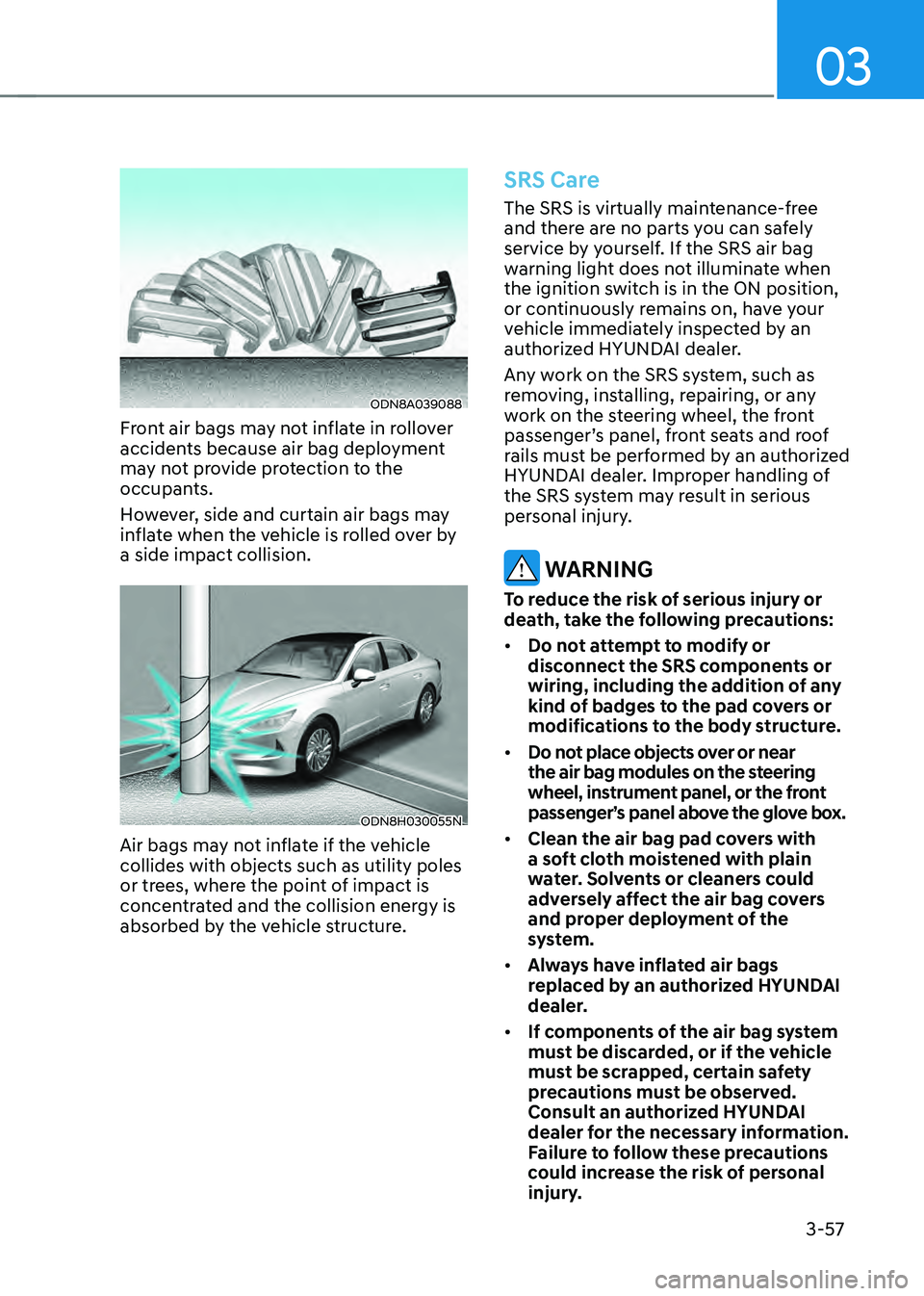
Front air bags may not inflate in rollover
accidents because air bag deployment
may not provide protection to the
occupants.
However, side and curtain air bags may
inflate when the vehicle is rolled over by
a side impact collision.
ODN8H030055N
Air bags may not inflate if the vehicle
collides with objects such as utility poles
or trees, where the point of impact is
concentrated and the collision energy is
absorbed by the vehicle structure.
SRS Care
The SRS is virtually maintenance-free
and there are no parts you can safely
service by yourself. If the SRS air bag
warning light does not illuminate when
the ignition switch is in the ON position,
or continuously remains on, have your
vehicle immediately inspected by an
authorized HYUNDAI dealer.
Any work on the SRS system, such as
removing, installing, repairing, or any
work on the steering wheel, the front
passenger’s panel, front seats and roof
rails must be performed by an authorized
HYUNDAI dealer. Improper handling of
the SRS system may result in serious
personal injury.
WARNING
To reduce the risk of serious injury or
death, take the following precautions:
• Do not attempt to modify or
disconnect the SRS components or
wiring, including the addition of any
kind of badges to the pad covers or
modifications to the body structure.
• Do not place objects over or near
the air bag modules on the steering
wheel, instrument panel, or the front
passenger’s panel above the glove box.
• Clean the air bag pad covers with
a soft cloth moistened with plain
water. Solvents or cleaners could
adversely affect the air bag covers
and proper deployment of the
system.
• Always have inflated air bags
replaced by an authorized HYUNDAI
dealer.
• If components of the air bag system
must be discarded, or if the vehicle
must be scrapped, certain safety
precautions must be observed.
Consult an authorized HYUNDAI
dealer for the necessary information.
Failure to follow these precautions
could increase the risk of personal
injury.
Page 118 of 527
Instrument Cluster
4-14
NOTICE
• If the engine is not turned OFF
immediately after the Engine
Oil Pressure Warning Light is
illuminated, severe damage could
occur.
• If the warning light stays on while the
engine is running, it indicates that
there may be serious engine damage
or malfunction. In this case:
1. Stop the vehicle as soon as it is
safe to do so.
2. Turn off the engine and check the
oil level. If the oil level is low, fill
the engine oil to the proper level.
3. Start the engine again. If the
warning light stays on after the
engine has started, turn the
engine off immediately. In this
case, have the vehicle inspected
by an authorized HYUNDAI dealer.
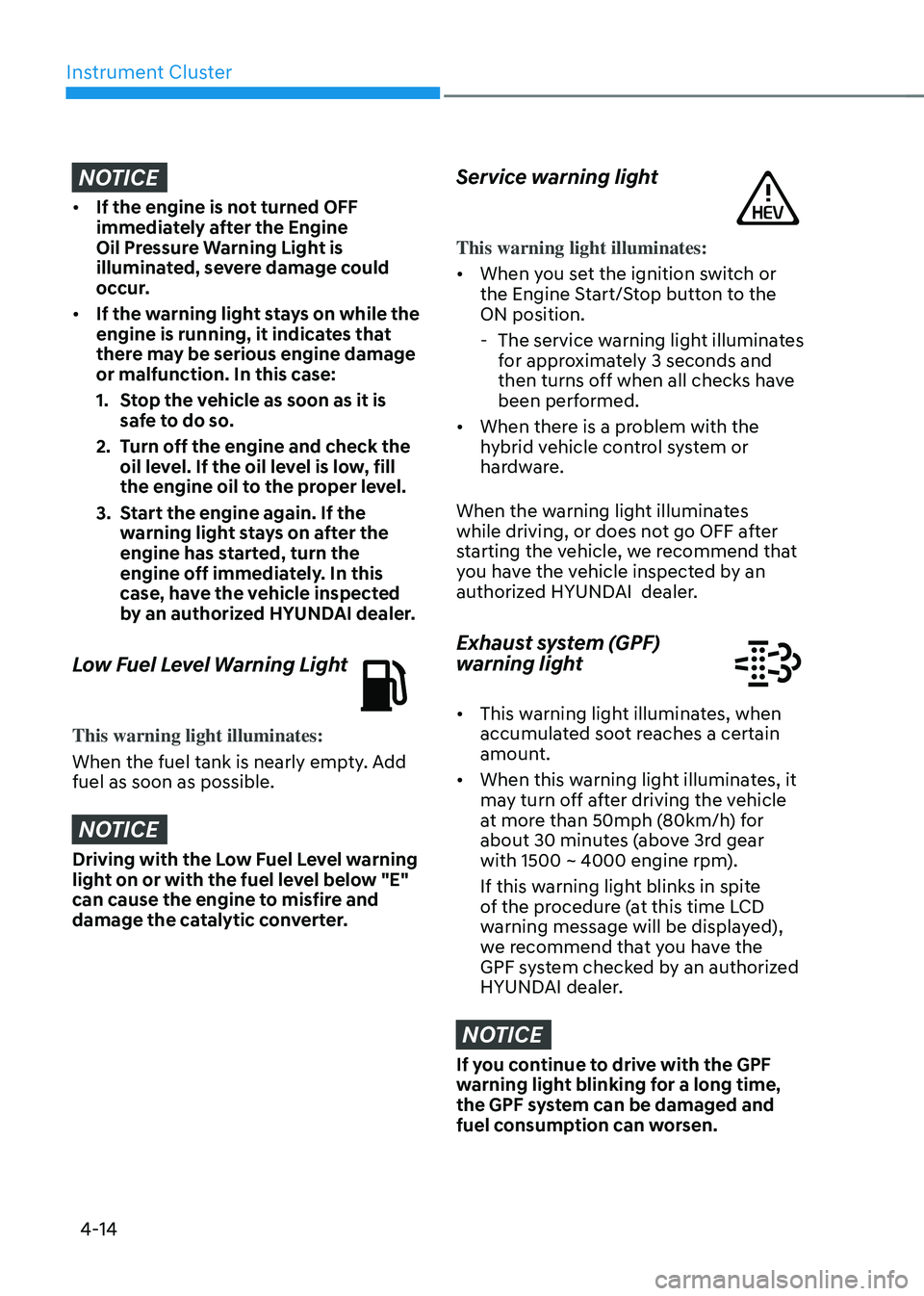
Low Fuel Level Warning Light
This warning light illuminates:
When the fuel tank is nearly empty. Add
fuel as soon as possible.
NOTICE
Driving with the Low Fuel Level warning
light on or with the fuel level below "E"
can cause the engine to misfire and
damage the catalytic converter.
Service warning light
This warning light illuminates:
• When you set the ignition switch or
the Engine Start/Stop button to the
ON position.
-The service warning light illuminates
for approximately 3 seconds and
then turns off when all checks have
been performed.
• When there is a problem with the
hybrid vehicle control system or
hardware.
When the warning light illuminates
while driving, or does not go OFF after
starting the vehicle, we recommend that
you have the vehicle inspected by an
authorized HYUNDAI dealer.
Exhaust system (GPF)
warning light
• This warning light illuminates, when
accumulated soot reaches a certain
amount.
• When this warning light illuminates, it
may turn off after driving the vehicle
at more than 50mph (80km/h) for
about 30 minutes (above 3rd gear
with 1500 ~ 4000 engine rpm).
If this warning light blinks in spite
of the procedure (at this time LCD
warning message will be displayed),
we recommend that you have the
GPF system checked by an authorized
HYUNDAI dealer.
NOTICE
If you continue to drive with the GPF
warning light blinking for a long time,
the GPF system can be damaged and
fuel consumption can worsen.
Page 120 of 527
Instrument Cluster
4-16
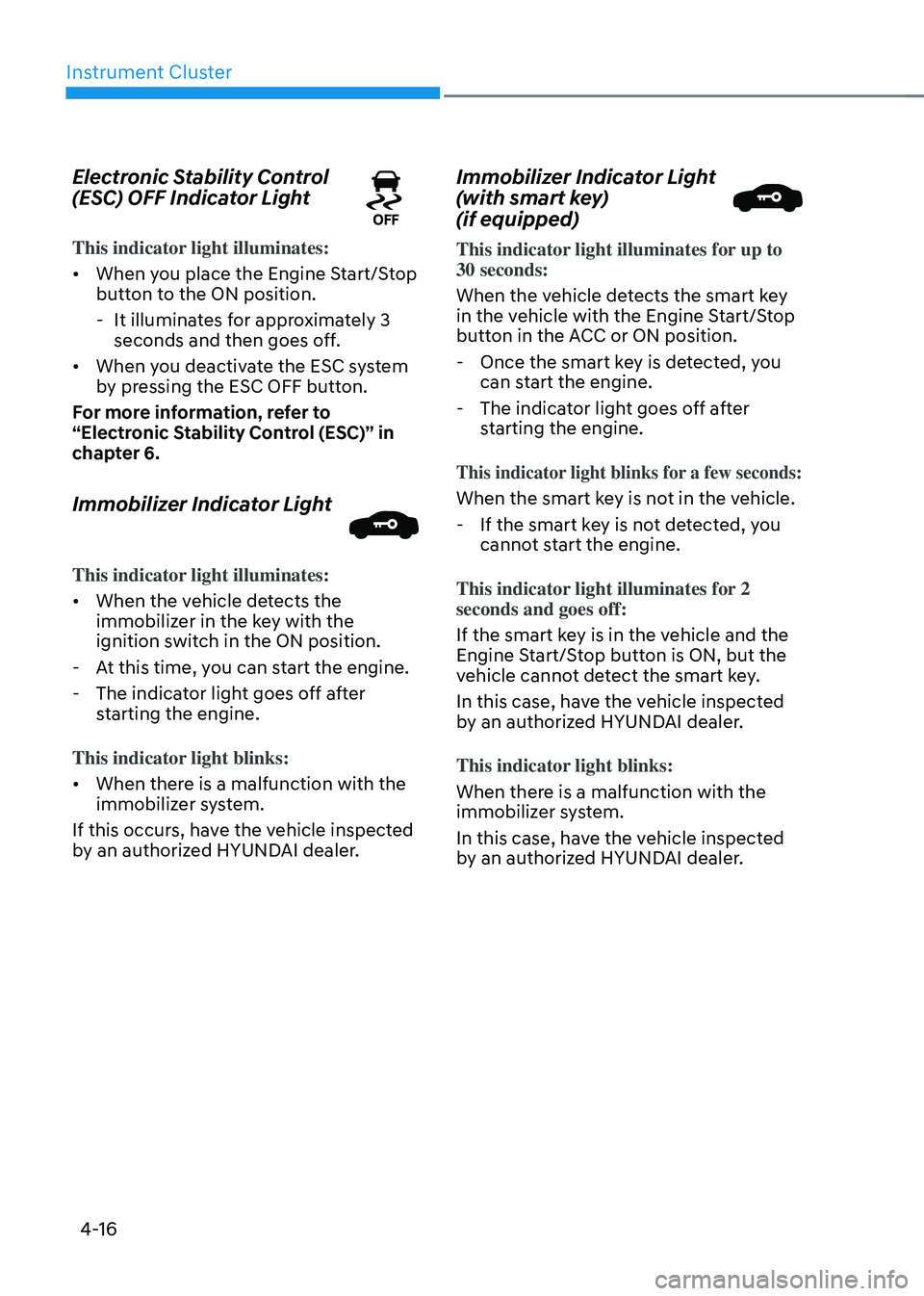
Electronic Stability Control
(ESC) OFF Indicator Light
This indicator light illuminates:
• When you place the Engine Start/Stop
button to the ON position.
-It illuminates for approximately 3
seconds and then goes off.
• When you deactivate the ESC system
by pressing the ESC OFF button.
For more information, refer to
“Electronic Stability Control (ESC)” in
chapter 6.
Immobilizer Indicator Light
This indicator light illuminates:
• When the vehicle detects the
immobilizer in the key with the
ignition switch in the ON position.
-At this time, you can start the engine.
-The indicator light goes off after
starting the engine.
This indicator light blinks:
• When there is a malfunction with the
immobilizer system.
If this occurs, have the vehicle inspected
by an authorized HYUNDAI dealer.
Immobilizer Indicator Light
(with smart key)
(if equipped)
This indicator light illuminates for up to 30 seconds:
When the vehicle detects the smart key
in the vehicle with the Engine Start/Stop
button in the ACC or ON position.
- Once the smart key is detected, you
can start the engine.
-The indicator light goes off after
starting the engine.
This indicator light blinks for a few seconds:
When the smart key is not in the vehicle.
-If the smart key is not detected, you
cannot start the engine.
This indicator light illuminates for 2
seconds and goes off:
If the smart key is in the vehicle and the
Engine Start/Stop button is ON, but the
vehicle cannot detect the smart key.
In this case, have the vehicle inspected
by an authorized HYUNDAI dealer.
This indicator light blinks:
When there is a malfunction with the
immobilizer system.
In this case, have the vehicle inspected
by an authorized HYUNDAI dealer.
Page 127 of 527
04
4-23
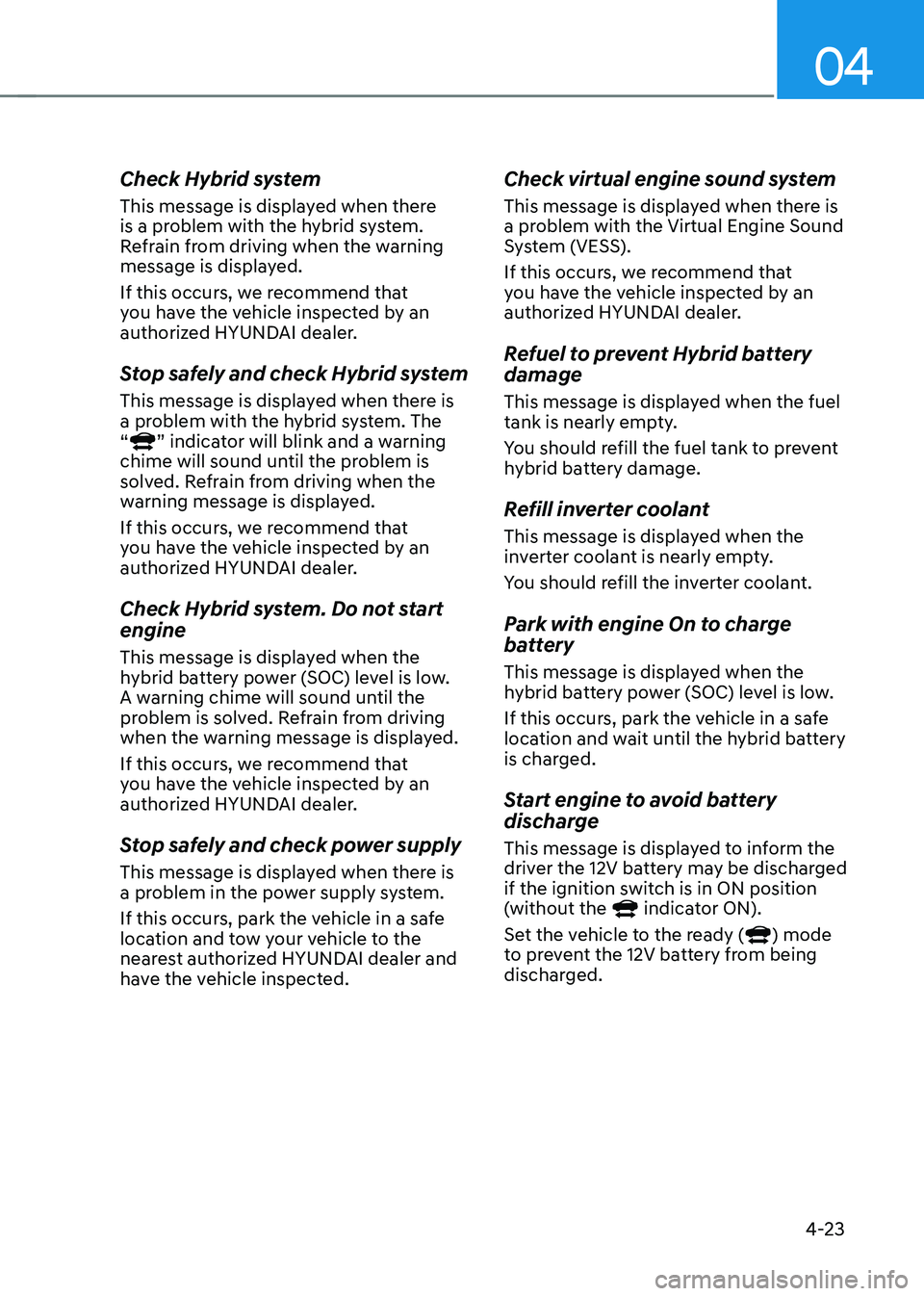
Check Hybrid system
This message is displayed when there
is a problem with the hybrid system.
Refrain from driving when the warning
message is displayed.
If this occurs, we recommend that
you have the vehicle inspected by an
authorized HYUNDAI dealer.
Stop safely and check Hybrid system
This message is displayed when there is
a problem with the hybrid system. The
“
” indicator will blink and a warning
chime will sound until the problem is
solved. Refrain from driving when the
warning message is displayed.
If this occurs, we recommend that
you have the vehicle inspected by an
authorized HYUNDAI dealer.
Check Hybrid system. Do not start
engine
This message is displayed when the
hybrid battery power (SOC) level is low.
A warning chime will sound until the
problem is solved. Refrain from driving
when the warning message is displayed.
If this occurs, we recommend that
you have the vehicle inspected by an
authorized HYUNDAI dealer.
Stop safely and check power supply
This message is displayed when there is
a problem in the power supply system.
If this occurs, park the vehicle in a safe
location and tow your vehicle to the
nearest authorized HYUNDAI dealer and
have the vehicle inspected.
Check virtual engine sound system
This message is displayed when there is
a problem with the Virtual Engine Sound
System (VESS).
If this occurs, we recommend that
you have the vehicle inspected by an
authorized HYUNDAI dealer.
Refuel to prevent Hybrid battery
damage
This message is displayed when the fuel
tank is nearly empty.
You should refill the fuel tank to prevent
hybrid battery damage.
Refill inverter coolant
This message is displayed when the
inverter coolant is nearly empty.
You should refill the inverter coolant.
Park with engine On to charge
battery
This message is displayed when the
hybrid battery power (SOC) level is low.
If this occurs, park the vehicle in a safe
location and wait until the hybrid battery
is charged.
Start engine to avoid battery
discharge
This message is displayed to inform the
driver the 12V battery may be discharged
if the ignition switch is in ON position
(without the
indicator ON).
Set the vehicle to the ready () mode
to prevent the 12V battery from being
discharged.
Page 136 of 527
Instrument Cluster
4-32
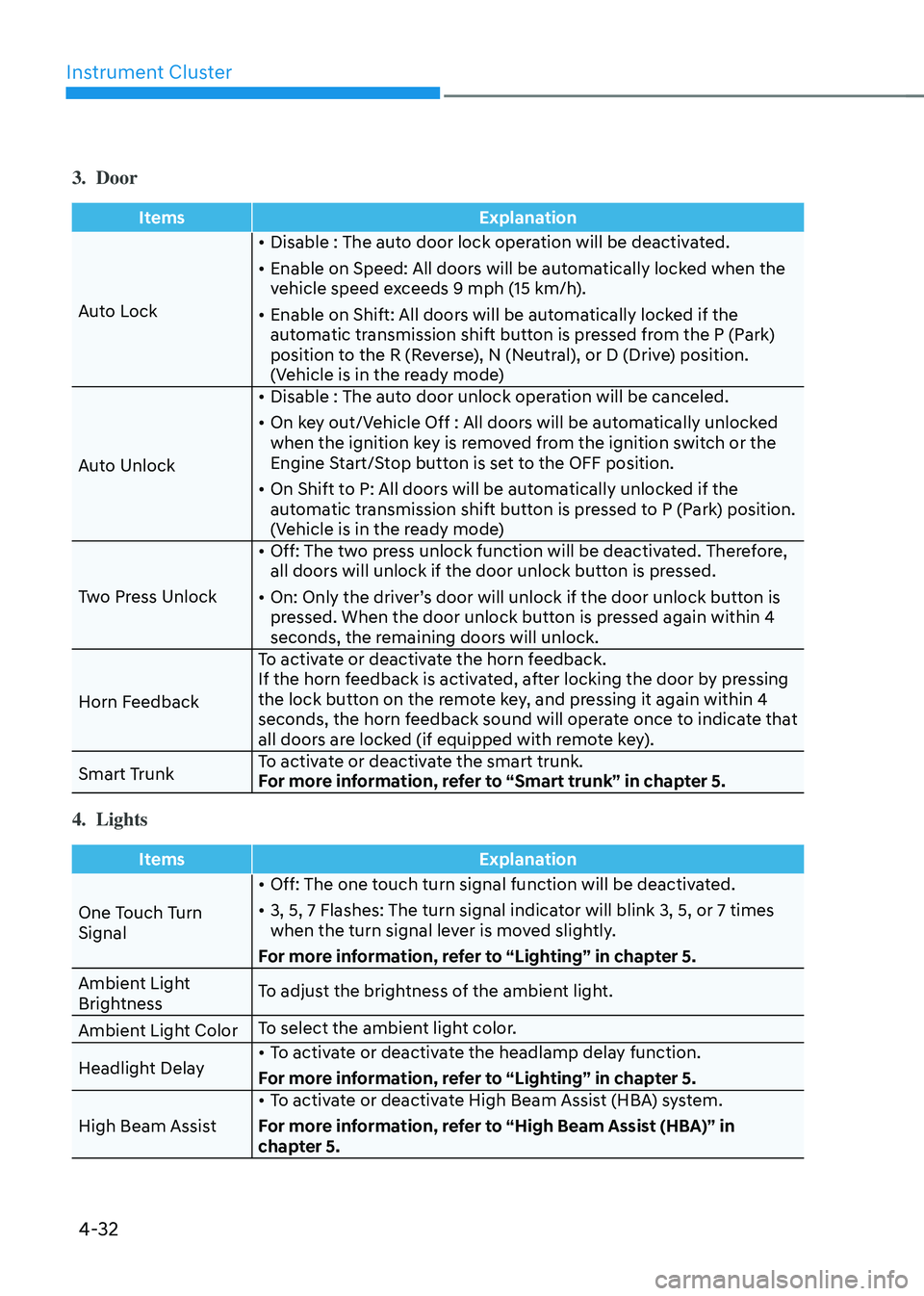
3. Door
ItemsExplanation
Auto Lock •
Disable : The auto door lock operation will be deactivated.
• Enable on Speed: All doors will be automatically locked when the
vehicle speed exceeds 9 mph (15 km/h).
• Enable on Shift: All doors will be automatically locked if the
automatic transmission shift button is pressed from the P (Park)
position to the R (Reverse), N (Neutral), or D (Drive) position.
(Vehicle is in the ready mode)
Auto Unlock •
Disable : The auto door unlock operation will be canceled.
• On key out/Vehicle Off : All doors will be automatically unlocked
when the ignition key is removed from the ignition switch or the
Engine Start/Stop button is set to the OFF position.
• On Shift to P: All doors will be automatically unlocked if the
automatic transmission shift button is pressed to P (Park) position.
(Vehicle is in the ready mode)
Two Press Unlock •
Off: The two press unlock function will be deactivated. Therefore,
all doors will unlock if the door unlock button is pressed.
• On: Only the driver’s door will unlock if the door unlock button is
pressed. When the door unlock button is pressed again within 4
seconds, the remaining doors will unlock.
Horn Feedback To activate or deactivate the horn feedback.
If the horn feedback is activated, after locking the door by pressing
the lock button on the remote key, and pressing it again within 4
seconds, the horn feedback sound will operate once to indicate that
all doors are locked (if equipped with remote key).
Smart Trunk To activate or deactivate the smart trunk.
For more information, refer to “Smart trunk” in chapter 5.
4. Lights
Items
Explanation
One Touch Turn
Signal •
Off: The one touch turn signal function will be deactivated.
• 3, 5, 7 Flashes: The turn signal indicator will blink 3, 5, or 7 times
when the turn signal lever is moved slightly.
For more information, refer to “Lighting” in chapter 5.
Ambient Light
Brightness To adjust the brightness of the ambient light.
Ambient Light Color To select the ambient light color.
Headlight Delay •
To activate or deactivate the headlamp delay function.
For more information, refer to “Lighting” in chapter 5.
High Beam Assist •
To activate or deactivate High Beam Assist (HBA) system.
For more information, refer to “High Beam Assist (HBA)” in
chapter 5.
Page 139 of 527
04
4-35
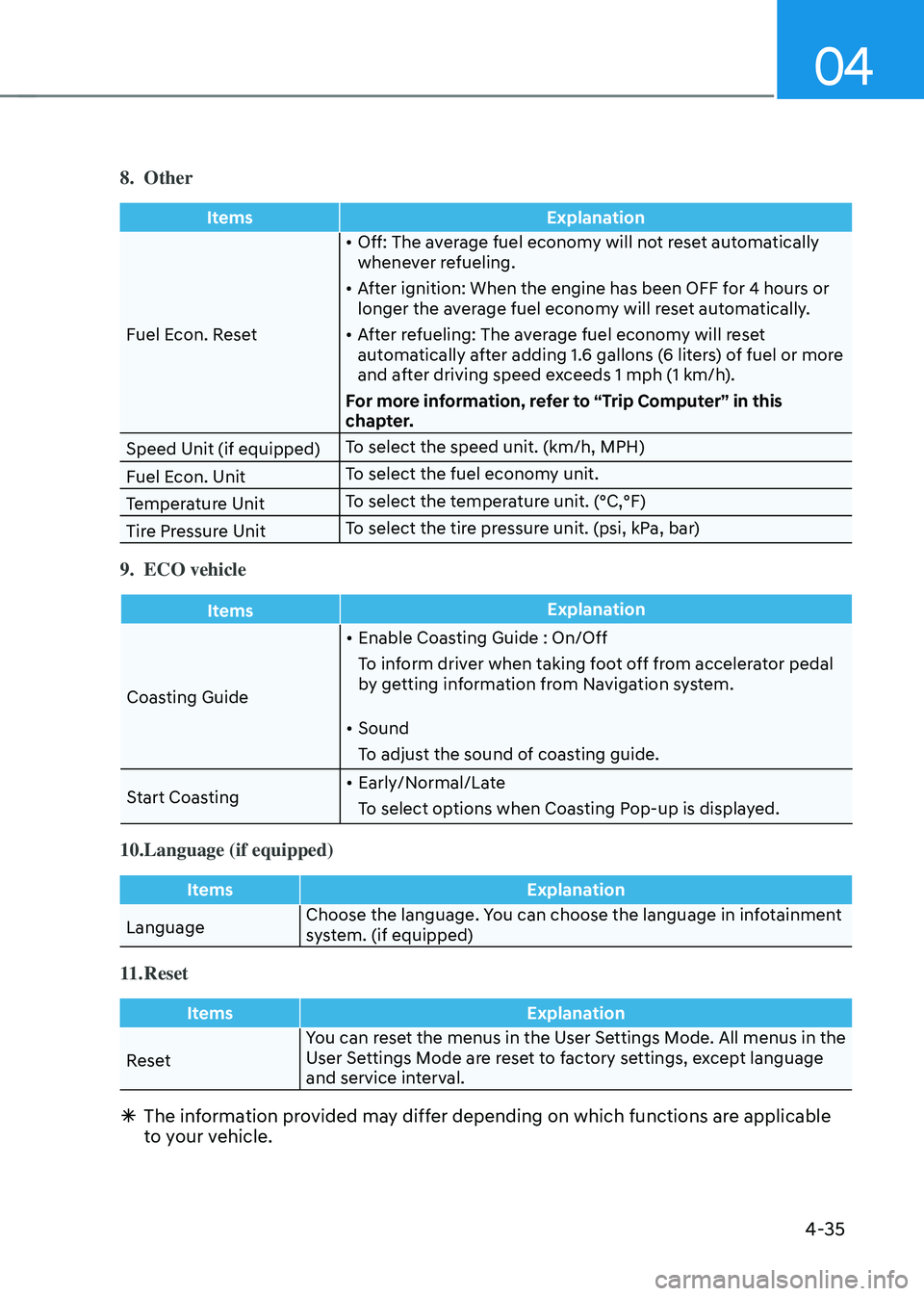
8. Other
ItemsExplanation
Fuel Econ. Reset •
Off: The average fuel economy will not reset automatically
whenever refueling.
• After ignition: When the engine has been OFF for 4 hours or
longer the average fuel economy will reset automatically.
• After refueling: The average fuel economy will reset
automatically after adding 1.6 gallons (6 liters) of fuel or more
and after driving speed exceeds 1 mph (1 km/h).
For more information, refer to “Trip Computer” in this
chapter.
Speed Unit (if equipped) To select the speed unit. (km/h, MPH)
Fuel Econ. Unit To select the fuel economy unit.
Temperature Unit To select the temperature unit. (°C,°F)
Tire Pressure Unit To select the tire pressure unit. (psi, kPa, bar)
9. ECO vehicle
Items
Explanation
Coasting Guide •
Enable Coasting Guide : On/Off
To inform driver when taking foot off from accelerator pedal
by getting information from Navigation system.
• Sound
To adjust the sound of coasting guide.
Start Coasting •
Early/Normal/Late
To select options when Coasting Pop-up is displayed.
10. Language (if equipped)
Items Explanation
Language Choose the language. You can choose the language in infotainment
system. (if equipped)
11. Reset
Items
Explanation
Reset You can reset the menus in the User Settings Mode. All menus in the
User Settings Mode are reset to factory settings, except language
and service interval.
Ã
The information provided may differ depending on which functions are applicable
to your vehicle.
Page 141 of 527
04
4-37
Automatic reset
To automatically reset the average fuel
economy after refueling, select the "Fuel
Econ. Reset" mode in the User Settings
menu on the LCD display.
-After Ignition: When the engine has
been OFF for 4 hours or longer the
average fuel economy will reset
automatically.
-After Refueling: The average fuel
economy will reset automatically after
adding 1.6 gallons (6 liters) of fuel or
more and after driving speed exceeds
1 mph (1 km/h).
Information
The vehicle must be driven for a minimum
of 0.19 miles (300 meters) since the last
ignition key cycle before the average fuel
economy will be recalculated.
Instant Fuel Economy (2)
The instantaneous fuel economy is
displayed according to the bar graph in
the LCD display while driving.
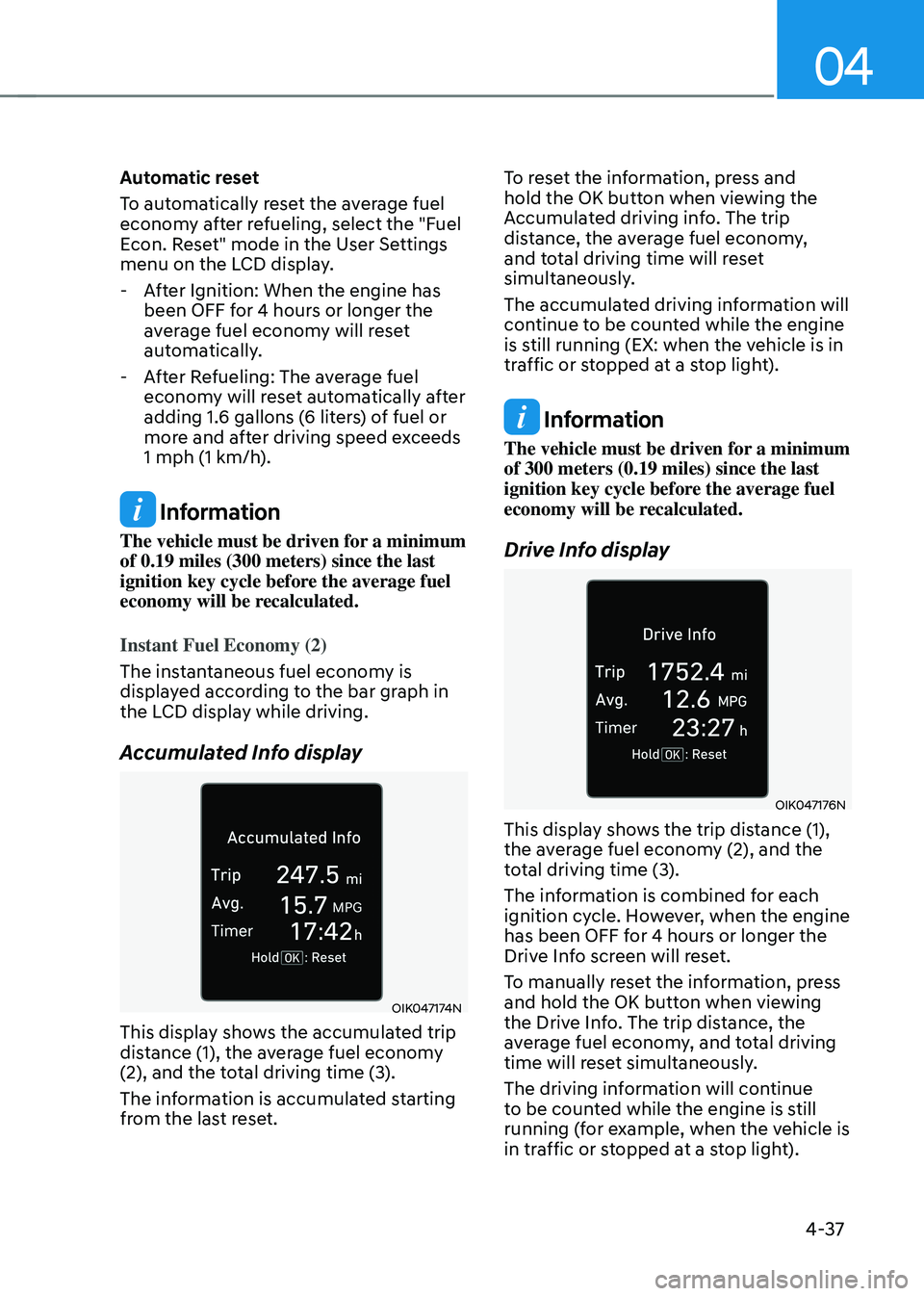
Accumulated Info display
OIK047174N
This display shows the accumulated trip
distance (1), the average fuel economy
(2), and the total driving time (3).
The information is accumulated starting
from the last reset. To reset the information, press and
hold the OK button when viewing the
Accumulated driving info. The trip
distance, the average fuel economy,
and total driving time will reset
simultaneously.
The accumulated driving information will
continue to be counted while the engine
is still running (EX: when the vehicle is in
traffic or stopped at a stop light).
Information
The vehicle must be driven for a minimum
of 300 meters (0.19 miles) since the last
ignition key cycle before the average fuel
economy will be recalculated.
Drive Info display
OIK047176N
This display shows the trip distance (1),
the average fuel economy (2), and the
total driving time (3).
The information is combined for each
ignition cycle. However, when the engine
has been OFF for 4 hours or longer the
Drive Info screen will reset.
To manually reset the information, press
and hold the OK button when viewing
the Drive Info. The trip distance, the
average fuel economy, and total driving
time will reset simultaneously.
The driving information will continue
to be counted while the engine is still
running (for example, when the vehicle is
in traffic or stopped at a stop light).
Page 142 of 527
Instrument Cluster
4-38
Information
The vehicle must be driven for a minimum
of 0.19 miles (300 meters) since the last
ignition key cycle before the average fuel
economy will be recalculated.
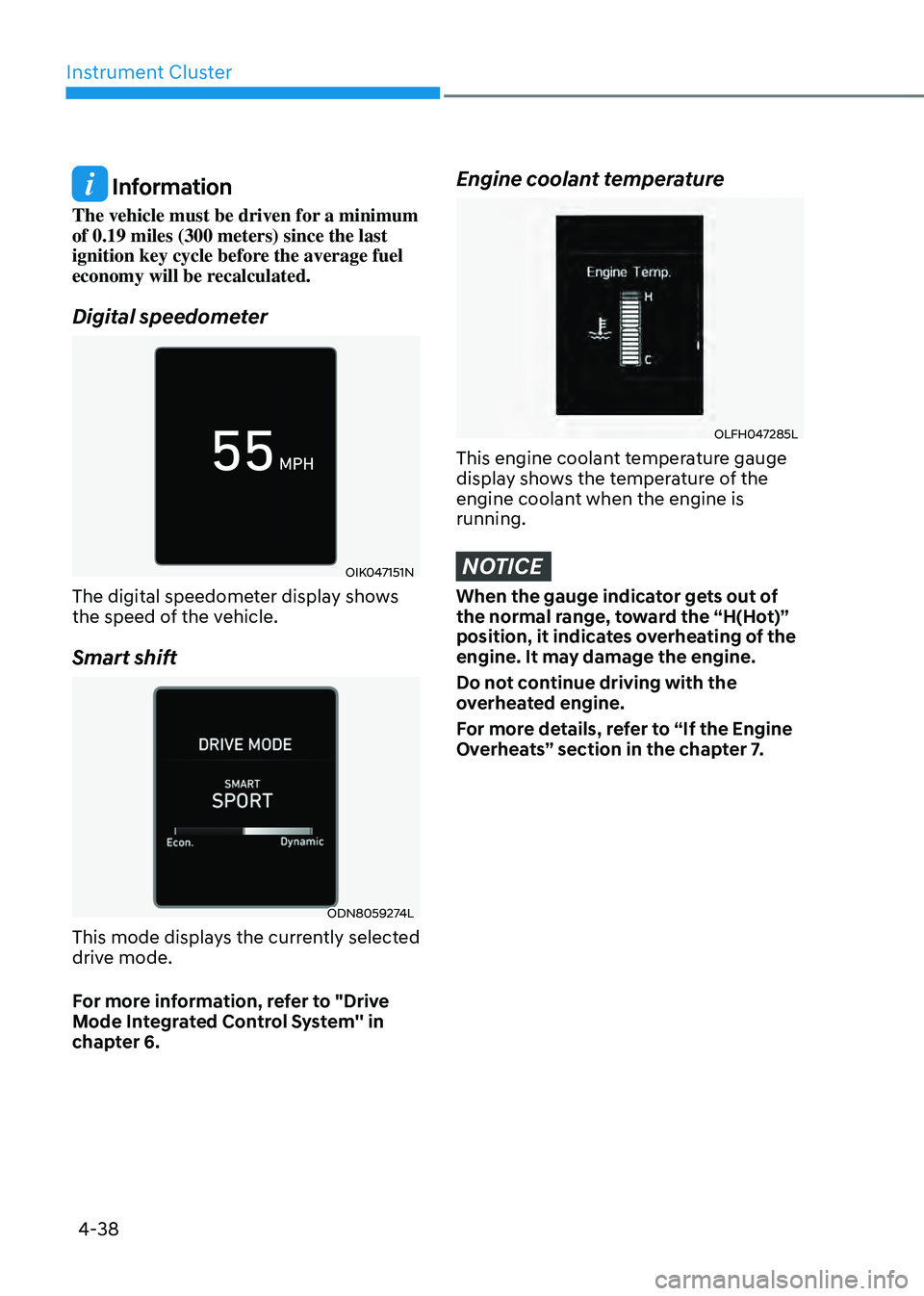
Digital speedometer
OIK047151N
The digital speedometer display shows
the speed of the vehicle.
Smart shift
ODN8059274L
This mode displays the currently selected
drive mode.
For more information, refer to "Drive
Mode Integrated Control System'' in
chapter 6.
Engine coolant temperature
OLFH047285L
This engine coolant temperature gauge
display shows the temperature of the
engine coolant when the engine is
running.
NOTICE
When the gauge indicator gets out of
the normal range, toward the “H(Hot)”
position, it indicates overheating of the
engine. It may damage the engine.
Do not continue driving with the
overheated engine.
For more details, refer to “If the Engine
Overheats” section in the chapter 7.
Page 145 of 527
04
4-41
Utility View Mode
The Utility view mode displays
information related to vehicle driving
parameters including fuel economy and
trip distance information.
Utility Items
The utility items appear as well in utility
view mode, driving assist view mode and
turn by turn view mode. The utility items
in utility view mode display in the center
of the instrument cluster but the items in
other modes show up on the right side of
the instrument cluster.
The information provided may differ
depending on which functions are
applicable to your vehicle.
Fuel Economy Information
The average fuel economy and instant
fuel economy are displayed
• Manual reset: Press and hold OK
button to initialize set up
• Automatic reset: Automatically reset
the average fuel economy when the
set-up conditions are satisfied in User
Settings menu.
Driving Information
The trip distance for each ignition cycle,
fuel economy (undisplayed item in fuel
economy: driving speed), trip time
are shown. Press and hold OK button
to initialize set up. When the engine
has been OFF for 4 hours or longer
the average fuel economy will reset
automatically. Information after Refueling
The vehicle information such as trip
distance, fuel economy (undisplayed
item in fuel economy: driving speed)
and trip time is displayed after refueling.
Press and hold OK button to initialize set
up.
Accumulated Information
The vehicle information such as trip
distance, fuel economy (undisplayed
item in fuel economy: driving speed)
and trip time is displayed after manual
initialization.
Digital Speed Display
It shows current vehicle speed.
Driver Attention Warning
Display the status of the Driver Attention
Warning system. When the engine is
off or the vehicle comes to a stop, the
system is reset. Press and hold OK button
to initialize set up.
Smart Shift
It shows the currently selected drive
mode.
Tire pressure
It shows information related to Tire
Pressure.