speed sensor HYUNDAI SONATA HYBRID 2020 User Guide
[x] Cancel search | Manufacturer: HYUNDAI, Model Year: 2020, Model line: SONATA HYBRID, Model: HYUNDAI SONATA HYBRID 2020Pages: 527, PDF Size: 64.14 MB
Page 278 of 527
 ........................................................................\
......6-57LKA Operation ........................................................................\
..")
Lane Keeping Assist (LKA) ........................................................................\
......6-57LKA Operation ........................................................................\
...................................6-59
LKA System Function Change ........................................................................\
..........6-59
Warning Light and Message ........................................................................\
.............6-62
Limitations of the System ........................................................................\
.................6-63
Blind-Spot Collision Warning (BCW) /
Blind-Spot Collision-Avoidance Assist (BCA)
................................................6-65System Description ........................................................................\
...........................6-65
System Setting and Activation ........................................................................\
.........6-66
Warning and System Control ........................................................................\
............6-68
Detecting Sensors (Front view camera and Rear corner radar) ..............................6-70
Limitations of the System ........................................................................\
..................6-73
Declaration of Conformity ........................................................................\
.......6-77The radio frequency components (Rear Corner Radar) complies: .........................6-77
Driver Attention Warning (DAW) ....................................................................6-78System Setting and Operation ........................................................................\
..........6-78
Resetting the System ........................................................................\
........................6-80
System Standby ........................................................................\
..................................6-81
System Malfunction ........................................................................\
...........................6-81
Leading Vehicle Departure Alert ........................................................................\
......6-83
Blind-Spot View Monitor (BVM) .....................................................................6-86
Smart cruise control (SCC)
........................................................................\
.....6-87Smart Cruise Control Switch ........................................................................\
............6-88
To Convert to Cruise Control Mode ........................................................................\
.6-88
Smart Cruise Control Speed ........................................................................\
.............6-89
Smart Cruise Control Headway ........................................................................\
........6-95
Limitations of the System ........................................................................\
................6-100
Navigation-Based Smart Cruise Control (NSCC) .......................................6-104System Setting and Operation ........................................................................\
........6-104
Lane Following Assist (LFA) ........................................................................\
..6-108LFA Operation ........................................................................\
....................................6-110
Warning Message ........................................................................\
..............................6-110
Limitations of the System ........................................................................\
.................6-112
Highway Driving Assist (HDA) .......................................................................6-114System Setting and Operation ........................................................................\
.........6-115
Warning Message ........................................................................\
..............................6-117
6
Page 314 of 527
While Driving
6-38
Forward Collision-Avoidance Assist
system is designed to detect the vehicle,
a pedestrian or cyclist ahead in the
roadway through front view camera
recognition and front radar signals
to warn the driver that a collision is
imminent, and if necessary, apply
emergency braking.
WARNING
Take the following precautions when
using Forward Collision-Avoidance
Assist system:
• This system is only a supplemental
system and it is not intended to,
nor does it replace the need for
extreme care and attention of
the driver. The sensing range and
objects detectable by the sensors
are limited. Pay attention to the road
conditions at all times.
• Drive at posted speed limits and
accordance to road conditions.
• Always drive cautiously to prevent
unexpected and sudden situations
from occurring. FCA does not always
stop the vehicle completely.
System Setting and Activation
System setting
OTMA058186
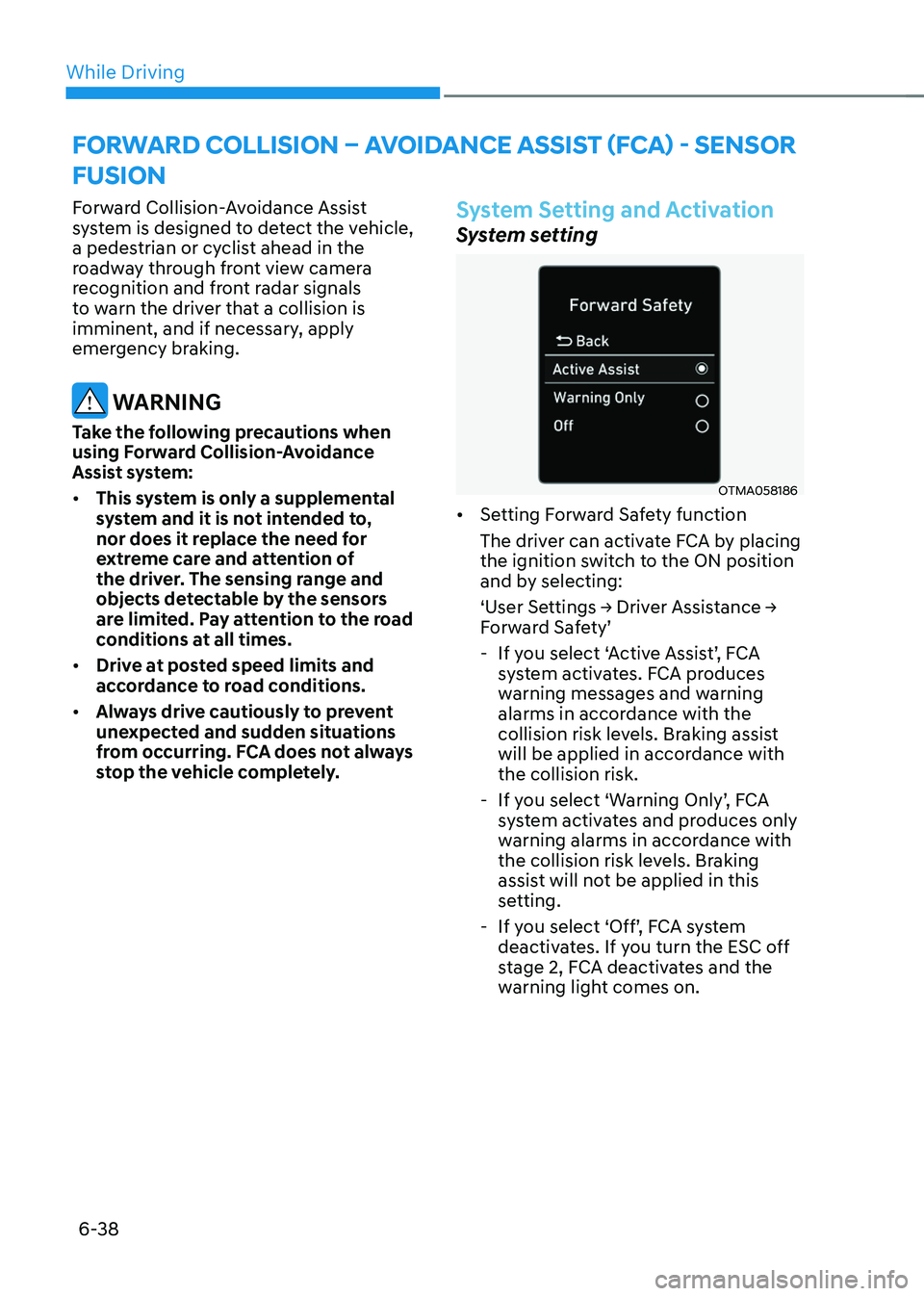
• Setting Forward Safety function
The driver can activate FCA by placing
the ignition switch to the ON position
and by selecting:
‘User Settings → Driver Assistance → Forward Safety’
-If you select ‘Active Assist’, FCA
system activates. FCA produces
warning messages and warning
alarms in accordance with the
collision risk levels. Braking assist
will be applied in accordance with
the collision risk.
-If you select ‘Warning Only’, FCA
system activates and produces only
warning alarms in accordance with
the collision risk levels. Braking
assist will not be applied in this
setting.
-If you select ‘Off’, FCA system
deactivates. If you turn the ESC off
stage 2, FCA deactivates and the
warning light comes on.
FORWARD COLLISION – AVOIDANCE ASSIST (FCA) - SENSOR
FUSION
Page 321 of 527
06
6-45
System Malfunction
„„Type A„„Type B
OAD058171LOIK057091L
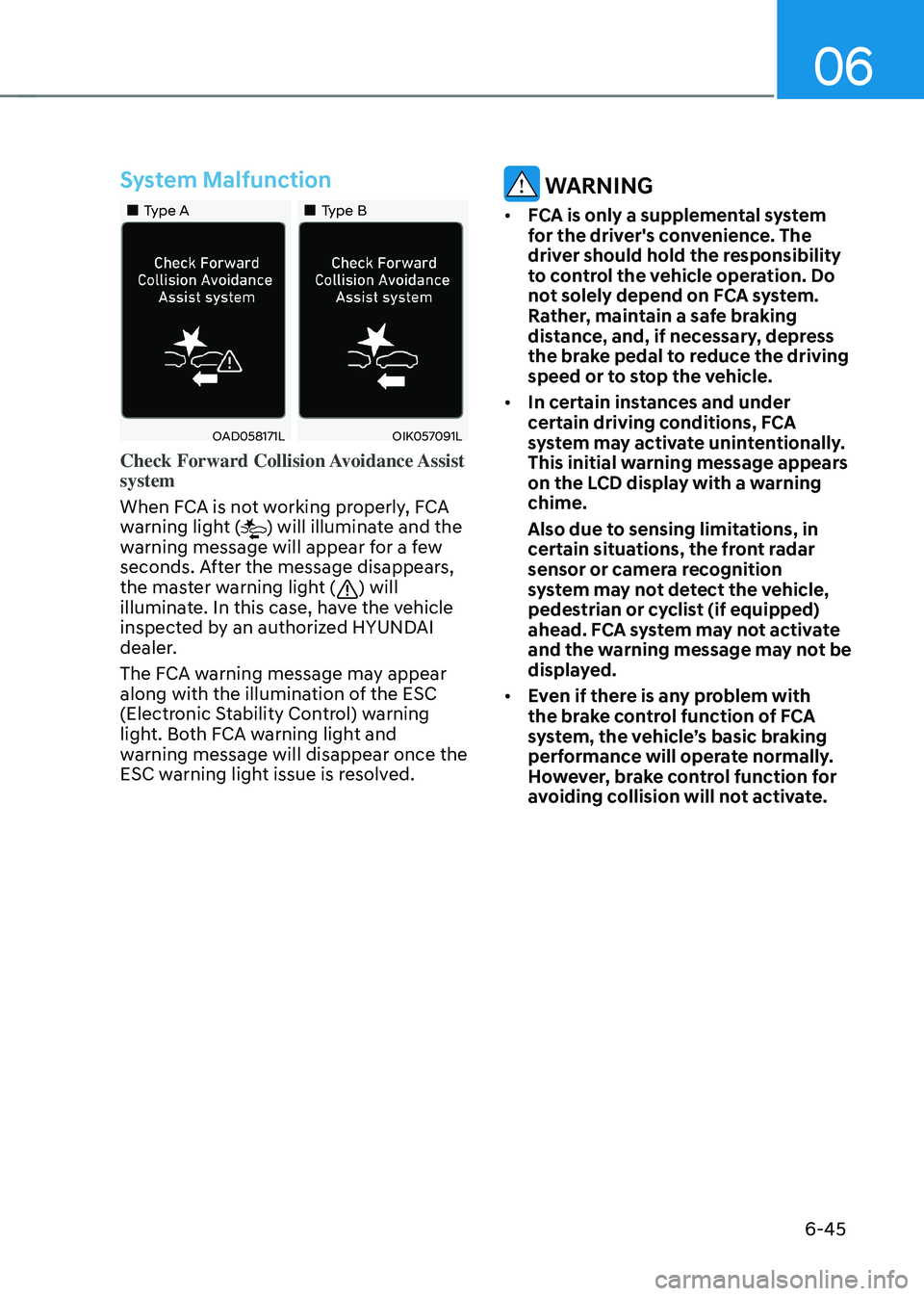
Check Forward Collision Avoidance Assist
system
When FCA is not working properly, FCA
warning light (
) will illuminate and the
warning message will appear for a few
seconds. After the message disappears,
the master warning light (
) will
illuminate. In this case, have the vehicle
inspected by an authorized HYUNDAI
dealer.
The FCA warning message may appear
along with the illumination of the ESC
(Electronic Stability Control) warning
light. Both FCA warning light and
warning message will disappear once the
ESC warning light issue is resolved.
WARNING
• FCA is only a supplemental system
for the driver's convenience. The
driver should hold the responsibility
to control the vehicle operation. Do
not solely depend on FCA system.
Rather, maintain a safe braking
distance, and, if necessary, depress
the brake pedal to reduce the driving
speed or to stop the vehicle.
• In certain instances and under
certain driving conditions, FCA
system may activate unintentionally.
This initial warning message appears
on the LCD display with a warning
chime.
Also due to sensing limitations, in
certain situations, the front radar
sensor or camera recognition
system may not detect the vehicle,
pedestrian or cyclist (if equipped)
ahead. FCA system may not activate
and the warning message may not be
displayed.
• Even if there is any problem with
the brake control function of FCA
system, the vehicle’s basic braking
performance will operate normally.
However, brake control function for
avoiding collision will not activate.
Page 324 of 527
While Driving
6-48
• The vehicle is driven near areas
containing metal substances as a
construction zone, railroad, etc.
• The vehicle drives inside a building,
such as a basement parking lot
• The camera does not recognize the
entire vehicle in front
• The camera is damaged
• The brightness outside is too low such
as when the headlamps are not on at
night or the vehicle is going through
a tunnel
• The shadow is on the road by a
median strip, trees, etc.
• The vehicle drives through a tollgate
• The windshield glass is fogged up; a
clear view of the road is obstructed
• The rear part of the vehicle in front is
not normally visible (the vehicle turns
in other direction or the vehicle is
overturned.)
• The adverse road conditions cause
excessive vehicle vibrations while
driving
• The sensor recognition changes
suddenly when passing over a speed
bump
• The vehicle in front is moving
vertically to the driving direction
• The vehicle in front is stopped
vertically
• The vehicle in front is driving towards
your vehicle or reversing
• You are on a roundabout and the
vehicle in front circles •
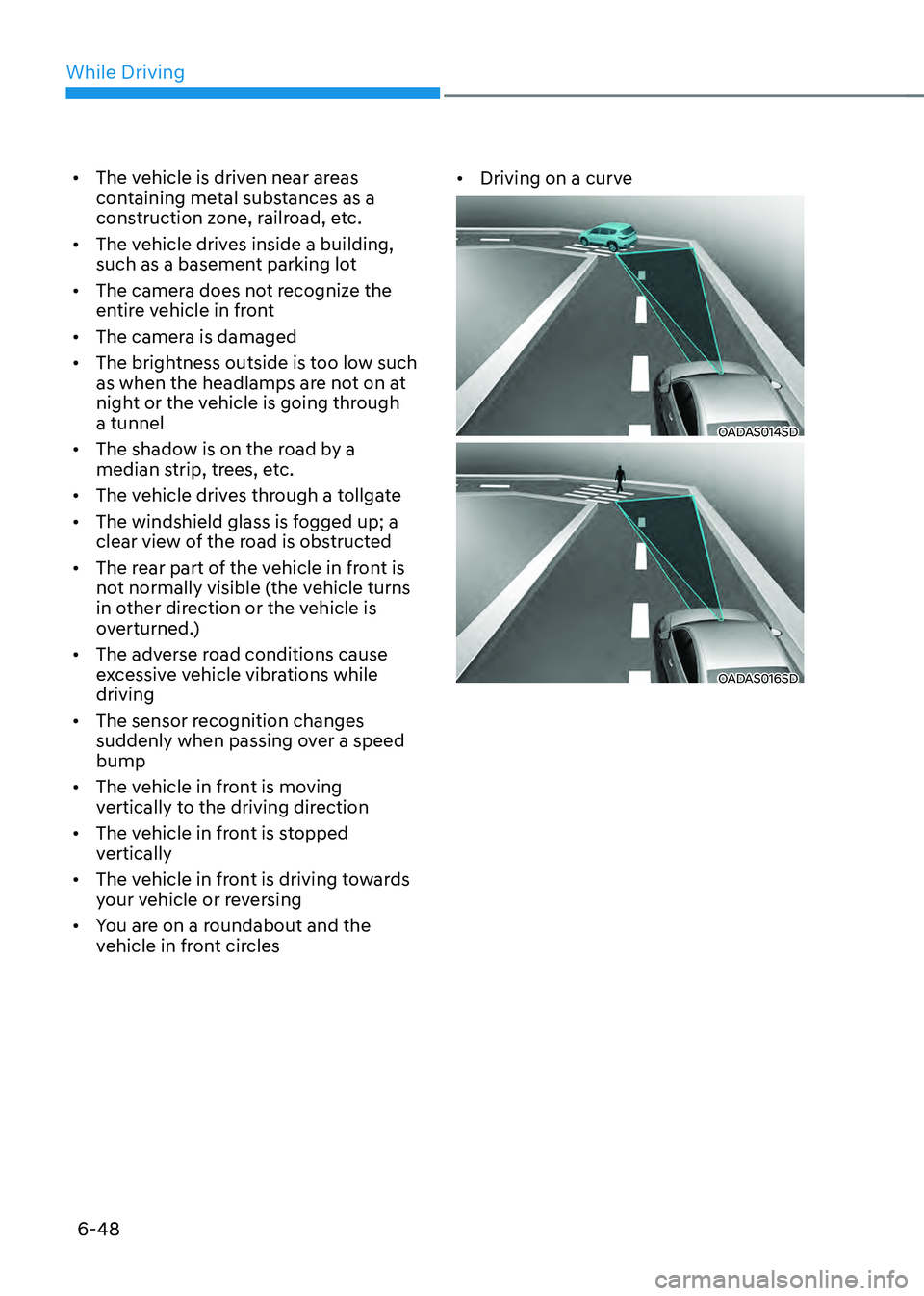
Driving on a curve
OADAS014SD
OADAS016SD
Page 325 of 527
06
6-49
OADAS018SD
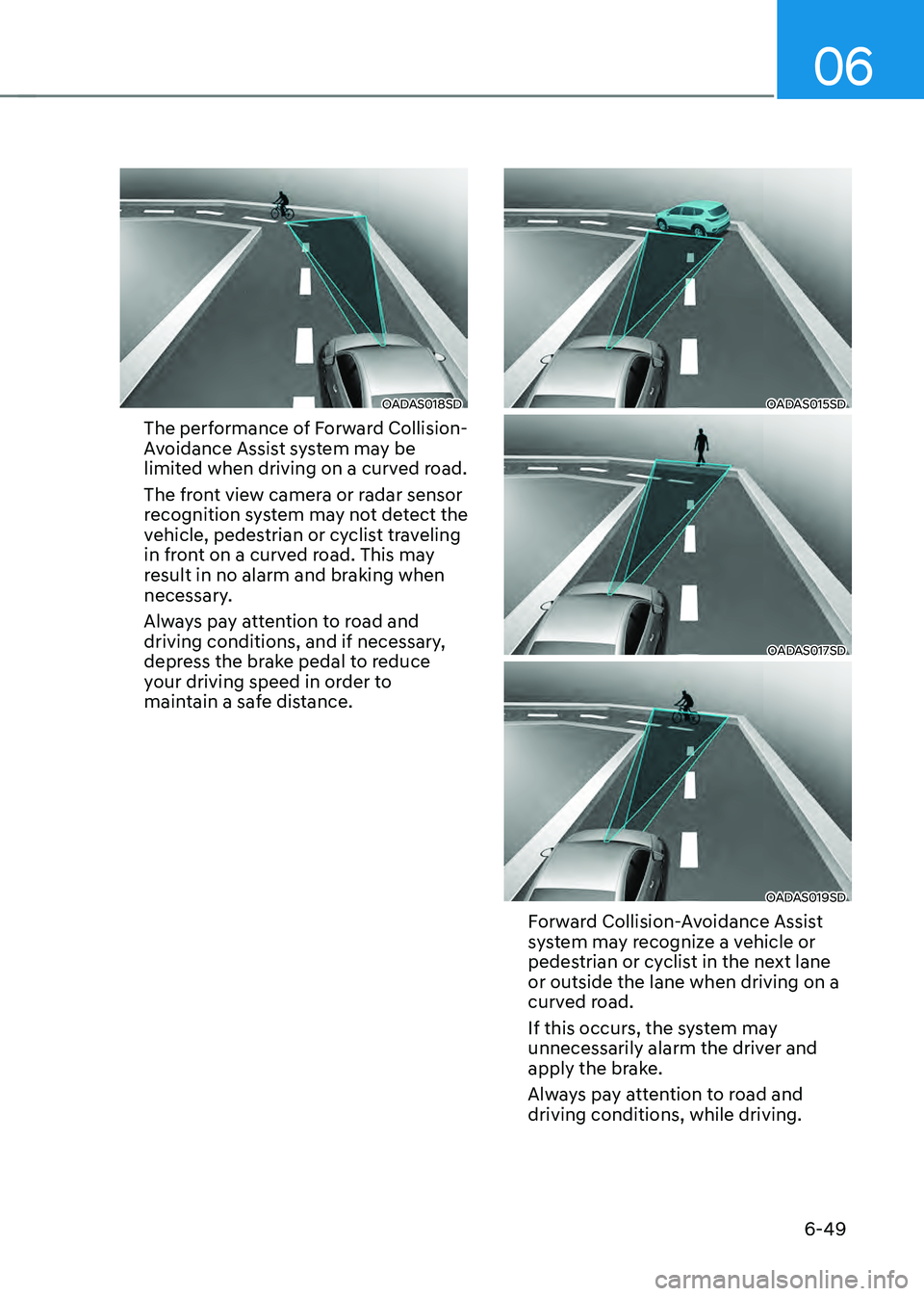
The performance of Forward Collision-
Avoidance Assist system may be
limited when driving on a curved road.
The front view camera or radar sensor
recognition system may not detect the
vehicle, pedestrian or cyclist traveling
in front on a curved road. This may
result in no alarm and braking when
necessary.
Always pay attention to road and
driving conditions, and if necessary,
depress the brake pedal to reduce
your driving speed in order to
maintain a safe distance.
OADAS015SD
OADAS017SD
OADAS019SD
Forward Collision-Avoidance Assist
system may recognize a vehicle or
pedestrian or cyclist in the next lane
or outside the lane when driving on a
curved road.
If this occurs, the system may
unnecessarily alarm the driver and
apply the brake.
Always pay attention to road and
driving conditions, while driving.
Page 326 of 527
While Driving
6-50
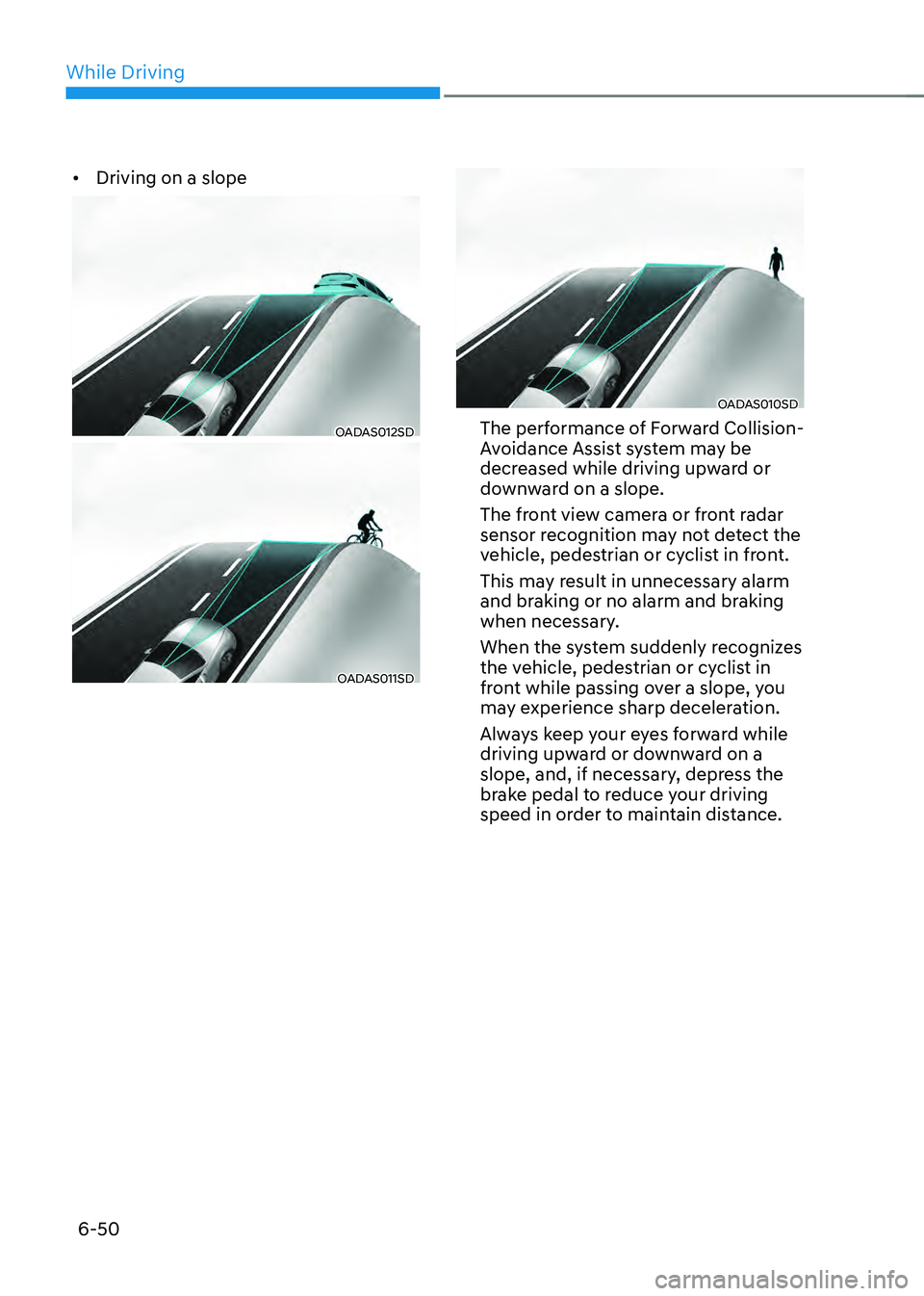
• Driving on a slope
OADAS012SD
OADAS011SD
OADAS010SD
The performance of Forward Collision-
Avoidance Assist system may be
decreased while driving upward or
downward on a slope.
The front view camera or front radar
sensor recognition may not detect the
vehicle, pedestrian or cyclist in front.
This may result in unnecessary alarm
and braking or no alarm and braking
when necessary.
When the system suddenly recognizes
the vehicle, pedestrian or cyclist in
front while passing over a slope, you
may experience sharp deceleration.
Always keep your eyes forward while
driving upward or downward on a
slope, and, if necessary, depress the
brake pedal to reduce your driving
speed in order to maintain distance.
Page 328 of 527
While Driving
6-52
Detecting pedestrians or cyclists
The sensor may be limited when:
• The pedestrian or cyclist is not fully
detected by the camera recognition
system, for example, if the pedestrian
is leaning over or is not fully walking
upright
• The pedestrian or cyclist is moving
very quickly or appears abruptly in the
camera detection area
• The pedestrian or cyclist is wearing
clothing that easily blends into the
background, making it difficult to be
detected by the camera recognition
system
• The outside lighting is too bright (e.g.
when driving in bright sunlight or
in sun glare) or too dark (e.g. when
driving on a dark rural road at night)
• It is difficult to detect and distinguish
the pedestrian or cyclist from other
objects in the surroundings, for
example, when there is a group of
pedestrians, cyclists or a large crowd
• There is an item similar to a person’s
body structure
• The pedestrian or cyclist is small
• The pedestrian has impaired mobility
• The sensor recognition is limited
• The radar sensor or camera is blocked
with a foreign object or debris
• Inclement weather such as heavy rain
or snow obscures the field of view of
the radar sensor or camera
• When light coming from a street light
or an oncoming vehicle is reflected on
a wet road surface such as a puddle in
the road •
The field of view in front is obstructed
by sun glare
• The windshield glass is fogged up; a
clear view of the road is obstructed
• The adverse road conditions cause
excessive vehicle vibrations while
driving
• The sensor recognition changes
suddenly when passing over a speed
bump
• You are on a roundabout
• The pedestrian or cyclist suddenly
interrupts in front of the vehicle
• The cyclist in front is riding intersected
with the driving direction
• There is any other electromagnetic
interference
• The construction area, rail or other
metal object is near the cyclist
• The bicycle material is not reflected
well on the radar
WARNING
Turn off Forward Collision avoidance
Assist system through cluster or
infotainment system before towing
a vehicle. Application of FCA system
while towing may adversely affect the
safety of your vehicle or the towing
vehicle.
Use extreme caution when the vehicle
in front of you has cargo that extends
rearward from the cab, or when the
vehicle in front of you has higher
ground clearance.
Page 332 of 527
While Driving
6-56
Limitations of the system
Junction Turning function is only a
supplemental system for driver’s safety
whilst turning left on the crossroads. The
driver should hold the responsibility to
control the vehicle. The system monitors
the oncoming vehicle ahead the road
through the front view camera and
radar. In certain situations, the front view
camera and radar may not be able to
detect the oncoming vehicles properly.
The driver must pay careful attention
in the following situations where the
system operation may be limited or it
may activate unintentionally.
The sensor may be limited when:
• The radar sensor or camera
recognizes the approaching vehicle
too late.
• The radar sensor or camera is blocked
with a foreign object or debris.
• The driving direction of the
approaching vehicle is irregular or
frontal.
• The approaching vehicle changes
lanes too late or decelerates suddenly.
• The angle of the approaching vehicle
is out of range.
• Whilst circling, the sensor (the front
view camera or front radar) does not
detect the approaching vehicle.
• The driving speed of the approaching
vehicle is too fast or slow.
• The head lamps of the approaching
vehicle are turned off or asymmetrical. •
The approaching vehicle stops whilst
turning left.
• The vehicle moves out of its lane or
returns to its lane.
• The vehicle changes lanes suddenly
at a low speed whilst there is an
approaching vehicle.
• The brightness outside is too so it
does not detect the vehicle.
• Inclement weather such as heavy rain
or snow obscures the field of view of
the front view camera or front radar.
• The approaching vehicle is covered
with snow.
• The field of view in front is obstructed
by sun glare.
• The shape of approaching vehicle is
unusual.
• Whilst driving upward or downward
on a slope.
For more information, refer to “Forward
Collision-Avoidance Assist (FCA)” in this
chapter.
Page 335 of 527
06
6-59
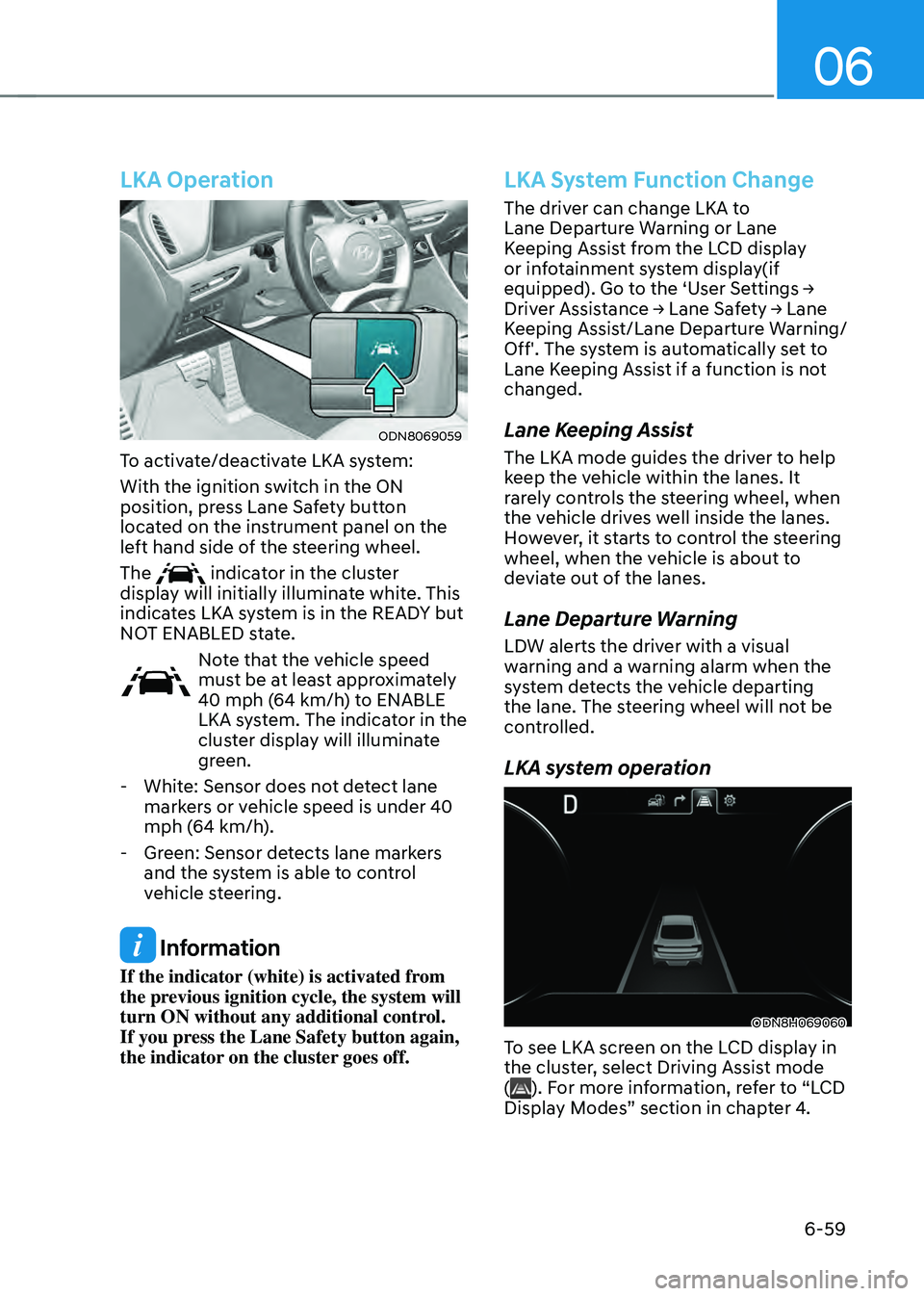
LKA Operation
ODN8069059
To activate/deactivate LKA system:
With the ignition switch in the ON
position, press Lane Safety button
located on the instrument panel on the
left hand side of the steering wheel.
The
indicator in the cluster
display will initially illuminate white. This
indicates LKA system is in the READY but
NOT ENABLED state.
Note that the vehicle speed
must be at least approximately
40 mph (64 km/h) to ENABLE
LKA system. The indicator in the
cluster display will illuminate
green.
- White: Sensor does not detect lane
markers or vehicle speed is under 40
mph (64 km/h).
-Green: Sensor detects lane markers
and the system is able to control
vehicle steering.
Information
If the indicator (white) is activated from
the previous ignition cycle, the system will
turn ON without any additional control.
If you press the Lane Safety button again,
the indicator on the cluster goes off.
LKA System Function Change
The driver can change LKA to
Lane Departure Warning or Lane
Keeping Assist from the LCD display
or infotainment system display(if
equipped). Go to the ‘User Settings → Driver Assistance → Lane Safety → Lane Keeping Assist/Lane Departure Warning/
Off'. The system is automatically set to
Lane Keeping Assist if a function is not
changed.
Lane Keeping Assist
The LKA mode guides the driver to help
keep the vehicle within the lanes. It
rarely controls the steering wheel, when
the vehicle drives well inside the lanes.
However, it starts to control the steering
wheel, when the vehicle is about to
deviate out of the lanes.
Lane Departure Warning
LDW alerts the driver with a visual
warning and a warning alarm when the
system detects the vehicle departing
the lane. The steering wheel will not be
controlled.
LKA system operation
ODN8H069060
To see LKA screen on the LCD display in
the cluster, select Driving Assist mode
(
). For more information, refer to “LCD
Display Modes” section in chapter 4.
Page 341 of 527

06
6-65
System Description
Blind-Spot Collision Warning
Blind-Spot Collision Warning system
uses rear corner radar sensors to monitor
and warn the driver of an approaching
vehicle in the driver’s blind spot area.
(1) Blind-spot vehicle warning
OIK057138
BCW system detects and warns vehicles
in blind-spot.
The blind spot detection range varies
relative to vehicle speed.
Note that if your vehicle is traveling
much faster than the vehicles around
you, the warning will not occur.
(2) Fast approach vehicle warning
OIK057139L
BCW system will alert you when a vehicle
is detected approaching in an adjacent
lane at a high rate of speed. If the driver
activates the turn signal when the system
detects an oncoming vehicle, the system
sounds an audible alert.
Blind-Spot Collision-Avoidance
Assist
ODN8H059322
Blind-Spot Collision-Avoidance Assist
system detects the front lane through the
front view camera installed on the upper
front windshield and detects the side/
rear areas through rear corner radars.
BLIND-SPOT COLLISION WARNING (BCW) / BLIND-SPOT
COLLISION-AVOIDANCE ASSIST (BCA)