fuel pressure HYUNDAI SONATA HYBRID 2022 Owners Manual
[x] Cancel search | Manufacturer: HYUNDAI, Model Year: 2022, Model line: SONATA HYBRID, Model: HYUNDAI SONATA HYBRID 2022Pages: 527, PDF Size: 64.14 MB
Page 105 of 527

Instrument Cluster
4
Instrument Cluster ........................................................................\
....................4-4Instrument Cluster Control ........................................................................\
..................4-5
Adjusting instrument cluster illumination ................................................................4-5
Gauges and Meters ........................................................................\
..............................4-5
Speedometer ........................................................................\
.....................................4-5
Power gauge ........................................................................\
......................................4-5
Hybrid battery SOC (State of Charge) gauge ..........................................................4-6
Fuel gauge ........................................................................\
.........................................4-6
Outside temperature gauge ........................................................................\
..............4 -7
Odometer ........................................................................\
..........................................4-8
Range ........................................................................\
.................................................4-8
Transmission Shift Indicator ........................................................................\
...............4-9
Automatic transmission shift indicator ...................................................................4-9
Warning and Indicator Lights ........................................................................\
............4-10
Air Bag Warning Light ........................................................................\
......................4-10
Seat Belt Warning Light ........................................................................\
...................4-10
Parking Brake & Brake Fluid Warning Light ............................................................4-10
Regenerative brake warning light ........................................................................\
....4-11
Anti-lock Brake System (ABS) Warning Light ..........................................................4-11
Electronic Brake Force Distribution (EBD) System Warning Light ........................4-11
Electronic Parking Brake (EPB) Warning Light .......................................................4-12
AUTO HOLD Indicator Light ........................................................................\
............4-12
Electric Power Steering (EPS) Warning Light .........................................................4-12
Malfunction Indicator Lamp (MIL) ........................................................................\
..4-13
Charging System Warning Light ........................................................................\
.....4-13
Engine Oil Pressure Warning Light ........................................................................\
.4-13
Low Fuel Level Warning Light ........................................................................\
.........4-14
Service warning light ........................................................................\
.......................4-14
Exhaust system (GPF)warning light ........................................................................\
4-14
Master Warning Light ........................................................................\
......................4-15
Low Tire Pressure Warning Light ........................................................................\
....4-15
Electronic Stability Control (ESC) Indicator Light .................................................4-15
Electronic Stability Control (ESC) OFF Indicator Light ..........................................4-16
Immobilizer Indicator Light ........................................................................\
.............4-16
Immobilizer Indicator Light (with smart key) .........................................................4-16
Turn Signal Indicator Light ........................................................................\
...............4-17
Headlamp Warning Light ........................................................................\
.................4-17
4. Instrument Cluster
Page 106 of 527

Ready indicator ........................................................................\
.................................4-17
EV mode indicator ........................................................................\
............................4-17
High Beam Indicator Light ........................................................................\
..............4-18
Light ON Indicator Light ........................................................................\
..................4-18
High Beam Assist indicator light ........................................................................\
.....4-18
Forward Collision-Avoidance Assist Warning Light ...............................................4-18
Lane Keep Assist Indicator Light ........................................................................\
..... 4-18
LCD Display Messages
........................................................................\
.......................4-19
Shift to P to start engine ........................................................................\
..................4-19
Shift to P ........................................................................\
...........................................4-19
Low key battery ........................................................................\
................................4-19
Press brake pedal to start engine ........................................................................\
...4-19
Key not in vehicle ........................................................................\
............................4-19
Key not detected ........................................................................\
..............................4-19
Press START button again ........................................................................\
..............4-19
12V battery discharging due to additional electrical devices ...............................4-19
Press START button with key ........................................................................\
...........4-20
Check BRAKE SWITCH fuse ........................................................................\
............4-20
Press START button while turning wheel ...............................................................4-20
Check steering wheel lock system ........................................................................\
.4-20
Door, Hood, Trunk Open Indicator ........................................................................\
.. 4-20
Sunroof Open
........................................................................\
...................................4-20
Low Pressure ........................................................................\
.....................................4-21
Lights Mode ........................................................................\
....................................... 4-21
Wiper
........................................................................\
.................................................4-21
Low washer fluid ........................................................................\
...............................4-21
Low fuel ........................................................................\
.............................................4-21
Engine has overheated ........................................................................\
.....................4-21
Check exhaust system ........................................................................\
.....................4-22
Check headlight ........................................................................\
...............................4-22
Check turn signal ........................................................................\
.............................4-22
Check brake light ........................................................................\
.............................4-22
Check headlamp LED ........................................................................\
......................4-22
Check Active Air Flap system ........................................................................\
..........4-22
Ready to start driving ........................................................................\
......................4-22
Check regenerative brakes ........................................................................\
.............. 4-22
Stop vehicle and check brakes
........................................................................\
.......4-22
4
Page 117 of 527
04
4-13
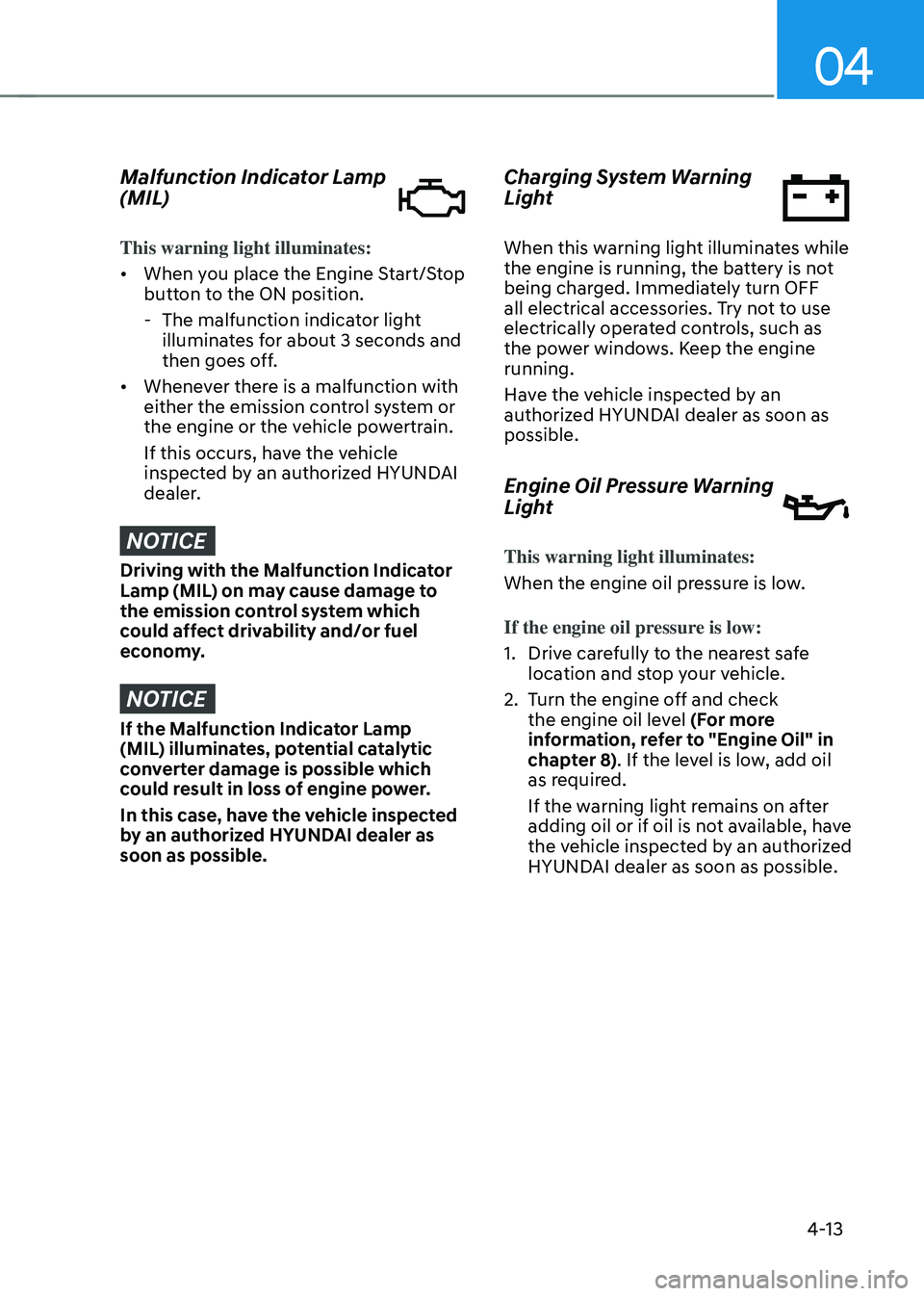
Malfunction Indicator Lamp
(MIL)
This warning light illuminates:
• When you place the Engine Start/Stop
button to the ON position.
-The malfunction indicator light
illuminates for about 3 seconds and
then goes off.
• Whenever there is a malfunction with
either the emission control system or
the engine or the vehicle powertrain.
If this occurs, have the vehicle
inspected by an authorized HYUNDAI
dealer.
NOTICE
Driving with the Malfunction Indicator
Lamp (MIL) on may cause damage to
the emission control system which
could affect drivability and/or fuel
economy.
NOTICE
If the Malfunction Indicator Lamp
(MIL) illuminates, potential catalytic
converter damage is possible which
could result in loss of engine power.
In this case, have the vehicle inspected
by an authorized HYUNDAI dealer as
soon as possible.
Charging System Warning
Light
When this warning light illuminates while
the engine is running, the battery is not
being charged. Immediately turn OFF
all electrical accessories. Try not to use
electrically operated controls, such as
the power windows. Keep the engine
running.
Have the vehicle inspected by an
authorized HYUNDAI dealer as soon as
possible.
Engine Oil Pressure Warning
Light
This warning light illuminates:
When the engine oil pressure is low.
If the engine oil pressure is low:
1. Drive carefully to the nearest safe
location and stop your vehicle.
2. Turn the engine off and check
the engine oil level (For more
information, refer to "Engine Oil" in
chapter 8). If the level is low, add oil
as required.
If the warning light remains on after
adding oil or if oil is not available, have
the vehicle inspected by an authorized
HYUNDAI dealer as soon as possible.
Page 118 of 527
Instrument Cluster
4-14
NOTICE
• If the engine is not turned OFF
immediately after the Engine
Oil Pressure Warning Light is
illuminated, severe damage could
occur.
• If the warning light stays on while the
engine is running, it indicates that
there may be serious engine damage
or malfunction. In this case:
1. Stop the vehicle as soon as it is
safe to do so.
2. Turn off the engine and check the
oil level. If the oil level is low, fill
the engine oil to the proper level.
3. Start the engine again. If the
warning light stays on after the
engine has started, turn the
engine off immediately. In this
case, have the vehicle inspected
by an authorized HYUNDAI dealer.
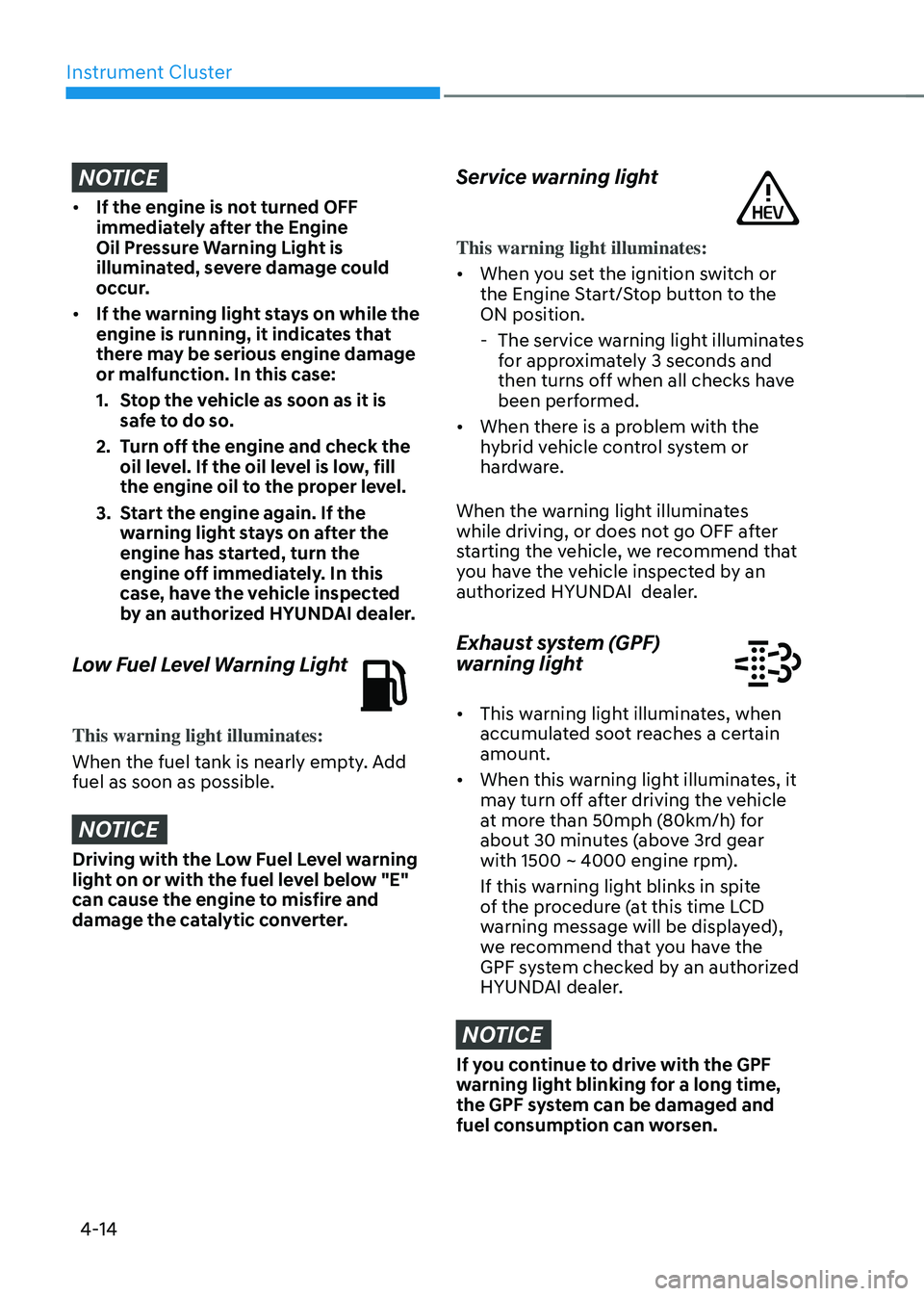
Low Fuel Level Warning Light
This warning light illuminates:
When the fuel tank is nearly empty. Add
fuel as soon as possible.
NOTICE
Driving with the Low Fuel Level warning
light on or with the fuel level below "E"
can cause the engine to misfire and
damage the catalytic converter.
Service warning light
This warning light illuminates:
• When you set the ignition switch or
the Engine Start/Stop button to the
ON position.
-The service warning light illuminates
for approximately 3 seconds and
then turns off when all checks have
been performed.
• When there is a problem with the
hybrid vehicle control system or
hardware.
When the warning light illuminates
while driving, or does not go OFF after
starting the vehicle, we recommend that
you have the vehicle inspected by an
authorized HYUNDAI dealer.
Exhaust system (GPF)
warning light
• This warning light illuminates, when
accumulated soot reaches a certain
amount.
• When this warning light illuminates, it
may turn off after driving the vehicle
at more than 50mph (80km/h) for
about 30 minutes (above 3rd gear
with 1500 ~ 4000 engine rpm).
If this warning light blinks in spite
of the procedure (at this time LCD
warning message will be displayed),
we recommend that you have the
GPF system checked by an authorized
HYUNDAI dealer.
NOTICE
If you continue to drive with the GPF
warning light blinking for a long time,
the GPF system can be damaged and
fuel consumption can worsen.
Page 125 of 527
04
4-21
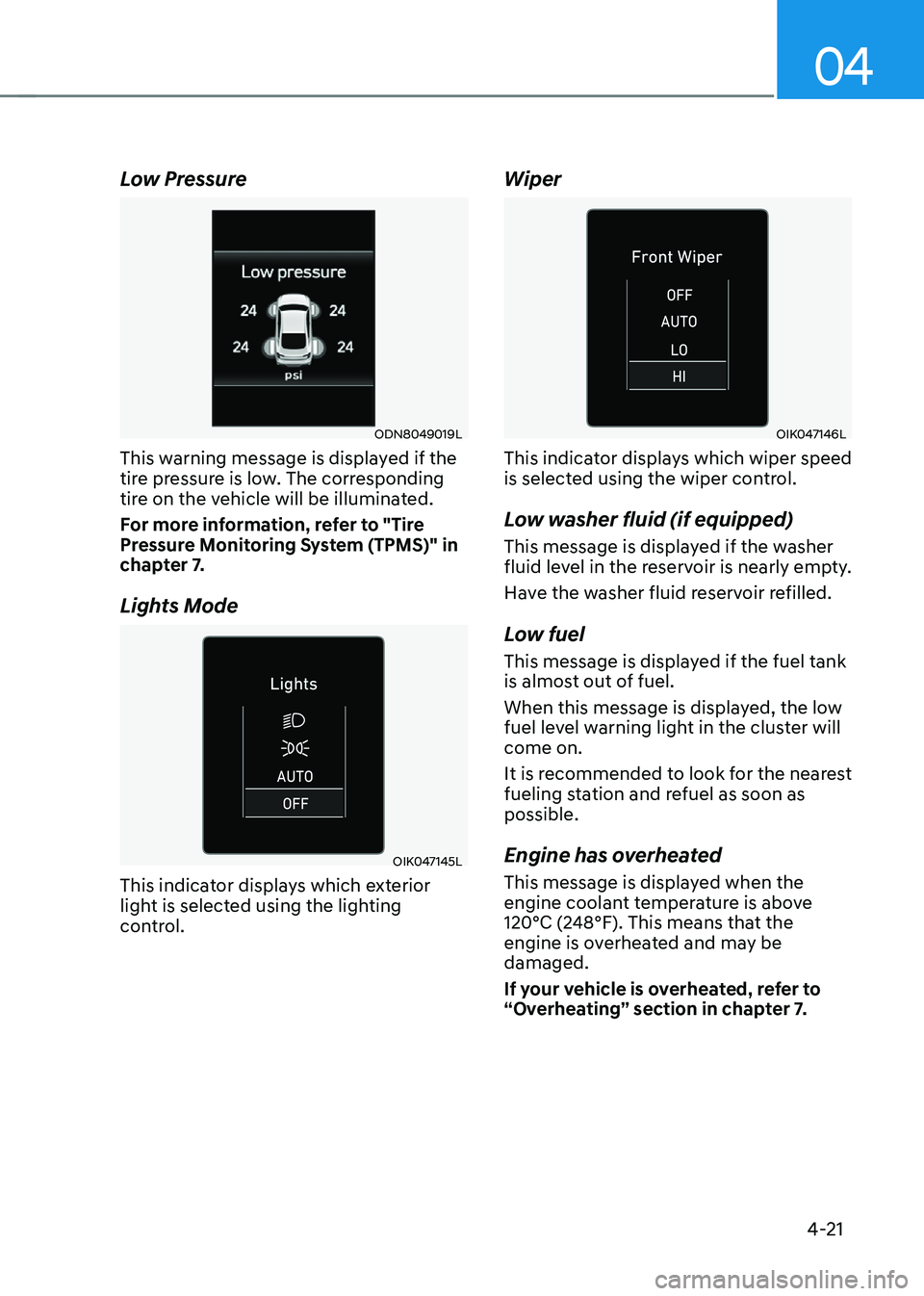
Low Pressure
ODN8049019L
This warning message is displayed if the
tire pressure is low. The corresponding
tire on the vehicle will be illuminated.
For more information, refer to "Tire
Pressure Monitoring System (TPMS)" in
chapter 7.
Lights Mode
OIK047145L
This indicator displays which exterior
light is selected using the lighting
control.
Wiper
OIK047146L
This indicator displays which wiper speed
is selected using the wiper control.
Low washer fluid (if equipped)
This message is displayed if the washer
fluid level in the reservoir is nearly empty.
Have the washer fluid reservoir refilled.
Low fuel
This message is displayed if the fuel tank
is almost out of fuel.
When this message is displayed, the low
fuel level warning light in the cluster will
come on.
It is recommended to look for the nearest
fueling station and refuel as soon as
possible.
Engine has overheated
This message is displayed when the
engine coolant temperature is above
120°C (248°F). This means that the
engine is overheated and may be
damaged.
If your vehicle is overheated, refer to
“Overheating” section in chapter 7.
Page 129 of 527
04
4-25
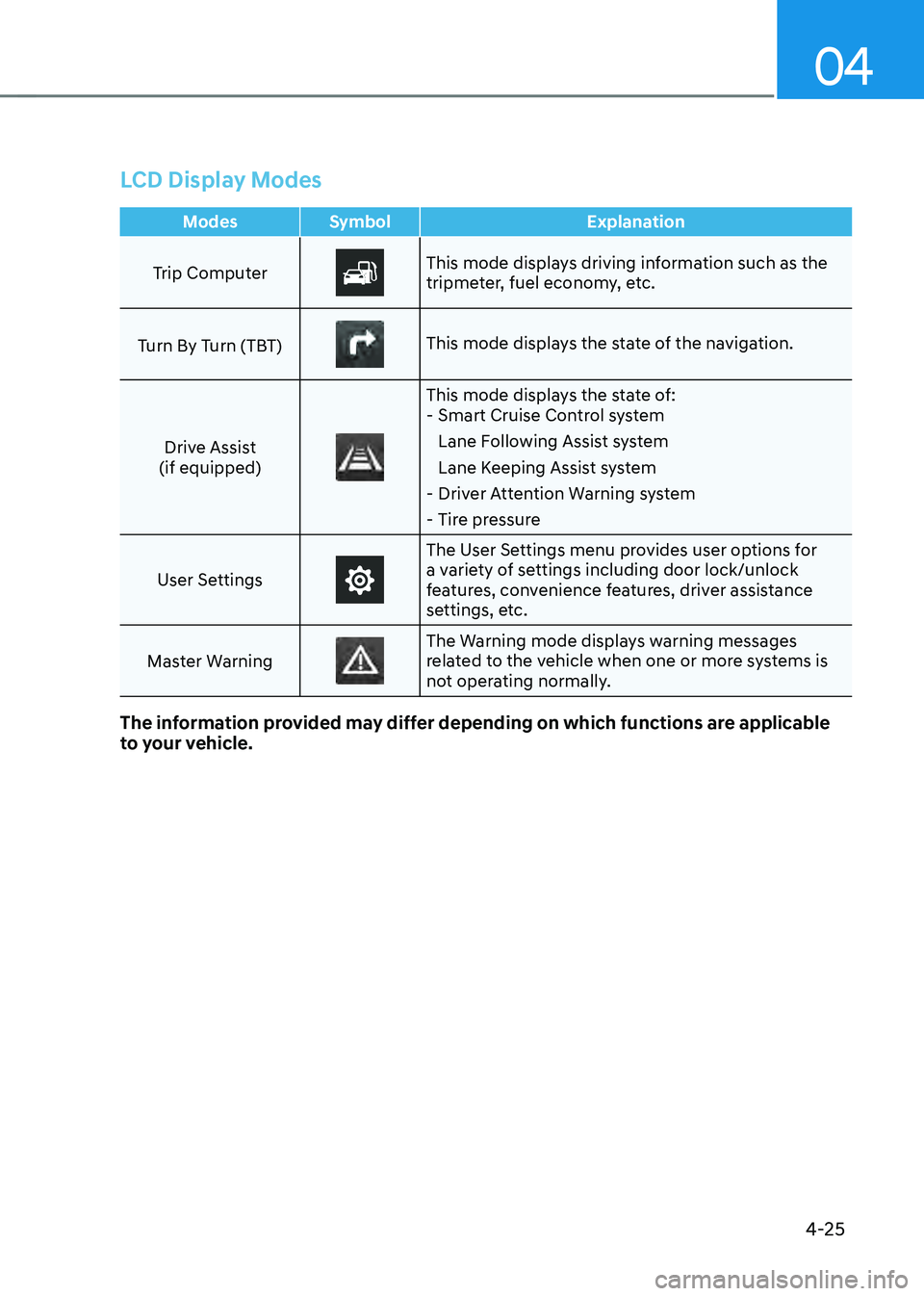
LCD Display Modes
ModesSymbol Explanation
Trip Computer
This mode displays driving information such as the
tripmeter, fuel economy, etc.
Turn By Turn (TBT)
This mode displays the state of the navigation.
Drive Assist
(if equipped)
This mode displays the state of: - Smart Cruise Control system
Lane Following Assist system
Lane Keeping Assist system
-Driver Attention Warning system
-Tire pressure
User Settings
The User Settings menu provides user options for
a variety of settings including door lock/unlock
features, convenience features, driver assistance
settings, etc.
Master Warning
The Warning mode displays warning messages
related to the vehicle when one or more systems is
not operating normally.
The information provided may differ depending on which functions are applicable
to your vehicle.
Page 130 of 527
Instrument Cluster
4-26
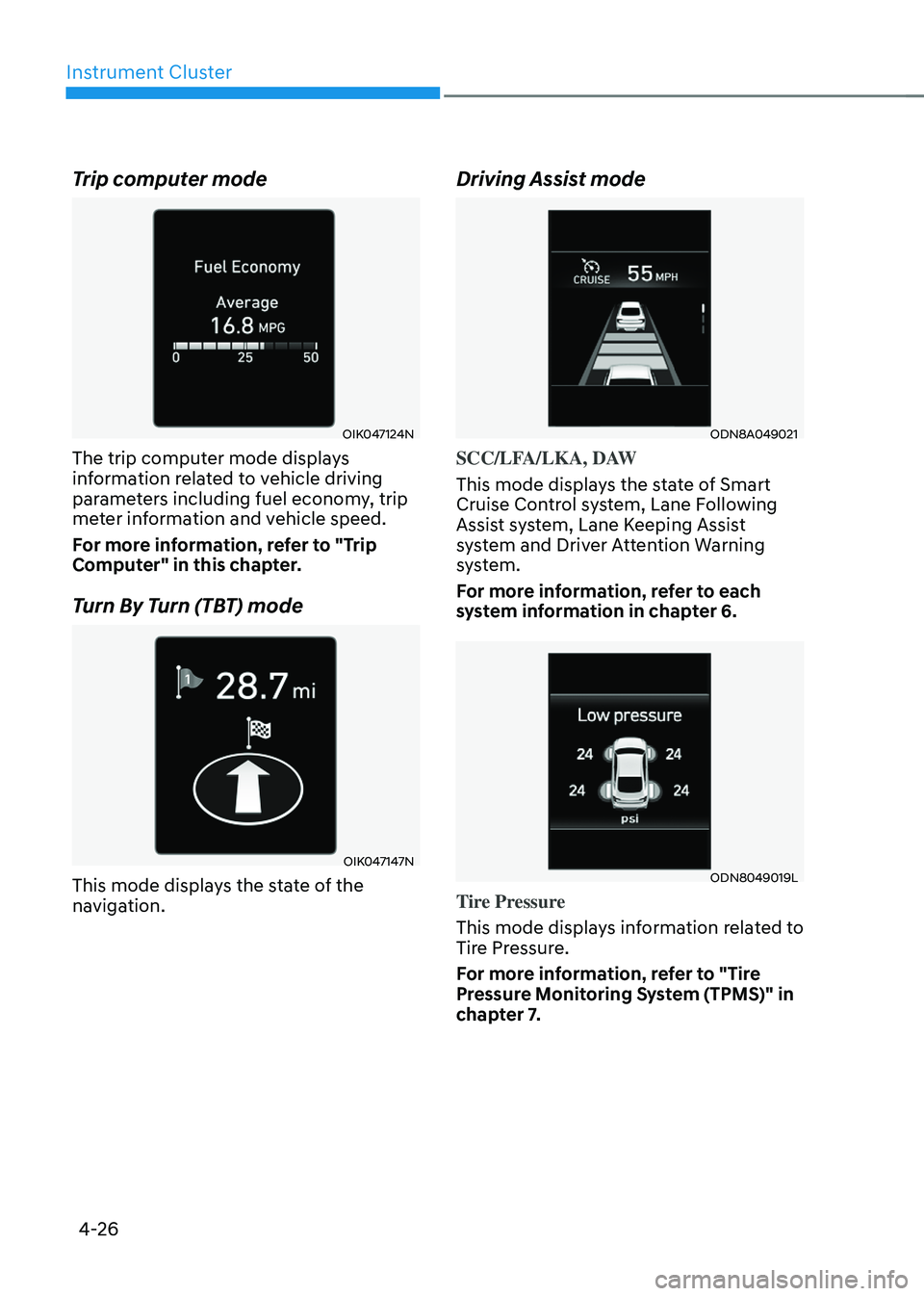
Trip computer mode
OIK047124N
The trip computer mode displays
information related to vehicle driving
parameters including fuel economy, trip
meter information and vehicle speed.
For more information, refer to "Trip
Computer" in this chapter.
Turn By Turn (TBT) mode
OIK047147N
This mode displays the state of the
navigation.
Driving Assist mode
ODN8A049021
SCC/LFA/LKA, DAW
This mode displays the state of Smart
Cruise Control system, Lane Following
Assist system, Lane Keeping Assist
system and Driver Attention Warning
system.
For more information, refer to each
system information in chapter 6.
ODN8049019L
Tire Pressure
This mode displays information related to
Tire Pressure.
For more information, refer to "Tire
Pressure Monitoring System (TPMS)" in
chapter 7.
Page 139 of 527
04
4-35
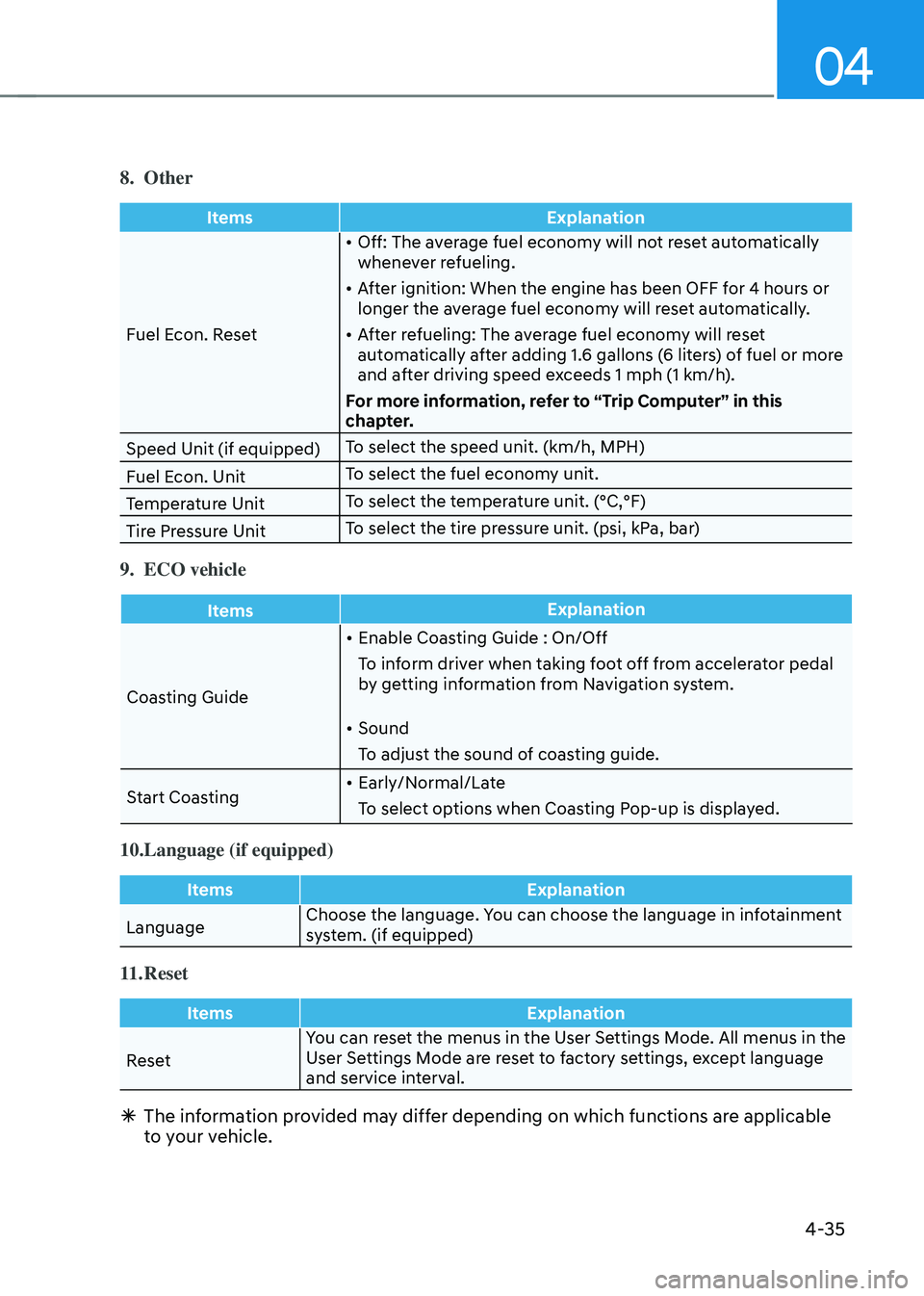
8. Other
ItemsExplanation
Fuel Econ. Reset •
Off: The average fuel economy will not reset automatically
whenever refueling.
• After ignition: When the engine has been OFF for 4 hours or
longer the average fuel economy will reset automatically.
• After refueling: The average fuel economy will reset
automatically after adding 1.6 gallons (6 liters) of fuel or more
and after driving speed exceeds 1 mph (1 km/h).
For more information, refer to “Trip Computer” in this
chapter.
Speed Unit (if equipped) To select the speed unit. (km/h, MPH)
Fuel Econ. Unit To select the fuel economy unit.
Temperature Unit To select the temperature unit. (°C,°F)
Tire Pressure Unit To select the tire pressure unit. (psi, kPa, bar)
9. ECO vehicle
Items
Explanation
Coasting Guide •
Enable Coasting Guide : On/Off
To inform driver when taking foot off from accelerator pedal
by getting information from Navigation system.
• Sound
To adjust the sound of coasting guide.
Start Coasting •
Early/Normal/Late
To select options when Coasting Pop-up is displayed.
10. Language (if equipped)
Items Explanation
Language Choose the language. You can choose the language in infotainment
system. (if equipped)
11. Reset
Items
Explanation
Reset You can reset the menus in the User Settings Mode. All menus in the
User Settings Mode are reset to factory settings, except language
and service interval.
Ã
The information provided may differ depending on which functions are applicable
to your vehicle.
Page 145 of 527
04
4-41
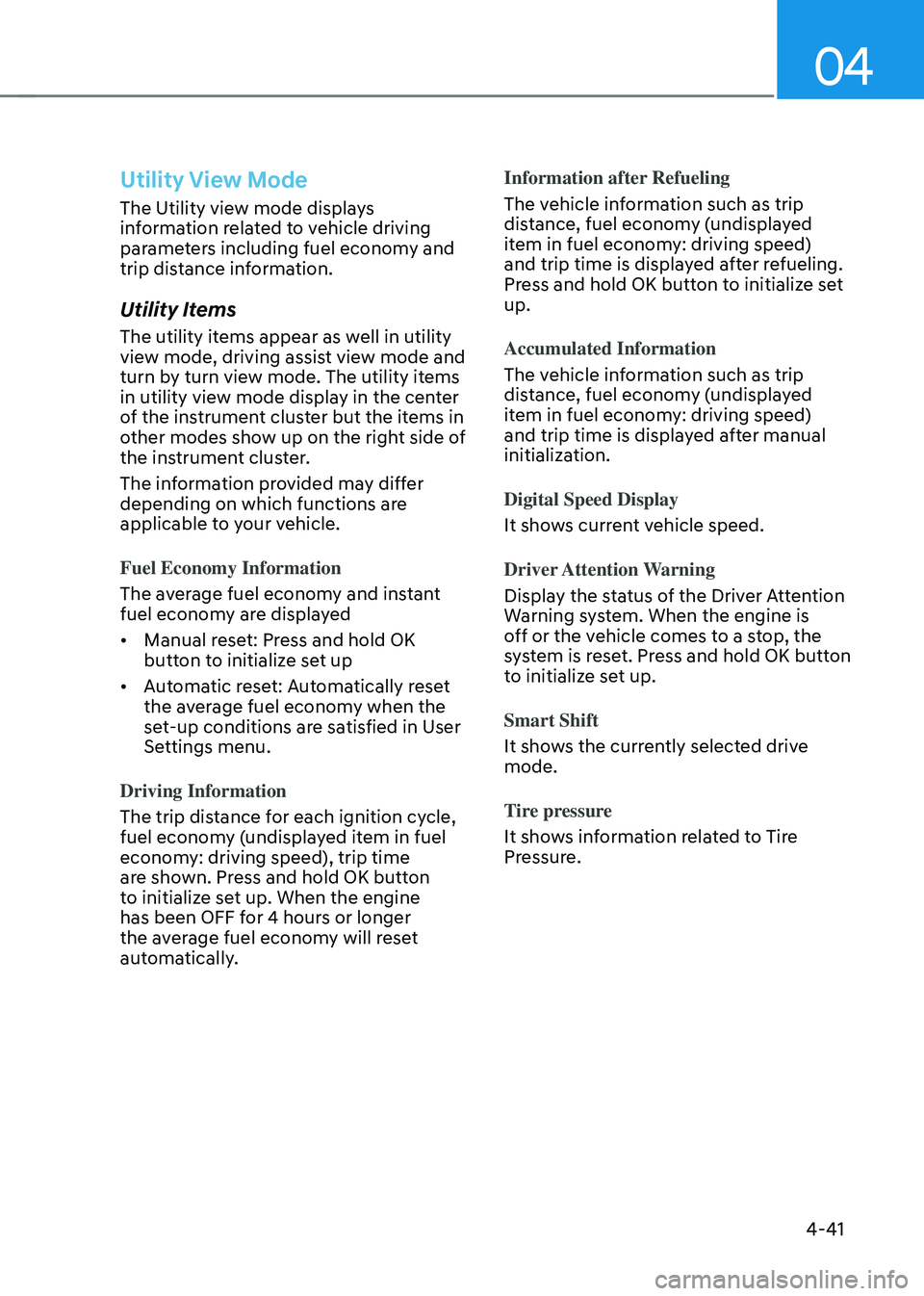
Utility View Mode
The Utility view mode displays
information related to vehicle driving
parameters including fuel economy and
trip distance information.
Utility Items
The utility items appear as well in utility
view mode, driving assist view mode and
turn by turn view mode. The utility items
in utility view mode display in the center
of the instrument cluster but the items in
other modes show up on the right side of
the instrument cluster.
The information provided may differ
depending on which functions are
applicable to your vehicle.
Fuel Economy Information
The average fuel economy and instant
fuel economy are displayed
• Manual reset: Press and hold OK
button to initialize set up
• Automatic reset: Automatically reset
the average fuel economy when the
set-up conditions are satisfied in User
Settings menu.
Driving Information
The trip distance for each ignition cycle,
fuel economy (undisplayed item in fuel
economy: driving speed), trip time
are shown. Press and hold OK button
to initialize set up. When the engine
has been OFF for 4 hours or longer
the average fuel economy will reset
automatically. Information after Refueling
The vehicle information such as trip
distance, fuel economy (undisplayed
item in fuel economy: driving speed)
and trip time is displayed after refueling.
Press and hold OK button to initialize set
up.
Accumulated Information
The vehicle information such as trip
distance, fuel economy (undisplayed
item in fuel economy: driving speed)
and trip time is displayed after manual
initialization.
Digital Speed Display
It shows current vehicle speed.
Driver Attention Warning
Display the status of the Driver Attention
Warning system. When the engine is
off or the vehicle comes to a stop, the
system is reset. Press and hold OK button
to initialize set up.
Smart Shift
It shows the currently selected drive
mode.
Tire pressure
It shows information related to Tire
Pressure.
Page 166 of 527
Convenient Features
5-18
CAUTION
• If metallic window tint was applied
to your vehicle, it may cause
bad Bluetooth connection or
performance degradation of the
digital key.
• If multiple users operate the remote
control function simultaneously, the
connection between the digital key
and the vehicle might result in failed
commands. Please connect and
operate the remote control function
only the necessary user.
• When using the remote control
operation, the driver (the remote
control user) should leave the vehicle
after confirming the door lock (the
chime sounds once and the hazard
warning lights blink).
• The remote functions of the Digital
Key app enables the vehicle to be
controlled from a set distance. If
the digital key or the vehicle goes
beyond the operable distance, the
remote control function might be
disconnected or cancelled.
• If the digital key (smartphone) is
connected with the vehicle for the
remote control, the driver with the
key goes far away from the vehicle,
the function might not work.
• If the remote control operation
is executed where the mobile
connection is weak, Bluetooth
connection is poor due to several
Bluetooth devices or there is an
object such as metal or concrete, it
might be delayed or the operable
distance might decrease. You should
not cover the smartphone with your
hand or place other devices which
can cause frequency interference. It
may result in poor performance.
• If the remote control function is not
available, please use NFC function to
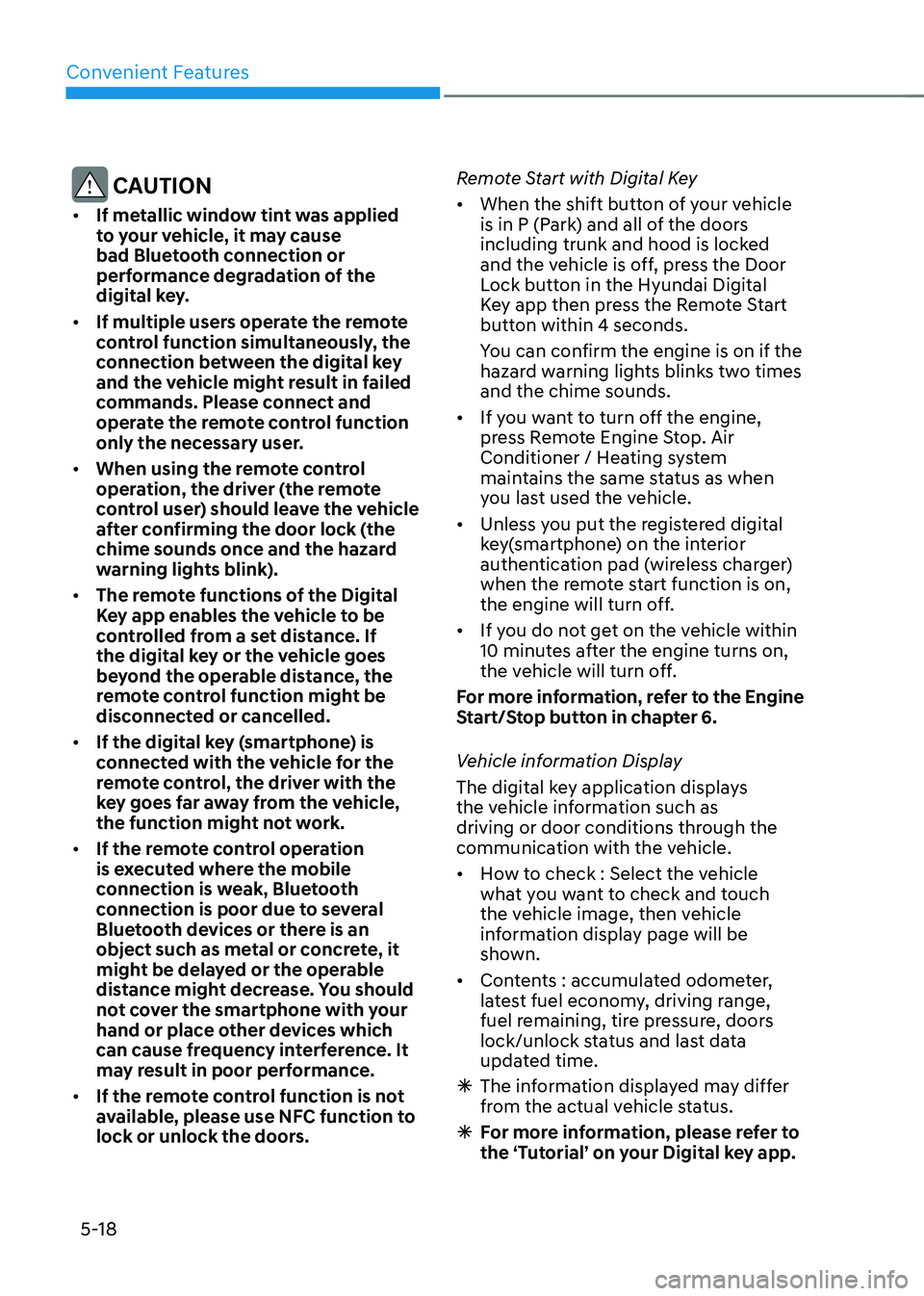
lock or unlock the doors. Remote Start with Digital Key
•
When the shift button of your vehicle
is in P (Park) and all of the doors
including trunk and hood is locked
and the vehicle is off, press the Door
Lock button in the Hyundai Digital
Key app then press the Remote Start
button within 4 seconds.
You can confirm the engine is on if the
hazard warning lights blinks two times
and the chime sounds.
• If you want to turn off the engine,
press Remote Engine Stop. Air
Conditioner / Heating system
maintains the same status as when
you last used the vehicle.
• Unless you put the registered digital
key(smartphone) on the interior
authentication pad (wireless charger)
when the remote start function is on,
the engine will turn off.
• If you do not get on the vehicle within
10 minutes after the engine turns on,
the vehicle will turn off.
For more information, refer to the Engine
Start/Stop button in chapter 6.
Vehicle information Display
The digital key application displays
the vehicle information such as
driving or door conditions through the
communication with the vehicle.
• How to check : Select the vehicle
what you want to check and touch
the vehicle image, then vehicle
information display page will be
shown.
• Contents : accumulated odometer,
latest fuel economy, driving range,
fuel remaining, tire pressure, doors
lock/unlock status and last data
updated time.
ÃThe information displayed may differ
from the actual vehicle status.
ÃFor more information, please refer to
the ‘Tutorial’ on your Digital key app.