battery HYUNDAI SONATA HYBRID 2022 Owner's Manual
[x] Cancel search | Manufacturer: HYUNDAI, Model Year: 2022, Model line: SONATA HYBRID, Model: HYUNDAI SONATA HYBRID 2022Pages: 527, PDF Size: 64.14 MB
Page 106 of 527

Ready indicator ........................................................................\
.................................4-17
EV mode indicator ........................................................................\
............................4-17
High Beam Indicator Light ........................................................................\
..............4-18
Light ON Indicator Light ........................................................................\
..................4-18
High Beam Assist indicator light ........................................................................\
.....4-18
Forward Collision-Avoidance Assist Warning Light ...............................................4-18
Lane Keep Assist Indicator Light ........................................................................\
..... 4-18
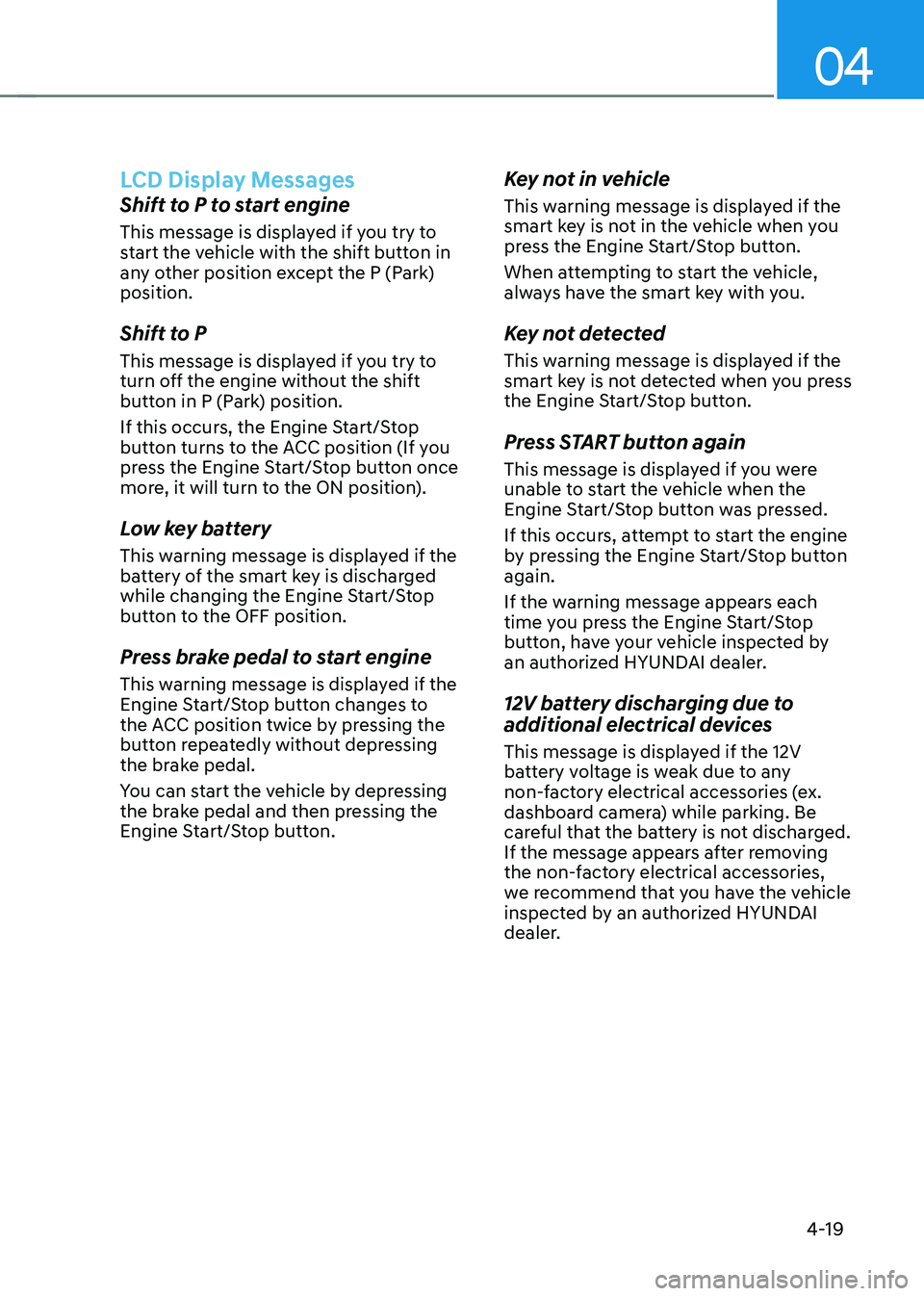
LCD Display Messages
........................................................................\
.......................4-19
Shift to P to start engine ........................................................................\
..................4-19
Shift to P ........................................................................\
...........................................4-19
Low key battery ........................................................................\
................................4-19
Press brake pedal to start engine ........................................................................\
...4-19
Key not in vehicle ........................................................................\
............................4-19
Key not detected ........................................................................\
..............................4-19
Press START button again ........................................................................\
..............4-19
12V battery discharging due to additional electrical devices ...............................4-19
Press START button with key ........................................................................\
...........4-20
Check BRAKE SWITCH fuse ........................................................................\
............4-20
Press START button while turning wheel ...............................................................4-20
Check steering wheel lock system ........................................................................\
.4-20
Door, Hood, Trunk Open Indicator ........................................................................\
.. 4-20
Sunroof Open
........................................................................\
...................................4-20
Low Pressure ........................................................................\
.....................................4-21
Lights Mode ........................................................................\
....................................... 4-21
Wiper
........................................................................\
.................................................4-21
Low washer fluid ........................................................................\
...............................4-21
Low fuel ........................................................................\
.............................................4-21
Engine has overheated ........................................................................\
.....................4-21
Check exhaust system ........................................................................\
.....................4-22
Check headlight ........................................................................\
...............................4-22
Check turn signal ........................................................................\
.............................4-22
Check brake light ........................................................................\
.............................4-22
Check headlamp LED ........................................................................\
......................4-22
Check Active Air Flap system ........................................................................\
..........4-22
Ready to start driving ........................................................................\
......................4-22
Check regenerative brakes ........................................................................\
.............. 4-22
Stop vehicle and check brakes
........................................................................\
.......4-22
4
Page 107 of 527

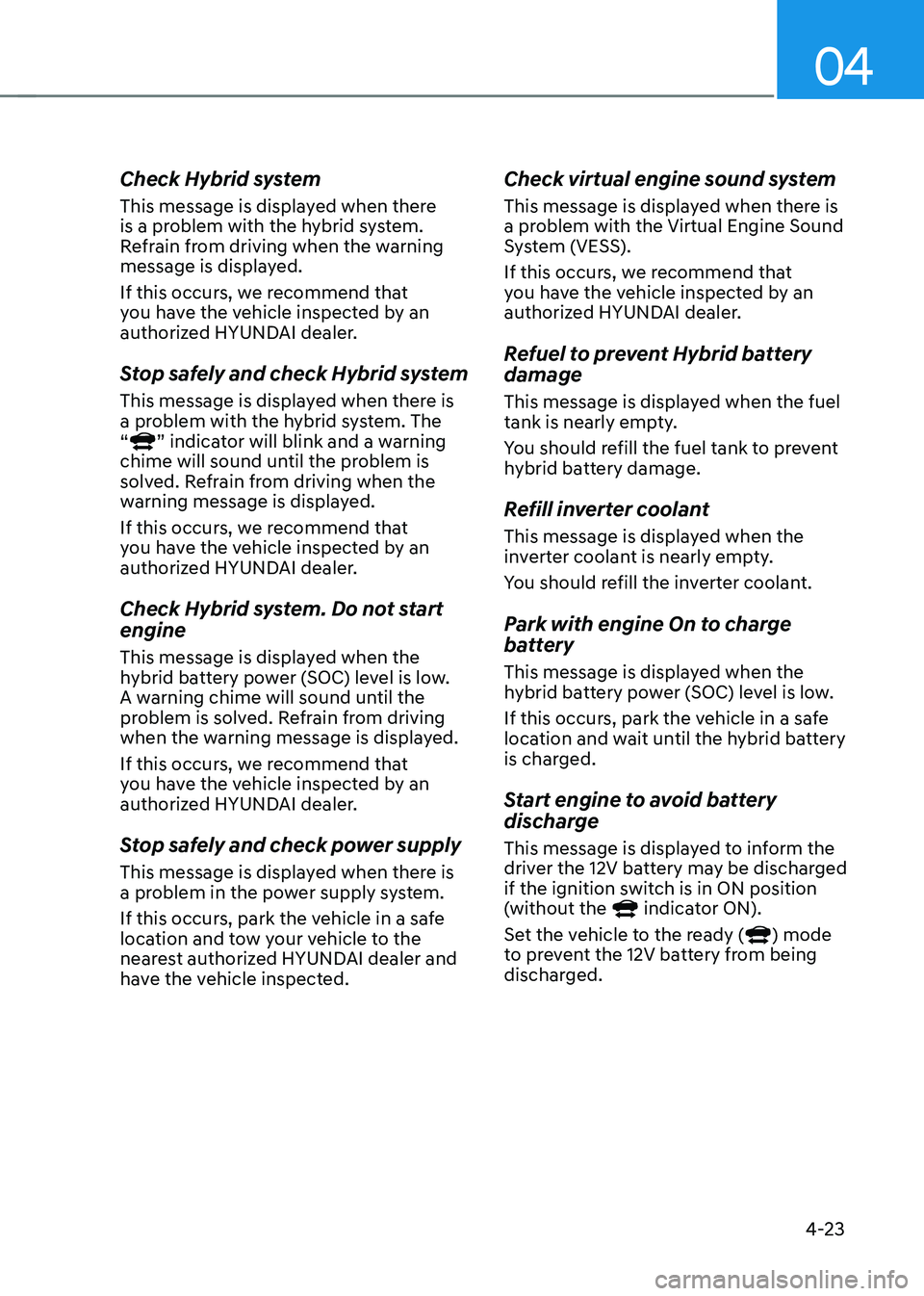
Check Hybrid system ........................................................................\
.......................4-23
Stop safely and check Hybrid system ....................................................................4-23
Check Hybrid system. Do not start engine ............................................................4-23
Stop safely and check power supply ......................................................................4-23
Check virtual engine sound system ........................................................................\
4-23
Refuel to prevent Hybrid battery damage
.............................................................4-23
Refill inverter coolant ........................................................................\
......................4-23
Park with engine On to charge battery ..................................................................4-23
Start engine to avoid battery discharge .................................................................4-23
LCD Display (TYPE A, B) ........................................................................\
..........4-24LCD Display Control ........................................................................\
...........................4-24
LCD Display Modes ........................................................................\
............................4-25
Trip computer mode ........................................................................\
........................4-26
Turn By Turn (TBT) mode ........................................................................\
................4-26
Driving Assist mode ........................................................................\
.........................4-26
Master warning mode ........................................................................\
.....................4-27
User settings mode ........................................................................\
..........................4-27
Trip Computer ........................................................................\
..................................... 4-36
Trip modes
........................................................................\
........................................4-36
Average fuel economy/Instant fuel economy .......................................................4-36
Accumulated Info display ........................................................................\
................4-37
Drive Info display
........................................................................\
.............................4-37
Digital speedometer ........................................................................\
........................4-38
Smart shift ........................................................................\
........................................4-38
Engine coolant temperature ........................................................................\
...........4-38
LCD display (type c) ........................................................................\
................4-39LCD Display Control ........................................................................\
...........................4-39
View Modes ........................................................................\
.......................................4-40
Utility View Mode ........................................................................\
...............................4-41
Utility Items ........................................................................\
......................................4-41
Driving Assist view mode ........................................................................\
................4-42
Turn By Turn (TBT) view mode ........................................................................\
........4-42
Parking Assist view mode ........................................................................\
................4-42
Other Information Display ........................................................................\
..............4-43
Option Menu ........................................................................\
......................................4-43
Warning message mode ........................................................................\
................. 4-44
User Settings Mode
........................................................................\
...........................4-44
4
Page 108 of 527
4-4
Instrument Cluster
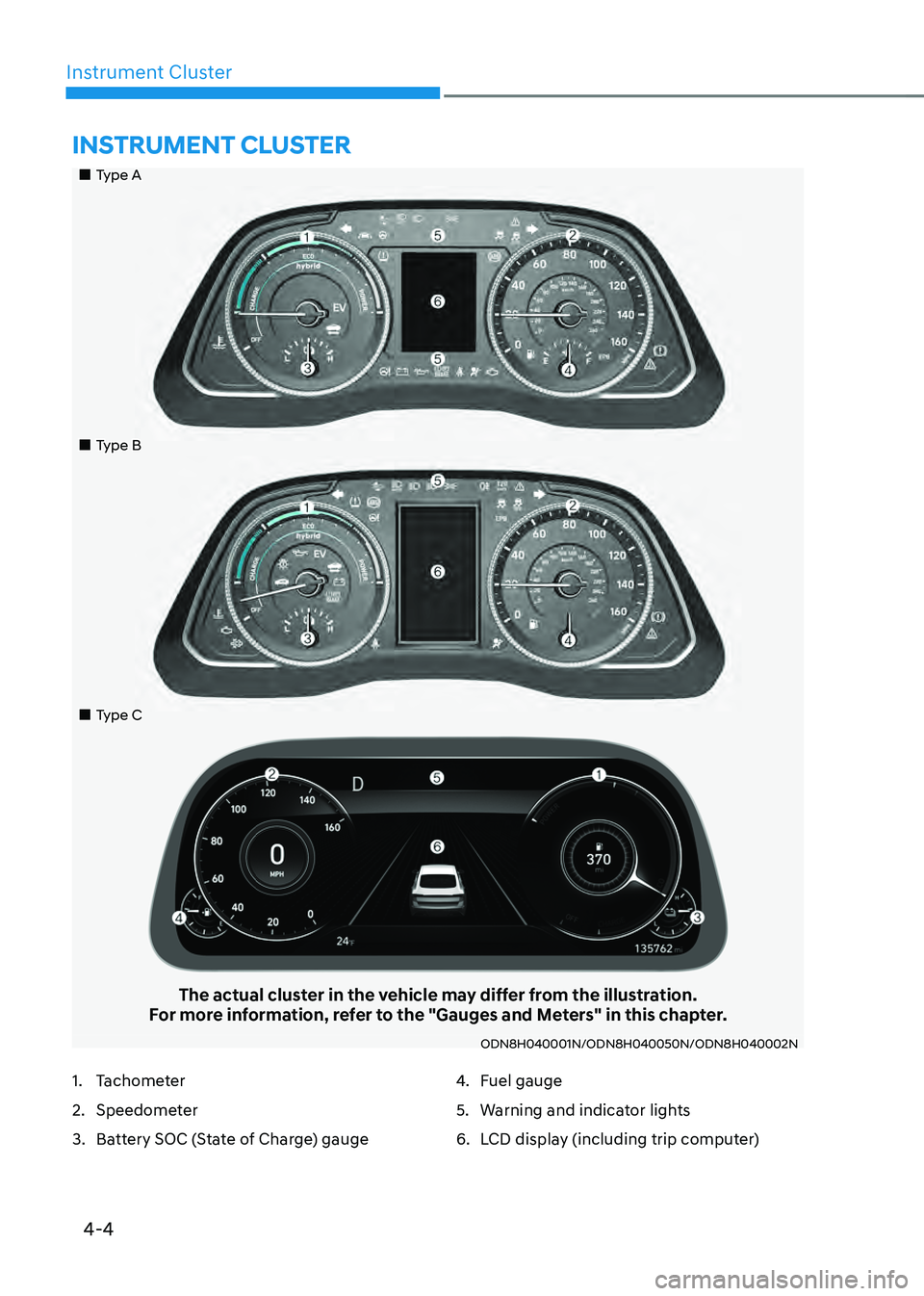
„„Type A
„„Type B
„„Type C
The actual cluster in the vehicle may differ from the illustration.For more information, refer to the "Gauges and Meters" in this chapter.
ODN8H040001N/ODN8H040050N/ODN8H040002N
INSTRUMENT CLUSTER
1. Tachometer
2. Speedometer
3. Battery SOC (State of Charge) gauge
4. Fuel gauge
5. Warning and indicator lights
6. LCD display (including trip computer)
Page 110 of 527
Instrument Cluster
4-6
Information
Accordance to the power gauge area
the“EV” indicator comes on or off.
-“EV” indicator ON : Vehicle is driven
using the electric motor or the gasoline
engine is stopped.
-“EV” indicator OFF : Vehicle is driven
using the gasoline engine.
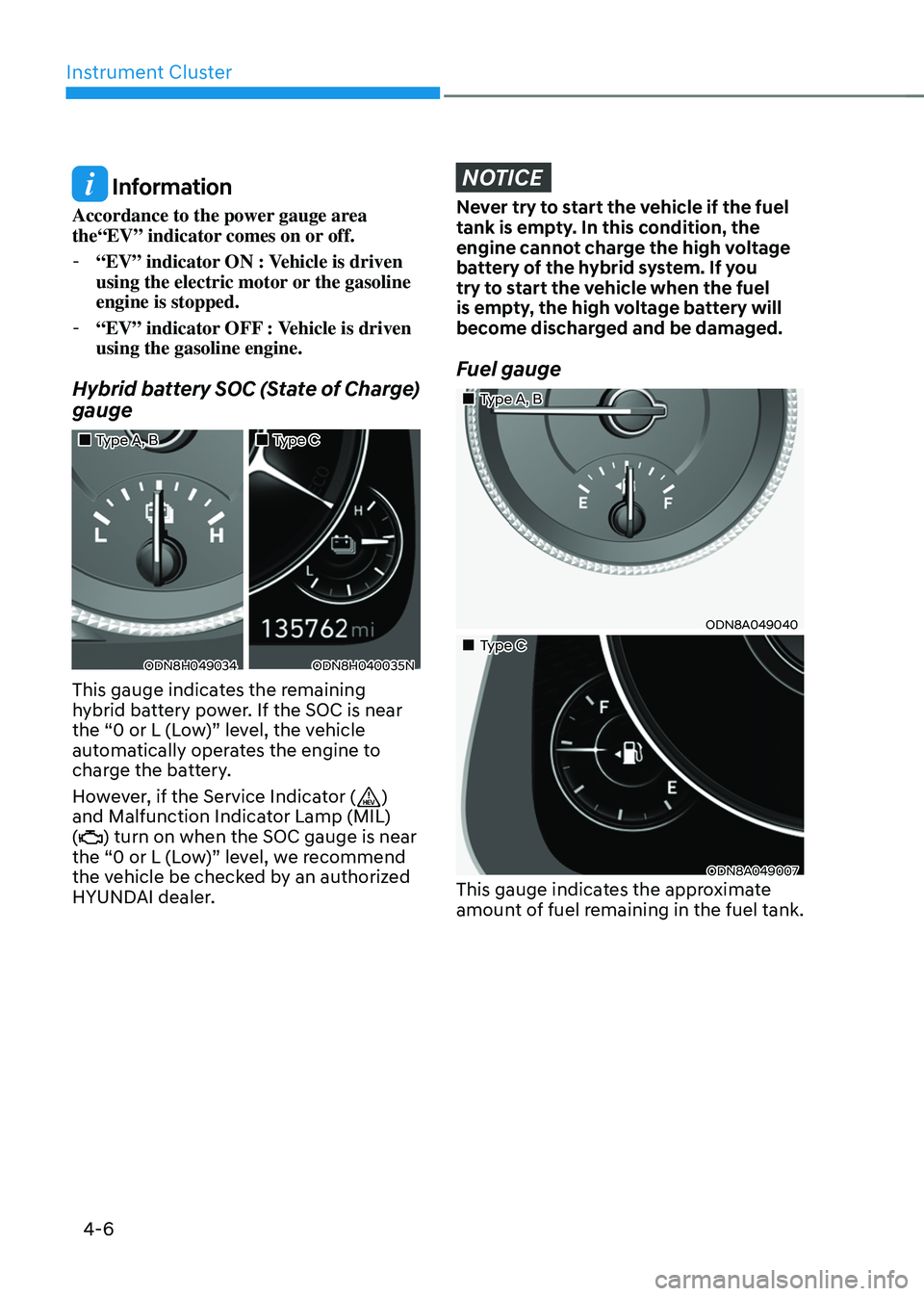
Hybrid battery SOC (State of Charge)
gauge
„„Type A, B„„Type C
ODN8H049034ODN8H040035N
This gauge indicates the remaining
hybrid battery power. If the SOC is near
the “0 or L (Low)” level, the vehicle
automatically operates the engine to
charge the battery.
However, if the Service Indicator (
)
and Malfunction Indicator Lamp (MIL)
(
) turn on when the SOC gauge is near
the “0 or L (Low)” level, we recommend
the vehicle be checked by an authorized
HYUNDAI dealer.
NOTICE
Never try to start the vehicle if the fuel
tank is empty. In this condition, the
engine cannot charge the high voltage
battery of the hybrid system. If you
try to start the vehicle when the fuel
is empty, the high voltage battery will
become discharged and be damaged.
Fuel gauge
„„Type A, B
ODN8A049040
„„Type C
ODN8A049007This gauge indicates the approximate
amount of fuel remaining in the fuel tank.
Page 113 of 527
04
4-9
Information
• If the vehicle is not on level ground or
the battery power has been interrupted,
the range function may not operate
correctly.
• The range may differ from the actual
driving distance as it is only an estimate
of the available driving range for the
vehicle and driving conditions.
• The trip computer may not register
additional fuel if less than 1.6 gallon (6
liters) of fuel are added to the vehicle.
• The range may vary significantly based
on driving conditions, driving habits,
and condition of the vehicle.
Transmission Shift Indicator
(if equipped)
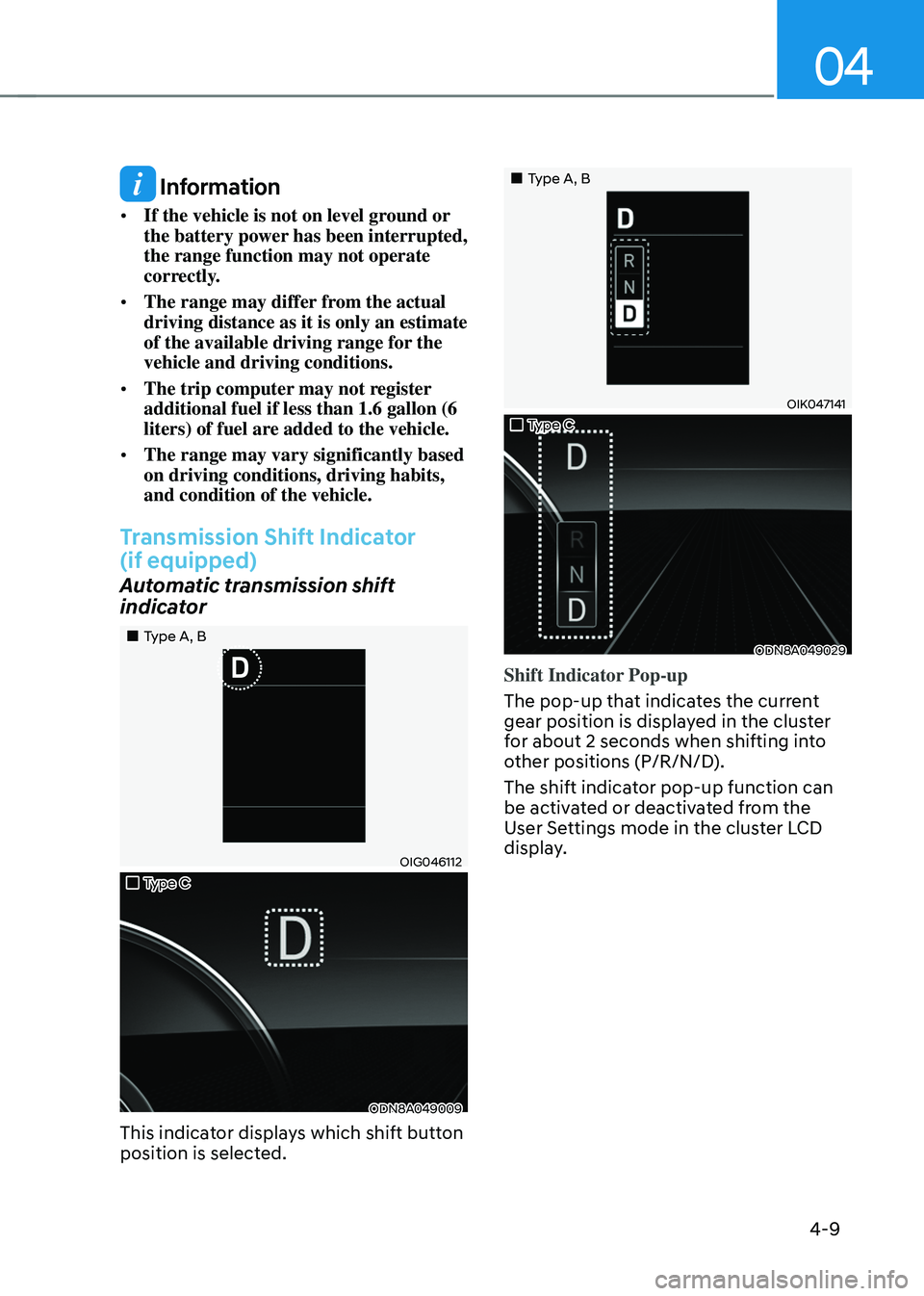
Automatic transmission shift
indicator
„„Type A, B
OIG046112
„„Type C
ODN8A049009
This indicator displays which shift button
position is selected.
„„Type A, B
OIK047141
„„Type C
ODN8A049029
Shift Indicator Pop-up
The pop-up that indicates the current
gear position is displayed in the cluster
for about 2 seconds when shifting into
other positions (P/R/N/D).
The shift indicator pop-up function can
be activated or deactivated from the
User Settings mode in the cluster LCD
display.
Page 117 of 527
04
4-13
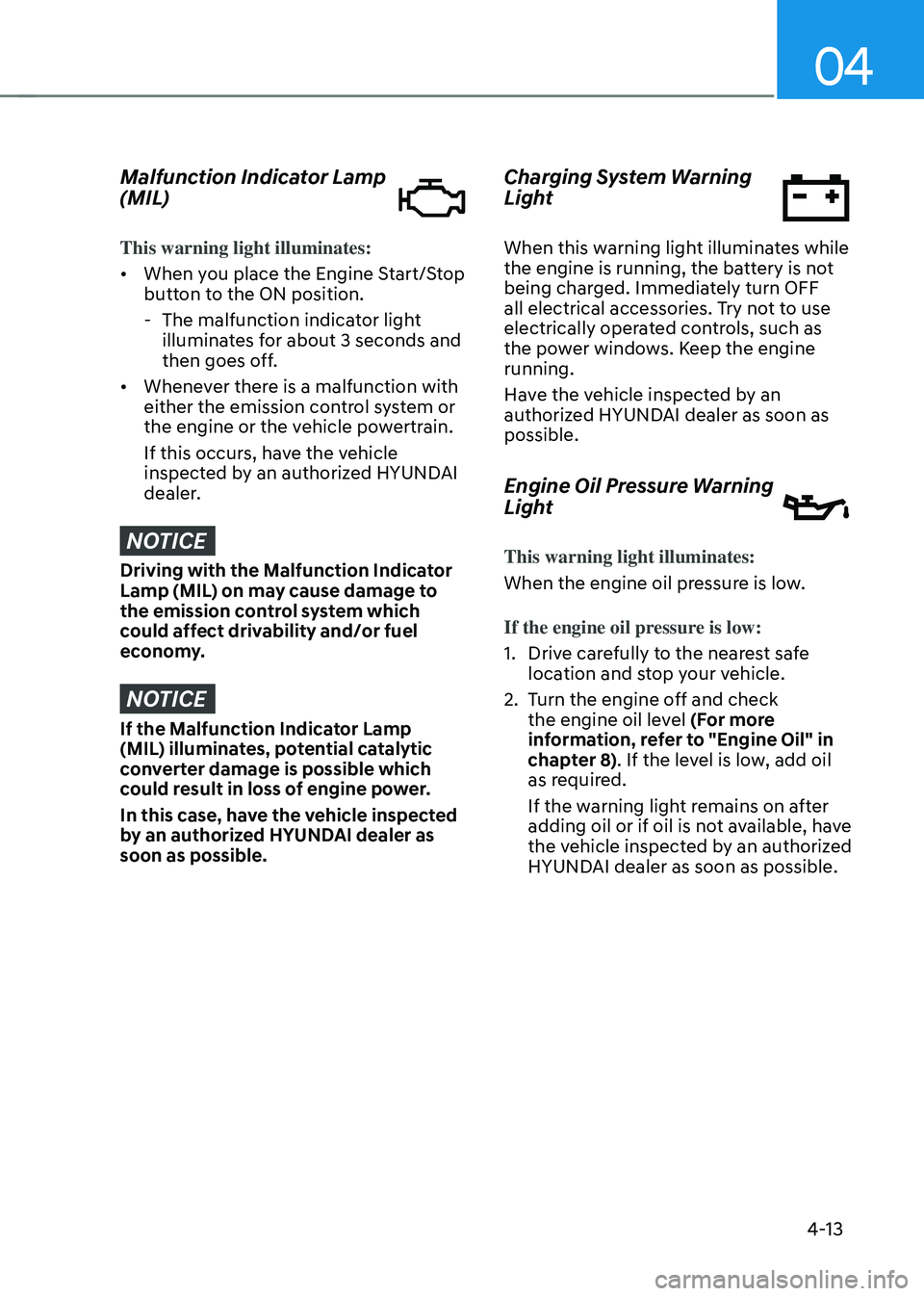
Malfunction Indicator Lamp
(MIL)
This warning light illuminates:
• When you place the Engine Start/Stop
button to the ON position.
-The malfunction indicator light
illuminates for about 3 seconds and
then goes off.
• Whenever there is a malfunction with
either the emission control system or
the engine or the vehicle powertrain.
If this occurs, have the vehicle
inspected by an authorized HYUNDAI
dealer.
NOTICE
Driving with the Malfunction Indicator
Lamp (MIL) on may cause damage to
the emission control system which
could affect drivability and/or fuel
economy.
NOTICE
If the Malfunction Indicator Lamp
(MIL) illuminates, potential catalytic
converter damage is possible which
could result in loss of engine power.
In this case, have the vehicle inspected
by an authorized HYUNDAI dealer as
soon as possible.
Charging System Warning
Light
When this warning light illuminates while
the engine is running, the battery is not
being charged. Immediately turn OFF
all electrical accessories. Try not to use
electrically operated controls, such as
the power windows. Keep the engine
running.
Have the vehicle inspected by an
authorized HYUNDAI dealer as soon as
possible.
Engine Oil Pressure Warning
Light
This warning light illuminates:
When the engine oil pressure is low.
If the engine oil pressure is low:
1. Drive carefully to the nearest safe
location and stop your vehicle.
2. Turn the engine off and check
the engine oil level (For more
information, refer to "Engine Oil" in
chapter 8). If the level is low, add oil
as required.
If the warning light remains on after
adding oil or if oil is not available, have
the vehicle inspected by an authorized
HYUNDAI dealer as soon as possible.
Page 123 of 527
04
4-19
LCD Display Messages
Shift to P to start engine
This message is displayed if you try to
start the vehicle with the shift button in
any other position except the P (Park)
position.
Shift to P
This message is displayed if you try to
turn off the engine without the shift
button in P (Park) position.
If this occurs, the Engine Start/Stop
button turns to the ACC position (If you
press the Engine Start/Stop button once
more, it will turn to the ON position).
Low key battery
This warning message is displayed if the
battery of the smart key is discharged
while changing the Engine Start/Stop
button to the OFF position.
Press brake pedal to start engine
This warning message is displayed if the
Engine Start/Stop button changes to
the ACC position twice by pressing the
button repeatedly without depressing
the brake pedal.
You can start the vehicle by depressing
the brake pedal and then pressing the
Engine Start/Stop button.
Key not in vehicle
This warning message is displayed if the
smart key is not in the vehicle when you
press the Engine Start/Stop button.
When attempting to start the vehicle,
always have the smart key with you.
Key not detected
This warning message is displayed if the
smart key is not detected when you press
the Engine Start/Stop button.
Press START button again
This message is displayed if you were
unable to start the vehicle when the
Engine Start/Stop button was pressed.
If this occurs, attempt to start the engine
by pressing the Engine Start/Stop button
again.
If the warning message appears each
time you press the Engine Start/Stop
button, have your vehicle inspected by
an authorized HYUNDAI dealer.
12V battery discharging due to
additional electrical devices
This message is displayed if the 12V
battery voltage is weak due to any
non-factory electrical accessories (ex.
dashboard camera) while parking. Be
careful that the battery is not discharged.
If the message appears after removing
the non-factory electrical accessories,
we recommend that you have the vehicle
inspected by an authorized HYUNDAI
dealer.
Page 127 of 527
04
4-23
Check Hybrid system
This message is displayed when there
is a problem with the hybrid system.
Refrain from driving when the warning
message is displayed.
If this occurs, we recommend that
you have the vehicle inspected by an
authorized HYUNDAI dealer.
Stop safely and check Hybrid system
This message is displayed when there is
a problem with the hybrid system. The
“
” indicator will blink and a warning
chime will sound until the problem is
solved. Refrain from driving when the
warning message is displayed.
If this occurs, we recommend that
you have the vehicle inspected by an
authorized HYUNDAI dealer.
Check Hybrid system. Do not start
engine
This message is displayed when the
hybrid battery power (SOC) level is low.
A warning chime will sound until the
problem is solved. Refrain from driving
when the warning message is displayed.
If this occurs, we recommend that
you have the vehicle inspected by an
authorized HYUNDAI dealer.
Stop safely and check power supply
This message is displayed when there is
a problem in the power supply system.
If this occurs, park the vehicle in a safe
location and tow your vehicle to the
nearest authorized HYUNDAI dealer and
have the vehicle inspected.
Check virtual engine sound system
This message is displayed when there is
a problem with the Virtual Engine Sound
System (VESS).
If this occurs, we recommend that
you have the vehicle inspected by an
authorized HYUNDAI dealer.
Refuel to prevent Hybrid battery
damage
This message is displayed when the fuel
tank is nearly empty.
You should refill the fuel tank to prevent
hybrid battery damage.
Refill inverter coolant
This message is displayed when the
inverter coolant is nearly empty.
You should refill the inverter coolant.
Park with engine On to charge
battery
This message is displayed when the
hybrid battery power (SOC) level is low.
If this occurs, park the vehicle in a safe
location and wait until the hybrid battery
is charged.
Start engine to avoid battery
discharge
This message is displayed to inform the
driver the 12V battery may be discharged
if the ignition switch is in ON position
(without the
indicator ON).
Set the vehicle to the ready () mode
to prevent the 12V battery from being
discharged.
Page 138 of 527
Instrument Cluster
4-34
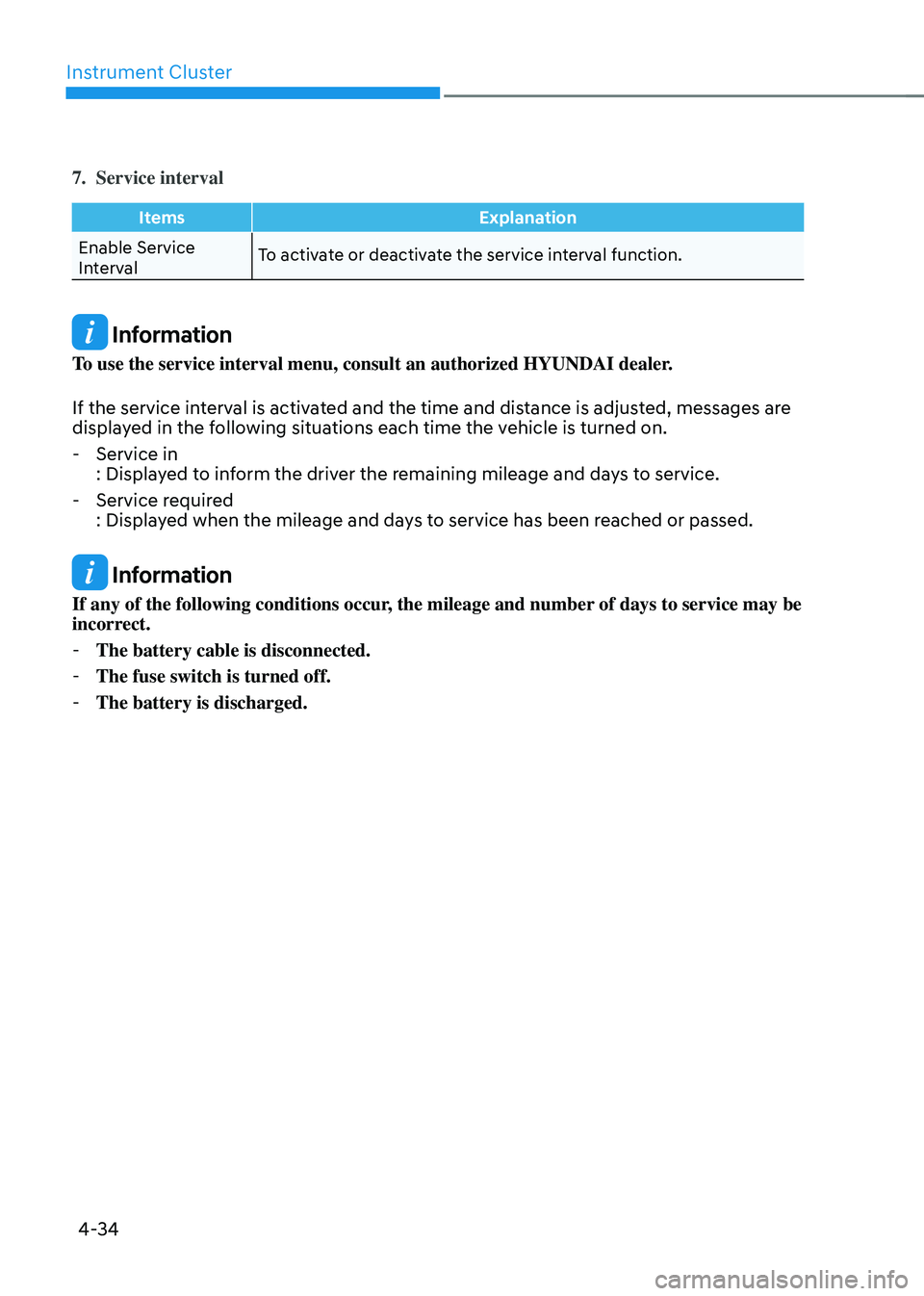
7. Service interval
ItemsExplanation
Enable Service
Interval To activate or deactivate the service interval function.
Information
To use the service interval menu, consult an authorized HYUNDAI dealer.
If the service interval is activated and the time and distance is adjusted, messages are
displayed in the following situations each time the vehicle is turned on.
-
Service in
: Displayed to inform the driver the remaining mileage and days to service.
-Service required
: Displayed when the mileage and days to service has been reached or passed.
Information
If any of the following conditions occur, the mileage and number of days to service may be
incorrect.
-The battery cable is disconnected.
-The fuse switch is turned off.
-The battery is discharged.
Page 140 of 527
Instrument Cluster
4-36
Trip Computer
The trip computer is a microcomputer-
controlled driver information system that
displays information related to driving.
Information
Some driving information stored in the
trip computer (for example Average
Vehicle Speed) resets if the battery is
disconnected.
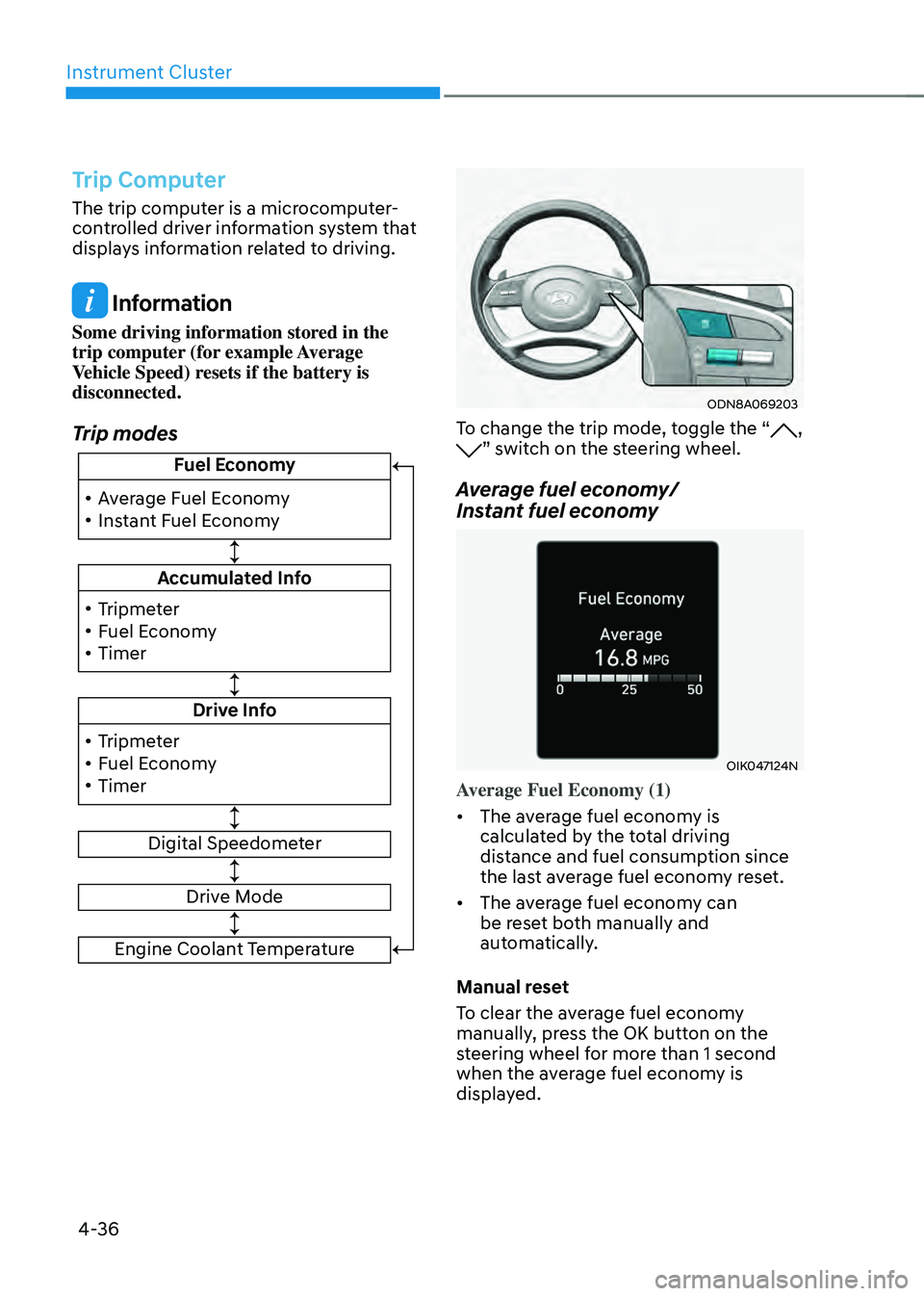
Trip modes
!ŸAverage Fuel Economy
!Ÿ Instant Fuel Economy Fuel Economy
Accumulated Info
Drive Info
Digital Speedometer
!Ÿ
Tripmeter
!Ÿ Fuel Economy
!Ÿ Timer
!Ÿ Tripmeter
!Ÿ Fuel Economy
!Ÿ Timer
Drive Mode
Engine Coolant Temperature
ODN8A069203
To change the trip mode, toggle the “, ” switch on the steering wheel.
Average fuel economy/
Instant fuel economy
OIK047124N
Average Fuel Economy (1)
•
The average fuel economy is
calculated by the total driving
distance and fuel consumption since
the last average fuel econ om y reset.
• The average fuel economy can
be reset both manually and
automatically.
Manual reset
To clear the average fuel economy
manually, press the OK button on the
steering wheel for more than 1 second
when the average fuel economy is
displayed.