infotainment HYUNDAI SONATA HYBRID 2022 Service Manual
[x] Cancel search | Manufacturer: HYUNDAI, Model Year: 2022, Model line: SONATA HYBRID, Model: HYUNDAI SONATA HYBRID 2022Pages: 527, PDF Size: 64.14 MB
Page 381 of 527
06
6-105
Operating conditions
Select 'Highway Auto Curve Slowdown'
from the Settings menu in the
infotainment system screen and satisfy
the following conditions for the system
to operate.
• Driving on the highway main line
• Smart Cruise Control is operating
If all the mentioned conditions are
satisfied, the system is ENABLED and
the 'AUTO' symbol on the cluster will
illuminate white.
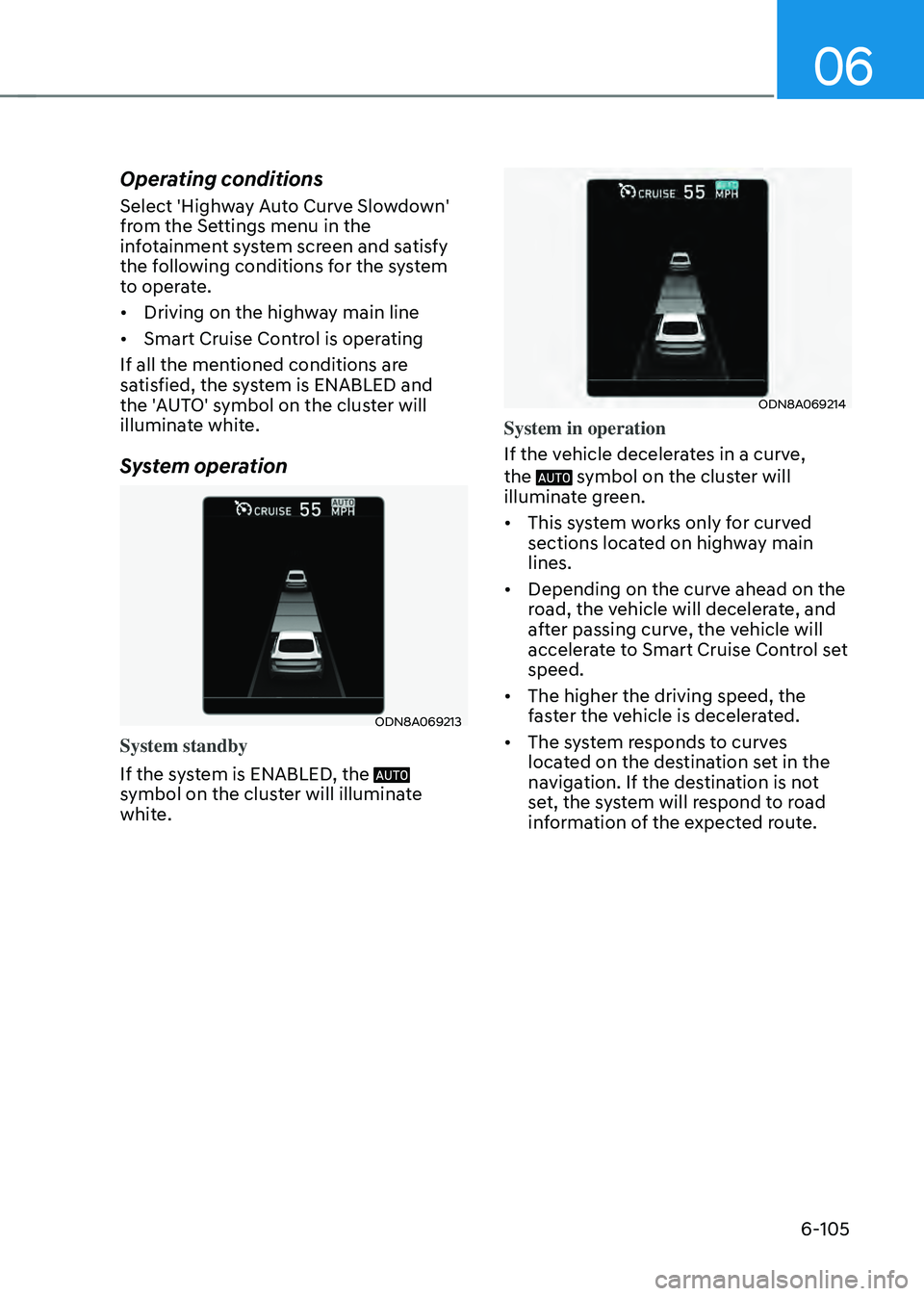
System operation
ODN8A069213
System standby
If the system is ENABLED, the
symbol on the cluster will illuminate
white.
ODN8A069214
System in operation
If the vehicle decelerates in a curve,
the
symbol on the cluster will illuminate green.
• This system works only for curved
sections located on highway main
lines.
• Depending on the curve ahead on the
road, the vehicle will decelerate, and
after passing curve, the vehicle will
accelerate to Smart Cruise Control set
speed.
• The higher the driving speed, the
faster the vehicle is decelerated.
• The system responds to curves
located on the destination set in the
navigation. If the destination is not
set, the system will respond to road
information of the expected route.
Page 391 of 527
06
6-115
System Setting and Operation
System setting
• With the Engine Start/Stop button in
the ON or START position, Highway
Driving Assist can be activated
by selecting 'Driver Assistance
→
Highway Driving Assist’ from the User
Settings mode on the infotainment
system. For detailed information,
please refer to the infotainment
system manual separately supplied.
• If the engine is turned off then on
again, the system maintains the last
setting.
Operating conditions
Select 'Highway Driving Assist' from
the Settings menu in the infotainment
system screen and satisfy the following
conditions for the system to operate.
• Driving on the highway main line
• Smart Cruise Control is operating
-If Smart Cruise Control is in the
READY state the Highway Driving
Assist will be in the READY state.
The
indicator on the cluster will illuminate white.
• Vehicle speed is under 95 mph (153
km/h)
If all the mentioned conditions are
satisfied, the system is ENABLED and
the
indicator on the cluster will illuminate green.
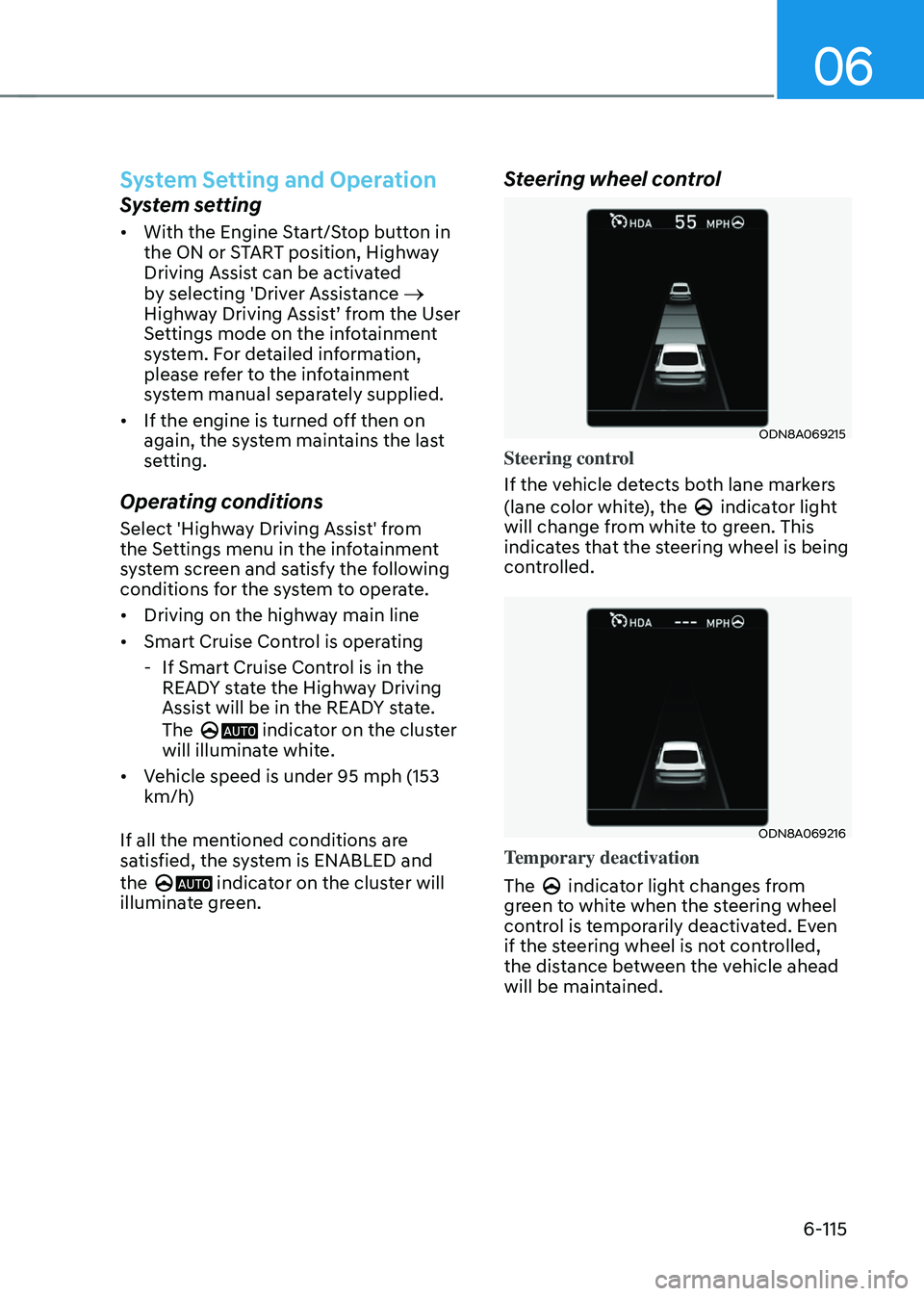
Steering wheel control
ODN8A069215
Steering control
If the vehicle detects both lane markers
(lane color white), the
indicator light will change from white to green. This
indicates that the steering wheel is being
controlled.
ODN8A069216
Temporary deactivation
The
indicator light changes from green to white when the steering wheel
control is temporarily deactivated. Even
if the steering wheel is not controlled,
the distance between the vehicle ahead
will be maintained.
Page 394 of 527
While Driving
6-118
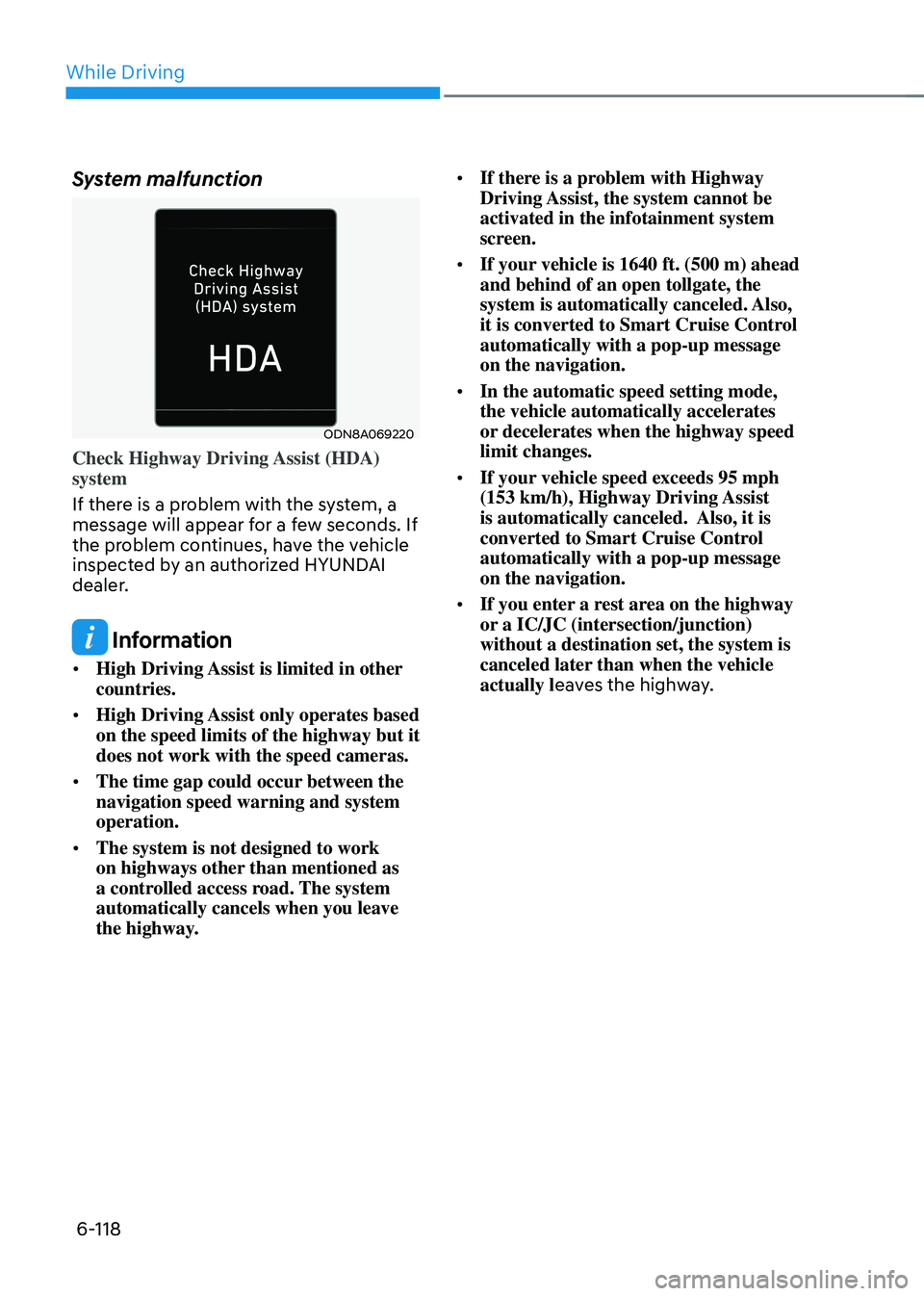
System malfunction
ODN8A069220
Check Highway Driving Assist (HDA)
system
If there is a problem with the system, a
message will appear for a few seconds. If
the problem continues, have the vehicle
inspected by an authorized HYUNDAI
dealer.
Information
• High Driving Assist is limited in other
countries.
• High Driving Assist only operates based
on the speed limits of the highway but it
does not work with the speed cameras.
• The time gap could occur between the
navigation speed warning and system
operation.
• The system is not designed to work
on highways other than mentioned as
a controlled access road. The system
automatically cancels when you leave
the highway. •
If there is a problem with Highway
Driving Assist, the system cannot be
activated in the infotainment system
screen.
• If your vehicle is 1640 ft. (500 m) ahead
and behind of an open tollgate, the
system is automatically canceled. Also,
it is converted to Smart Cruise Control
automatically with a pop-up message
on the navigation.
• In the automatic speed setting mode,
the vehicle automatically accelerates
or decelerates when the highway speed
limit changes.
• If your vehicle speed exceeds 95 mph
(153 km/h), Highway Driving Assist
is automatically canceled. Also, it is
converted to Smart Cruise Control
automatically with a pop-up message
on the navigation.
• If you enter a rest area on the highway
or a IC/JC (intersection/junction)
without a destination set, the system is
canceled later than when the vehicle
actually l eaves the highway.
Page 397 of 527
06
6-121
WARNING
• Always be aware of road conditions
while driving and be alert for
unexpected situations even though
Rear Cross-Traffic Collision Warning
system and Rear Cross-Traffic
Collision-Avoidance Assist system
are operating.
• Rear Cross-Traffic Collision Warning
system and Rear Cross-Traffic
Collision-Avoidance Assist system
are supplemental systems to assist
you. Do not entirely rely on the
systems. Always pay attention, while
driving, for your safety.
• Rear Cross-Traffic Collision Warning
system and Rear Cross-Traffic
Collision-Avoidance Assist system
are not substitutes for proper and
safe driving. Always drive safely and
use caution when backing up the
vehicle.
System Setting and Activation
System setting
• The driver can activate the systems
by placing the ignition switch to the
ON position and by selecting “User
Settings → Driver Assistance → Parking Safety → Rear Cross-Traffic Safety”. RCCW and RCCA turn on and get
ready to be activated when ‘Rear
Cross-Traffic safety’ is selected.
• When the engine is turned off then on
again, the systems are always ready to
be activated.
• When the system is initially turned
on and when the engine is turned off
then on again, the warning light will
illuminate for 3 seconds on the side
view mirror.
The driver can select the initial warning
activation time in the User Settings in
the LCD display or infotainment system
display by selecting ‘User Settings → Driver Assistance → Warning Timing’.
Page 398 of 527
While Driving
6-122
The options for the initial Rear Cross-
Traffic Collision Warning includes the
following:
-Normal:
When this condition is selected, the
initial Rear Cross-Traffic Collision
Warning is activated normally. If this
setting feels sensitive, change the
option to ‘Late’.
The warning activation time may feel
late if the a vehicle at the side or rear
abruptly accelerates.
-Late:
Select this warning activation time
when the traffic is light and you are
driving at a low speed.
Information
If you change the warning timing, the
warning time of other systems may
change. Always be aware before changing
the warning timing.
The driver can select the warning volume
of Rear Cross-Traffic Collision Warning
by selecting ‘User Settings → Driver Assistance → Warning Volume → High/Medium/Low’.
Information
If you change the warning volume, the
warning volume of other systems may
change. Always be aware before changing
the warning volume.
Operating conditions
To operate:
Go to the “User Settings → Driver Assistance → Parking Safety → Rear Cross-Traffic Safety” on the LCD display or
infotainment system display. The system
will turn on and standby to activate.
The system will activate when vehicle
speed is below 7 mph (10 km/h) and with
the shift button in R (Reverse).
The system will not activate when the vehicle speed exceeds 7 mph (10
km/h). The system will activate again
when the speed is below 5 mph (8
km/h).
The system’s detecting range is
approximately 1 ~ 65 ft (0.5 ~ 20 m). An
approaching vehicle will be detected if
their vehicle speed is within 5 ~ 22.5 mph
(8 ~ 36 km/h).
Note that the detecting range and
operating speed may vary under certain
conditions. As always, use caution and
pay close attention to your surroundings
when backing up your vehicle.
Page 399 of 527
06
6-123
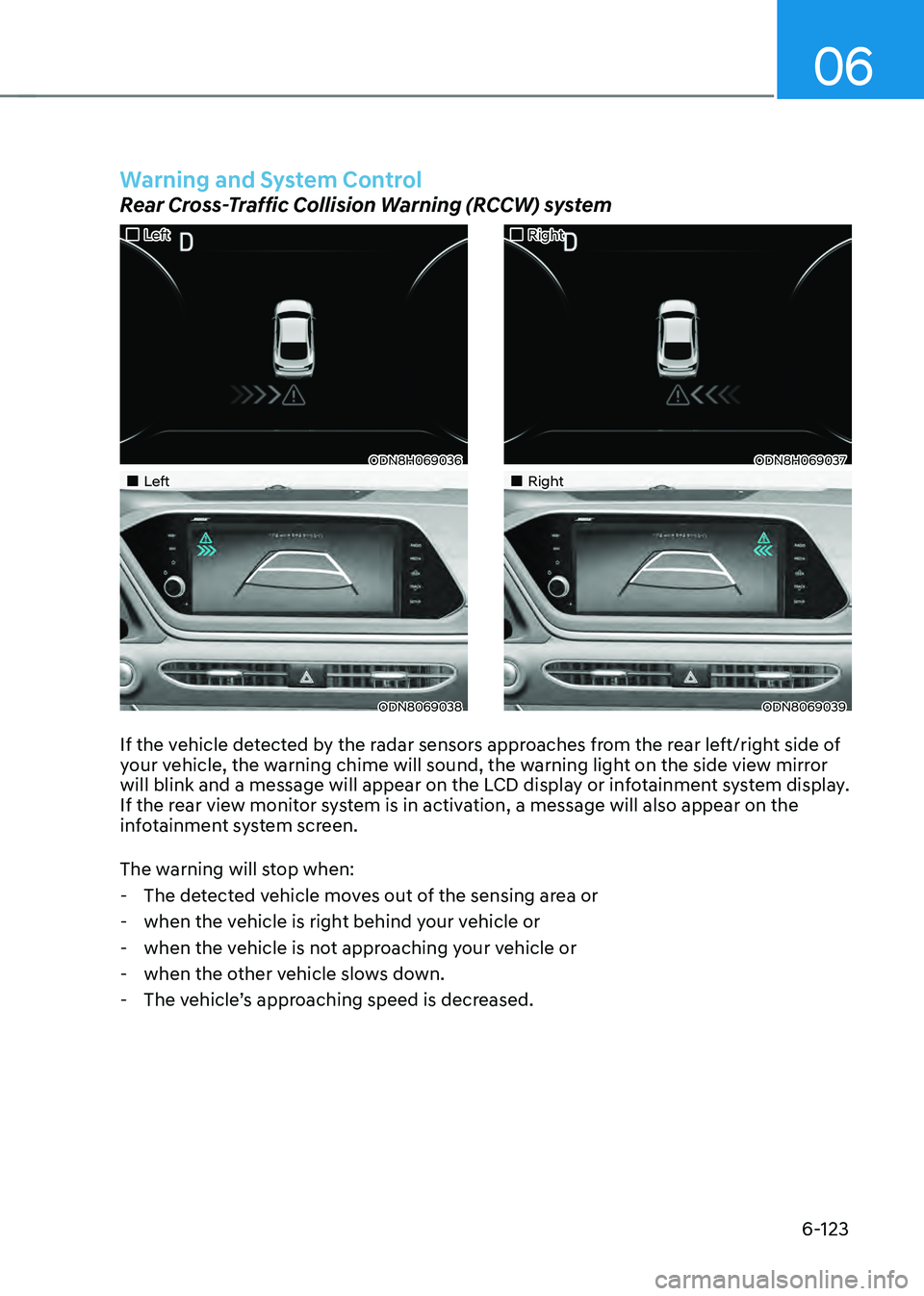
If the vehicle detected by the radar sensors approaches from the rear left/right side of
your vehicle, the warning chime will sound, the warning light on the side view mirror
will blink and a message will appear on the LCD display or infotainment system display.
If the rear view monitor system is in activation, a message will also appear on the
infotainment system screen.
The warning will stop when:
-The detected vehicle moves out of the sensing area or
-when the vehicle is right behind your vehicle or
-when the vehicle is not approaching your vehicle or
-when the other vehicle slows down.
-The vehicle’s approaching speed is decreased.
„„Left
ODN8H069036
„„Left
ODN8069038
„„Right
ODN8H069037
„„Right
ODN8069039
Warning and System Control
Rear Cross-Traffic Collision Warning (RCCW) system
Page 400 of 527
While Driving
6-124
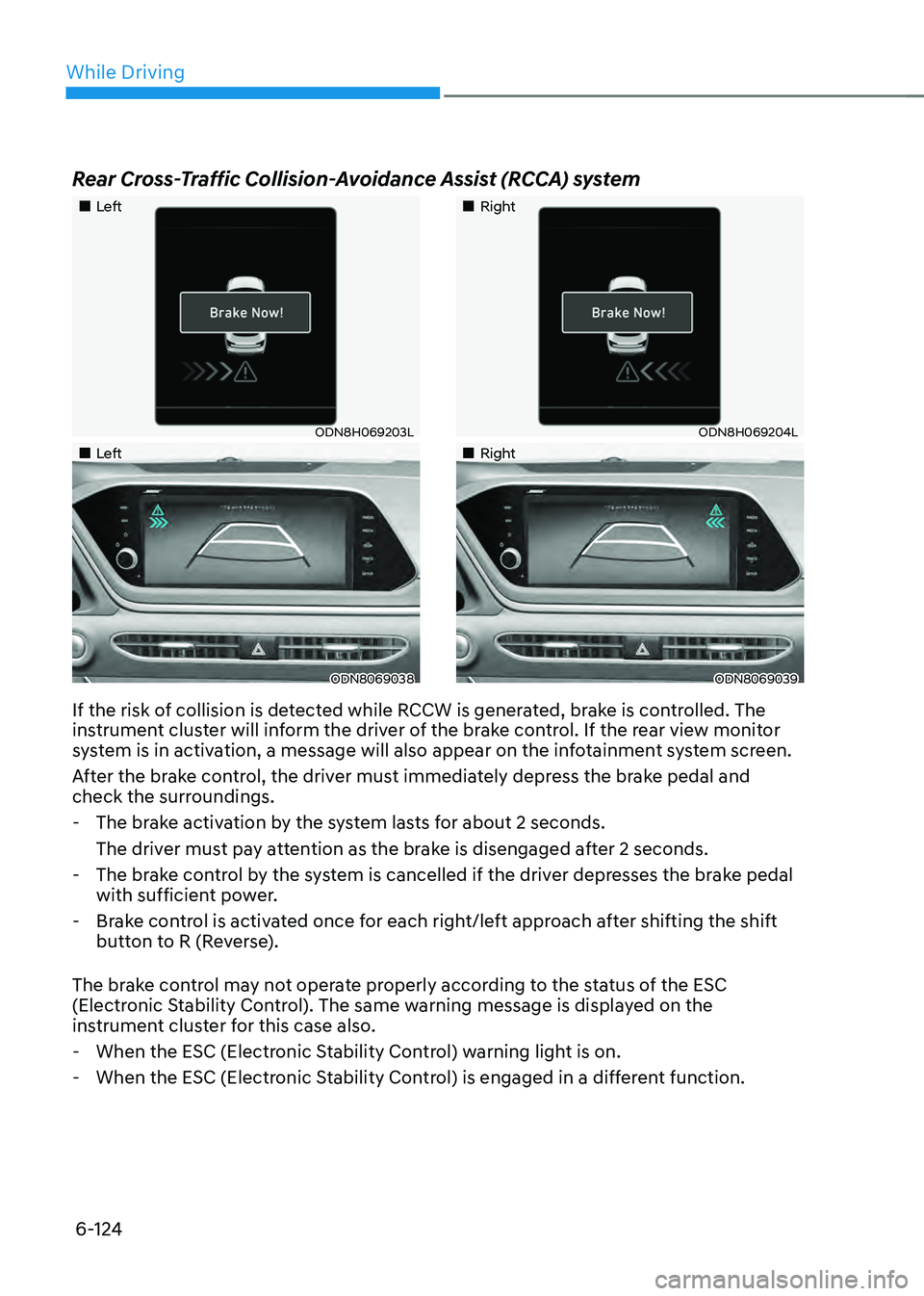
Rear Cross-Traffic Collision-Avoidance Assist (RCCA) system
„„Left
ODN8H069203L
„„Left
ODN8069038
„„Right
ODN8H069204L
„„Right
ODN8069039
If the risk of collision is detected while RCCW is generated, brake is controlled. The
instrument cluster will inform the driver of the brake control. If the rear view monitor
system is in activation, a message will also appear on the infotainment system screen.
After the brake control, the driver must immediately depress the brake pedal and
check the surroundings.
-The brake activation by the system lasts for about 2 seconds.
The driver must pay attention as the brake is disengaged after 2 seconds.
-The brake control by the system is cancelled if the driver depresses the brake pedal
with sufficient power.
-Brake control is activated once for each right/left approach after shifting the shift
button to R (Reverse).
The brake control may not operate properly according to the status of the ESC
(Electronic Stability Control). The same warning message is displayed on the
instrument cluster for this case also.
- When the ESC (Electronic Stability Control) warning light is on.
-When the ESC (Electronic Stability Control) is engaged in a different function.
Page 517 of 527

I
I-9
I
If the 12 volt battery is discharged
........................................................................\
7-4
If the engine overheats
........................................................................\
..................7-7
If the engine stalls at a crossroad or crossing
........................................................7-2
If the engine stalls while driving
........................................................................\
..7-2
If the engine will not start
........................................................................\
.............7-3
If you have a flat tire while driving
......................................................................7-3
Ignition switch
........................................................................\
..............................6-6
Engine Start/Stop button
........................................................................\
..........6-6
Remote start
........................................................................\
.............................6-9
Immobilizer system
........................................................................\
....................5-11
Important safety precautions ........................................................................\
.......... 3-2
Always wear your seat belt
........................................................................\
......3-2
Restrain all children
........................................................................\
.................3-2
Air bag hazards
........................................................................\
........................3-2
Driver distraction
........................................................................\
.....................3-2
Control your speed
........................................................................\
...................3-2
Keep your vehicle in safe condition
.................................................................3-2
In case of an emergency while driving
.................................................................7-2
Infotainment system ........................................................................\
................... 5-126
USB and iPod® port
........................................................................\
............5-126
Antenna
........................................................................\
................................5-126
Steering wheel audio controls
......................................................................5-127
Bluetooth® Wireless Technology hands-free ...............................................5-128
Audio / Video / Navigation system
..............................................................5-128
Blue Link® center
........................................................................\
................5-128
Inside rearview mirror
........................................................................\
................5-42
Instrument cluster
........................................................................\
.........................4-4
Adjusting instrument cluster illumination
........................................................4-5
Gauges and meters
........................................................................\
...................4-5
Transmission shift indicator
........................................................................\
.....4-9
Warning and indicator lights
........................................................................\
..4-10
LCD display messages
........................................................................\
...........4-19
LCD display (Type A, B)
........................................................................\
.......4-26
LCD display (Type C)
........................................................................\
............4-39