HYUNDAI SONATA HYBRID 2023 Owners Manual
Manufacturer: HYUNDAI, Model Year: 2023, Model line: SONATA HYBRID, Model: HYUNDAI SONATA HYBRID 2023Pages: 549
Page 141 of 549
Instrument Cluster
4-38
Information
The vehicle must be driven for a minimum
of 0.19 miles (300 meters) since the last
ignition key cycle before the average fuel
economy will be recalculated.
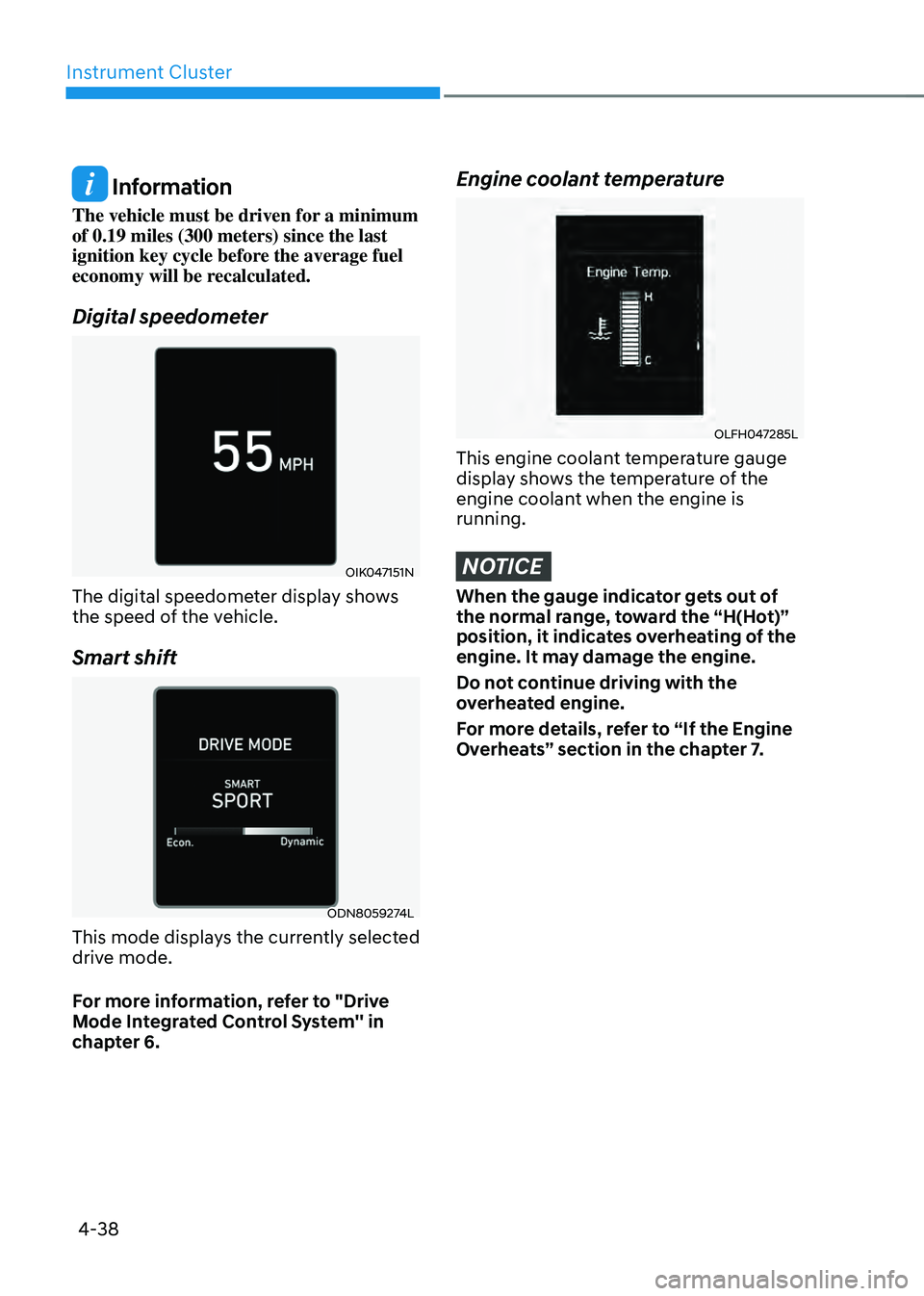
Digital speedometer
OIK047151NOIK047151N
The digital speedometer display shows
the speed of the vehicle.
Smart shift
ODN8059274LODN8059274L
This mode displays the currently selected
drive mode.
For more information, refer to "Drive
Mode Integrated Control System'' in
chapter 6.
Engine coolant temperature
OLFH047285LOLFH047285L
This engine coolant temperature gauge
display shows the temperature of the
engine coolant when the engine is
running.
NOTICE
When the gauge indicator gets out of
the normal range, toward the “H(Hot)”
position, it indicates overheating of the
engine. It may damage the engine.
Do not continue driving with the
overheated engine.
For more details, refer to “If the Engine
Overheats” section in the chapter 7.
Page 142 of 549
4-39
04
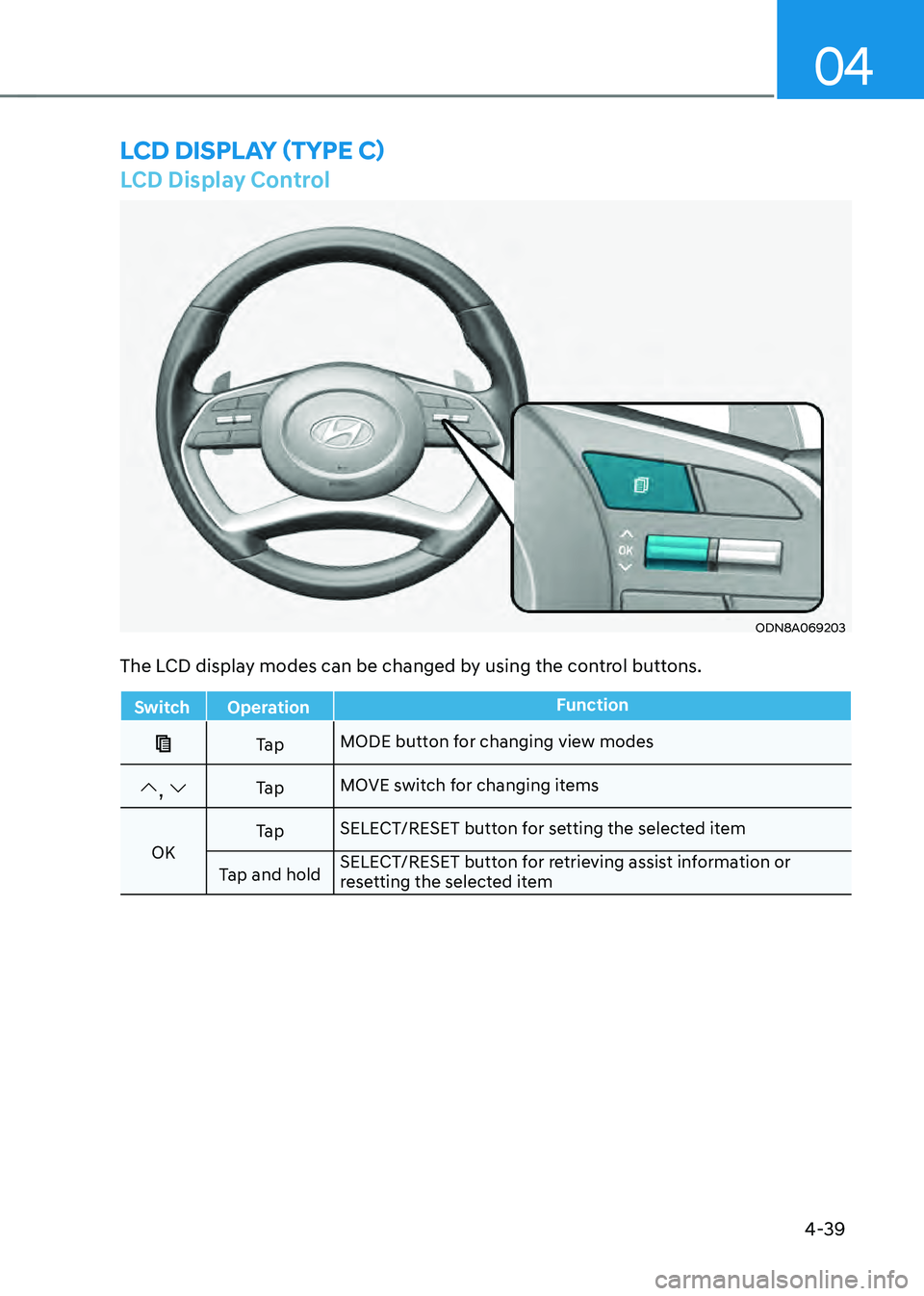
LCD Display Control
ODN8A069203ODN8A069203
LCD DISPLAY (TYPE C)
The LCD display modes can be changed by using the control buttons.
SwitchOperation Function
Ta pMODE button for changing view modes
, Ta pMOVE switch for changing items
OK Ta p
SELECT/RESET button for setting the selected item
Tap and hold SELECT/RESET button for retrieving assist information or
resetting the selected item
Page 143 of 549
Instrument Cluster
4-40
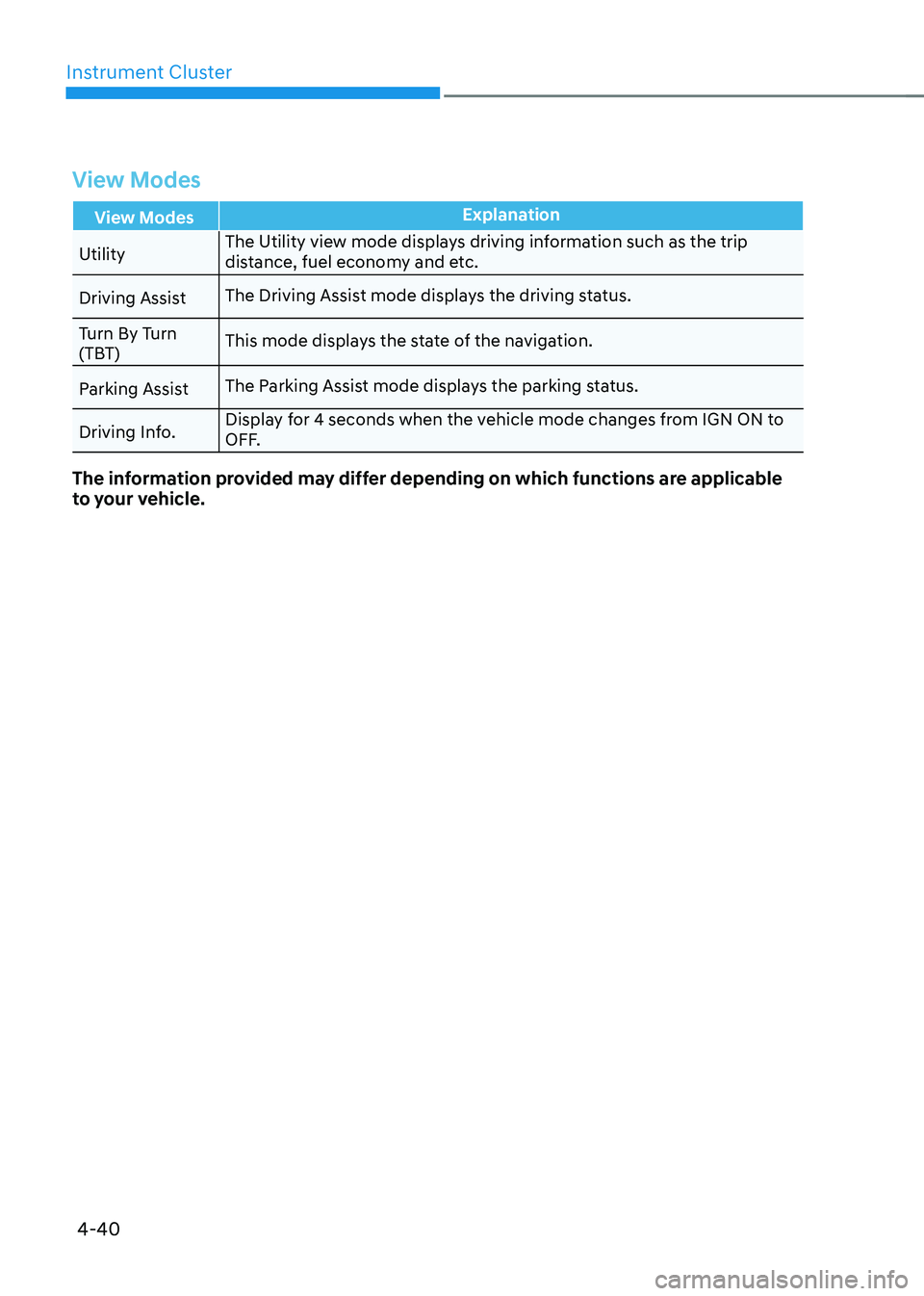
View Modes
View ModesExplanation
Utility The Utility view mode displays driving information such as the trip
distance, fuel economy and etc.
Driving Assist The Driving Assist mode displays the driving status.
Turn By Turn
(TBT) This mode displays the state of the navigation.
Parking Assist The Parking Assist mode displays the parking status.
Driving Info. Display for 4 seconds when the vehicle mode changes from IGN ON to
OFF.
The information provided may differ depending on which functions are applicable
to your vehicle.
Page 144 of 549
04
4-41
Utility View Mode
The Utility view mode displays
information related to vehicle driving
parameters including fuel economy and
trip distance information.
Utility Items
The utility items appear as well in utility
view mode, driving assist view mode and
turn by turn view mode. The utility items
in utility view mode display in the center
of the instrument cluster but the items in
other modes show up on the right side of
the instrument cluster.
The information provided may differ
depending on which functions are
applicable to your vehicle.
Fuel Economy Information
The average fuel economy and instant
fuel economy are displayed
• Manual reset: Press and hold OK
button to initialize set up
• Automatic reset: Automatically reset
the average fuel economy when the
set-up conditions are satisfied in User
Settings menu.
Driving Information
The trip distance for each ignition cycle,
fuel economy (undisplayed item in fuel
economy: driving speed), trip time
are shown. Press and hold OK button
to initialize set up. When the engine
has been OFF for 4 hours or longer
the average fuel economy will reset
automatically. Information after Refueling
The vehicle information such as trip
distance, fuel economy (undisplayed
item in fuel economy: driving speed)
and trip time is displayed after refueling.
Press and hold OK button to initialize set
up.
Accumulated Information
The vehicle information such as trip
distance, fuel economy (undisplayed
item in fuel economy: driving speed)
and trip time is displayed after manual
initialization.
Digital Speed Display
It shows current vehicle speed.
Driver Attention Warning
Display the status of the Driver Attention
Warning system. When the engine is
off or the vehicle comes to a stop, the
system is reset. Press and hold OK button
to initialize set up.
Smart Shift
It shows the currently selected drive
mode.
Tire pressure
It shows information related to Tire
Pressure.
Page 145 of 549
Instrument Cluster
4-42
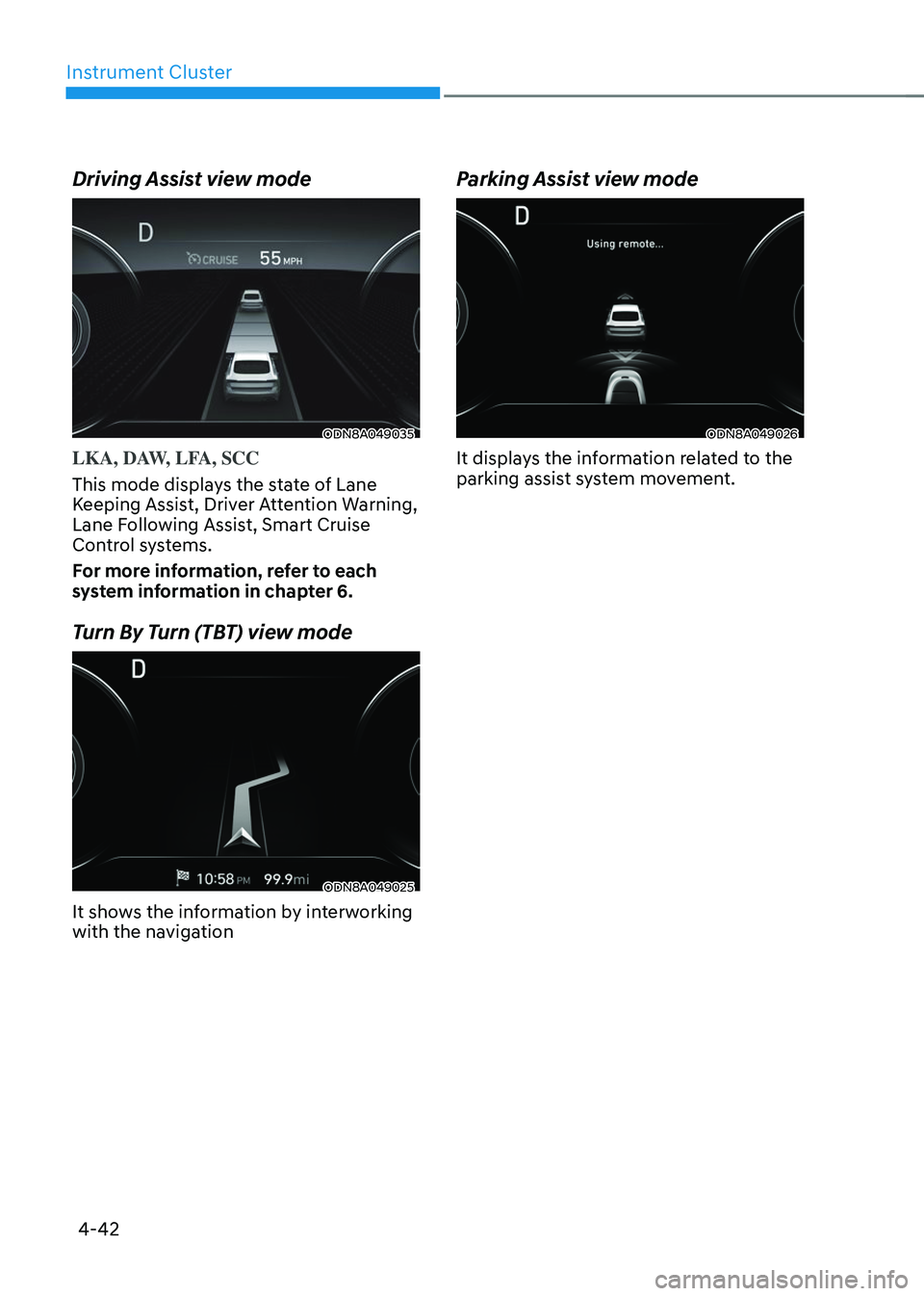
Driving Assist view mode
ODN8A049035ODN8A049035
LKA, DAW, LFA, SCC
This mode displays the state of Lane
Keeping Assist, Driver Attention Warning,
Lane Following Assist, Smart Cruise
Control systems.
For more information, refer to each
system information in chapter 6.
Turn By Turn (TBT) view mode
ODN8A049025ODN8A049025
It shows the information by interworking
with the navigation
Parking Assist view mode
ODN8A049026ODN8A049026
It displays the information related to the
parking assist system movement.
Page 146 of 549
04
4-43
Option Menu
WARNING
While driving, please do not change
the setting mode. It may distract your
attention and cause an accident.
NOTICE
Displayed items may differ from the
content in this owner’s manual since
the contents vary with the vehicle’s
technical specifications.
ListSet-up messages
Service Interval Check the service
message
Head-up Display To activate or
deactivate head-up
display
Set up the height,
rotation and brightness
(if equipped)
Warning Time
• Normal/Later
To select when to
provide a warning for
all driver assistance
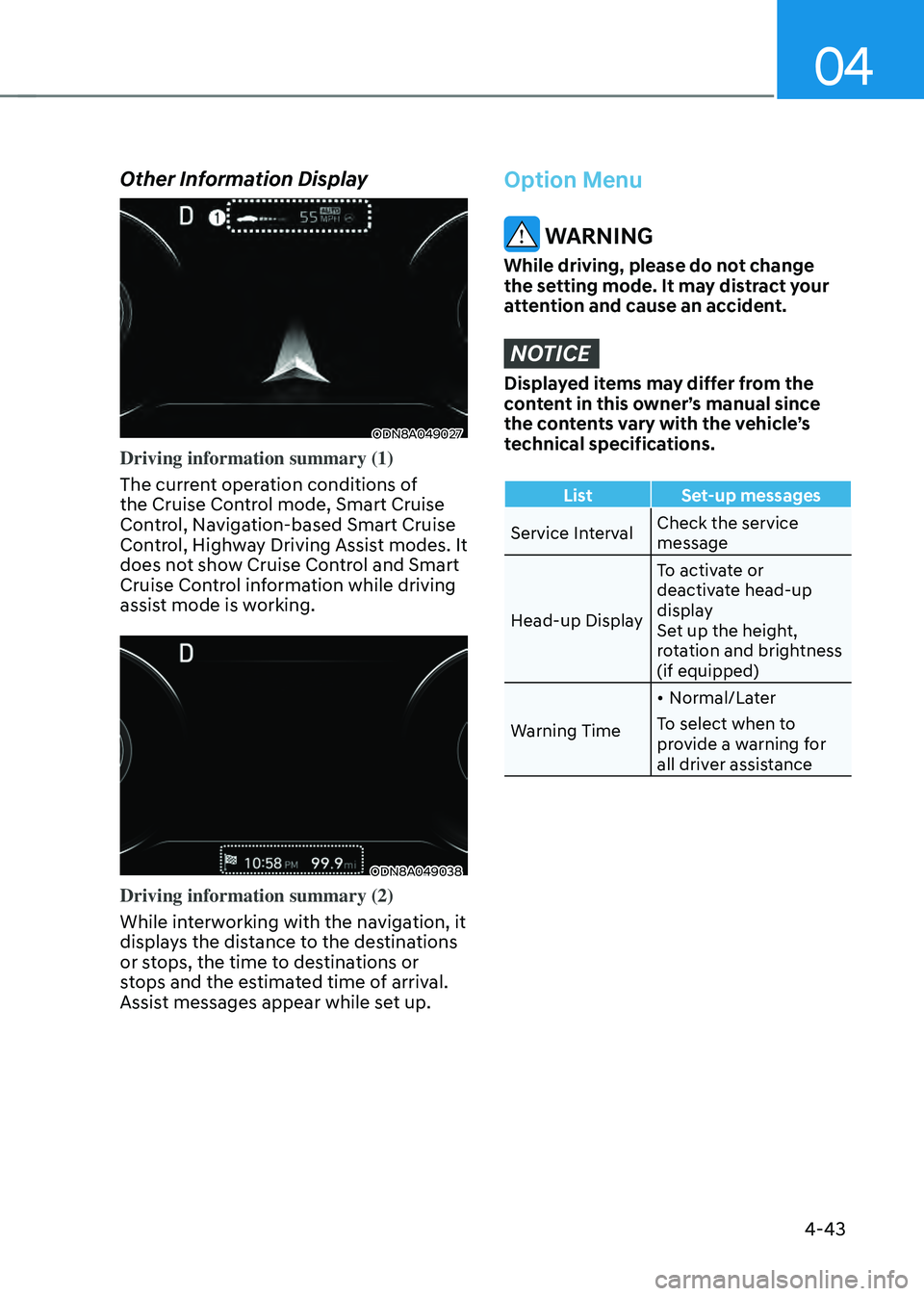
Other Information Display
ODN8A049027ODN8A049027
Driving information summary (1)
The current operation conditions of
the Cruise Control mode, Smart Cruise
Control, Navigation-based Smart Cruise
Control, Highway Driving Assist modes. It
does not show Cruise Control and Smart
Cruise Control information while driving
assist mode is working.
ODN8A049038ODN8A049038
Driving information summary (2)
While interworking with the navigation, it
displays the distance to the destinations
or stops, the time to destinations or
stops and the estimated time of arrival.
Assist messages appear while set up.
Page 147 of 549
Instrument Cluster
4-44
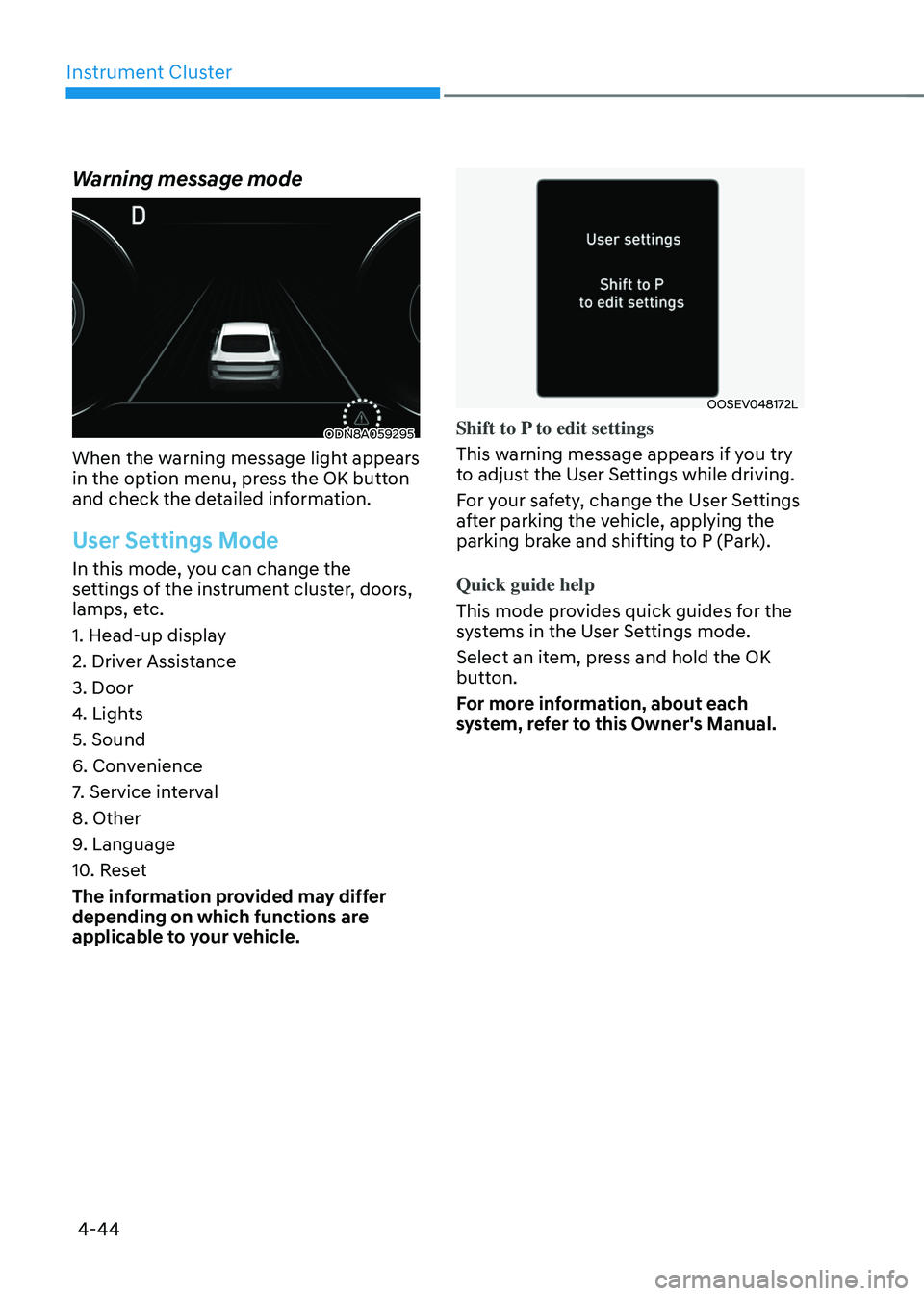
Warning message mode
ODN8A059295ODN8A059295
When the warning message light appears
in the option menu, press the OK button
and check the detailed information.
User Settings Mode
In this mode, you can change the
settings of the instrument cluster, doors,
lamps, etc.
1. Head-up display
2. Driver Assistance
3. Door
4. Lights
5. Sound
6. Convenience
7. Service interval
8. Other
9. Language
10. Reset
The information provided may differ
depending on which functions are
applicable to your vehicle.
OOSEV048172LOOSEV048172L
Shift to P to edit settings
This warning message appears if you try
to adjust the User Settings while driving.
For your safety, change the User Settings
after parking the vehicle, applying the
parking brake and shifting to P (Park).
Quick guide help
This mode provides quick guides for the
systems in the User Settings mode.
Select an item, press and hold the OK
button.
For more information, about each
system, refer to this Owner's Manual.
Page 148 of 549

Accessing Your Vehicle ........................................................................\
.............5-5Smart Key ........................................................................\
..............................................5-5
Immobilizer System ........................................................................\
............................5-11
Hyundai Digital Key ........................................................................\
.............................5-12
Door Locks ........................................................................\
...............................5-28Operating Door Locks from Outside the Vehicle .....................................................5-28
Operating Door Locks from Inside the Vehicle ........................................................5-29
Automatic Door Lock and Unlock Features ...............................................................5-31
Rear Occupant Alert (ROA) System ........................................................................\
..5-32
Child-Protector Rear Door Locks ........................................................................\
......5-33
Vehicle Auto-Shut Off Function ........................................................................\
........5-33
Theft-Alarm System ........................................................................\
...............5-34
Driver Position Memory System
....................................................................5-35Storing Positions into Memory ........................................................................\
.........5-35
Recalling Positions from Memory ........................................................................\
.....5-36
Resetting the Driver’s Seat Memory System ............................................................5-36
Easy Access Function ........................................................................\
.........................5-37
Steering Wheel ........................................................................\
........................5-38Motor Driven Power Steering (MDPS) ......................................................................5-38
Tilt Steering / Telescope Steering ........................................................................\
.....5-39
Heated Steering Wheel ........................................................................\
.....................5-40
Horn ........................................................................\
..................................................... 5-41
Mirrors ........................................................................\
.....................................5-42Inside Rearview Mirror ........................................................................\
.......................5-42
Side View Mirrors ........................................................................\
...............................5-53
Reverse Parking Aid Function ........................................................................\
............5-54
Windows ........................................................................\
..................................5-55Power Windows ........................................................................\
..................................5-56
Panoramic SUNROOF ........................................................................\
.............5-59Power Sunshade ........................................................................\
................................5-59
Tilt Open/Close ........................................................................\
.................................. 5-60
Slide Open/Close
........................................................................\
..............................5-60
Automatic Reversal ........................................................................\
...........................5-61
Resetting the Sunroof ........................................................................\
.......................5-62
Sunroof Open Warning ........................................................................\
......................5-62
Convenience Features
5. Convenience Features
5
Page 149 of 549

Exterior Features ........................................................................\
.....................5-63Hood ........................................................................\
....................................................5-63
Trunk ........................................................................\
...................................................5-64
Emergency Trunk Safety Release ........................................................................\
......5-65
Fuel Filler Door ........................................................................\
..................................5-69
Head Up Display (HUD) ........................................................................\
...........5-71Head-Up Display Settings ........................................................................\
..................5-71
Head-up display information ........................................................................\
.............5-71
Lighting ........................................................................\
.....................................5-73Exterior Lights ........................................................................\
....................................5-73
Interior Lights ........................................................................\
.....................................5-79
Welcome System ........................................................................\
................................5-82
Wipers and Washers ........................................................................\
...............5-83Windshield Wipers ........................................................................\
.............................5-83
Windshield Washers ........................................................................\
..........................5-84
Rear View Monitor (RVM) ........................................................................\
.......5-85Rear View Monitor with Parking Guidance ...............................................................5-85
Rear View Monitor - Top View ........................................................................\
...........5-85
Surround View Monitor (SVM) .......................................................................5-87
Reverse Parking Distance Warning (PDW)
....................................................5-88Operation of Reverse Parking Distance Warning ....................................................5-88
To Turn off Reverse Parking Distance Warning ......................................................5-90
Non-Operational Conditions of Reverse Parking Distance Warning .....................5-90
Reverse Parking Distance Warning Precautions ......................................................5-91
Forward/Reverse Parking Distance Warning (PDW) ....................................5-92Operation of Forward/Reverse Parking Distance Warning System ........................5-93
Non-Operational Conditions of Forward/Reverse Parking Distance Warning ......5-95
Forward/Reverse Parking Distance Warning Precautions .......................................5-95
Reverse Parking Collision-Avoidance Assist (PCA) .......................................5-96Reverse Parking Collision Avoidance Assist Setting and Operation ......................5-96
Warning and Control ........................................................................\
..........................5-97
Detecting Sensor ........................................................................\
...............................5-99
Reverse Parking Collision Avoidance Assist Malfunction ......................................5-100
Limitations of Reverse Parking Collision Avoidance Assist ....................................5-101
5
Page 150 of 549
 ...........................................................5-103Operating Condition ........................................................................\
.......")
Remote Smart Parking Assist (RSPA) ...........................................................5-103Operating Condition ........................................................................\
........................5-104
How Remote Smart Parking Assist Works ...............................................................5-107
Additional Instructions ........................................................................\
......................5-112
Display Operation Status ........................................................................\
..................5-113
How the Remote Moving Forward/Backward Works .............................................5-114
Automatic Climate Control System ...............................................................5-116Automatic Heating and Air Conditioning ................................................................5-117
Manual Temperature Control Mode ........................................................................\
.5-118
System Operation ........................................................................\
.............................5-124
System Maintenance ........................................................................\
.......................5-126
Windshield Defrosting and Defogging .........................................................5-128To Defog Inside Windshield ........................................................................\
.............5-128
To Defog Outside Windshield ........................................................................\
..........5-129
Defogging Logic ........................................................................\
...............................5-129
Auto Defogging System ........................................................................\
...................5-130
Defroster ........................................................................\
............................................5-131
Climate Control Additional Features ............................................................5-132Sunroof Inside Air Recirculation ........................................................................\
.......5-132
Automatic Ventilation ........................................................................\
.......................5-132
Smart Seat Warmer/Air Ventilation Seat (Automatic Control Interworking with the
Driver’s Seat System)
........................................................................\
........................5-132
Washer Fluid Logic ........................................................................\
............................5-132
Storage Compartment ........................................................................\
...........5-133Center Console Storage ........................................................................\
...................5-133
Glove Box ........................................................................\
..........................................5-133
Interior Features ........................................................................\
.....................5-134Cup Holder ........................................................................\
........................................5-134
Sunvisor ........................................................................\
.............................................5-135
Power Outlet ........................................................................\
......................................5-135
USB Charger ........................................................................\
.....................................5-136
Wireless Cellular Phone Charging System ..............................................................5-137
Clock
........................................................................\
.................................................5-139
5. Convenience Features
5