light HYUNDAI SONATA LIMITED 2016 Repair Manual
[x] Cancel search | Manufacturer: HYUNDAI, Model Year: 2016, Model line: SONATA LIMITED, Model: HYUNDAI SONATA LIMITED 2016Pages: 708, PDF Size: 25.96 MB
Page 169 of 708
3-74
Convenient features of your vehicle
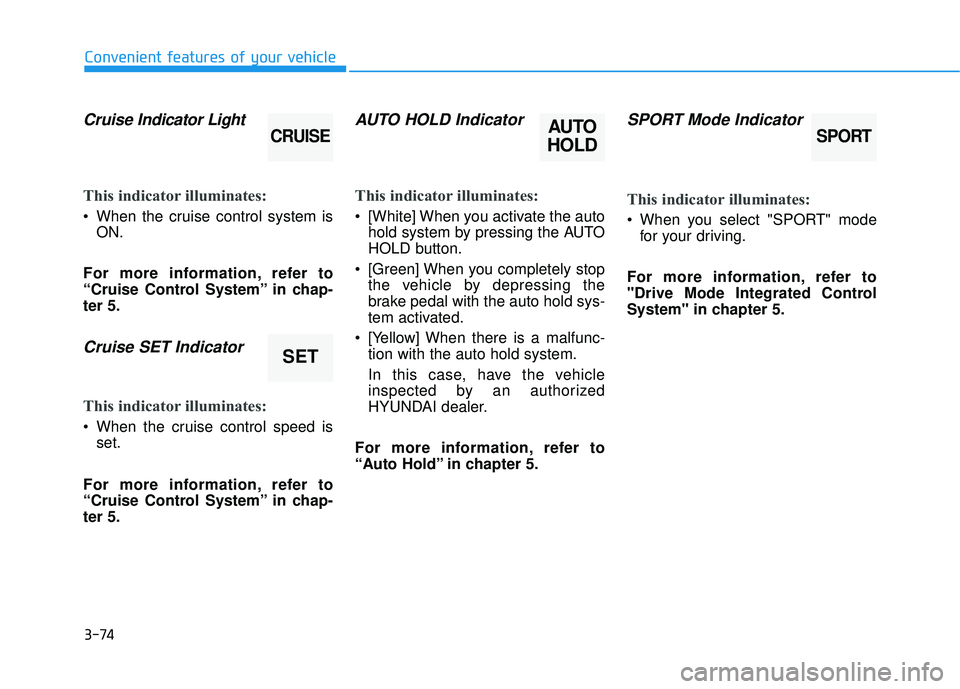
Cruise Indicator Light
This indicator illuminates:
When the cruise control system is
ON.
For more information, refer to
“Cruise Control System” in chap-
ter 5.
Cruise SET Indicator
This indicator illuminates:
When the cruise control speed is set.
For more information, refer to
“Cruise Control System” in chap-
ter 5.
AUTO HOLD Indicator
This indicator illuminates:
[White] When you activate the auto hold system by pressing the AUTO
HOLD button.
[Green] When you completely stop the vehicle by depressing the
brake pedal with the auto hold sys-
tem activated.
[Yellow] When there is a malfunc- tion with the auto hold system.
In this case, have the vehicle
inspected by an authorized
HYUNDAI dealer.
For more information, refer to
“Auto Hold” in chapter 5.
SPORT Mode Indicator
This indicator illuminates:
When you select "SPORT" mode for your driving.
For more information, refer to
"Drive Mode Integrated Control
System" in chapter 5.
SET
CRUISEAUTO
HOLDSPORT
Page 170 of 708
3-75
Convenient features of your vehicle
3
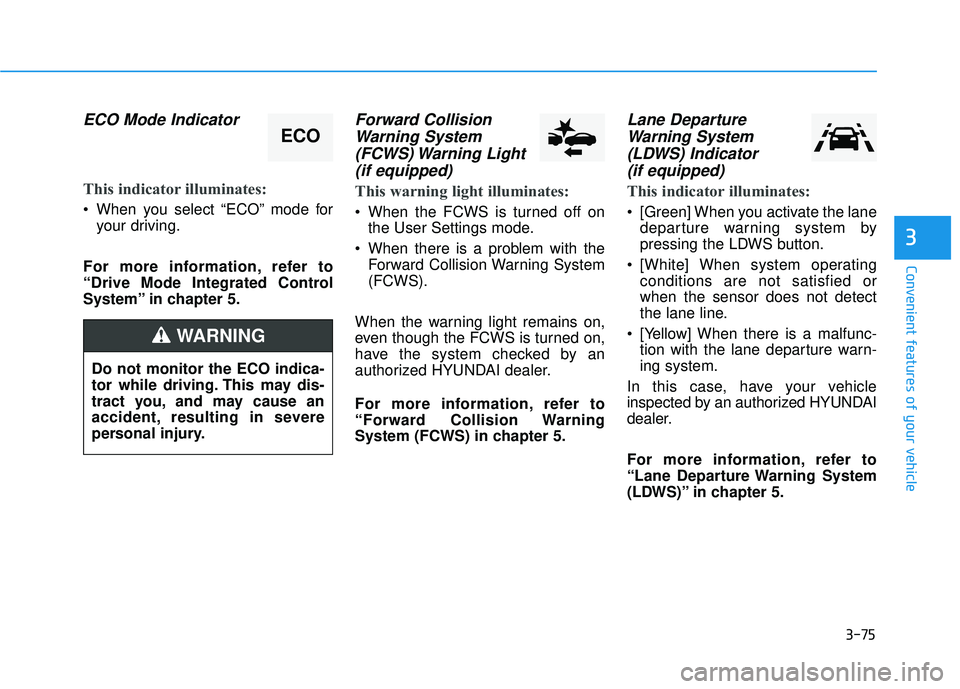
ECO Mode Indicator
This indicator illuminates:
When you select “ECO” mode foryour driving.
For more information, refer to
“Drive Mode Integrated Control
System” in chapter 5.
Forward Collision Warning System(FCWS) Warning Light(if equipped)
This warning light illuminates:
When the FCWS is turned off on
the User Settings mode.
When there is a problem with the Forward Collision Warning System
(FCWS).
When the warning light remains on,
even though the FCWS is turned on,
have the system checked by an
authorized HYUNDAI dealer.
For more information, refer to
“Forward Collision Warning
System (FCWS) in chapter 5.
Lane Departure Warning System(LDWS) Indicator (if equipped)
This indicator illuminates:
[Green] When you activate the lane
departure warning system by
pressing the LDWS button.
[White] When system operating conditions are not satisfied or
when the sensor does not detect
the lane line.
[Yellow] When there is a malfunc- tion with the lane departure warn-
ing system.
In this case, have your vehicle
inspected by an authorized HYUNDAI
dealer.
For more information, refer to
“Lane Departure Warning System
(LDWS)” in chapter 5.
ECO
Do not monitor the ECO indica-
tor while driving. This may dis-
tract you, and may cause an
accident, resulting in severe
personal injury.
WARNING
Page 174 of 708
3-79
Convenient features of your vehicle
3
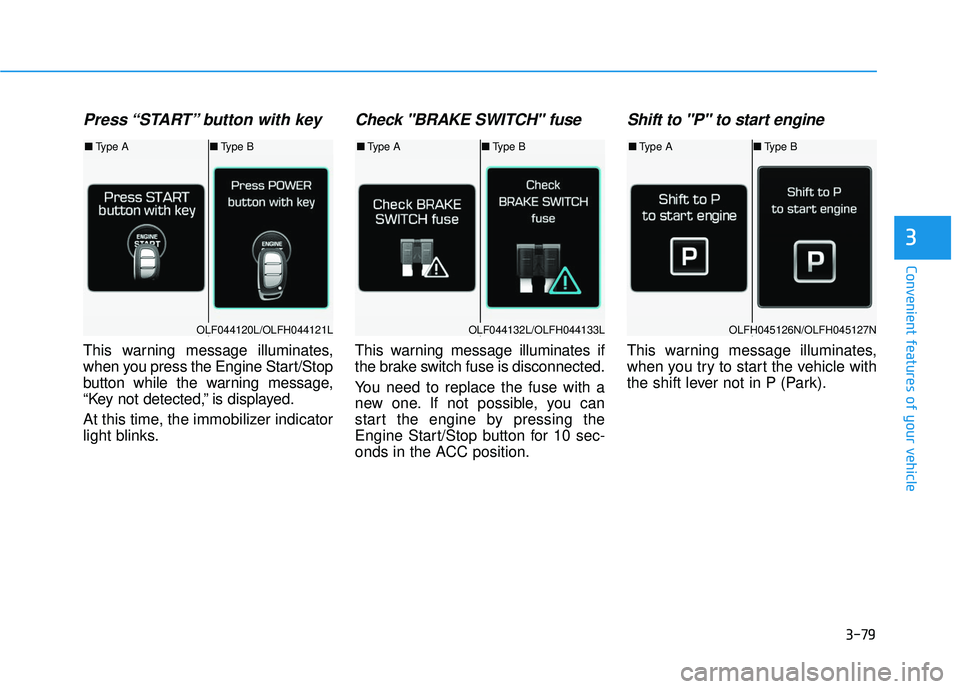
Press “START” button with key
This warning message illuminates,
when you press the Engine Start/Stop
button while the warning message,
“Key not detected,” is displayed.
At this time, the immobilizer indicator
light blinks.
Check "BRAKE SWITCH" fuse
This warning message illuminates if
the brake switch fuse is disconnected.
You need to replace the fuse with a
new one. If not possible, you can
start the engine by pressing the
Engine Start/Stop button for 10 sec-
onds in the ACC position.
Shift to "P" to start engine
This warning message illuminates,
when you try to start the vehicle with
the shift lever not in P (Park).
OLF044120L/OLFH044121LOLF044132L/OLFH044133LOLFH045126N/OLFH045127N
■Type A ■Type B■Type A ■Type B■Type A ■Type B
Page 177 of 708
3-82
Convenient features of your vehicle
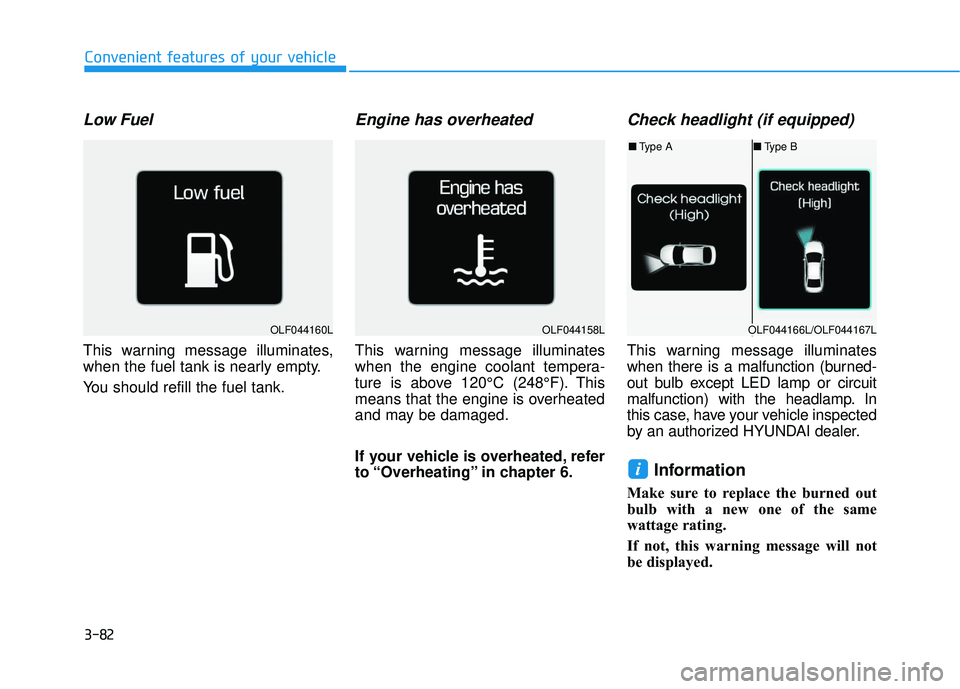
Low Fuel
This warning message illuminates,
when the fuel tank is nearly empty.
You should refill the fuel tank.
Engine has overheated
This warning message illuminates
when the engine coolant tempera-
ture is above 120°C (248°F). This
means that the engine is overheated
and may be damaged.
If your vehicle is overheated, refer
to “Overheating” in chapter 6.
Check headlight (if equipped)
This warning message illuminates
when there is a malfunction (burned-
out bulb except LED lamp or circuit
malfunction) with the headlamp. In
this case, have your vehicle inspected
by an authorized HYUNDAI dealer.
Information
Make sure to replace the burned out
bulb with a new one of the same
wattage rating.
If not, this warning message will not
be displayed.
i
OLF044160LOLF044158LOLF044166L/OLF044167L
■Type A ■Type B
Page 190 of 708
3-95
Convenient features of your vehicle
3
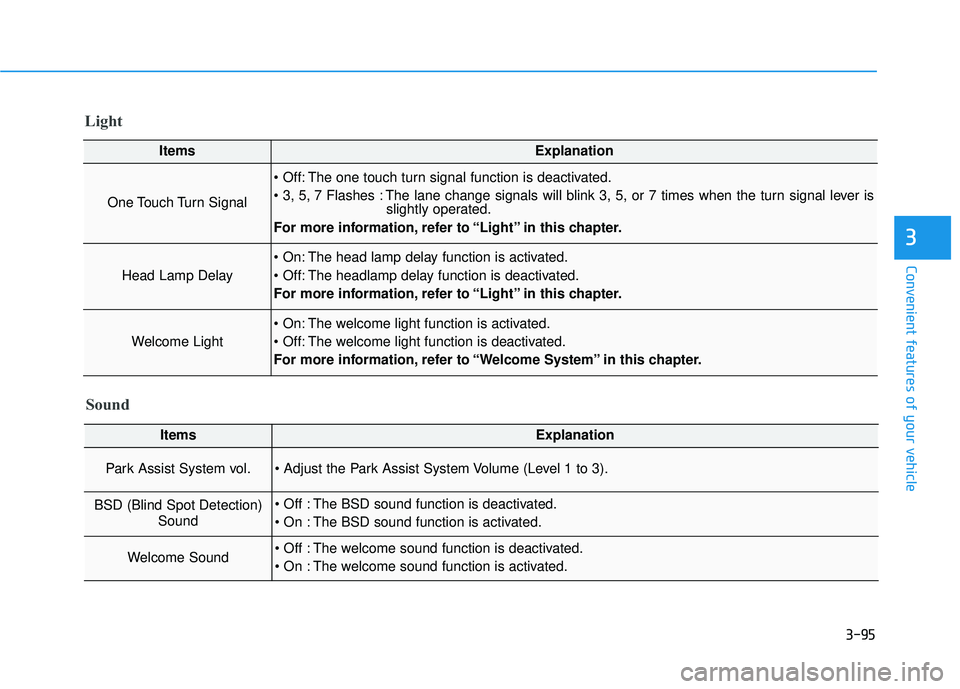
Light
ItemsExplanation
One Touch Turn Signal
The one touch turn signal function is deactivated.
The lane change signals will blink 3, 5, or 7 times when the turn signal lever isslightly operated.
For more information, refer to “Light” in this chapter.
Head Lamp Delay
The head lamp delay function is activated.
The headlamp delay function is deactivated.
For more information, refer to “Light” in this chapter.
Welcome Light
The welcome light function is activated.
The welcome light function is deactivated.
For more information, refer to “Welcome System” in this chapter.
Sound
ItemsExplanation
Park Assist System vol.
BSD (Blind Spot Detection) Sound The BSD sound function is deactivated.
The BSD sound function is activated.
Welcome Sound The welcome sound function is deactivated.
The welcome sound function is activated.
Page 192 of 708
3-97
Convenient features of your vehicle
3
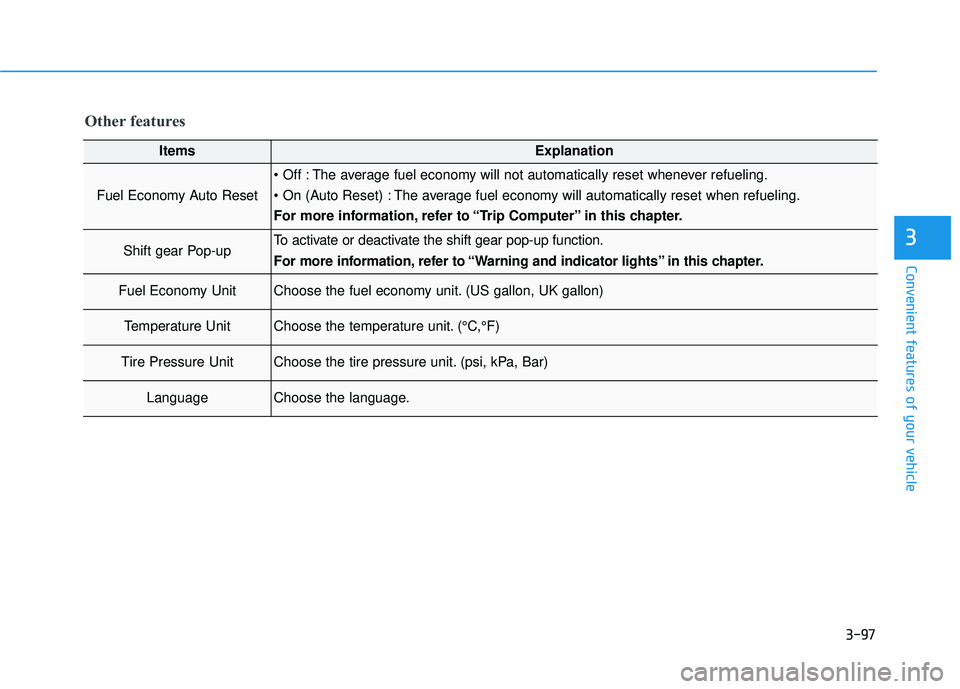
Other features
ItemsExplanation
Fuel Economy Auto Reset
The average fuel economy will not automatically reset whenever refueling.
The average fuel economy will automatically reset when refueling.
For more information, refer to “Trip Computer” in this chapter.
Shift gear Pop-upTo activate or deactivate the shift gear pop-up function.
For more information, refer to “Warning and indicator lights” in this chapter.
Fuel Economy UnitChoose the fuel economy unit. (US gallon, UK gallon)
Temperature UnitChoose the temperature unit. (°C,°F)
Tire Pressure UnitChoose the tire pressure unit. (psi, kPa, Bar)
LanguageChoose the language.
Page 202 of 708
3-107
Convenient features of your vehicle
3
L
LI
IG
G H
H T
T
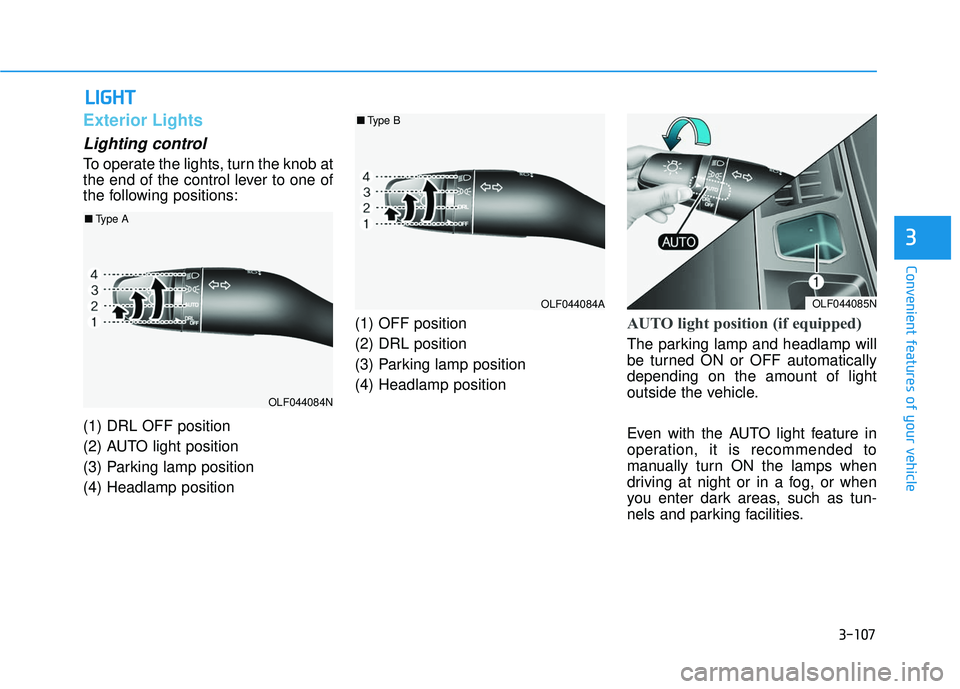
Exterior Lights
Lighting control
To operate the lights, turn the knob at
the end of the control lever to one of
the following positions:
(1) DRL OFF position
(2) AUTO light position
(3) Parking lamp position
(4) Headlamp position (1) OFF position
(2) DRL position
(3) Parking lamp position
(4) Headlamp position
AUTO light position (if equipped)
The parking lamp and headlamp will
be turned ON or OFF automatically
depending on the amount of light
outside the vehicle.
Even with the AUTO light feature in
operation, it is recommended to
manually turn ON the lamps when
driving at night or in a fog, or when
you enter dark areas, such as tun-
nels and parking facilities.
OLF044085N
OLF044084N
OLF044084A
■
Type A
■Type B
Page 203 of 708
3-108
Convenient features of your vehicle
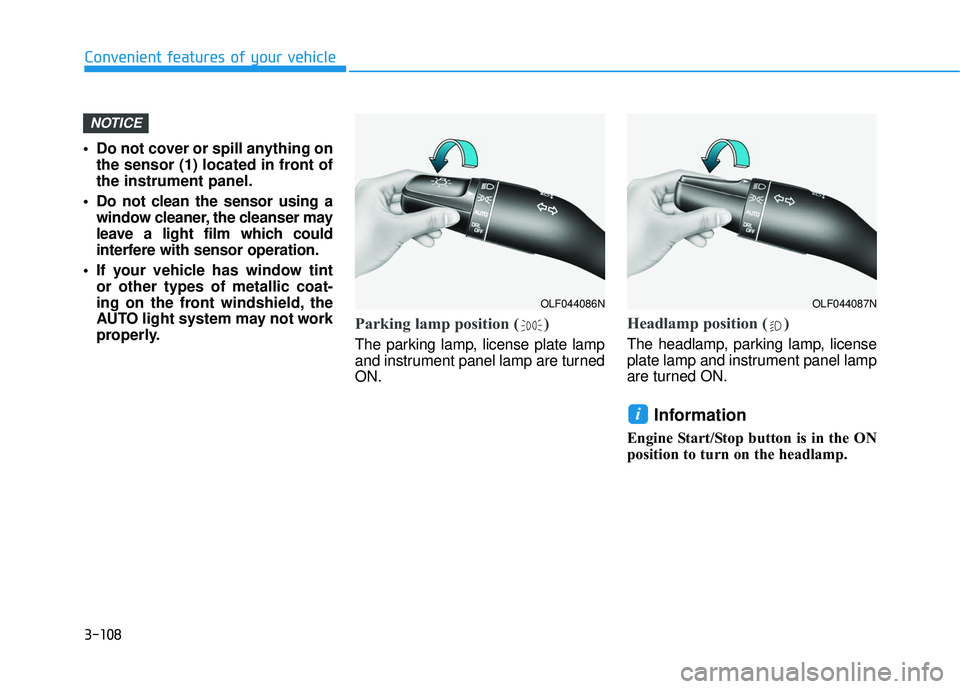
Do not cover or spill anything on the sensor (1) located in front of
the instrument panel.
Do not clean the sensor using a window cleaner, the cleanser may
leave a light film which could
interfere with sensor operation.
If your vehicle has window tint or other types of metallic coat-
ing on the front windshield, the
AUTO light system may not work
properly.
Parking lamp position ( )
The parking lamp, license plate lamp
and instrument panel lamp are turned
ON.
Headlamp position ( )
The headlamp, parking lamp, license
plate lamp and instrument panel lamp
are turned ON.
Information
Engine Start/Stop button is in the ON
position to turn on the headlamp.
i
NOTICE
OLF044086NOLF044087N
Page 204 of 708
3-109
Convenient features of your vehicle
3
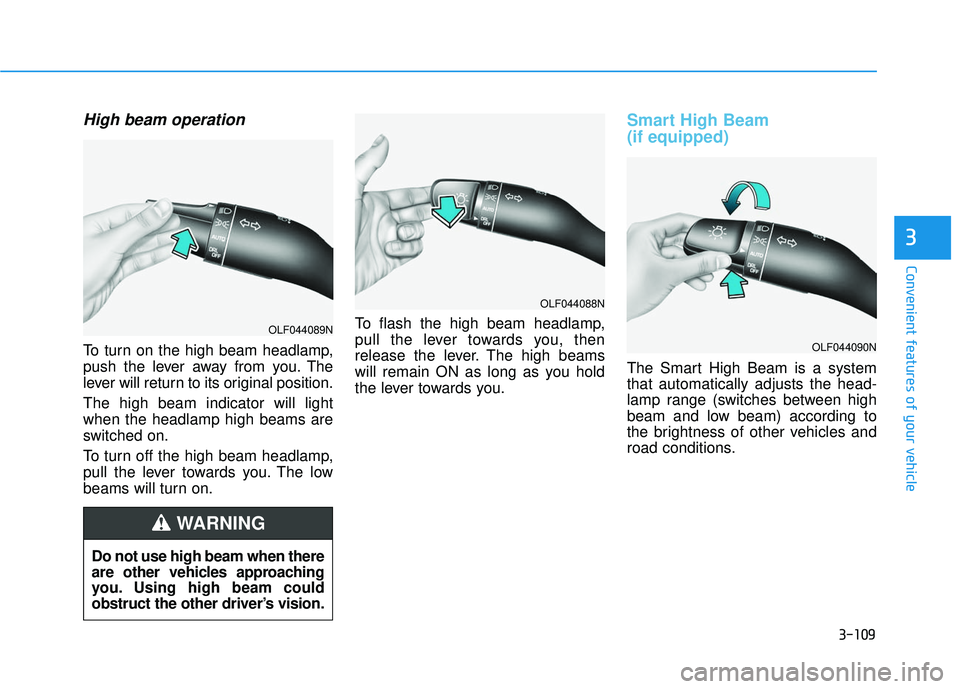
High beam operation
To turn on the high beam headlamp,
push the lever away from you. The
lever will return to its original position.
The high beam indicator will light
when the headlamp high beams are
switched on.
To turn off the high beam headlamp,
pull the lever towards you. The low
beams will turn on.To flash the high beam headlamp,
pull the lever towards you, then
release the lever. The high beams
will remain ON as long as you hold
the lever towards you.
Smart High Beam
(if equipped)
The Smart High Beam is a system
that automatically adjusts the head-
lamp range (switches between high
beam and low beam) according to
the brightness of other vehicles and
road conditions.
OLF044088N
OLF044090N
Do not use high beam when there
are other vehicles approaching
you. Using high beam could
obstruct the other driver’s vision.
WARNING
OLF044089N
Page 205 of 708
3-110
Convenient features of your vehicle
Operating condition
1. Place the light switch in the AUTOposition.
2. Turn on the high beam by pushing the lever away from you.
The smart high beam ( ) indica- tor will illuminate.
3. The Smart High Beam will turn on when vehicle speed is above 28
mph (45km/h).
the Smart High Beam is operating,
the Smart High Beam will turn off
and the high beam will be on con-
tinuously. The smarthigh beam
( ) indicator will turn off.
when the Smart High Beam is
operating, the Smart High Beam
will turn off.
4. If the light switch is placed to the headlamp position, the Smart
High Beam will turn off and the low
beam will be on continuously. The high beam switches to low beam
in the below conditions.
- When the Smart High Beam is off.
- When the light switch is not in the
AUTO position.
- When the headlamp is detected from the on-coming vehicle.
- When the tail lamp is detected from the front vehicle.
- When the surrounding is bright enough high beams are not need-
ed.
- When streetlights or other lights are detected.
- When vehicle speed is below 18 mph (35km/h).
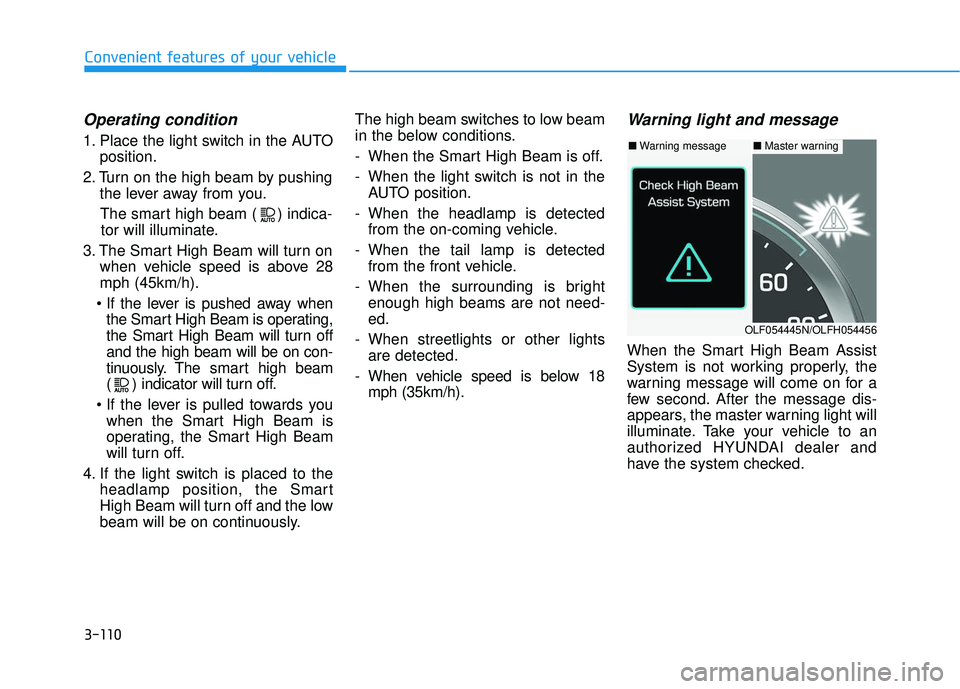
Warning light and message
When the Smart High Beam Assist
System is not working properly, the
warning message will come on for a
few second. After the message dis-
appears, the master warning light will
illuminate. Take your vehicle to an
authorized HYUNDAI dealer and
have the system checked.
■ Warning message■ Master warning
OLF054445N/OLFH054456