brake HYUNDAI SONATA LIMITED 2021 Manual PDF
[x] Cancel search | Manufacturer: HYUNDAI, Model Year: 2021, Model line: SONATA LIMITED, Model: HYUNDAI SONATA LIMITED 2021Pages: 546, PDF Size: 51.21 MB
Page 341 of 546
06
6-57
ODN8H060228N
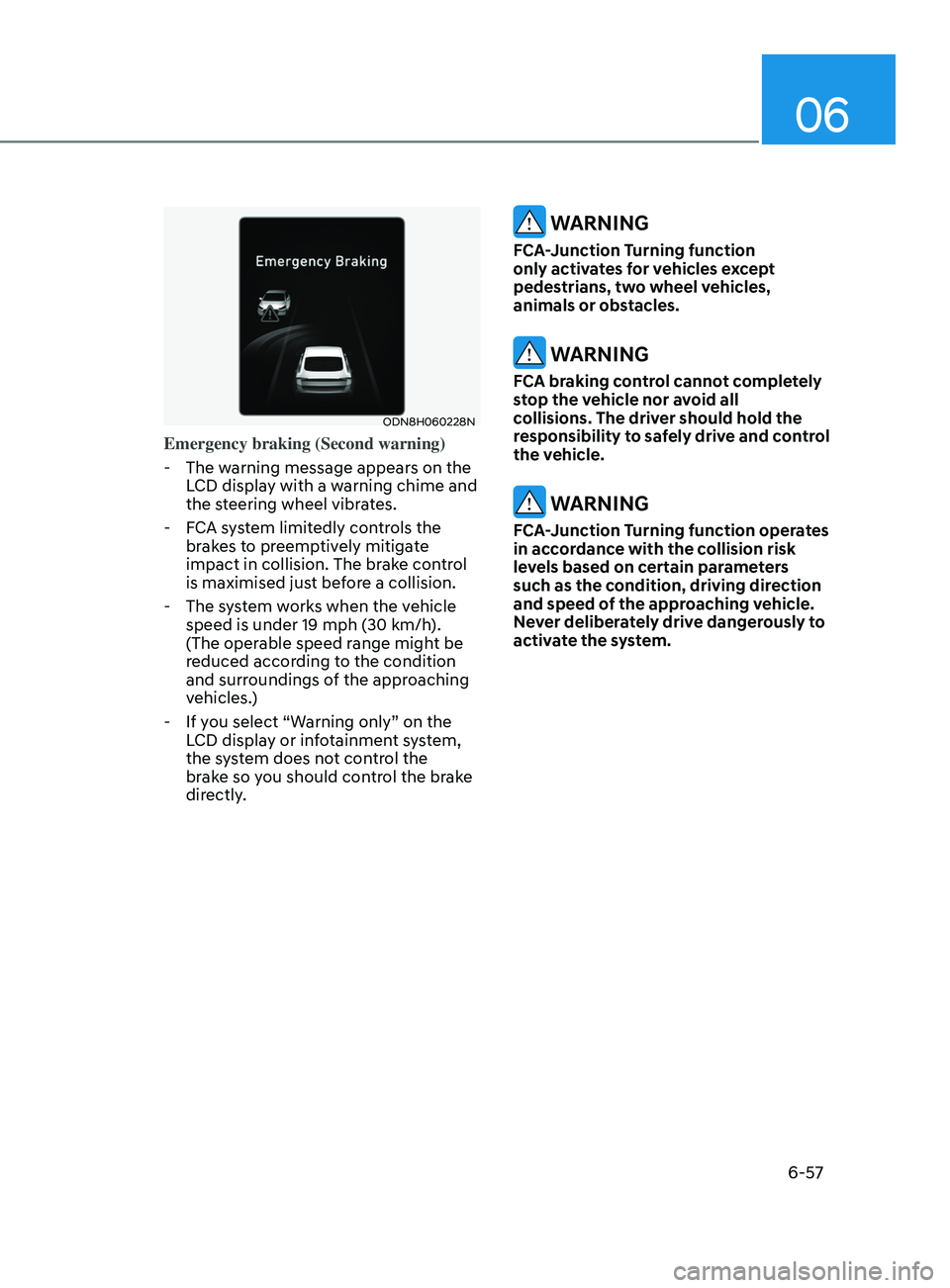
Emergency braking (Second warning)
- The w
arning message appears on the
LCD display with a warning chime and
the steering wheel vibrates.
- F
CA system limitedly controls the
brakes to preemptively mitigate
impact in collision. The brake control
is maximised just before a collision.
- The s
ystem works when the vehicle
speed is under 19 mph (30 km/h).
(The operable speed range might be
reduced according to the condition
and surroundings of the approaching
vehicles.)
- If y
ou select “Warning only” on the
LCD display or infotainment system,
the system does not control the
brake so you should control the brake
directly.
WARNING
FCA-Junction Turning function
only activates for vehicles except
pedestrians, two wheel vehicles,
animals or obstacles.
WARNING
FCA braking control cannot completely
stop the vehicle nor avoid all
collisions. The driver should hold the
responsibility to safely drive and control
the vehicle.
WARNING
FCA-Junction Turning function operates
in accordance with the collision risk
levels based on certain parameters
such as the condition, driving direction
and speed of the approaching vehicle.
Never deliberately drive dangerously to
activate the system.
Page 348 of 546
6-64
Warning Light and Message
•„Type A•„Type B
OIK057121NOIK057122N
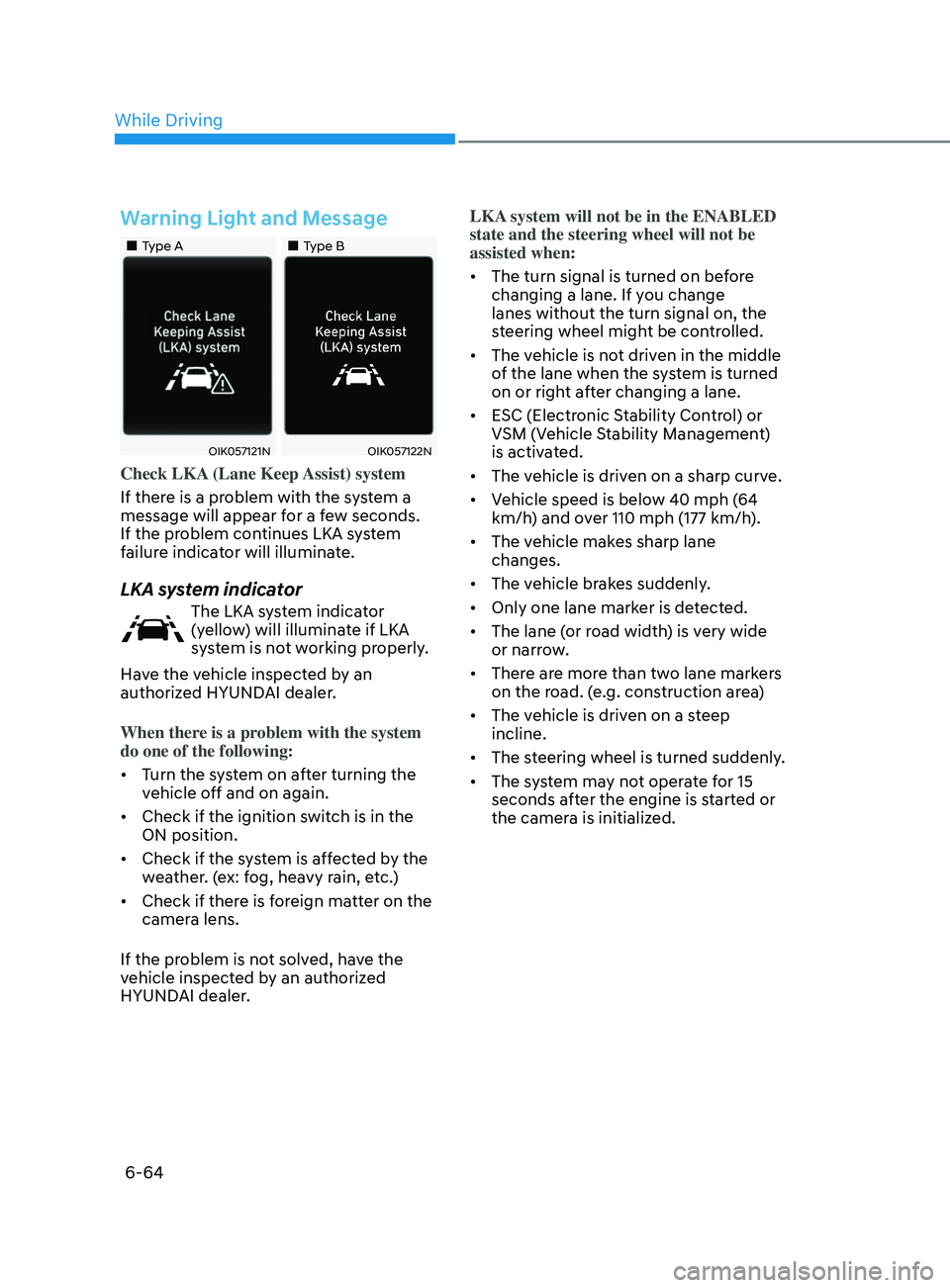
Check LKA (Lane Keep Assist) system
If there is a problem with the system a
message will appear for a few seconds.
If the problem continues LKA system
failure indicator will illuminate.
LKA system indicator
The LKA system indicator
(yellow) will illuminate if LKA
system is not working properly.
Have the vehicle inspected by an
authorized HYUNDAI dealer.
When there is a problem with the system
do one of the following:
• Turn the system on after turning the
vehicle off and on again.
• Check if the ignition switch is in the
ON position.
• Check if the system is affected by the
weather. (ex: fog, heavy rain, etc.)
• Check if there is foreign matter on the
camera lens.
If the problem is not solved, have the
vehicle inspected by an authorized
HYUNDAI dealer. LKA system will not be in the ENABLED
state and the steering wheel will not be
assisted when:
•
The turn signal is turned on before
changing a lane. If you change
lanes without the turn signal on, the
steering wheel might be controlled.
• The vehicle is not driven in the middle
of the lane when the system is turned
on or right after changing a lane.
• ESC (Electronic Stability Control) or
VSM (Vehicle Stability Management)
is activated.
• The vehicle is driven on a sharp curve.
• Vehicle speed is below 40 mph (64
km/h) and over 110 mph (177 km/h).
• The vehicle makes sharp lane
changes.
• The vehicle brakes suddenly.
• Only one lane marker is detected.
• The lane (or road width) is very wide
or narrow.
• There are more than two lane markers
on the road. (e.g. construction area)
• The vehicle is driven on a steep
incline.
• The steering wheel is turned suddenly.
• The system may not operate for 15
seconds after the engine is started or
the camera is initialized.
While Driving
Page 360 of 546
6 -76
• While going down or up a steep
road where the height of the lane is
different.
• Driving on a narrow road where trees
or grass or overgrown.
• Driving in rural areas where the sensor
does not detect another vehicle or
structure for an extended period of
time.
• Driving on a wet road.
• Driving on a road where the guardrail
or wall is in double structure.
• A big vehicle is near such as a bus or
truck.
• When the other vehicle approaches
very close.
• When the other vehicle passes at a
very fast speed.
• While changing lanes.
• If the vehicle has started at the same
time as the vehicle next to you and
has accelerated.
• When the vehicle in the next lane
moves two lanes away from you OR
when the vehicle two lanes away
moves to the next lane from you.
• A motorcycle or bicycle is near.
• A flat trailer is near.
• If there are small objects in the
detecting area such as a shopping
cart or a baby stroller. •
If there is a low height vehicle such as
a sports car.
• The brake pedal is depressed.
• ESC (Electronic Stability Control) is
activated.
• ESC (Electronic Stability Control)
malfunctions.
• The tire pressure is low or a tire is
damaged.
• The brake is reworked.
• The vehicle abruptly changes driving
direction.
• The vehicle makes sharp lane
changes.
• The vehicle sharply stops.
• Temperature is extremely low around
the vehicle.
• The vehicle severely vibrates while
driving over a bumpy road, uneven/
bumpy road, or concrete patch.
• The vehicle drives on a slippery
surface due to snow, water puddle,
or ice.
• Lane Keeping Assist does not operate
normally. (if equipped)
• For more information, refer to “Lane
Keeping Assist (LKA)” in this chapter.
While Driving
Page 379 of 546
06
6-95
ODN8A069211
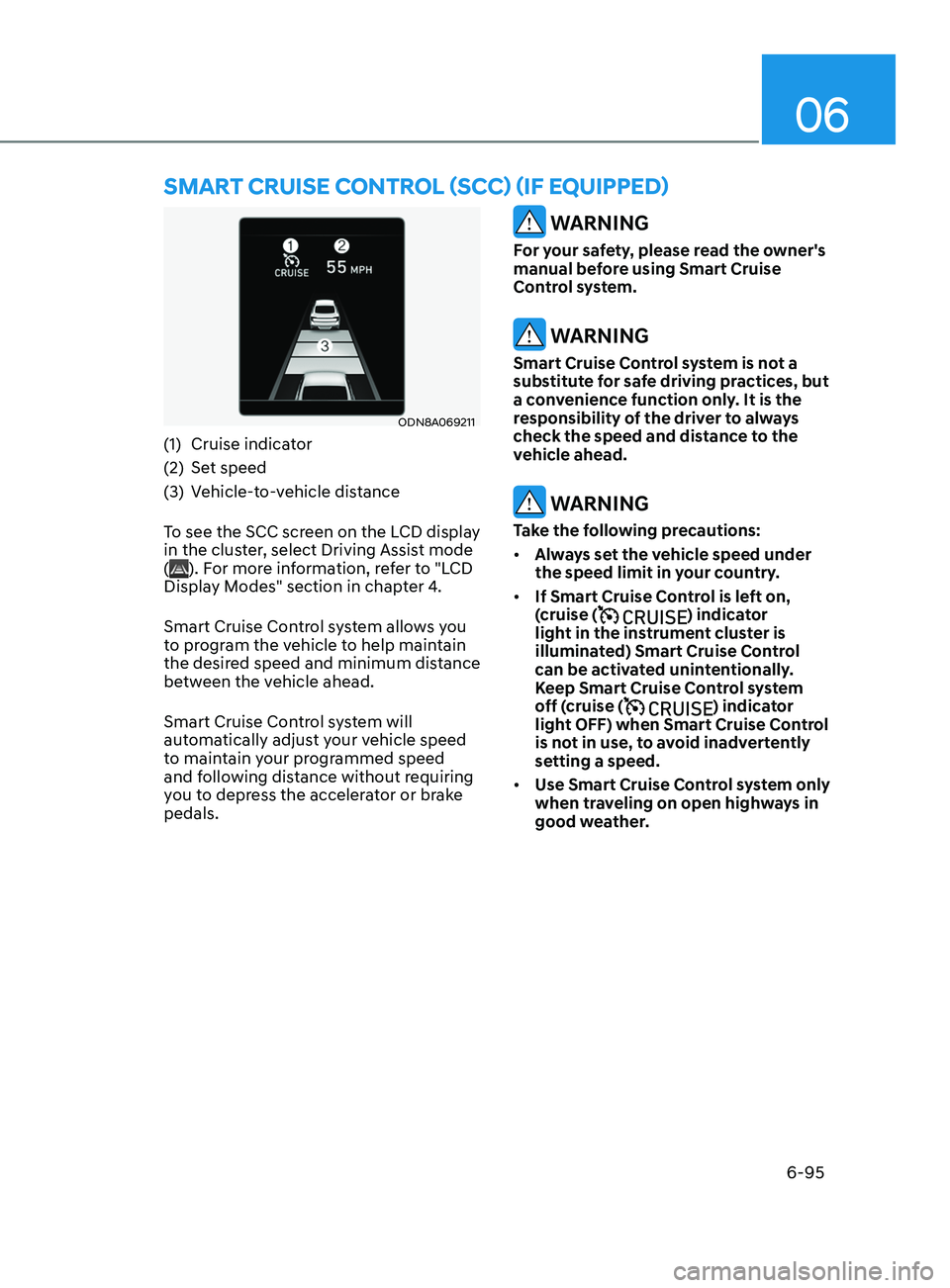
(1) Cruise indicator
(2)
Se
t speed
(3)
V
ehicle-to-vehicle distance
To see the SCC screen on the LCD display
in the cluster, select Driving Assist mode
(
). For more information, refer to "LCD
Display Modes" section in chapter 4.
Smart Cruise Control system allows you
to program the vehicle to help maintain
the desired speed and minimum distance
between the vehicle ahead.
Smart Cruise Control system will
automatically adjust your vehicle speed
to maintain your programmed speed
and following distance without requiring
you to depress the accelerator or brake
pedals.
WARNING
For your safety, please read the owner's
manual before using Smart Cruise
Control system.
WARNING
Smart Cruise Control system is not a
substitute for safe driving practices, but
a convenience function only. It is the
responsibility of the driver to always
check the speed and distance to the
vehicle ahead.
WARNING
Take the following precautions:
• Always set the vehicle speed under
the speed limit in your country.
• If Smart Cruise Control is left on,
(cruise (
) indicator
light in the instrument cluster is
illuminated) Smart Cruise Control
can be activated unintentionally.
Keep Smart Cruise Control system
off (cruise (
) indicator
light OFF) when Smart Cruise Control
is not in use, to avoid inadvertently
setting a speed.
• Use Smart Cruise Control system only
when traveling on open highways in
good weather.
Smart CruISe Contr ol (SCC) ( I f equ I pped)
Page 380 of 546
6-96
• Do not use Smart Cruise Control
when it may not be safe to keep the
vehicle at a constant speed:
-When driving in hea
vy traffic or
when traffic conditions make it
difficult to drive at a constant
speed
- When driving on r
ainy, icy, or
snow-covered roads
- When driving on a s
teep downhill
or uphill
- When driving in windy ar
eas
-When driving in parking lo
ts
-When driving near cr
ash barriers
-When driving on a sharp curv
e
-When driving with limit
ed view
(possibly due to bad weather, such
as fog, snow, rain or sandstorm)
- When the v
ehicle sensing
ability decreases due to vehicle
modification resulting level
difference of the vehicle's front
and rear
• Unexpected situations may lead to
possible accidents. Pay attention
continuously to road conditions
and driving even when smart cruise
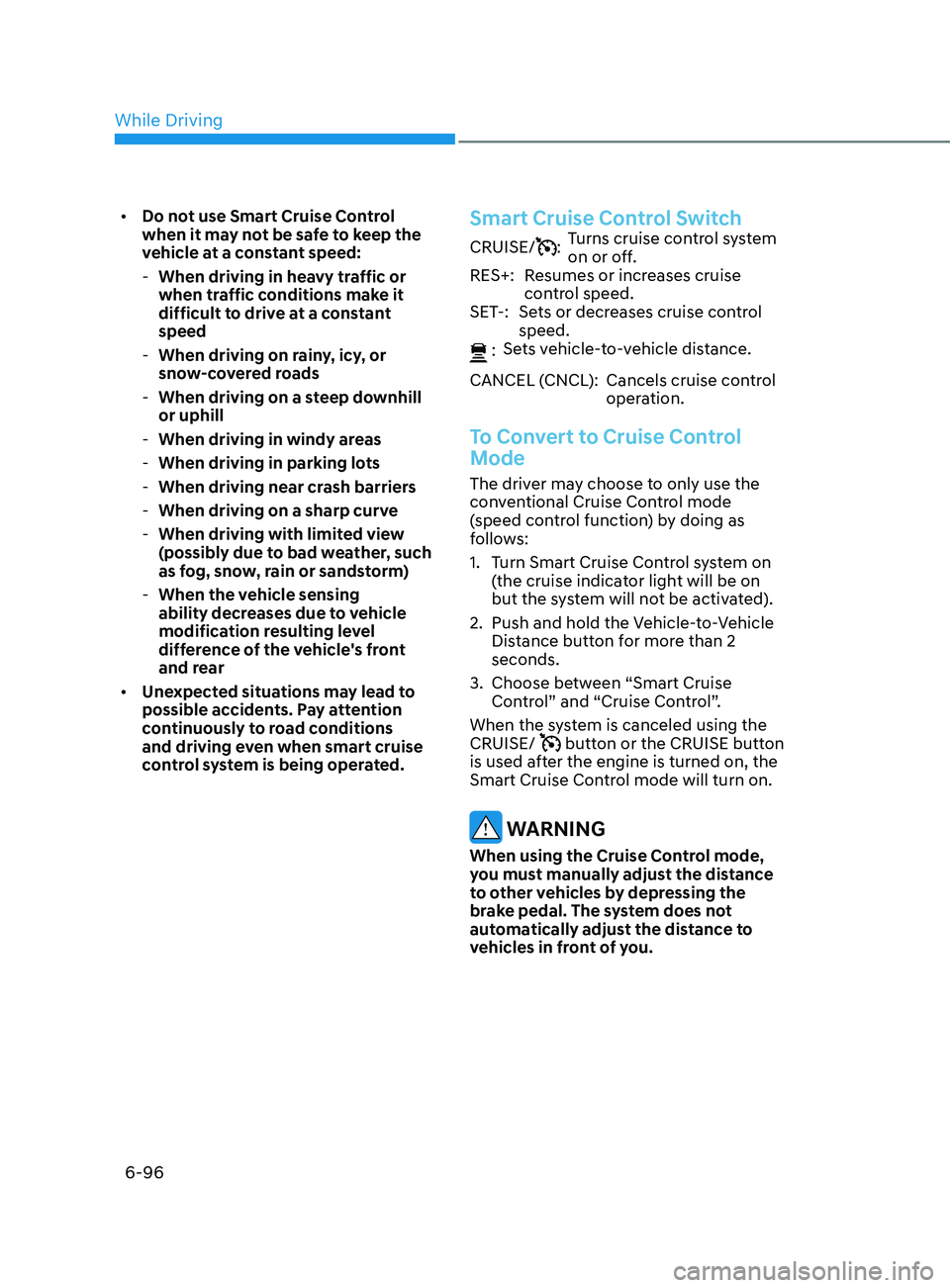
control system is being operated.Smart Cruise Control Switch
CRUISE/:Turns cruise control system
on or off.
RES+: Resumes or increases cruise control speed.
SET-: Sets or decreases cruise control speed.
:
Sets vehicle-to-vehicle distance.
CANCEL (CNCL): Cancels cruise control operation.
To Convert to Cruise Control
Mode
The driver may choose to only use the
conventional Cruise Control mode
(speed control function) by doing as
follows:
1.
T
urn Smart Cruise Control system on
(the cruise indicator light will be on
but the system will not be activated).
2.
Push and hold the V
ehicle-to-Vehicle
Distance button for more than 2
seconds.
3.
Choose be
tween “Smart Cruise
Control” and “Cruise Control”.
When the system is canceled using the
CRUISE/
button or the CRUISE button
is used after the engine is turned on, the
Smart Cruise Control mode will turn on.
WARNING
When using the Cruise Control mode,
you must manually adjust the distance
to other vehicles by depressing the
brake pedal. The system does not
automatically adjust the distance to
vehicles in front of you.
While Driving
Page 383 of 546
06
6-99
To temporarily accelerate with
Smart Cruise Control on
If you want to speed up temporarily
when Smart Cruise Control is on, depress
the accelerator pedal. Increased speed
will not interfere with Smart Cruise
Control operation or change the set
speed.
To return to the set speed, take your foot
off the accelerator pedal.
If you push the toggle switch down
(SET-) at increased speed, the set speed
is updated.
Information
Be careful when accelerating temporarily,
because the speed is not controlled
automatically at this time even if there is a
vehicle in front of you.
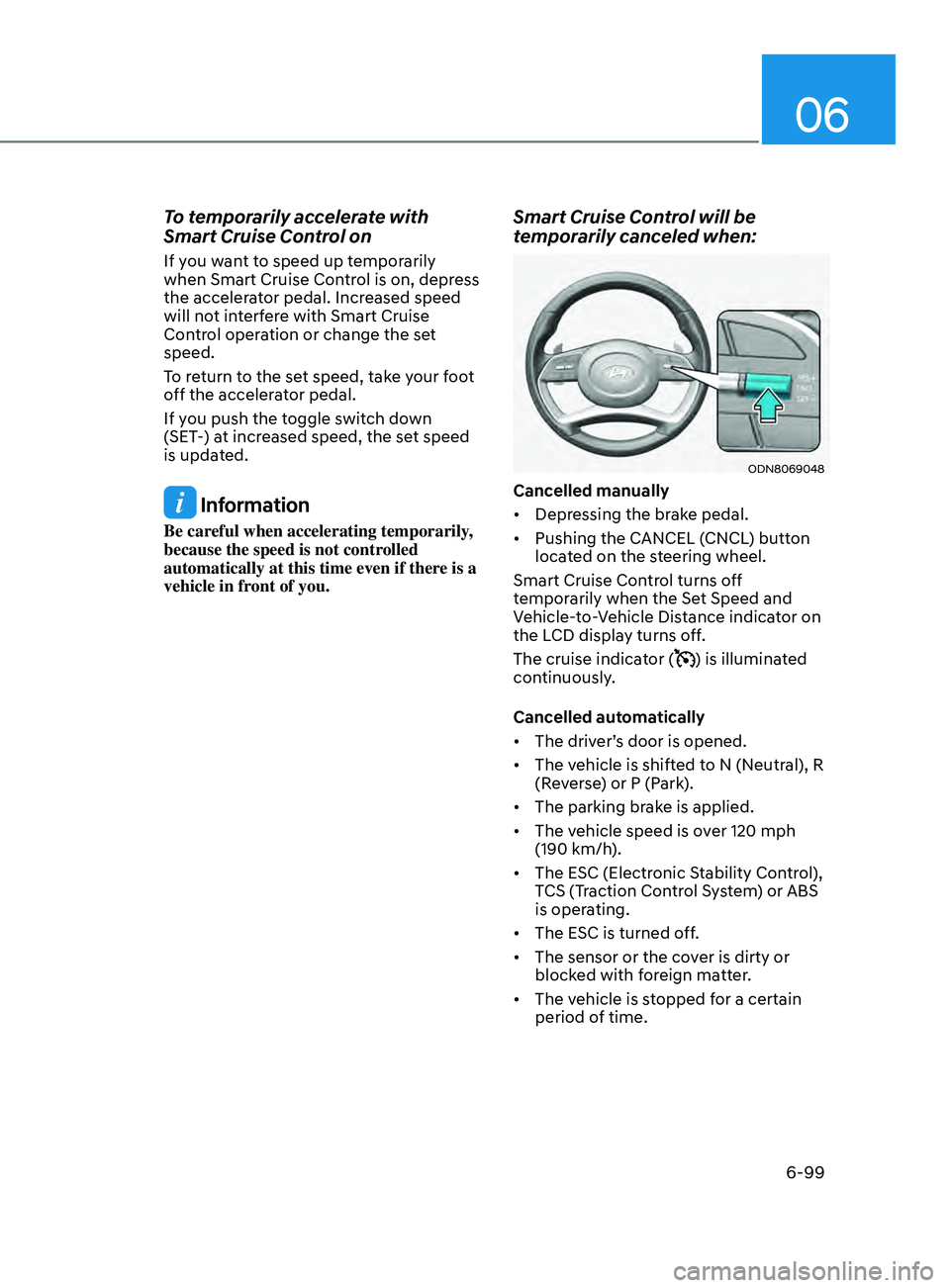
Smart Cruise Control will be
temporarily canceled when:
ODN8069048
Cancelled manually
• Depressing the brake pedal.
• Pushing the CANCEL (CNCL) button
located on the steering wheel.
Smart Cruise Control turns off
temporarily when the Set Speed and
Vehicle-to-Vehicle Distance indicator on
the LCD display turns off.
The cruise indicator (
) is illuminated
continuously.
Cancelled automatically
• The driver’s door is opened.
• The vehicle is shifted to N (Neutral), R
(Reverse) or P (Park).
• The parking brake is applied.
• The vehicle speed is over 120 mph
(190 km/h).
• The ESC (Electronic Stability Control),
TCS (Traction Control System) or ABS
is operating.
• The ESC is turned off.
• The sensor or the cover is dirty or
blocked with foreign matter.
• The vehicle is stopped for a certain
period of time.
Page 384 of 546
6-100
• The vehicle is stopped for more than
5 minutes.
• The vehicle stops and goes repeatedly
for a long period of time.
• The accelerator pedal is continuously
depressed for a long period of time.
• The accelerator pedal is continuously
depressed for more than one minute.
• The engine performance is abnormal.
• Engine rpm is in the red zone.
• The driver starts driving by pushing
the toggle switch up (RES+)/down
(SET-) or depressing the accelerator
pedal, after the vehicle is stopped by
Smart Cruise Control system with no
other vehicle ahead.
• The driver starts driving by pushing
the toggle switch up (RES+)/down
(SET-) or depressing the accelerator
pedal, after stopping the vehicle with
a vehicle stopped far away in front.
• Forward Collision-Avoidance Assist is
activated.
• The engine speed is in dangerous
range.
• When engine is stopped by ISG (Idle
Stop & Go).
Each of these actions will cancel the
Smart Cruise Control operation. The Set
Speed and Vehicle-to-Vehicle Distance
on the LCD display will go off.
In a condition Smart Cruise Control is
cancelled automatically, Smart Cruise
Control will not resume even though the
RES+ or SET- toggle switch is pushed. Information
If Smart Cruise Control is cancelled by
other than the reasons mentioned, have
the vehicle inspected by an authorized
HYUNDAI dealer.
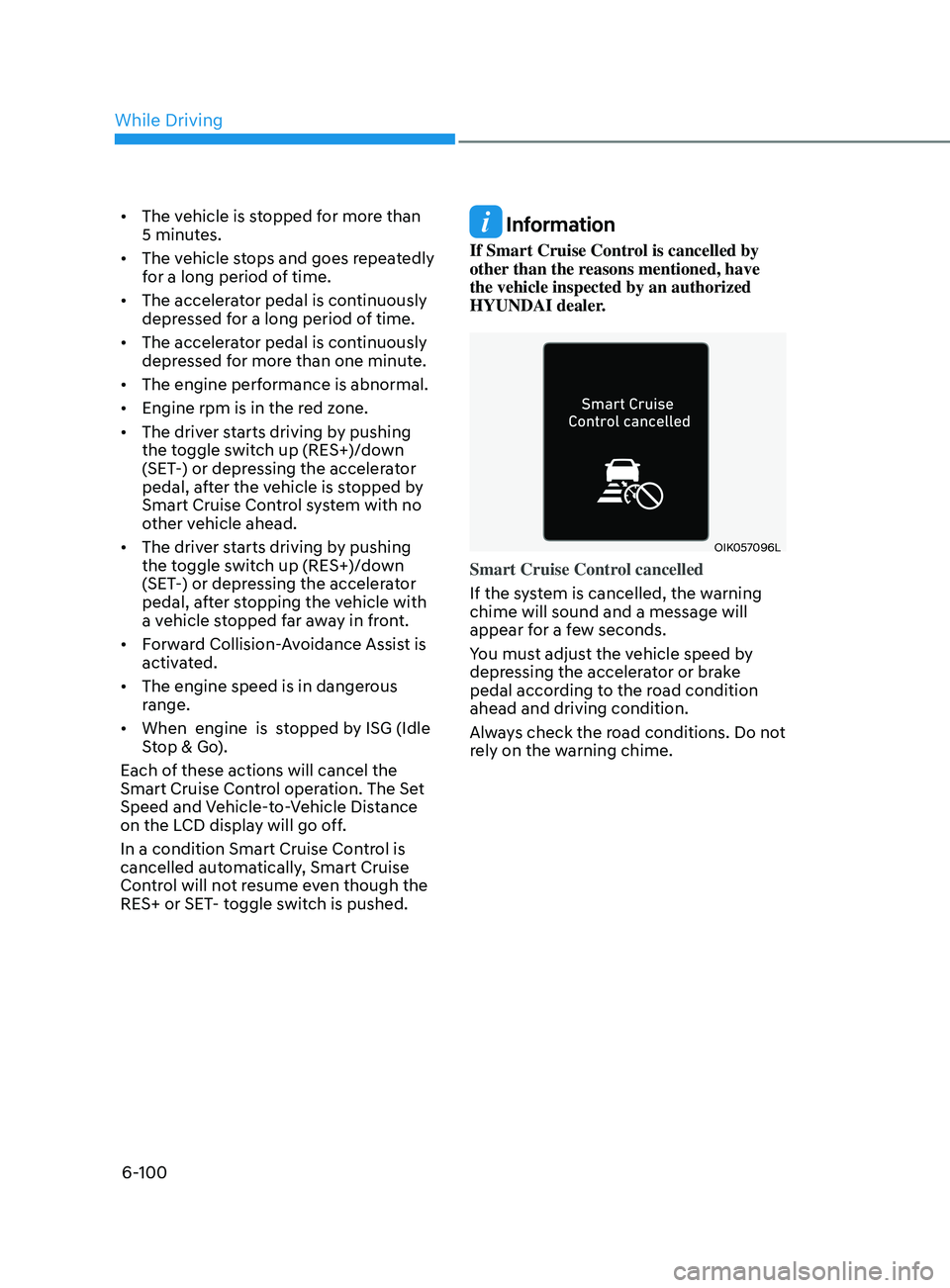
OIK057096L
Smart Cruise Control cancelled
If the system is cancelled, the warning
chime will sound and a message will
appear for a few seconds.
You must adjust the vehicle speed by
depressing the accelerator or brake
pedal according to the road condition
ahead and driving condition.
Always check the road conditions. Do not
rely on the warning chime.
While Driving
Page 387 of 546
06
6-103
Smart Cruise Control Vehicle-to-
Vehicle Distance
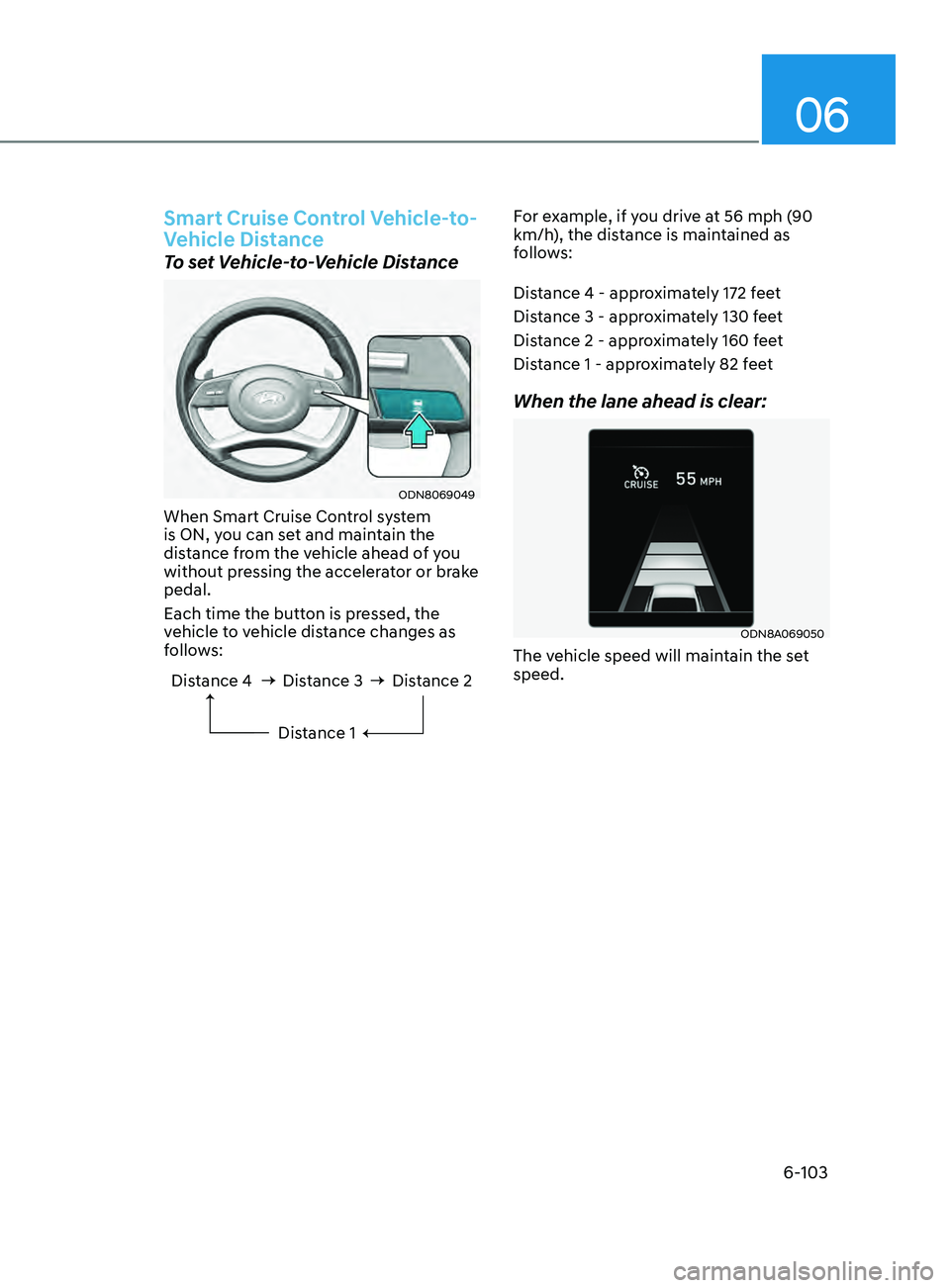
To set Vehicle-to-Vehicle Distance
ODN8069049
When Smart Cruise Control system
is ON, you can set and maintain the
distance from the vehicle ahead of you
without pressing the accelerator or brake
pedal.
Each time the button is pressed, the
vehicle to vehicle distance changes as
follows:
Distance 4 Distance 3Distance 1Distance 2
For example, if you drive at 56 mph (90
km/h), the distance is maintained as
follows:
Distance 4 - approximately 172 feet
Distance 3 - approximately 130 feet
Distance 2 - approximately 160 feet
Distance 1 - approximately 82 feet
When the lane ahead is clear:
ODN8A069050
The vehicle speed will maintain the set
speed.
Page 388 of 546
6-104
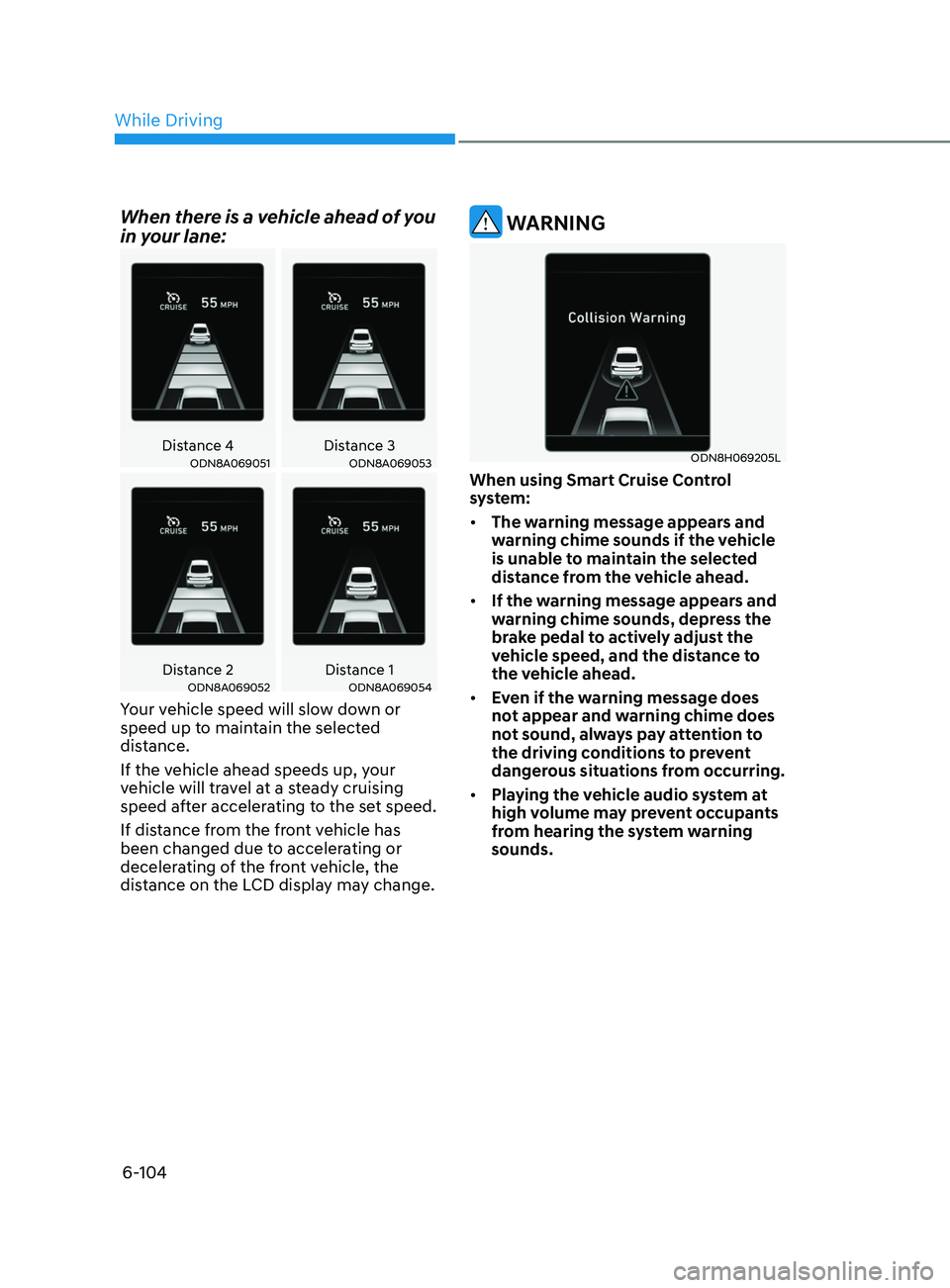
When there is a vehicle ahead of you
in your lane:
Distance 4Distance 3ODN8A069051ODN8A069053
Distance 2 Distance 1ODN8A069052ODN8A069054
Your vehicle speed will slow down or
speed up to maintain the selected
distance.
If the vehicle ahead speeds up, your
vehicle will travel at a steady cruising
speed after accelerating to the set speed.
If distance from the front vehicle has
been changed due to accelerating or
decelerating of the front vehicle, the
distance on the LCD display may change.
WARNING
ODN8H069205L
When using Smart Cruise Control
system:
• The warning message appears and
warning chime sounds if the vehicle
is unable to maintain the selected
distance from the vehicle ahead.
• If the warning message appears and
warning chime sounds, depress the
brake pedal to actively adjust the
vehicle speed, and the distance to
the vehicle ahead.
• Even if the warning message does
not appear and warning chime does
not sound, always pay attention to
the driving conditions to prevent
dangerous situations from occurring.
• Playing the vehicle audio system at
high volume may prevent occupants
from hearing the system warning
sounds.
While Driving
Page 389 of 546
06
6-105
CAUTION
ODN8A069212
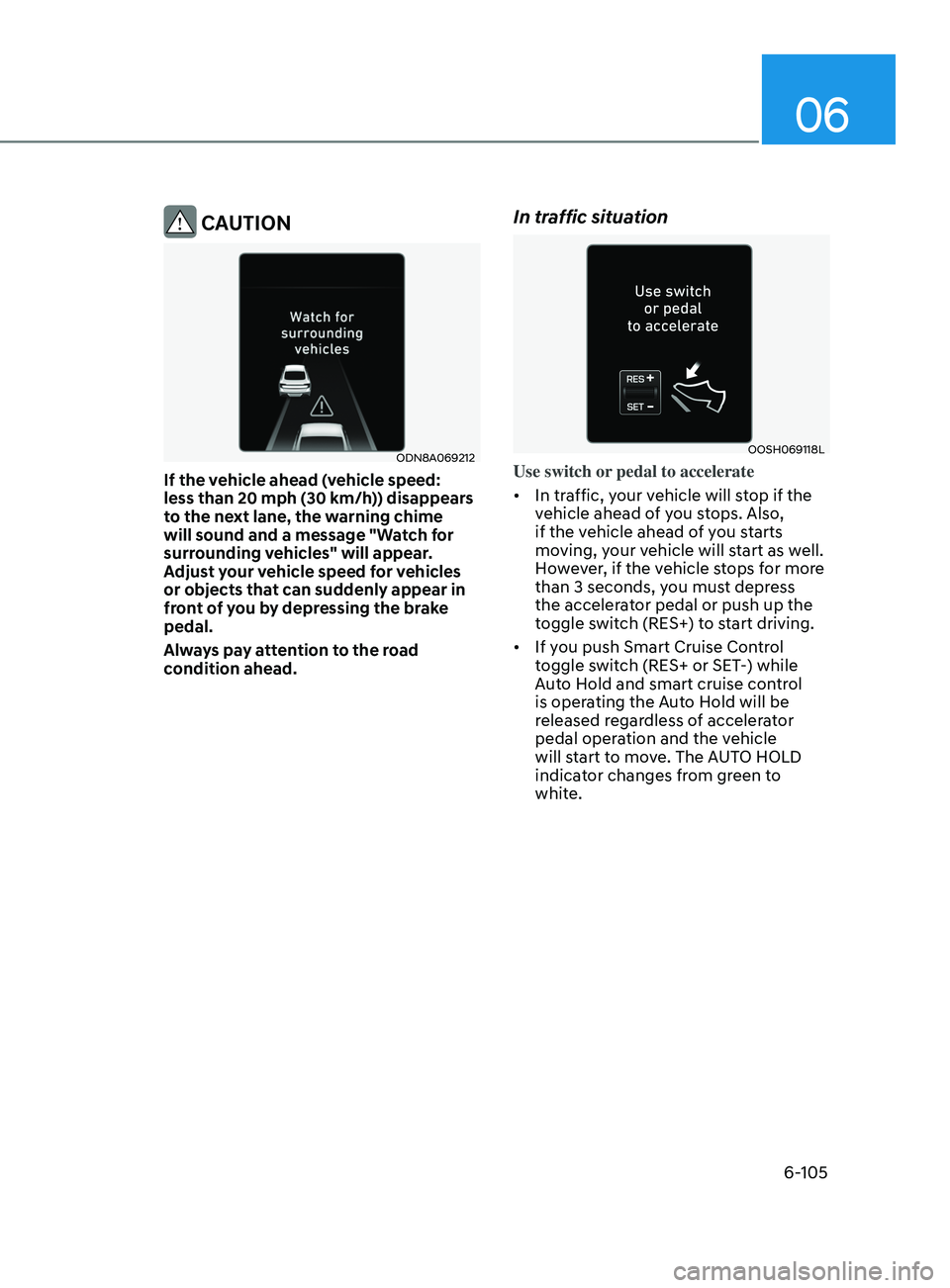
If the vehicle ahead (vehicle speed:
less than 20 mph (30 km/h)) disappears
to the next lane, the warning chime
will sound and a message "Watch for
surrounding vehicles" will appear.
Adjust your vehicle speed for vehicles
or objects that can suddenly appear in
front of you by depressing the brake
pedal.
Always pay attention to the road
condition ahead.
In traffic situation
OOSH069118L
Use switch or pedal to accelerate
• In traffic, your vehicle will stop if the
vehicle ahead of you stops. Also,
if the vehicle ahead of you starts
moving, your vehicle will start as well.
However, if the vehicle stops for more
than 3 seconds, you must depress
the accelerator pedal or push up the
toggle switch (RES+) to start driving.
• If you push Smart Cruise Control
toggle switch (RES+ or SET-) while
Auto Hold and smart cruise control
is operating the Auto Hold will be
released regardless of accelerator
pedal operation and the vehicle
will start to move. The AUTO HOLD
indicator changes from green to
white.