engine Hyundai Sonata Plug-in Hybrid 2017 Repair Manual
[x] Cancel search | Manufacturer: HYUNDAI, Model Year: 2017, Model line: Sonata Plug-in Hybrid, Model: Hyundai Sonata Plug-in Hybrid 2017Pages: 744, PDF Size: 27.87 MB
Page 172 of 744
3-85
Convenient features of your vehicle
3
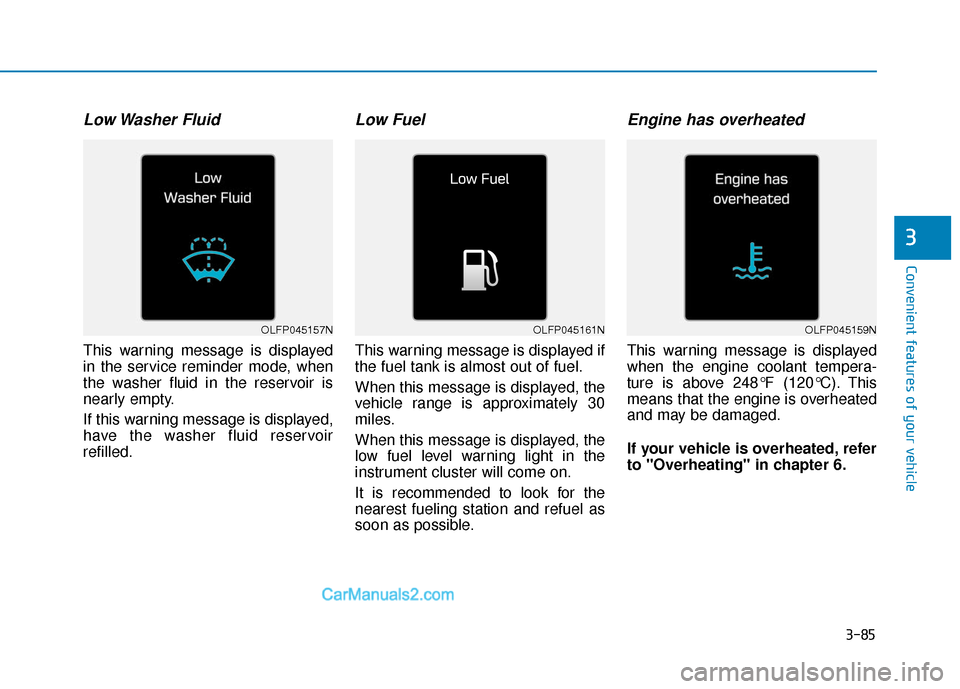
Low Washer Fluid
This warning message is displayed
in the service reminder mode, when
the washer fluid in the reservoir is
nearly empty.
If this warning message is displayed,
have the washer fluid reservoir
refilled.
Low Fuel
This warning message is displayed if
the fuel tank is almost out of fuel.
When this message is displayed, the
vehicle range is approximately 30
miles.
When this message is displayed, the
low fuel level warning light in the
instrument cluster will come on.
It is recommended to look for the
nearest fueling station and refuel as
soon as possible.
Engine has overheated
This warning message is displayed
when the engine coolant tempera-
ture is above 248°F (120°C). This
means that the engine is overheated
and may be damaged.
If your vehicle is overheated, refer
to "Overheating" in chapter 6.
OLFP045161NOLFP045159NOLFP045157N
Page 174 of 744
3-87
Convenient features of your vehicle
3
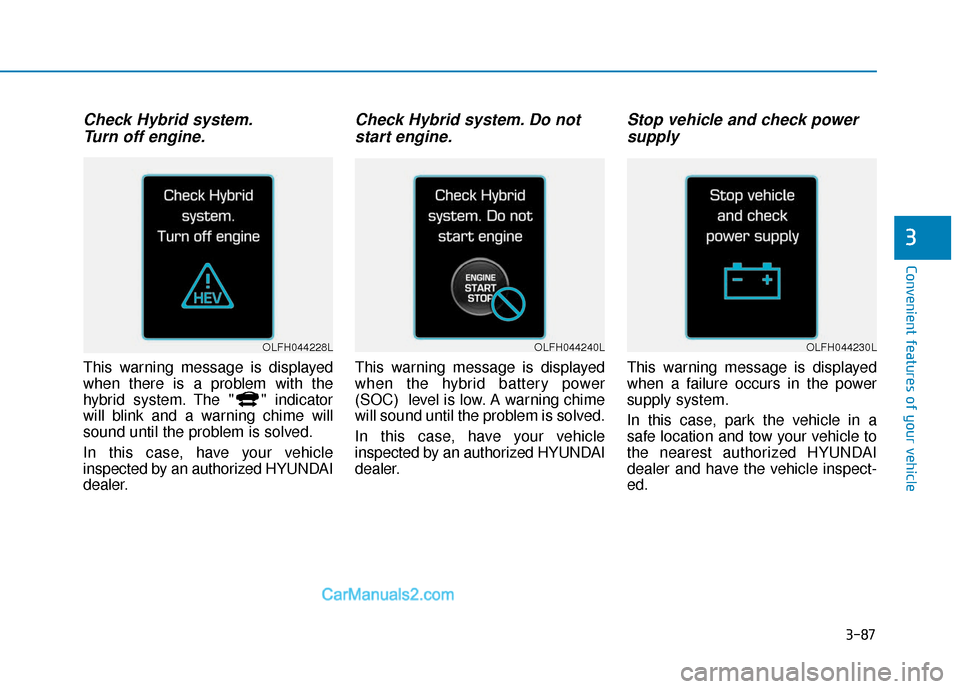
Check Hybrid system.Turn off engine.
This warning message is displayed
when there is a problem with the
hybrid system. The " " indicator
will blink and a warning chime will
sound until the problem is solved.
In this case, have your vehicle
inspected by an authorized HYUNDAI
dealer.
Check Hybrid system. Do notstart engine.
This warning message is displayed
when the hybrid battery power
(SOC) level is low. A warning chime
will sound until the problem is solved.
In this case, have your vehicle
inspected by an authorized HYUNDAI
dealer.
Stop vehicle and check powersupply
This warning message is displayed
when a failure occurs in the power
supply system.
In this case, park the vehicle in a
safe location and tow your vehicle to
the nearest authorized HYUNDAI
dealer and have the vehicle inspect-
ed.
OLFH044240LOLFH044228LOLFH044230L
Page 175 of 744
3-88
Convenient features of your vehicle
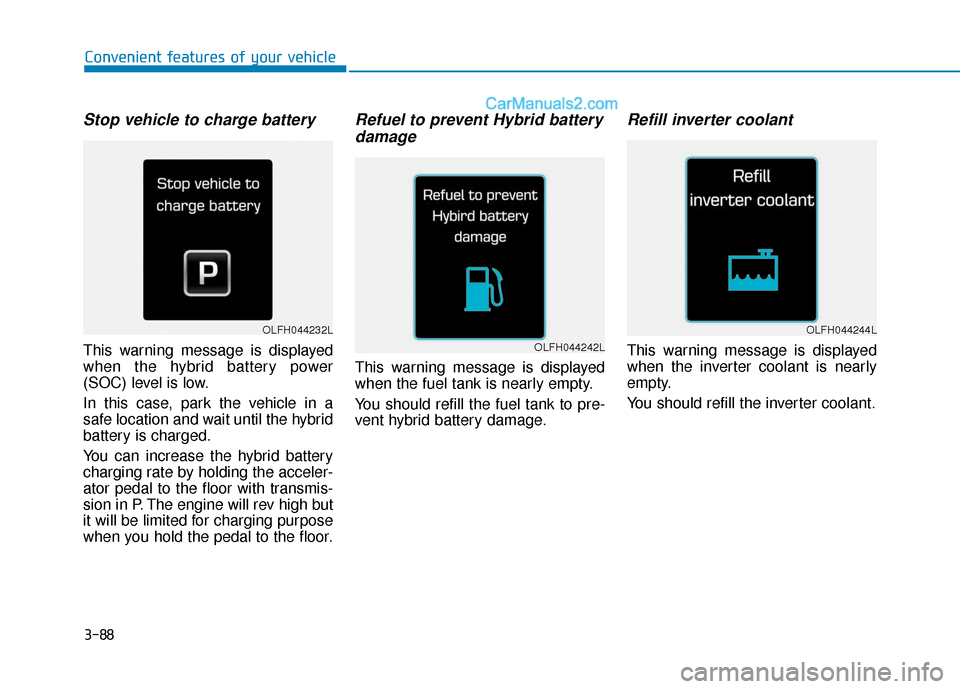
Stop vehicle to charge battery
This warning message is displayed
when the hybrid battery power
(SOC) level is low.
In this case, park the vehicle in a
safe location and wait until the hybrid
battery is charged.
You can increase the hybrid battery
charging rate by holding the acceler-
ator pedal to the floor with transmis-
sion in P. The engine will rev high but
it will be limited for charging purpose
when you hold the pedal to the floor.
Refuel to prevent Hybrid batterydamage
This warning message is displayed
when the fuel tank is nearly empty.
You should refill the fuel tank to pre-
vent hybrid battery damage.
Refill inverter coolant
This warning message is displayed
when the inverter coolant is nearly
empty.
You should refill the inverter coolant.
OLFH044232L
OLFH044242L
OLFH044244L
Page 176 of 744
3-89
Convenient features of your vehicle
3
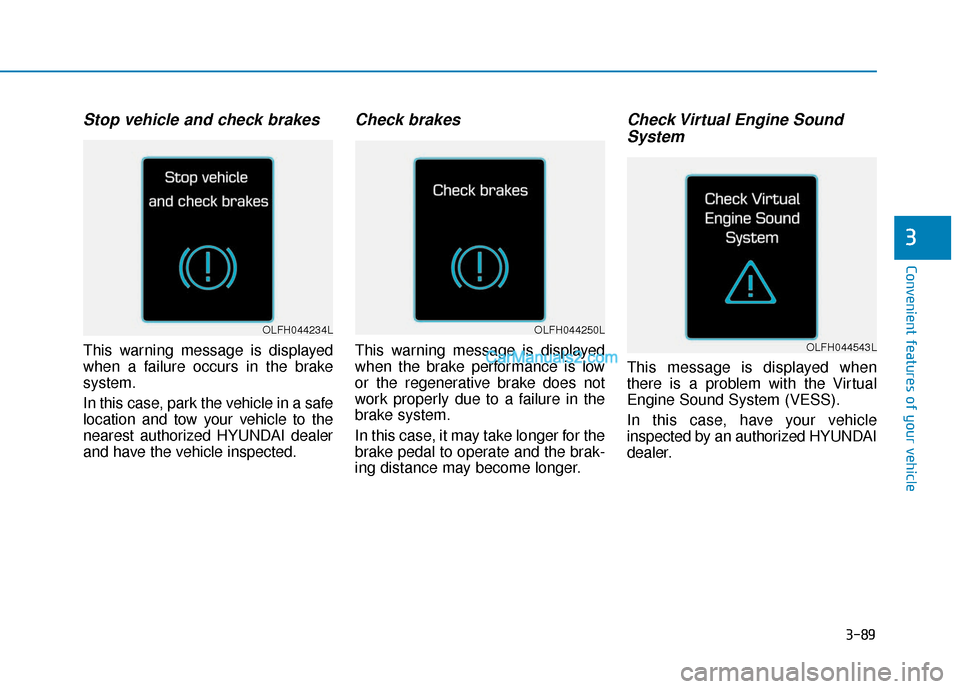
Stop vehicle and check brakes
This warning message is displayed
when a failure occurs in the brake
system.
In this case, park the vehicle in a safe
location and tow your vehicle to the
nearest authorized HYUNDAI dealer
and have the vehicle inspected.
Check brakes
This warning message is displayed
when the brake performance is low
or the regenerative brake does not
work properly due to a failure in the
brake system.
In this case, it may take longer for the
brake pedal to operate and the brak-
ing distance may become longer.
Check Virtual Engine SoundSystem
This message is displayed when
there is a problem with the Virtual
Engine Sound System (VESS).
In this case, have your vehicle
inspected by an authorized HYUNDAI
dealer.
OLFH044234L
OLFH044543L
OLFH044250L
Page 177 of 744

3-90
Convenient features of your vehicle
Coasting guide (if equipped)
A chime will sound and the coasting
guide indicator will blink four times to
inform the driver when to take the foot
off from the accelerator by anticipating
a decelerating event* based on the
analysis of driving routes and road
conditions of the navigation. It encour-
ages the driver to remove foot from the
pedal and allow coasting down the
road with EV motor only. This helps
prevent unnecessary fuel consump-
tion and increases fuel efficiency.
❈Example of a deceleration event is
going down an extended hill, slow-
ing down approaching a toll booth,
and approaching reduced speed
zones.
Press the Engine Start/Stop button and put the shift lever in P(Park). In the
User Settings Mode, select Driving Assist, Coasting Guide, and then On to
turn on the system. Cancel the selection of coasting guide to turn off the sys-
tem. For the explanation of the system, press and hold the [OK] button.
To activate the system, take the following procedures. Enter your destination
information on the navigation and select the driving route. Select the ECO
mode in the Integrated Driving Control System. Then, satisfy the following.
- The driving speed should be between 37 mph (60 km/h) and 99 mph (160 km/h).
❈The operating speed may vary due to difference between instrument clus-
ter and navigation effected by tire inflation level.
OLFH044182N/OLFH045556N/OLFP045578N
OLFH045254N
➜➜
Page 178 of 744
3-91
Convenient features of your vehicle
3
Information
Coasting guide is only a supplemental
system to assist with fuel-efficient driv-
ing. Thus, the operating conditions
may be different in accordance with
traffic/road conditions (i.e. driving in a
traffic jam, driving on a slope, driving
on a curve). Thus, take the actual driv-
ing conditions into consideration, such
as distances from the vehicles ahead/
behind, while referring to the coasting
guide system as guidance.
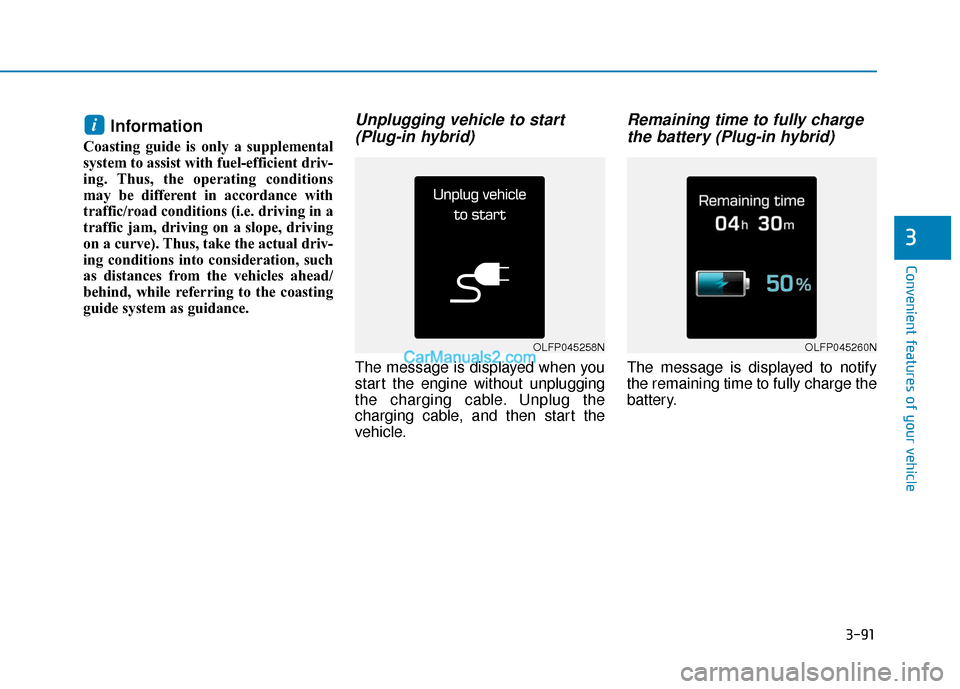
Unplugging vehicle to start(Plug-in hybrid)
The message is displayed when you
start the engine without unplugging
the charging cable. Unplug the
charging cable, and then start the
vehicle.
Remaining time to fully chargethe battery (Plug-in hybrid)
The message is displayed to notify
the remaining time to fully charge the
battery.
i
OLFP045258NOLFP045260N
Page 182 of 744
3-95
Convenient features of your vehicle
3
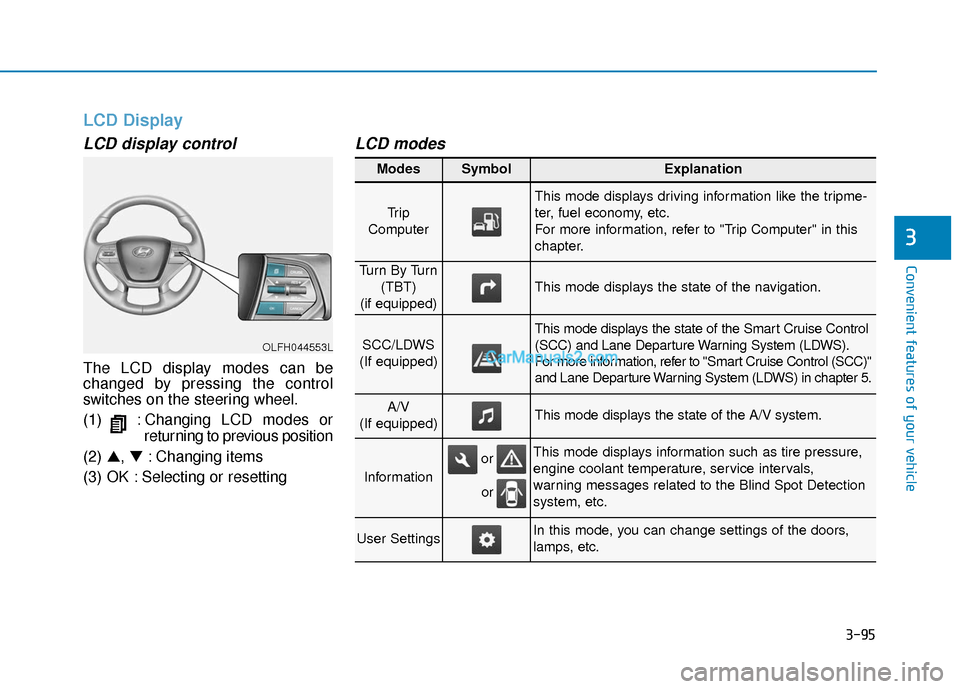
LCD Display
LCD display control
The LCD display modes can be
changed by pressing the control
switches on the steering wheel.
(1) : Changing LCD modes orreturning to previous position
(2) ▲, ▼: Changing items
(3) OK : Selecting or resetting
LCD modes
OLFH044553L
Modes SymbolExplanation
Tr i p
Computer
This mode displays driving information like the tripme-
ter, fuel economy, etc.
For more information, refer to "Trip Computer" in this
chapter.
Tu r n B y Tu r n (TBT)
(if equipped)
This mode displays the state of the navigation.
SCC/LDWS
(If equipped)
This mode displays the state of the Smart Cruise Control
(SCC) and Lane Departure Warning System (LDWS).
For more information, refer to "Smart Cruise Control (SCC)"
and Lane Departure Warning System (LDWS) in chapter 5.
A/V
(If equipped)This mode displays the state of the A/V system.
Information
This mode displays information such as tire pressure,
engine coolant temperature, service intervals,
warning messages related to the Blind Spot Detection
system, etc.
User SettingsIn this mode, you can change settings of the doors,
lamps, etc.
or
or
Page 184 of 744
3-97
Convenient features of your vehicle
3
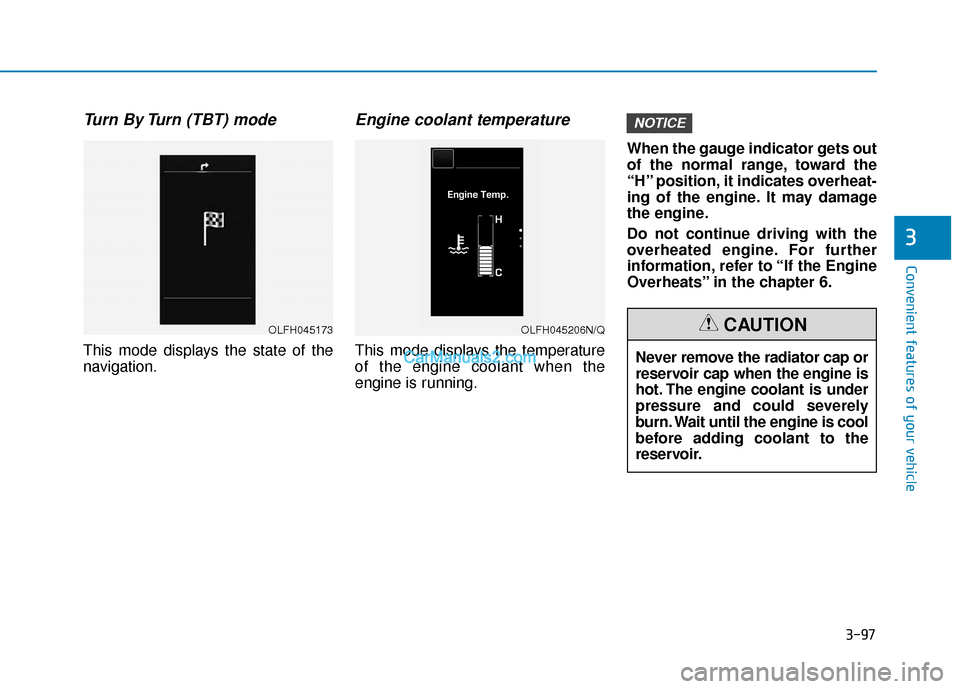
Turn By Turn (TBT) mode
This mode displays the state of the
navigation.
Engine coolant temperature
This mode displays the temperature
of the engine coolant when the
engine is running.When the gauge indicator gets out
of the normal range, toward the
“H” position, it indicates overheat-
ing of the engine. It may damage
the engine.
Do not continue driving with the
overheated engine. For further
information, refer to “If the Engine
Overheats” in the chapter 6.
NOTICE
OLFH045173OLFH045206N/Q
Never remove the radiator cap or
reservoir cap when the engine is
hot. The engine coolant is under
pressure and could severely
burn. Wait until the engine is cool
before adding coolant to the
reservoir.
CAUTION
Page 188 of 744
3-101
Convenient features of your vehicle
3
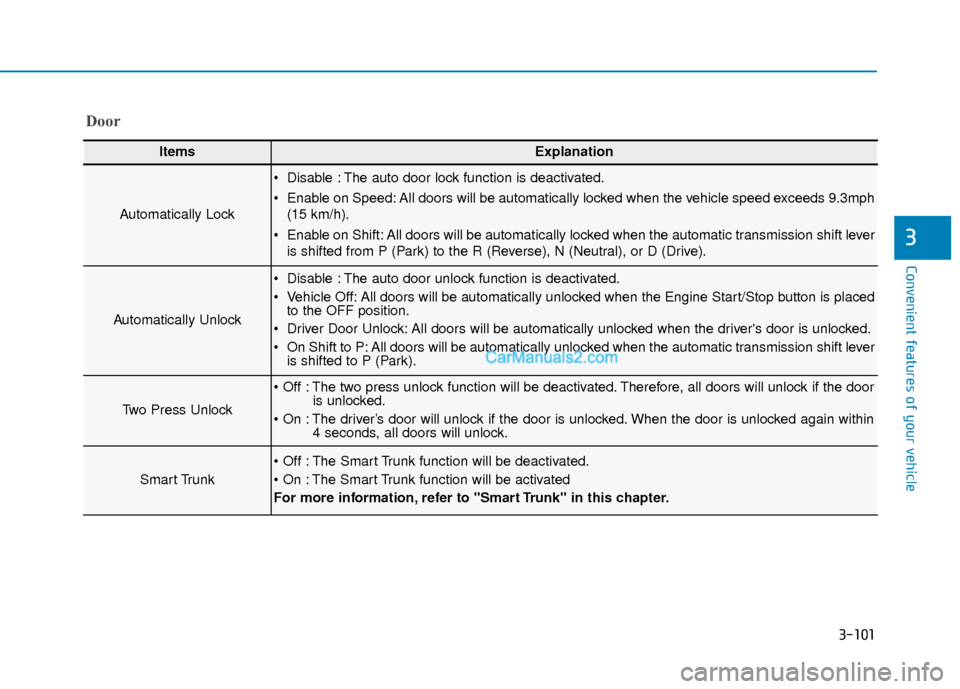
ItemsExplanation
Automatically Lock
Disable : The auto door lock function is deactivated.
Enable on Speed: All doors will be automatically locked when the vehicle speed exceeds 9.3mph(15 km/h).
Enable on Shift: All doors will be automatically locked when the automatic transmission shift lever is shifted from P (Park) to the R (Reverse), N (Neutral), or D (Drive).
Automatically Unlock
Disable : The auto door unlock function is deactivated.
Vehicle Off: All doors will be automatically unlocked when the Engine Start/Stop button is placedto the OFF position.
Driver Door Unlock: All doors will be automatically unlocked when the driver's door is unlocked.
On Shift to P: All doors will be automatically unlocked when the automatic transmission shift lever is shifted to P (Park).
Two Press Unlock
The two press unlock function will be deactivated. Therefore, all doors will unlock if the door is unlocked.
The driver’s door will unlock if the door is unlocked. When the door is unlocked again within 4 seconds, all doors will unlock.
Smart Trunk
The Smart Trunk function will be deactivated.
The Smart Trunk function will be activated
For more information, refer to "Smart Trunk" in this chapter.
Door
Page 190 of 744
3-103
Convenient features of your vehicle
3
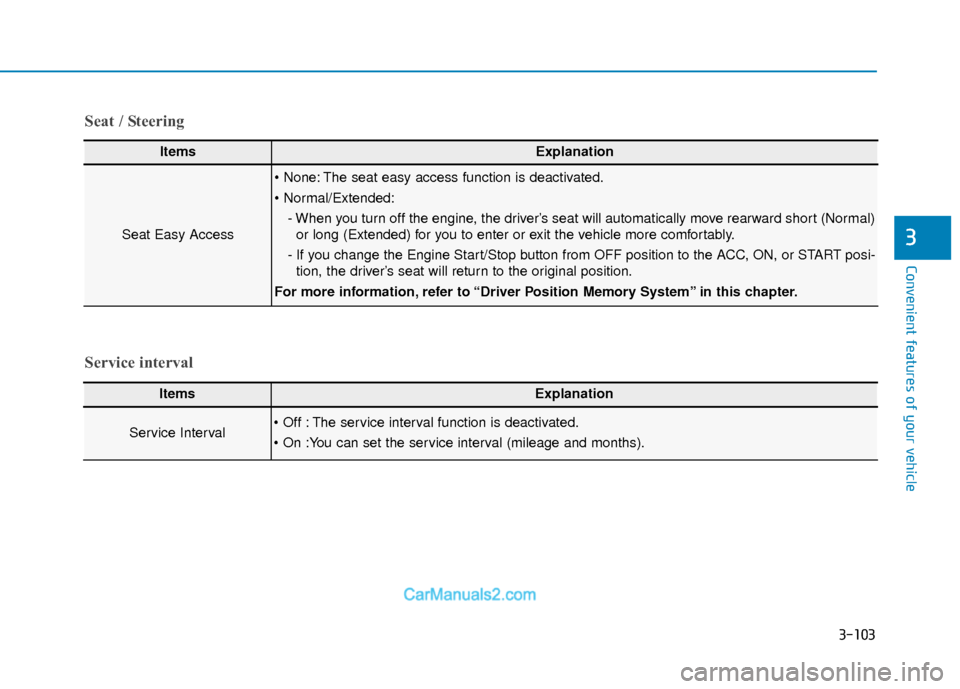
ItemsExplanation
Seat Easy Access
The seat easy access function is deactivated.
- When you turn off the engine, the driver’s seat will automatically move rearward short (Normal)or long (Extended) for you to enter or exit the vehicle more comfortably.
- If you change the Engine Start/Stop button from OFF position to the ACC, ON, or START posi- tion, the driver’s seat will return to the original position.
For more information, refer to “Driver Position Memory System” in this chapter.
ItemsExplanation
Service Interval The service interval function is deactivated.
Service interval Seat / Steering