reset Hyundai Terracan 2003 Owner's Manual
[x] Cancel search | Manufacturer: HYUNDAI, Model Year: 2003, Model line: Terracan, Model: Hyundai Terracan 2003Pages: 349, PDF Size: 4.56 MB
Page 42 of 349
FEATURES OF YOUR HYUNDAI
1- 34
B260A01HP
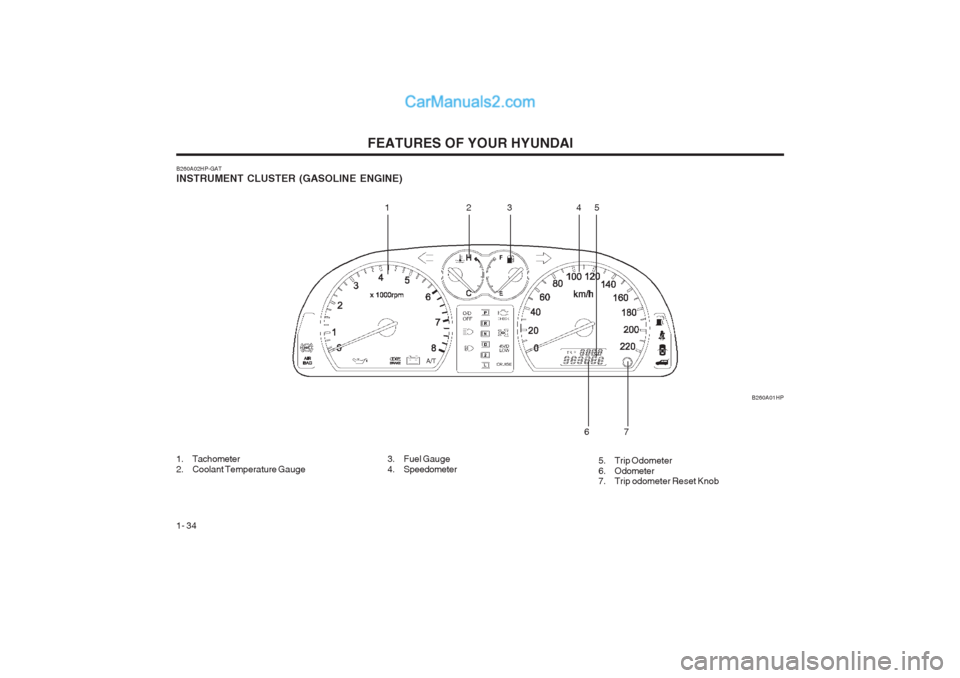
B260A02HP-GAT INSTRUMENT CLUSTER (GASOLINE ENGINE)
1. Tachometer
2. Coolant Temperature Gauge
12
345
7
6
3. Fuel Gauge
4. Speedometer 5. Trip Odometer
6. Odometer
7. Trip odometer Reset Knob
Page 44 of 349
FEATURES OF YOUR HYUNDAI
1- 36 B260A02HP
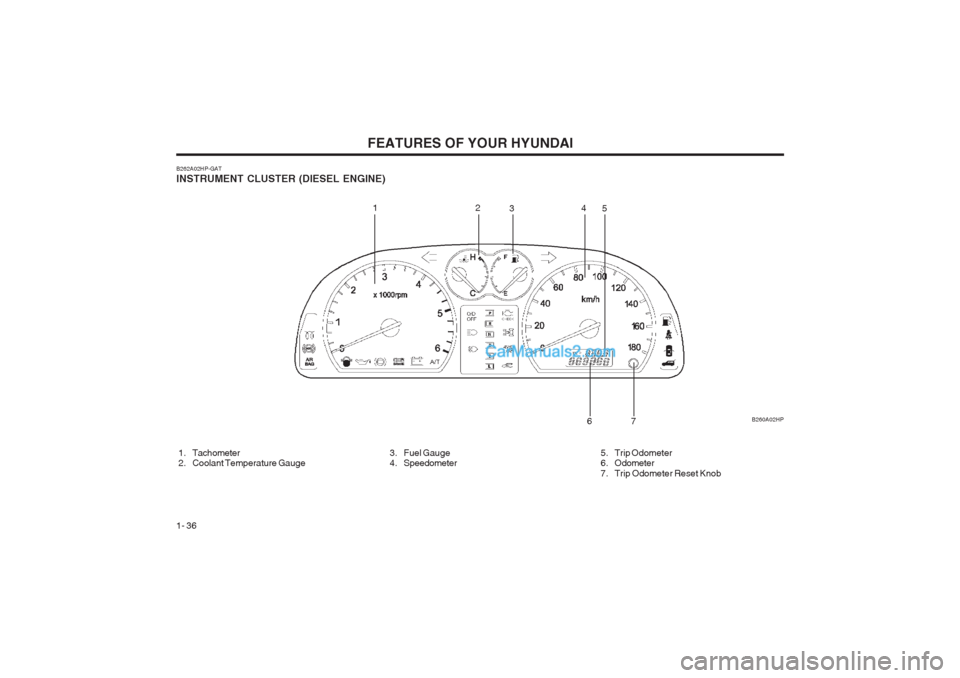
B262A02HP-GAT INSTRUMENT CLUSTER (DIESEL ENGINE)
1. Tachometer
2. Coolant Temperature Gauge
3. Fuel Gauge
4. Speedometer
12
34
5
6
7
5. Trip Odometer
6. Odometer
7. Trip Odometer Reset Knob
Page 50 of 349
FEATURES OF YOUR HYUNDAI
1- 42
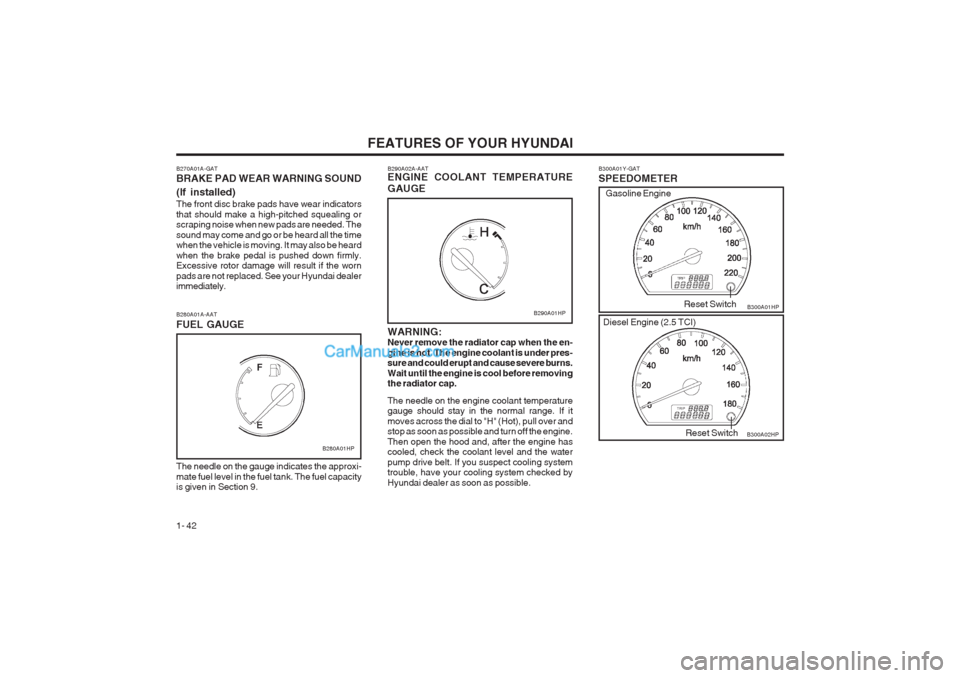
B300A01Y-GAT SPEEDOMETER B300A01HP
B300A02HP
Reset Switch
Reset Switch
Gasoline Engine
Diesel Engine (2.5 TCI)
B280A01A-AAT FUEL GAUGE
B280A01HP
The needle on the gauge indicates the approxi- mate fuel level in the fuel tank. The fuel capacity is given in Section 9. B290A02A-AAT ENGINE COOLANT TEMPERATURE GAUGE WARNING: Never remove the radiator cap when the en- gine is hot. The engine coolant is under pres- sure and could erupt and cause severe burns. Wait until the engine is cool before removing the radiator cap. The needle on the engine coolant temperature gauge should stay in the normal range. If it moves across the dial to "H" (Hot), pull over and stop as soon as possible and turn off the engine. Then open the hood and, after the engine has cooled, check the coolant level and the water pump drive belt. If you suspect cooling system trouble, have your cooling system checked by Hyundai dealer as soon as possible.
B290A01HP
B270A01A-GAT BRAKE PAD WEAR WARNING SOUND (If installed) The front disc brake pads have wear indicators that should make a high-pitched squealing or scraping noise when new pads are needed. The sound may come and go or be heard all the time when the vehicle is moving. It may also be heard when the brake pedal is pushed down firmly. Excessive rotor damage will result if the worn pads are not replaced. See your Hyundai dealer immediately.
Page 51 of 349
FEATURES OF YOUR HYUNDAI 1- 43
B330A01HP
Gasoline Engine
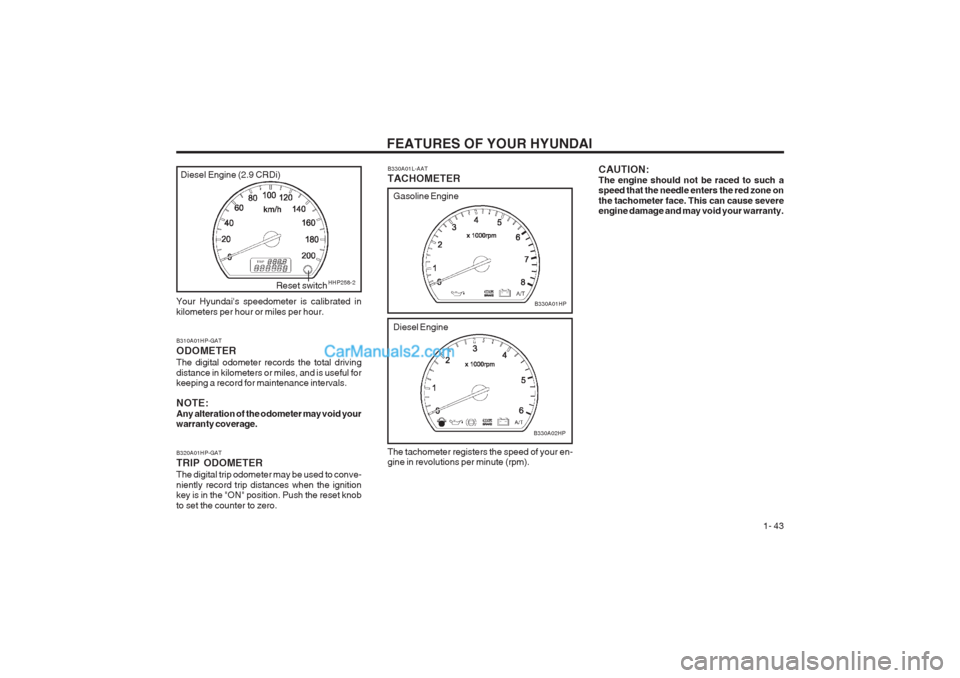
B310A01HP-GAT ODOMETER The digital odometer records the total driving distance in kilometers or miles, and is useful for keeping a record for maintenance intervals. NOTE: Any alteration of the odometer may void your warranty coverage. B320A01HP-GAT TRIP ODOMETER The digital trip odometer may be used to conve- niently record trip distances when the ignition key is in the "ON" position. Push the reset knob to set the counter to zero.
Diesel Engine
B330A02HP
Your Hyundai's speedometer is calibrated in kilometers per hour or miles per hour.
HHP258-2Reset switch B330A01L-AAT TACHOMETER The tachometer registers the speed of your en- gine in revolutions per minute (rpm). CAUTION: The engine should not be raced to such a speed that the needle enters the red zone on the tachometer face. This can cause severe engine damage and may void your warranty.
Diesel Engine (2.9 CRDi)
Page 54 of 349
FEATURES OF YOUR HYUNDAI
1- 46
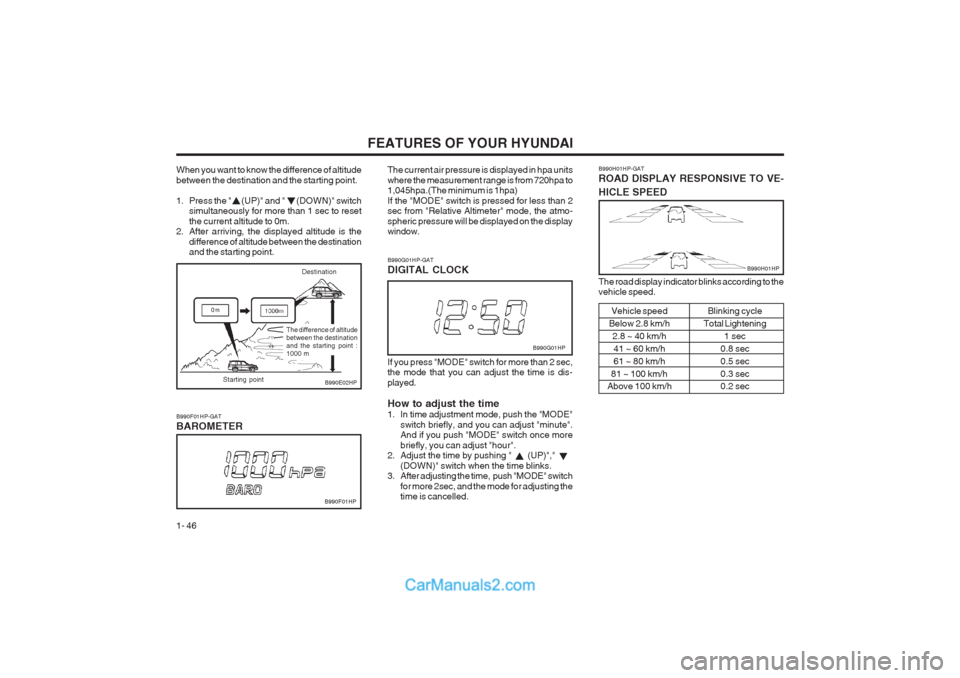
When you want to know the difference of altitude between the destination and the starting point.
1. Press the " (UP)" and " (DOWN)" switch simultaneously for more than 1 sec to reset the current altitude to 0m.
2. After arriving, the displayed altitude is the
difference of altitude between the destination and the starting point.
Destination
B990E02HP
B990F01HP-GAT BAROMETER The current air pressure is displayed in hpa units
where the measurement range is from 720hpa to 1,045hpa.(The minimum is 1hpa) If the "MODE" switch is pressed for less than 2 sec from "Relative Altimeter" mode, the atmo- spheric pressure will be displayed on the display window.
B990F01HP
B990G01HP-GAT DIGITAL CLOCK If you press "MODE" switch for more than 2 sec,
the mode that you can adjust the time is dis- played. How to adjust the time
1. In time adjustment mode, push the "MODE" switch briefly, and you can adjust "minute". And if you push "MODE" switch once more briefly, you can adjust "hour".
2. Adjust the time by pushing " (UP)","
(DOWN)" switch when the time blinks.
3. After adjusting the time, push "MODE" switch
for more 2sec, and the mode for adjusting the time is cancelled. B990G01HP
B990H01HP-GAT ROAD DISPLAY RESPONSIVE TO VE- HICLE SPEED
B990H01HP
The road display indicator blinks according to the vehicle speed.Vehicle speed
Below 2.8 km/h 2.8 ~ 40 km/h
41 ~ 60 km/h 61 ~ 80 km/h
81 ~ 100 km/h
Above 100 km/h Blinking cycle
Total Lightening 1 sec
0.8 sec0.5 sec0.3 sec 0.2 sec
The difference of altitude between the destinationand the starting point :1000 m
Starting point
Page 59 of 349
FEATURES OF YOUR HYUNDAI 1- 51
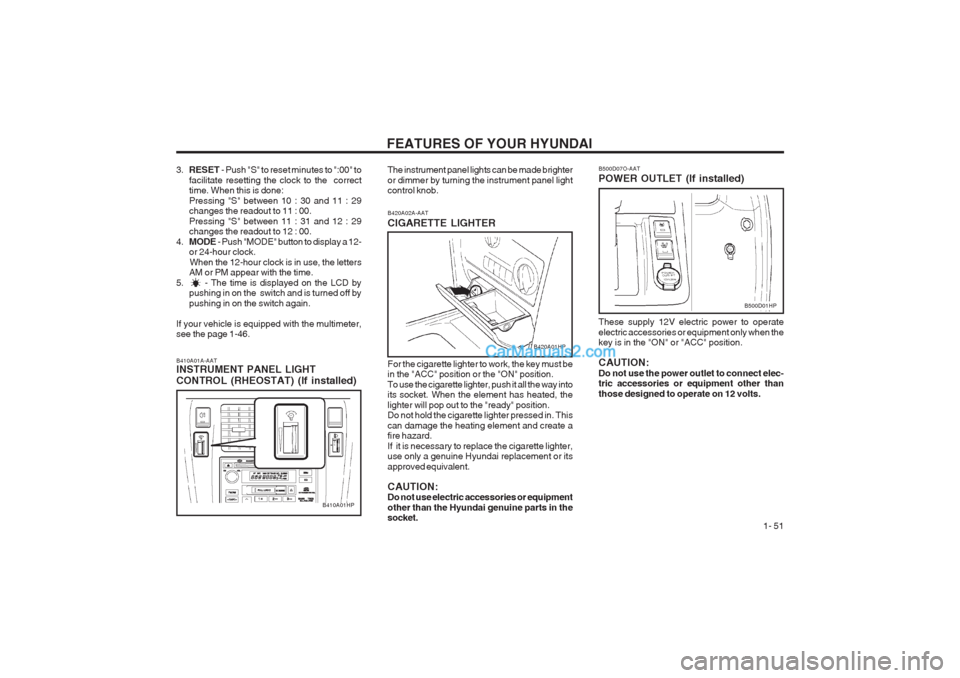
B420A02A-AAT CIGARETTE LIGHTER For the cigarette lighter to work, the key must be in the "ACC" position or the "ON" position. To use the cigarette lighter, push it all the way into its socket. When the element has heated, the lighter will pop out to the "ready" position. Do not hold the cigarette lighter pressed in. This can damage the heating element and create a fire hazard. If it is necessary to replace the cigarette lighter, use only a genuine Hyundai replacement or its approved equivalent. CAUTION: Do not use electric accessories or equipment other than the Hyundai genuine parts in the socket.
B410A01A-AATINSTRUMENT PANEL LIGHT CONTROL (RHEOSTAT) (If installed)
B410A01HP The instrument panel lights can be made brighter or dimmer by turning the instrument panel light control knob.
B420A01HP
B500D01HP
3.
RESET - Push "S" to reset minutes to ":00" to
facilitate resetting the clock to the correct time. When this is done: Pressing "S" between 10 : 30 and 11 : 29 changes the readout to 11 : 00. Pressing "S" between 11 : 31 and 12 : 29 changes the readout to 12 : 00.
4. MODE - Push "MODE" button to display a 12-
or 24-hour clock.
When the 12-hour clock is in use, the letters AM or PM appear with the time.
5. - The time is displayed on the LCD by pushing in on the switch and is turned off by pushing in on the switch again.
If your vehicle is equipped with the multimeter, see the page 1-46. B500D07O-AAT POWER OUTLET (If installed) These supply 12V electric power to operate electric accessories or equipment only when the key is in the "ON" or "ACC" position. CAUTION: Do not use the power outlet to connect elec- tric accessories or equipment other than those designed to operate on 12 volts.
Page 72 of 349
FEATURES OF YOUR HYUNDAI
1- 64
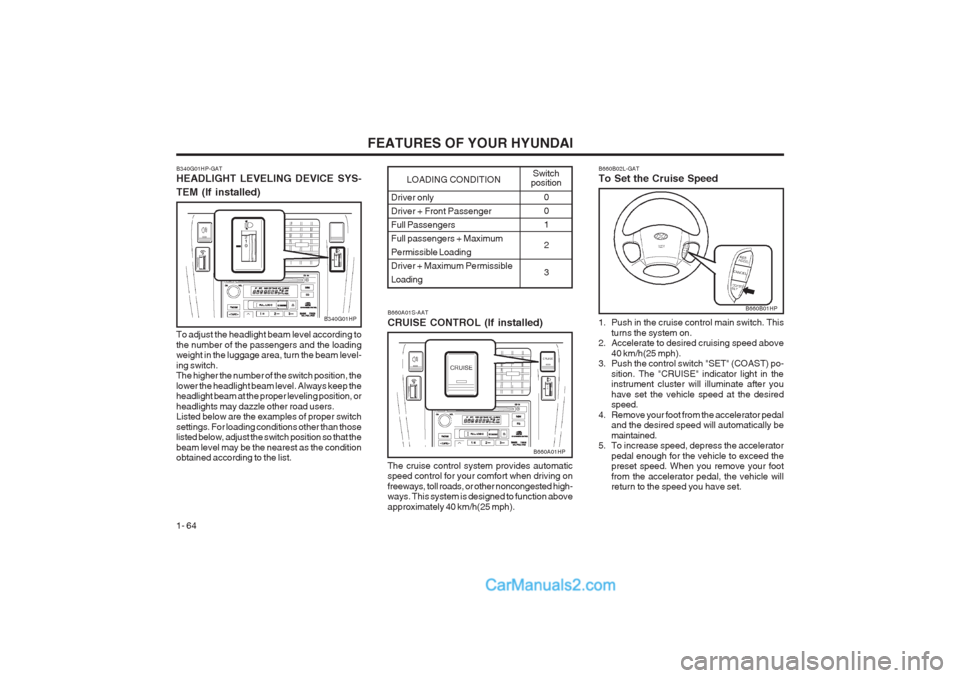
Driver only
Driver + Front PassengerFull PassengersFull passengers + MaximumPermissible Loading
Driver + Maximum PermissibleLoading0 01 2 3
LOADING CONDITION Switch
position
B340G01HP-GAT HEADLIGHT LEVELING DEVICE SYS- TEM (If installed)
To adjust the headlight beam level according to the number of the passengers and the loading weight in the luggage area, turn the beam level- ing switch. The higher the number of the switch position, the lower the headlight beam level. Always keep the headlight beam at the proper leveling position, or headlights may dazzle other road users. Listed below are the examples of proper switch settings. For loading conditions other than those listed below, adjust the switch position so that the beam level may be the nearest as the condition obtained according to the list.
B340G01HPB660A01S-AAT CRUISE CONTROL (If installed) The cruise control system provides automatic speed control for your comfort when driving on freeways, toll roads, or other noncongested high- ways. This system is designed to function above approximately 40 km/h(25 mph).
B660A01HP B660B02L-GAT To Set the Cruise Speed
1. Push in the cruise control main switch. This
turns the system on.
2. Accelerate to desired cruising speed above
40 km/h(25 mph).
3. Push the control switch "SET" (COAST) po-
sition. The "CRUISE" indicator light in the instrument cluster will illuminate after you have set the vehicle speed at the desired speed.
4. Remove your foot from the accelerator pedal and the desired speed will automatically be maintained.
5. To increase speed, depress the accelerator
pedal enough for the vehicle to exceed the preset speed. When you remove your foot from the accelerator pedal, the vehicle will return to the speed you have set.
B660B01HP
Page 73 of 349
FEATURES OF YOUR HYUNDAI 1- 65
B660D01HP
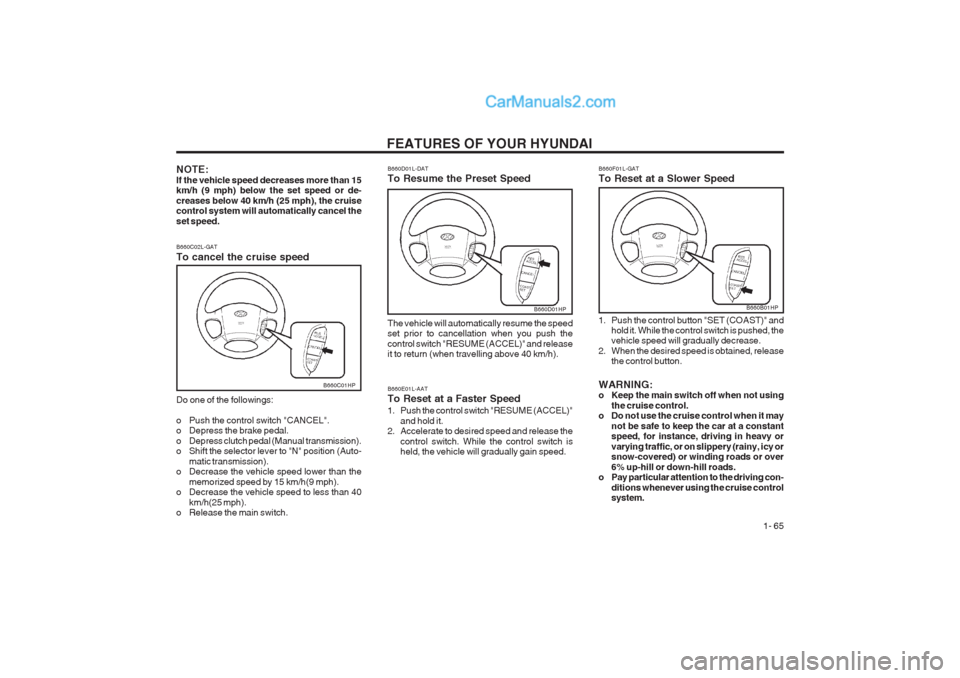
B660E01L-AAT To Reset at a Faster Speed
1. Push the control switch "RESUME (ACCEL)" and hold it.
2. Accelerate to desired speed and release the
control switch. While the control switch is held, the vehicle will gradually gain speed.
B660C02L-GAT To cancel the cruise speed Do one of the followings:
o Push the control switch "CANCEL".
o Depress the brake pedal.
o Depress clutch pedal (Manual transmission).
o Shift the selector lever to "N" position (Auto-
matic transmission).
o Decrease the vehicle speed lower than the
memorized speed by 15 km/h(9 mph).
o Decrease the vehicle speed to less than 40
km/h(25 mph).
o Release the main switch.
B660C01HP
B660F01L-GAT To Reset at a Slower Speed
1. Push the control button "SET (COAST)" and
hold it. While the control switch is pushed, the vehicle speed will gradually decrease.
2. When the desired speed is obtained, release the control button.
WARNING:
o Keep the main switch off when not using the cruise control.
o Do not use the cruise control when it may
not be safe to keep the car at a constantspeed, for instance, driving in heavy or varying traffic, or on slippery (rainy, icy or snow-covered) or winding roads or over 6% up-hill or down-hill roads.
o Pay particular attention to the driving con-
ditions whenever using the cruise control system.
B660B01HP
NOTE: If the vehicle speed decreases more than 15 km/h (9 mph) below the set speed or de- creases below 40 km/h (25 mph), the cruise control system will automatically cancel the set speed. B660D01L-DAT To Resume the Preset Speed The vehicle will automatically resume the speed set prior to cancellation when you push the control switch "RESUME (ACCEL)" and release it to return (when travelling above 40 km/h).
Page 82 of 349
FEATURES OF YOUR HYUNDAI
1- 74
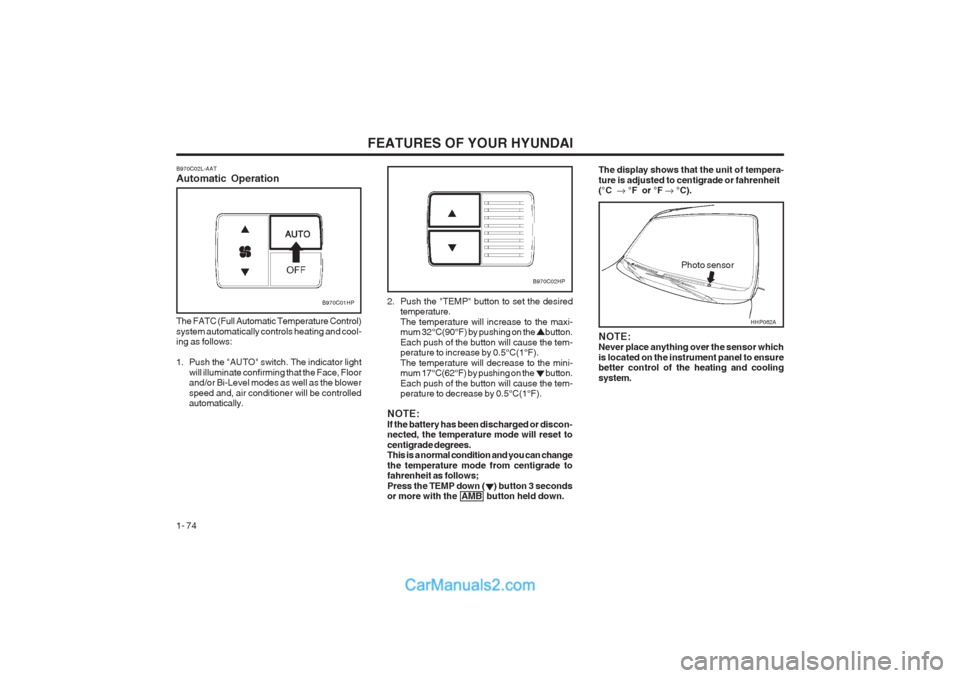
B970C02L-AAT Automatic Operation
B970C01HP
The FATC (Full Automatic Temperature Control) system automatically controls heating and cool- ing as follows:
1. Push the "AUTO" switch. The indicator light will illuminate confirming that the Face, Floor and/or Bi-Level modes as well as the blower speed and, air conditioner will be controlled automatically. 2. Push the "TEMP" button to set the desired
temperature. The temperature will increase to the maxi- mum 32°C(90°F) by pushing on the button. Each push of the button will cause the tem- perature to increase by 0.5°C(1°F). The temperature will decrease to the mini- mum 17°C(62°F) by pushing on the button. Each push of the button will cause the tem- perature to decrease by 0.5°C(1°F).
NOTE: If the battery has been discharged or discon- nected, the temperature mode will reset to centigrade degrees. This is a normal condition and you can change the temperature mode from centigrade to fahrenheit as follows; Press the TEMP down ( ) button 3 seconds or more with the AMB button held down.
Photo sensor
B970C02HP
NOTE: Never place anything over the sensor which is located on the instrument panel to ensure better control of the heating and cooling system.
The display shows that the unit of tempera- ture is adjusted to centigrade or fahrenheit (°C °F or °F °C).
HHP062A
Page 89 of 349
FEATURES OF YOUR HYUNDAI 1- 81
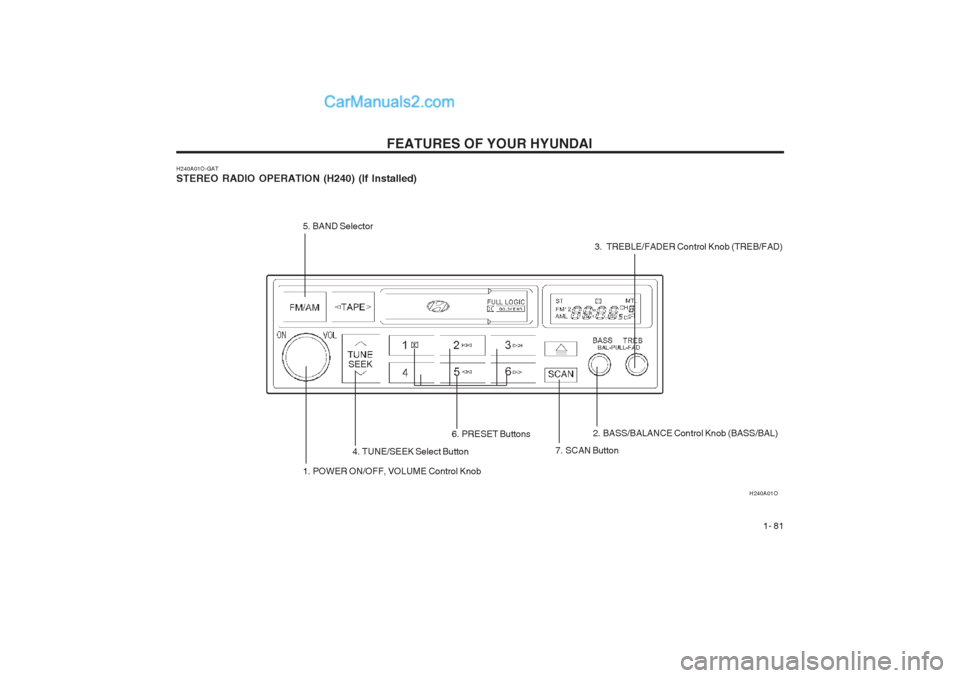
H240A01O-GAT STEREO RADIO OPERATION (H240) (If Installed) H240A01O
1. POWER ON/OFF, VOLUME Control Knob
5. BAND Selector4. TUNE/SEEK Select Button
7. SCAN Button
6. PRESET Buttons
2. BASS/BALANCE Control Knob (BASS/BAL)
3. TREBLE/FADER Control Knob (TREB/FAD)
SEEK