lock Hyundai Terracan 2007 Service Manual
[x] Cancel search | Manufacturer: HYUNDAI, Model Year: 2007, Model line: Terracan, Model: Hyundai Terracan 2007Pages: 291, PDF Size: 12.79 MB
Page 101 of 291
1
FEATURES OF YOUR HYUNDAI
87
!
CENTER CONSOLE COM- PARTMENT
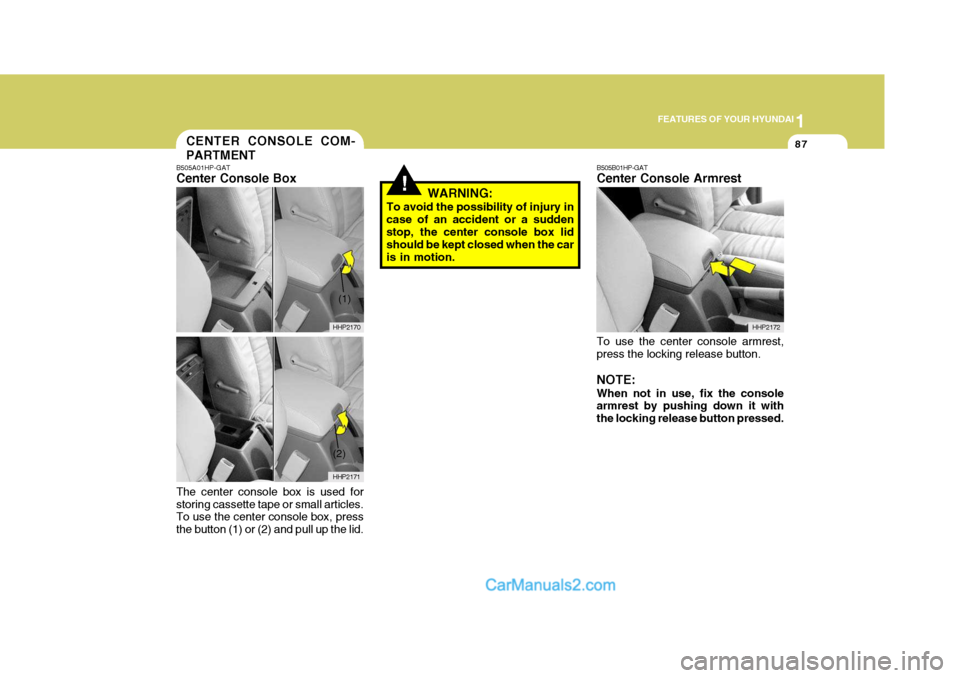
B505A01HP-GAT Center Console Box The center console box is used for storing cassette tape or small articles. To use the center console box, press the button (1) or (2) and pull up the lid. WARNING:
To avoid the possibility of injury incase of an accident or a sudden stop, the center console box lid should be kept closed when the caris in motion.
HHP2170
HHP2171
(2)
(1)
B505B01HP-GAT Center Console Armrest To use the center console armrest, press the locking release button. NOTE: When not in use, fix the console armrest by pushing down it with the locking release button pressed. HHP2172
Page 106 of 291
1FEATURES OF YOUR HYUNDAI
92CD AUTO CHANGER
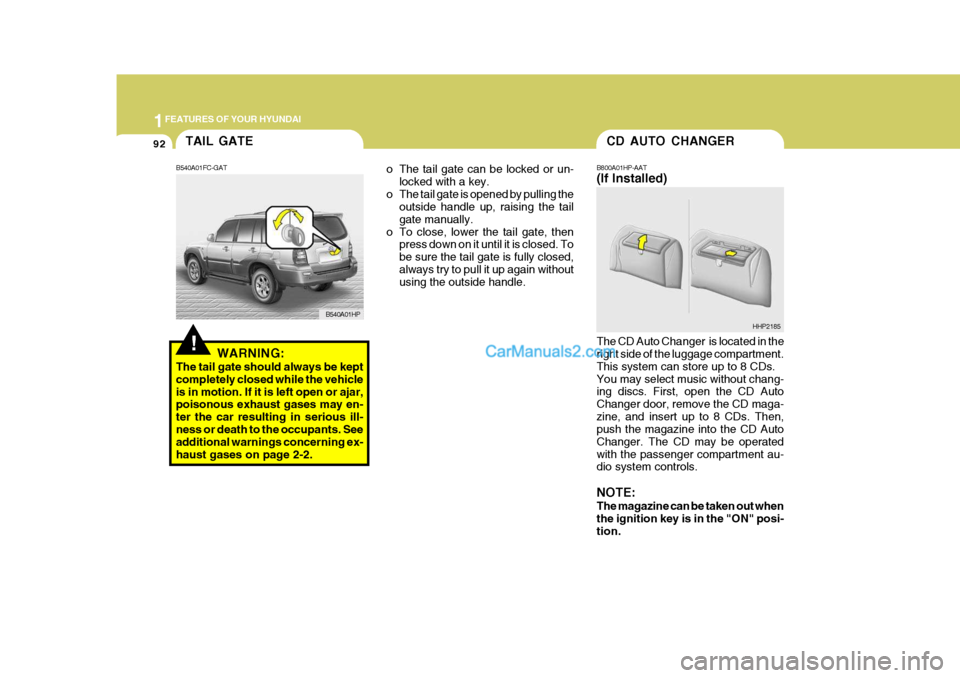
o The tail gate can be locked or un- locked with a key.
o The tail gate is opened by pulling the outside handle up, raising the tail gate manually.
o To close, lower the tail gate, then press down on it until it is closed. Tobe sure the tail gate is fully closed,always try to pull it up again without using the outside handle. B800A01HP-AAT (If Installed) The CD Auto Changer is located in the right side of the luggage compartment. This system can store up to 8 CDs.You may select music without chang- ing discs. First, open the CD Auto Changer door, remove the CD maga-zine, and insert up to 8 CDs. Then, push the magazine into the CD Auto Changer. The CD may be operatedwith the passenger compartment au- dio system controls. NOTE: The magazine can be taken out when the ignition key is in the "ON" posi- tion.HHP2185TAIL GATE
!
B540A01FC-GAT
WARNING:
The tail gate should always be kept completely closed while the vehicleis in motion. If it is left open or ajar, poisonous exhaust gases may en- ter the car resulting in serious ill-ness or death to the occupants. See additional warnings concerning ex- haust gases on page 2-2. B540A01HP
Page 108 of 291
1FEATURES OF YOUR HYUNDAI
94ROOF RACK
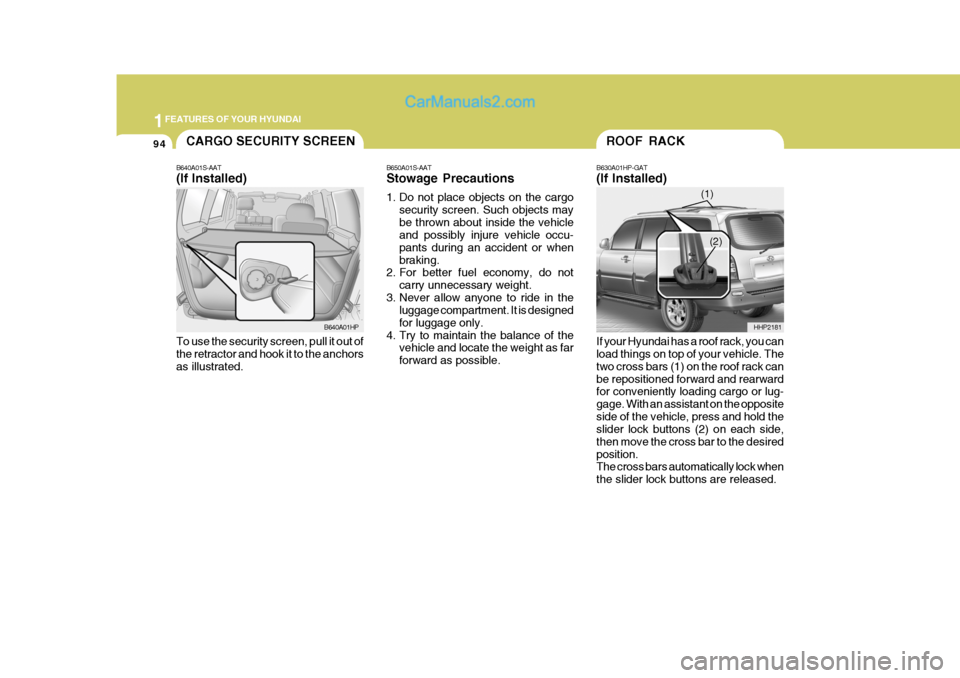
B630A01HP-GAT (If Installed) If your Hyundai has a roof rack, you can load things on top of your vehicle. The two cross bars (1) on the roof rack canbe repositioned forward and rearward for conveniently loading cargo or lug- gage. With an assistant on the oppositeside of the vehicle, press and hold the slider lock buttons (2) on each side, then move the cross bar to the desiredposition. The cross bars automatically lock when the slider lock buttons are released. HHP2181
(1)
(2)
B650A01S-AAT Stowage Precautions
1. Do not place objects on the cargo
security screen. Such objects may be thrown about inside the vehicle and possibly injure vehicle occu- pants during an accident or whenbraking.
2. For better fuel economy, do not
carry unnecessary weight.
3. Never allow anyone to ride in the luggage compartment. It is designedfor luggage only.
4. Try to maintain the balance of the vehicle and locate the weight as farforward as possible.
CARGO SECURITY SCREEN
B640A01S-AAT (If Installed) To use the security screen, pull it out of the retractor and hook it to the anchors as illustrated. B640A01HP
Page 112 of 291
1FEATURES OF YOUR HYUNDAI
98
!WARNING:
Do not place the sun visor in such a manner that it obscures visibility of the roadway, traffic or other ob- jects.
When closing the hood, slowly close the hood and make sure it locks into place. HHP2017-1
!WARNING:
o Always double check to be sure that the hood is firmly latched before driving away. If it is notlatched, the hood could open while the vehicle is being driven, causing a total loss of visibility,which might result in an acci- dent.
o Do not move the vehicle with the
hood in the raised position, asvision is obstructed and the hood could fall or be damaged.
SUN VISOR
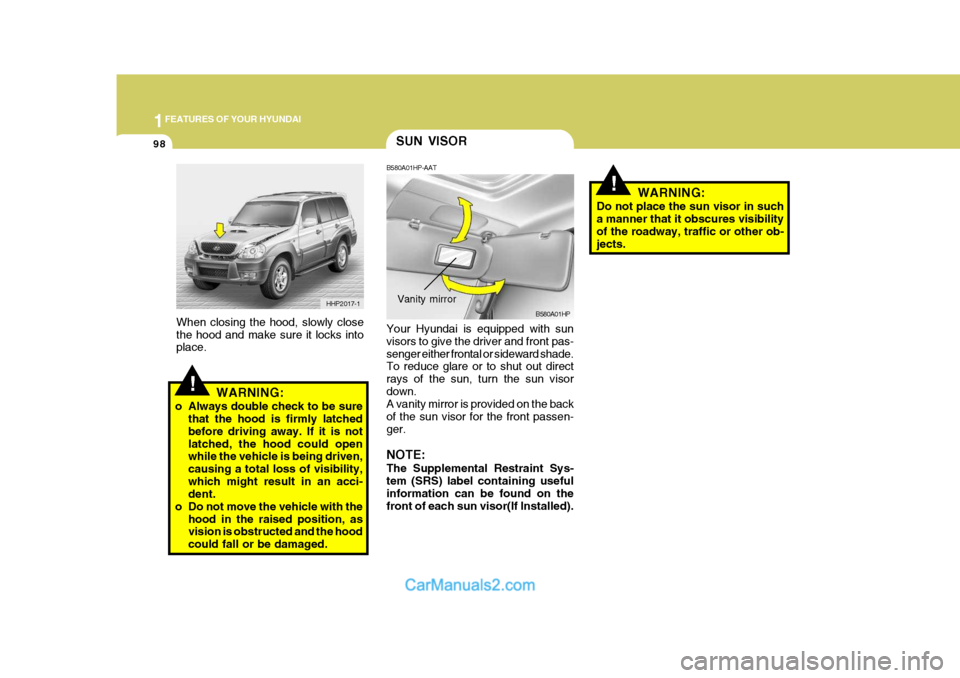
B580A01HP-AAT Your Hyundai is equipped with sun visors to give the driver and front pas- senger either frontal or sideward shade. To reduce glare or to shut out direct rays of the sun, turn the sun visordown. A vanity mirror is provided on the back of the sun visor for the front passen-ger. NOTE: The Supplemental Restraint Sys- tem (SRS) label containing usefulinformation can be found on the front of each sun visor(If Installed). B580A01HP
Vanity mirror
Page 114 of 291
1FEATURES OF YOUR HYUNDAI
100
LOADING CONDITION Driver only Driver + Front PassengerFull Passengers Full passengers + Maximum Permissible LoadingDriver + Maximum Permissible LoadingSwitch
position 0 01 2 3
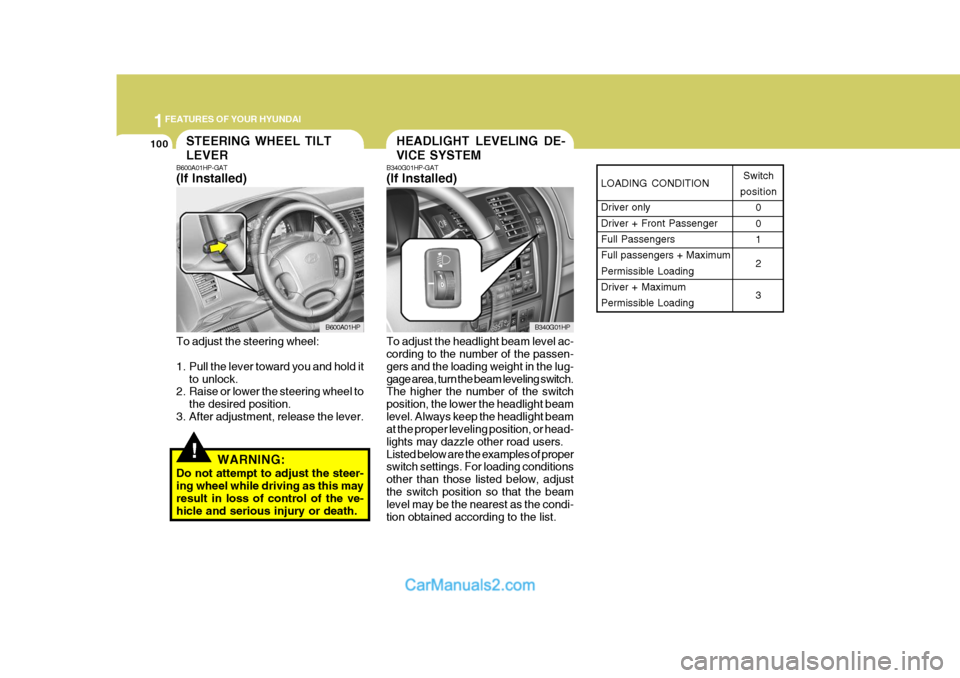
HEADLIGHT LEVELING DE- VICE SYSTEMSTEERING WHEEL TILT LEVER
!
B600A01HP-GAT (If Installed) To adjust the steering wheel:
1. Pull the lever toward you and hold itto unlock.
2. Raise or lower the steering wheel to
the desired position.
3. After adjustment, release the lever.
WARNING:
Do not attempt to adjust the steer- ing wheel while driving as this may result in loss of control of the ve- hicle and serious injury or death. B340G01HP-GAT (If Installed) To adjust the headlight beam level ac- cording to the number of the passen- gers and the loading weight in the lug-gage area, turn the beam leveling switch. The higher the number of the switch position, the lower the headlight beamlevel. Always keep the headlight beam at the proper leveling position, or head- lights may dazzle other road users.Listed below are the examples of proper switch settings. For loading conditions other than those listed below, adjustthe switch position so that the beam level may be the nearest as the condi- tion obtained according to the list.
B600A01HP
B340G01HP
Page 125 of 291
1
FEATURES OF YOUR HYUNDAI
111AIR CONDITIONING SYSTEM
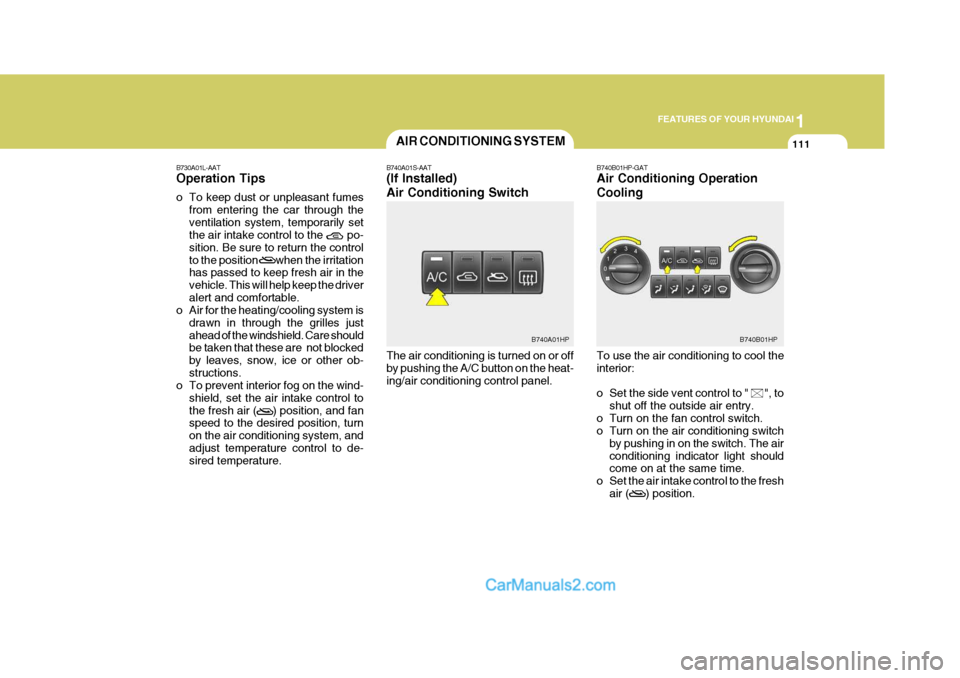
B740A01S-AAT (If Installed) Air Conditioning Switch The air conditioning is turned on or off by pushing the A/C button on the heat-ing/air conditioning control panel. B740B01HP-GAT Air Conditioning Operation Cooling To use the air conditioning to cool the interior:
o Set the side vent control to " ", to
shut off the outside air entry.
o Turn on the fan control switch.
o Turn on the air conditioning switch by pushing in on the switch. The air conditioning indicator light should come on at the same time.
o Set the air intake control to the fresh air ( ) position.
B730A01L-AAT Operation Tips
o To keep dust or unpleasant fumes
from entering the car through the ventilation system, temporarily set the air intake control to the po- sition. Be sure to return the controlto the position when the irritation has passed to keep fresh air in the vehicle. This will help keep the driveralert and comfortable.
o Air for the heating/cooling system is
drawn in through the grilles justahead of the windshield. Care should be taken that these are not blocked by leaves, snow, ice or other ob-structions.
o To prevent interior fog on the wind-
shield, set the air intake control tothe fresh air ( ) position, and fan speed to the desired position, turn on the air conditioning system, andadjust temperature control to de- sired temperature.
B740B01HPB740A01HP
Page 135 of 291
1
FEATURES OF YOUR HYUNDAI
121
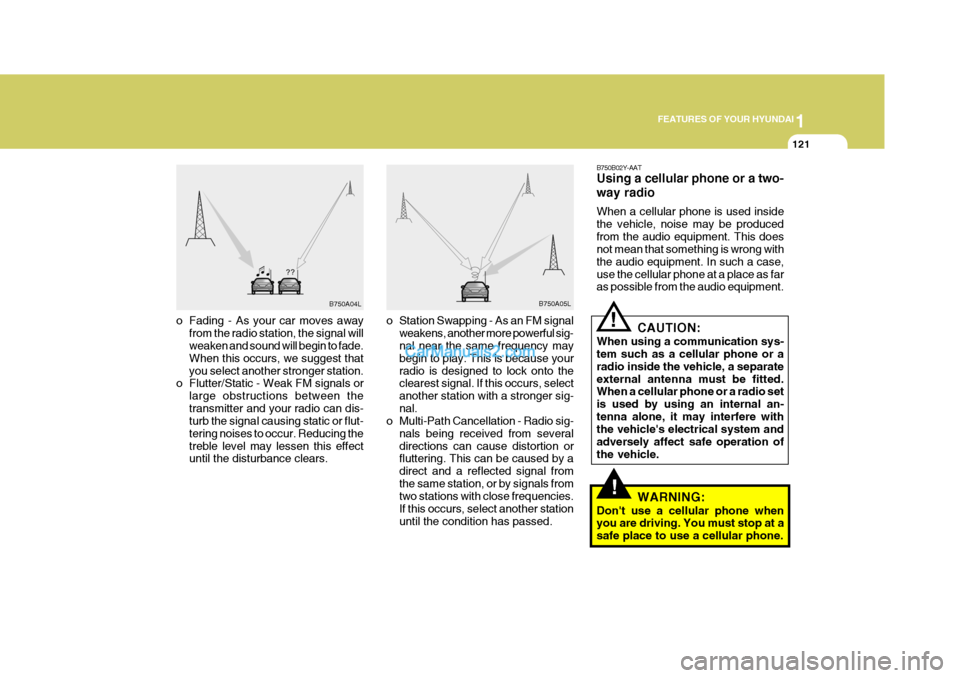
o Fading - As your car moves away
from the radio station, the signal will weaken and sound will begin to fade. When this occurs, we suggest thatyou select another stronger station.
o Flutter/Static - Weak FM signals or
large obstructions between thetransmitter and your radio can dis- turb the signal causing static or flut- tering noises to occur. Reducing thetreble level may lessen this effect until the disturbance clears. o Station Swapping - As an FM signal
weakens, another more powerful sig-nal near the same frequency may begin to play. This is because yourradio is designed to lock onto the clearest signal. If this occurs, select another station with a stronger sig-nal.
o Multi-Path Cancellation - Radio sig-
nals being received from severaldirections can cause distortion or fluttering. This can be caused by a direct and a reflected signal fromthe same station, or by signals from two stations with close frequencies. If this occurs, select another stationuntil the condition has passed. B750B02Y-AAT Using a cellular phone or a two- way radio When a cellular phone is used inside the vehicle, noise may be producedfrom the audio equipment. This does not mean that something is wrong with the audio equipment. In such a case,use the cellular phone at a place as far as possible from the audio equipment.
CAUTION:
When using a communication sys-tem such as a cellular phone or a radio inside the vehicle, a separateexternal antenna must be fitted. When a cellular phone or a radio set is used by using an internal an-tenna alone, it may interfere with the vehicle's electrical system and adversely affect safe operation ofthe vehicle.
WARNING:
Don't use a cellular phone when you are driving. You must stop at a safe place to use a cellular phone.!
!
B750A04L B750A05L
Page 137 of 291
1
FEATURES OF YOUR HYUNDAI
123
H240B03O-AAT
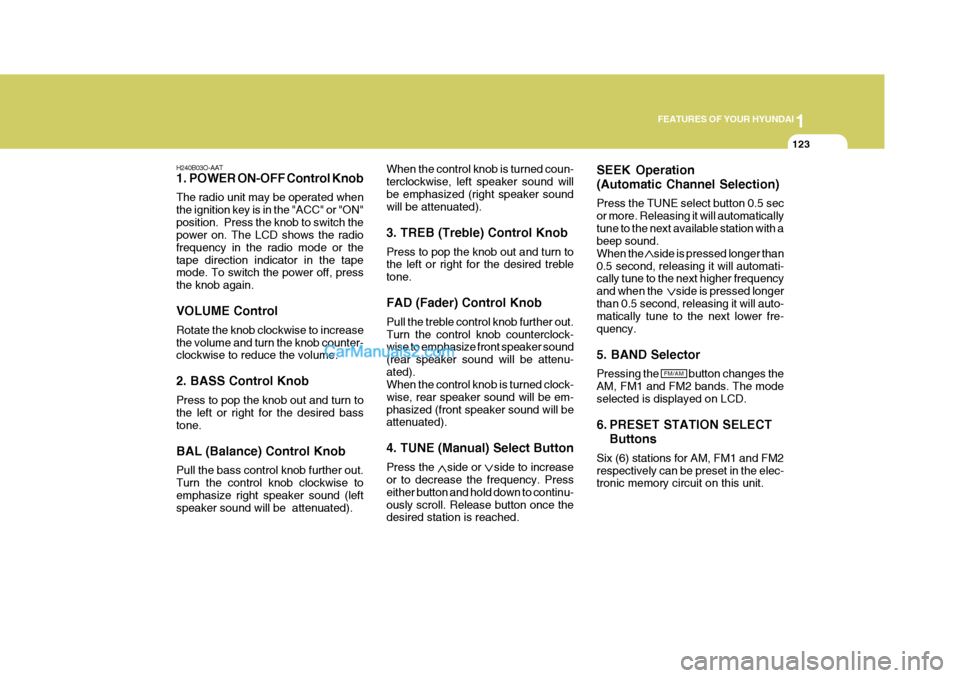
1. POWER ON-OFF Control Knob The radio unit may be operated when the ignition key is in the "ACC" or "ON"position. Press the knob to switch the power on. The LCD shows the radio frequency in the radio mode or thetape direction indicator in the tape mode. To switch the power off, press the knob again. VOLUME Control Rotate the knob clockwise to increase the volume and turn the knob counter- clockwise to reduce the volume. 2. BASS Control Knob Press to pop the knob out and turn to the left or right for the desired bass tone. BAL (Balance) Control Knob Pull the bass control knob further out. Turn the control knob clockwise to emphasize right speaker sound (left speaker sound will be attenuated). When the control knob is turned coun-terclockwise, left speaker sound willbe emphasized (right speaker sound will be attenuated). 3. TREB (Treble) Control Knob Press to pop the knob out and turn to the left or right for the desired treble tone. FAD (Fader) Control Knob Pull the treble control knob further out. Turn the control knob counterclock- wise to emphasize front speaker sound (rear speaker sound will be attenu-ated). When the control knob is turned clock- wise, rear speaker sound will be em-phasized (front speaker sound will be attenuated). 4. TUNE (Manual) Select Button Press the side or side to increase or to decrease the frequency. Press either button and hold down to continu-ously scroll. Release button once the desired station is reached.SEEK Operation (Automatic Channel Selection) Press the TUNE select button 0.5 sec or more. Releasing it will automaticallytune to the next available station with a beep sound. When the side is pressed longer than0.5 second, releasing it will automati- cally tune to the next higher frequency and when the side is pressed longerthan 0.5 second, releasing it will auto- matically tune to the next lower fre- quency. 5. BAND Selector Pressing the button changes the AM, FM1 and FM2 bands. The modeselected is displayed on LCD.
6. PRESET STATION SELECT
Buttons
Six (6) stations for AM, FM1 and FM2 respectively can be preset in the elec- tronic memory circuit on this unit.
FM/AM
Page 142 of 291
1FEATURES OF YOUR HYUNDAI
128
H290B03E-AAT
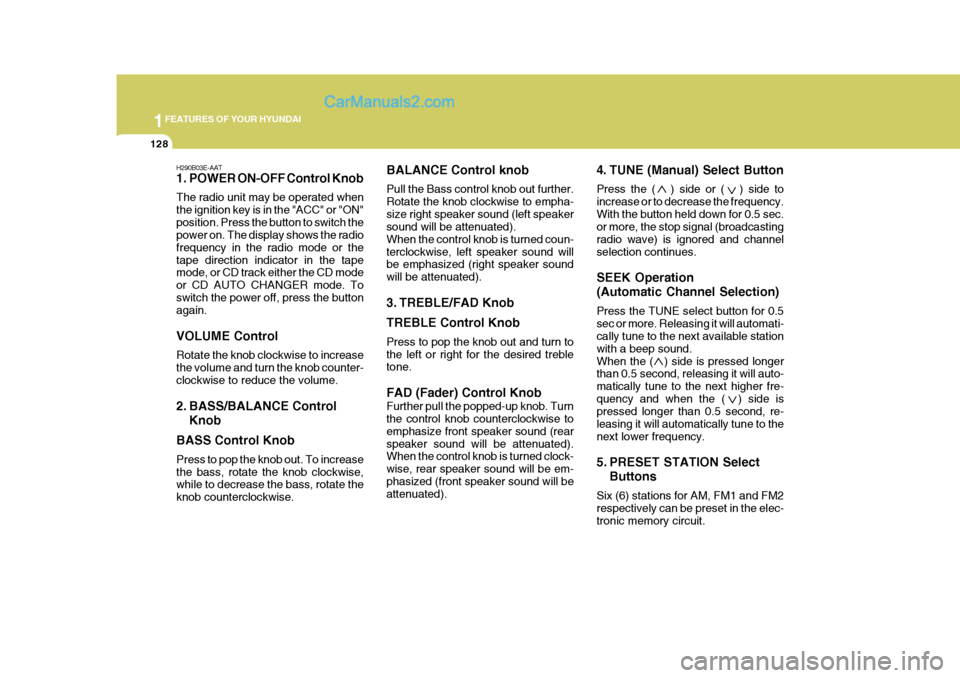
1. POWER ON-OFF Control Knob The radio unit may be operated when the ignition key is in the "ACC" or "ON"position. Press the button to switch the power on. The display shows the radio frequency in the radio mode or thetape direction indicator in the tape mode, or CD track either the CD mode or CD AUTO CHANGER mode. Toswitch the power off, press the button again. VOLUME Control Rotate the knob clockwise to increase the volume and turn the knob counter-clockwise to reduce the volume.
2. BASS/BALANCE ControlKnob
BASS Control Knob Press to pop the knob out. To increase the bass, rotate the knob clockwise, while to decrease the bass, rotate the knob counterclockwise. BALANCE Control knob Pull the Bass control knob out further. Rotate the knob clockwise to empha-size right speaker sound (left speaker sound will be attenuated). When the control knob is turned coun-terclockwise, left speaker sound will be emphasized (right speaker sound will be attenuated).
3. TREBLE/FAD Knob TREBLE Control Knob Press to pop the knob out and turn to the left or right for the desired treble tone. FAD (Fader) Control Knob Further pull the popped-up knob. Turn the control knob counterclockwise to emphasize front speaker sound (rearspeaker sound will be attenuated). When the control knob is turned clock- wise, rear speaker sound will be em-phasized (front speaker sound will be attenuated).
4. TUNE (Manual) Select Button Press the ( ) side or ( ) side to increase or to decrease the frequency.With the button held down for 0.5 sec. or more, the stop signal (broadcasting radio wave) is ignored and channelselection continues. SEEK Operation (Automatic Channel Selection) Press the TUNE select button for 0.5 sec or more. Releasing it will automati- cally tune to the next available station with a beep sound.When the ( ) side is pressed longer than 0.5 second, releasing it will auto- matically tune to the next higher fre-quency and when the ( ) side is pressed longer than 0.5 second, re- leasing it will automatically tune to thenext lower frequency.
5. PRESET STATION Select
Buttons
Six (6) stations for AM, FM1 and FM2 respectively can be preset in the elec- tronic memory circuit.
Page 155 of 291
1
FEATURES OF YOUR HYUNDAI
141ANTENNA
!
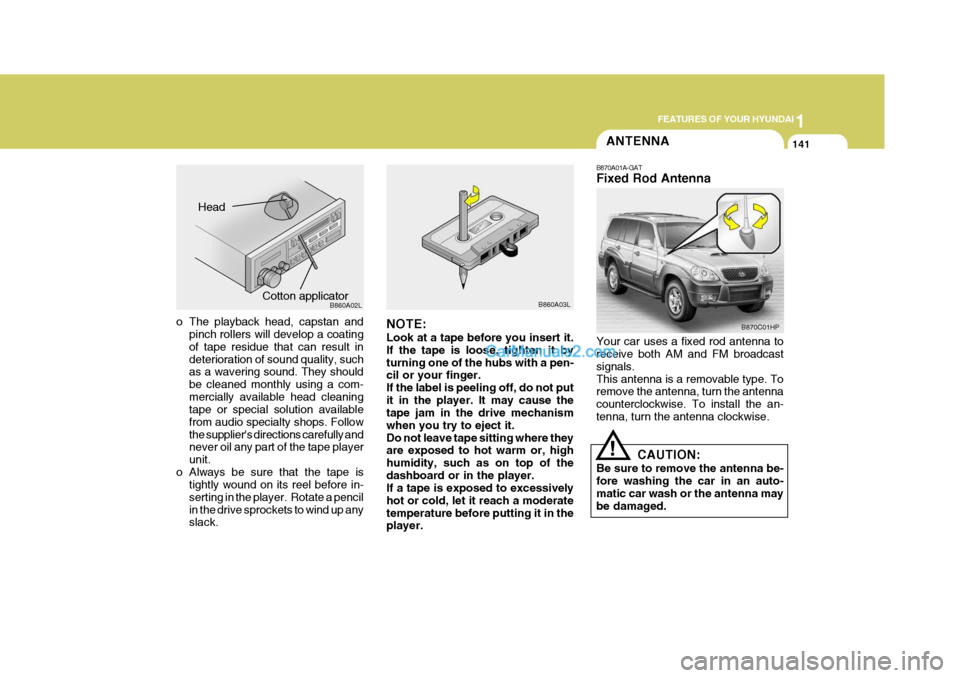
B870A01A-GAT Fixed Rod Antenna Your car uses a fixed rod antenna to receive both AM and FM broadcast signals.This antenna is a removable type. To remove the antenna, turn the antenna counterclockwise. To install the an-tenna, turn the antenna clockwise.
CAUTION:
Be sure to remove the antenna be-fore washing the car in an auto- matic car wash or the antenna may be damaged.
o The playback head, capstan and pinch rollers will develop a coating of tape residue that can result in deterioration of sound quality, such as a wavering sound. They should be cleaned monthly using a com-mercially available head cleaning tape or special solution available from audio specialty shops. Followthe supplier's directions carefully and never oil any part of the tape player unit.
o Always be sure that the tape is tightly wound on its reel before in-serting in the player. Rotate a pencilin the drive sprockets to wind up any slack. NOTE: Look at a tape before you insert it. If the tape is loose, tighten it byturning one of the hubs with a pen- cil or your finger. If the label is peeling off, do not putit in the player. It may cause the tape jam in the drive mechanism when you try to eject it.Do not leave tape sitting where they are exposed to hot warm or, high humidity, such as on top of thedashboard or in the player. If a tape is exposed to excessively hot or cold, let it reach a moderatetemperature before putting it in the player.B860A03L
Head
Cotton applicator B860A02LB870C01HP