light Hyundai Tiburon 2003 Owner's Guide
[x] Cancel search | Manufacturer: HYUNDAI, Model Year: 2003, Model line: Tiburon, Model: Hyundai Tiburon 2003Pages: 169, PDF Size: 3.04 MB
Page 48 of 169
FEATURES OF YOUR HYUNDAI
1- 40
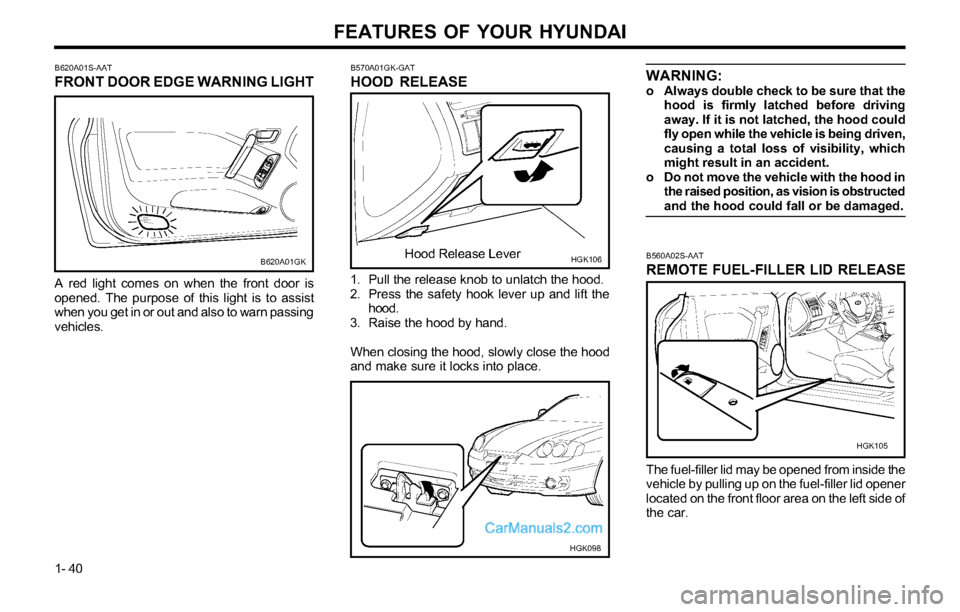
B620A01S-AAT
FRONT DOOR EDGE WARNING LIGHT
B620A01GK
A red light comes on when the front door is
opened. The purpose of this light is to assist
when you get in or out and also to warn passing
vehicles.
B560A02S-AAT
REMOTE FUEL-FILLER LID RELEASE
The fuel-filler lid may be opened from inside the
vehicle by pulling up on the fuel-filler lid opener
located on the front floor area on the left side of
the car.
HGK105
WARNING:o Always double check to be sure that the
hood is firmly latched before driving
away. If it is not latched, the hood could
fly open while the vehicle is being driven,
causing a total loss of visibility, which
might result in an accident.
o Do not move the vehicle with the hood in
the raised position, as vision is obstructed
and the hood could fall or be damaged.
B570A01GK-GAT
HOOD RELEASE
1. Pull the release knob to unlatch the hood.
2. Press the safety hook lever up and lift the
hood.
3. Raise the hood by hand.
When closing the hood, slowly close the hood
and make sure it locks into place.
HGK106Hood Release Lever
HGK098
Page 49 of 169
FEATURES OF YOUR HYUNDAI
1- 41
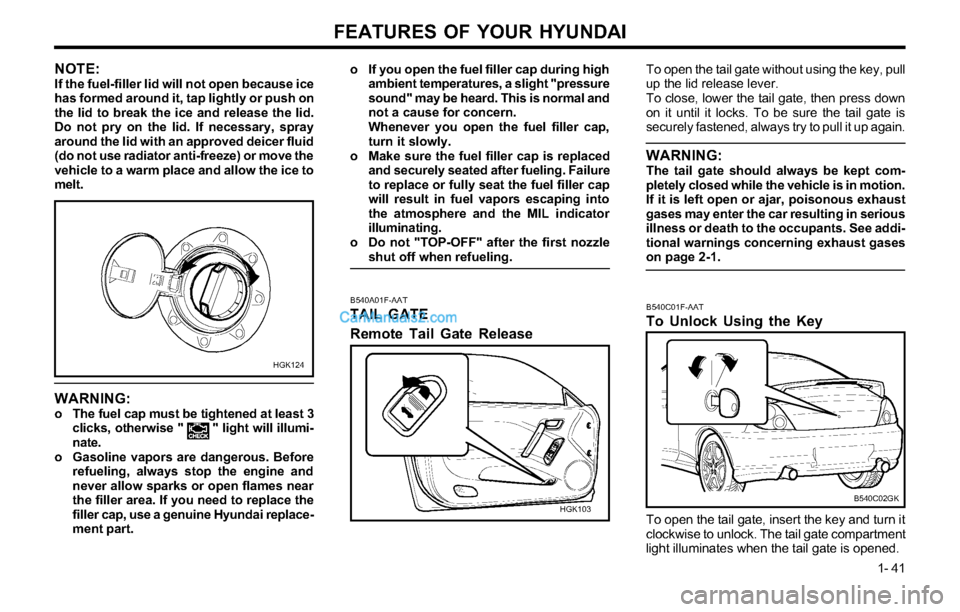
B540A01F-AAT
TAIL GATE
Remote Tail Gate Release
To open the tail gate without using the key, pull
up the lid release lever.
To close, lower the tail gate, then press down
on it until it locks. To be sure the tail gate is
securely fastened, always try to pull it up again.
WARNING:The tail gate should always be kept com-
pletely closed while the vehicle is in motion.
If it is left open or ajar, poisonous exhaust
gases may enter the car resulting in serious
illness or death to the occupants. See addi-
tional warnings concerning exhaust gases
on page 2-1.
HGK103B540C01F-AAT
To Unlock Using the Key
To open the tail gate, insert the key and turn it
clockwise to unlock. The tail gate compartment
light illuminates when the tail gate is opened.
B540C02GK
NOTE:If the fuel-filler lid will not open because ice
has formed around it, tap lightly or push on
the lid to break the ice and release the lid.
Do not pry on the lid. If necessary, spray
around the lid with an approved deicer fluid
(do not use radiator anti-freeze) or move the
vehicle to a warm place and allow the ice to
melt.
HGK124
WARNING:o The fuel cap must be tightened at least 3
clicks, otherwise " " light will illumi-
nate.
o Gasoline vapors are dangerous. Before
refueling, always stop the engine and
never allow sparks or open flames near
the filler area. If you need to replace the
filler cap, use a genuine Hyundai replace-
ment part.
o If you open the fuel filler cap during high
ambient temperatures, a slight "pressure
sound" may be heard. This is normal and
not a cause for concern.
Whenever you open the fuel filler cap,
turn it slowly.
o Make sure the fuel filler cap is replaced
and securely seated after fueling. Failure
to replace or fully seat the fuel filler cap
will result in fuel vapors escaping into
the atmosphere and the MIL indicator
illuminating.
o Do not "TOP-OFF" after the first nozzle
shut off when refueling.
Page 52 of 169
FEATURES OF YOUR HYUNDAI
1- 44
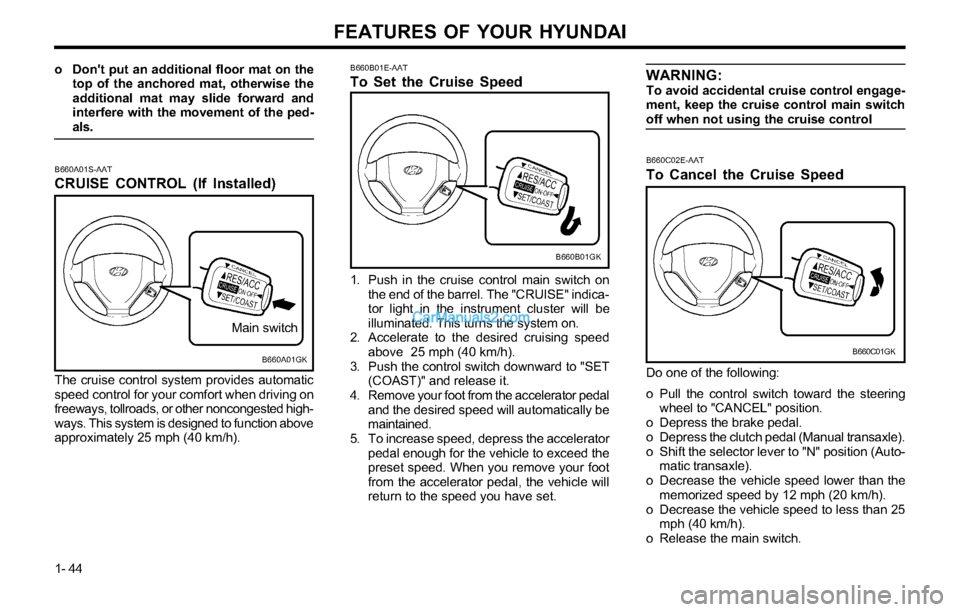
B660B01GK B660B01E-AAT
To Set the Cruise Speed
1. Push in the cruise control main switch on
the end of the barrel. The "CRUISE" indica-
tor light in the instrument cluster will be
illuminated. This turns the system on.
2. Accelerate to the desired cruising speed
above 25 mph (40 km/h).
3. Push the control switch downward to "SET
(COAST)" and release it.
4. Remove your foot from the accelerator pedal
and the desired speed will automatically be
maintained.
5. To increase speed, depress the accelerator
pedal enough for the vehicle to exceed the
preset speed. When you remove your foot
from the accelerator pedal, the vehicle will
return to the speed you have set. The cruise control system provides automatic
speed control for your comfort when driving on
freeways, tollroads, or other noncongested high-
ways. This system is designed to function above
approximately 25 mph (40 km/h).
B660C02E-AAT
To Cancel the Cruise Speed
Do one of the following:
o Pull the control switch toward the steering
wheel to "CANCEL" position.
o Depress the brake pedal.
o Depress the clutch pedal (Manual transaxle).
o Shift the selector lever to "N" position (Auto-
matic transaxle).
o Decrease the vehicle speed lower than the
memorized speed by 12 mph (20 km/h).
o Decrease the vehicle speed to less than 25
mph (40 km/h).
o Release the main switch.
B660C01GKB660A01GK
Main switch
B660A01S-AAT
CRUISE CONTROL (If Installed)
o Don't put an additional floor mat on the
top of the anchored mat, otherwise the
additional mat may slide forward and
interfere with the movement of the ped-
als.WARNING:To avoid accidental cruise control engage-
ment, keep the cruise control main switch
off when not using the cruise control
Page 56 of 169
FEATURES OF YOUR HYUNDAI
1- 48
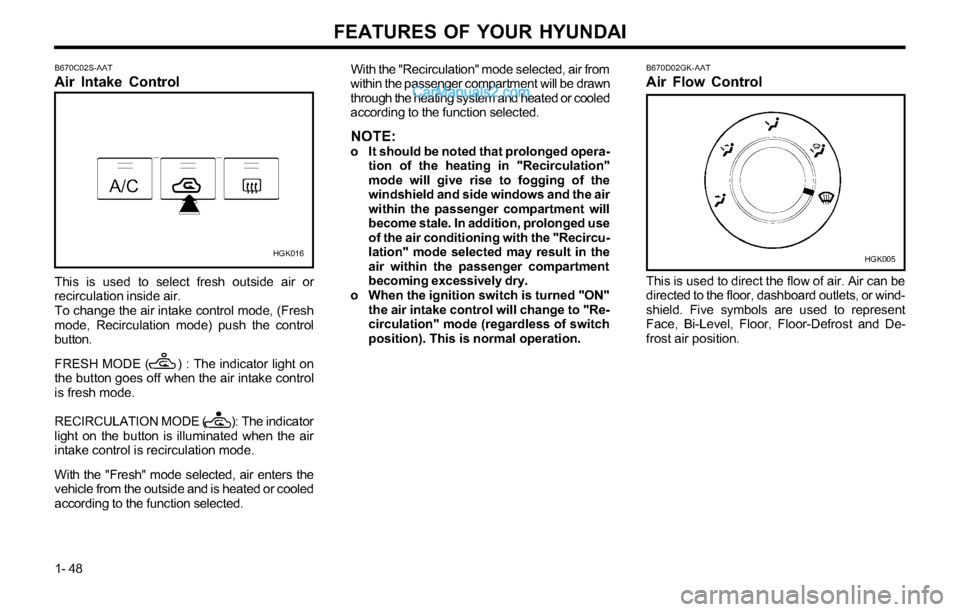
HGK016B670D02GK-AAT
Air Flow Control
This is used to direct the flow of air. Air can be
directed to the floor, dashboard outlets, or wind-
shield. Five symbols are used to represent
Face, Bi-Level, Floor, Floor-Defrost and De-
frost air position.
HGK005 B670C02S-AAT
Air Intake Control
This is used to select fresh outside air or
recirculation inside air.
To change the air intake control mode, (Fresh
mode, Recirculation mode) push the control
button.
FRESH MODE ( ) : The indicator light on
the button goes off when the air intake control
is fresh mode.
RECIRCULATION MODE ( ): The indicator
light on the button is illuminated when the air
intake control is recirculation mode.
With the "Fresh" mode selected, air enters the
vehicle from the outside and is heated or cooled
according to the function selected.With the "Recirculation" mode selected, air from
within the passenger compartment will be drawn
through the heating system and heated or cooled
according to the function selected.
NOTE:o It should be noted that prolonged opera-
tion of the heating in "Recirculation"
mode will give rise to fogging of the
windshield and side windows and the air
within the passenger compartment will
become stale. In addition, prolonged use
of the air conditioning with the "Recircu-
lation" mode selected may result in the
air within the passenger compartment
becoming excessively dry.
o When the ignition switch is turned "ON"
the air intake control will change to "Re-
circulation" mode (regardless of switch
position). This is normal operation.
Page 58 of 169
FEATURES OF YOUR HYUNDAI
1- 50
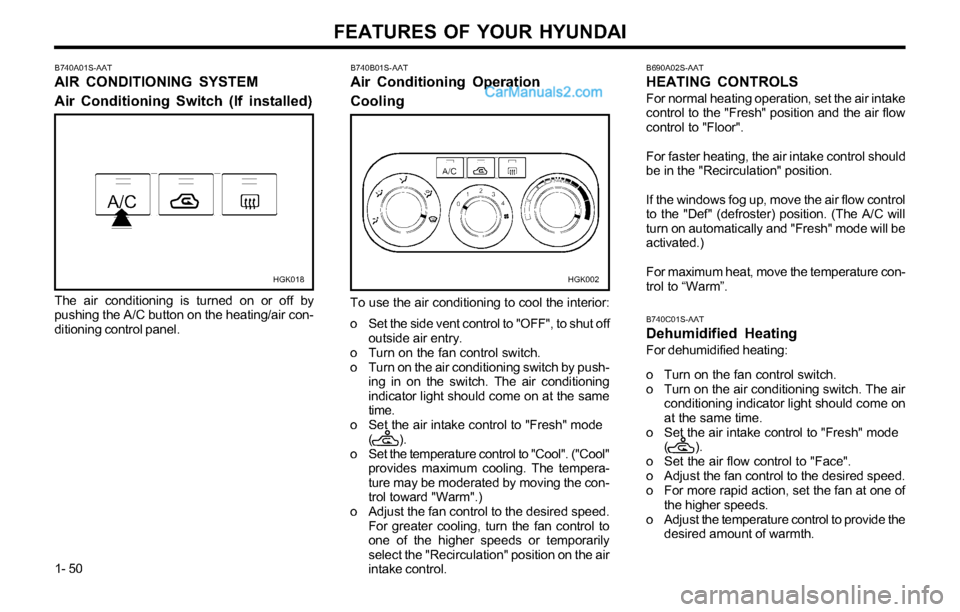
B740A01S-AAT
AIR CONDITIONING SYSTEM
Air Conditioning Switch (If installed)
HGK018
The air conditioning is turned on or off by
pushing the A/C button on the heating/air con-
ditioning control panel.
HGK002
B740B01S-AAT
Air Conditioning Operation
Cooling
To use the air conditioning to cool the interior:
o Set the side vent control to "OFF", to shut off
outside air entry.
o Turn on the fan control switch.
o Turn on the air conditioning switch by push-
ing in on the switch. The air conditioning
indicator light should come on at the same
time.
o Set the air intake control to "Fresh" mode
( ).
o Set the temperature control to "Cool". ("Cool"
provides maximum cooling. The tempera-
ture may be moderated by moving the con-
trol toward "Warm".)
o Adjust the fan control to the desired speed.
For greater cooling, turn the fan control to
one of the higher speeds or temporarily
select the "Recirculation" position on the air
intake control.
B690A02S-AAT
HEATING CONTROLS
For normal heating operation, set the air intake
control to the "Fresh" position and the air flow
control to "Floor".
For faster heating, the air intake control should
be in the "Recirculation" position.
If the windows fog up, move the air flow control
to the "Def" (defroster) position. (The A/C will
turn on automatically and "Fresh" mode will be
activated.)
For maximum heat, move the temperature con-
trol to “Warm”.
B740C01S-AAT
Dehumidified Heating
For dehumidified heating:
o Turn on the fan control switch.
o Turn on the air conditioning switch. The air
conditioning indicator light should come on
at the same time.
o Set the air intake control to "Fresh" mode
( ).
o Set the air flow control to "Face".
o Adjust the fan control to the desired speed.
o For more rapid action, set the fan at one of
the higher speeds.
o Adjust the temperature control to provide the
desired amount of warmth.
Page 62 of 169
FEATURES OF YOUR HYUNDAI
1- 54
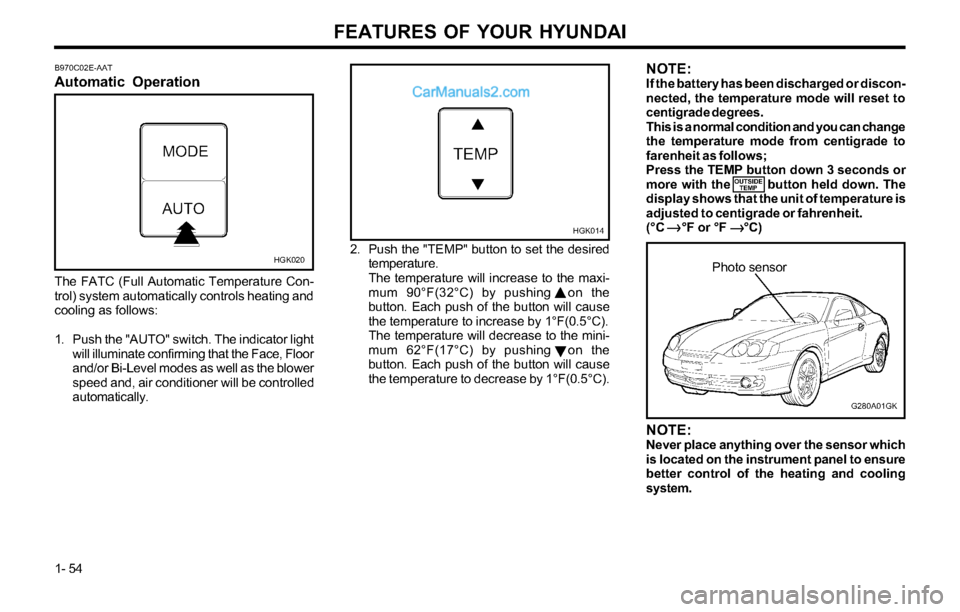
B970C02E-AAT
Automatic Operation
HGK020
The FATC (Full Automatic Temperature Con-
trol) system automatically controls heating and
cooling as follows:
1. Push the "AUTO" switch. The indicator light
will illuminate confirming that the Face, Floor
and/or Bi-Level modes as well as the blower
speed and, air conditioner will be controlled
automatically.2. Push the "TEMP" button to set the desired
temperature.
The temperature will increase to the maxi-
mum 90°F(32°C) by pushing on the
button. Each push of the button will cause
the temperature to increase by 1°F(0.5°C).
The temperature will decrease to the mini-
mum 62°F(17°C) by pushing on the
button. Each push of the button will cause
the temperature to decrease by 1°F(0.5°C).
G280A01GK
Photo sensor
HGK014
NOTE:Never place anything over the sensor which
is located on the instrument panel to ensure
better control of the heating and cooling
system.
NOTE:If the battery has been discharged or discon-
nected, the temperature mode will reset to
centigrade degrees.
This is a normal condition and you can change
the temperature mode from centigrade to
farenheit as follows;
Press the TEMP button down 3 seconds or
more with the button held down. The
display shows that the unit of temperature is
adjusted to centigrade or fahrenheit.
(°C °F or °F °C)
OUTSIDE
TEMP
Page 63 of 169
FEATURES OF YOUR HYUNDAI
1- 55
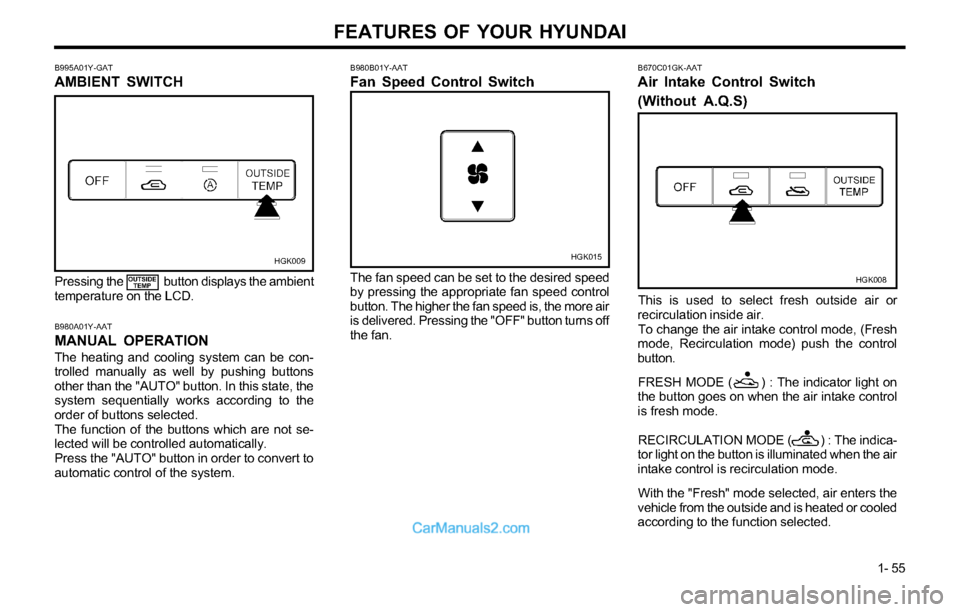
B980B01Y-AAT
Fan Speed Control Switch
HGK015
The fan speed can be set to the desired speed
by pressing the appropriate fan speed control
button. The higher the fan speed is, the more air
is delivered. Pressing the "OFF" button turns off
the fan.
B980A01Y-AAT
MANUAL OPERATION
The heating and cooling system can be con-
trolled manually as well by pushing buttons
other than the "AUTO" button. In this state, the
system sequentially works according to the
order of buttons selected.
The function of the buttons which are not se-
lected will be controlled automatically.
Press the "AUTO" button in order to convert to
automatic control of the system.Pressing the button displays the ambient
temperature on the LCD.
OUTSIDE
TEMP
B995A01Y-GAT
AMBIENT SWITCH
HGK009
B670C01GK-AAT
Air Intake Control Switch
(Without A.Q.S)
HGK008
This is used to select fresh outside air or
recirculation inside air.
To change the air intake control mode, (Fresh
mode, Recirculation mode) push the control
button.
FRESH MODE ( ) : The indicator light on
the button goes on when the air intake control
is fresh mode.
RECIRCULATION MODE ( ) : The indica-
tor light on the button is illuminated when the air
intake control is recirculation mode.
With the "Fresh" mode selected, air enters the
vehicle from the outside and is heated or cooled
according to the function selected.
Page 65 of 169
FEATURES OF YOUR HYUNDAI
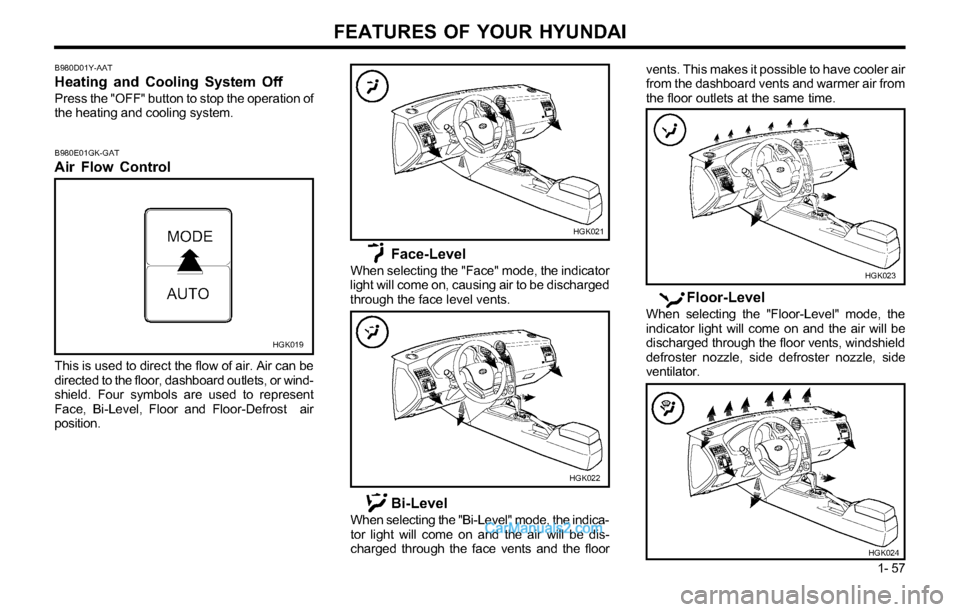
1- 57 This is used to direct the flow of air. Air can be
directed to the floor, dashboard outlets, or wind-
shield. Four symbols are used to represent
Face, Bi-Level, Floor and Floor-Defrost air
position.
B980D01Y-AAT
Heating and Cooling System Off
Press the "OFF" button to stop the operation of
the heating and cooling system.
B980E01GK-GAT
Air Flow Control
HGK019
HGK021
HGK022
Face-Level
When selecting the "Face" mode, the indicator
light will come on, causing air to be discharged
through the face level vents.
Bi-Level
When selecting the "Bi-Level" mode, the indica-
tor light will come on and the air will be dis-
charged through the face vents and the floorvents. This makes it possible to have cooler air
from the dashboard vents and warmer air from
the floor outlets at the same time.
Floor-Level
When selecting the "Floor-Level" mode, the
indicator light will come on and the air will be
discharged through the floor vents, windshield
defroster nozzle, side defroster nozzle, side
ventilator.
HGK023
HGK024
Page 66 of 169
FEATURES OF YOUR HYUNDAI
1- 58
B760A01E
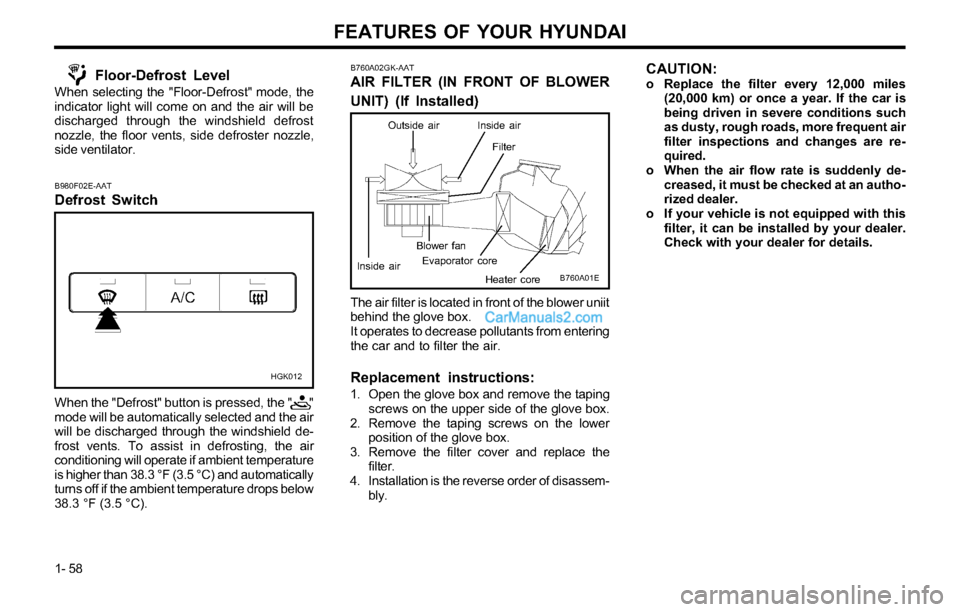
The air filter is located in front of the blower uniit
behind the glove box.
It operates to decrease pollutants from entering
the car and to filter the air.
Replacement instructions:
1. Open the glove box and remove the taping
screws on the upper side of the glove box.
2. Remove the taping screws on the lower
position of the glove box.
3. Remove the filter cover and replace the
filter.
4. Installation is the reverse order of disassem-
bly.
Evaporator coreBlower fan
Heater core
B760A02GK-AAT
AIR FILTER (IN FRONT OF BLOWER
UNIT) (If Installed)
Outside air
Filter Inside air
Inside air
CAUTION:o Replace the filter every 12,000 miles
(20,000 km) or once a year. If the car is
being driven in severe conditions such
as dusty, rough roads, more frequent air
filter inspections and changes are re-
quired.
o When the air flow rate is suddenly de-
creased, it must be checked at an autho-
rized dealer.
o If your vehicle is not equipped with this
filter, it can be installed by your dealer.
Check with your dealer for details.Floor-Defrost Level
When selecting the "Floor-Defrost" mode, the
indicator light will come on and the air will be
discharged through the windshield defrost
nozzle, the floor vents, side defroster nozzle,
side ventilator.
B980F02E-AAT
Defrost Switch
When the "Defrost" button is pressed, the " "
mode will be automatically selected and the air
will be discharged through the windshield de-
frost vents. To assist in defrosting, the air
conditioning will operate if ambient temperature
is higher than 38.3 °F (3.5 °C) and automatically
turns off if the ambient temperature drops below
38.3 °F (3.5 °C).
HGK012
Page 93 of 169
FEATURES OF YOUR HYUNDAI
1- 85
B850A01F-AAT
CARE OF DISC
Proper Handlingwhile the disc is being pulled into the unit by the
self loading mechanism.
Do not pull the unit from the dash immediately
after a disc is inserted or the eject switch has
been pressed. If the unit is pulled out before an
operation is completed, the disc will be unstable
in the unit and may be damaged.
Do not attempt to insert a disc into the unit when
the unit is out of the dash or the power is off.
Keep Your Discs Clean
B860A01A-AAT
CARE OF CASSETTE TAPES
YL11240B
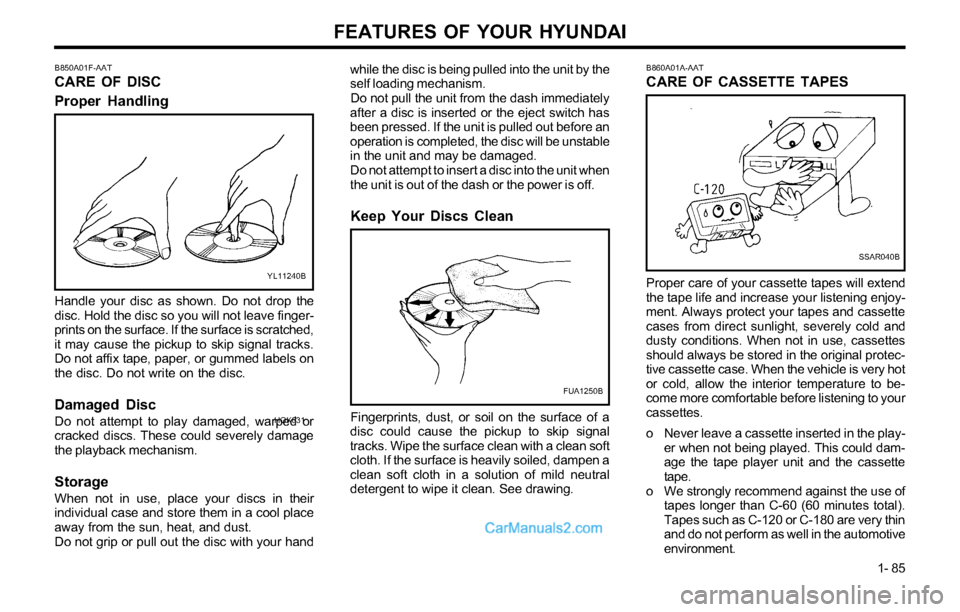
Handle your disc as shown. Do not drop the
disc. Hold the disc so you will not leave finger-
prints on the surface. If the surface is scratched,
it may cause the pickup to skip signal tracks.
Do not affix tape, paper, or gummed labels on
the disc. Do not write on the disc.
Damaged Disc
Do not attempt to play damaged, warped or
cracked discs. These could severely damage
the playback mechanism.
Storage
When not in use, place your discs in their
individual case and store them in a cool place
away from the sun, heat, and dust.
Do not grip or pull out the disc with your hand
FUA1250B
Fingerprints, dust, or soil on the surface of a
disc could cause the pickup to skip signal
tracks. Wipe the surface clean with a clean soft
cloth. If the surface is heavily soiled, dampen a
clean soft cloth in a solution of mild neutral
detergent to wipe it clean. See drawing.
SSAR040B
Proper care of your cassette tapes will extend
the tape life and increase your listening enjoy-
ment. Always protect your tapes and cassette
cases from direct sunlight, severely cold and
dusty conditions. When not in use, cassettes
should always be stored in the original protec-
tive cassette case. When the vehicle is very hot
or cold, allow the interior temperature to be-
come more comfortable before listening to your
cassettes.
o Never leave a cassette inserted in the play-
er when not being played. This could dam-
age the tape player unit and the cassette
tape.
o We strongly recommend against the use of
tapes longer than C-60 (60 minutes total).
Tapes such as C-120 or C-180 are very thin
and do not perform as well in the automotive
environment.
HGK031