CD changer Hyundai Tiburon 2005 User Guide
[x] Cancel search | Manufacturer: HYUNDAI, Model Year: 2005, Model line: Tiburon, Model: Hyundai Tiburon 2005Pages: 262, PDF Size: 11.12 MB
Page 125 of 262
1FEATURES OF YOUR HYUNDAI
114
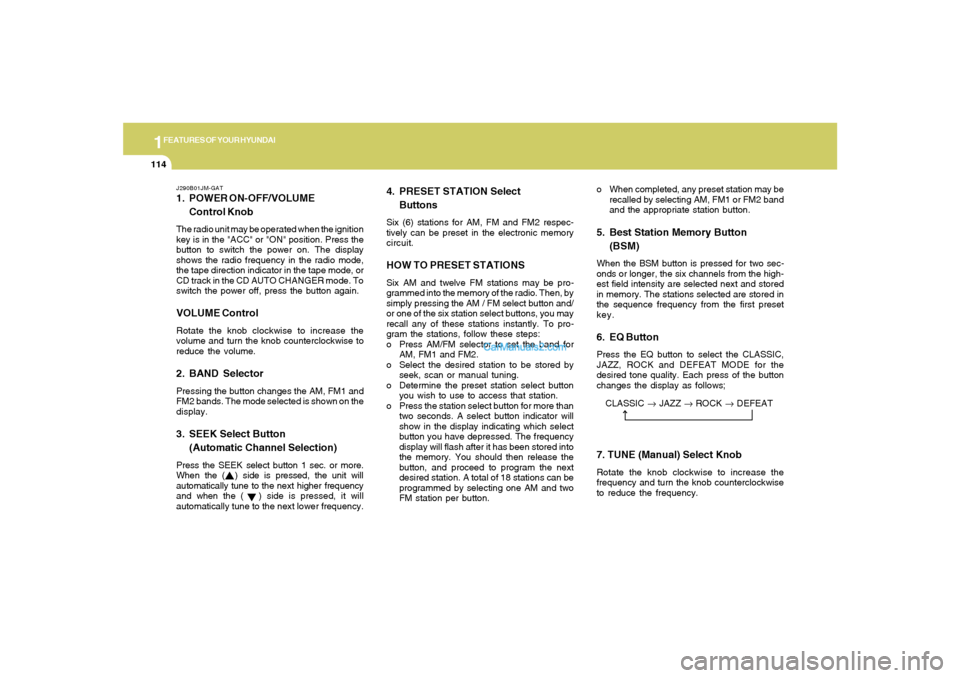
CLASSIC → JAZZ → ROCK → DEFEAT
J290B01JM-GAT1. POWER ON-OFF/VOLUME
Control KnobThe radio unit may be operated when the ignition
key is in the "ACC" or "ON" position. Press the
button to switch the power on. The display
shows the radio frequency in the radio mode,
the tape direction indicator in the tape mode, or
CD track in the CD AUTO CHANGER mode. To
switch the power off, press the button again.VOLUME ControlRotate the knob clockwise to increase the
volume and turn the knob counterclockwise to
reduce the volume.2. BAND SelectorPressing the button changes the AM, FM1 and
FM2 bands. The mode selected is shown on the
display.3. SEEK Select Button
(Automatic Channel Selection)Press the SEEK select button 1 sec. or more.
When the ( ) side is pressed, the unit will
automatically tune to the next higher frequency
and when the ( ) side is pressed, it will
automatically tune to the next lower frequency.o When completed, any preset station may be
recalled by selecting AM, FM1 or FM2 band
and the appropriate station button.
5. Best Station Memory Button
(BSM)When the BSM button is pressed for two sec-
onds or longer, the six channels from the high-
est field intensity are selected next and stored
in memory. The stations selected are stored in
the sequence frequency from the first preset
key.6. EQ ButtonPress the EQ button to select the CLASSIC,
JAZZ, ROCK and DEFEAT MODE for the
desired tone quality. Each press of the button
changes the display as follows;
4. PRESET STATION Select
ButtonsSix (6) stations for AM, FM and FM2 respec-
tively can be preset in the electronic memory
circuit.HOW TO PRESET STATIONSSix AM and twelve FM stations may be pro-
grammed into the memory of the radio. Then, by
simply pressing the AM / FM select button and/
or one of the six station select buttons, you may
recall any of these stations instantly. To pro-
gram the stations, follow these steps:
o Press AM/FM selector to set the band for
AM, FM1 and FM2.
o Select the desired station to be stored by
seek, scan or manual tuning.
o Determine the preset station select button
you wish to use to access that station.
o Press the station select button for more than
two seconds. A select button indicator will
show in the display indicating which select
button you have depressed. The frequency
display will flash after it has been stored into
the memory. You should then release the
button, and proceed to program the next
desired station. A total of 18 stations can be
programmed by selecting one AM and two
FM station per button.
7. TUNE (Manual) Select KnobRotate the knob clockwise to increase the
frequency and turn the knob counterclockwise
to reduce the frequency.
Page 129 of 262
1FEATURES OF YOUR HYUNDAI
118
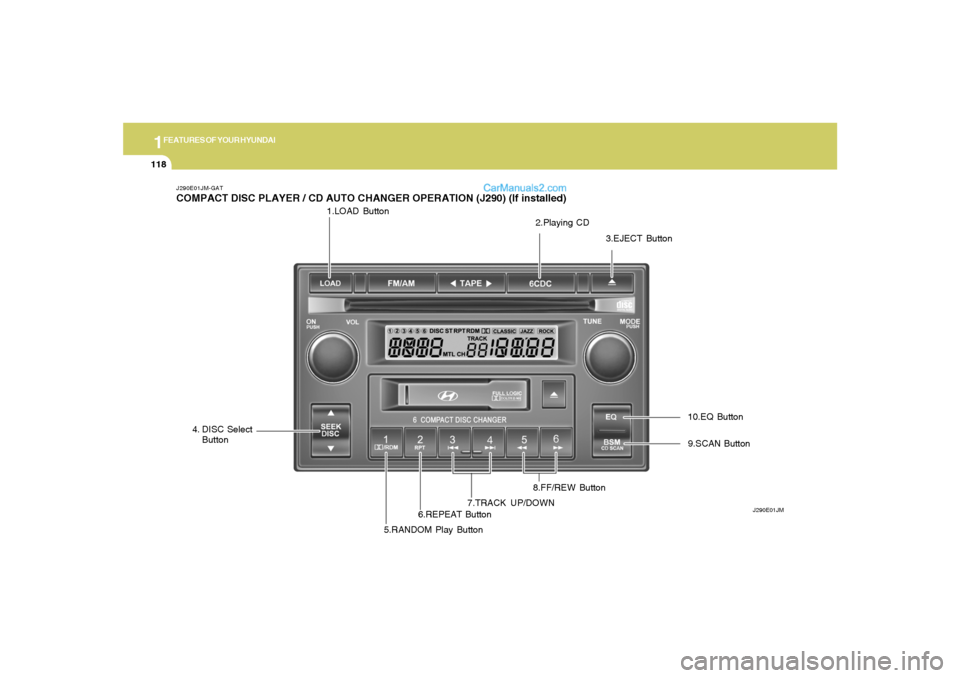
1.LOAD Button
J290E01JM-GATCOMPACT DISC PLAYER / CD AUTO CHANGER OPERATION (J290) (If installed)
J290E01JM
2.Playing CD
3.EJECT Button
4. DISC Select
Button
5.RANDOM Play Button6.REPEAT Button7.TRACK UP/DOWN8.FF/REW Button9.SCAN Button 10.EQ Button
Page 133 of 262
1FEATURES OF YOUR HYUNDAI
122
AUDIO FAULT CODEINDICATION
Er2
Er3
Er6
Er8
HHH
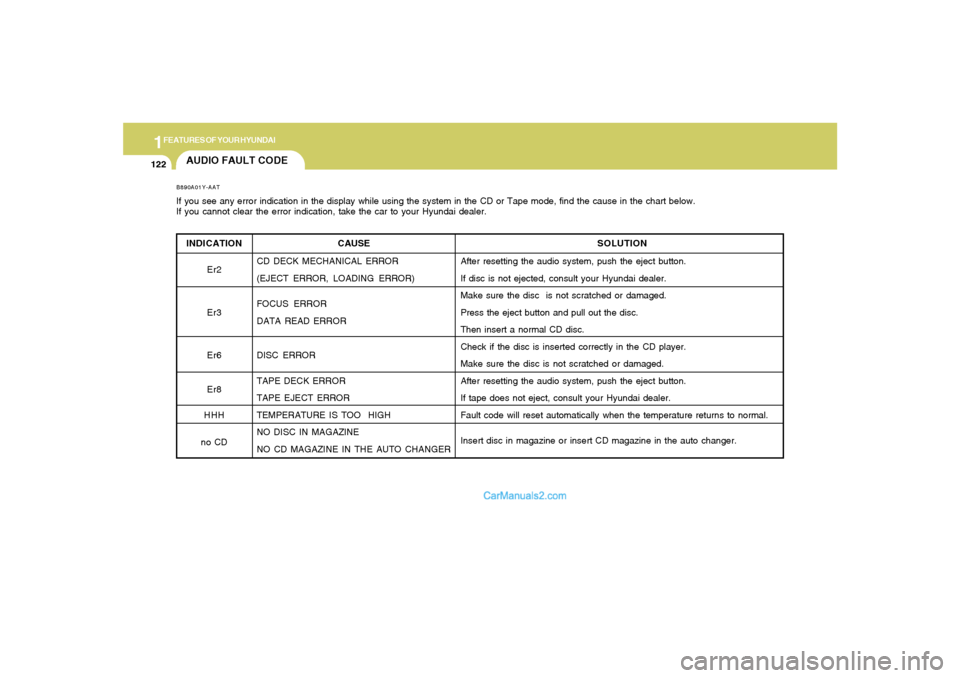
no CDB890A01Y-AATIf you see any error indication in the display while using the system in the CD or Tape mode, find the cause in the chart below.
If you cannot clear the error indication, take the car to your Hyundai dealer.
SOLUTION
After resetting the audio system, push the eject button.
If disc is not ejected, consult your Hyundai dealer.
Make sure the disc is not scratched or damaged.
Press the eject button and pull out the disc.
Then insert a normal CD disc.
Check if the disc is inserted correctly in the CD player.
Make sure the disc is not scratched or damaged.
After resetting the audio system, push the eject button.
If tape does not eject, consult your Hyundai dealer.
Fault code will reset automatically when the temperature returns to normal.
Insert disc in magazine or insert CD magazine in the auto changer. CAUSE
CD DECK MECHANICAL ERROR
(EJECT ERROR, LOADING ERROR)
FOCUS ERROR
DATA READ ERROR
DISC ERROR
TAPE DECK ERROR
TAPE EJECT ERROR
TEMPERATURE IS TOO HIGH
NO DISC IN MAGAZINE
NO CD MAGAZINE IN THE AUTO CHANGER
Page 256 of 262
10
INDEX
2
A
Air Bag...............................................................................................1-26
Air Cleaner Filter ...............................................................................6-12
Air Conditioning
Care..............................................................................................6-19
Operation......................................................................................6-20
Switch...........................................................................................1-75
Air Conditioner Filter ..........................................................................1-84
Antenna..........................................................................................1-125
Anti-Lock Brake System (ABS) ........................................................2-11
Ashtray..............................................................................................1-52
Automatic Transaxle........................................................................... 2-7
Auto Remote Control Switch .............................................................1-67
B
Battery..................................................................................... 2-16, 6-23
Binding arbitration..............................................................................8-15
Brake
Anti-lock system..........................................................................2-11
Checking the brakes ....................................................................6-17
Fluid ..............................................................................................6-18
Pedal clearance...........................................................................6-23
Pedal free-play.............................................................................6-23
Practices......................................................................................2-11
Breaking-In your new Hyundai ........................................................... 1-3
Bulbs Wattage...................................................................................6-39C
Care of Cassette tapes ..................................................................1-123
Care of Disc ...................................................................................1-123
Cassette Tape Player Operation
(H250, H280, J290)............................................. 1-91, 1-105, 1-113
Catalytic Converter............................................................................. 7-3
CD Auto Changer (H260, H280, J290) .................... 1-99, 1-110, 1-118
Child Restraint System......................................................... 1-20 ~ 1-24
Cigarette Lighter................................................................................1-51
Clutch
Checking fluid...............................................................................6-19
Pedal free-play.............................................................................6-22
Combination Light
Auto Light......................................................................................1-46
Headlight flasher..........................................................................1-47
Headlight switch...........................................................................
1-46
High-beam switch........................................................................1-46
Lane change signal ......................................................................1-45
Turn signal operation...................................................................1-45
Compact Disc Player Operation
(H260, H280, J290)............................................. 1-96, 1-107, 1-118
Consumer Information......................................................................8-11
Cooling Fans.....................................................................................6-27
Corrosion Protection
Cleaning the interior....................................................................... 4-5
Protecting your Hyundai from corrosion....................................... 4-2
Washing and waxing...................................................................... 4-3
Cruise Control...................................................................................1-65