clock Hyundai Tiburon 2007 User Guide
[x] Cancel search | Manufacturer: HYUNDAI, Model Year: 2007, Model line: Tiburon, Model: Hyundai Tiburon 2007Pages: 269, PDF Size: 10.37 MB
Page 128 of 269
1FEATURES OF YOUR HYUNDAI
116
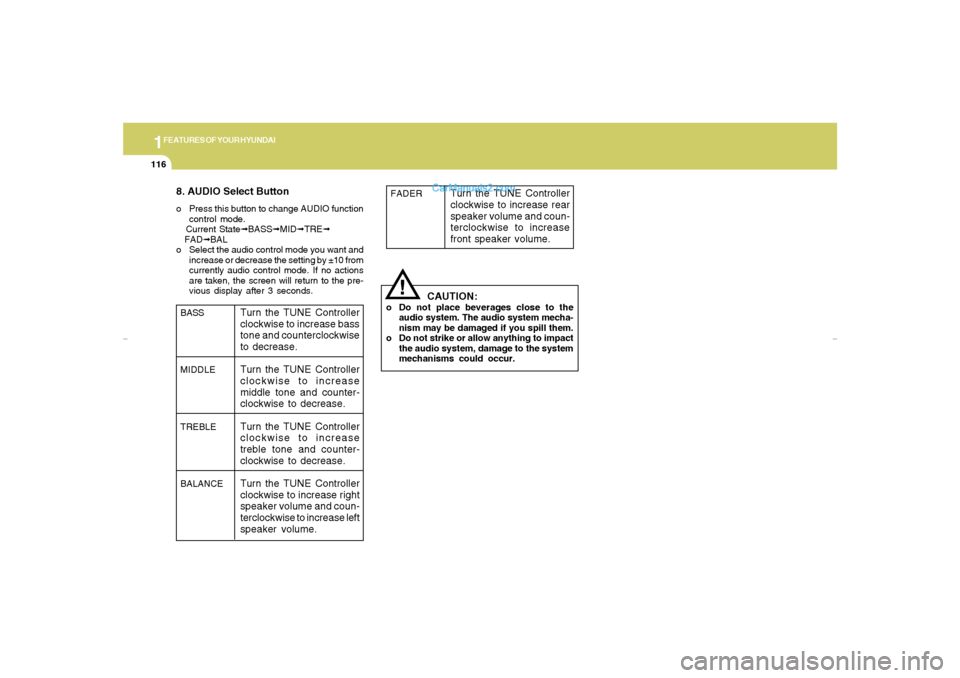
8. AUDIO Select Buttono Press this button to change AUDIO function
control mode.
Current State➟BASS➟MID➟TRE➟
FAD➟BAL
o Select the audio control mode you want and
increase or decrease the setting by ±10 from
currently audio control mode. If no actions
are taken, the screen will return to the pre-
vious display after 3 seconds.
!
BASS
MIDDLE
TREBLE
BALANCE
Turn the TUNE Controller
clockwise to increase bass
tone and counterclockwise
to decrease.
Turn the TUNE Controller
clockwise to increase
middle tone and counter-
clockwise to decrease.
Turn the TUNE Controller
clockwise to increase
treble tone and counter-
clockwise to decrease.
Turn the TUNE Controller
clockwise to increase right
speaker volume and coun-
terclockwise to increase left
speaker volume.
CAUTION:
o Do not place beverages close to the
audio system. The audio system mecha-
nism may be damaged if you spill them.
o Do not strike or allow anything to impact
the audio system, damage to the system
mechanisms could occur.FADER
Turn the TUNE Controller
clockwise to increase rear
speaker volume and coun-
terclockwise to increase
front speaker volume.
gkflhma-1b.p659/12/2006, 3:19 PM 116
Page 133 of 269
1
FEATURES OF YOUR HYUNDAI
121
H465B01GK-GAT1. Power Button (POWER ON)Press this button when the ignition switch of the
automobile is set to ACC (1st notch) or ON (2nd
notch) to turn on the power and the audio
system. Press once again when the audio
system is on to turn off the power.2. Volume Control (VOLUME)Turn the volume control clockwise to increase
volume and counterclockwise to reduce. The
volume level will be displayed on the screen
when you adjust the volume.3. Radio Band Selection Button (FM/AM)o Press this button to listen to either FM or AM.
o The radio will be set to each of the following
modes each time you press the button.
FM1 ➟ FM2 ➟ AMNOTE:Push this button when the power is off to
turn on the power automatically.
4. SCAN ButtonPress this button to automatically select chan-
nels starting from the current channel and play
each channel for 5 seconds. Press again to
keep listening to the channel currently selected.5. Automatic Channel Selection Button
(SEEK)Press the [SEEK
] button to automatically
increase frequency and press the [TRACK
] button to automatically decrease frequency to
select and play the next available channel. If the
received channel is memorized in the preset
buttons then the screen will display the memo-
rized channel.6. Manual Channel Selection Control
(TUNE)Turn the TUNE control clockwise to increase
frequency and counterclockwise to reduce fre-
quency by 1 step for each click.7. Preset Button (1~6)Press this button to listen to the channels
memorized to each button. If you want to memo-
rize the current channel to the preset button,
press the button for more than 1.5 seconds then
the channel will be memorized to the button with
a beep.
8. Information Display Screen (LCD)A variety of information will be displayed on the
screen including the radio bands (FM1/FM2/
AM) while listening to the radio, frequency of
each channel, the number of preset channel
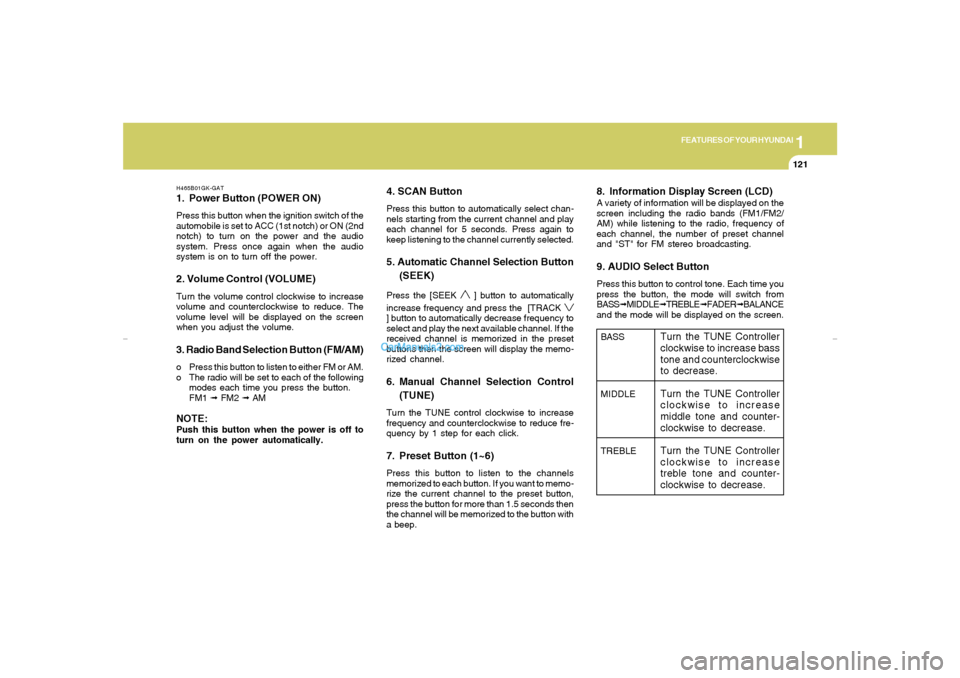
and "ST" for FM stereo broadcasting.9. AUDIO Select ButtonPress this button to control tone. Each time you
press the button, the mode will switch from
BASS➟MIDDLE➟TREBLE➟FADER➟BALANCE
and the mode will be displayed on the screen.BASS
MIDDLE
TREBLE
Turn the TUNE Controller
clockwise to increase bass
tone and counterclockwise
to decrease.
Turn the TUNE Controller
clockwise to increase
middle tone and counter-
clockwise to decrease.
Turn the TUNE Controller
clockwise to increase
treble tone and counter-
clockwise to decrease.
gkflhma-1b.p659/12/2006, 3:19 PM 121
Page 134 of 269
1FEATURES OF YOUR HYUNDAI
122
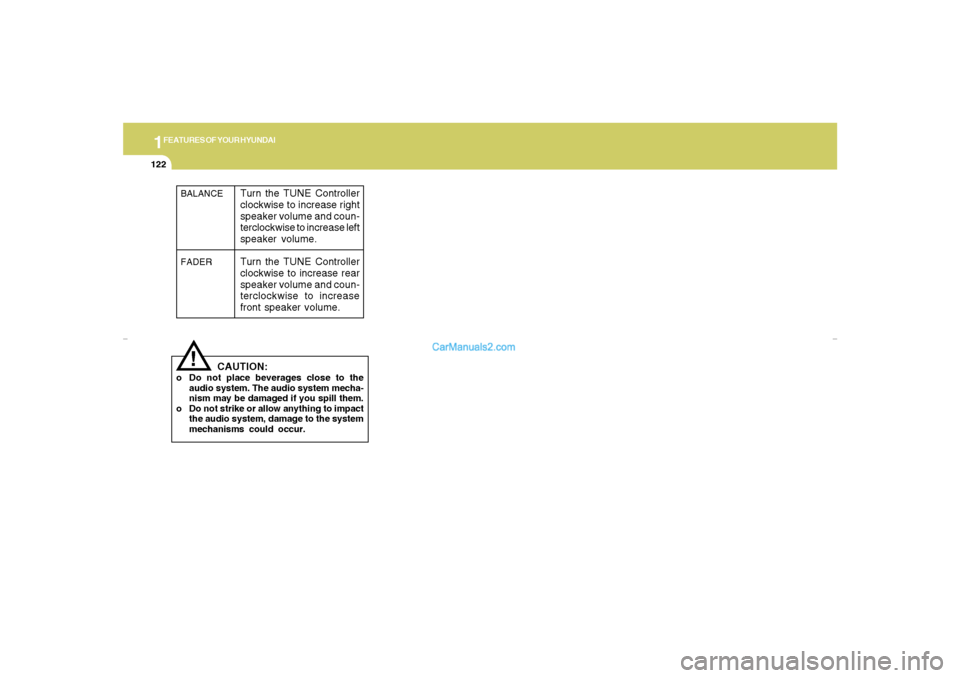
!BALANCE
FADER
Turn the TUNE Controller
clockwise to increase right
speaker volume and coun-
terclockwise to increase left
speaker volume.
Turn the TUNE Controller
clockwise to increase rear
speaker volume and coun-
terclockwise to increase
front speaker volume.
CAUTION:
o Do not place beverages close to the
audio system. The audio system mecha-
nism may be damaged if you spill them.
o Do not strike or allow anything to impact
the audio system, damage to the system
mechanisms could occur.
gkflhma-1b.p659/12/2006, 3:19 PM 122
Page 144 of 269
2
DRIVING YOUR HYUNDAI
4
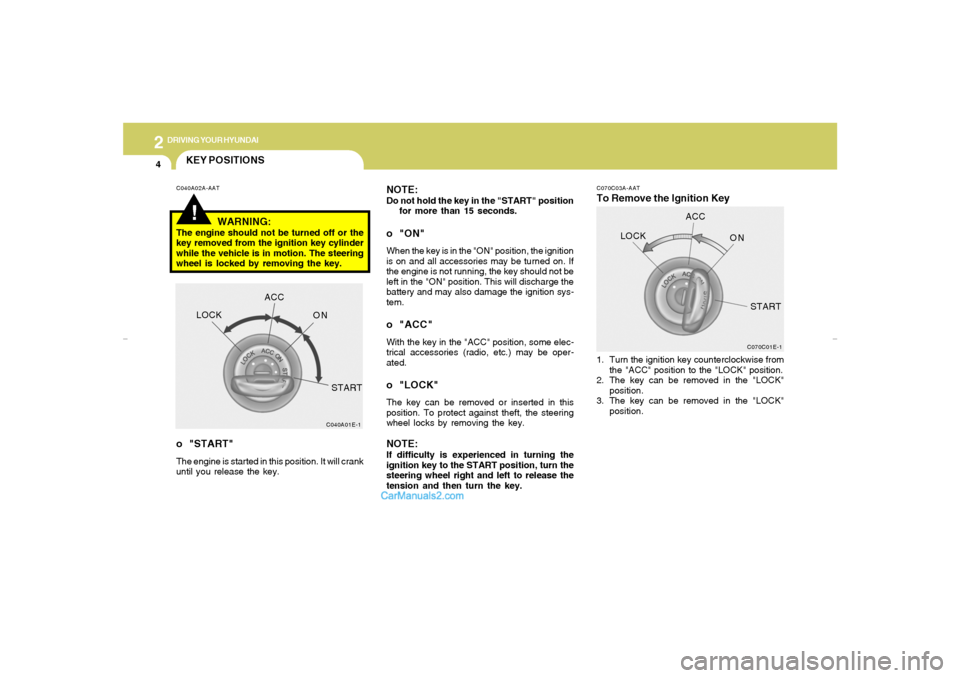
C070C03A-AATTo Remove the Ignition Key NOTE:
Do not hold the key in the "START" position
for more than 15 seconds.o "ON"When the key is in the "ON" position, the ignition
is on and all accessories may be turned on. If
the engine is not running, the key should not be
left in the "ON" position. This will discharge the
battery and may also damage the ignition sys-
tem.o "ACC"With the key in the "ACC" position, some elec-
trical accessories (radio, etc.) may be oper-
ated.o "LOCK"The key can be removed or inserted in this
position. To protect against theft, the steering
wheel locks by removing the key.NOTE:If difficulty is experienced in turning the
ignition key to the START position, turn the
steering wheel right and left to release the
tension and then turn the key.1. Turn the ignition key counterclockwise from
the "ACC" position to the "LOCK" position.
2. The key can be removed in the "LOCK"
position.
3. The key can be removed in the "LOCK"
position.
C070C01E-1
LOCKACC
ON
START
!KEY POSITIONSC040A02A-AAT
WARNING:
The engine should not be turned off or the
key removed from the ignition key cylinder
while the vehicle is in motion. The steering
wheel is locked by removing the key.o "START"The engine is started in this position. It will crank
until you release the key.
C040A01E-1
LOCKACC
ON
START
gkflhma-2.p659/12/2006, 3:20 PM 4
Page 179 of 269
312
WHAT TO DO IN AN EMERGENCY
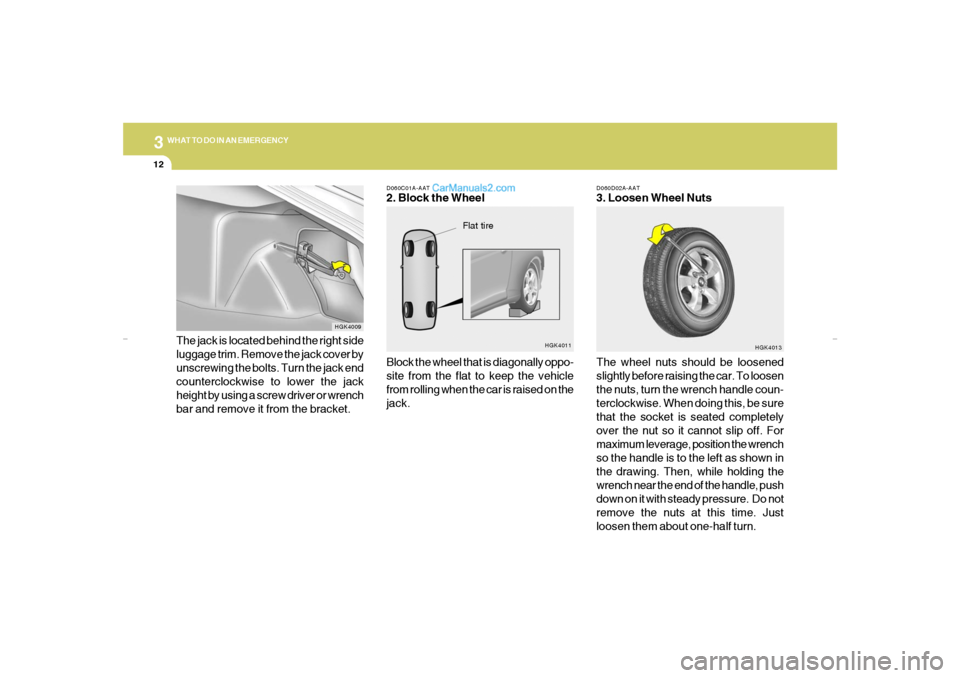
D060D02A-AAT3. Loosen Wheel Nuts
The wheel nuts should be loosened
slightly before raising the car. To loosen
the nuts, turn the wrench handle coun-
terclockwise. When doing this, be sure
that the socket is seated completely
over the nut so it cannot slip off. For
maximum leverage, position the wrench
so the handle is to the left as shown in
the drawing. Then, while holding the
wrench near the end of the handle, push
down on it with steady pressure. Do not
remove the nuts at this time. Just
loosen them about one-half turn.
HGK4013
D060C01A-AAT2. Block the Wheel
Block the wheel that is diagonally oppo-
site from the flat to keep the vehicle
from rolling when the car is raised on the
jack.
HGK4011
Flat tire
The jack is located behind the right side
luggage trim. Remove the jack cover by
unscrewing the bolts. Turn the jack end
counterclockwise to lower the jack
height by using a screw driver or wrench
bar and remove it from the bracket.
HGK4009
gkflhma-3.p659/12/2006, 3:21 PM 12
Page 180 of 269
3
WHAT TO DO IN AN EMERGENCY
13
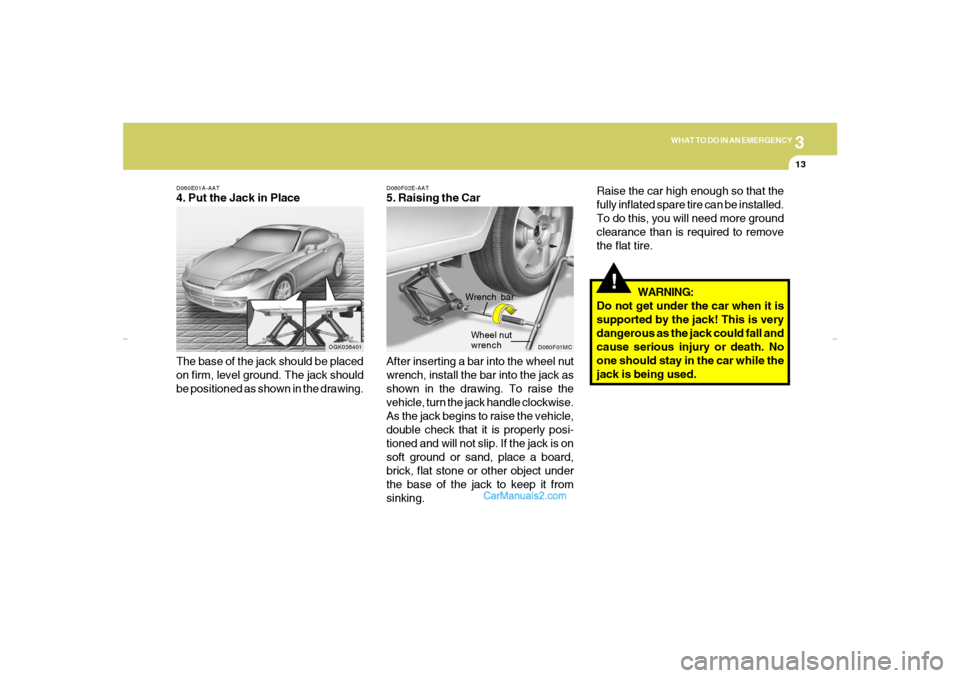
D060E01A-AAT4. Put the Jack in Place
The base of the jack should be placed
on firm, level ground. The jack should
be positioned as shown in the drawing.
OGK036401
!
WARNING:
Do not get under the car when it is
supported by the jack! This is very
dangerous as the jack could fall and
cause serious injury or death. No
one should stay in the car while the
jack is being used.
D060F02E-AAT5. Raising the Car
After inserting a bar into the wheel nut
wrench, install the bar into the jack as
shown in the drawing. To raise the
vehicle, turn the jack handle clockwise.
As the jack begins to raise the vehicle,
double check that it is properly posi-
tioned and will not slip. If the jack is on
soft ground or sand, place a board,
brick, flat stone or other object under
the base of the jack to keep it from
sinking.
D060F01MC
Wrench bar
Wheel nut
wrench
Raise the car high enough so that the
fully inflated spare tire can be installed.
To do this, you will need more ground
clearance than is required to remove
the flat tire.
gkflhma-3.p659/12/2006, 3:21 PM 13
Page 182 of 269
3
WHAT TO DO IN AN EMERGENCY
15
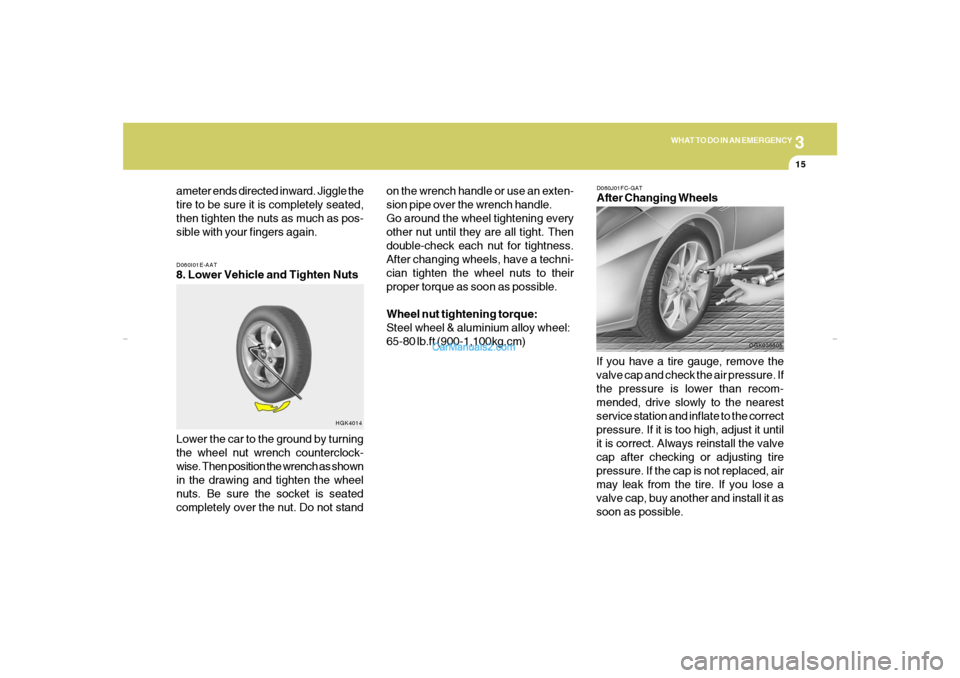
D060I01E-AAT8. Lower Vehicle and Tighten Nuts
Lower the car to the ground by turning
the wheel nut wrench counterclock-
wise. Then position the wrench as shown
in the drawing and tighten the wheel
nuts. Be sure the socket is seated
completely over the nut. Do not stand
HGK4014
ameter ends directed inward. Jiggle the
tire to be sure it is completely seated,
then tighten the nuts as much as pos-
sible with your fingers again.
D060J01FC-GATAfter Changing Wheels
If you have a tire gauge, remove the
valve cap and check the air pressure. If
the pressure is lower than recom-
mended, drive slowly to the nearest
service station and inflate to the correct
pressure. If it is too high, adjust it until
it is correct. Always reinstall the valve
cap after checking or adjusting tire
pressure. If the cap is not replaced, air
may leak from the tire. If you lose a
valve cap, buy another and install it as
soon as possible.
OGK036605
on the wrench handle or use an exten-
sion pipe over the wrench handle.
Go around the wheel tightening every
other nut until they are all tight. Then
double-check each nut for tightness.
After changing wheels, have a techni-
cian tighten the wheel nuts to their
proper torque as soon as possible.
Wheel nut tightening torque:
Steel wheel & aluminium alloy wheel:
65-80 lb.ft (900-1,100kg.cm)
gkflhma-3.p659/12/2006, 3:21 PM 15
Page 206 of 269
6
DO-IT-YOURSELF MAINTENANCE
6
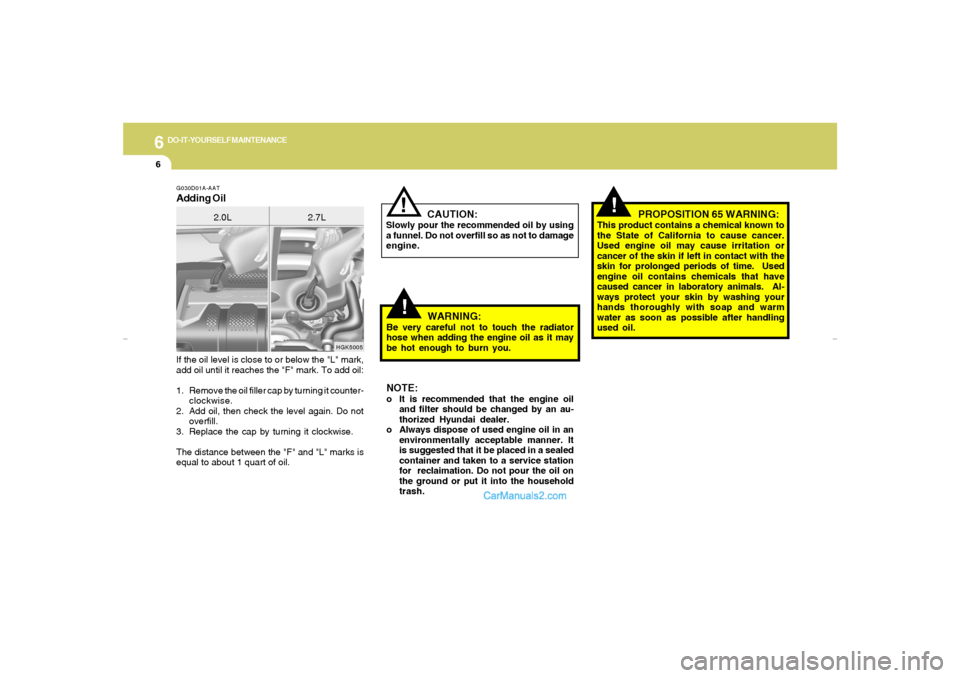
If the oil level is close to or below the "L" mark,
add oil until it reaches the "F" mark. To add oil:
1. Remove the oil filler cap by turning it counter-
clockwise.
2. Add oil, then check the level again. Do not
overfill.
3. Replace the cap by turning it clockwise.
The distance between the "F" and "L" marks is
equal to about 1 quart of oil.G030D01A-AATAdding Oil
HGK5005
2.0L 2.7L
!
CAUTION:
Slowly pour the recommended oil by using
a funnel. Do not overfill so as not to damage
engine.
!
WARNING:
Be very careful not to touch the radiator
hose when adding the engine oil as it may
be hot enough to burn you.NOTE:o It is recommended that the engine oil
and filter should be changed by an au-
thorized Hyundai dealer.
o Always dispose of used engine oil in an
environmentally acceptable manner. It
is suggested that it be placed in a sealed
container and taken to a service station
for reclaimation. Do not pour the oil on
the ground or put it into the household
trash.
!
PROPOSITION 65 WARNING:
This product contains a chemical known to
the State of California to cause cancer.
Used engine oil may cause irritation or
cancer of the skin if left in contact with the
skin for prolonged periods of time. Used
engine oil contains chemicals that have
caused cancer in laboratory animals. Al-
ways protect your skin by washing your
hands thoroughly with soap and warm
water as soon as possible after handling
used oil.
gkflhma-6.p659/12/2006, 3:22 PM 6
Page 208 of 269
6
DO-IT-YOURSELF MAINTENANCE
8
G050D03A-AATTo Change the Engine CoolantThe engine coolant should be changed at those
intervals specified in the vehicle maintenance
schedule in Section 5.
CAUTION:
Engine coolant can damage the finish of
your car. If you spill engine coolant on the
car, wash it off thoroughly with clean water.
1. Park the car on level ground, set the park-
ing brake and remove the radiator cap when
cool.
2. Be sure your drain receptacle is in place.
Open the drain cock on the radiator. Allow all
the engine coolant to drain from the cooling
system, then securely close the drain cock.
3. Check Section 9 for the capacity of the
cooling system in your car. Then, following
the manufacturer’s directions on the engine
coolant container, add the appropriate quan-
tity of coolant to the radiator.
!
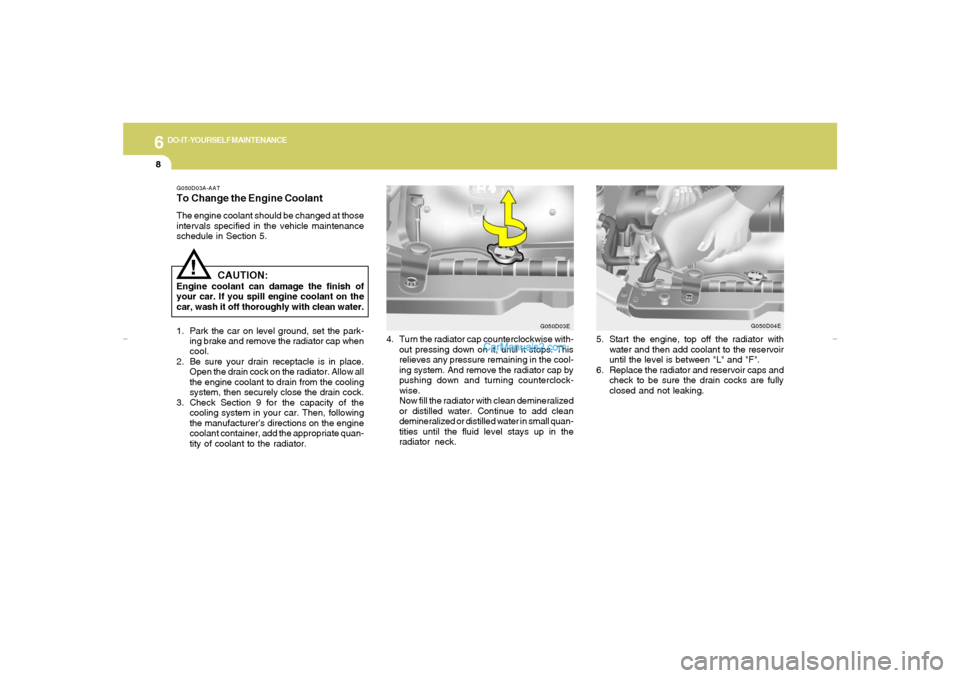
4. Turn the radiator cap counterclockwise with-
out pressing down on it, until it stops. This
relieves any pressure remaining in the cool-
ing system. And remove the radiator cap by
pushing down and turning counterclock-
wise.
Now fill the radiator with clean demineralized
or distilled water. Continue to add clean
demineralized or distilled water in small quan-
tities until the fluid level stays up in the
radiator neck.
G050D03E
5. Start the engine, top off the radiator with
water and then add coolant to the reservoir
until the level is between "L" and "F".
6. Replace the radiator and reservoir caps and
check to be sure the drain cocks are fully
closed and not leaking.
G050D04E
gkflhma-6.p659/12/2006, 3:22 PM 8
Page 224 of 269
6
DO-IT-YOURSELF MAINTENANCE
24
OGK076047
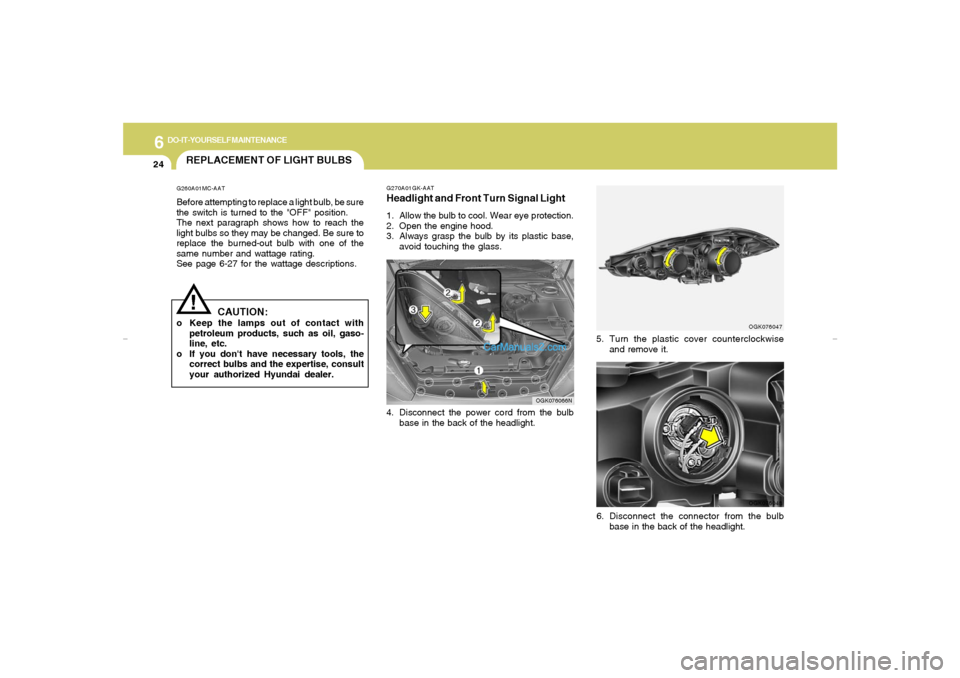
5. Turn the plastic cover counterclockwise
and remove it.
G270A01GK-AATHeadlight and Front Turn Signal Light1. Allow the bulb to cool. Wear eye protection.
2. Open the engine hood.
3. Always grasp the bulb by its plastic base,
avoid touching the glass.4. Disconnect the power cord from the bulb
base in the back of the headlight.
OGK076066N
REPLACEMENT OF LIGHT BULBS!
G260A01MC-AATBefore attempting to replace a light bulb, be sure
the switch is turned to the "OFF" position.
The next paragraph shows how to reach the
light bulbs so they may be changed. Be sure to
replace the burned-out bulb with one of the
same number and wattage rating.
See page 6-27 for the wattage descriptions.
CAUTION:
o Keep the lamps out of contact with
petroleum products, such as oil, gaso-
line, etc.
o If you don't have necessary tools, the
correct bulbs and the expertise, consult
your authorized Hyundai dealer.
OGK076048
6. Disconnect the connector from the bulb
base in the back of the headlight.
gkflhma-6.p659/12/2006, 3:23 PM 24