light Hyundai Tiburon 2007 Service Manual
[x] Cancel search | Manufacturer: HYUNDAI, Model Year: 2007, Model line: Tiburon, Model: Hyundai Tiburon 2007Pages: 269, PDF Size: 10.37 MB
Page 87 of 269
1
FEATURES OF YOUR HYUNDAI
75
o If you open the fuel filler cap during high
ambient temperatures, a slight "pres-
sure sound" may be heard. This is nor-
mal and not a cause for concern. When-
ever you open the fuel filler cap, turn it
slowly.
o Do not "top off" after the nozzle auto-
matically shuts off when refueling.
o Automotive fuels are flammable/explo-
sive materials. When refueling, please
note the following guidelines carefully.
Failure to follow these guidelines may
result in severe personal injury, severe
burns or death by fire or explosion.
- Before refueling always note the loca-
tion of the Emergency Gasoline Shut-
Off, if available, at the gas station
facility.
- Before touching the fuel nozzle or fuel
filler cap, you should eliminate poten-
tially dangerous static electricity dis-
charge by touching another metal part
of the front of the vehicle, a safe dis-
tance away from the fuel filler neck,
nozzle, or other gas source.
- Do not get back into a vehicle once
you have begun refueling. Do not
touch, rub or slide against any item or
fabric (polyester, satin, nylon, etc.)
!
WARNING:
!
WARNING:
capable of producing static electric-
ity. Static electricity discharge can
ignite fuel vapors resulting in explo-
sion.
If you must re-enter the vehicle, you
should once again eliminate poten-
tially dangerous static electricity dis-
charge by touching a metal part of the
vehicle, away from the fuel filler neck,
nozzle or other gasoline source.
- When using a portable fuel container
be sure to place the container on the
ground prior to refueling. Static elec-
tricity discharge from the container
can ignite fuel vapors causing a fire.
Once refueling has begun, contact
with the vehicle should be maintained
until the filling is complete. Use only
portable fuel containers designed to
carry and store gasoline.
- Do not use cellular phones around a
gas station or while refueling any ve-
hicle. Electric current and/or electronic
interference from cellular phones can
potentially ignite fuel vapors causing
a fire. If you must use your cellular
phone use it in a place away from the
gas station.
!
WARNING:
- When refueling always shut the en-
gine off. Sparks produced by electri-
cal components related to the engine
can ignite fuel vapors causing a fire.
Always insure that the engine is OFF
before and during refueling. Once re-
fueling is complete, check to make
sure the fuel filler cap and door are
securely closed, before starting the
engine.
- Do not light any fire around a gas
station. DO NOT use matches or a
lighter and DO NOT SMOKE or leave a
lit cigarette in your vehicle while at a
gas station especially during refuel-
ing. Automotive fuel is highly flam-
mable and can, when ignited, result in
explosion by flames.
- If a fire breaks out during refueling,
leave the vicinity of the vehicle, and
immediately contact the manager of
the gas station or contact the police
and local fire department. Follow any
safety instructions they provide.
gkflhma-1a.p659/12/2006, 3:17 PM 75
Page 88 of 269
1FEATURES OF YOUR HYUNDAI76
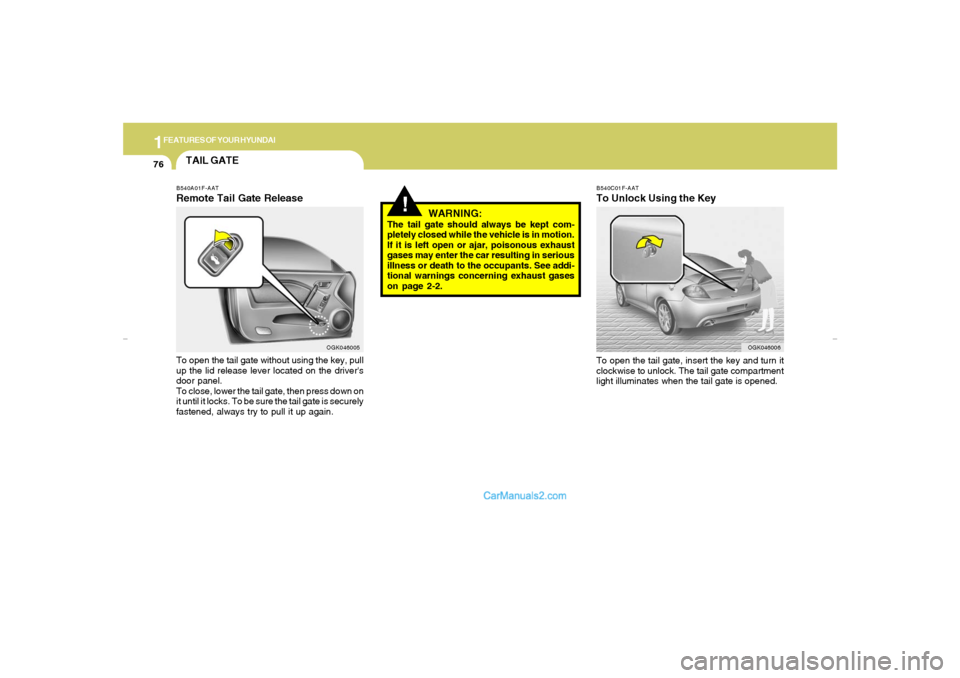
B540C01F-AATTo Unlock Using the KeyTo open the tail gate, insert the key and turn it
clockwise to unlock. The tail gate compartment
light illuminates when the tail gate is opened.
OGK046006
!
WARNING:
The tail gate should always be kept com-
pletely closed while the vehicle is in motion.
If it is left open or ajar, poisonous exhaust
gases may enter the car resulting in serious
illness or death to the occupants. See addi-
tional warnings concerning exhaust gases
on page 2-2.
TAIL GATEB540A01F-AATRemote Tail Gate ReleaseTo open the tail gate without using the key, pull
up the lid release lever located on the driver's
door panel.
To close, lower the tail gate, then press down on
it until it locks. To be sure the tail gate is securely
fastened, always try to pull it up again.
OGK046005
gkflhma-1a.p659/12/2006, 3:17 PM 76
Page 92 of 269
1FEATURES OF YOUR HYUNDAI80
!
WARNING:
o Make sure the floor mat is properly placed
on the floor carpet. If the floor mat slips
and interferes with the movement of the
pedals during driving, it may cause an
accident.
o Don't put an additional floor mat on the
top of the anchored mat, otherwise the
additional mat may slide forward and
interfere with the movement of the ped-
als.
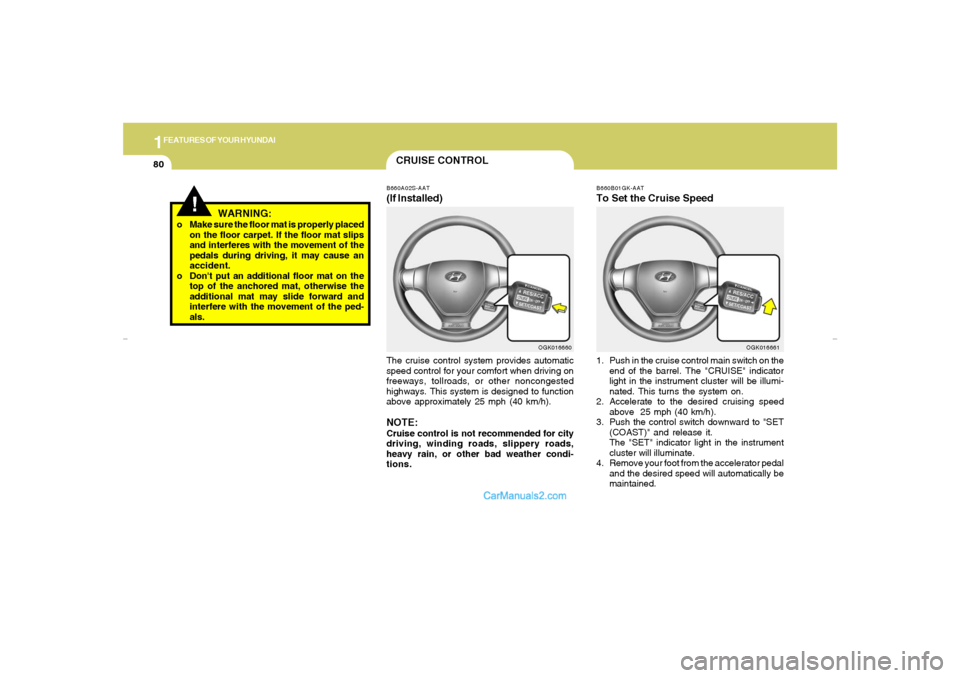
CRUISE CONTROLB660A02S-AAT(If Installed)The cruise control system provides automatic
speed control for your comfort when driving on
freeways, tollroads, or other noncongested
highways. This system is designed to function
above approximately 25 mph (40 km/h).NOTE:Cruise control is not recommended for city
driving, winding roads, slippery roads,
heavy rain, or other bad weather condi-
tions.
OGK016660B660B01GK-AAT
To Set the Cruise Speed1. Push in the cruise control main switch on the
end of the barrel. The "CRUISE" indicator
light in the instrument cluster will be illumi-
nated. This turns the system on.
2. Accelerate to the desired cruising speed
above 25 mph (40 km/h).
3. Push the control switch downward to "SET
(COAST)" and release it.
The "SET" indicator light in the instrument
cluster will illuminate.
4. Remove your foot from the accelerator pedal
and the desired speed will automatically be
maintained.
OGK016661
gkflhma-1a.p659/12/2006, 3:17 PM 80
Page 103 of 269
1
FEATURES OF YOUR HYUNDAI
91
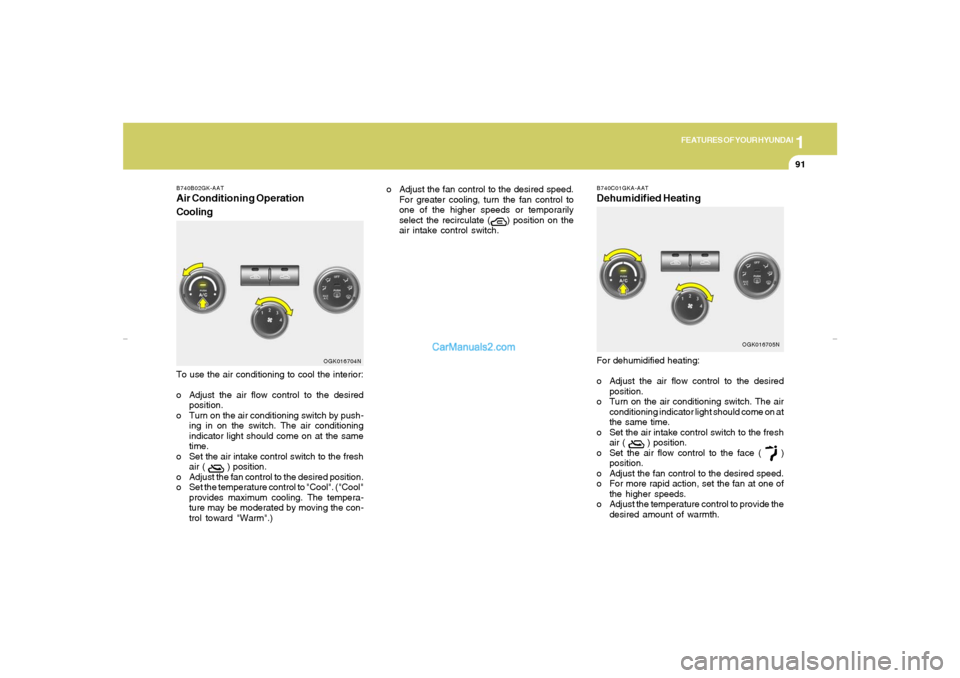
To use the air conditioning to cool the interior:
o Adjust the air flow control to the desired
position.
o Turn on the air conditioning switch by push-
ing in on the switch. The air conditioning
indicator light should come on at the same
time.
o Set the air intake control switch to the fresh
air (
) position.
o Adjust the fan control to the desired position.
o Set the temperature control to "Cool". ("Cool"
provides maximum cooling. The tempera-
ture may be moderated by moving the con-
trol toward "Warm".)
B740B02GK-AATAir Conditioning Operation
Cooling
OGK016704N
o Adjust the fan control to the desired speed.
For greater cooling, turn the fan control to
one of the higher speeds or temporarily
select the recirculate (
) position on the
air intake control switch.
B740C01GKA-AATDehumidified HeatingFor dehumidified heating:
o Adjust the air flow control to the desired
position.
o Turn on the air conditioning switch. The air
conditioning indicator light should come on at
the same time.
o Set the air intake control switch to the fresh
air (
) position.
o Set the air flow control to the face (
)
position.
o Adjust the fan control to the desired speed.
o For more rapid action, set the fan at one of
the higher speeds.
o Adjust the temperature control to provide the
desired amount of warmth.
OGK016705N
gkflhma-1b.p659/12/2006, 3:19 PM 91
Page 109 of 269
1
FEATURES OF YOUR HYUNDAI
97
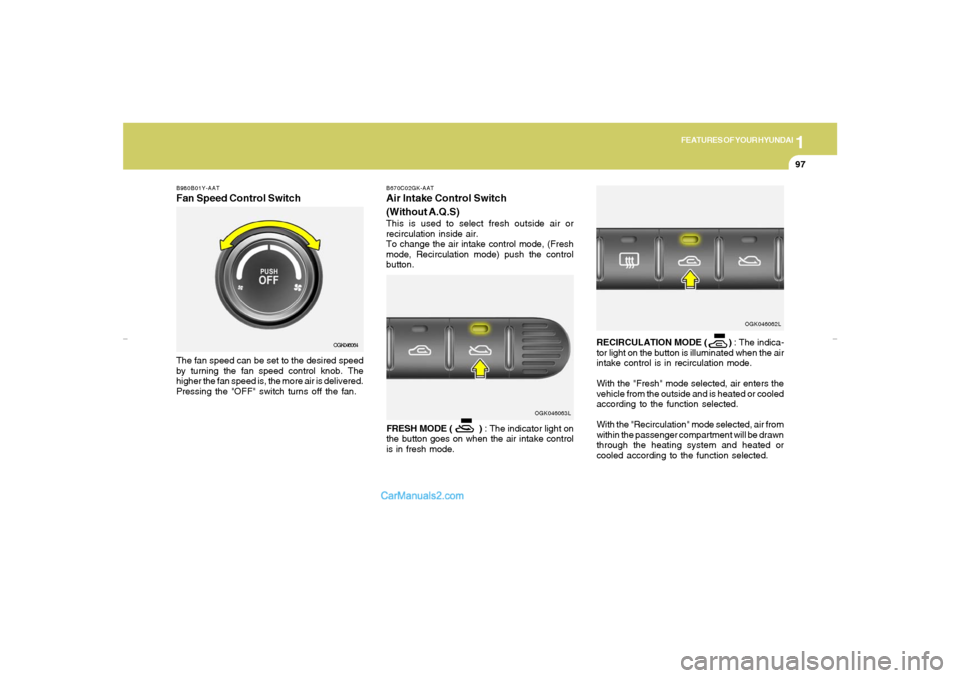
B980B01Y-AATFan Speed Control SwitchThe fan speed can be set to the desired speed
by turning the fan speed control knob. The
higher the fan speed is, the more air is delivered.
Pressing the "OFF" switch turns off the fan.
OGK046064
OGK046063L B670C02GK-AAT
Air Intake Control Switch
(Without A.Q.S)This is used to select fresh outside air or
recirculation inside air.
To change the air intake control mode, (Fresh
mode, Recirculation mode) push the control
button.
FRESH MODE ( ) : The indicator light on
the button goes on when the air intake control
is in fresh mode.RECIRCULATION MODE ( ) : The indica-
tor light on the button is illuminated when the air
intake control is in recirculation mode.
With the "Fresh" mode selected, air enters the
vehicle from the outside and is heated or cooled
according to the function selected.
With the "Recirculation" mode selected, air from
within the passenger compartment will be drawn
through the heating system and heated or
cooled according to the function selected.
OGK046062L
gkflhma-1b.p659/12/2006, 3:19 PM 97
Page 112 of 269
1FEATURES OF YOUR HYUNDAI
100
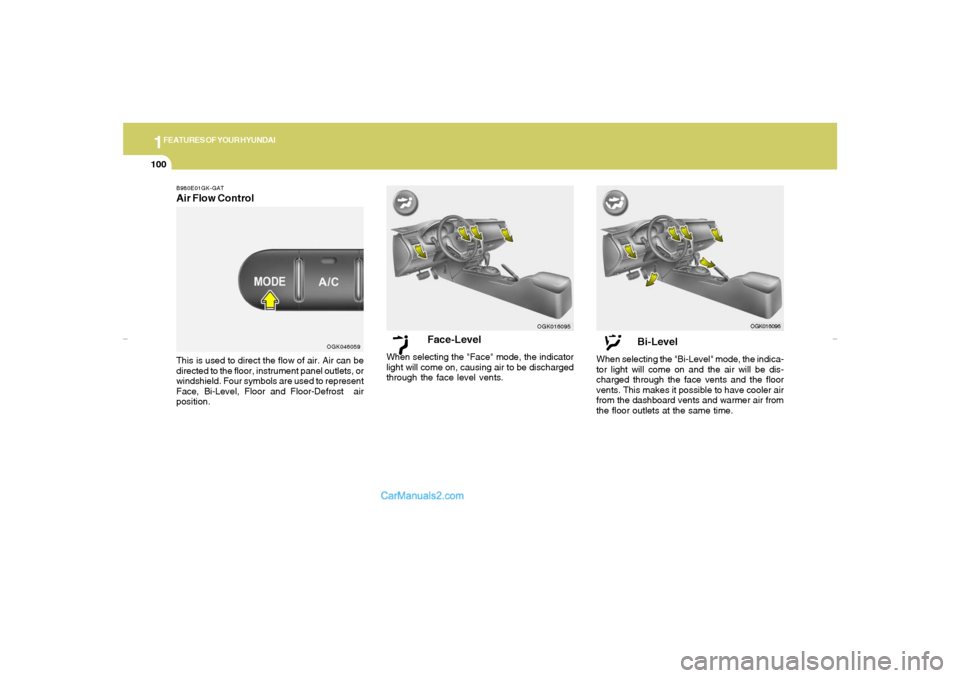
Face-Level
When selecting the "Face" mode, the indicator
light will come on, causing air to be discharged
through the face level vents.
OGK016095
Bi-Level
When selecting the "Bi-Level" mode, the indica-
tor light will come on and the air will be dis-
charged through the face vents and the floor
vents. This makes it possible to have cooler air
from the dashboard vents and warmer air from
the floor outlets at the same time.
OGK016096
B980E01GK-GATAir Flow ControlThis is used to direct the flow of air. Air can be
directed to the floor, instrument panel outlets, or
windshield. Four symbols are used to represent
Face, Bi-Level, Floor and Floor-Defrost air
position.
OGK046059
gkflhma-1b.p659/12/2006, 3:19 PM 100
Page 113 of 269
1
FEATURES OF YOUR HYUNDAI
101
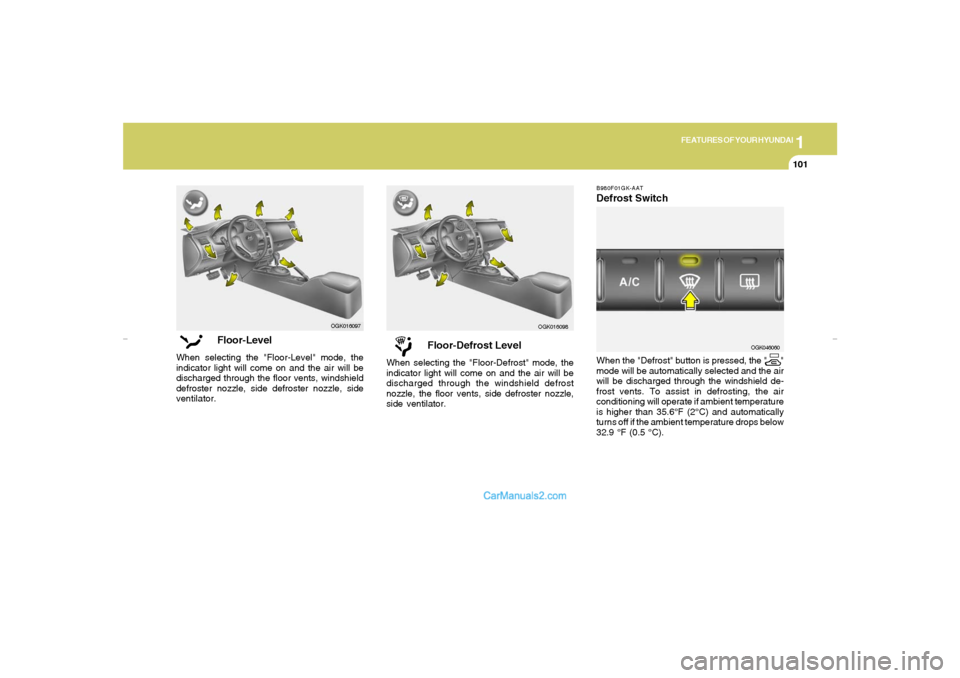
Floor-Defrost Level
When selecting the "Floor-Defrost" mode, the
indicator light will come on and the air will be
discharged through the windshield defrost
nozzle, the floor vents, side defroster nozzle,
side ventilator.
OGK016098B980F01GK-AAT
Defrost SwitchWhen the "Defrost" button is pressed, the " "
mode will be automatically selected and the air
will be discharged through the windshield de-
frost vents. To assist in defrosting, the air
conditioning will operate if ambient temperature
is higher than 35.6°F (2°C) and automatically
turns off if the ambient temperature drops below
32.9 °F (0.5 °C).
OGK046060
Floor-Level
When selecting the "Floor-Level" mode, the
indicator light will come on and the air will be
discharged through the floor vents, windshield
defroster nozzle, side defroster nozzle, side
ventilator.
OGK016097
gkflhma-1b.p659/12/2006, 3:19 PM 101
Page 124 of 269
1FEATURES OF YOUR HYUNDAI
112
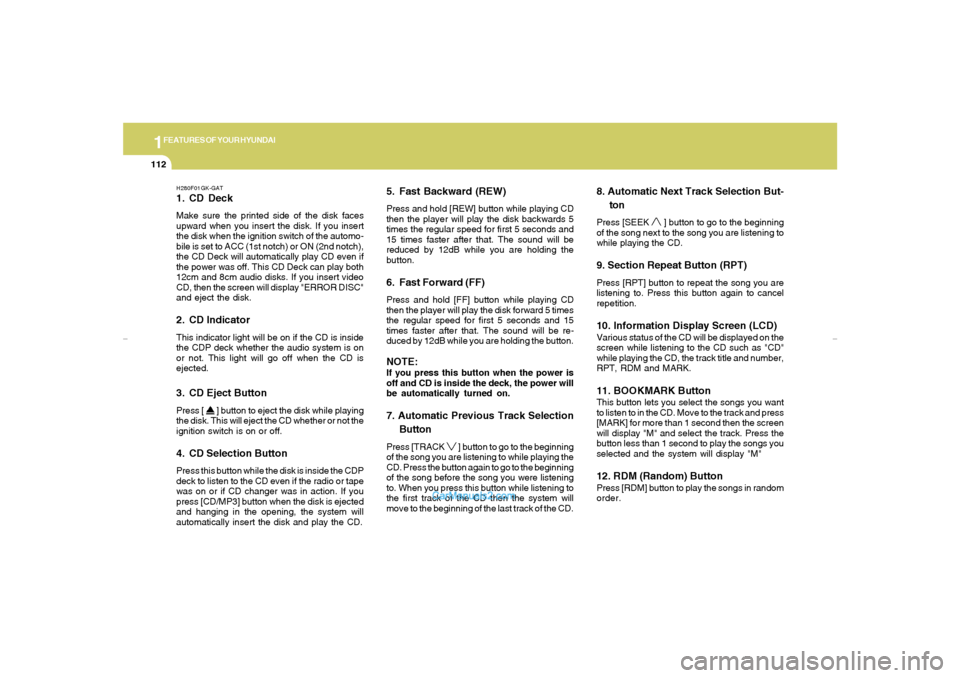
H280F01GK-GAT1. CD DeckMake sure the printed side of the disk faces
upward when you insert the disk. If you insert
the disk when the ignition switch of the automo-
bile is set to ACC (1st notch) or ON (2nd notch),
the CD Deck will automatically play CD even if
the power was off. This CD Deck can play both
12cm and 8cm audio disks. If you insert video
CD, then the screen will display "ERROR DISC"
and eject the disk.2. CD IndicatorThis indicator light will be on if the CD is inside
the CDP deck whether the audio system is on
or not. This light will go off when the CD is
ejected.3. CD Eject ButtonPress [
] button to eject the disk while playing
the disk. This will eject the CD whether or not the
ignition switch is on or off.
4. CD Selection ButtonPress this button while the disk is inside the CDP
deck to listen to the CD even if the radio or tape
was on or if CD changer was in action. If you
press [CD/MP3] button when the disk is ejected
and hanging in the opening, the system will
automatically insert the disk and play the CD.
5. Fast Backward (REW)Press and hold [REW] button while playing CD
then the player will play the disk backwards 5
times the regular speed for first 5 seconds and
15 times faster after that. The sound will be
reduced by 12dB while you are holding the
button.6. Fast Forward (FF)Press and hold [FF] button while playing CD
then the player will play the disk forward 5 times
the regular speed for first 5 seconds and 15
times faster after that. The sound will be re-
duced by 12dB while you are holding the button.NOTE:If you press this button when the power is
off and CD is inside the deck, the power will
be automatically turned on.7. Automatic Previous Track Selection
ButtonPress [TRACK
] button to go to the beginning
of the song you are listening to while playing the
CD. Press the button again to go to the beginning
of the song before the song you were listening
to. When you press this button while listening to
the first track of the CD then the system will
move to the beginning of the last track of the CD.
8. Automatic Next Track Selection But-
tonPress [SEEK
] button to go to the beginning
of the song next to the song you are listening to
while playing the CD.
9. Section Repeat Button (RPT)Press [RPT] button to repeat the song you are
listening to. Press this button again to cancel
repetition.10. Information Display Screen (LCD)Various status of the CD will be displayed on the
screen while listening to the CD such as "CD"
while playing the CD, the track title and number,
RPT, RDM and MARK.11. BOOKMARK ButtonThis button lets you select the songs you want
to listen to in the CD. Move to the track and press
[MARK] for more than 1 second then the screen
will display "M" and select the track. Press the
button less than 1 second to play the songs you
selected and the system will display "M"12. RDM (Random) ButtonPress [RDM] button to play the songs in random
order.
gkflhma-1b.p659/12/2006, 3:19 PM 112
Page 130 of 269
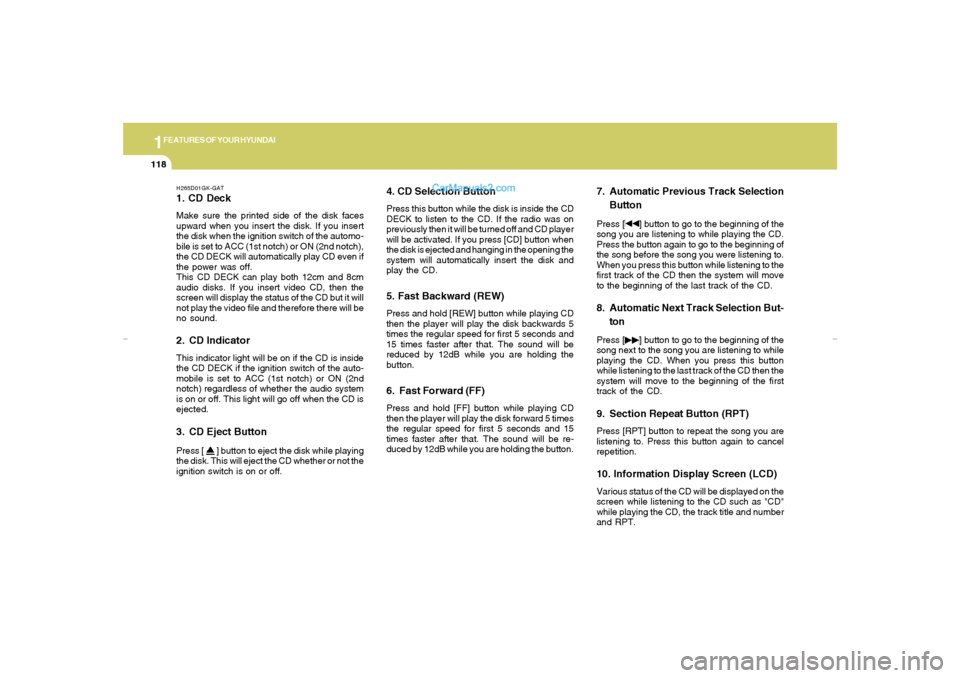
1FEATURES OF YOUR HYUNDAI
118
H265D01GK-GAT1. CD DeckMake sure the printed side of the disk faces
upward when you insert the disk. If you insert
the disk when the ignition switch of the automo-
bile is set to ACC (1st notch) or ON (2nd notch),
the CD DECK will automatically play CD even if
the power was off.
This CD DECK can play both 12cm and 8cm
audio disks. If you insert video CD, then the
screen will display the status of the CD but it will
not play the video file and therefore there will be
no sound.2. CD IndicatorThis indicator light will be on if the CD is inside
the CD DECK if the ignition switch of the auto-
mobile is set to ACC (1st notch) or ON (2nd
notch) regardless of whether the audio system
is on or off. This light will go off when the CD is
ejected.3. CD Eject ButtonPress [
] button to eject the disk while playing
the disk. This will eject the CD whether or not the
ignition switch is on or off.
4. CD Selection ButtonPress this button while the disk is inside the CD
DECK to listen to the CD. If the radio was on
previously then it will be turned off and CD player
will be activated. If you press [CD] button when
the disk is ejected and hanging in the opening the
system will automatically insert the disk and
play the CD.5. Fast Backward (REW)Press and hold [REW] button while playing CD
then the player will play the disk backwards 5
times the regular speed for first 5 seconds and
15 times faster after that. The sound will be
reduced by 12dB while you are holding the
button.6. Fast Forward (FF)Press and hold [FF] button while playing CD
then the player will play the disk forward 5 times
the regular speed for first 5 seconds and 15
times faster after that. The sound will be re-
duced by 12dB while you are holding the button.
7. Automatic Previous Track Selection
ButtonPress [
] button to go to the beginning of the
song you are listening to while playing the CD.
Press the button again to go to the beginning of
the song before the song you were listening to.
When you press this button while listening to the
first track of the CD then the system will move
to the beginning of the last track of the CD.
8. Automatic Next Track Selection But-
tonPress [
] button to go to the beginning of the
song next to the song you are listening to while
playing the CD. When you press this button
while listening to the last track of the CD then the
system will move to the beginning of the first
track of the CD.
9. Section Repeat Button (RPT)Press [RPT] button to repeat the song you are
listening to. Press this button again to cancel
repetition.10. Information Display Screen (LCD)Various status of the CD will be displayed on the
screen while listening to the CD such as "CD"
while playing the CD, the track title and number
and RPT.
gkflhma-1b.p659/12/2006, 3:19 PM 118
Page 138 of 269
1FEATURES OF YOUR HYUNDAI
126
CARE OF CASSETTE TAPES
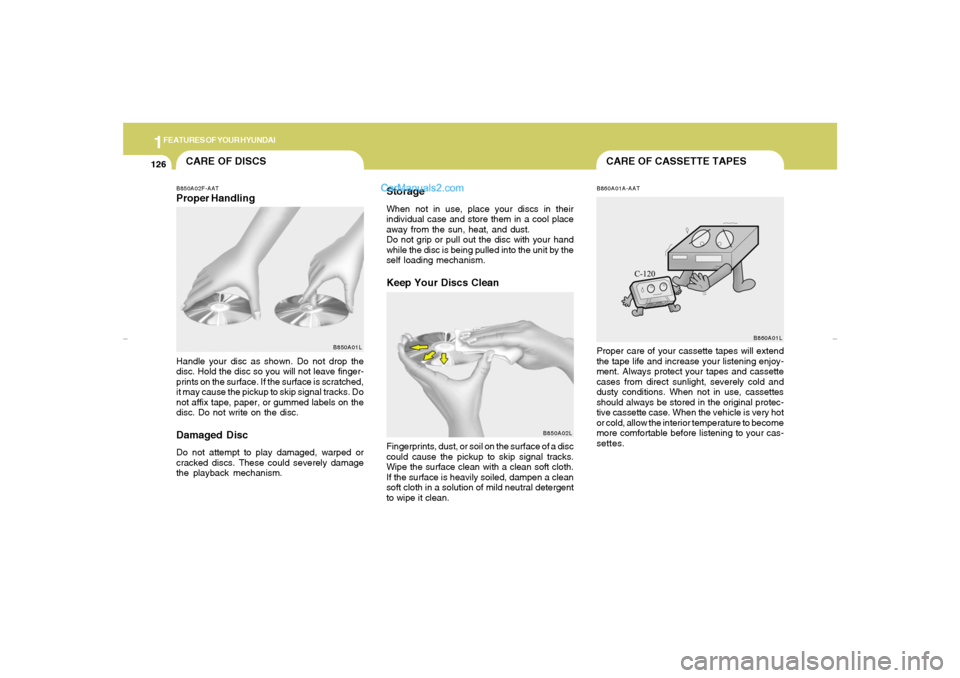
CARE OF DISCSB850A02F-AATProper Handling
B850A01L
Handle your disc as shown. Do not drop the
disc. Hold the disc so you will not leave finger-
prints on the surface. If the surface is scratched,
it may cause the pickup to skip signal tracks. Do
not affix tape, paper, or gummed labels on the
disc. Do not write on the disc.Damaged DiscDo not attempt to play damaged, warped or
cracked discs. These could severely damage
the playback mechanism.
StorageWhen not in use, place your discs in their
individual case and store them in a cool place
away from the sun, heat, and dust.
Do not grip or pull out the disc with your hand
while the disc is being pulled into the unit by the
self loading mechanism.Keep Your Discs Clean
B850A02L
Fingerprints, dust, or soil on the surface of a disc
could cause the pickup to skip signal tracks.
Wipe the surface clean with a clean soft cloth.
If the surface is heavily soiled, dampen a clean
soft cloth in a solution of mild neutral detergent
to wipe it clean.
B860A01A-AATProper care of your cassette tapes will extend
the tape life and increase your listening enjoy-
ment. Always protect your tapes and cassette
cases from direct sunlight, severely cold and
dusty conditions. When not in use, cassettes
should always be stored in the original protec-
tive cassette case. When the vehicle is very hot
or cold, allow the interior temperature to become
more comfortable before listening to your cas-
settes.
B860A01L
gkflhma-1b.p659/12/2006, 3:20 PM 126