ignition Hyundai Tiburon 2008 Owner's Guide
[x] Cancel search | Manufacturer: HYUNDAI, Model Year: 2008, Model line: Tiburon, Model: Hyundai Tiburon 2008Pages: 268, PDF Size: 9.93 MB
Page 66 of 268
1FEATURES OF YOUR HYUNDAI54
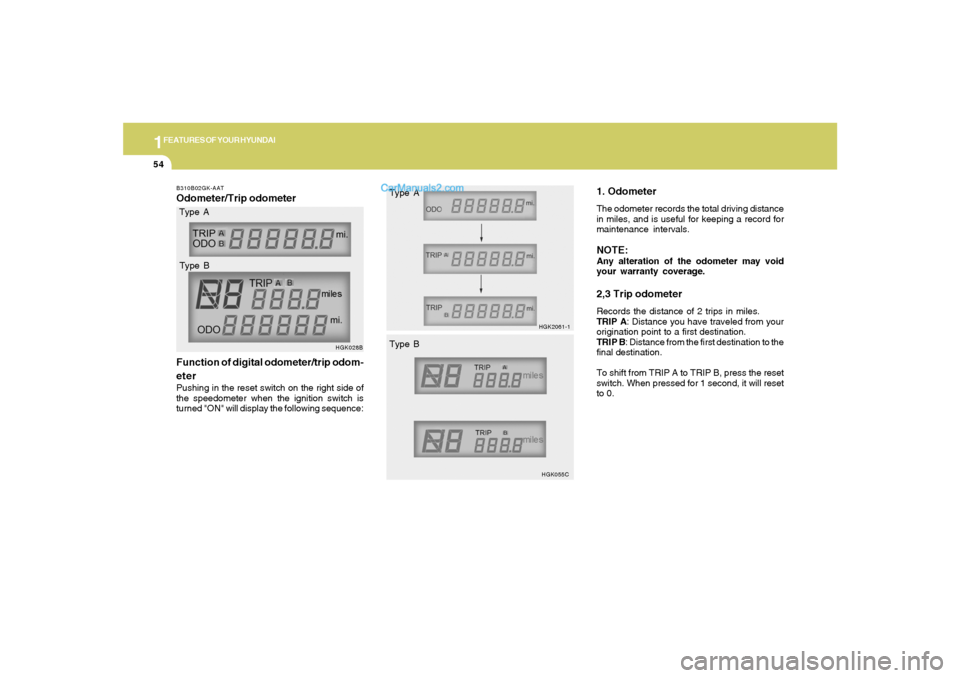
1. OdometerThe odometer records the total driving distance
in miles, and is useful for keeping a record for
maintenance intervals.NOTE:Any alteration of the odometer may void
your warranty coverage.2,3 Trip odometerRecords the distance of 2 trips in miles.
TRIP A: Distance you have traveled from your
origination point to a first destination.
TRIP B: Distance from the first destination to the
final destination.
To shift from TRIP A to TRIP B, press the reset
switch. When pressed for 1 second, it will reset
to 0.
B310B02GK-AATOdometer/Trip odometer
Function of digital odometer/trip odom-
eterPushing in the reset switch on the right side of
the speedometer when the ignition switch is
turned "ON" will display the following sequence:
HGK028B
Type A
Type B
HGK2061-1
HGK055C
Type A
Type B
Page 70 of 268
1FEATURES OF YOUR HYUNDAI58
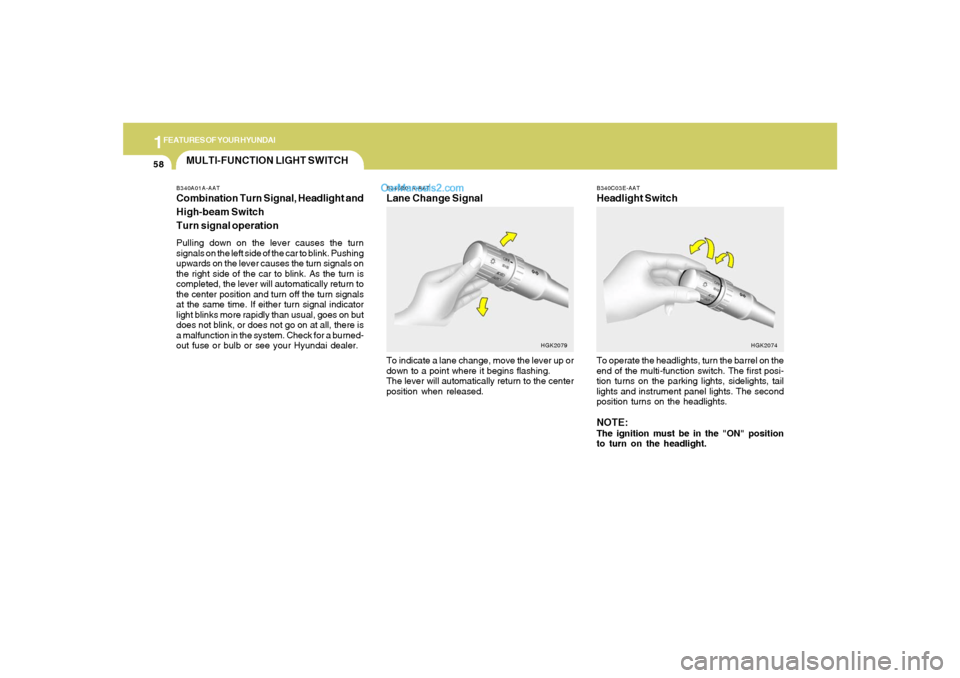
B340C03E-AATHeadlight SwitchTo operate the headlights, turn the barrel on the
end of the multi-function switch. The first posi-
tion turns on the parking lights, sidelights, tail
lights and instrument panel lights. The second
position turns on the headlights.NOTE:The ignition must be in the "ON" position
to turn on the headlight.
HGK2074
MULTI-FUNCTION LIGHT SWITCHB340A01A-AATCombination Turn Signal, Headlight and
High-beam Switch
Turn signal operationPulling down on the lever causes the turn
signals on the left side of the car to blink. Pushing
upwards on the lever causes the turn signals on
the right side of the car to blink. As the turn is
completed, the lever will automatically return to
the center position and turn off the turn signals
at the same time. If either turn signal indicator
light blinks more rapidly than usual, goes on but
does not blink, or does not go on at all, there is
a malfunction in the system. Check for a burned-
out fuse or bulb or see your Hyundai dealer.
B340B01A-AATLane Change SignalTo indicate a lane change, move the lever up or
down to a point where it begins flashing.
The lever will automatically return to the center
position when released.
HGK2079
Page 71 of 268
1
FEATURES OF YOUR HYUNDAI
59
Parking light auto cuto The purpose of this feature is to prevent the
battery from being discharged. The system
automatically turns off the parking light when
the driver removes the ignition key and
opens the driver- side door.
o With this feature, the parking light will be
turned off automatically if the driver parks on
the side of road at night.
If necessary, to keep the lights on when the
ignition key is removed, perform the following :
1) Open the driver-side door.
2) Turn the parking light OFF and ON again
using the light switch on the steering column.B340D01A-AATHigh-beam SwitchTo turn on the headlight high beams, push the
lever forward (away from you). The high beam
indicator light will come on at the same time. For
low beams, pull the lever back toward you.
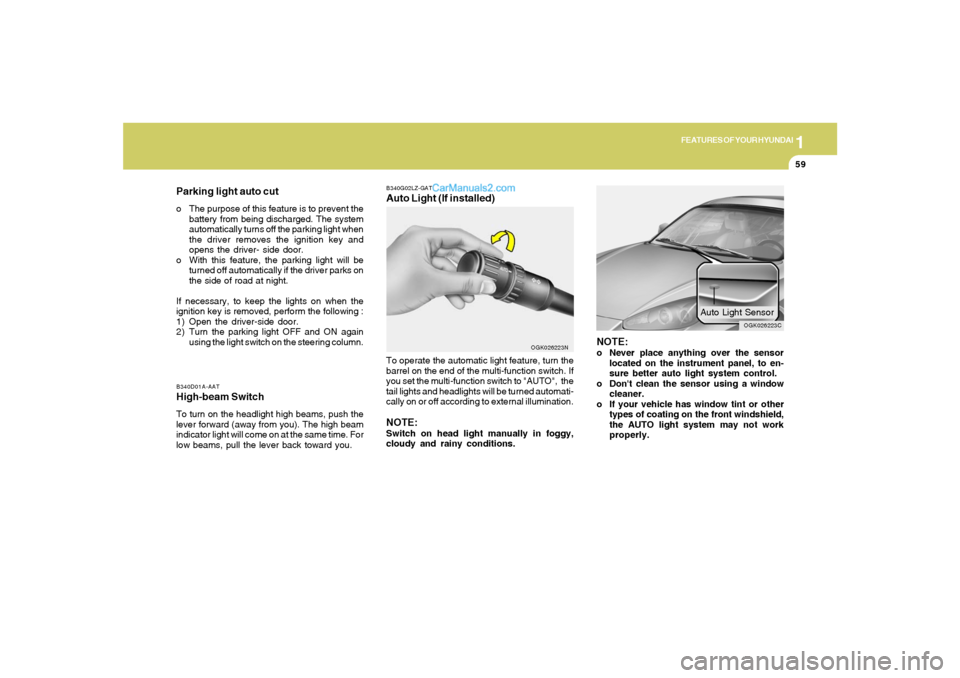
B340G02LZ-GATAuto Light (If installed)To operate the automatic light feature, turn the
barrel on the end of the multi-function switch. If
you set the multi-function switch to "AUTO", the
tail lights and headlights will be turned automati-
cally on or off according to external illumination.NOTE:Switch on head light manually in foggy,
cloudy and rainy conditions.
OGK026223N
NOTE:o Never place anything over the sensor
located on the instrument panel, to en-
sure better auto light system control.
o Don't clean the sensor using a window
cleaner.
o If your vehicle has window tint or other
types of coating on the front windshield,
the AUTO light system may not work
properly.
OGK026223C
Auto Light Sensor
Page 75 of 268
1
FEATURES OF YOUR HYUNDAI
63
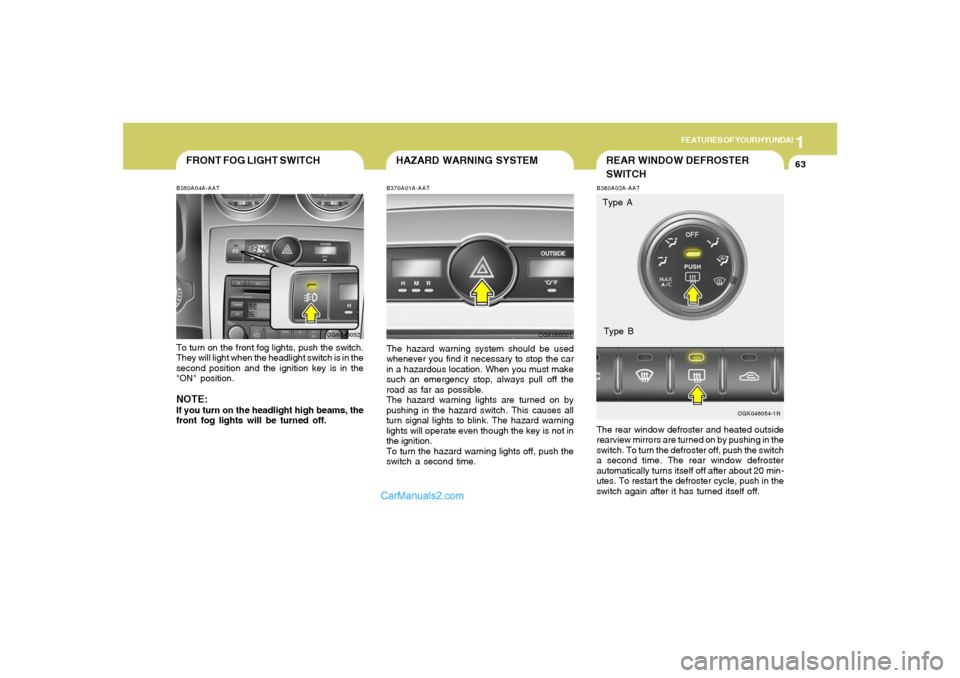
FRONT FOG LIGHT SWITCHB360A04A-AATTo turn on the front fog lights, push the switch.
They will light when the headlight switch is in the
second position and the ignition key is in the
"ON" position.NOTE:If you turn on the headlight high beams, the
front fog lights will be turned off.
OGK046052
REAR WINDOW DEFROSTER
SWITCH
OGK046054-1N B380A02A-AAT
The rear window defroster and heated outside
rearview mirrors are turned on by pushing in the
switch. To turn the defroster off, push the switch
a second time. The rear window defroster
automatically turns itself off after about 20 min-
utes. To restart the defroster cycle, push in the
switch again after it has turned itself off.Type A
Type B
HAZARD WARNING SYSTEMB370A01A-AATThe hazard warning system should be used
whenever you find it necessary to stop the car
in a hazardous location. When you must make
such an emergency stop, always pull off the
road as far as possible.
The hazard warning lights are turned on by
pushing in the hazard switch. This causes all
turn signal lights to blink. The hazard warning
lights will operate even though the key is not in
the ignition.
To turn the hazard warning lights off, push the
switch a second time.
OGK066001
Page 78 of 268
1FEATURES OF YOUR HYUNDAI66
!
WARNING:
Be careful that someone’s head, hands and
body are not trapped by a closing sunroof.
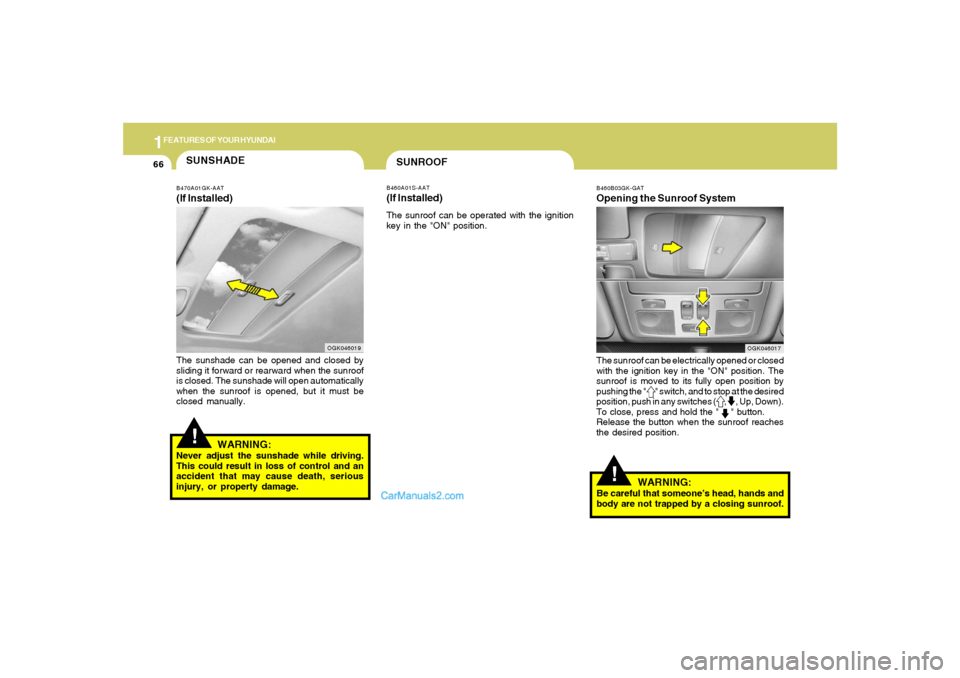
SUNROOFB460A01S-AAT(If Installed)The sunroof can be operated with the ignition
key in the "ON" position.
!SUNSHADEB470A01GK-AAT(If Installed)The sunshade can be opened and closed by
sliding it forward or rearward when the sunroof
is closed. The sunshade will open automatically
when the sunroof is opened, but it must be
closed manually.
OGK046019
WARNING:
Never adjust the sunshade while driving.
This could result in loss of control and an
accident that may cause death, serious
injury, or property damage.
B460B03GK-GATOpening the Sunroof SystemThe sunroof can be electrically opened or closed
with the ignition key in the "ON" position. The
sunroof is moved to its fully open position by
pushing the " " switch, and to stop at the desired
position, push in any switches ( , , Up, Down).
To close, press and hold the " " button.
Release the button when the sunroof reaches
the desired position.
OGK046017
Page 80 of 268
1FEATURES OF YOUR HYUNDAI68
OGK046034L-1 B460E04GK-AAT
Resetting the Sunroof SystemIf the battery has been recharged, discon-
nected or the sunroof was been opened manu-
ally with the hexagonal head wrench, you may
need to reset the sunroof.To do this;1. Turn the ignition switch "OFF".
2. While pressing " " "up" button turn the
ignition switch "ON".
The resetting was not occur when the
ignition key is turned "OFF" within 1.5
seconds.
3. If the sunroof is set like this, the sunroof is
reset with tilting up/down automatically once
for all.
CAUTION:
If the sunroof is not reset, it may not operate
normally.
!
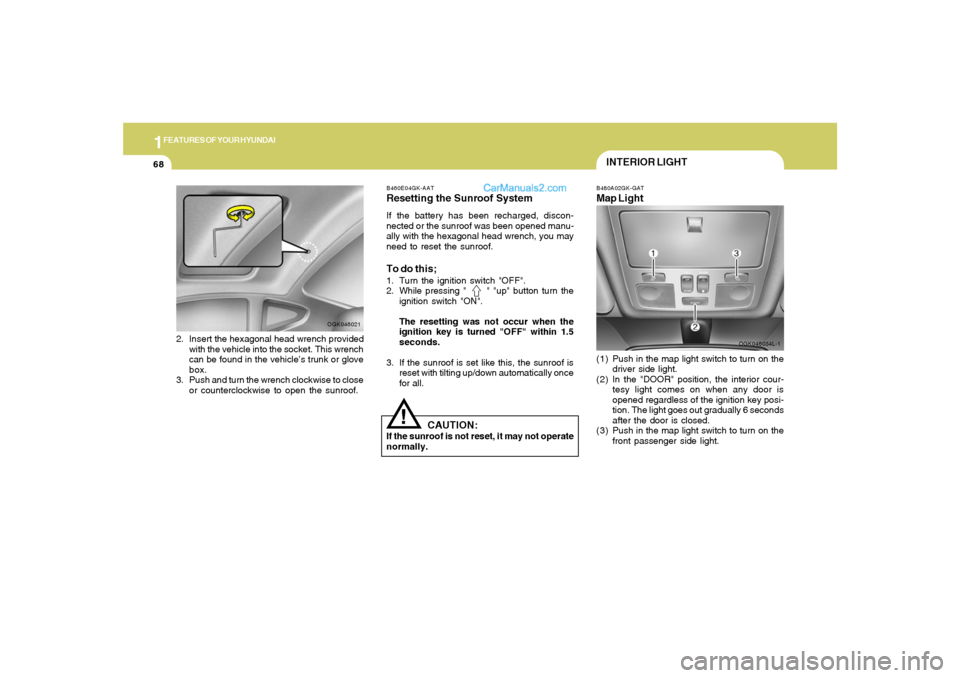
INTERIOR LIGHTB480A02GK-GATMap Light(1) Push in the map light switch to turn on the
driver side light.
(2) In the "DOOR" position, the interior cour-
tesy light comes on when any door is
opened regardless of the ignition key posi-
tion. The light goes out gradually 6 seconds
after the door is closed.
(3) Push in the map light switch to turn on the
front passenger side light.
2. Insert the hexagonal head wrench provided
with the vehicle into the socket. This wrench
can be found in the vehicle’s trunk or glove
box.
3. Push and turn the wrench clockwise to close
or counterclockwise to open the sunroof.
OGK046021
Page 101 of 268
1
FEATURES OF YOUR HYUNDAI
89
* The A/C or the air intake control switch return
to its former setting.
A/C
ON
ON or OFF *
ON or OFF *
ON
ON
NOTE:o The air intake control switch will change
to " " mode when the ignition switch
is turned "ON" with the MAX A/C mode
selected.
o When you change to another mode from
MAX A/C, the A/C and the air intake
control switch are set to the following
chart.
Air Intake
Control Switch
or *
OGK016095N
OFF-Level
Air is discharged through the windshield de-
froster nozzle, side defroster nozzle and side
ventilator.NOTE:If the air flow control is off, the air intake
control is set to the fresh mode automati-
cally.
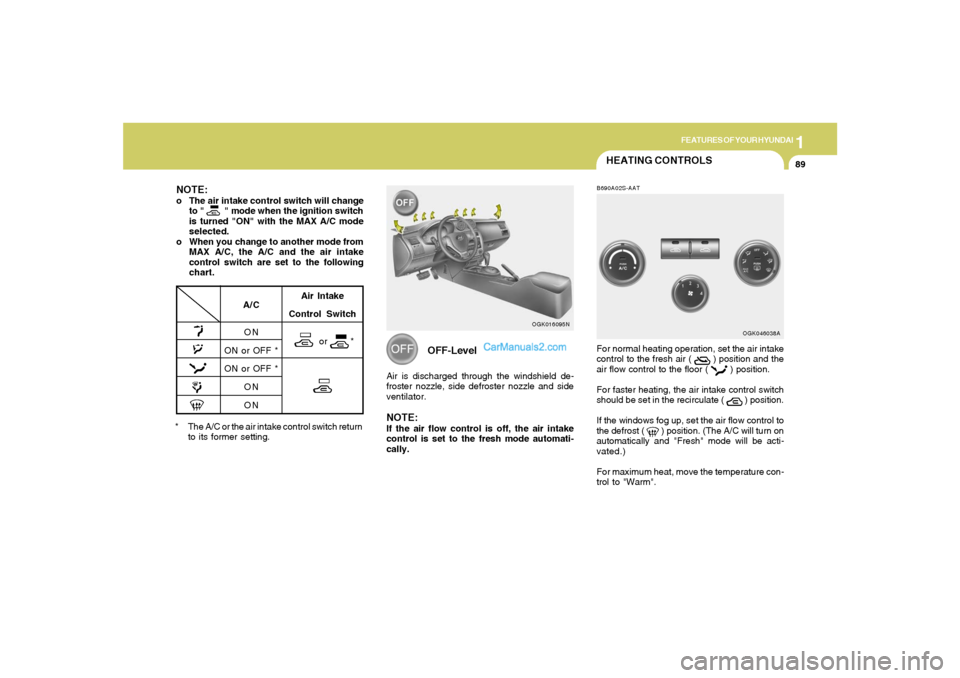
HEATING CONTROLSB690A02S-AATFor normal heating operation, set the air intake
control to the fresh air (
) position and the
air flow control to the floor (
) position.
For faster heating, the air intake control switch
should be set in the recirculate (
) position.
If the windows fog up, set the air flow control to
the defrost (
) position. (The A/C will turn on
automatically and "Fresh" mode will be acti-
vated.)
For maximum heat, move the temperature con-
trol to "Warm".
OGK046038A
Page 116 of 268
1FEATURES OF YOUR HYUNDAI
104
ANTENNA
B870A01A
!
B870A01A-GATFixed Rod AntennaYour car uses a fixed rod antenna to receive
both AM and FM broadcast signals.
This antenna is a removable type. To remove
the antenna, turn the antenna counterclock-
wise. To install the antenna, turn the antenna
clockwise.
CAUTION:
Be sure to remove the antenna before wash-
ing the car in an automatic car wash or the
antenna may be damaged.
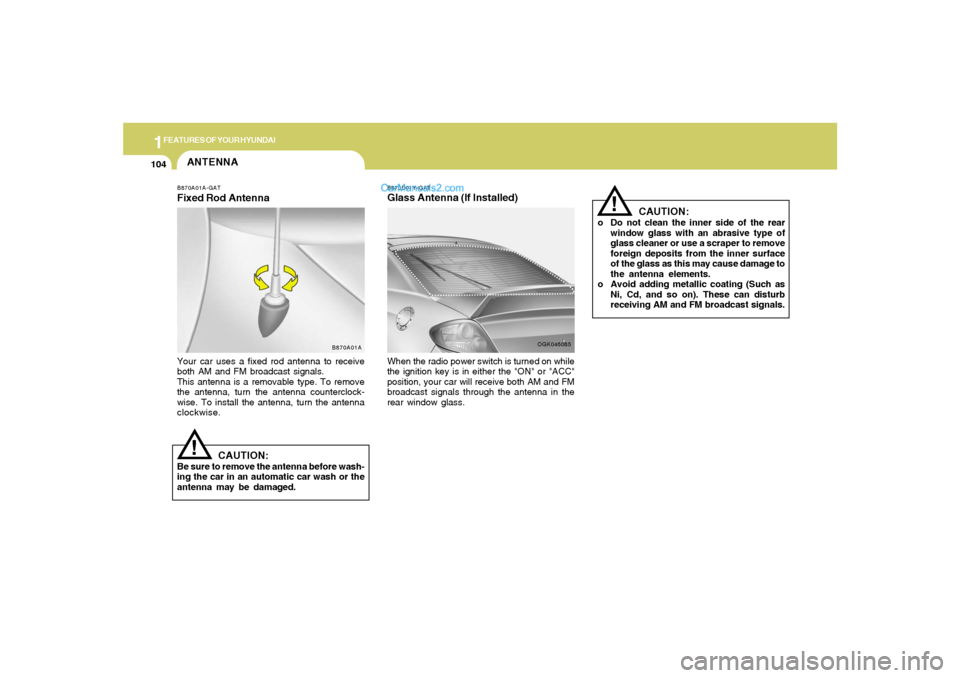
B870D01Y-GATGlass Antenna (If Installed)When the radio power switch is turned on while
the ignition key is in either the "ON" or "ACC"
position, your car will receive both AM and FM
broadcast signals through the antenna in the
rear window glass.
OGK046085
CAUTION:
o Do not clean the inner side of the rear
window glass with an abrasive type of
glass cleaner or use a scraper to remove
foreign deposits from the inner surface
of the glass as this may cause damage to
the antenna elements.
o Avoid adding metallic coating (Such as
Ni, Cd, and so on). These can disturb
receiving AM and FM broadcast signals.
!
Page 118 of 268
1FEATURES OF YOUR HYUNDAI
106
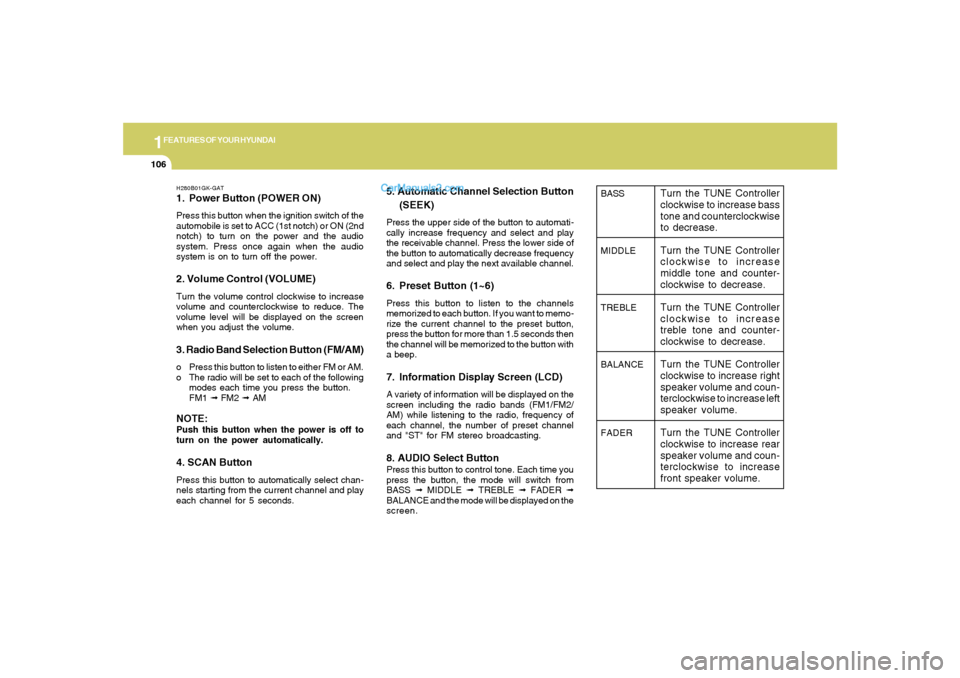
H280B01GK-GAT1. Power Button (POWER ON)Press this button when the ignition switch of the
automobile is set to ACC (1st notch) or ON (2nd
notch) to turn on the power and the audio
system. Press once again when the audio
system is on to turn off the power.2. Volume Control (VOLUME)Turn the volume control clockwise to increase
volume and counterclockwise to reduce. The
volume level will be displayed on the screen
when you adjust the volume.3. Radio Band Selection Button (FM/AM)o Press this button to listen to either FM or AM.
o The radio will be set to each of the following
modes each time you press the button.
FM1 ➟ FM2 ➟ AMNOTE:Push this button when the power is off to
turn on the power automatically.4. SCAN ButtonPress this button to automatically select chan-
nels starting from the current channel and play
each channel for 5 seconds.
5. Automatic Channel Selection Button
(SEEK)Press the upper side of the button to automati-
cally increase frequency and select and play
the receivable channel. Press the lower side of
the button to automatically decrease frequency
and select and play the next available channel.6. Preset Button (1~6)Press this button to listen to the channels
memorized to each button. If you want to memo-
rize the current channel to the preset button,
press the button for more than 1.5 seconds then
the channel will be memorized to the button with
a beep.7. Information Display Screen (LCD)A variety of information will be displayed on the
screen including the radio bands (FM1/FM2/
AM) while listening to the radio, frequency of
each channel, the number of preset channel
and "ST" for FM stereo broadcasting.8. AUDIO Select ButtonPress this button to control tone. Each time you
press the button, the mode will switch from
BASS ➟ MIDDLE ➟ TREBLE ➟ FADER ➟
BALANCE and the mode will be displayed on the
screen.
BASS
MIDDLE
TREBLE
BALANCE
FADER
Turn the TUNE Controller
clockwise to increase bass
tone and counterclockwise
to decrease.
Turn the TUNE Controller
clockwise to increase
middle tone and counter-
clockwise to decrease.
Turn the TUNE Controller
clockwise to increase
treble tone and counter-
clockwise to decrease.
Turn the TUNE Controller
clockwise to increase right
speaker volume and coun-
terclockwise to increase left
speaker volume.
Turn the TUNE Controller
clockwise to increase rear
speaker volume and coun-
terclockwise to increase
front speaker volume.
Page 121 of 268
1
FEATURES OF YOUR HYUNDAI
109
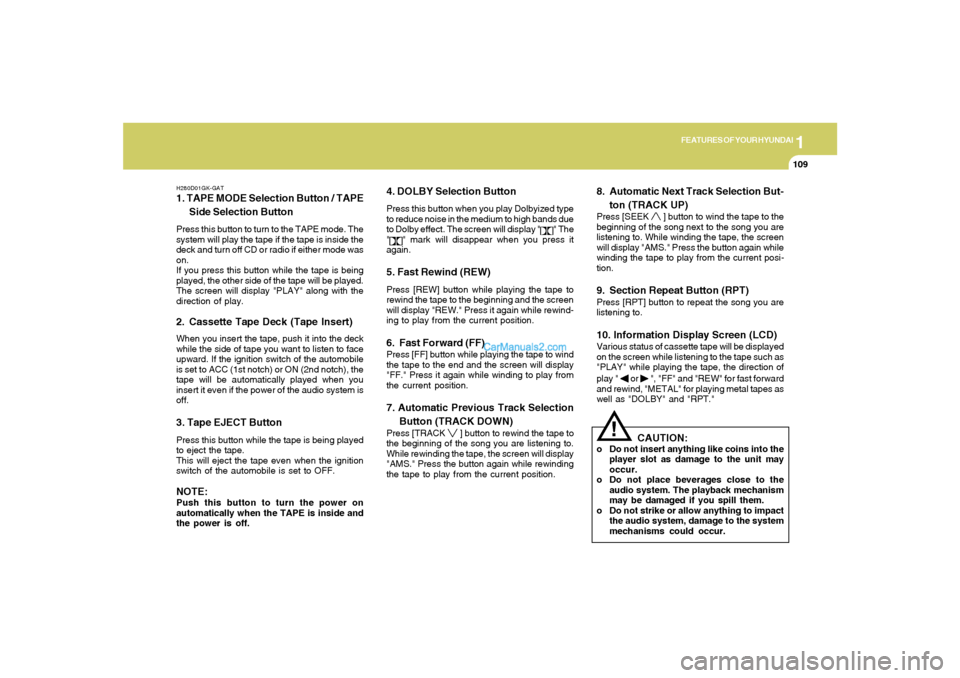
H280D01GK-GAT1. TAPE MODE Selection Button / TAPE
Side Selection ButtonPress this button to turn to the TAPE mode. The
system will play the tape if the tape is inside the
deck and turn off CD or radio if either mode was
on.
If you press this button while the tape is being
played, the other side of the tape will be played.
The screen will display "PLAY" along with the
direction of play.2. Cassette Tape Deck (Tape Insert)When you insert the tape, push it into the deck
while the side of tape you want to listen to face
upward. If the ignition switch of the automobile
is set to ACC (1st notch) or ON (2nd notch), the
tape will be automatically played when you
insert it even if the power of the audio system is
off.3. Tape EJECT ButtonPress this button while the tape is being played
to eject the tape.
This will eject the tape even when the ignition
switch of the automobile is set to OFF.NOTE:Push this button to turn the power on
automatically when the TAPE is inside and
the power is off.
4. DOLBY Selection ButtonPress this button when you play Dolbyized type
to reduce noise in the medium to high bands due
to Dolby effect. The screen will display "
" The
"
" mark will disappear when you press it
again.
5. Fast Rewind (REW)Press [REW] button while playing the tape to
rewind the tape to the beginning and the screen
will display "REW." Press it again while rewind-
ing to play from the current position.6. Fast Forward (FF)Press [FF] button while playing the tape to wind
the tape to the end and the screen will display
"FF." Press it again while winding to play from
the current position.7. Automatic Previous Track Selection
Button (TRACK DOWN)Press [TRACK
] button to rewind the tape to
the beginning of the song you are listening to.
While rewinding the tape, the screen will display
"AMS." Press the button again while rewinding
the tape to play from the current position.
8. Automatic Next Track Selection But-
ton (TRACK UP)Press [SEEK
] button to wind the tape to the
beginning of the song next to the song you are
listening to. While winding the tape, the screen
will display "AMS." Press the button again while
winding the tape to play from the current posi-
tion.
9. Section Repeat Button (RPT)Press [RPT] button to repeat the song you are
listening to.10. Information Display Screen (LCD)Various status of cassette tape will be displayed
on the screen while listening to the tape such as
"PLAY" while playing the tape, the direction of
play "
or
", "FF" and "REW" for fast forward
and rewind, "METAL" for playing metal tapes as
well as "DOLBY" and "RPT."
!
CAUTION:
o Do not insert anything like coins into the
player slot as damage to the unit may
occur.
o Do not place beverages close to the
audio system. The playback mechanism
may be damaged if you spill them.
o Do not strike or allow anything to impact
the audio system, damage to the system
mechanisms could occur.