instrument cluster HYUNDAI TUCSON 2005 Owners Manual
[x] Cancel search | Manufacturer: HYUNDAI, Model Year: 2005, Model line: TUCSON, Model: HYUNDAI TUCSON 2005Pages: 273, PDF Size: 11.53 MB
Page 10 of 273

1. Panel Brightness Control Knob (Rheostat Switch)
2. 4WD Lock Switch (If installed)
3. Traction Control System (TCS) Switch (If installed) /
Electronic Stability Program (ESP) Switch (If installed)
4. Instrument Cluster
5. Multi-Function Light Switch (If installed)
6. Front Window Defroster (If installed)
7. Hazard Warning Light Switch
8. Digital Clock
9. Windshield Wiper/Washer Switch10. Rear Defroster and Outside Rearview Mirror Heater Switch
(If installed)
11. Front Fog Light Switch (If installed)
12. Passenger's Airbag
13. Hood Release Lever
14. Horn and Driver's Airbag
15. Small Article Tray / Ashtray (If installed)
16. Cruise Control Switch (If installed)
17. Heating/Air Conditioning Control Panel (If installed)
18. Shift Lever (If installed)
19. Glove Box
CAUTION:
When installing a container of liquid air freshener inside the vehicle, do not place it near the instrument cluster nor
on the instrument panel surface. If there is any leakage from the air freshener onto these areas (Instrument cluster,
instrument panel or air ventilator), it may damage these parts. If the liquid from the air freshener does leak onto these
areas, wash them with water immediately.
!
Page 12 of 273
1
Fuel Recommendations ................................................ 1-2
Breaking in Your New Hyundai ..................................... 1-3
Keys.............................................................................. 1-3
Door .............................................................................. 1-4
Power Windows..........................................................1-11
Seats...........................................................................1-12
Seat Belts....................................................................1-17
Child Restraint System ...............................................1-23
Supplemental Restraint (AIRBAG) system .................1-30
Instrument Cluster and Indicator Lights...................... 1-42
Warning and Indicator Lights......................................1-44
Multi-Function Light Switch .........................................1-52
Windshield Wiper/Washer Switch...............................1-54
Sunroof.......................................................................1-60
Mirror...........................................................................1-65
How to use Luggage Room ........................................1-71
Hood Release .............................................................1-77
Cruise Control.............................................................1-80
Heating and Cooling Control .......................................1-84
Stereo Sound System...............................................1-101
Audio System............................................................1-103
Antenna.....................................................................1-135
1
FEATURES OF YOUR HYUNDAI
Page 45 of 273
1FEATURES OF YOUR HYUNDAI34
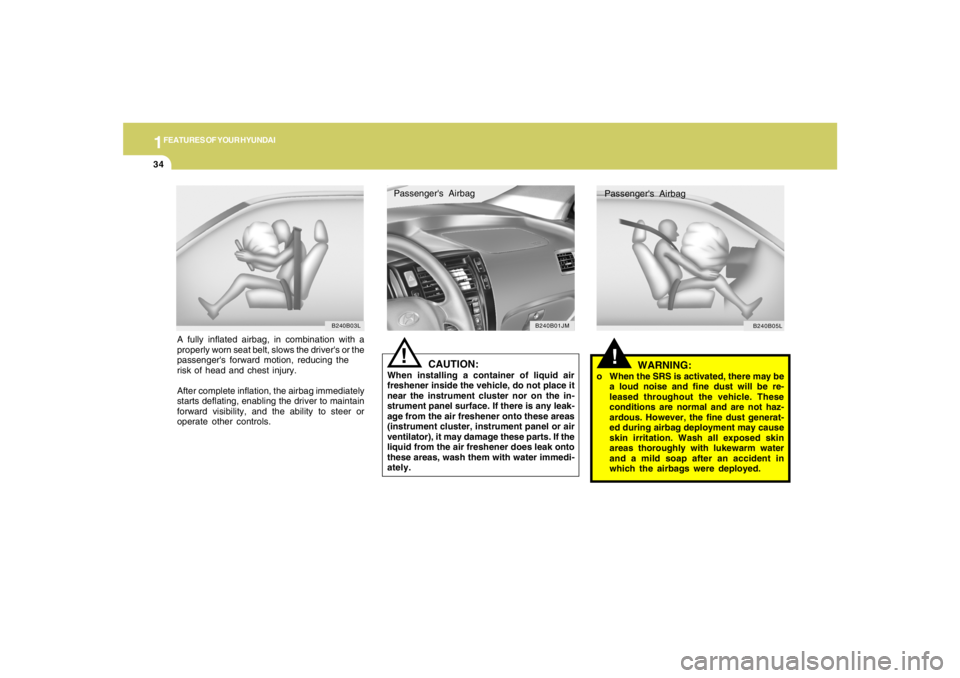
A fully inflated airbag, in combination with a
properly worn seat belt, slows the driver's or the
passenger's forward motion, reducing the
risk of head and chest injury.
After complete inflation, the airbag immediately
starts deflating, enabling the driver to maintain
forward visibility, and the ability to steer or
operate other controls.
!
WARNING:
o When the SRS is activated, there may be
a loud noise and fine dust will be re-
leased throughout the vehicle. These
conditions are normal and are not haz-
ardous. However, the fine dust generat-
ed during airbag deployment may cause
skin irritation. Wash all exposed skin
areas thoroughly with lukewarm water
and a mild soap after an accident in
which the airbags were deployed.
CAUTION:
When installing a container of liquid air
freshener inside the vehicle, do not place it
near the instrument cluster nor on the in-
strument panel surface. If there is any leak-
age from the air freshener onto these areas
(instrument cluster, instrument panel or air
ventilator), it may damage these parts. If the
liquid from the air freshener does leak onto
these areas, wash them with water immedi-
ately.
!Passenger's Airbag
B240B01JM
B240B03L
Passenger's Airbag
B240B05L
Page 53 of 273
1FEATURES OF YOUR HYUNDAI42
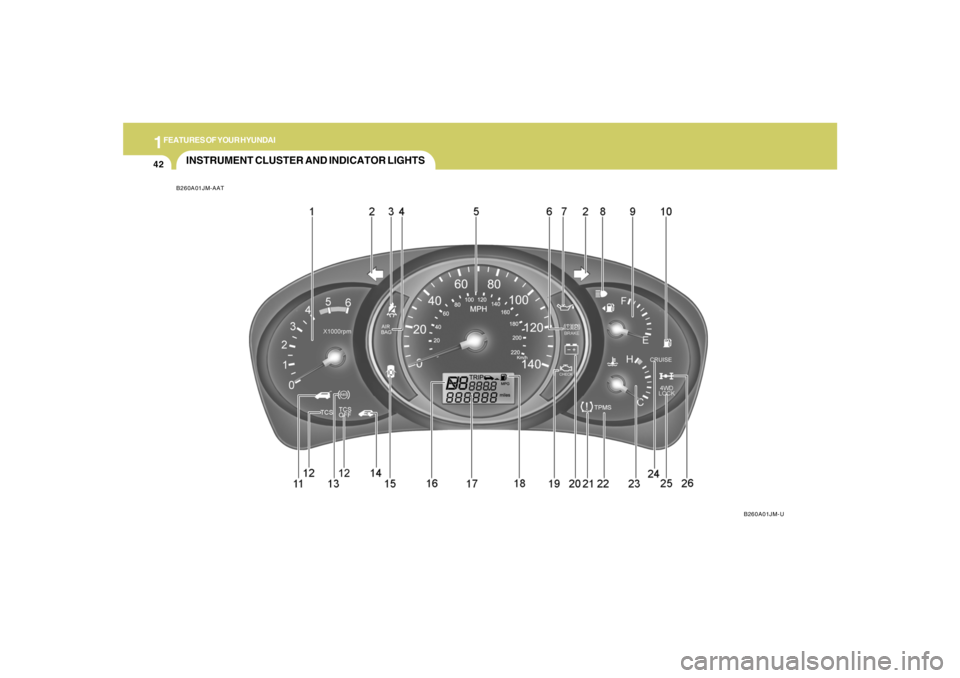
INSTRUMENT CLUSTER AND INDICATOR LIGHTSB260A01JM-AAT
B260A01JM-U
Page 58 of 273
1
FEATURES OF YOUR HYUNDAI
47
B260T01O-GAT
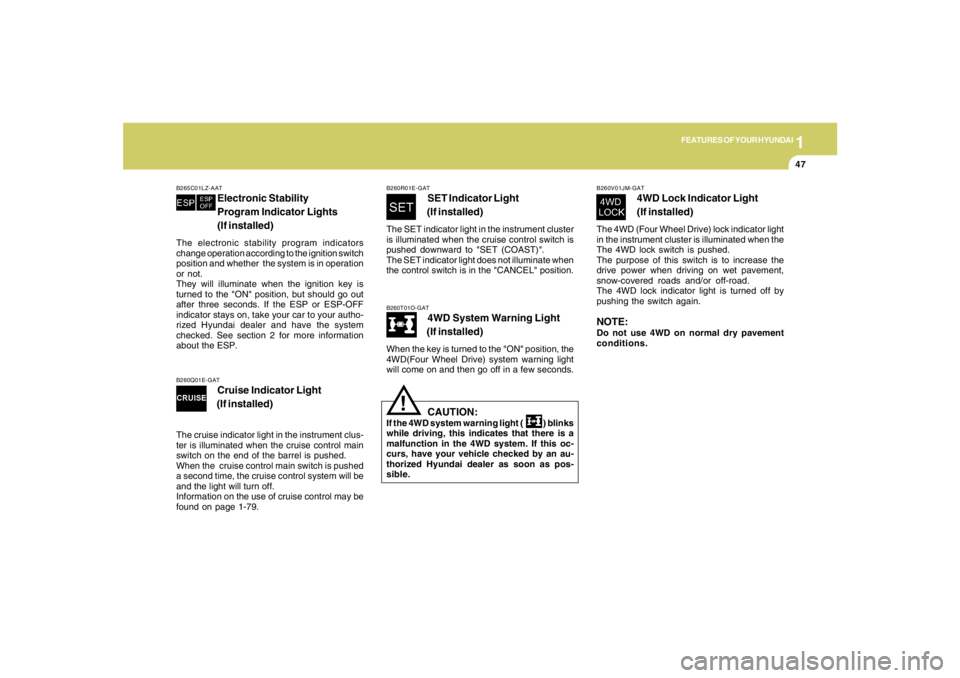
4WD System Warning Light
(If installed)
When the key is turned to the "ON" position, the
4WD(Four Wheel Drive) system warning light
will come on and then go off in a few seconds.
CAUTION:
If the 4WD system warning light ( ) blinks
while driving, this indicates that there is a
malfunction in the 4WD system. If this oc-
curs, have your vehicle checked by an au-
thorized Hyundai dealer as soon as pos-
sible.
!
B265C01LZ-AAT
Electronic Stability
Program Indicator Lights
(If installed)
The electronic stability program indicators
change operation according to the ignition switch
position and whether the system is in operation
or not.
They will illuminate when the ignition key is
turned to the "ON" position, but should go out
after three seconds. If the ESP or ESP-OFF
indicator stays on, take your car to your autho-
rized Hyundai dealer and have the system
checked. See section 2 for more information
about the ESP.
B260V01JM-GAT
4WD Lock Indicator Light
(If installed)
The 4WD (Four Wheel Drive) lock indicator light
in the instrument cluster is illuminated when the
The 4WD lock switch is pushed.
The purpose of this switch is to increase the
drive power when driving on wet pavement,
snow-covered roads and/or off-road.
The 4WD lock indicator light is turned off by
pushing the switch again.NOTE:Do not use 4WD on normal dry pavement
conditions.
B260R01E-GAT
SET Indicator Light
(If installed)
The SET indicator light in the instrument cluster
is illuminated when the cruise control switch is
pushed downward to "SET (COAST)".
The SET indicator light does not illuminate when
the control switch is in the "CANCEL" position.
B260Q01E-GAT
Cruise Indicator Light
(If installed)
The cruise indicator light in the instrument clus-
ter is illuminated when the cruise control main
switch on the end of the barrel is pushed.
When the cruise control main switch is pushed
a second time, the cruise control system will be
and the light will turn off.
Information on the use of cruise control may be
found on page 1-79.
Page 59 of 273
1FEATURES OF YOUR HYUNDAI48
B270A01O-AATBRAKE PAD WEAR WARNING SOUNDThe front and rear disc brake pads have wear
indicators that should make a high-pitched
squealing or scraping noise when new pads are
needed. The sound may come and go or be
heard all the time when the vehicle is moving. It
may also be heard when the brake pedal is
pushed down firmly. Excessive rotor damage
will result if the worn pads are not replaced. See
your Hyundai dealer immediately.
!
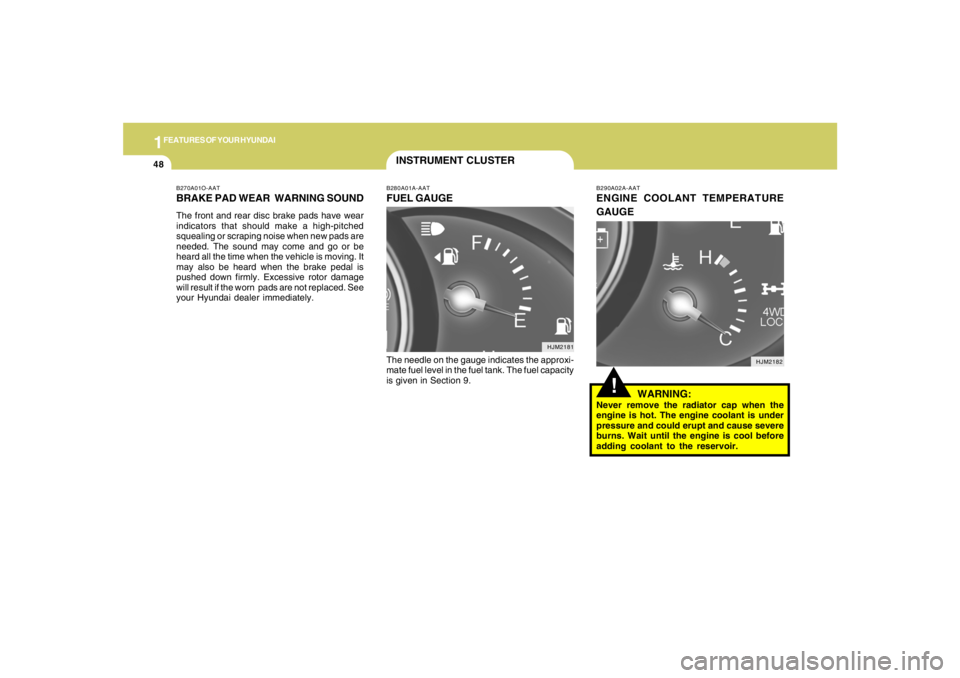
B290A02A-AATENGINE COOLANT TEMPERATURE
GAUGE
WARNING:Never remove the radiator cap when the
engine is hot. The engine coolant is under
pressure and could erupt and cause severe
burns. Wait until the engine is cool before
adding coolant to the reservoir.
B280A01A-AATFUEL GAUGEThe needle on the gauge indicates the approxi-
mate fuel level in the fuel tank. The fuel capacity
is given in Section 9.INSTRUMENT CLUSTER
HJM2182 HJM2181
Page 92 of 273
1
FEATURES OF YOUR HYUNDAI
81
B660C01JM B660C04E-AAT
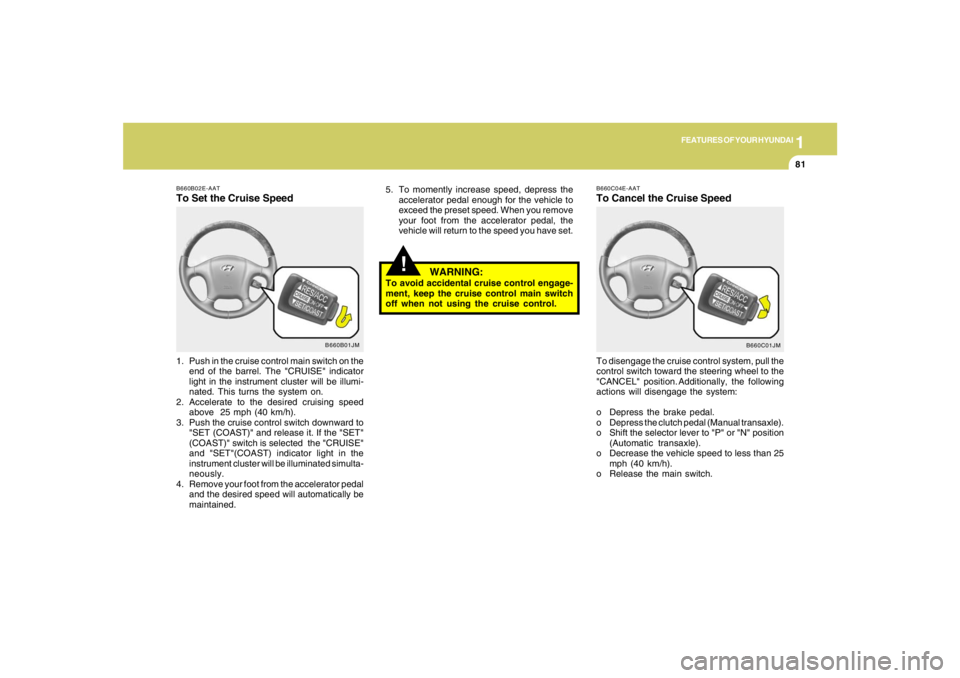
To Cancel the Cruise SpeedTo disengage the cruise control system, pull the
control switch toward the steering wheel to the
"CANCEL" position. Additionally, the following
actions will disengage the system:
o Depress the brake pedal.
o Depress the clutch pedal (Manual transaxle).
o Shift the selector lever to "P" or "N" position
(Automatic transaxle).
o Decrease the vehicle speed to less than 25
mph (40 km/h).
o Release the main switch.
!
5. To momently increase speed, depress the
accelerator pedal enough for the vehicle to
exceed the preset speed. When you remove
your foot from the accelerator pedal, the
vehicle will return to the speed you have set.
WARNING:
To avoid accidental cruise control engage-
ment, keep the cruise control main switch
off when not using the cruise control.
B660B01JM B660B02E-AAT
To Set the Cruise Speed1. Push in the cruise control main switch on the
end of the barrel. The "CRUISE" indicator
light in the instrument cluster will be illumi-
nated. This turns the system on.
2. Accelerate to the desired cruising speed
above 25 mph (40 km/h).
3. Push the cruise control switch downward to
"SET (COAST)" and release it. If the "SET"
(COAST)" switch is selected the "CRUISE"
and "SET"(COAST) indicator light in the
instrument cluster will be illuminated simulta-
neously.
4. Remove your foot from the accelerator pedal
and the desired speed will automatically be
maintained.
Page 155 of 273
2
DRIVING YOUR HYUNDAI
9
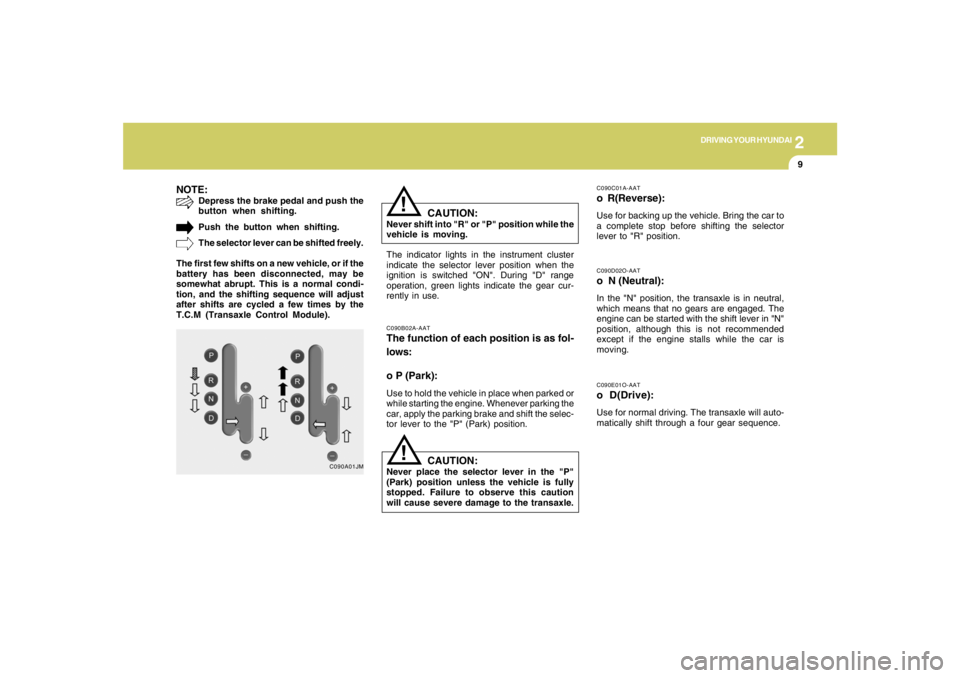
NOTE:
Depress the brake pedal and push the
button when shifting.
Push the button when shifting.
The selector lever can be shifted freely.
The first few shifts on a new vehicle, or if the
battery has been disconnected, may be
somewhat abrupt. This is a normal condi-
tion, and the shifting sequence will adjust
after shifts are cycled a few times by the
T.C.M (Transaxle Control Module).
C090A01JM
!
C090E01O-AATo D(Drive):Use for normal driving. The transaxle will auto-
matically shift through a four gear sequence.C090D02O-AATo N (Neutral):In the "N" position, the transaxle is in neutral,
which means that no gears are engaged. The
engine can be started with the shift lever in "N"
position, although this is not recommended
except if the engine stalls while the car is
moving.
C090B02A-AATThe function of each position is as fol-
lows:
o P (Park):Use to hold the vehicle in place when parked or
while starting the engine. Whenever parking the
car, apply the parking brake and shift the selec-
tor lever to the "P" (Park) position.
C090C01A-AATo R(Reverse):Use for backing up the vehicle. Bring the car to
a complete stop before shifting the selector
lever to "R" position.
The indicator lights in the instrument cluster
indicate the selector lever position when the
ignition is switched "ON". During "D" range
operation, green lights indicate the gear cur-
rently in use.
CAUTION:
Never shift into "R" or "P" position while the
vehicle is moving.
!
CAUTION:
Never place the selector lever in the "P"
(Park) position unless the vehicle is fully
stopped. Failure to observe this caution
will cause severe damage to the transaxle.
Page 159 of 273
2
DRIVING YOUR HYUNDAI
13
!
Driving HintsTCS does not actively apply brakes. Be sure to
decelerate the car sufficiently before entering
curves.
CAUTION:
When the TCS indicator blinks, SLIP con-
trol function has been activated. It also
means that the road is slippery or your car
is accelerating excessively. In this situa-
tion, gently release foot pressure from the
accelerator pedal and maintain moderate
speed.
!
WARNING:
Traction control is a driving aid; all normal
precautions for driving in inclement weath-
er and on slippery driving surfaces should
be observed.
C310B02O-AATTCS ON/OFF ModeWhen the TCS is operating, the TCS indicator
in the instrument cluster will blink.
If you turn the system off by pressing the TCS
switch, the TCS-OFF indicator will come on and
stay on. In the TCS-OFF mode, the SLIP control
will be deactivated. Adjust you driving accord-
ingly. To turn the system back on, press the
switch again. The TCS-OFF indicator should go
off.NOTE:1) The TCS mode will automatically be
turned ON after the engine is turned off
and restarted.
2) When the traction control system is op-
erating properly, you can feel a slight
pulsation in the vehicle. This is only the
effect of brake control and indicates
nothing unusual.
3) When the engine starts, a click may be
heard from the engine compartment;
this is the sound of the traction control
being checked.
4) When moving out of the mud or fresh
snow, pressing the accelerator pedal
may not cause the engine speed to in-
crease due to TCS operation.
C310D01JM-AATIndicators and WarningThe indicators should illuminate when the igni-
tion key is turned to ON or START but should
go out after approximately three seconds.
If the indicators do not illuminate, or the TCS or
TCS-OFF indicator does not go out after 3
seconds, have the system checked by an
authorized dealer.
Should there be any unusual conditions in the
TCS System while driving, TCS-OFF indicator
illuminates as a warning.
If TCS-OFF indicator illuminates, pull your car
to a safe place and stop the engine.
Then, start the engine again to check if the TCS-
OFF indicator goes out.
If the indicator remains lit even after the engine
has been started, have your car checked by an
authorized Hyundai dealer.NOTE:When the TCS-OFF indicator illuminates,
traction control is automatically deacti-
vated.
Page 160 of 273
2
DRIVING YOUR HYUNDAI
14
!
CAUTION:
Driving with varying tire or wheel size may
cause the ESP system to malfunction. When
replacing tires, make sure they are the same
size as your original tires.
!
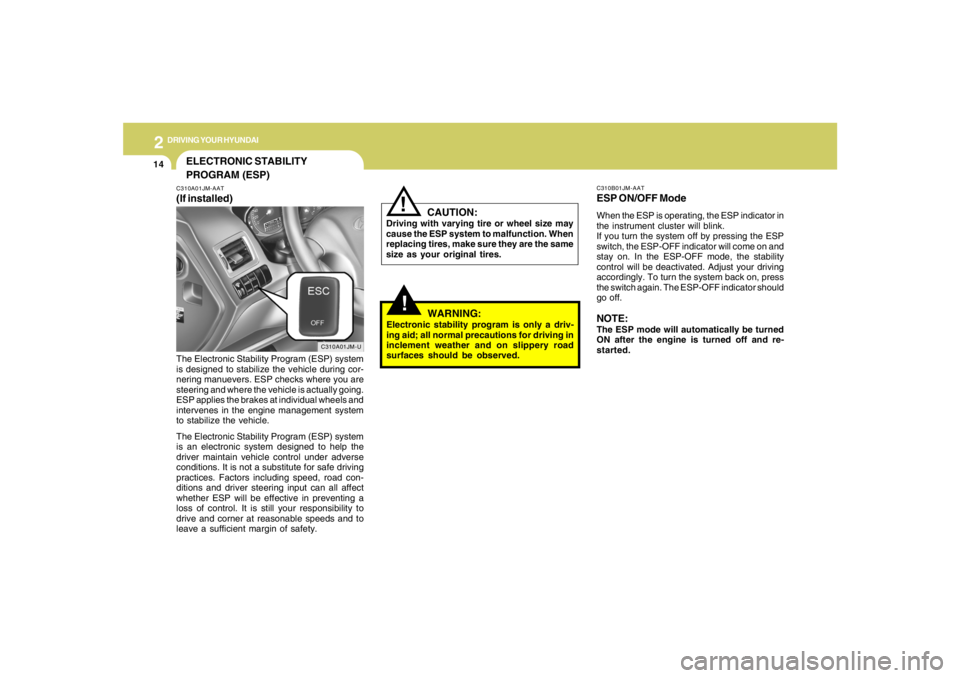
C310B01JM-AATESP ON/OFF ModeWhen the ESP is operating, the ESP indicator in
the instrument cluster will blink.
If you turn the system off by pressing the ESP
switch, the ESP-OFF indicator will come on and
stay on. In the ESP-OFF mode, the stability
control will be deactivated. Adjust your driving
accordingly. To turn the system back on, press
the switch again. The ESP-OFF indicator should
go off.NOTE:The ESP mode will automatically be turned
ON after the engine is turned off and re-
started.
WARNING:
Electronic stability program is only a driv-
ing aid; all normal precautions for driving in
inclement weather and on slippery road
surfaces should be observed.
ELECTRONIC STABILITY
PROGRAM (ESP)C310A01JM-AAT(If installed)
C310A01JM-U
The Electronic Stability Program (ESP) system
is designed to stabilize the vehicle during cor-
nering manuevers. ESP checks where you are
steering and where the vehicle is actually going.
ESP applies the brakes at individual wheels and
intervenes in the engine management system
to stabilize the vehicle.
The Electronic Stability Program (ESP) system
is an electronic system designed to help the
driver maintain vehicle control under adverse
conditions. It is not a substitute for safe driving
practices. Factors including speed, road con-
ditions and driver steering input can all affect
whether ESP will be effective in preventing a
loss of control. It is still your responsibility to
drive and corner at reasonable speeds and to
leave a sufficient margin of safety.