ESP HYUNDAI TUCSON 2008 Owners Manual
[x] Cancel search | Manufacturer: HYUNDAI, Model Year: 2008, Model line: TUCSON, Model: HYUNDAI TUCSON 2008Pages: 275, PDF Size: 10.93 MB
Page 2 of 275

A010A02A-AAT
WARRANTIES FOR YOUR HYUNDAI VEHICLE
Please consult your Owner's Handbook & Warranty Information booklet for your vehicle's specific
warranty coverage.A020A01A-AAT
RESPONSIBILITY FOR MAINTENANCE
The maintenance requirements for your new Hyundai are found in Section 5. As the owner, it is your responsibility
to see that all maintenance operations specified by the manufacturer are carried out at the appropriate intervals.
When the vehicle is used in severe driving conditions, more frequent maintenance is required for some operations.
Maintenance requirements for severe operating conditions are also included in Section 5.
Page 6 of 275

F4
A110A01A-AAT
VEHICLE DATA COLLECTION AND EVENT DATA RECORDERS
Your Hyundai vehicle is equipped with many high technology, electronically controlled systems that
help to ensure your vehicle operates properly and provides the performance that you expect. These
systems utilize computers to monitor the operation of various systems and components and help to
control their operation. These computerized system operations are wide-ranging and involve
components to reduce emissions, to continuously evaluate the readiness of the airbag and seat belt
pretensioner systems, to determine when the airbag and seat belt pre-tensioner systems should be
deployed and then to activate the deployment, and if equipped, to operate anti-lock braking, traction
control and electrical stability control to assist the driver to control the vehicle in difficult driving
situations. These systems electronically store information that is useful to service technicians when
they need to diagnose and repair these systems. Additional information is stored only when a crash
occurs that results in the deployment of the airbags or seat belt pre-tensioners. This type of data storage
is done by devices called event data recorders(EDR).
After a crash event, the airbag and seat belt pre-tensioner computer system, known as the Supplemental
Restraint System Control Module (SRSCM) or Airbag Control Unit (ACU), may record some information
about the condition of the vehicle and how it was being operated. This information consists of data
related to seat belt usage and if there was diagnostic information in the airbag or seat belt systems
at the time that a crash occurred, and if the ACU sensed that a crash of sufficient severity occurred to
require seat belt pre-tensioner or airbag deployment.
To retrieve this information, special equipment is needed and access to the vehicle or the device that
stores the data is required. Hyundai will not access information about a crash event or share it with
others except:
o in response to an official request of police or similar government office, or
o with the consent of the vehicle owner or, if the vehicle is leased, with the consent of the lessee, or
o as part of Hyundai’s defense of litigation, or
o as required by law.
Page 16 of 275
1FEATURES OF YOUR HYUNDAI4
B030C01E-1
DOOR LOCKS!
B040A01A-AAT B030C01JM-AAT
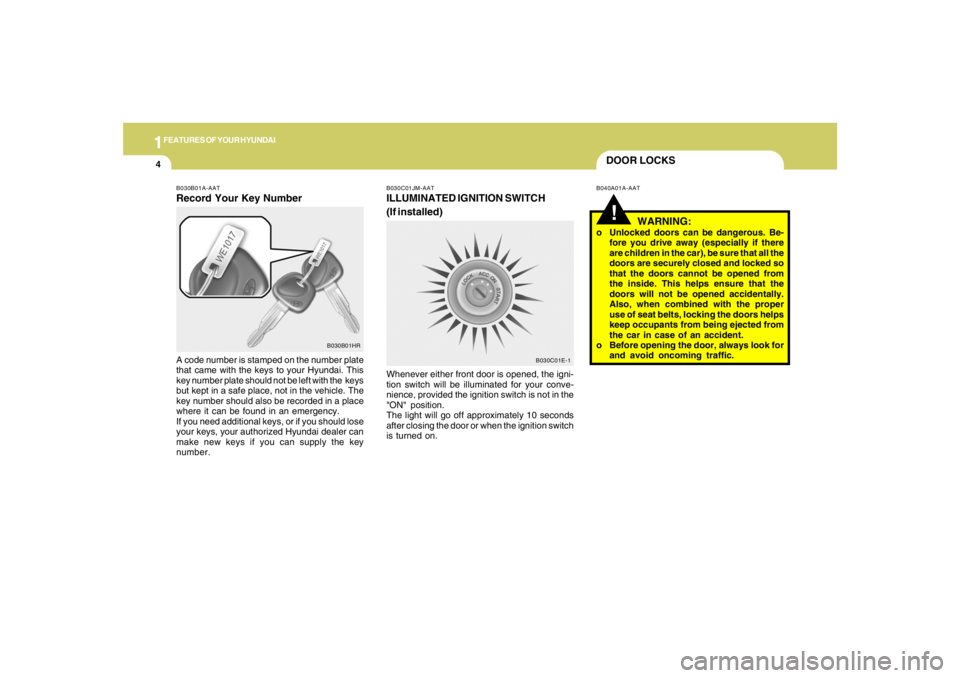
ILLUMINATED IGNITION SWITCH
(If installed)Whenever either front door is opened, the igni-
tion switch will be illuminated for your conve-
nience, provided the ignition switch is not in the
"ON" position.
The light will go off approximately 10 seconds
after closing the door or when the ignition switch
is turned on.
WARNING:
o Unlocked doors can be dangerous. Be-
fore you drive away (especially if there
are children in the car), be sure that all the
doors are securely closed and locked so
that the doors cannot be opened from
the inside. This helps ensure that the
doors will not be opened accidentally.
Also, when combined with the proper
use of seat belts, locking the doors helps
keep occupants from being ejected from
the car in case of an accident.
o Before opening the door, always look for
and avoid oncoming traffic.
B030B01A-AATRecord Your Key NumberA code number is stamped on the number plate
that came with the keys to your Hyundai. This
key number plate should not be left with the keys
but kept in a safe place, not in the vehicle. The
key number should also be recorded in a place
where it can be found in an emergency.
If you need additional keys, or if you should lose
your keys, your authorized Hyundai dealer can
make new keys if you can supply the key
number.
B030B01HR
Page 20 of 275
1FEATURES OF YOUR HYUNDAI8
B070B02JM
UNLOCK LOCK
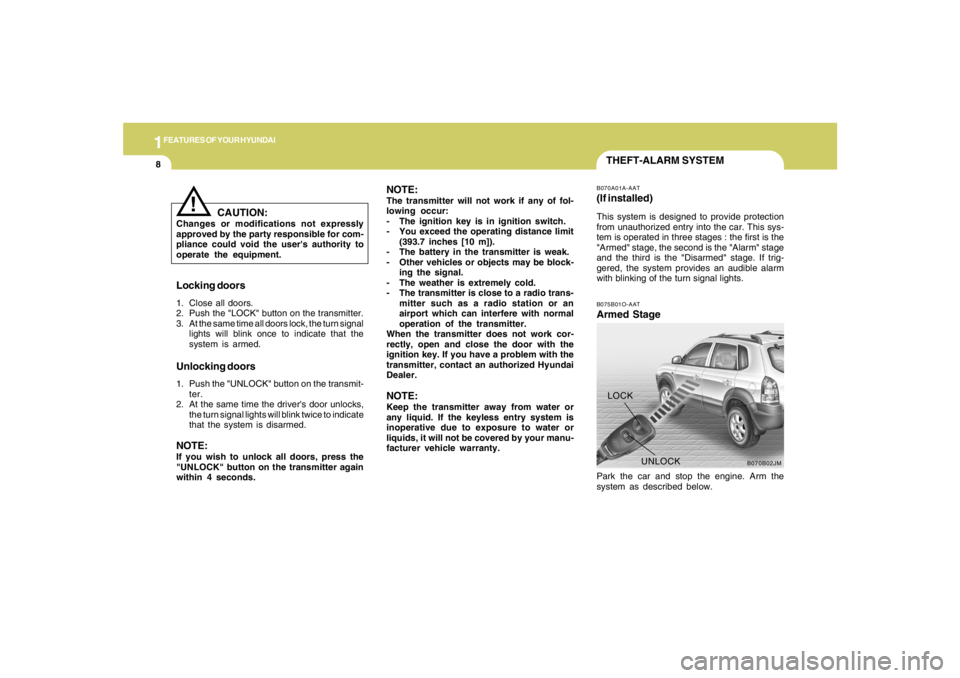
THEFT-ALARM SYSTEMB075B01O-AATArmed StagePark the car and stop the engine. Arm the
system as described below.B070A01A-AAT(If installed)This system is designed to provide protection
from unauthorized entry into the car. This sys-
tem is operated in three stages : the first is the
"Armed" stage, the second is the "Alarm" stage
and the third is the "Disarmed" stage. If trig-
gered, the system provides an audible alarm
with blinking of the turn signal lights.
Locking doors1. Close all doors.
2. Push the "LOCK" button on the transmitter.
3. At the same time all doors lock, the turn signal
lights will blink once to indicate that the
system is armed.Unlocking doors1. Push the "UNLOCK" button on the transmit-
ter.
2. At the same time the driver's door unlocks,
the turn signal lights will blink twice to indicate
that the system is disarmed.NOTE:If you wish to unlock all doors, press the
"UNLOCK" button on the transmitter again
within 4 seconds.
CAUTION:
Changes or modifications not expressly
approved by the party responsible for com-
pliance could void the user's authority to
operate the equipment.
!
NOTE:The transmitter will not work if any of fol-
lowing occur:
- The ignition key is in ignition switch.
- You exceed the operating distance limit
(393.7 inches [10 m]).
- The battery in the transmitter is weak.
- Other vehicles or objects may be block-
ing the signal.
- The weather is extremely cold.
- The transmitter is close to a radio trans-
mitter such as a radio station or an
airport which can interfere with normal
operation of the transmitter.
When the transmitter does not work cor-
rectly, open and close the door with the
ignition key. If you have a problem with the
transmitter, contact an authorized Hyundai
Dealer.NOTE:Keep the transmitter away from water or
any liquid. If the keyless entry system is
inoperative due to exposure to water or
liquids, it will not be covered by your manu-
facturer vehicle warranty.
Page 38 of 275
1FEATURES OF YOUR HYUNDAI26
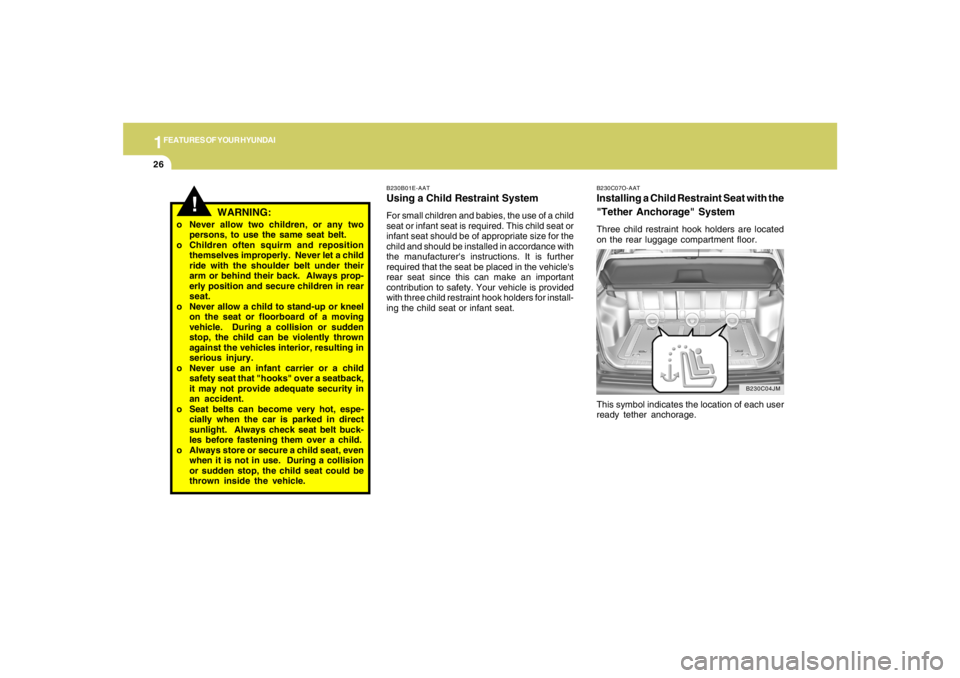
B230C07O-AATInstalling a Child Restraint Seat with the
"Tether Anchorage" SystemThree child restraint hook holders are located
on the rear luggage compartment floor.
This symbol indicates the location of each user
ready tether anchorage.
B230C04JM B230B01E-AAT
Using a Child Restraint SystemFor small children and babies, the use of a child
seat or infant seat is required. This child seat or
infant seat should be of appropriate size for the
child and should be installed in accordance with
the manufacturer's instructions. It is further
required that the seat be placed in the vehicle's
rear seat since this can make an important
contribution to safety. Your vehicle is provided
with three child restraint hook holders for install-
ing the child seat or infant seat.
!
o Never allow two children, or any two
persons, to use the same seat belt.
o Children often squirm and reposition
themselves improperly. Never let a child
ride with the shoulder belt under their
arm or behind their back. Always prop-
erly position and secure children in rear
seat.
o Never allow a child to stand-up or kneel
on the seat or floorboard of a moving
vehicle. During a collision or sudden
stop, the child can be violently thrown
against the vehicles interior, resulting in
serious injury.
o Never use an infant carrier or a child
safety seat that "hooks" over a seatback,
it may not provide adequate security in
an accident.
o Seat belts can become very hot, espe-
cially when the car is parked in direct
sunlight. Always check seat belt buck-
les before fastening them over a child.
o Always store or secure a child seat, even
when it is not in use. During a collision
or sudden stop, the child seat could be
thrown inside the vehicle.
WARNING:
Page 86 of 275
1FEATURES OF YOUR HYUNDAI74
HJM2104
!
WARNING:
Be careful when judging the size or dis-
tance of any object seen in the passenger
side rear view mirror. It is a convex mirror
with a curved surface. Any objects seen in
this mirror are closer than they appear.
CAUTION:
o Do not operate the switch continuously
for an unnecessary length of time.
o Scraping ice from the mirror face could
cause permanent damage. To remove
any ice, use a sponge, soft cloth or
approved de-icer.
!
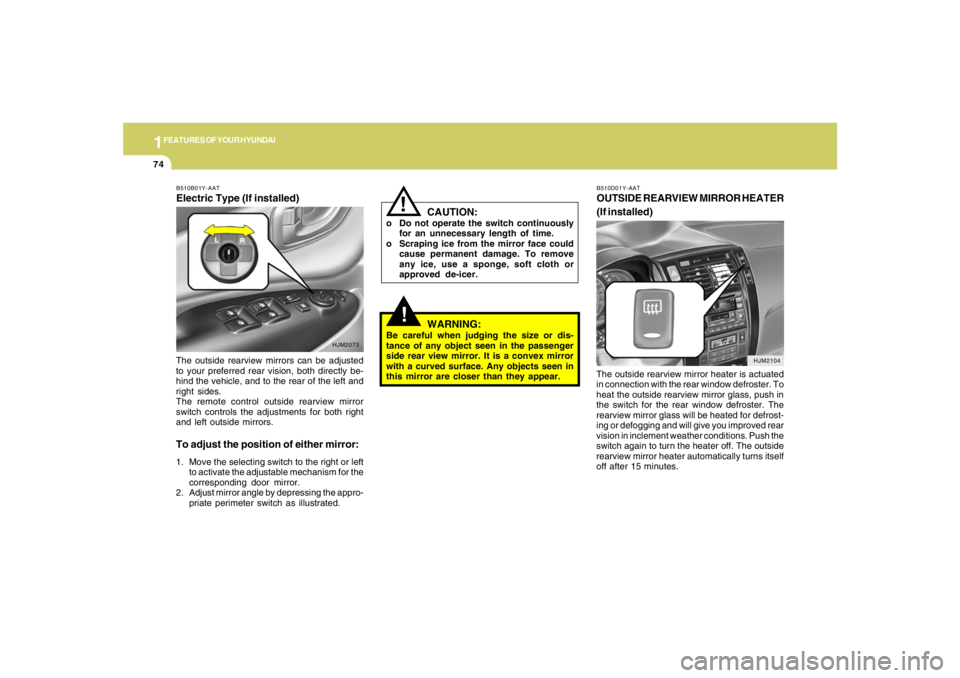
B510D01Y-AATOUTSIDE REARVIEW MIRROR HEATER
(If installed)The outside rearview mirror heater is actuated
in connection with the rear window defroster. To
heat the outside rearview mirror glass, push in
the switch for the rear window defroster. The
rearview mirror glass will be heated for defrost-
ing or defogging and will give you improved rear
vision in inclement weather conditions. Push the
switch again to turn the heater off. The outside
rearview mirror heater automatically turns itself
off after 15 minutes. The outside rearview mirrors can be adjusted
to your preferred rear vision, both directly be-
hind the vehicle, and to the rear of the left and
right sides.
The remote control outside rearview mirror
switch controls the adjustments for both right
and left outside mirrors.
To adjust the position of either mirror:1. Move the selecting switch to the right or left
to activate the adjustable mechanism for the
corresponding door mirror.
2. Adjust mirror angle by depressing the appro-
priate perimeter switch as illustrated.B510B01Y-AATElectric Type (If installed)
HJM2073
Page 124 of 275
1FEATURES OF YOUR HYUNDAI
112
1. FM Selection ButtonTurns to FM mode and toggles FM1 and FM2
when the button is pressed each time.2. AM Selection ButtonTurns to AM mode, and toggles in the order of
AM1➟AM2➟···➟AM1···when the button is
pressed each time.3. XM Selection ButtonTurns to XM mode, and toggles in the order of
XM1➟XM2➟XM3➟···➟XM1··· when the button
is pressed each time.4. CD/AUX Selection ButtonIf there is a cd in the CDP DECK it turns to CD
mode, and if a device is connected to AUX then
it toggles.
CD➟AUX➟CD··· when the button is pressed
each time.(It will not turn to AUX if the auxiliary
device is not connected)
5. Automatic Channel Selection Buttono When the [SEEK
]button is pressed, it
reduces the band frequency by 200khz to
automatically select channel. Stops at the
previous frequency if no channel is found.
o When the [SEEK ]button is pressed, it
increases the band frequency by 50khz to
automatically select channel. Stops at the
previous frequency if no channel is found.
6. Power ON/OFF & Volume Control
ButtonTurns on/off the set when the IGNITION
SWITCH is on ACC or ON. If the button is turned
to the right, it increases the volume and left,
decreases the volume.7. MUTE ButtonPress to temporarily cut off the Sound.8. SCAN ButtonIf this button is pressed, the frequencies will
become increased and receive the correspond-
ing broadcasts.
This function will play the frequencies for 5
seconds (XM MODE : 10 seconds) each and
find other broadcasts as the frequency in-
creases.Press the button again when desiring to con-
tinue listening to the currently playing broad-
cast.
9. Information Display ButtonInformation Display function operation (Infor-
mation is displayed each time (the) Key is
pressed) : Pressing the Category ➟Channel
Name ➟Artist Name➟Song Title➟Category-
KEY for 3 seconds will display the correspond-
ing text then become restored.
Text Scroll operation
After pressing (the) Key, if the text to be dis-
played is longer than the LCD text line, then
rotating the Tune Knob will operate the Page up
function displaying 8 characters for 3 seconds
each - displays the maximum lines of text
supported by XM.10. SET UP ButtonPress this button to turn to the XMoption, SCROLL
and adjustment mode.
If no action is taken for 5 seconds after pressing
the button, it will return to the play mode.(After
entering SET UP mode, move between items
using the left, right and PUSH functions of the
TUNE button.)
The set up item changes from AUDIO adjust-
ment, TEXT SCROLL, XM setup.
Page 125 of 275
1
FEATURES OF YOUR HYUNDAI
113113113113113
11. TUNE/ENTER ButtonTurn this button clockwise by one notch
to increase frequency by 0.05Mhz from current
frequency.
Turn this button counterclockwise by one notch
to decrease frequency by 0.05Mhz from cur-
rent frequency.
Press this button while holding SET UP button
to activate / inactivate the item to.
Select SET UP item using left and right function
of the Tune button.
Pressing the changes the BASS, MIDR- ANGE,
TREBLE, FADER and BALANCE TUNE mode.
The mode selected is shown on the display.
After selecting each mode, rotate the Audio
control knob clockwise or counterclockwise.
o BASS Control
To increase the BASS, rotate the knob clock-
wise, while to decrease the BASS, rotate the
knob counterclockwise.
o MID-RANGE Control
To increase the MID-RANGE, rotate the knob
clockwise, while to decrease the MID-RANGE,
rotate the knob counterclockwise.o TREBLE Control
To increase the TREBLE, rotate the knob clock-
wise, while to decrease the TREBLE, rotate the
knob counterclockwise.
o FADER Control
Turn the control knob clockwise to emph- asize
rear speaker sound (front speaker sound will be
attenuated). When the control knob is turned
counterclockwise, front speaker sound will be
emphasized (rear speaker sound will be attenu-
ated).
o BALANCE Control
Rotate the knob clockwise to emphasize right
speaker sound (left speaker sound will be
attenuated). When the control knob is turned
counter clockwise, left speaker sound will be
emphasized (right speaker sound will be at-
tenuated).
12. CAT(FLDR) ButtonMoves [CAT
] Button when Category Up
search operation.
o Category is moved Up from the category
currently being received and Category Name
becomes displayed.
o If the Enter Key is not pressed within 5seconds, then the previous mode will be
restored.
o If the Key is pressed while in the last Cat-
egory, then the first category will become
displayed and operation will be repeated.
o Corresponding category can be selected by
pressing ENTER.
Moves [CAT
] Button when Category Down
search operation.
o Category is moved Down from the category
currently being received and Category Name
becomes displayed.
o If the Enter Key is not pressed within 5
seconds, then the previous mode will be
restored.
o If the [CAT ] Key is pressed while in the
first Category, then the last category will
become displayed and operation will be re-
peated.
o Corresponding category can be selected by
pressing ENTER.
13. Preset ButtonPush [1]~[6] buttons less than 0.8 seconds to
play the channel saved in each button.
Push pre-set button for 0.8 seconds or longer
to save current channel to the respective button
with a beep.
Page 130 of 275
1FEATURES OF YOUR HYUNDAI
118
1. FM Selection ButtonTurns to FM mode and toggles FM1 and FM2
when the button is pressed each time.2. AM Selection ButtonTurns to AM mode, and toggles in the order of
AM1➟AM2➟···➟AM1···when the button is
pressed each time.3. XM Selection ButtonTurns to XM mode, and toggles in the order of
XM1➟XM2➟XM3➟···➟XM1··· when the button
is pressed each time.4. CD/AUX Selection ButtonIf there is a cd in the CDP DECK it turns to CD
mode, and if a device is connected to AUX then
it toggles.
CD➟AUX➟CD··· when the button is pressed
each time.(It will not turn to AUX if the auxiliary
device is not connected)
5. Automatic Channel Selection Buttono When the [SEEK
]button is pressed, it
reduces the band frequency by 200khz to
automatically select channel. Stops at the
previous frequency if no channel is found.
o When the [SEEK ]button is pressed, it
increases the band frequency by 50khz to
automatically select channel. Stops at the
previous frequency if no channel is found.
6. Power ON/OFF & Volume Control
ButtonTurns on/off the set when the IGNITION
SWITCH is on ACC or ON. If the button is turned
to the right, it increases the volume and left,
decreases the volume.7. MUTE ButtonPress to temporarily cut off the Sound.8. SCAN ButtonIf this button is pressed, the frequencies will
become increased and receive the correspond-
ing broadcasts.
This function will play the frequencies for 5
seconds (XM MODE : 10 seconds) each and
find other broadcasts as the frequency in-
creases.Press the button again when desiring to con-
tinue listening to the currently playing broad-
cast.
9. Information Display ButtonInformation Display function operation (Infor-
mation is displayed each time (the) Key is
pressed) : Pressing the Category ➟Channel
Name ➟Artist Name➟Song Title➟Category-
KEY for 3 seconds will display the correspond-
ing text then become restored.
Text Scroll operation
After pressing (the) Key, if the text to be dis-
played is longer than the LCD text line, then
rotating the Tune Knob will operate the Page up
function displaying 8 characters for 3 seconds
each - displays the maximum lines of text
supported by XM.10. SET UP ButtonPress this button to turn to the XMoption, SCROLL
and adjustment mode.
If no action is taken for 5 seconds after pressing
the button, it will return to the play mode.(After
entering SET UP mode, move between items
using the left, right and PUSH functions of the
TUNE button.)
The set up item changes from AUDIO adjust-
ment, TEXT SCROLL, XM setup.
Page 131 of 275
1
FEATURES OF YOUR HYUNDAI
119119119119119
11. TUNE/ENTER ButtonTurn this button clockwise by one notch to
increase frequency by 0.05Mhz from current
frequency.
Turn this button counterclockwise by one notch
to decrease frequency by 0.05Mhz from cur-
rent frequency.
Press this button while holding SET UP button
to activate / inactivate the item to.
Select SET UP item using left and right function
of the Tune button.
Pressing the changes the BASS, MIDR- ANGE,
TREBLE, FADER and BALANCE TUNE mode.
The mode selected is shown on the display.
After selecting each mode, rotate the Audio
control knob clockwise or counterclockwise.
o BASS Control
To increase the BASS, rotate the knob clock-
wise, while to decrease the BASS, rotate the
knob counterclockwise.
o MID-RANGE Control
To increase the MID-RANGE, rotate the knob
clockwise, while to decrease the MID-RANGE,
rotate the knob counterclockwise.
o TREBLE Control
To increase the TREBLE, rotate the knob clock-
wise, while to decrease the TREBLE, rotate the
knob counterclockwise.o FADER Control
Turn the control knob clockwise to emph- asize
rear speaker sound (front speaker sound will be
attenuated). When the control knob is turned
counterclockwise, front speaker sound will be
emphasized (rear speaker sound will be attenu-
ated).
o BALANCE Control
Rotate the knob clockwise to emphasize right
speaker sound (left speaker sound will be
attenuated). When the control knob is turned
counter clockwise, left speaker sound will be
emphasized (right speaker sound will be at-
tenuated).
12. CAT(FLDR) ButtonMoves [CAT
] Button when Category Up
search operation.
o Category is moved Up from the category
currently being received and Category Name
becomes displayed.
o If the Enter Key is not pressed within 5
seconds, then the previous mode will be
restored.
o If the Key is pressed while in the last Cat-
egory, then the first category will become
displayed and operation will be repeated.
o Corresponding category can be selected by
pressing ENTER.Moves [CAT
] Button when Category Down
search operation.
o Category is moved Down from the category
currently being received and Category Name
becomes displayed.
o If the Enter Key is not pressed within 5
seconds, then the previous mode will be
restored.
o If the [CAT ] Key is pressed while in the
first Category, then the last category will
become displayed and operation will be re-
peated.
o Corresponding category can be selected by
pressing ENTER.
13. Preset ButtonPush [1]~[6] buttons less than 0.8 seconds to
play the channel saved in each button.
Push pre-set button for 0.8 seconds or longer
to save current channel to the respective button
with a beep.