change time HYUNDAI TUCSON 2011 User Guide
[x] Cancel search | Manufacturer: HYUNDAI, Model Year: 2011, Model line: TUCSON, Model: HYUNDAI TUCSON 2011Pages: 382, PDF Size: 5.43 MB
Page 149 of 382
Features of your vehicle
68
4
Air conditioning system operation tips
If the vehicle has been parked in direct
sunlight during hot weather, open the
windows for a short time to let the hot
air inside the vehicle escape.
To help reduce moisture inside of the windows on rainy or humid days,
decrease the humidity inside the vehi-
cle by operating the air conditioning system.
During air conditioning system opera- tion, you may occasionally notice aslight change in engine speed as the
air conditioning compressor cycles.
This is a normal system operation
characteristic.
Use the air conditioning system every month only for a few minutes to ensure
maximum system performance. When using the air conditioning sys-
tem, you may notice clear water drip-
ping (or even puddling) on the ground
under the passenger side of the vehi-
cle. This is a normal system operation
characteristic.
Operating the air conditioning system in the recirculated air position provides
maximum cooling, however, continual
operation in this mode may cause the
air inside the vehicle to become stale.
During cooling operation, you may occasionally notice a misty air flow
because of rapid cooling and humid air
intake. This is a normal system opera-
tion characteristics.
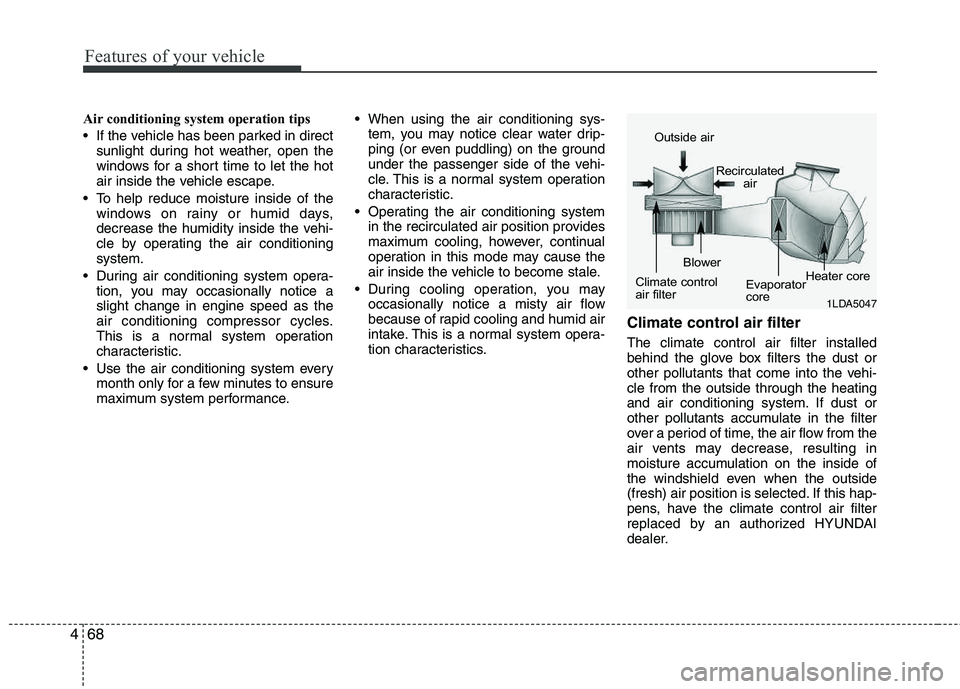
Climate control air filter
The climate control air filter installed
behind the glove box filters the dust or
other pollutants that come into the vehi-cle from the outside through the heating
and air conditioning system. If dust or
other pollutants accumulate in the filter
over a period of time, the air flow from the
air vents may decrease, resulting in
moisture accumulation on the inside of
the windshield even when the outside
(fresh) air position is selected. If this hap-
pens, have the climate control air filter
replaced by an authorized HYUNDAI
dealer.
1LDA5047
Outside air
Recirculatedair
Climate control
air filter Blower
Evaporator
coreHeater core
Page 192 of 382
4111
Features of your vehicle
BLUETOOTH®
PHONE OPERA-
TION (IF EQUIPPED)
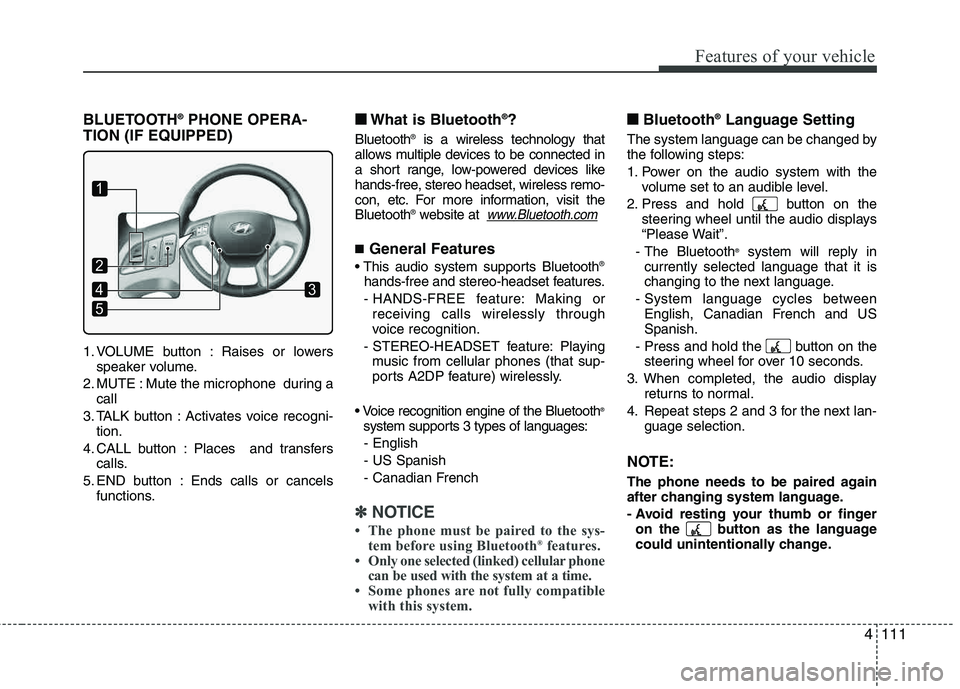
1. VOLUME button : Raises or lowers speaker volume.
2. MUTE : Mute the microphone during a call
3. TALK button : Activates voice recogni- tion.
4. CALL button : Places and transfers calls.
5. END button : Ends calls or cancels functions.
■■ What is Bluetooth ®
?
Bluetooth ®
is a wireless technology that
allows multiple devices to be connected in
a short range, low-powered devices like
hands-free, stereo headset, wireless remo-
con, etc. For more information, visit theBluetooth ®
website at
www.Bluetooth.com
■ General Features
®
hands-free and stereo-headset features.
- HANDS-FREE feature: Making or receiving calls wirelessly through
voice recognition.
- STEREO-HEADSET feature: Playing music from cellular phones (that sup-
ports A2DP feature) wirelessly.
®
system supports 3 types of languages: - English - US Spanish
- Canadian French
✽✽ NOTICE
The phone must be paired to the sys- tem before using Bluetooth ®
features.
Only one selected (linked) cellular phone
can be used with the system at a time.
Some phones are not fully compatible with this system.
■■ Bluetooth ®
Language Setting
The system language can be changed by
the following steps:
1. Power on the audio system with the
volume set to an audible level.
2. Press and hold button on the steering wheel until the audio displays
“Please Wait”.
- The Bluetooth ®
system will reply in
currently selected language that it is
changing to the next language.
- System language cycles between English, Canadian French and USSpanish.
- Press and hold the button on the steering wheel for over 10 seconds.
3. When completed, the audio display returns to normal.
4. Repeat steps 2 and 3 for the next lan- guage selection.
NOTE:
The phone needs to be paired again
after changing system language.
- Avoid resting your thumb or fingeron the button as the language
could unintentionally change.
1
5
43
2
Page 193 of 382
Features of your vehicle
112
4
■
Voice Recognition Activation
The voice recognition engine con-
tained in the Bluetooth ®
System can be
activated in the following conditions:
- Button Activation The voice recognition system will be
active when the button is pressed
and after the sound of a Beep.
- Active Listening The voice recognition system will be
active for a period of time when the
Voice Recognition system has asked
for a customer response.
The system can recognize single dig- itsfrom zero to nine while number
greater than ten will not be recognized.
If the command is not recognized, the system will announce "Pardon" or No
input voice signal from microphone.(No response)
The system shall cancel voice recogni- tion mode in following cases : When
pressing the button and saying
cancel following the beep. When not
making a call and pressing the but-
ton. When voice recognition has failed
3 consecutive times. At any time if you say “help”, the sys-
tem will announce what commands are
available.
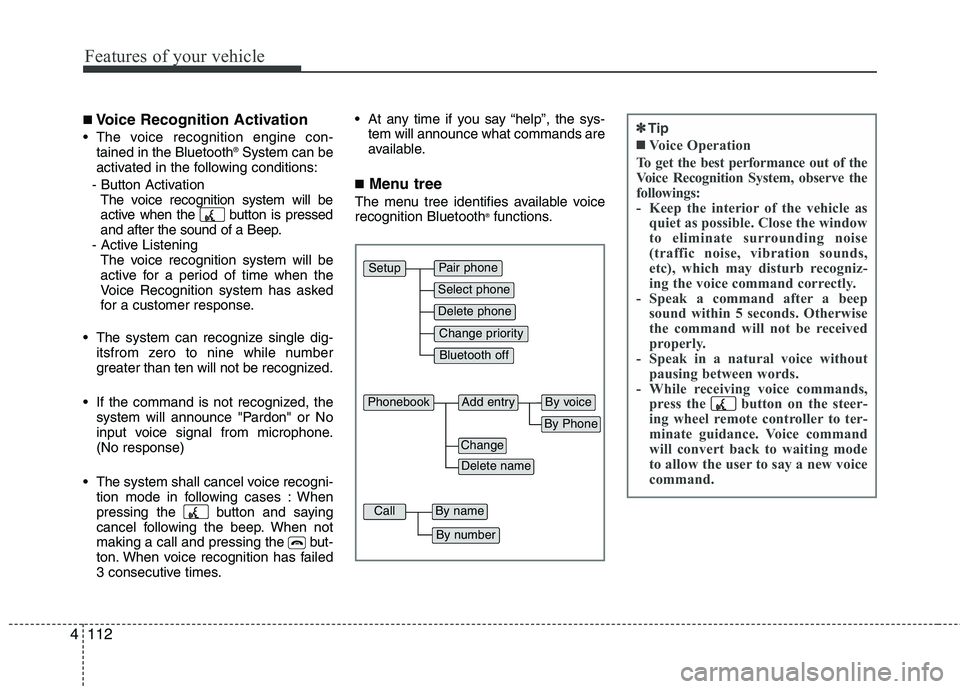
■ Menu tree
The menu tree identifies available voicerecognition Bluetooth ®
functions.
Pair phone
Select phone
Change priority
Delete phone
Bluetooth off
Setup
Add entryPhonebook
Change
Delete name
By Phone
By voice
CallBy name
By number
✽✽ Tip
■Voice Operation
To get the best performance out of the
Voice Recognition System, observe the
followings:
- Keep the interior of the vehicle as quiet as possible. Close the window
to eliminate surrounding noise
(traffic noise, vibration sounds,
etc), which may disturb recogniz-
ing the voice command correctly.
- Speak a command after a beep sound within 5 seconds. Otherwise
the command will not be received
properly.
- Speak in a natural voice without pausing between words.
- While receiving voice commands, press the button on the steer-
ing wheel remote controller to ter-
minate guidance. Voice command
will convert back to waiting mode
to allow the user to say a new voice
command.
Page 196 of 382
4115
Features of your vehicle
By Manual operation
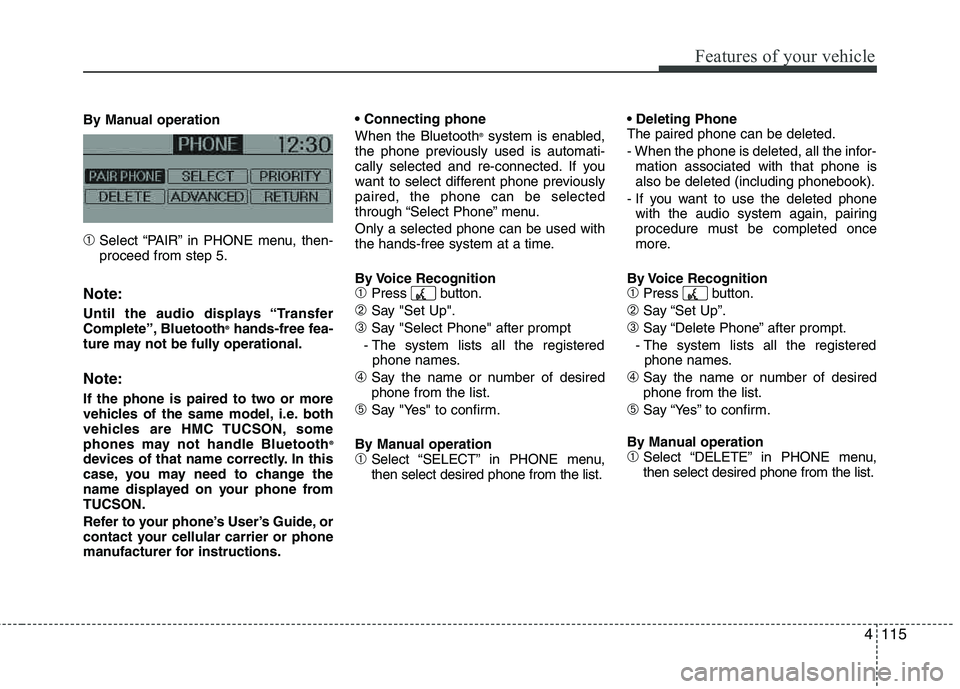
➀Select “PAIR” in PHONE menu, then- proceed from step 5.
Note:
Until the audio displays “Transfer
Complete”, Bluetooth®
hands-free fea-
ture may not be fully operational.
Note:
If the phone is paired to two or more
vehicles of the same model, i.e. both
vehicles are HMC TUCSON, some
phones may not handle Bluetooth ®
devices of that name correctly. In this
case, you may need to change the
name displayed on your phone fromTUCSON.
Refer to your phone’s User’s Guide, or
contact your cellular carrier or phone
manufacturer for instructions. When the Bluetooth
®
system is enabled,
the phone previously used is automati-
cally selected and re-connected. If you
want to select different phone previously paired, the phone can be selected
through “Select Phone” menu. Only a selected phone can be used with
the hands-free system at a time.
By Voice Recognition
➀Press button.
➁Say "Set Up".
➂Say "Select Phone" after prompt
- The system lists all the registered phone names.
➃Say the name or number of desired phone from the list.
➄Say "Yes" to confirm.
By Manual operation
➀Select “SELECT” in PHONE menu, then select desired phone from the list. The paired phone can be deleted.
- When the phone is deleted, all the infor-
mation associated with that phone is also be deleted (including phonebook).
- If you want to use the deleted phone with the audio system again, pairing
procedure must be completed once
more.
By Voice Recognition
➀Press button.
➁Say “Set Up”.
➂Say “Delete Phone” after prompt.
- The system lists all the registered phone names.
➃Say the name or number of desiredphone from the list.
➄Say “Yes” to confirm.
By Manual operation
➀Select “DELETE” in PHONE menu, then select desired phone from the list.
Page 199 of 382
Features of your vehicle
118
4
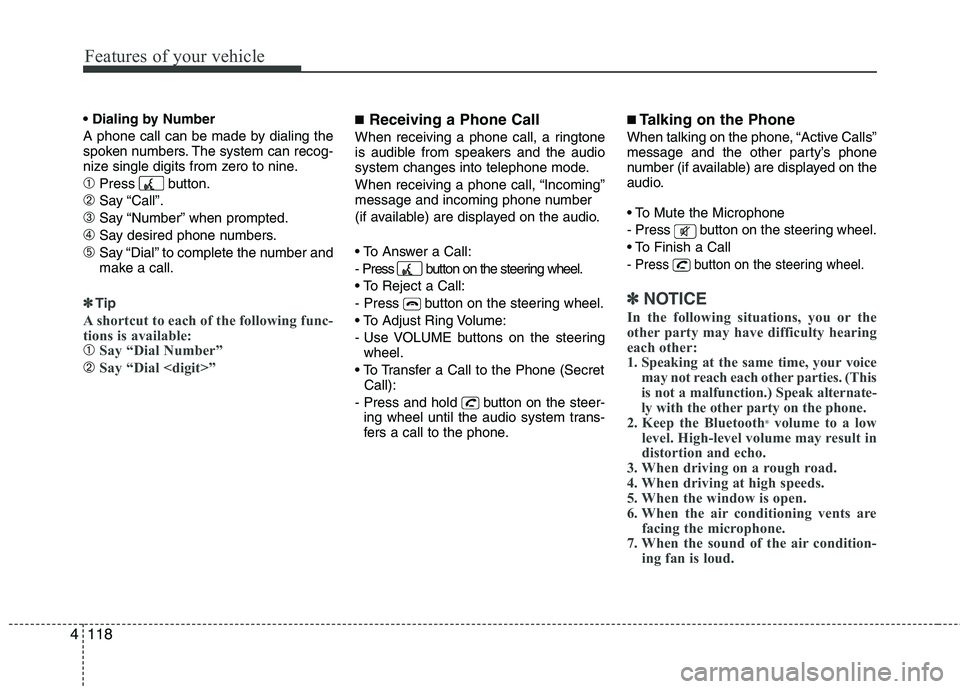
A phone call can be made by dialing the
spoken numbers. The system can recog-
nize single digits from zero to nine.
➀Press button.
➁Say “Call”.
➂Say “Number” when prompted.
➃Say desired phone numbers.
➄Say “Dial” to complete the number and
make a call.
✽✽
Tip
A shortcut to each of the following func-
tions is available:
➀Say “Dial Number”
➁Say “Dial
■ Receiving a Phone Call
When receiving a phone call, a ringtone
is audible from speakers and the audio
system changes into telephone mode.
When receiving a phone call, “Incoming”
message and incoming phone number
(if available) are displayed on the audio.
- Press button on the steering wheel.
- Press button on the steering wheel.
- Use VOLUME buttons on the steering
wheel.
Call):
- Press and hold button on the steer- ing wheel until the audio system trans-
fers a call to the phone.
■ Talking on the Phone
When talking on the phone, “Active Calls”
message and the other party’s phone
number (if available) are displayed on the
audio.
- Press button on the steering wheel.
- Press button on the steering wheel.
✽✽ NOTICE
In the following situations, you or the
other party may have difficulty hearing
each other:
1. Speaking at the same time, your voice may not reach each other parties. (This
is not a malfunction.) Speak alternate-
ly with the other party on the phone.
2. Keep the Bluetooth ®
volume to a low
level. High-level volume may result in
distortion and echo.
3. When driving on a rough road.
4. When driving at high speeds.
5. When the window is open.
6. When the air conditioning vents are facing the microphone.
7. When the sound of the air condition- ing fan is loud.
Page 200 of 382
4119
Features of your vehicle
■Using the head unit as Bluetooth ®
music
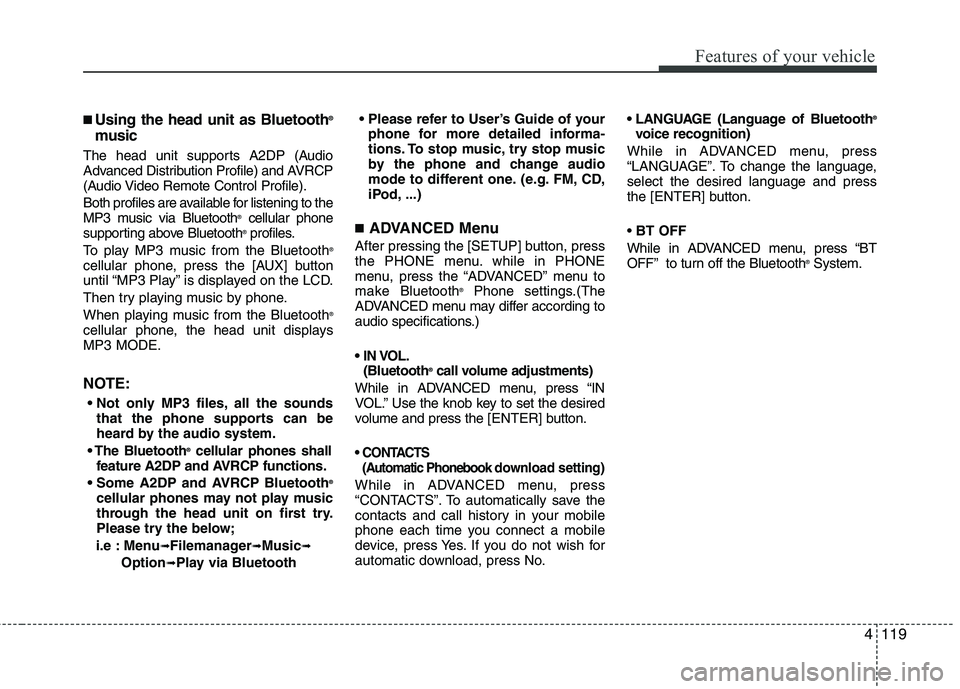
The head unit supports A2DP (Audio
Advanced Distribution Profile) and AVRCP
(Audio Video Remote Control Profile).
Both profiles are available for listening to the
MP3 music via Bluetooth ®
cellular phone
supporting above Bluetooth ®
profiles.
To play MP3 music from the Bluetooth ®
cellular phone, press the [AUX] button
until “MP3 Play” is displayed on the LCD.
Then try playing music by phone.
When playing music from the Bluetooth ®
cellular phone, the head unit displays MP3 MODE.
NOTE:
all the sounds that the phone supports can be
heard by the audio system.
Bluetooth ®
cellular phones shall
feature A2DP and AVRCP functions.
®
cellular phones may not play music
through the head unit on first try.
Please try the below;
i.e : Menu
➟Filemanager➟Music➟
Option➟Play via Bluetooth
phone for more detailed informa-
tions. To stop music, try stop music
by the phone and change audio
mode to different one. (e.g. FM, CD,
iPod, ...)
■ ADVANCED Menu
After pressing the [SETUP] button, press
the PHONE menu. while in PHONE
menu, press the “ADVANCED” menu to
make Bluetooth ®
Phone settings.(The
ADVANCED menu may differ according to
audio specifications.)
(Bluetooth ®
call volume adjustments)
While in ADVANCED menu, press “IN
VOL.” Use the knob key to set the desired
volume and press the [ ENTER] button.
(Automatic Phonebook do wnload setting)
While in ADVANCED menu, press
“CONTACTS”. To automatically save the
contacts and call history in your mobile
phone each time you connect a mobile
device, press Yes. If you do not wish for
automatic download, press No. (Language of Bluetooth
®
voice recognition)
While in ADVANCED menu, press
“LANGUAGE”. To change the language, select the desired language and press
the [ENTER] button. BT OFF
While in ADVANCED menu, press “BT
OFF” to turn off the Bluetooth ®
System.
Page 203 of 382
Driving your vehicle
2
5
WARNING- ENGINE EXHAUST CAN BE DANGEROUS!
Engine exhaust fumes can be extremely dangerous. If, at any time, you smell exhaust fumes inside the vehicle, open the win-
dows immediately.
• Do not inhale exhaust fumes.
Exhaust fumes contain carbon monoxide, a colorless, odorless gas that can cause unconsciousness and death by asphyxia- tion.
The exhaust system should be checked whenever the vehicle is raised to change the oil or for any other purpose. If you hear
a change in the sound of the exhaust or if you drive over something that strikes the underneath side of the vehicle, have the
exhaust system checked as soon as possible by an authorized HYUNDAI dealer.
Letting the engine idle in your garage, even with the garage door open, is a hazardous practice. Never run the engine in your
garage any longer than it takes to start the engine and back the vehicle out.
If it is necessary to idle the engine for a prolonged period with people inside the vehicle, be sure to do so only in an open a rea
with the air intake set at "Fresh" and fan operating at one of the higher speeds so fresh air is drawn into the interior.
If you must drive with the tailgate open because you are carrying objects that make this necessary:
1. Close all windows.
2. Open side vents.
3. Set the air intake control at "Fresh", the air flow control at "Floor" or "Face" and the fan at one of the higher speeds.
To assure proper operation of the ventilation system, be sure the ventilation air intakes located just in front of the windshie ld are
kept clear of snow, ice, leaves or other obstructions.
Page 220 of 382
519
Driving your vehicle
For safe all-wheel drive operation
Do not try to drive in deep standingwater or mud since such conditions
can stall your engine and clog your
exhaust pipes. Do not drive down
steep hills since it requires extreme
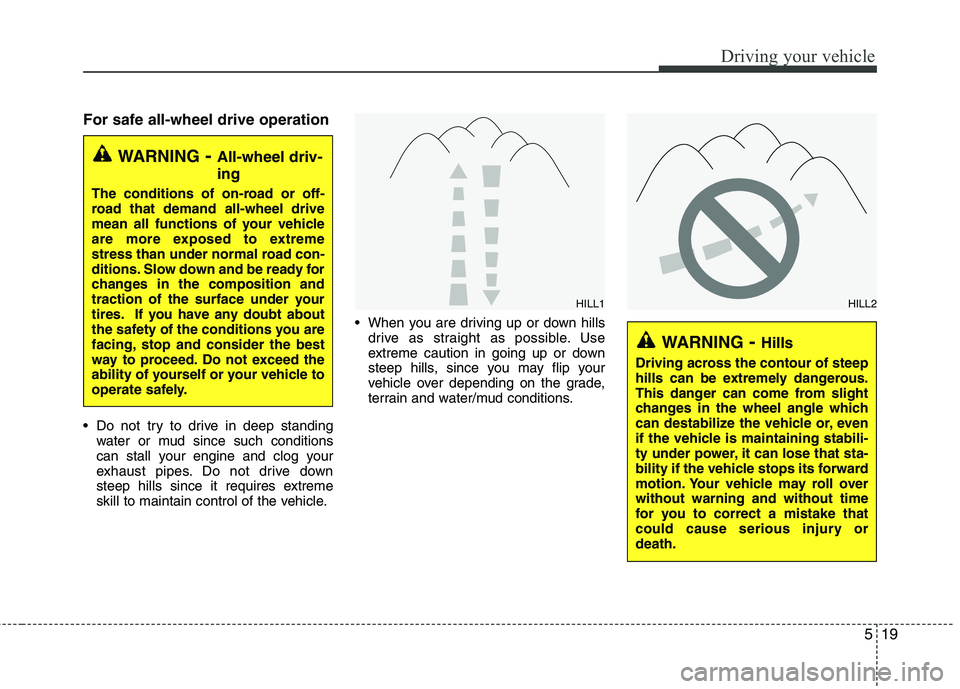
skill to maintain control of the vehicle. When you are driving up or down hills
drive as straight as possible. Use
extreme caution in going up or down
steep hills, since you may flip your
vehicle over depending on the grade,
terrain and water/mud conditions.
WARNING - All-wheel driv- ing
The conditions of on-road or off-
road that demand all-wheel drive
mean all functions of your vehicle
are more exposed to extreme
stress than under normal road con-
ditions. Slow down and be ready for
changes in the composition and
traction of the surface under your
tires. If you have any doubt about
the safety of the conditions you are
facing, stop and consider the best
way to proceed. Do not exceed the
ability of yourself or your vehicle to
operate safely.
WARNING- Hills
Driving across the contour of steep
hills can be extremely dangerous.
This danger can come from slight
changes in the wheel angle which
can destabilize the vehicle or, even
if the vehicle is maintaining stabili-
ty under power, it can lose that sta-
bility if the vehicle stops its forward
motion. Your vehicle may roll overwithout warning and without time
for you to correct a mistake that
could cause serious injury ordeath.
HILL1HILL2
Page 222 of 382
521
Driving your vehicle
✽✽NOTICE
Do not drive in water if the level is higher than the bottom of the vehicle.
Check your brake condition once you
are out of mud or water. Press the
brake pedal several times as you move
slowly until you feel normal braking
forces return.
Shorten your scheduled maintenance interval if you drive in off-road condi-
tions such as sand, mud or water (see
“Maintenance under severe usage
conditions” in section 7). Always wash
your vehicle thoroughly after off road
use, especially cleaning the bottom of
the vehicle.
Since the driving torque is always
applied to the 4 wheels the perform-
ance of the AWD vehicle is greatly
affected by the condition of the tires.
Be sure to equip the vehicle with four
tires of the same size and type.
A full time four wheel drive vehicle cannot be towed by an ordinary tow
truck. Make sure that the vehicle is
placed on a flat bed truck for moving.Reducing the risk of a rollover
This multi-purpose passenger vehicle is
defined as a Sports Utility Vehicle (SUV).
SUV’s have higher ground clearance and
a narrower track to make them capable
of performing in a wide variety of off-road
applications. Specific design characteris-
tics give them a higher center of gravity
than ordinary vehicles. An advantage of
the higher ground clearance is a better
view of the road, which allows you to
anticipate problems. They are not
designed for cornering at the same
speeds as conventional passenger vehi-
cles, any more than low-slung sports
cars are designed to perform satisfactori-
ly in off-road conditions. Due to this risk,
driver and passengers are strongly rec-
ommended to buckle their seat belts. In
a rollover crash, an unbelted person is
more likely to die than a person wearing
a seat belt. There are steps that a driver
can make to reduce the risk of a rollover.
If at all possible, avoid sharp turns or
abrupt maneuvers, do not load your roof
rack with heavy cargo, and never modify
your vehicle in any way.
CAUTION - Mud or snow
If one of the front or rear wheels
begins to spin in mud, snow, etc.the vehicle can sometimes be driv-
en out by depressing the accelera-tor pedal further; however avoid
running the engine continuously athigh rpm because doing so could
damage the AWD system.
WARNING - AWD driving
Avoid high cornering speed.
Do not make quick steering wheel movements, such as sharp
lane changes or fast, sharp turns.
The risk of rollover is greatly increased if you lose control of
your vehicle at high speed.
In a collision, an unbelted person is significantly more likely to die
compared to a person wearing a seat belt.
Loss of control often occurs if two or more wheels drop off the
roadway and the driver over
steers to re-enter the roadway. In
the event your vehicle leaves the
roadway, do not steer sharply.
Instead, slow down before pulling
back into the travel lanes.
Page 239 of 382
Driving your vehicle
38
5
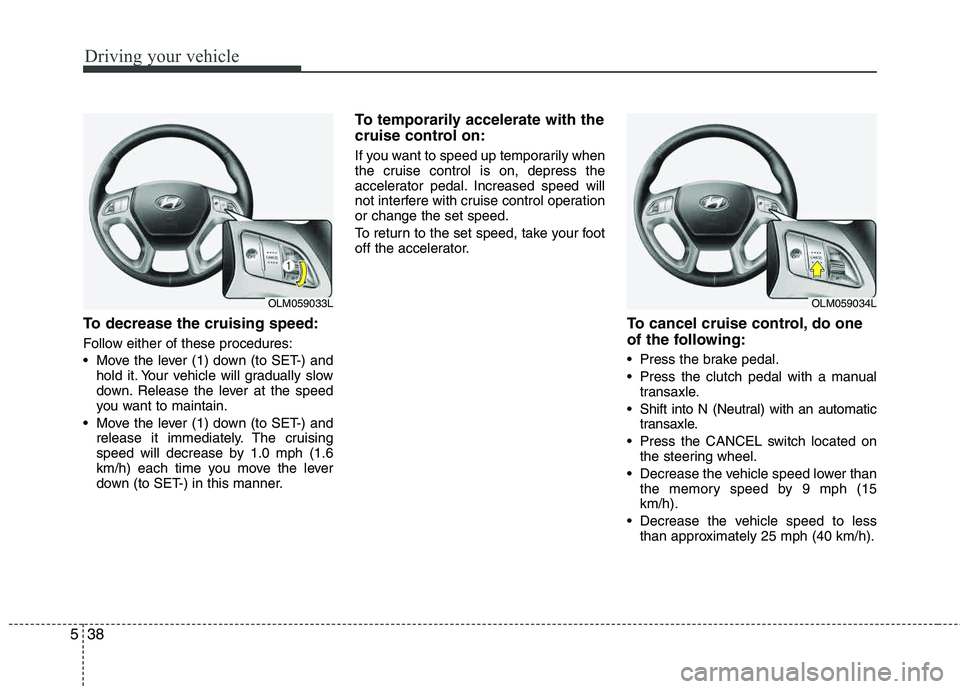
To decrease the cruising speed:
Follow either of these procedures:
Move the lever (1) down (to SET-) and
hold it. Your vehicle will gradually slow
down. Release the lever at the speed
you want to maintain.
Move the lever (1) down (to SET-) and release it immediately. The cruising
speed will decrease by 1.0 mph (1.6
km/h) each time you move the lever
down (to SET-) in this manner.
To temporarily accelerate with the
cruise control on:
If you want to speed up temporarily when
the cruise control is on, depress the
accelerator pedal. Increased speed will
not interfere with cruise control operationor change the set speed.
To return to the set speed, take your foot
off the accelerator.
To cancel cruise control, do one
of the following:
Press the brake pedal.
Press the clutch pedal with a manual
transaxle.
Shift into N (Neutral) with an automatic transaxle.
Press the CANCEL switch located on the steering wheel.
Decrease the vehicle speed lower than the memory speed by 9 mph (15 km/h).
Decrease the vehicle speed to less than approximately 25 mph (40 km/h).
OLM059033LOLM059034L