key HYUNDAI TUCSON 2012 Owner's Manual
[x] Cancel search | Manufacturer: HYUNDAI, Model Year: 2012, Model line: TUCSON, Model: HYUNDAI TUCSON 2012Pages: 371, PDF Size: 5.39 MB
Page 129 of 371
Features of your vehicle
48
4
REARVIEW CAMERA (IF EQUIPPED)
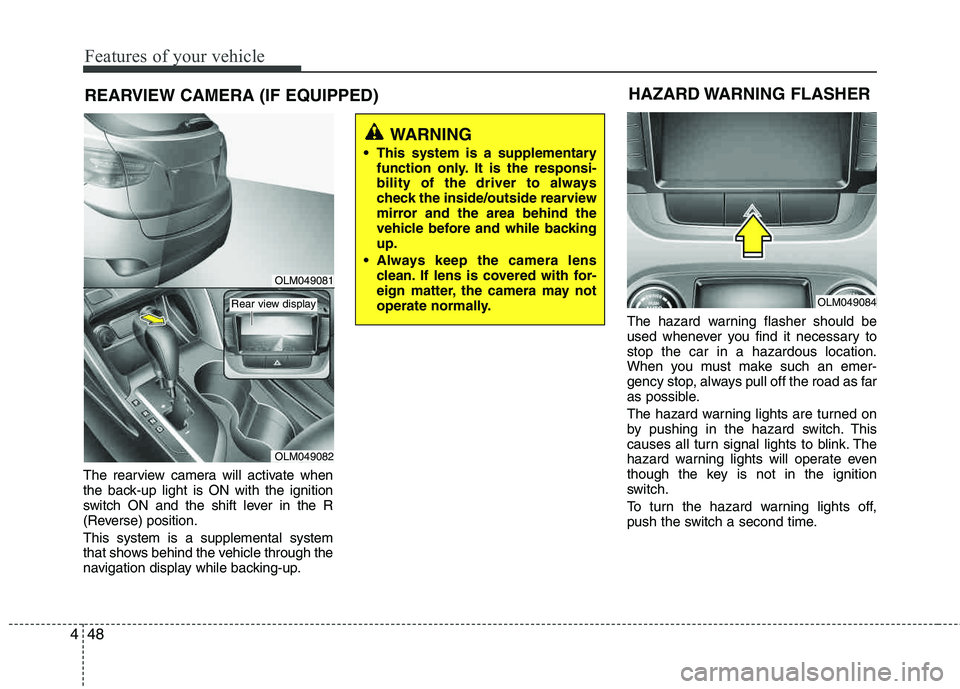
The rearview camera will activate when
the back-up light is ON with the ignition
switch ON and the shift lever in the R
(Reverse) position. This system is a supplemental system
that shows behind the vehicle through the
navigation display while backing-up. The hazard warning flasher should be
used whenever you find it necessary to stop the car in a hazardous location.
When you must make such an emer-
gency stop, always pull off the road as far
as possible.
The hazard warning lights are turned on
by pushing in the hazard switch. This
causes all turn signal lights to blink. The
hazard warning lights will operate even
though the key is not in the ignition
switch.
To turn the hazard warning lights off,
push the switch a second time.
WARNING
This system is a supplementary function only. It is the responsi-
bility of the driver to always
check the inside/outside rearview
mirror and the area behind the
vehicle before and while backingup.
Always keep the camera lens clean. If lens is covered with for-
eign matter, the camera may not
operate normally.
HAZARD WARNING FLASHER
OLM049084
OLM049081
OLM049082
Rear view display
Page 130 of 371
449
Features of your vehicle
Battery saver function
The purpose of this feature is to pre-vent the battery from being dis-
charged. The system automatically
turns off the parking lights when the
driver removes the ignition key and
opens the driver-side door (in thatorder).
With this feature, the parking lights will be turned off automatically if the driver
parks on the side of road at night.
If necessary, to keep the lights on
when the ignition key is removed, per-
form the following:
1) Open the driver-side door.
2) Turn the parking lights OFF and ON again using the light switch on the
steering column.
Headlight escort function (if equipped)
The headlights (and/or taillights) remain
on for approximately 20 minutes after the
ignition key is removed or turned to the
ACC or LOCK position. However, if the
driver’s door is opened and closed, the
headlights are turned off after 30 sec-
onds.
The headlights can be turned off by
pressing the lock button on the transmit-
ter twice or turning off the light switch
from the headlight or Auto light position.
LIGHTING
CAUTION
If the driver gets out of the vehicle
through other doors (except dri-ver’s door), the battery saver func-
tion does not operate and the head-light escort function does not turnoff automatically. Therefore, It caus-es the battery to be discharged. In
this case, make sure to turn off thelamp before getting out of the vehi-cle.
Page 136 of 371
455
Features of your vehicle
Windshield wipers
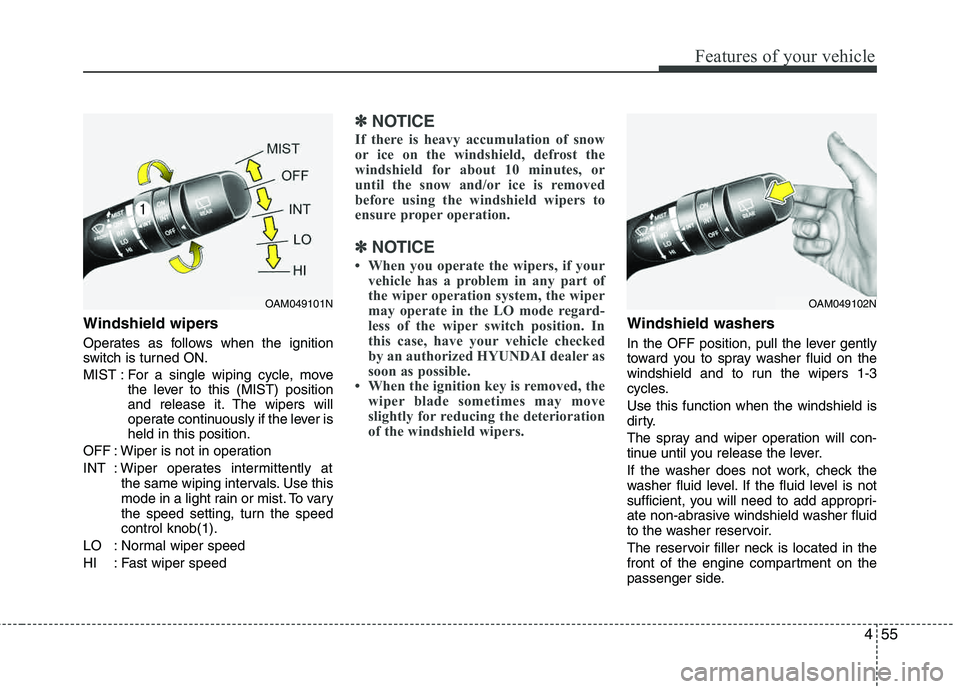
Operates as follows when the ignition
switch is turned ON.
MIST : For a single wiping cycle, movethe lever to this (MIST) position
and release it. The wipers will
operate continuously if the lever isheld in this position.
OFF : Wiper is not in operation
INT : Wiper operates intermittently at the same wiping intervals. Use this
mode in a light rain or mist. To vary
the speed setting, turn the speed control knob(1).
LO : Normal wiper speed
HI : Fast wiper speed
✽✽ NOTICE
If there is heavy accumulation of snow
or ice on the windshield, defrost the
windshield for about 10 minutes, or
until the snow and/or ice is removed
before using the windshield wipers to
ensure proper operation.
✽
✽ NOTICE
When you operate the wipers, if your vehicle has a problem in any part of
the wiper operation system, the wiper
may operate in the LO mode regard-
less of the wiper switch position. In
this case, have your vehicle checked
by an authorized HYUNDAI dealer as
soon as possible.
When the ignition key is removed, the wiper blade sometimes may move
slightly for reducing the deterioration
of the windshield wipers.
Windshield washers
In the OFF position, pull the lever gently
toward you to spray washer fluid on the
windshield and to run the wipers 1-3
cycles. Use this function when the windshield is
dirty.
The spray and wiper operation will con-
tinue until you release the lever.
If the washer does not work, check the
washer fluid level. If the fluid level is not
sufficient, you will need to add appropri-
ate non-abrasive windshield washer fluid
to the washer reservoir.
The reservoir filler neck is located in the
front of the engine compartment on the
passenger side.
OAM049101NOAM049102N
Page 161 of 371
Features of your vehicle
80
4
These compartments can be used to
store small items required by the driver
or passengers.
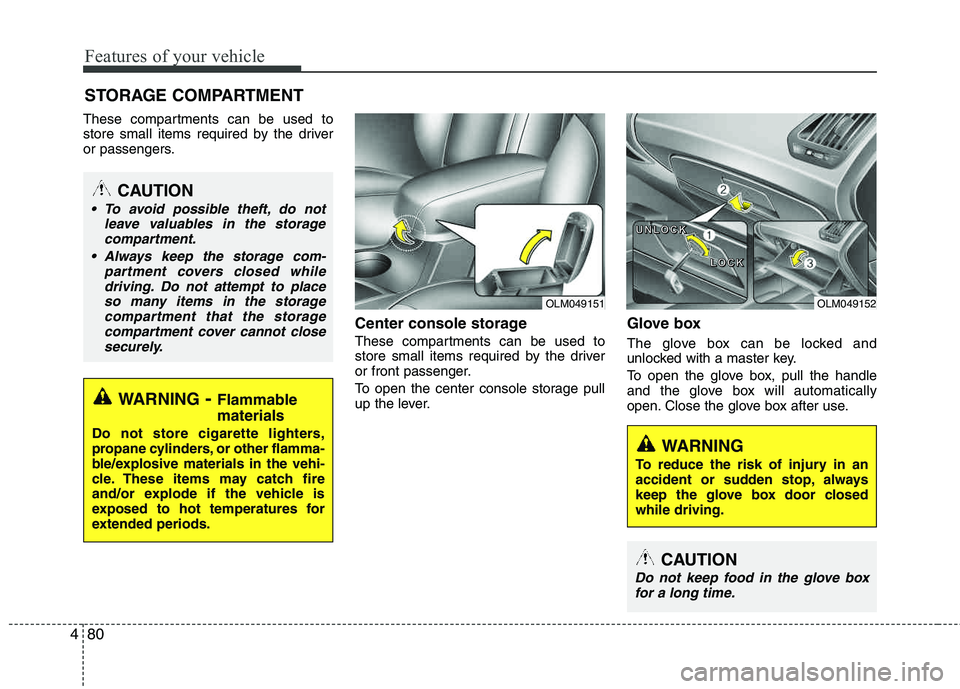
Center console storage
These compartments can be used to
store small items required by the driver
or front passenger.
To open the center console storage pull
up the lever.
Glove box
The glove box can be locked and
unlocked with a master key.
To open the glove box, pull the handle
and the glove box will automatically
open. Close the glove box after use.
STORAGE COMPARTMENT
WARNING
- Flammable
materials
Do not store cigarette lighters,
propane cylinders, or other flamma-
ble/explosive materials in the vehi-
cle. These items may catch fire
and/or explode if the vehicle is
exposed to hot temperatures for
extended periods.
CAUTION
To avoid possible theft, do not leave valuables in the storagecompartment.
Always keep the storage com- partment covers closed whiledriving. Do not attempt to placeso many items in the storage
compartment that the storagecompartment cover cannot closesecurely.
WARNING
To reduce the risk of injury in an
accident or sudden stop, always
keep the glove box door closedwhile driving.
OLM049151OLM049152
U
UUUNNNNLLLLOOOOCCCCKKKK
LLLLOOOOCCCCKKKK
CAUTION
Do not keep food in the glove box
for a long time.
Page 183 of 371
Features of your vehicle
102
4
(Continued)
If the USB device is divided by logical drives, only the music fileson the highest-priority drive are
recognized by car audio.
Devices such as MP3 Player/ Cellular phone/Digital camera canbe unrecognizable by standard
USB I/F can be unrecognizable.
Some non-standard USB devices (METAL COVER TYPE USB) canbe unrecognizable.
Some USB flash memory readers (such as CF, SD, microSD, etc.) orexternal-HDD type devices can be
unrecognizable.
Music files protected by DRM (DIGITAL RIGHTS MANAGE-MENT) are not recognizable.
The data in the USB memory may be lost while using this audio.Always back up important data on
a personal storage device.
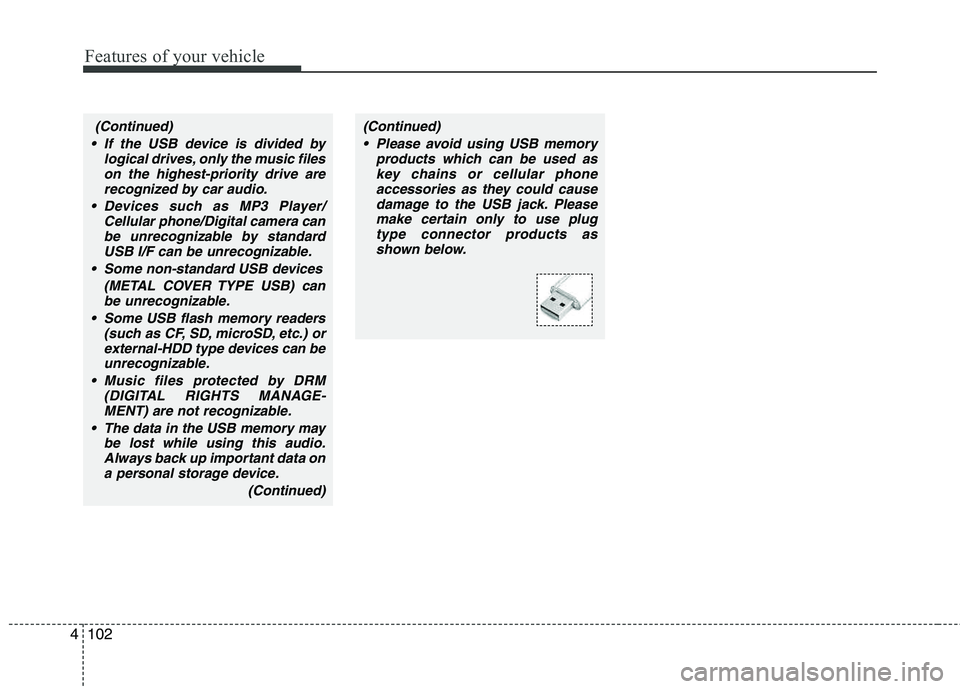
(Continued)(Continued) Please avoid using USB memory products which can be used askey chains or cellular phoneaccessories as they could cause
damage to the USB jack. Pleasemake certain only to use plugtype connector products as
shown below.
Page 194 of 371
4113
Features of your vehicle
NOTE:
all music and sound files your cellu-
lar phone supports can be played
by the audio system.
®
compatible cellular
phones must include A2DP and
AVRCP capabilities.
AVRCP compatible
Bluetooth ®
cellular phones may not
play music through the audio sys-
tem initially. These cellular phones
may need to have the Bluetooth ®
streaming enabled, for example;
i.e : Menu
➟Filemanager➟Music➟Option➟Play via Bluetooth
cellular phone for more information.
To cancel Bluetooth ®
cellular phone
music streaming, stop music play-
back on the cellular phone or
change the audio mode to AM/FM,
XM, CD, iPod, ect.
■ Phone Setup
All Bluetooth ®
related operations can be
performed in PHONE menu.
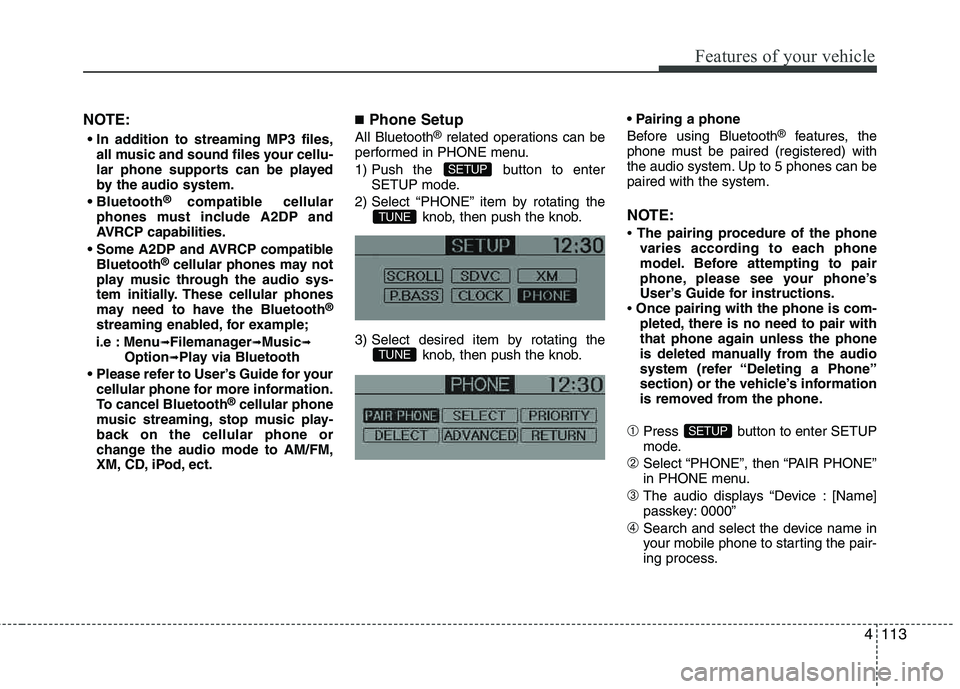
1) Push the button to enter SETUP mode.
2) Select “PHONE” item by rotating the knob, then push the knob.
3) Select desired item by rotating the knob, then push the knob.
Before using Bluetooth
®
features, the
phone must be paired (registered) with
the audio system. Up to 5 phones can be paired with the system.
NOTE:
The pairing procedure of the phone
varies according to each phone
model. Before attempting to pair
phone, please see your phone’s
User’s Guide for instructions.
Once pairing with the phone is com-
pleted, there is no need to pair with
that phone again unless the phone
is deleted manually from the audio
system (refer “Deleting a Phone”
section) or the vehicle’s information
is removed from the phone.
➀Press button to enter SETUP
mode.
➁Select “PHONE”, then “PAIR PHONE”
in PHONE menu.
➂The audio displays “Device : [Name]
passkey: 0000”
➃Search and select the device name in
your mobile phone to starting the pair-
ing process.
SETUP
TUNE
TUNE
SETUP
Page 196 of 371
4115
Features of your vehicle
The paired phone can be deleted.
- When the phone is deleted, all the infor-mation associated with that phone is also deleted (including phonebook).
- If you want to use the deleted phone with the audio system again, pairing proce-
dure must be completed once more.
➀Press button to enter SETUP
mode.
➁Select “PAIR PHONE”, then “DELETE”
in PHONE menu.
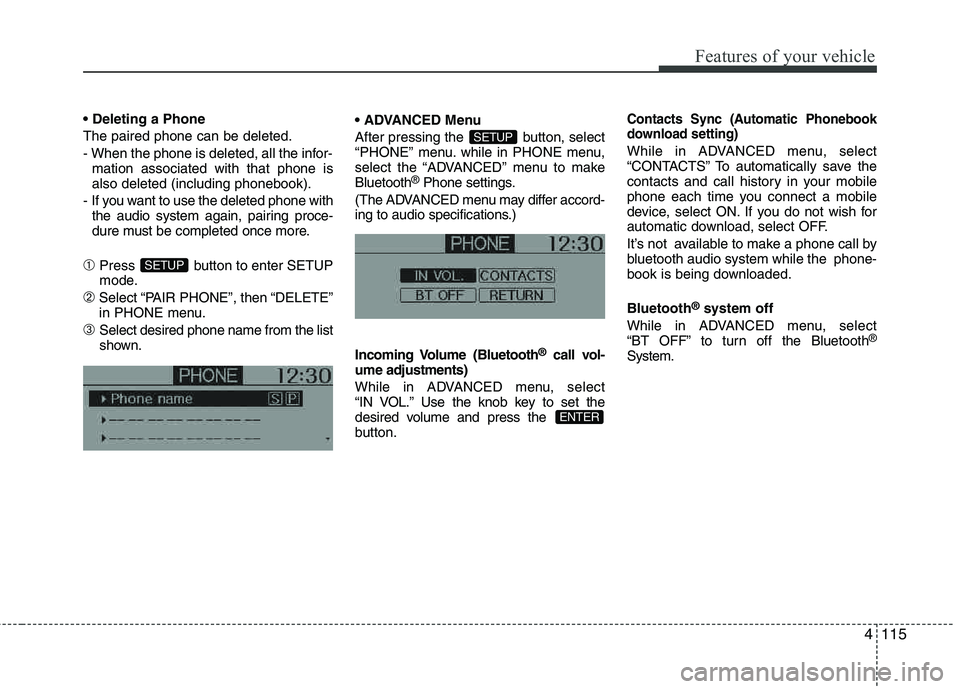
➂Select desired phone name from the list
shown. Menu
After pressing the button, select
“PHONE” menu. while in PHONE menu,
select the “ADVANCED” menu to makeBluetooth
®
Phone settings.
(The ADVANCED menu may differ accord-
ing to audio specifications.)
Incoming Volume (Bluetooth ®
call vol-
ume adjustments)
While in ADVANCED menu, select
“IN VOL.” Use the knob key to set the
desired volume and press the
button.
Contacts Sync (Automatic Phonebook
download setting)
While in ADVANCED menu, select
“CONTACTS” To automatically save the
contacts and call history in your mobile
phone each time you connect a mobile
device, select ON. If you do not wish for
automatic download, select OFF.
It’s not available to make a phone call by
bluetooth audio system while the phone-
book is being downloaded. Bluetooth ®
system off
While in ADVANCED menu, select
“BT OFF” to turn off the Bluetooth ®
System.
ENTER
SETUP
SETUP
Page 201 of 371
![HYUNDAI TUCSON 2012 Owners Manual Features of your vehicle
120
4
■
Key matrix
No.
Class
Paired H/P Empty Disconnected
1 SHORT
LONG
SHORT
SHORT LONG
[10sec]
LONG
[10sec] Normal mode
BT SETUP menuIncoming Call
Outgoing Call
Active Ca](/img/35/56205/w960_56205-200.png "HYUNDAI TUCSON 2012 Owners Manual Features of your vehicle
120
4
■
Key matrix
No.
Class
Paired H/P Empty Disconnected
1 SHORT
LONG
SHORT
SHORT LONG
[10sec]
LONG
[10sec] Normal mode
BT SETUP menuIncoming Call
Outgoing Call
Active Ca")
Features of your vehicle
120
4
■
Key matrix
No.
Class
Paired H/P Empty Disconnected
1 SHORT
LONG
SHORT
SHORT LONG
[10sec]
LONG
[10sec] Normal mode
BT SETUP menuIncoming Call
Outgoing Call
Active Call2nd Call
Not Paired Not Connecting--Accept Call
Connected
-
2nd call
1st Call:waiting
2nd Call:active 2nd Call
2nd Call:waiting 1st Call:active
KEY
- --
- -
-Transfer call:secret call
End Call
VR
MODE Cancel VR
MODE Cancel VR
MODE Cancel VR
MODE Cancel Reject Call End Call End Call
-
Active
Change
language
-
Active Speaker
Adaptation
(Only English)
Change
language Active
Change
language Active
-Speaker
Adaptation
(Only English)
Change
language
- -
- -
- -
- -
-
--
2 3
Page 202 of 371
5
Before driving / 5-3
Key positions / 5-5
Manual transaxle / 5-7
Automatic transaxle / 5-10
All wheel drive (AWD) / 5-17
Brake system / 5-24
Cruise control system / 5-36
Active ECO system / 5-40
Economical operation / 5-41
Special driving conditions / 5-43
Winter driving / 5-47
Trailer towing / 5-55
Vehicle load limit / 5-58
Vehicle weight / 5-62
Driving your vehicle
Page 206 of 371
55
Driving your vehicle
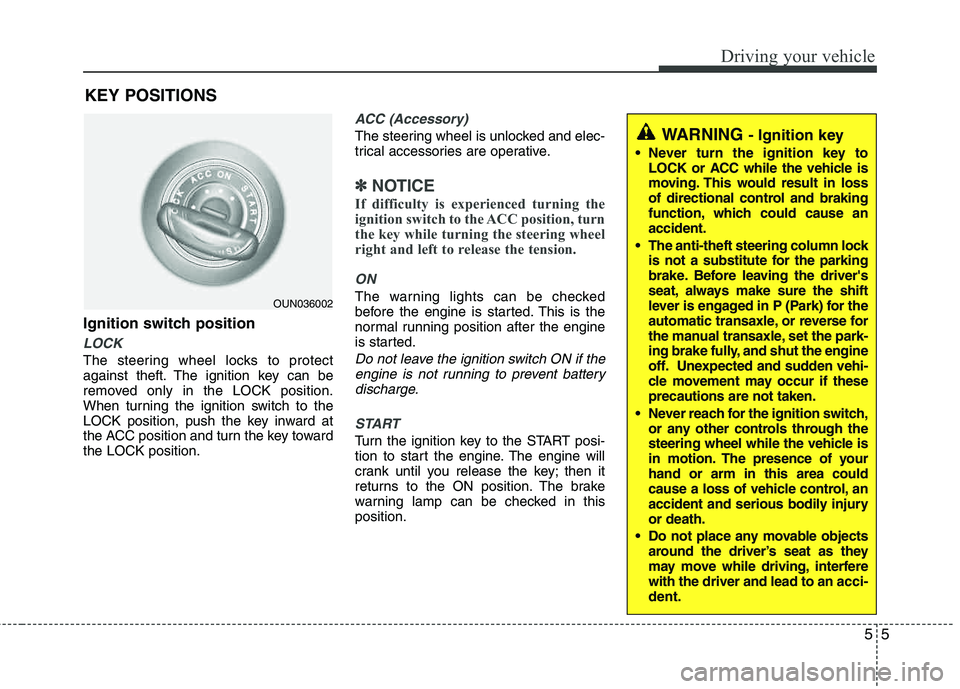
Ignition switch position
LOCK
The steering wheel locks to protect
against theft. The ignition key can be
removed only in the LOCK position.
When turning the ignition switch to the
LOCK position, push the key inward at
the ACC position and turn the key toward the LOCK position.
ACC (Accessory)
The steering wheel is unlocked and elec-
trical accessories are operative.
✽✽NOTICE
If difficulty is experienced turning the
ignition switch to the ACC position, turn
the key while turning the steering wheel
right and left to release the tension.
ON
The warning lights can be checked
before the engine is started. This is the
normal running position after the engine
is started.
Do not leave the ignition switch ON if the engine is not running to prevent batterydischarge.
START
Turn the ignition key to the START posi-
tion to start the engine. The engine will
crank until you release the key; then it
returns to the ON position. The brake
warning lamp can be checked in thisposition.
WARNING - Ignition key
Never turn the ignition key to LOCK or ACC while the vehicle is
moving. This would result in loss
of directional control and braking
function, which could cause an accident.
The anti-theft steering column lock is not a substitute for the parking
brake. Before leaving the driver's
seat, always make sure the shift
lever is engaged in P (Park) for the
automatic transaxle, or reverse for
the manual transaxle, set the park-
ing brake fully, and shut the engine
off. Unexpected and sudden vehi-
cle movement may occur if theseprecautions are not taken.
Never reach for the ignition switch, or any other controls through the
steering wheel while the vehicle is
in motion. The presence of your hand or arm in this area could
cause a loss of vehicle control, an
accident and serious bodily injuryor death.
Do not place any movable objects around the driver’s seat as they
may move while driving, interferewith the driver and lead to an acci-
dent.
OUN036002
KEY POSITIONS