ECO mode HYUNDAI TUCSON 2014 User Guide
[x] Cancel search | Manufacturer: HYUNDAI, Model Year: 2014, Model line: TUCSON, Model: HYUNDAI TUCSON 2014Pages: 542, PDF Size: 7.59 MB
Page 123 of 542
3-37
Convenient features of your vehicle
3
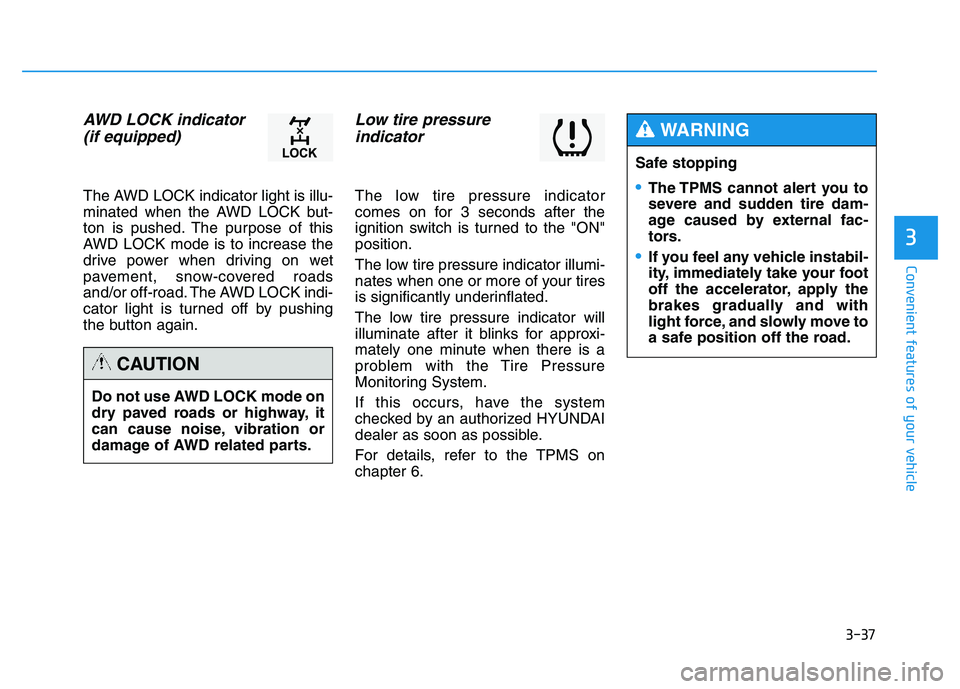
AWD LOCK indicator (if equipped)
The AWD LOCK indicator light is illu-
minated when the AWD LOCK but-
ton is pushed. The purpose of this
AWD LOCK mode is to increase the
drive power when driving on wet
pavement, snow-covered roads
and/or off-road. The AWD LOCK indi-
cator light is turned off by pushing
the button again.
Low tire pressure indicator
The low tire pressure indicator
comes on for 3 seconds after the
ignition switch is turned to the "ON"position.
The low tire pressure indicator illumi-
nates when one or more of your tires
is significantly underinflated.
The low tire pressure indicator will
illuminate after it blinks for approxi-
mately one minute when there is a
problem with the Tire Pressure
Monitoring System.
If this occurs, have the system
checked by an authorized HYUNDAI
dealer as soon as possible.
For details, refer to the TPMS on chapter 6.
Do not use AWD LOCK mode on
dry paved roads or highway, it
can cause noise, vibration or
damage of AWD related parts.
CAUTION
Safe stopping
The TPMS cannot alert you to
severe and sudden tire dam-
age caused by external fac-
tors.
If you feel any vehicle instabil-
ity, immediately take your foot
off the accelerator, apply the
brakes gradually and with
light force, and slowly move to
a safe position off the road.
WARNING
Page 127 of 542
3-41
Convenient features of your vehicle
3
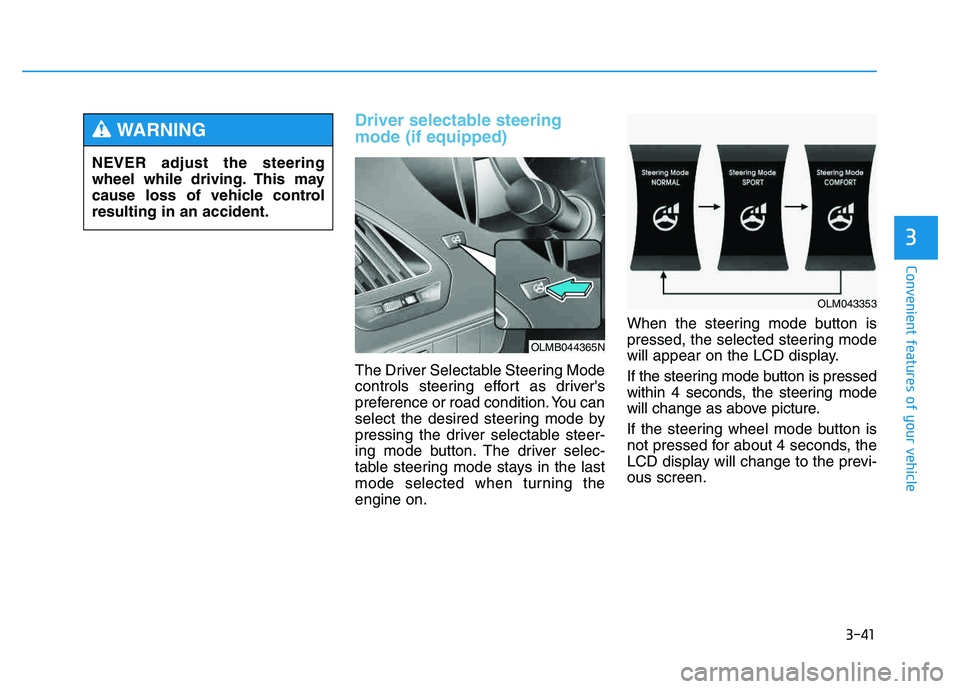
Driver selectable steering mode (if equipped)
The Driver Selectable Steering Mode
controls steering effort as driver's
preference or road condition. You can
select the desired steering mode by
pressing the driver selectable steer-
ing mode button. The driver selec-
table steering mode stays in the last
mode selected when turning theengine on.When the steering mode button is
pressed, the selected steering mode
will appear on the LCD display.
If the steering mode button is pressed
within 4 seconds, the steering mode
will change as above picture.
If the steering wheel mode button is
not pressed for about 4 seconds, the
LCD display will change to the previ-ous screen.
NEVER adjust the steering
wheel while driving. This may
cause loss of vehicle controlresulting in an accident.
WARNING
OLMB044365N
OLM043353
Page 128 of 542
3-42
Convenient features of your vehicle
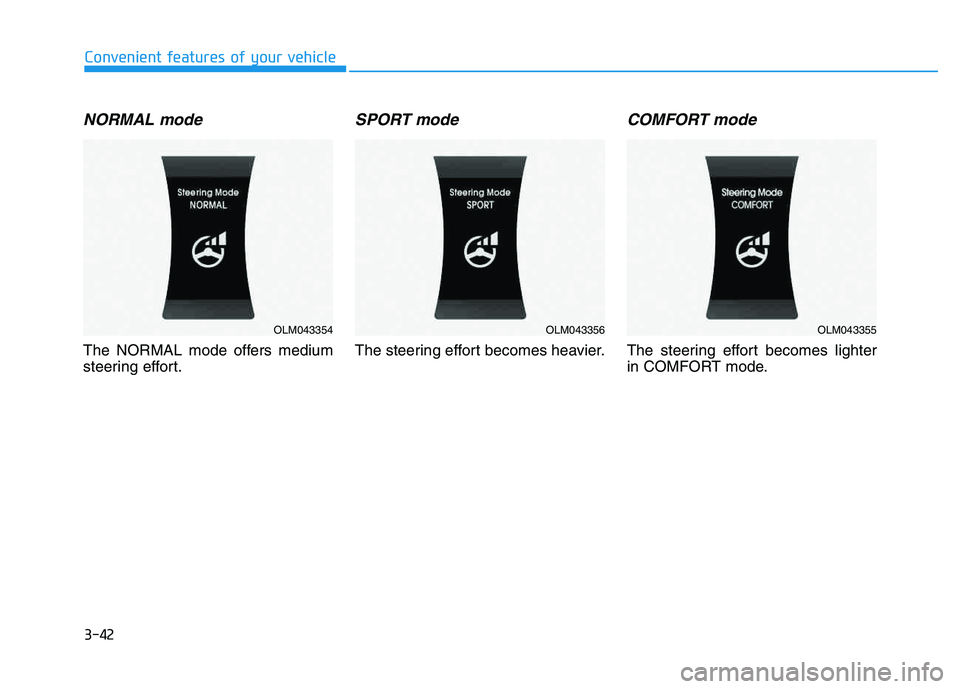
NORMAL mode
The NORMAL mode offers medium
steering effort.
SPORT mode
The steering effort becomes heavier.
COMFORT mode
The steering effort becomes lighter
in COMFORT mode.
OLM043354OLM043356OLM043355
Page 136 of 542
3-50
Convenient features of your vehicle
Programming HomeLink®
Please note the following:
When programming a garage door
opener, it is advised to park the
vehicle outside of the garage.
It is recommended that a new bat- tery be placed in the hand-held
transmitter of the device being pro-
grammed to HomeLink ®
for quicker
training and accurate transmission
of the radio-frequency signal.
Some vehicles may require the ignition switch to be placed in the
ACC (or "Accessories") position for
programming and/or operation ofHomeLink ®
.
In the event that there are still pro- gramming difficulties or questions
after following the programming
steps listed below, contactHomeLink ®
at: www.homelink.com
or by calling 1-800-355-3515.
Rolling code programming
Rolling code devices which are
"code-protected" and manufactured
after 1996 may be determined by the
following:
Reference the device owner's manual for verification.
The handheld transmitter appears to program the HomeLink ®
Universal Transceiver but does not
activate the device.
Press and hold the trained HomeLink button. The device has
the rolling code feature if the indi-
cator light flashes rapidly and then
turns solid after 2 seconds.
Before programming HomeLink
®
to a garage door opener or gate
operator, make sure people and
objects are out of the way of the
device to prevent potential harm
or damage. Do not use theHomeLink ®
with any garage door
opener that lacks the safety stop
and reverse features required by
U.S. federal safety standards
(this includes any garage door
opener model manufactured
before April 1, 1982). A garagedoor that cannot detect an object- signaling the door to stop and
reverse - does not meet current
U.S. federal safety standards.
Using a garage door opener
without these features increases
the risk of serious injury ordeath.WARNING
Page 139 of 542
3-53
Convenient features of your vehicle
3
Erasing HomeLink®
buttons
Individual buttons cannot be erased.
However, to erase all three pro-
grammed buttons:
1. Press and hold the two outer
HomeLink ®
buttons until the indi-
cator light begins to flash-after 20
seconds.
2. Release both buttons. Do not hold for longer than 30 seconds.
The Integrated HomeLink ®
Wireless
Control System is now in the training
(learn) mode and can be pro-
grammed at any time following the
appropriate steps in the Programming
chapters above. NVS ®
is a registered trademark and
Z-Nav™ is a trademark of the Gentex
Corporation, Zeeland, Michigan.HomeLink ®
is a registered trademark
owned by Johnson Controls,
Incorporated, Milwaukee, Wisconsin.
FCC ID: NZLZTVHL3
IC: 4112A-ZTVHL3 This device complies with Part 15 of the FCC Rules.
Operation is subject to the following
two conditions:
1. This device may not cause harm-
ful interference, and
2. This device must accept any inter- ference received, including inter-
ference that may cause undesired
operation.
Electric chromic mirror (ECM)
with HomeLink ®
system,
compass and Blue Link ®
(if equipped)
Your vehicle may be equipped with a
Gentex Automatic-Dimming Mirror
with a Z-Nav™ Electronic Compass
Display and an Integrated HomeLink ®
Wireless Control System. During
nighttime driving, this feature willautomatically detect and reduce
rearview mirror glare while the com-
pass indicates the direction the vehi-
cle is pointed. The HomeLink ®
Universal Transceiver allows you to
activate your garage door(s), electric
gate, home lighting, etc.
The transceiver has been testedand complies with FCC and
Industry Canada rules. Changes
or modifications not expressly
approved by the party responsi-
ble for compliance could voidthe user's authority to operate
the device.
WARNING
Page 143 of 542
3-57
Convenient features of your vehicle
3
Retain the original transmitter of the
RF device you are programming for
use in other vehicles as well as forfuture HomeLink®
programming. It is
also suggested that upon the sale of
the vehicle, the programmedHomeLink ®
buttons be erased for
security purposes.Programming HomeLink ®
Please note the following:
When programming a garage door
opener, it is advised to park the
vehicle outside of the garage.
It is recommended that a new bat- tery be placed in the hand-held
transmitter of the device being pro-
grammed to HomeLink ®
for quicker
training and accurate transmission
of the radio-frequency signal.
Some vehicles may require the ignition switch to be placed in the
ACC (or "Accessories") position for
programming and/or operation ofHomeLink ®
.
In the event that there are still pro- gramming difficulties or questions
after following the programming
steps listed below, contactHomeLink ®
at: www.homelink.com
or by calling 1-800-355-3515.
Before programming HomeLink
®
to a garage door opener or gate
operator, make sure people and
objects are out of the way of the
device to prevent potential harm
or damage. Do not use theHomeLink ®
with any garage door
opener that lacks the safety stop
and reverse features required by
U.S. federal safety standards
(this includes any garage door
opener model manufactured
before April 1, 1982). A garagedoor that cannot detect an object- signaling the door to stop and
reverse - does not meet current
U.S. federal safety standards.
Using a garage door opener
without these features increases
the risk of serious injury ordeath.WARNING
Page 146 of 542
3-60
Convenient features of your vehicle
Reprogramming a single HomeLink®
button
To program a device to HomeLink ®
using a HomeLink ®
button previously
trained, follow these steps:
1.Press and hold the desired HomeLink ®
button. DO NOT release
the button.
2.The indicator light will begin to flash after 20 seconds. Without releasing the HomeLink ®
button, proceed
with "Programming" step 2.
For questions or comments, contactHomeLink ®
at www
.homelink.comor
1-800-355-3515.
Erasing HomeLink®buttons
Individual buttons cannot be erased.
However, to erase all three pro-
grammed buttons:
1. Press and hold the two outer HomeLink ®
buttons until the indi-
cator light begins to flash after 10
seconds.
2. Release both buttons. Do not hold for longer than 20 seconds.
The Integrated HomeLink ®
Wireless
Control System is now in the training
(learn) mode and can be pro-
grammed at any time following the
appropriate steps in the
Programming chapters above. NVS
®
is a registered trademark and
Z-Nav™ is a trademark of the
Gentex Corporation, Zeeland,
Michigan. HomeLink ®
is a registered
trademark owned by Johnson
Controls, Incorporated, Milwaukee,Wisconsin.
Page 185 of 542
3-99
Convenient features of your vehicle
3
System operation
Ventilation
1. Set the mode to the position.
2. Set the air intake control to theoutside (fresh) air position.
3. Set the temperature control to the desired position.
4. Set the fan speed control to the desired speed.
Heating
1. Set the mode to the position.
2. Set the air intake control to theoutside (fresh) air position.
3. Set the temperature control to the desired position.
4. Set the fan speed control to the desired speed.
5. If dehumidified heating is desired, turn the air conditioning system on.
If the windshield fogs up, set the mode to the or position.
Operation Tips
To keep dust or unpleasant odorfrom entering the car through the
ventilation system, temporarily set
the air intake control to the recircu-
lated air position. Be sure to returnthe control to the fresh air positionwhen the unpleasant odor has
passed to keep fresh air in the
vehicle. This will help keep the driv-
er alert and comfortable.
Air for the heating/cooling system is drawn in through the grilles just
ahead of the windshield. Care
should be taken that the grille open-
ings are not blocked by leaves,
snow, ice or other obstructions.
To prevent the inside of the wind- shied from fogging, set the air intakecontrol to the fresh air position and
fan speed to the desired position,
turn on the air conditioning system,
and adjust the temperature control
to desired temperature.
Air conditioning
HYUNDAI Air Conditioning Systems
are filled with environmentally friendly
R-134a refrigerant.
1. Start the engine. Push the air con- ditioning button.
2. Set the mode to the position.
3. Set the air intake control to the out- side air or recirculated air position.
4. Adjust the fan speed control and temperature control to maintain
the desired comfort.
When maximum cooling is desired, set the temperature con-
trol to the extreme left position, setthe mode control to the MAX A/C
position, then set the fan speedcontrol to the highest speed.
Page 186 of 542
3-100
Convenient features of your vehicle
✽✽NOTICE
When using the air conditioning system, monitor the engine temper-
ature gauge closely while driving
up hills or in heavy traffic when
outside temperatures are high. Air
conditioning system operation may
cause engine overheating.
Continue to use the blower fan but
turn the air conditioning system off
if the engine temperature gauge
indicates engine overheating.
When opening the windows in humid weather, air conditioning
may create water droplets inside
the vehicle. Since excessive water
droplets may cause damage to
electrical equipment, air condi-
tioning should only be operated
with the windows closed. Air conditioning system operation
tips
If the vehicle has been parked in
direct sunlight during hot weather,
open the windows for a short time
to let the hot air inside the vehicle
escape.
To help reduce moisture inside of the windows on rainy or humid
days, decrease the humidity inside
the vehicle by operating the airconditioning system.
During air conditioning system operation, you may occasionallynotice a slight change in enginespeed as the air conditioning com-
pressor cycles. This is a normal
system operation characteristic.
Use the air conditioning system every month for a few minutes to
ensure maximum system perform-
ance. When using the air conditioning
system, you may notice clear water
dripping (or even puddling) on the
ground under the passenger side
of the vehicle. This is a normal sys-
tem operation characteristic.
Operating the air conditioning sys- tem in the recirculated air position
provides maximum cooling, how-
ever, continual operation in this
mode may cause the air inside the
vehicle to become stale.
During cooling operation, you may occasionally notice a misty air flow
because of rapid cooling and
humid air intake. This is a normal
system operation characteristics.
Page 194 of 542
3-108
Convenient features of your vehicle
Adjusting the driver and passenger
side temperature individually
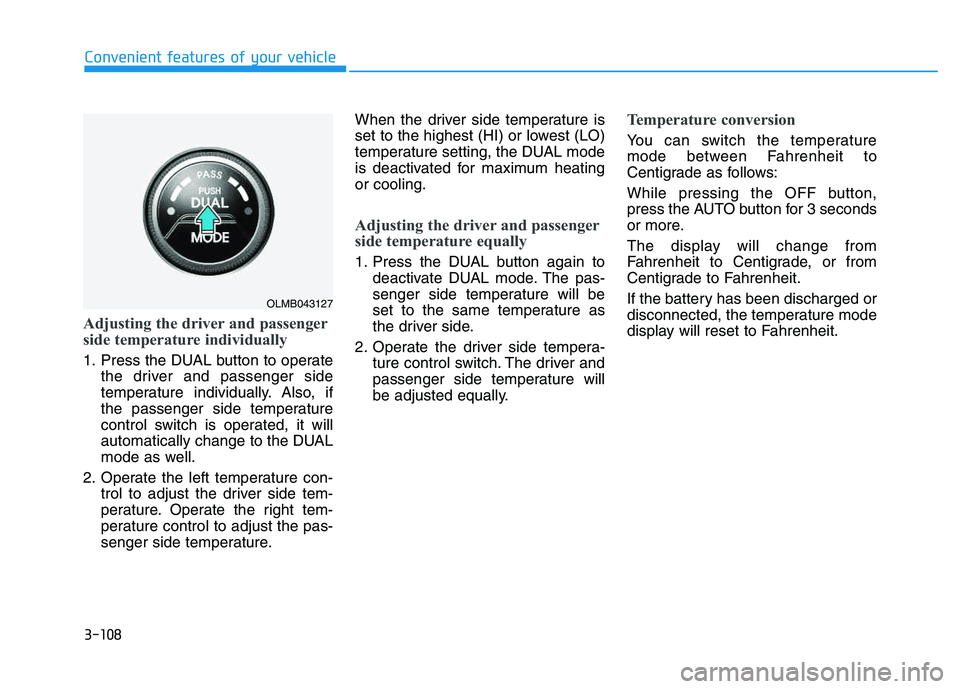
1. Press the DUAL button to operatethe driver and passenger side
temperature individually. Also, if
the passenger side temperature
control switch is operated, it will
automatically change to the DUAL
mode as well.
2. Operate the left temperature con- trol to adjust the driver side tem-
perature. Operate the right tem-
perature control to adjust the pas-
senger side temperature. When the driver side temperature is
set to the highest (HI) or lowest (LO)
temperature setting, the DUAL mode
is deactivated for maximum heatingor cooling.
Adjusting the driver and passenger
side temperature equally
1. Press the DUAL button again to
deactivate DUAL mode. The pas-
senger side temperature will be
set to the same temperature as
the driver side.
2. Operate the driver side tempera- ture control switch. The driver and
passenger side temperature will
be adjusted equally.
Temperature conversion
You can switch the temperature
mode between Fahrenheit to
Centigrade as follows:
While pressing the OFF button,
press the AUTO button for 3 seconds
or more.
The display will change from
Fahrenheit to Centigrade, or from
Centigrade to Fahrenheit.
If the battery has been discharged or
disconnected, the temperature mode
display will reset to Fahrenheit.
OLMB043127