brake HYUNDAI TUCSON 2014 User Guide
[x] Cancel search | Manufacturer: HYUNDAI, Model Year: 2014, Model line: TUCSON, Model: HYUNDAI TUCSON 2014Pages: 542, PDF Size: 7.59 MB
Page 122 of 542
3-36
Convenient features of your vehicle
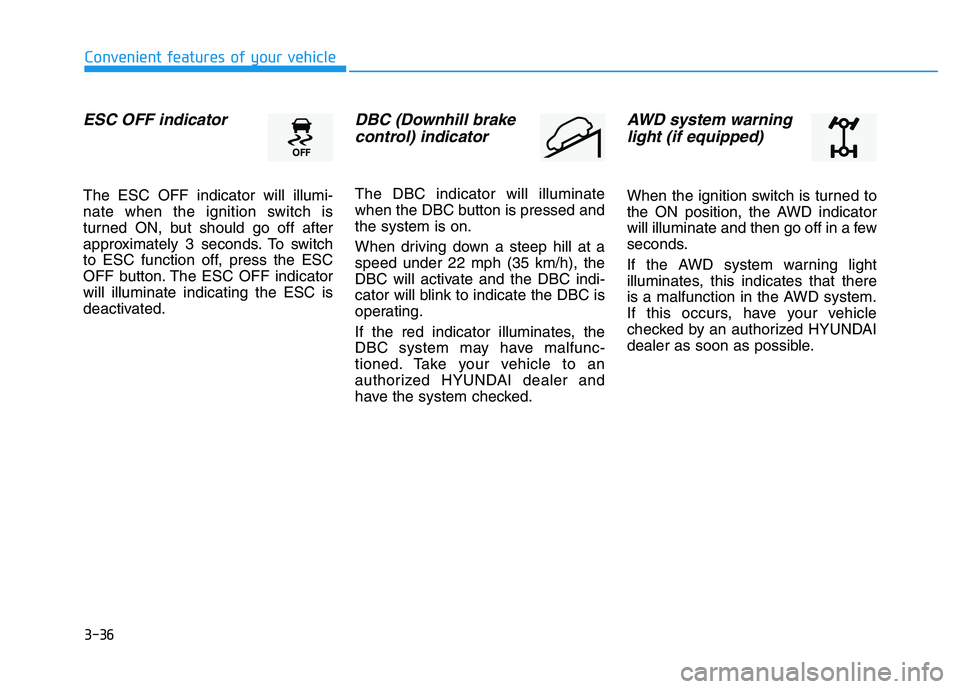
ESC OFF indicator
The ESC OFF indicator will illumi-
nate when the ignition switch is
turned ON, but should go off after
approximately 3 seconds. To switch
to ESC function off, press the ESC
OFF button. The ESC OFF indicatorwill illuminate indicating the ESC is
deactivated.
DBC (Downhill brakecontrol) indicator
The DBC indicator will illuminate
when the DBC button is pressed andthe system is on.
When driving down a steep hill at a speed under 22 mph (35 km/h), the
DBC will activate and the DBC indi-
cator will blink to indicate the DBC is
operating.
If the red indicator illuminates, the
DBC system may have malfunc-
tioned. Take your vehicle to an
authorized HYUNDAI dealer and
have the system checked.
AWD system warninglight (if equipped)
When the ignition switch is turned to
the ON position, the AWD indicator
will illuminate and then go off in a few
seconds.
If the AWD system warning light
illuminates, this indicates that there
is a malfunction in the AWD system.
If this occurs, have your vehicle
checked by an authorized HYUNDAI
dealer as soon as possible.
Page 123 of 542
3-37
Convenient features of your vehicle
3
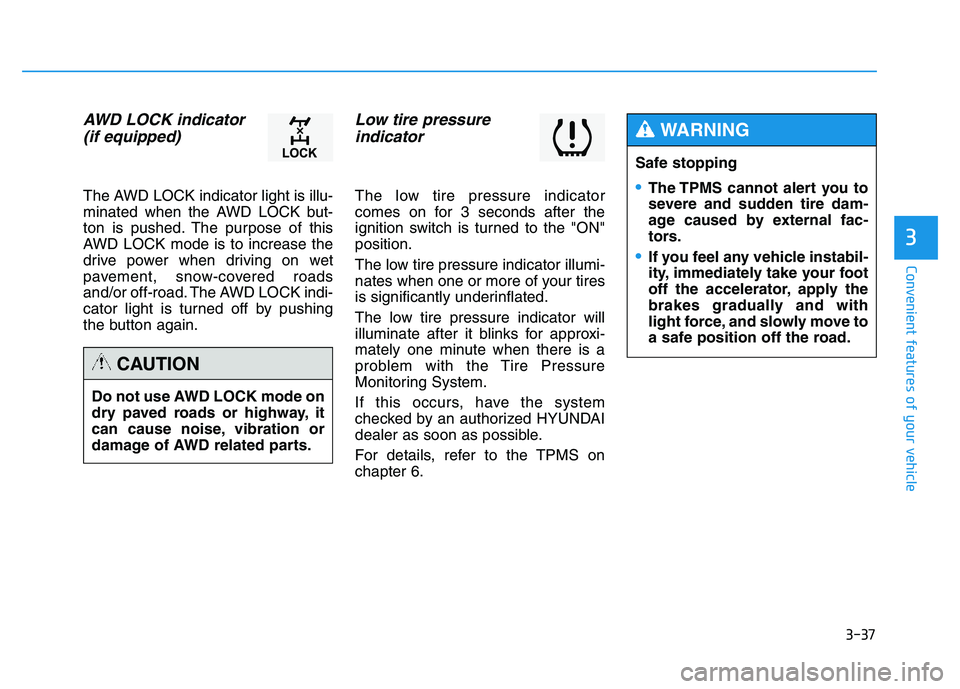
AWD LOCK indicator (if equipped)
The AWD LOCK indicator light is illu-
minated when the AWD LOCK but-
ton is pushed. The purpose of this
AWD LOCK mode is to increase the
drive power when driving on wet
pavement, snow-covered roads
and/or off-road. The AWD LOCK indi-
cator light is turned off by pushing
the button again.
Low tire pressure indicator
The low tire pressure indicator
comes on for 3 seconds after the
ignition switch is turned to the "ON"position.
The low tire pressure indicator illumi-
nates when one or more of your tires
is significantly underinflated.
The low tire pressure indicator will
illuminate after it blinks for approxi-
mately one minute when there is a
problem with the Tire Pressure
Monitoring System.
If this occurs, have the system
checked by an authorized HYUNDAI
dealer as soon as possible.
For details, refer to the TPMS on chapter 6.
Do not use AWD LOCK mode on
dry paved roads or highway, it
can cause noise, vibration or
damage of AWD related parts.
CAUTION
Safe stopping
The TPMS cannot alert you to
severe and sudden tire dam-
age caused by external fac-
tors.
If you feel any vehicle instabil-
ity, immediately take your foot
off the accelerator, apply the
brakes gradually and with
light force, and slowly move to
a safe position off the road.
WARNING
Page 157 of 542
3-71
Convenient features of your vehicle
3
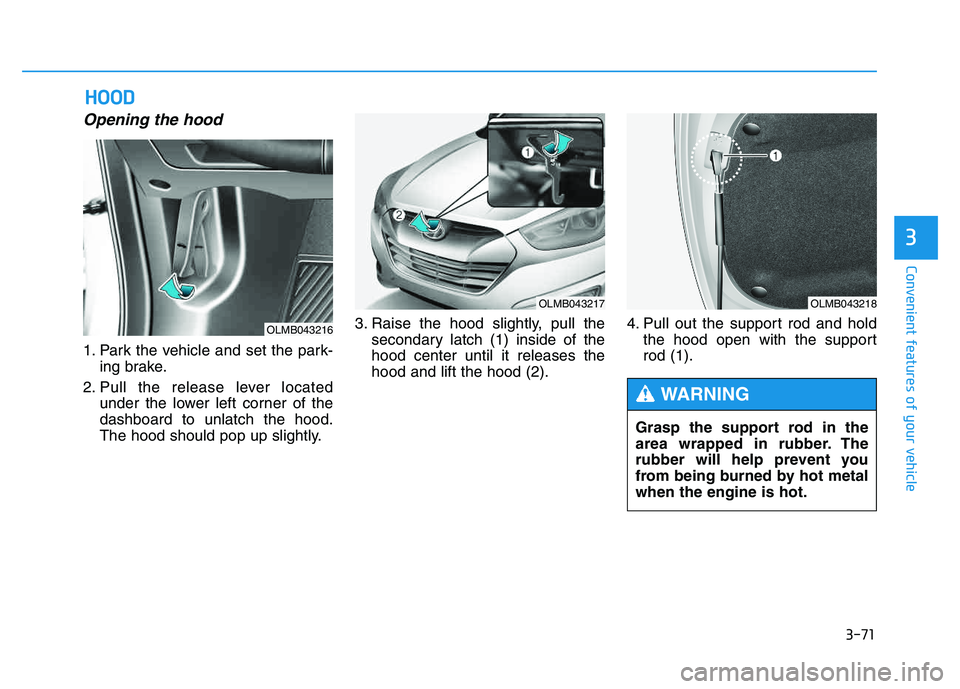
Opening the hood
1. Park the vehicle and set the park-ing brake.
2. Pull the release lever located under the lower left corner of the dashboard to unlatch the hood.
The hood should pop up slightly. 3. Raise the hood slightly, pull the
secondary latch (1) inside of thehood center until it releases thehood and lift the hood (2). 4. Pull out the support rod and hold
the hood open with the supportrod (1).
HHOO OODD
OLMB043216
OLMB043217OLMB043218
Grasp the support rod in the
area wrapped in rubber. The
rubber will help prevent you
from being burned by hot metalwhen the engine is hot.
WARNING
Page 159 of 542
3-73
Convenient features of your vehicle
3
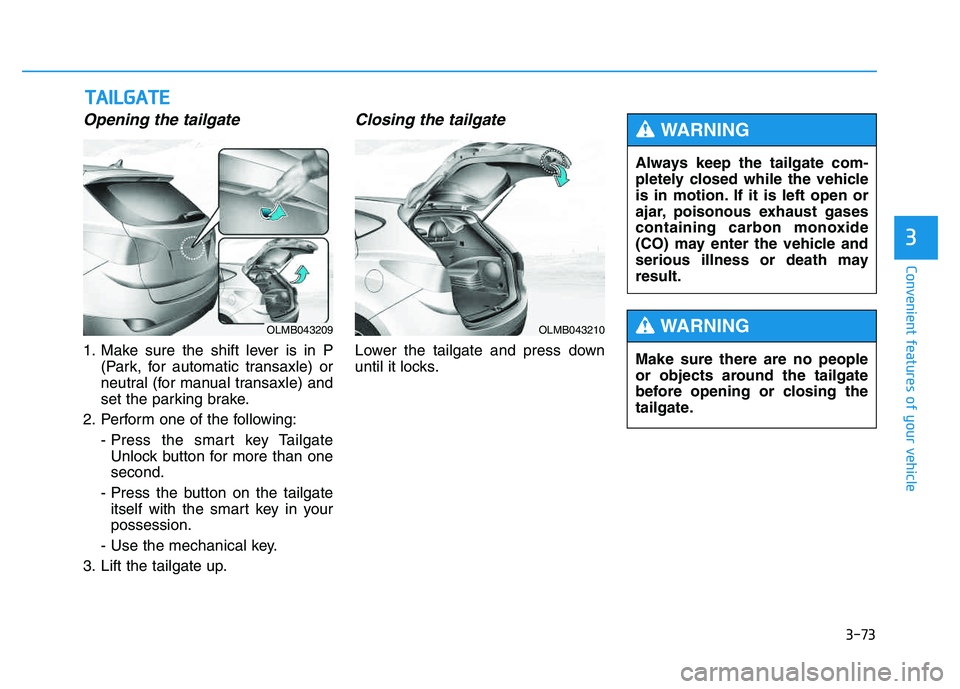
Opening the tailgate
1. Make sure the shift lever is in P(Park, for automatic transaxle) or
neutral (for manual transaxle) and
set the parking brake.
2. Perform one of the following: - Press the smart key TailgateUnlock button for more than onesecond.
- Press the button on the tailgate itself with the smart key in yourpossession.
- Use the mechanical key.
3. Lift the tailgate up.
Closing the tailgate
Lower the tailgate and press down
until it locks.
TT AA IILL GG AATTEE
OLMB043209OLMB043210
Always keep the tailgate com-
pletely closed while the vehicle
is in motion. If it is left open or
ajar, poisonous exhaust gases
containing carbon monoxide
(CO) may enter the vehicle and
serious illness or death mayresult.
WARNING
Make sure there are no people
or objects around the tailgate
before opening or closing the
tailgate.
WARNING
Page 164 of 542
3-78
Convenient features of your vehicle
✽✽NOTICE
Make sure to refuel your vehicle according to the "Fuel
Requirements" suggested in the
Introduction chapter.
Do not spill fuel on the exterior surfaces of the vehicle. Any type of
fuel spilled on painted surfaces
may damage the paint.
(Continued)
Do not use matches or a lighter and do not smoke or
leave a lit cigarette in your
vehicle while at a gas station,
especially during refueling.
Do not over-fill or top-off your
vehicle tank, which can cause
gasoline spillage.
If a fire breaks out during refu-
eling, leave the vicinity of the
vehicle, and immediately con-
tact the manager of the gasstation and then contact the
local fire department. Follow
any safety instructions they
provide.
If pressurized fuel sprays out,
it can cover your clothes or
skin and thus subject you to
the risk of fire and burns.
Always remove the fuel cap
carefully and slowly. If the cap
is venting fuel or if you hear a
hissing sound, wait until the
condition stops before com-
pletely removing the cap.
(Continued)
(Continued)
Always check that the fuel cap
is installed securely to pre-
vent fuel spillage in the eventof an accident.
If the fuel filler cap requires
replacement, use only a gen-
uine HYUNDAI cap or the equiv-
alent specified for your vehicle.An incorrect fuel filler cap canresult in a serious malfunctionof the fuel system or emission
control system.
CAUTION
(Continued)
When using an approved
portable fuel container, be sureto place the container on the
ground prior to refueling. Static
electricity discharge from the
container can ignite fuel vapors
causing a fire. Once refueling
has begun, contact between
your bare hand and the vehicleshould be maintained until the
filling is complete.
Use only approved portable
plastic fuel containers designed
to carry and store gasoline.
When refueling, always move
the shift lever to the P (Park)
position, set the parking
brake, and place the ignition
switch to the LOCK/OFF posi-
tion. Sparks produced byelectrical components relatedto the engine can ignite fuel
vapors causing a fire.(Continued)
Page 166 of 542
3-80
Convenient features of your vehicle
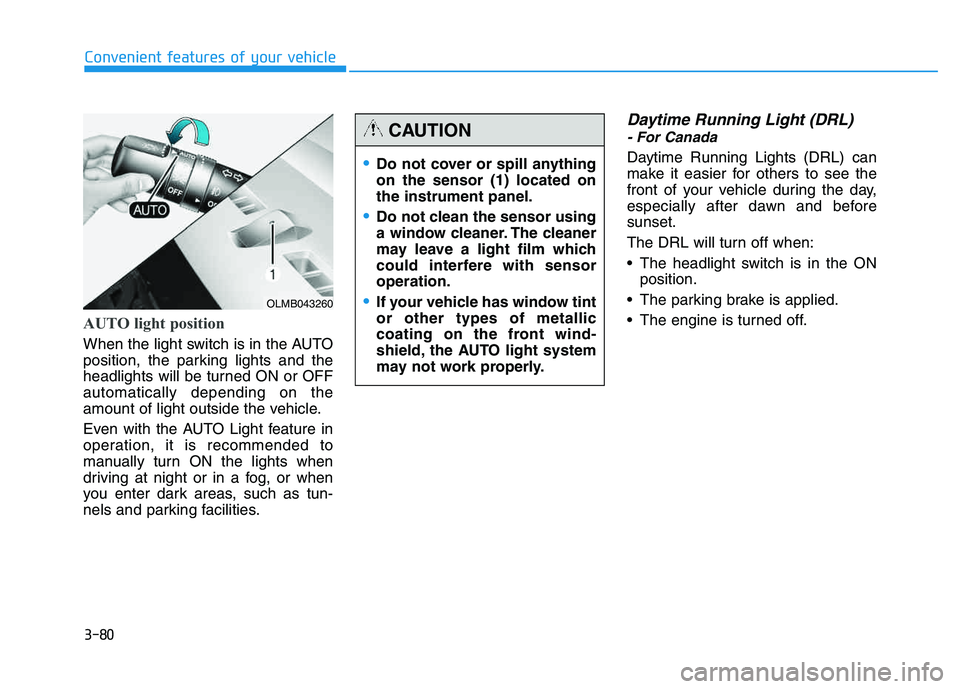
AUTO light position
When the light switch is in the AUTO
position, the parking lights and the
headlights will be turned ON or OFFautomatically depending on the
amount of light outside the vehicle.
Even with the AUTO Light feature in
operation, it is recommended to
manually turn ON the lights when
driving at night or in a fog, or when
you enter dark areas, such as tun-
nels and parking facilities.
Daytime Running Light (DRL)
- For Canada
Daytime Running Lights (DRL) can
make it easier for others to see the
front of your vehicle during the day,
especially after dawn and beforesunset.
The DRL will turn off when:
The headlight switch is in the ONposition.
The parking brake is applied.
The engine is turned off.
OLMB043260
Do not cover or spill anything on the sensor (1) located onthe instrument panel.
Do not clean the sensor using
a window cleaner. The cleaner
may leave a light film which
could interfere with sensoroperation.
If your vehicle has window tint or other types of metallic
coating on the front wind-
shield, the AUTO light system
may not work properly.
CAUTION
Page 208 of 542
3-122
Convenient features of your vehicle
Floor mat anchor(s)
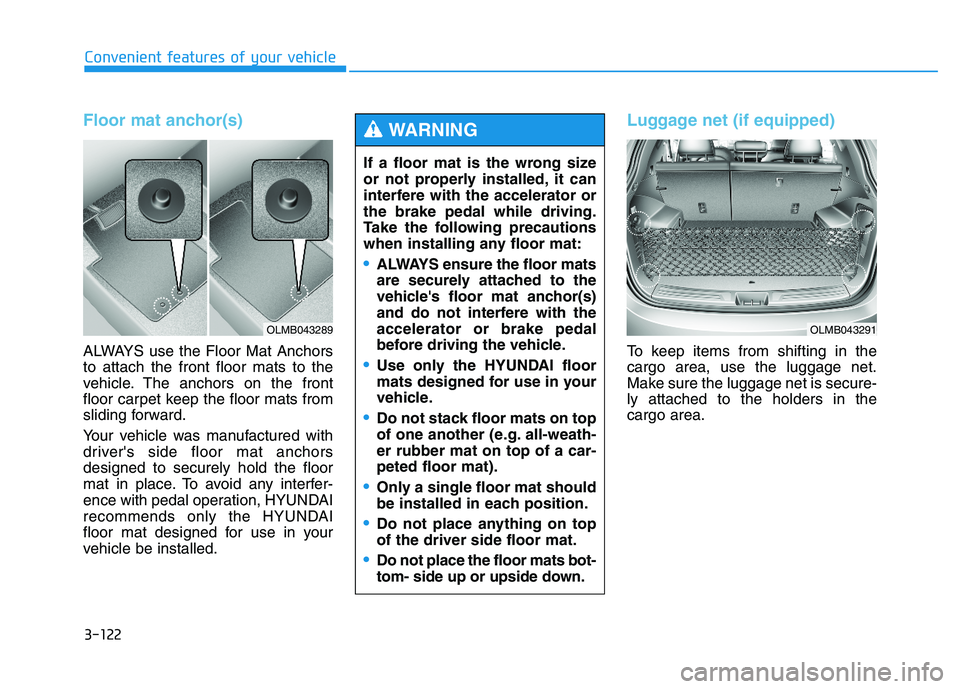
ALWAYS use the Floor Mat Anchors to attach the front floor mats to the
vehicle. The anchors on the front
floor carpet keep the floor mats from
sliding forward.
Your vehicle was manufactured with
driver's side floor mat anchorsdesigned to securely hold the floor
mat in place. To avoid any interfer-
ence with pedal operation, HYUNDAI
recommends only the HYUNDAI
floor mat designed for use in your
vehicle be installed.
Luggage net (if equipped)
To keep items from shifting in the cargo area, use the luggage net.
Make sure the luggage net is secure-ly attached to the holders in the cargo area.
If a floor mat is the wrong size
or not properly installed, it can
interfere with the accelerator orthe brake pedal while driving.
Take the following precautions
when installing any floor mat:
ALWAYS ensure the floor mats
are securely attached to the
vehicle's floor mat anchor(s)
and do not interfere with theaccelerator or brake pedal
before driving the vehicle.
Use only the HYUNDAI floor
mats designed for use in your
vehicle.
Do not stack floor mats on top
of one another (e.g. all-weath-er rubber mat on top of a car-peted floor mat).
Only a single floor mat should
be installed in each position.
Do not place anything on top of the driver side floor mat.
Do not place the floor mats bot-
tom- side up or upside down.
WARNING
OLMB043289OLMB043291
Page 337 of 542
Driving your vehicle
BEFORE DRIVING ..................................................5-3
Before entering the vehicle ..........................................5-3
Before starting .................................................................5-3
IGNITION SWITCH .................................................5-5
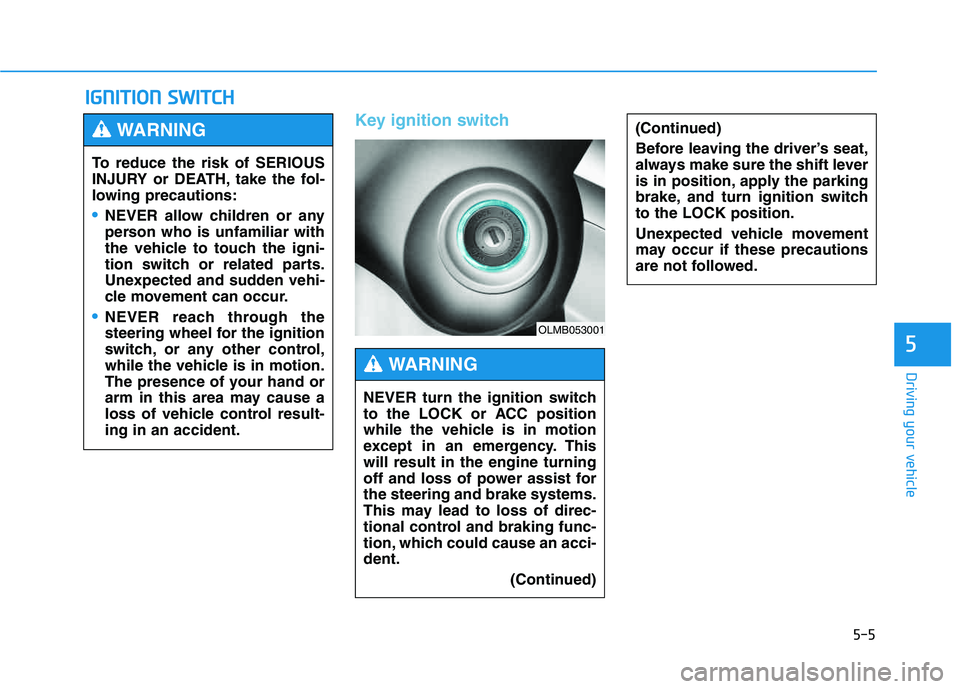
Key ignition switch .........................................................5-5
Engine Start/Stop button ................................................5-8
AUTOMATIC TRANSAXLE ..................................5-13
Automatic transaxle operation ...................................5-13
Parking ...............................................................................5-18
Good driving practices ..................................................5-19
ALL WHEEL DRIVE (AWD) ..................................5-21
AWD operation ................................................................5-22
Emergency precautions .................................................5-26
BRAKING SYSTEM ..............................................5-28
Power brakes ..................................................................5-28
Disc brakes wear indicator ..........................................5-29
Parking brake ..................................................................5-29
Anti-lock Brake System (ABS) ....................................5-32
Electronic Stability Control (ESC)................................5-35
Vehicle Stability Management (VSM).........................5-38
Hill-Start Assist Control (HAC) ...................................5-40
Downhill Brake Control (DBC) ......................................5-41
Good braking practices ................................................5-43
DRIVING ASSIST SYSTEM ...................................5-44
Active ECO system ........................................................5-44
Rear view camera ...........................................................5-45
CRUISE CONTROL SYSTEM ................................5-47
Cruise control operation................................................5-47
SPECIAL DRIVING CONDITIONS..........................5-51
Hazardous driving conditions.......................................5-51
Rocking the vehicle ....................................................5-51
Smooth cornering ...........................................................5-52
Driving at night ................................................................5-52
Driving in the rain ...........................................................5-53
Driving in flooded areas ................................................5-54
Reducing the risk of a rollover ...................................5-54
WINTER DRIVING .................................................5-55
Snow or icy conditions ..................................................5-55
TRAILER TOWING.................................................5-58
If you decide to pull a trailer? .....................................5-59
Trailer towing equipment ..............................................5-61
Driving with a trailer ......................................................5-62
Maintenance when trailer towing ...............................5-65
VEHICLE LOAD LIMIT ..........................................5-66
Tire loading information label......................................5-67
5
Page 341 of 542
5-5
Driving your vehicle
Key ignition switch
IIGG NN IITT IIOO NN SS WW IITT CCHH
5
(Continued)
Before leaving the driver’s seat,
always make sure the shift lever
is in position, apply the parking
brake, and turn ignition switchto the LOCK position.
Unexpected vehicle movement
may occur if these precautions
are not followed.
To reduce the risk of SERIOUS
INJURY or DEATH, take the fol-
lowing precautions:
NEVER allow children or any
person who is unfamiliar with
the vehicle to touch the igni-
tion switch or related parts.
Unexpected and sudden vehi-
cle movement can occur.
NEVER reach through the
steering wheel for the ignition
switch, or any other control,
while the vehicle is in motion.
The presence of your hand or
arm in this area may cause a
loss of vehicle control result-ing in an accident.
WARNING
NEVER turn the ignition switch
to the LOCK or ACC position
while the vehicle is in motion
except in an emergency. Thiswill result in the engine turning
off and loss of power assist forthe steering and brake systems.
This may lead to loss of direc-
tional control and braking func-
tion, which could cause an acci-dent.
(Continued)
WARNING
OLMB053001
Page 343 of 542
5-7
Driving your vehicle
Starting the engine 1.Make sure the parking brake isapplied.
2.Make sure the shift lever is in P (Park).
3.Depress the brake pedal.
4.Turn the ignition switch to the START position. Hold the key
(maximum of 10 seconds) until the
engine starts and release it.
✽✽ NOTICE
Whether the engine is cold or warm, always start the vehicle
with your foot on the brake pedal.
Do not depress the accelerator
while starting the vehicle. Do not
race the engine while warming it
up.
In extremely cold weather (below -18°C / 0°F) or after the vehicle
has not been operated for several
days, let the engine warm up with-
out depressing the accelerator
pedal.
5
Always wear appropriate shoes
when operating your vehicle.
Unsuitable shoes, such as high
heels, ski boots, sandals, flip-
flops, etc., may interfere with
your ability to use the brake,
accelerator and clutch pedals.
WARNING To prevent damage to the vehi-
cle:
Do not hold the ignition key in
the START position for more
than 10 seconds. Wait 5 to 10
seconds before trying again.
If traffic and road conditions
permit, you may put the shift
lever in the N (Neutral) posi-
tion while the vehicle is still
moving and turn the ignition
switch to the START position
in an attempt to restart the
engine.
Do not push or tow your vehi-
cle to start the engine.
CAUTION