warning lights HYUNDAI TUCSON 2014 User Guide
[x] Cancel search | Manufacturer: HYUNDAI, Model Year: 2014, Model line: TUCSON, Model: HYUNDAI TUCSON 2014Pages: 542, PDF Size: 7.59 MB
Page 114 of 542
3-28
Convenient features of your vehicle
Warnings and indicators
All warning lights are checked by
placing the ignition switch in the ON
position (do not start the engine).
Any light that does not illuminate
should be checked by an authorized
HYUNDAI dealer.
After starting the engine, check to
make sure that all warning lights are
off. If any are still on, this indicates asituation that needs attention.
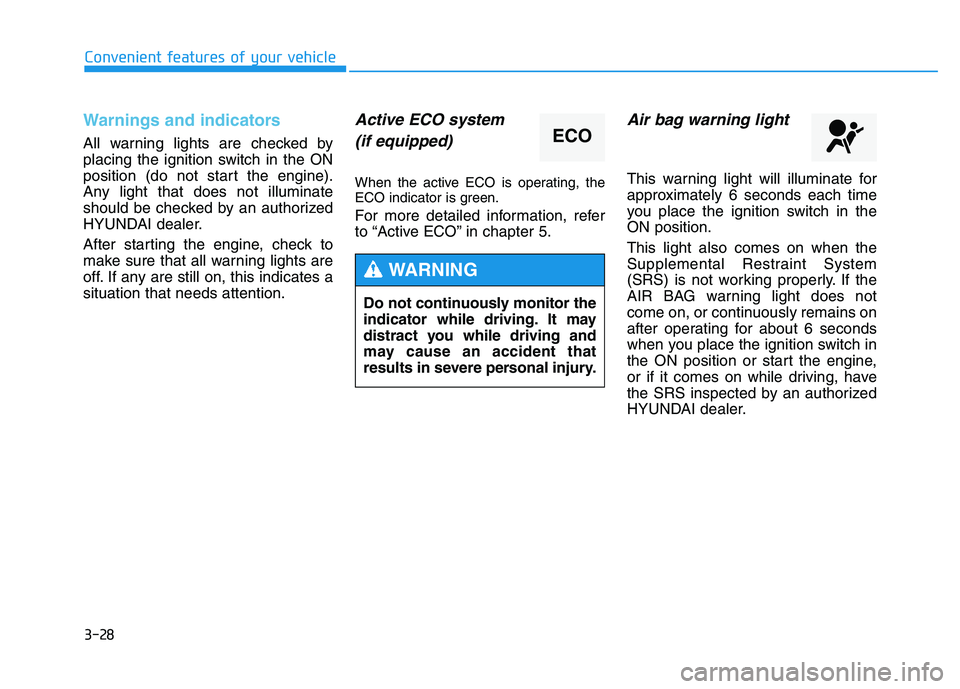
Active ECO system(if equipped)
When the active ECO is operating, the
ECO indicator is green.
For more detailed information, refer
to “Active ECO” in chapter 5.
Air bag warning light
This warning light will illuminate for
approximately 6 seconds each time
you place the ignition switch in theON position. This light also comes on when the
Supplemental Restraint System
(SRS) is not working properly. If the
AIR BAG warning light does not
come on, or continuously remains on
after operating for about 6 seconds
when you place the ignition switch in
the ON position or start the engine,
or if it comes on while driving, have
the SRS inspected by an authorized
HYUNDAI dealer.
ECO
Do not continuously monitor the
indicator while driving. It may
distract you while driving and
may cause an accident that
results in severe personal injury.
WARNING
Page 115 of 542
3-29
Convenient features of your vehicle
3
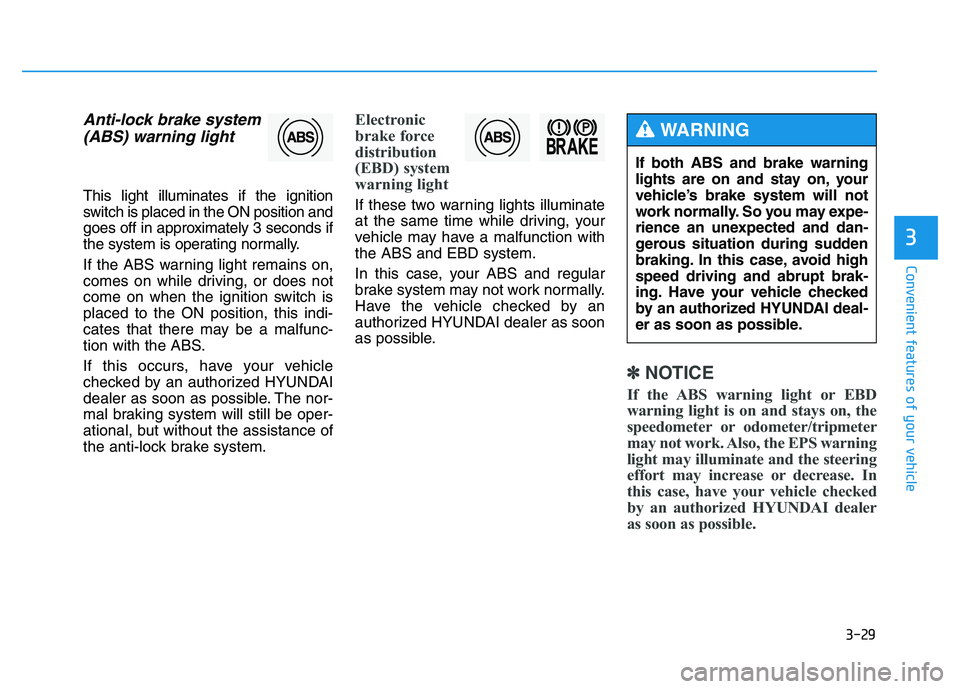
Anti-lock brake system(ABS) warning light
This light illuminates if the ignition
switch is placed in the ON position and
goes off in approximately 3 seconds if
the system is operating normally.
If the ABS warning light remains on,
comes on while driving, or does not
come on when the ignition switch isplaced to the ON position, this indi-
cates that there may be a malfunc-
tion with the ABS.
If this occurs, have your vehicle
checked by an authorized HYUNDAI
dealer as soon as possible. The nor-
mal braking system will still be oper-
ational, but without the assistance of
the anti-lock brake system.
Electronic
brake force
distribution
(EBD) system
warning light
If these two warning lights illuminate
at the same time while driving, your
vehicle may have a malfunction withthe ABS and EBD system.
In this case, your ABS and regular
brake system may not work normally.
Have the vehicle checked by an
authorized HYUNDAI dealer as soon
as possible.
✽✽ NOTICE
If the ABS warning light or EBD
warning light is on and stays on, the
speedometer or odometer/tripmeter
may not work. Also, the EPS warning
light may illuminate and the steering
effort may increase or decrease. In
this case, have your vehicle checked
by an authorized HYUNDAI dealer
as soon as possible.
If both ABS and brake warning
lights are on and stay on, your
vehicle’s brake system will not
work normally. So you may expe-
rience an unexpected and dan-
gerous situation during sudden
braking. In this case, avoid highspeed driving and abrupt brak-
ing. Have your vehicle checked
by an authorized HYUNDAI deal-
er as soon as possible.
WARNING
Page 117 of 542
3-31
Convenient features of your vehicle
3
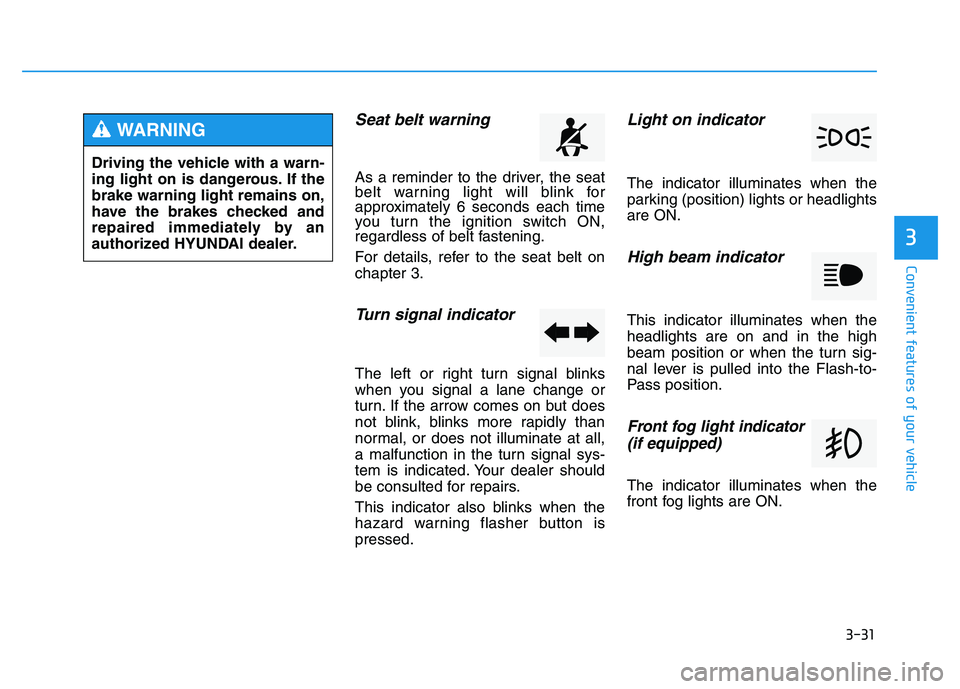
Seat belt warning
As a reminder to the driver, the seat
belt warning light will blink for
approximately 6 seconds each time
you turn the ignition switch ON,
regardless of belt fastening.
For details, refer to the seat belt on chapter 3.
Turn signal indicator
The left or right turn signal blinks
when you signal a lane change or
turn. If the arrow comes on but does
not blink, blinks more rapidly than
normal, or does not illuminate at all,
a malfunction in the turn signal sys-
tem is indicated. Your dealer should
be consulted for repairs.
This indicator also blinks when the
hazard warning flasher button ispressed.
Light on indicator
The indicator illuminates when the
parking (position) lights or headlightsare ON.
High beam indicator
This indicator illuminates when theheadlights are on and in the high
beam position or when the turn sig-
nal lever is pulled into the Flash-to-
Pass position.
Front fog light indicator (if equipped)
The indicator illuminates when the
front fog lights are ON.
Driving the vehicle with a warn-
ing light on is dangerous. If thebrake warning light remains on,
have the brakes checked and
repaired immediately by an
authorized HYUNDAI dealer.
WARNING
Page 126 of 542
3-40
Convenient features of your vehicle
SSTT EEEERR IINN GG WW HHEEEELL
Electric Power Steering (EPS)
This system assists you with steering
the vehicle.
If the engine is turned off or if the
EPS becomes inoperative, you may
still steer the vehicle, but it will
require increased steering effort.
Should you notice any change in the
effort required to steer during normal
vehicle operation, have the EPS
checked by an authorized HYUNDAI
dealer.
✽✽
NOTICE
The steering effort may be high immediately after placing the igni-
tion switch in the ON position.
This happens as the system per-
forms the EPS system diagnostics.
When the diagnostics is complet-
ed, the steering wheel will return
to its normal condition.
A click noise may be heard from the EPS relay after the ignition
switch is placed in the ON or
LOCK/OFF position.
A motor noise may be heard when the vehicle is at a stop or at a low
driving speed.
When you operate the steering wheel in low temperature, abnor-
mal noise may occur. If tempera-
ture rises, the noise will disappear.
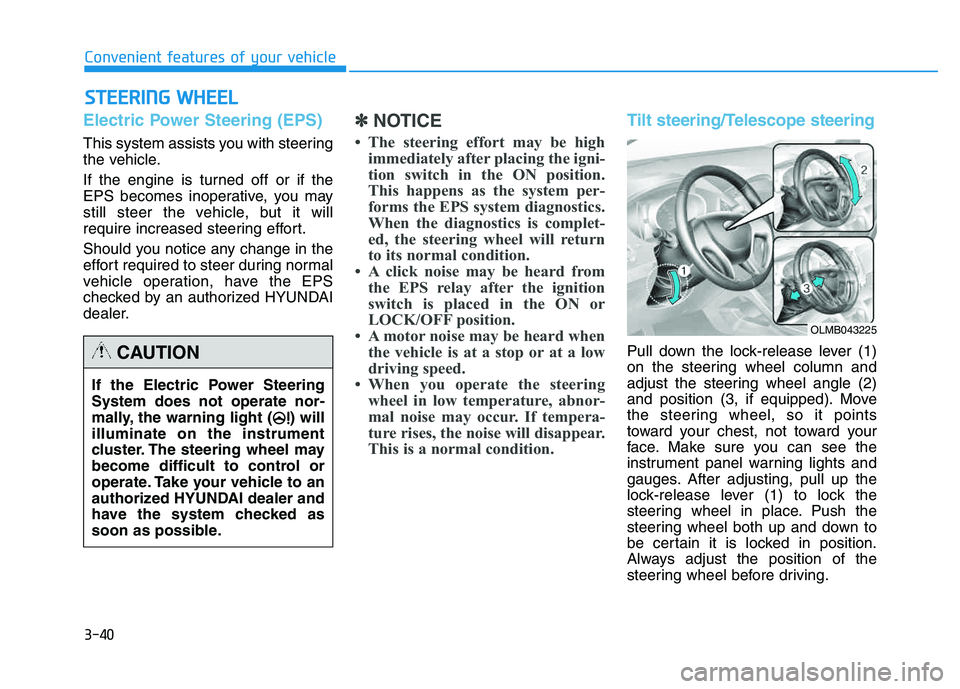
This is a normal condition.Tilt steering/Telescope steering
Pull down the lock-release lever (1)
on the steering wheel column and
adjust the steering wheel angle (2)
and position (3, if equipped). Move
the steering wheel, so it points
toward your chest, not toward your
face. Make sure you can see the
instrument panel warning lights and
gauges. After adjusting, pull up the
lock-release lever (1) to lock the
steering wheel in place. Push the
steering wheel both up and down to
be certain it is locked in position.
Always adjust the position of the
steering wheel before driving.
If the Electric Power Steering System does not operate nor-
mally, the warning light ( ) willilluminate on the instrument
cluster. The steering wheel may
become difficult to control or
operate. Take your vehicle to an
authorized HYUNDAI dealer and
have the system checked as
soon as possible.CAUTION
OLMB043225
Page 167 of 542
3-81
Convenient features of your vehicle
3
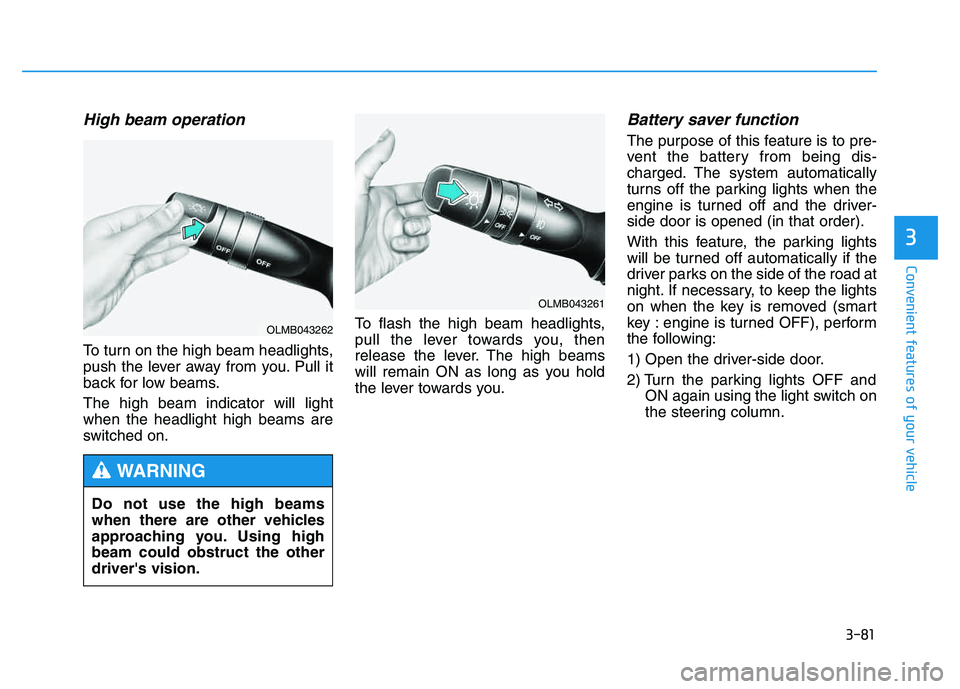
High beam operation
To turn on the high beam headlights,
push the lever away from you. Pull it
back for low beams. The high beam indicator will light when the headlight high beams are
switched on.To flash the high beam headlights,
pull the lever towards you, then
release the lever. The high beams
will remain ON as long as you hold
the lever towards you.
Battery saver function
The purpose of this feature is to pre-
vent the battery from being dis-
charged. The system automatically
turns off the parking lights when the
engine is turned off and the driver-side door is opened (in that order).
With this feature, the parking lights
will be turned off automatically if the
driver parks on the side of the road at
night. If necessary, to keep the lights
on when the key is removed (smart
key : engine is turned OFF), perform
the following:
1) Open the driver-side door.
2) Turn the parking lights OFF and
ON again using the light switch on
the steering column.
Do not use the high beams
when there are other vehicles
approaching you. Using highbeam could obstruct the otherdriver's vision.
WARNING
OLMB043261
OLMB043262
Page 170 of 542
3-84
Convenient features of your vehicle
You can use the fog lights only when
the headlights are on low beam.
When the headlight switch is in the
AUTO position, you can also use the
fog lights when the headlights turn on
automatically. The fog lights will go
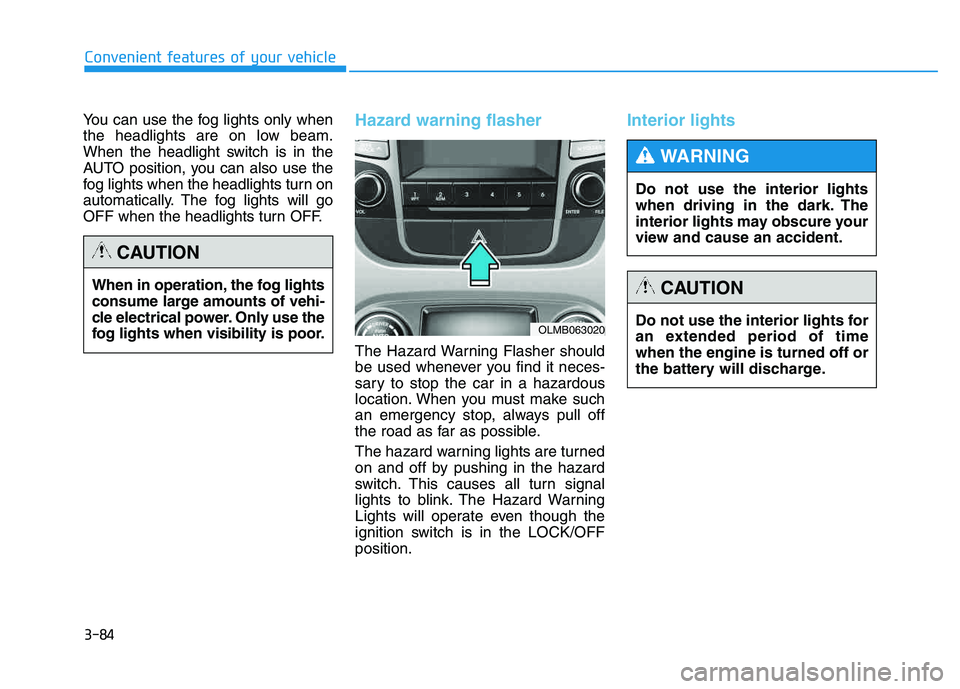
OFF when the headlights turn OFF.Hazard warning flasher
The Hazard Warning Flasher should
be used whenever you find it neces-
sary to stop the car in a hazardous
location. When you must make such
an emergency stop, always pull off
the road as far as possible.
The hazard warning lights are turned
on and off by pushing in the hazard
switch. This causes all turn signal
lights to blink. The Hazard Warning
Lights will operate even though the
ignition switch is in the LOCK/OFFposition.
Interior lights
When in operation, the fog lights
consume large amounts of vehi-
cle electrical power. Only use the
fog lights when visibility is poor.
CAUTION
OLMB063020Do not use the interior lights for
an extended period of timewhen the engine is turned off or
the battery will discharge.
CAUTION
Do not use the interior lights
when driving in the dark. The
interior lights may obscure your
view and cause an accident.
WARNING
Page 339 of 542
5-3
Driving your vehicle
Before entering the vehicle
• Be sure all windows, outside mir-ror(s), and outside lights are clean
and unobstructed.
Remove frost, snow, or ice.
Visually check the tires for uneven wear and damage.
Check under the vehicle for any sign of leaks.
Be sure there are no obstacles behind you if you intend to back up.
Before starting
Make sure the hood, the tailgate,and the doors are securely closed
and locked.
Adjust the position of the seat and steering wheel.
Adjust the inside and outside rearview mirrors.
Verify all the lights work.
Fasten your seatbelt. Check that all passengers have fastened their
seatbelts.
Check the gauges and indicators in the instrument panel and the mes-
sages on the instrument display
when the ignition switch is in theON position.
Check that any items you are car- rying are stored properly or fas-
tened down securely.
5
CALIFORNIA PROPOSITION 65
WARNING
Engine exhaust and a wide vari- ety of automobile components
including components found inthe interior furnishings in a
vehicle, contain or emit harmful
chemicals known to the State of
California to cause cancer and
birth defects and reproductive
harm. In addition, certain fluids
contained in vehicles and cer-
tain products of components
contain or emit chemicals
known to the State of California
to cause cancer and birth
defects or other reproductiveharm.
WARNING
BBEEFFOO RREE DD RRIIVV IINN GG
Page 342 of 542
5-6
Driving your vehicle
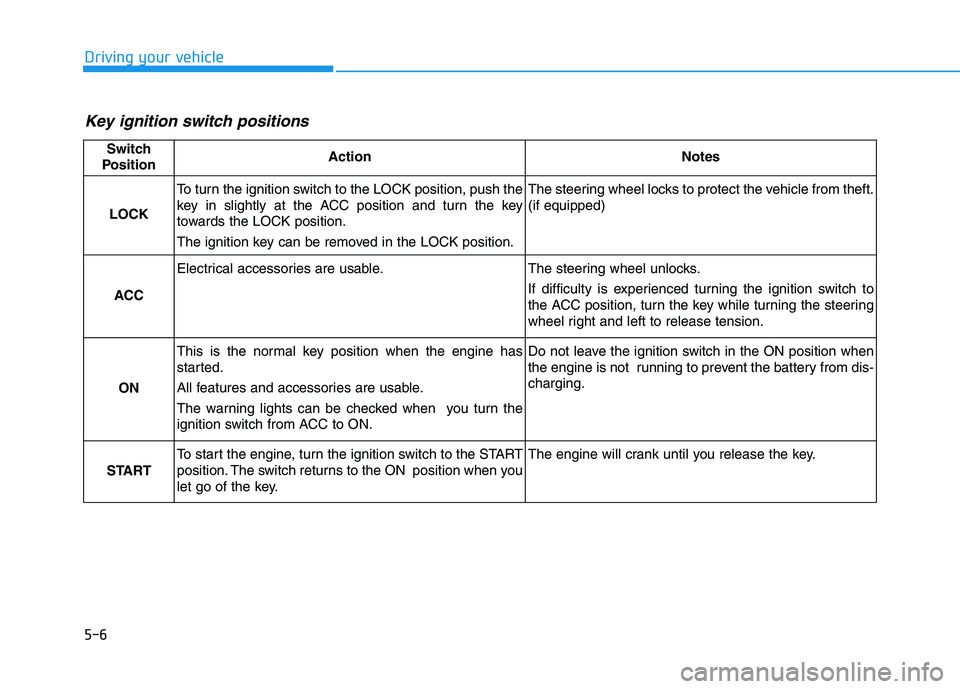
Key ignition switch positions
Switch
PositionActionNotes
LOCK
To turn the ignition switch to the LOCK position, push the
key in slightly at the ACC position and turn the key
towards the LOCK position.
The ignition key can be removed in the LOCK position.The steering wheel locks to protect the vehicle from theft. (if equipped)
ACC
Electrical accessories are usable.The steering wheel unlocks.
If difficulty is experienced turning the ignition switch to
the ACC position, turn the key while turning the steering
wheel right and left to release tension.
ON
This is the normal key position when the engine has
started.
All features and accessories are usable.
The warning lights can be checked when you turn the
ignition switch from ACC to ON.Do not leave the ignition switch in the ON position when
the engine is not running to prevent the battery from dis-charging.
START
To start the engine, turn the ignition switch to the START
position. The switch returns to the ON position when you
let go of the key.The engine will crank until you release the key.
Page 346 of 542
5-10
Driving your vehicle
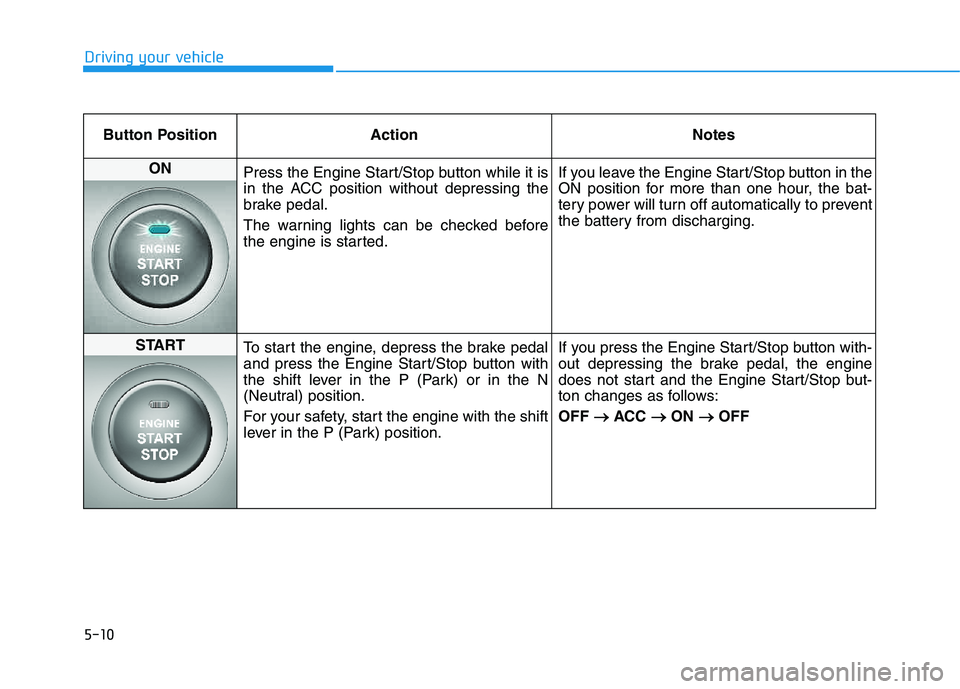
Button Position ActionNotes
ON
Press the Engine Start/Stop button while it is
in the ACC position without depressing the
brake pedal.
The warning lights can be checked before
the engine is started. If you leave the Engine Start/Stop button in the
ON position for more than one hour, the bat-
tery power will turn off automatically to prevent
the battery from discharging.
START
To start the engine, depress the brake pedal
and press the Engine Start/Stop button with
the shift lever in the P (Park) or in the N
(Neutral) position.
For your safety, start the engine with the shift
lever in the P (Park) position. If you press the Engine Start/Stop button with-
out depressing the brake pedal, the engine
does not start and the Engine Start/Stop but-
ton changes as follows: OFF
ACC
ON
OFF
Page 371 of 542
5-35
Driving your vehicle
5
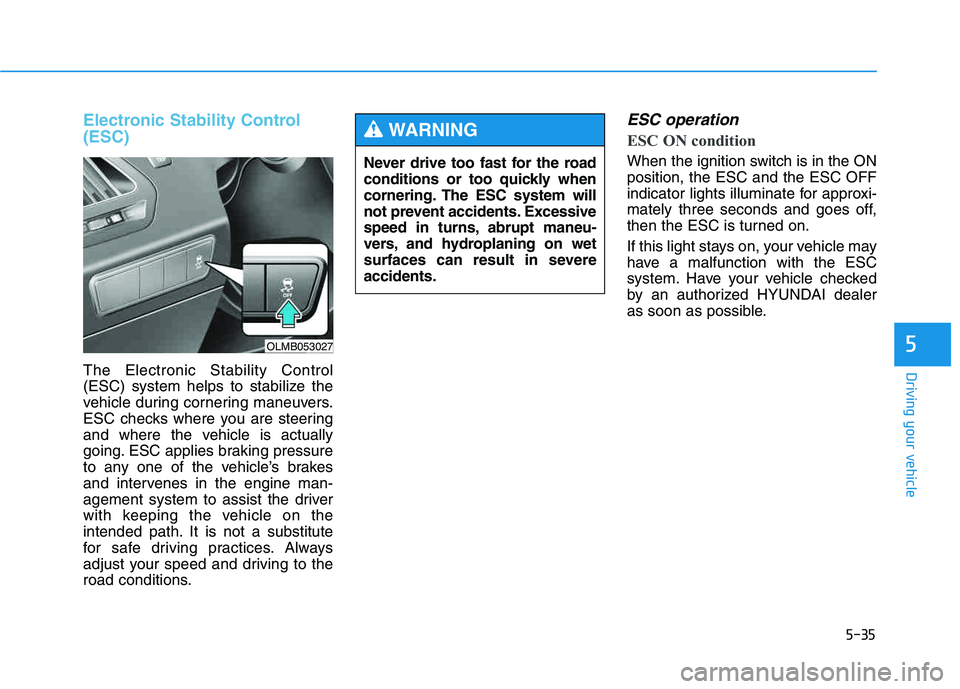
Electronic Stability Control (ESC)
The Electronic Stability Control
(ESC) system helps to stabilize the
vehicle during cornering maneuvers.
ESC checks where you are steering
and where the vehicle is actually
going. ESC applies braking pressure
to any one of the vehicle’s brakes
and intervenes in the engine man-
agement system to assist the driver
with keeping the vehicle on the
intended path. It is not a substitute
for safe driving practices. Always
adjust your speed and driving to the
road conditions.
ESC operation
ESC ON condition
When the ignition switch is in the ON position, the ESC and the ESC OFF
indicator lights illuminate for approxi-
mately three seconds and goes off,
then the ESC is turned on.
If this light stays on, your vehicle may
have a malfunction with the ESC
system. Have your vehicle checked
by an authorized HYUNDAI dealer
as soon as possible.
Never drive too fast for the road
conditions or too quickly when
cornering. The ESC system will
not prevent accidents. Excessive
speed in turns, abrupt maneu-
vers, and hydroplaning on wet
surfaces can result in severeaccidents.
WARNING
OLMB053027