light HYUNDAI TUCSON 2014 Owner's Manual
[x] Cancel search | Manufacturer: HYUNDAI, Model Year: 2014, Model line: TUCSON, Model: HYUNDAI TUCSON 2014Pages: 542, PDF Size: 7.59 MB
Page 99 of 542
3-13
Convenient features of your vehicle
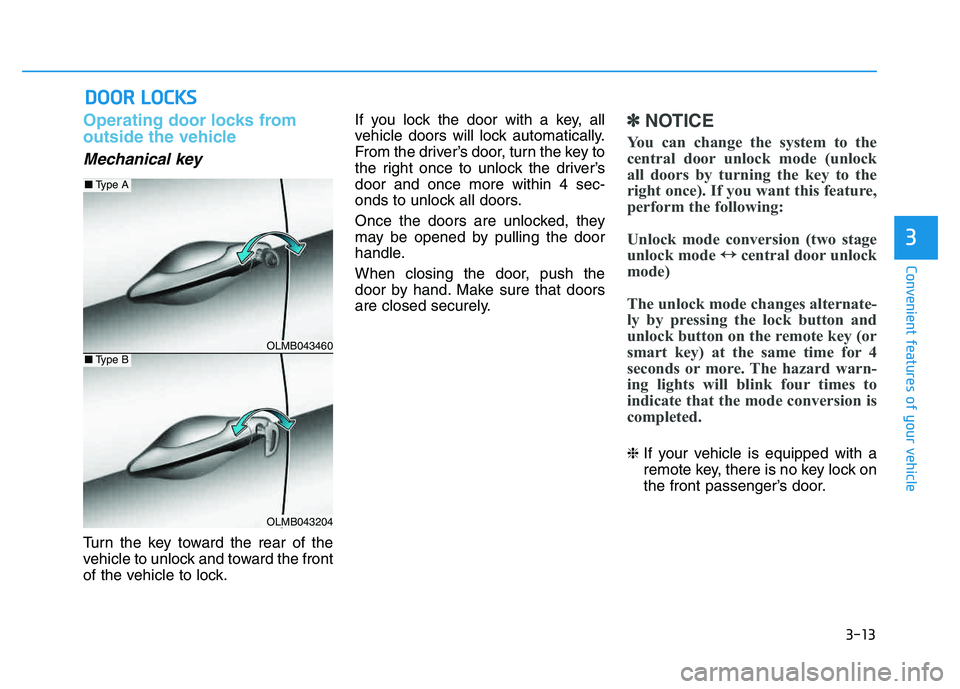
Operating door locks from
outside the vehicle
Mechanical key
Turn the key toward the rear of the
vehicle to unlock and toward the front
of the vehicle to lock.If you lock the door with a key, all
vehicle doors will lock automatically.
From the driver’s door, turn the key to
the right once to unlock the driver’sdoor and once more within 4 sec-
onds to unlock all doors.
Once the doors are unlocked, they
may be opened by pulling the door
handle.
When closing the door, push the
door by hand. Make sure that doors
are closed securely.
✽✽
NOTICE
You can change the system to the
central door unlock mode (unlock
all doors by turning the key to the
right once). If you want this feature,
perform the following:
Unlock mode conversion (two stage
unlock mode ↔
↔
central door unlock
mode)
The unlock mode changes alternate-
ly by pressing the lock button and
unlock button on the remote key (or
smart key) at the same time for 4
seconds or more. The hazard warn-
ing lights will blink four times to
indicate that the mode conversion is
completed.
❈ If your vehicle is equipped with a
remote key, there is no key lock on
the front passenger’s door.
DDOO OO RR LL OO CCKK SS
3
OLMB043460
OLMB043204
■ Type A
■Type B
Page 100 of 542
3-14
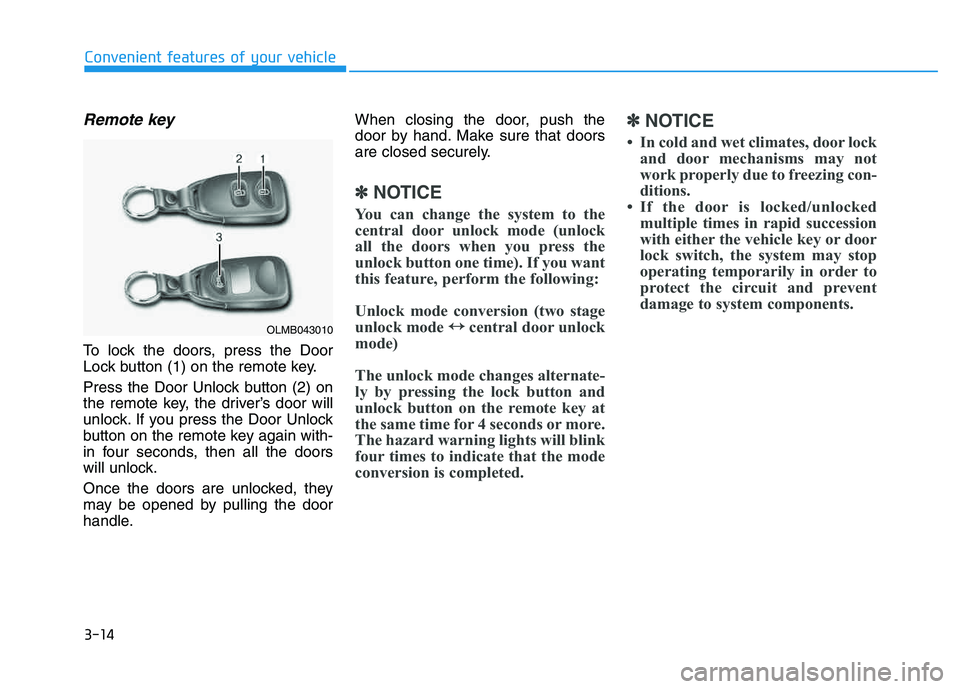
Remote key
To lock the doors, press the Door
Lock button (1) on the remote key.
Press the Door Unlock button (2) on
the remote key, the driver’s door will
unlock. If you press the Door Unlock
button on the remote key again with-
in four seconds, then all the doors
will unlock.
Once the doors are unlocked, they
may be opened by pulling the door
handle.When closing the door, push the
door by hand. Make sure that doors
are closed securely.
✽✽
NOTICE
You can change the system to the
central door unlock mode (unlock
all the doors when you press the
unlock button one time). If you want
this feature, perform the following:
Unlock mode conversion (two stage
unlock mode ↔
↔
central door unlock
mode)
The unlock mode changes alternate-
ly by pressing the lock button and
unlock button on the remote key at
the same time for 4 seconds or more.
The hazard warning lights will blink
four times to indicate that the mode
conversion is completed. ✽
✽
NOTICE
In cold and wet climates, door lock and door mechanisms may not
work properly due to freezing con-
ditions.
If the door is locked/unlocked multiple times in rapid succession
with either the vehicle key or door
lock switch, the system may stop
operating temporarily in order to
protect the circuit and prevent
damage to system components.
Convenient features of your vehicle
OLMB043010
Page 101 of 542
3-15
Convenient features of your vehicle
3
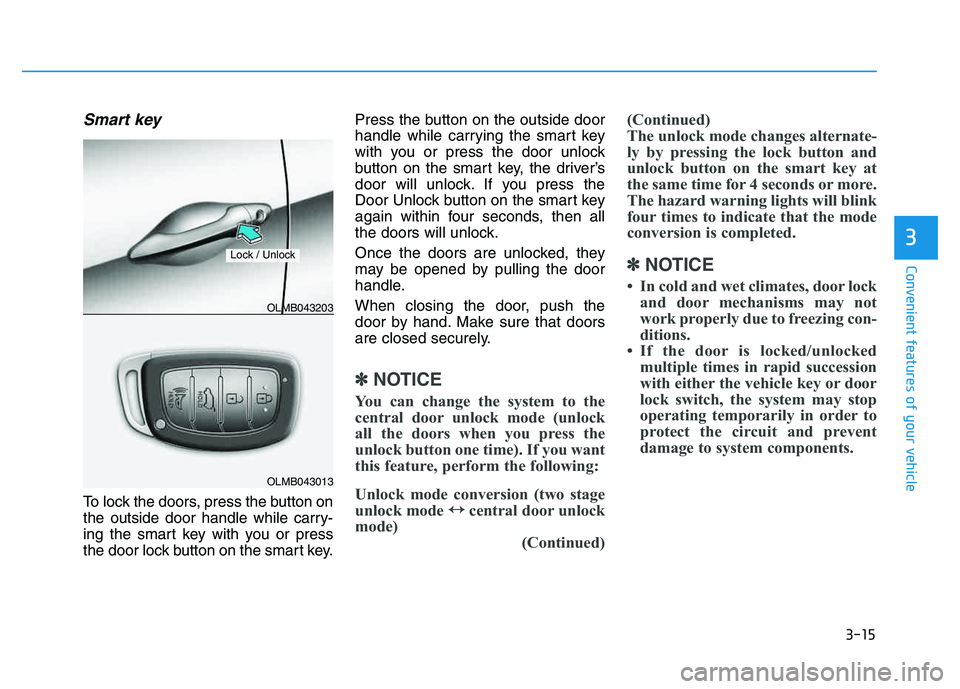
Smart key
To lock the doors, press the button on
the outside door handle while carry-
ing the smart key with you or press
the door lock button on the smart key.Press the button on the outside door
handle while carrying the smart key
with you or press the door unlock
button on the smart key, the driver’s
door will unlock. If you press the
Door Unlock button on the smart key
again within four seconds, then all
the doors will unlock.
Once the doors are unlocked, they
may be opened by pulling the door
handle.
When closing the door, push the
door by hand. Make sure that doors
are closed securely.
✽✽
NOTICE
You can change the system to the
central door unlock mode (unlock
all the doors when you press the
unlock button one time). If you want
this feature, perform the following:
Unlock mode conversion (two stage
unlock mode ↔
↔
central door unlock
mode) (Continued)(Continued)
The unlock mode changes alternate-
ly by pressing the lock button and
unlock button on the smart key at
the same time for 4 seconds or more.
The hazard warning lights will blink
four times to indicate that the mode
conversion is completed.
✽
✽ NOTICE
In cold and wet climates, door lock and door mechanisms may not
work properly due to freezing con-
ditions.
If the door is locked/unlocked multiple times in rapid succession
with either the vehicle key or door
lock switch, the system may stop
operating temporarily in order to
protect the circuit and prevent
damage to system components.
OLMB043013
OLMB043203
Lock / Unlock
Page 105 of 542
3-19
Convenient features of your vehicle
3
This system helps to protect your
vehicle and valuables. The horn will
sound and the hazard warning lights
will blink continuously if any of the
following occurs:
- A door is opened without using theremote key or smart key.
- The tailgate is opened without using the remote key or smart key.
- The engine hood is opened.
The alarm continues for 30 seconds
and the alarm will repeat once more,
then the system resets. To turn off
the alarm, unlock the doors with the
remote key or smart key. The Theft Alarm System automatical-
ly sets 30 seconds after you lock the
doors and the tailgate. For the system
to activate, you must lock the doors
and the tailgate from outside the vehi-
cle with the remote key or smart key
or by pressing the button on the out-side of the door handles with the
smart key in your possession.
The hazard warning lights will blink and the chime will sound once to
indicate the system is armed.
Once the security system is set,
opening any door, the tailgate, or the
hood without using the remote key or
smart key will cause the alarm to
activate.
The Theft Alarm System will not set if
the hood, the tailgate, or any door is
not fully closed. If the system will not
set, check the hood, the tailgate, orthe doors are fully closed. Do not attempt to alter this system or
add other devices to it.✽✽
NOTICE
Do not lock the doors until all pas- sengers have left the vehicle. If the
remaining passenger leaves the
vehicle when the system is armed,
the alarm will be activated.
If the vehicle is not disarmed with the remote key or smart key, open
the doors by using the mechanical
key and place the ignition switch
in the ON position (for remote
key) or start the engine (for smart
key) and wait for 30 seconds.
TTHH EEFFTT --AA LLAA RRMM SS YY SSTT EEMM
Page 106 of 542
3-20
Convenient features of your vehicle
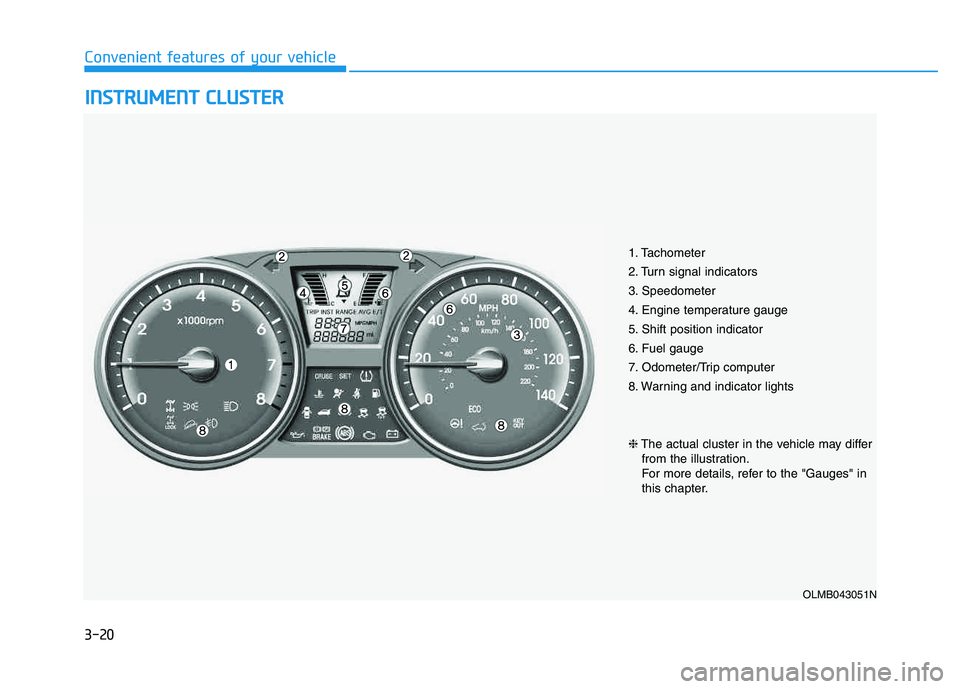
IINN SSTT RR UU MM EENN TT CC LLUU SSTT EERR
1. Tachometer
2. Turn signal indicators
3. Speedometer
4. Engine temperature gauge
5. Shift position indicator
6. Fuel gauge
7. Odometer/Trip computer
8. Warning and indicator lights
OLMB043051N
❈ The actual cluster in the vehicle may differ
from the illustration.
For more details, refer to the "Gauges" in
this chapter.
Page 107 of 542
3-21
Convenient features of your vehicle
3
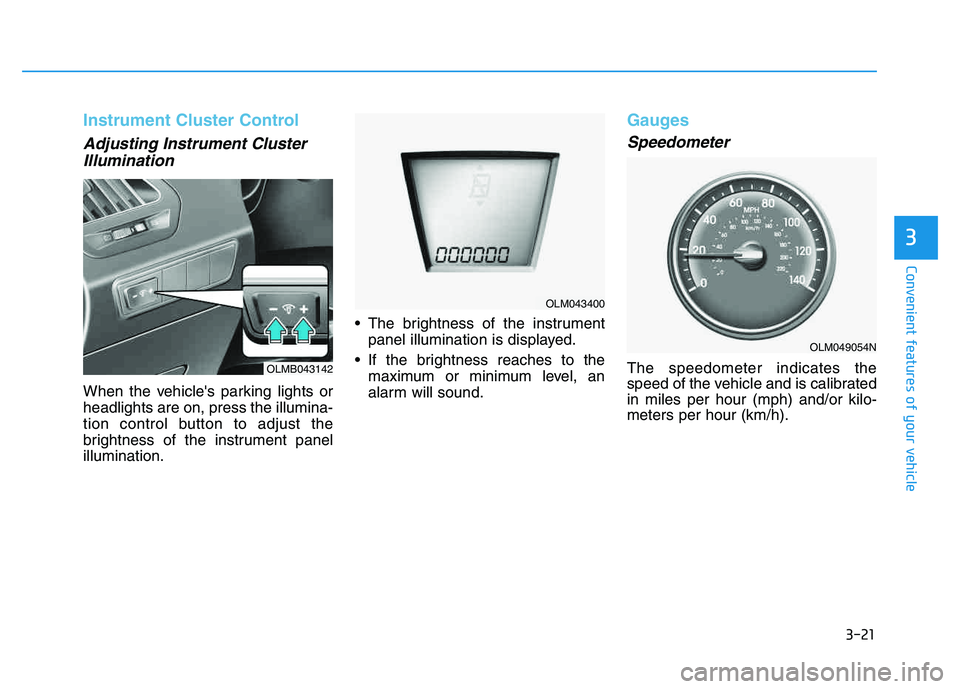
Instrument Cluster Control
Adjusting Instrument ClusterIllumination
When the vehicle's parking lights or headlights are on, press the illumina-
tion control button to adjust the
brightness of the instrument panelillumination. The brightness of the instrument
panel illumination is displayed.
If the brightness reaches to the maximum or minimum level, an
alarm will sound.
Gauges
Speedometer
The speedometer indicates the
speed of the vehicle and is calibratedin miles per hour (mph) and/or kilo-meters per hour (km/h).OLMB043142
OLM043400
OLM049054N
Page 109 of 542
3-23
Convenient features of your vehicle
3
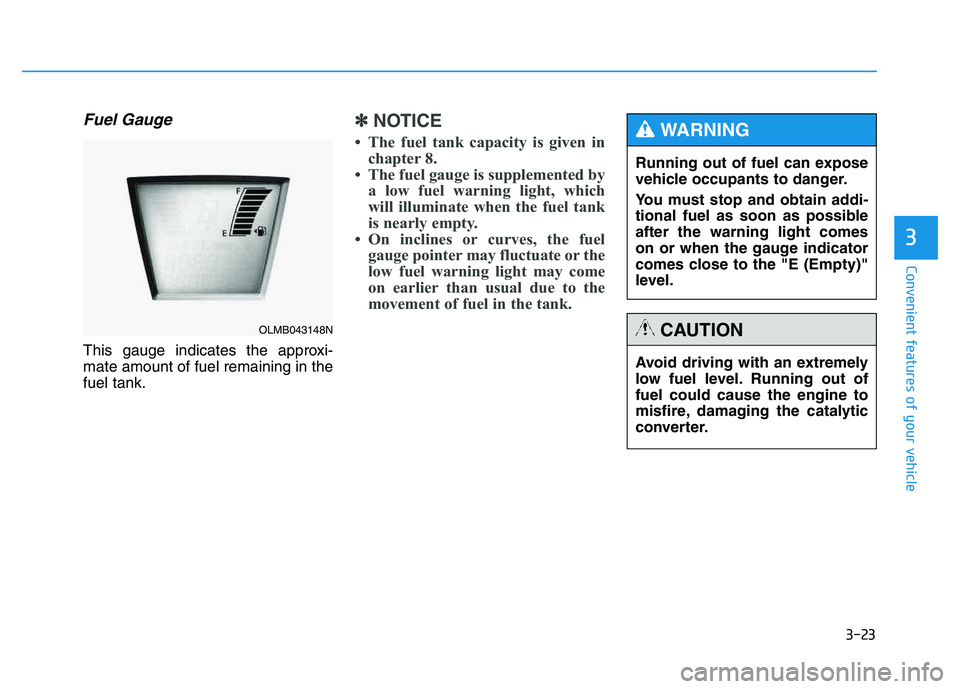
Fuel Gauge
This gauge indicates the approxi- mate amount of fuel remaining in thefuel tank.
✽✽NOTICE
The fuel tank capacity is given in chapter 8.
The fuel gauge is supplemented by a low fuel warning light, which
will illuminate when the fuel tank
is nearly empty.
On inclines or curves, the fuel gauge pointer may fluctuate or the
low fuel warning light may come
on earlier than usual due to the
movement of fuel in the tank.
OLMB043148N
Avoid driving with an extremely
low fuel level. Running out offuel could cause the engine to
misfire, damaging the catalytic
converter.
CAUTION
Running out of fuel can expose
vehicle occupants to danger.
You must stop and obtain addi-
tional fuel as soon as possibleafter the warning light comes
on or when the gauge indicator
comes close to the "E (Empty)"
level.
WARNING
Page 114 of 542
3-28
Convenient features of your vehicle
Warnings and indicators
All warning lights are checked by
placing the ignition switch in the ON
position (do not start the engine).
Any light that does not illuminate
should be checked by an authorized
HYUNDAI dealer.
After starting the engine, check to
make sure that all warning lights are
off. If any are still on, this indicates asituation that needs attention.
Active ECO system(if equipped)
When the active ECO is operating, the
ECO indicator is green.
For more detailed information, refer
to “Active ECO” in chapter 5.
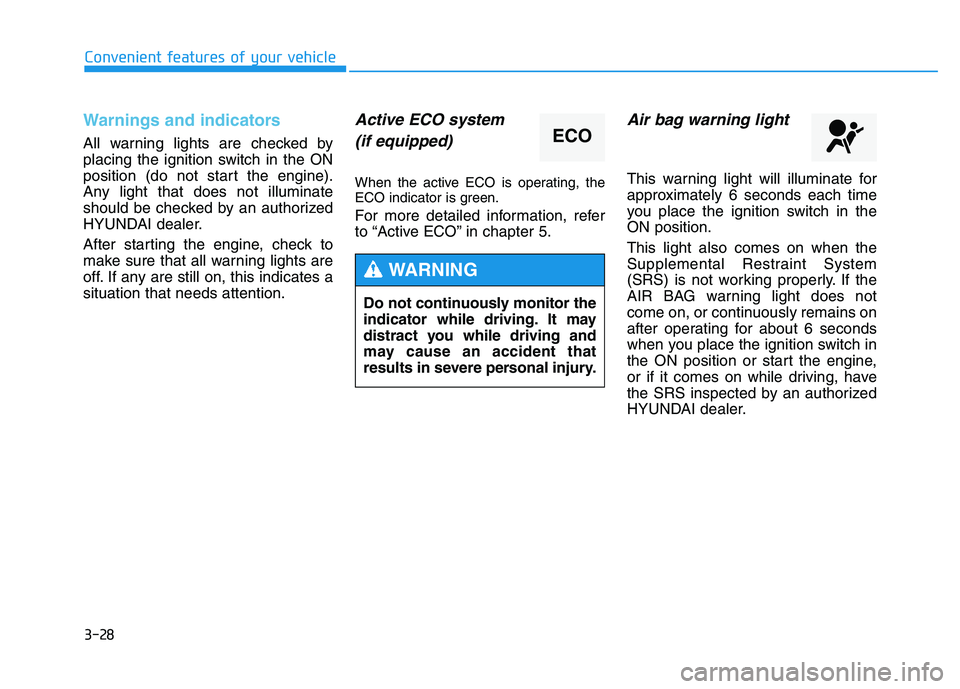
Air bag warning light
This warning light will illuminate for
approximately 6 seconds each time
you place the ignition switch in theON position. This light also comes on when the
Supplemental Restraint System
(SRS) is not working properly. If the
AIR BAG warning light does not
come on, or continuously remains on
after operating for about 6 seconds
when you place the ignition switch in
the ON position or start the engine,
or if it comes on while driving, have
the SRS inspected by an authorized
HYUNDAI dealer.
ECO
Do not continuously monitor the
indicator while driving. It may
distract you while driving and
may cause an accident that
results in severe personal injury.
WARNING
Page 115 of 542
3-29
Convenient features of your vehicle
3
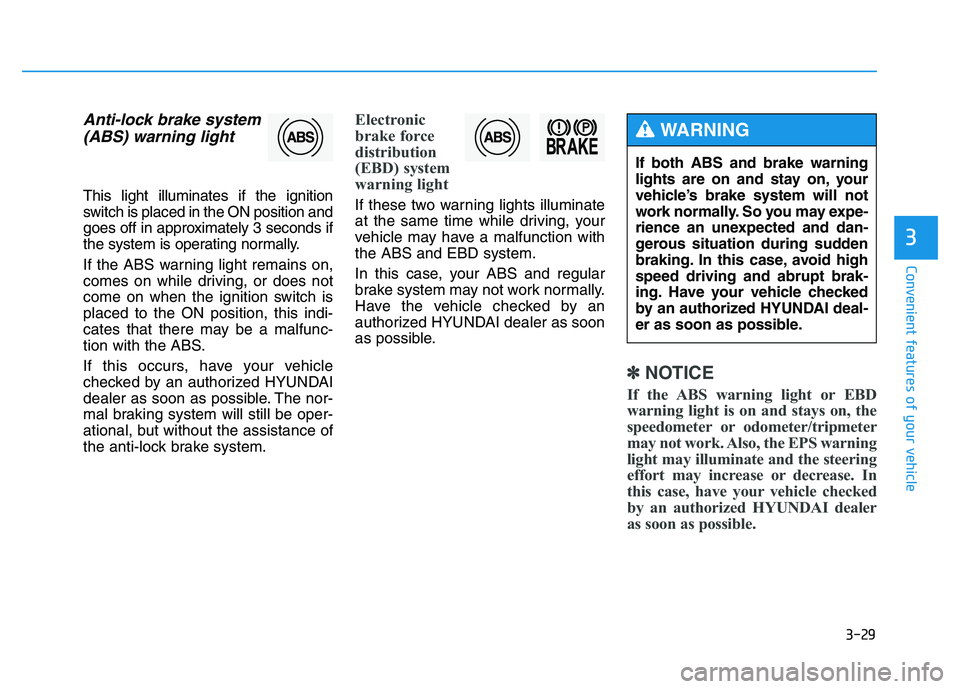
Anti-lock brake system(ABS) warning light
This light illuminates if the ignition
switch is placed in the ON position and
goes off in approximately 3 seconds if
the system is operating normally.
If the ABS warning light remains on,
comes on while driving, or does not
come on when the ignition switch isplaced to the ON position, this indi-
cates that there may be a malfunc-
tion with the ABS.
If this occurs, have your vehicle
checked by an authorized HYUNDAI
dealer as soon as possible. The nor-
mal braking system will still be oper-
ational, but without the assistance of
the anti-lock brake system.
Electronic
brake force
distribution
(EBD) system
warning light
If these two warning lights illuminate
at the same time while driving, your
vehicle may have a malfunction withthe ABS and EBD system.
In this case, your ABS and regular
brake system may not work normally.
Have the vehicle checked by an
authorized HYUNDAI dealer as soon
as possible.
✽✽ NOTICE
If the ABS warning light or EBD
warning light is on and stays on, the
speedometer or odometer/tripmeter
may not work. Also, the EPS warning
light may illuminate and the steering
effort may increase or decrease. In
this case, have your vehicle checked
by an authorized HYUNDAI dealer
as soon as possible.
If both ABS and brake warning
lights are on and stay on, your
vehicle’s brake system will not
work normally. So you may expe-
rience an unexpected and dan-
gerous situation during sudden
braking. In this case, avoid highspeed driving and abrupt brak-
ing. Have your vehicle checked
by an authorized HYUNDAI deal-
er as soon as possible.
WARNING
Page 116 of 542
3-30
Convenient features of your vehicle
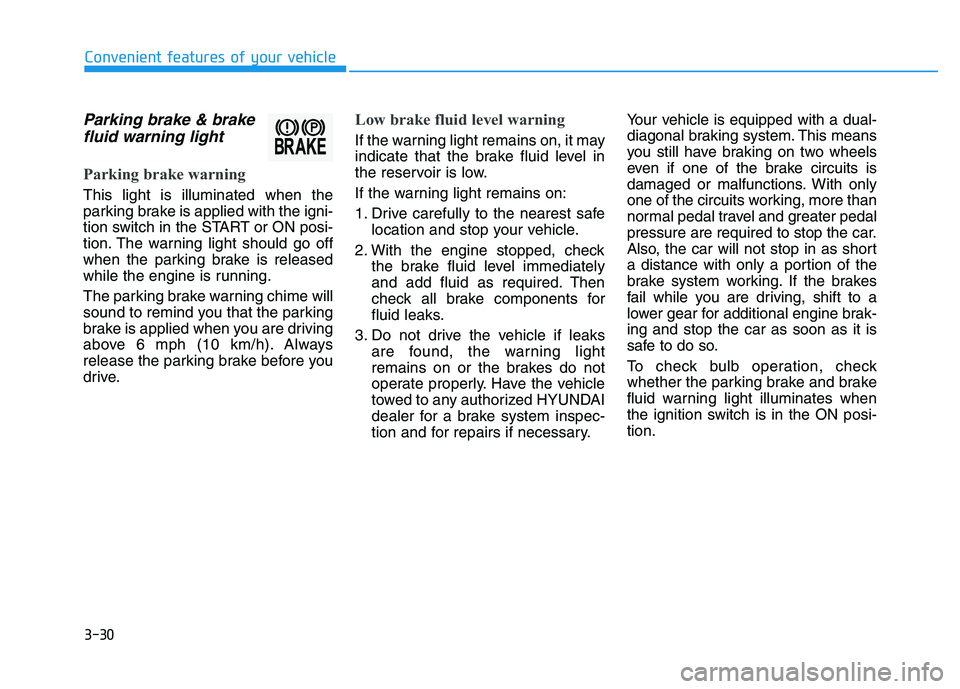
Parking brake & brakefluid warning light
Parking brake warning
This light is illuminated when the
parking brake is applied with the igni-
tion switch in the START or ON posi-
tion. The warning light should go off
when the parking brake is released
while the engine is running.
The parking brake warning chime will
sound to remind you that the parking
brake is applied when you are driving
above 6 mph (10 km/h). Always
release the parking brake before you
drive.
Low brake fluid level warning
If the warning light remains on, it may
indicate that the brake fluid level in
the reservoir is low.
If the warning light remains on:
1. Drive carefully to the nearest safe location and stop your vehicle.
2. With the engine stopped, check the brake fluid level immediately
and add fluid as required. Then
check all brake components for
fluid leaks.
3. Do not drive the vehicle if leaks are found, the warning light
remains on or the brakes do not
operate properly. Have the vehicle
towed to any authorized HYUNDAI
dealer for a brake system inspec-
tion and for repairs if necessary. Your vehicle is equipped with a dual-
diagonal braking system. This means
you still have braking on two wheels
even if one of the brake circuits is
damaged or malfunctions. With only
one of the circuits working, more than
normal pedal travel and greater pedal
pressure are required to stop the car.
Also, the car will not stop in as short
a distance with only a portion of the
brake system working. If the brakes
fail while you are driving, shift to a
lower gear for additional engine brak-ing and stop the car as soon as it is
safe to do so.
To check bulb operation, check
whether the parking brake and brake
fluid warning light illuminates when
the ignition switch is in the ON posi-tion.