change wheel HYUNDAI TUCSON 2014 Owners Manual
[x] Cancel search | Manufacturer: HYUNDAI, Model Year: 2014, Model line: TUCSON, Model: HYUNDAI TUCSON 2014Pages: 542, PDF Size: 7.59 MB
Page 126 of 542
3-40
Convenient features of your vehicle
SSTT EEEERR IINN GG WW HHEEEELL
Electric Power Steering (EPS)
This system assists you with steering
the vehicle.
If the engine is turned off or if the
EPS becomes inoperative, you may
still steer the vehicle, but it will
require increased steering effort.
Should you notice any change in the
effort required to steer during normal
vehicle operation, have the EPS
checked by an authorized HYUNDAI
dealer.
✽✽
NOTICE
The steering effort may be high immediately after placing the igni-
tion switch in the ON position.
This happens as the system per-
forms the EPS system diagnostics.
When the diagnostics is complet-
ed, the steering wheel will return
to its normal condition.
A click noise may be heard from the EPS relay after the ignition
switch is placed in the ON or
LOCK/OFF position.
A motor noise may be heard when the vehicle is at a stop or at a low
driving speed.
When you operate the steering wheel in low temperature, abnor-
mal noise may occur. If tempera-
ture rises, the noise will disappear.
This is a normal condition.Tilt steering/Telescope steering
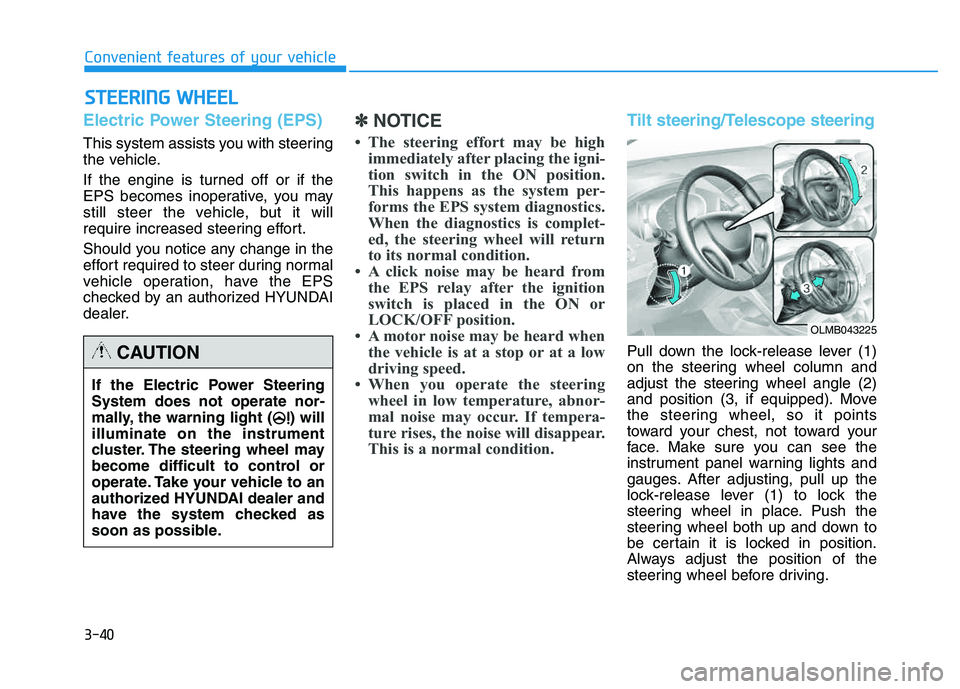
Pull down the lock-release lever (1)
on the steering wheel column and
adjust the steering wheel angle (2)
and position (3, if equipped). Move
the steering wheel, so it points
toward your chest, not toward your
face. Make sure you can see the
instrument panel warning lights and
gauges. After adjusting, pull up the
lock-release lever (1) to lock the
steering wheel in place. Push the
steering wheel both up and down to
be certain it is locked in position.
Always adjust the position of the
steering wheel before driving.
If the Electric Power Steering System does not operate nor-
mally, the warning light ( ) willilluminate on the instrument
cluster. The steering wheel may
become difficult to control or
operate. Take your vehicle to an
authorized HYUNDAI dealer and
have the system checked as
soon as possible.CAUTION
OLMB043225
Page 127 of 542
3-41
Convenient features of your vehicle
3
Driver selectable steering mode (if equipped)
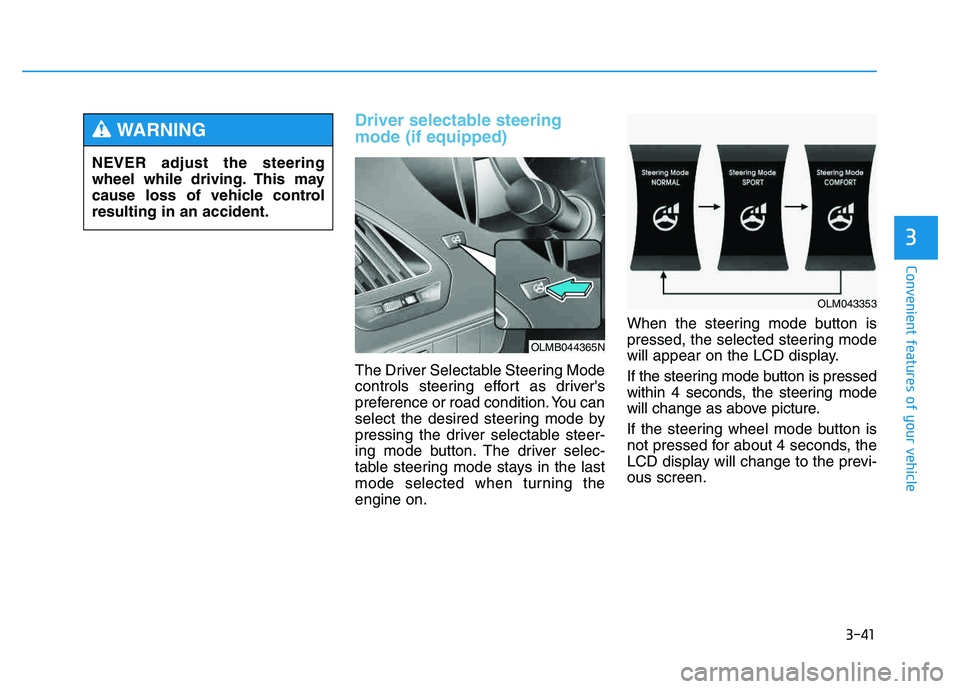
The Driver Selectable Steering Mode
controls steering effort as driver's
preference or road condition. You can
select the desired steering mode by
pressing the driver selectable steer-
ing mode button. The driver selec-
table steering mode stays in the last
mode selected when turning theengine on.When the steering mode button is
pressed, the selected steering mode
will appear on the LCD display.
If the steering mode button is pressed
within 4 seconds, the steering mode
will change as above picture.
If the steering wheel mode button is
not pressed for about 4 seconds, the
LCD display will change to the previ-ous screen.
NEVER adjust the steering
wheel while driving. This may
cause loss of vehicle controlresulting in an accident.
WARNING
OLMB044365N
OLM043353
Page 129 of 542
3-43
Convenient features of your vehicle
3
✽✽NOTICE
For your safety, if you press the
steering mode button to change the
mode while turning the steering
wheel, the LCD display will change
as you have selected, but the steering
effort will not change. The steering
effort will change to the selected
mode, when the steering wheel is
positioned to the center.Horn
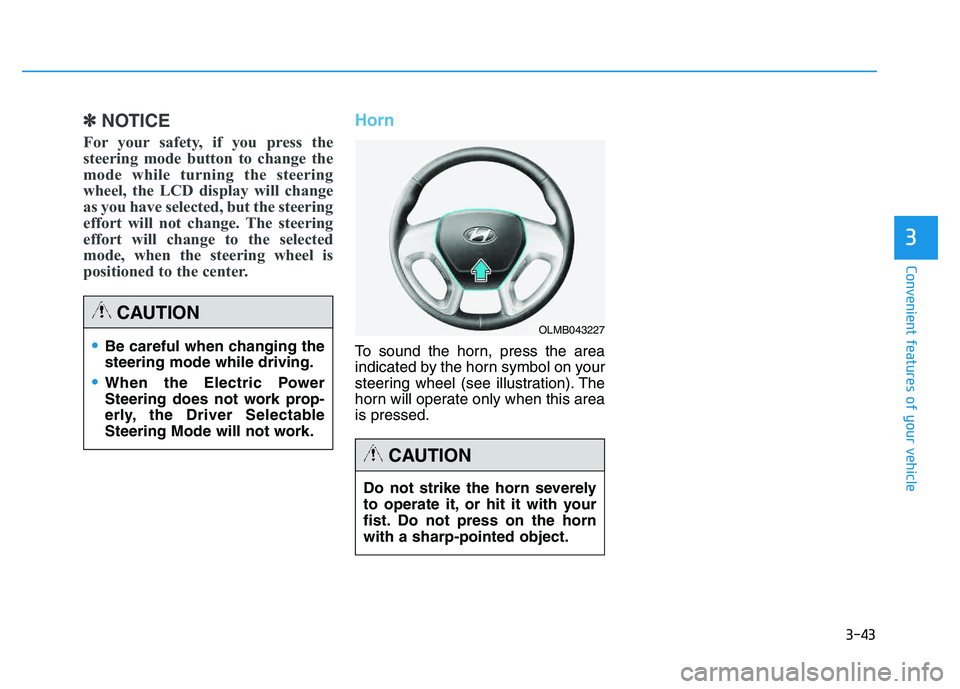
To sound the horn, press the area
indicated by the horn symbol on your
steering wheel (see illustration). The
horn will operate only when this area is pressed.Be careful when changing the steering mode while driving.
When the Electric Power
Steering does not work prop-
erly, the Driver Selectable
Steering Mode will not work.
CAUTION
Do not strike the horn severely
to operate it, or hit it with your
fist. Do not press on the hornwith a sharp-pointed object.
CAUTION
OLMB043227
Page 182 of 542
3-96
Convenient features of your vehicle
Instrument panel vents
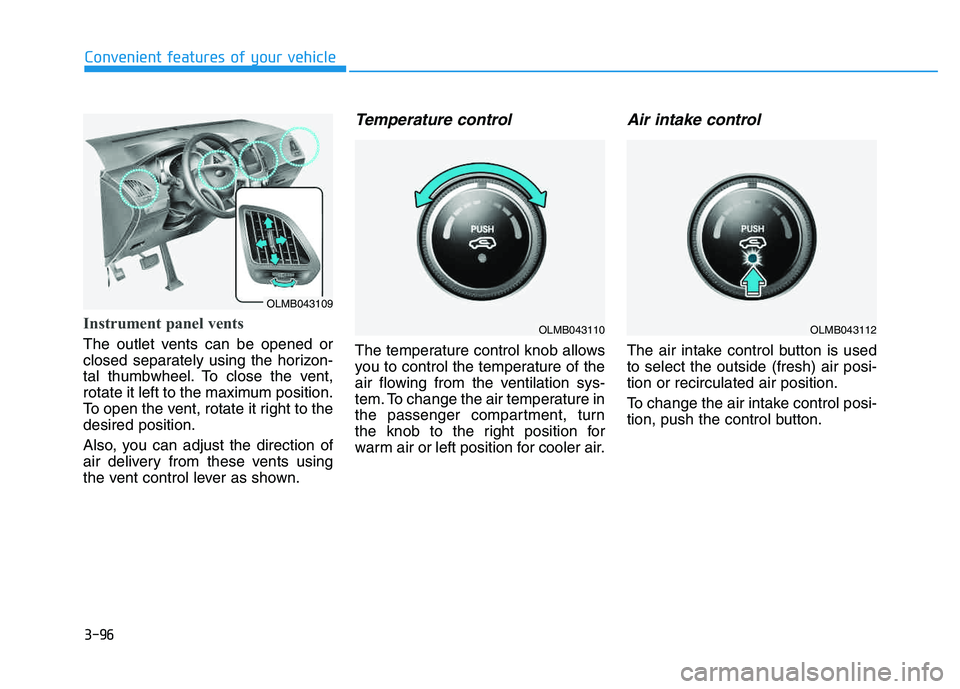
The outlet vents can be opened or
closed separately using the horizon-
tal thumbwheel. To close the vent,
rotate it left to the maximum position.
To open the vent, rotate it right to thedesired position.
Also, you can adjust the direction of
air delivery from these vents using
the vent control lever as shown.
Temperature control
The temperature control knob allows
you to control the temperature of the
air flowing from the ventilation sys-
tem. To change the air temperature in
the passenger compartment, turn
the knob to the right position for
warm air or left position for cooler air.
Air intake control
The air intake control button is usedto select the outside (fresh) air posi-tion or recirculated air position.
To change the air intake control posi-
tion, push the control button.
OLMB043109
OLMB043110OLMB043112
Page 214 of 542
4-3
Multimedia System
Steering wheel audio control (if equipped)
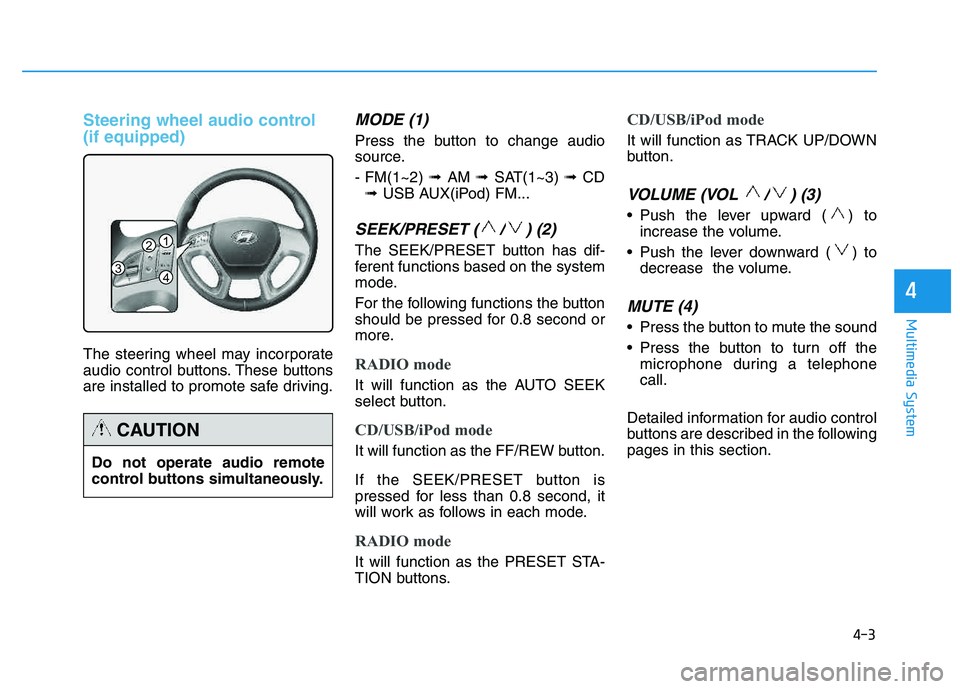
The steering wheel may incorporate
audio control buttons. These buttons
are installed to promote safe driving.
MODE (1)
Press the button to change audio
source. - FM(1~2) ➟ AM ➟ SAT(1~3) ➟ CD
➟ USB AUX(iPod) FM...
SEEK/PRESET ( / ) (2)
The SEEK/PRESET button has dif-
ferent functions based on the system
mode.
For the following functions the button
should be pressed for 0.8 second or
more.
RADIO mode
It will function as the AUTO SEEK
select button.
CD/USB/iPod mode
It will function as the FF/REW button.
If the SEEK/PRESET button is
pressed for less than 0.8 second, it
will work as follows in each mode.
RADIO mode
It will function as the PRESET STA-
TION buttons.
CD/USB/iPod mode
It will function as TRACK UP/DOWN
button.
VOLUME (VOL / ) (3)
• Push the lever upward ( ) to
increase the volume.
Push the lever downward ( ) to decrease the volume.
MUTE (4)
Press the button to mute the sound
Press the button to turn off themicrophone during a telephone call.
Detailed information for audio control
buttons are described in the followingpages in this section.
4
1
3
2
4
Do not operate audio remote
control buttons simultaneously.
CAUTION
Page 261 of 542
4-50
Multimedia System
VVOO IICC EE RR EECCOO GGNN IITT IIOO NN
Using Voice Recognition
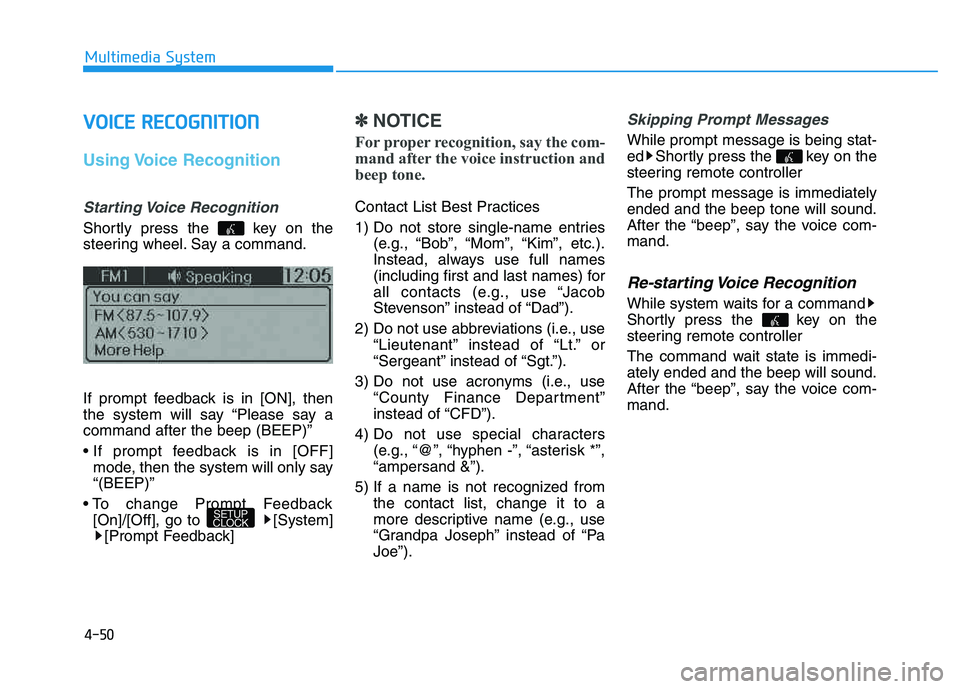
Starting Voice Recognition
Shortly press the key on the
steering wheel. Say a command.
If prompt feedback is in [ON], then
the system will say “Please say acommand after the beep (BEEP)”
mode, then the system will only say “(BEEP)”
[On]/[Off], go to [System] [Prompt Feedback]
✽✽ NOTICE
For proper recognition, say the com-
mand after the voice instruction and
beep tone.
Contact List Best Practices
1) Do not store single-name entries (e.g., “Bob”, “Mom”, “Kim”, etc.).
Instead, always use full names
(including first and last names) for
all contacts (e.g., use “Jacob
Stevenson” instead of “Dad”).
2) Do not use abbreviations (i.e., use “Lieutenant” instead of “Lt.” or
“Sergeant” instead of “Sgt.”).
3) Do not use acronyms (i.e., use “County Finance Department”
instead of “CFD”).
4) Do not use special characters (e.g., “@”, “hyphen -”, “asterisk *”,“ampersand &”).
5) If a name is not recognized from the contact list, change it to a
more descriptive name (e.g., use
“Grandpa Joseph” instead of “PaJoe”).
Skipping Prompt Messages
While prompt message is being stat-
ed Shortly press the key on the
steering remote controller The prompt message is immediately ended and the beep tone will sound.
After the “beep”, say the voice com-mand.
Re-starting Voice Recognition
While system waits for a command
Shortly press the key on the
steering remote controller
The command wait state is immedi- ately ended and the beep will sound.
After the “beep”, say the voice com-mand.
SETUP
CLOCK
Page 319 of 542
4-108
Multimedia System
VVOO IICC EE RR EECCOO GGNN IITT IIOO NN
Using Voice Recognition
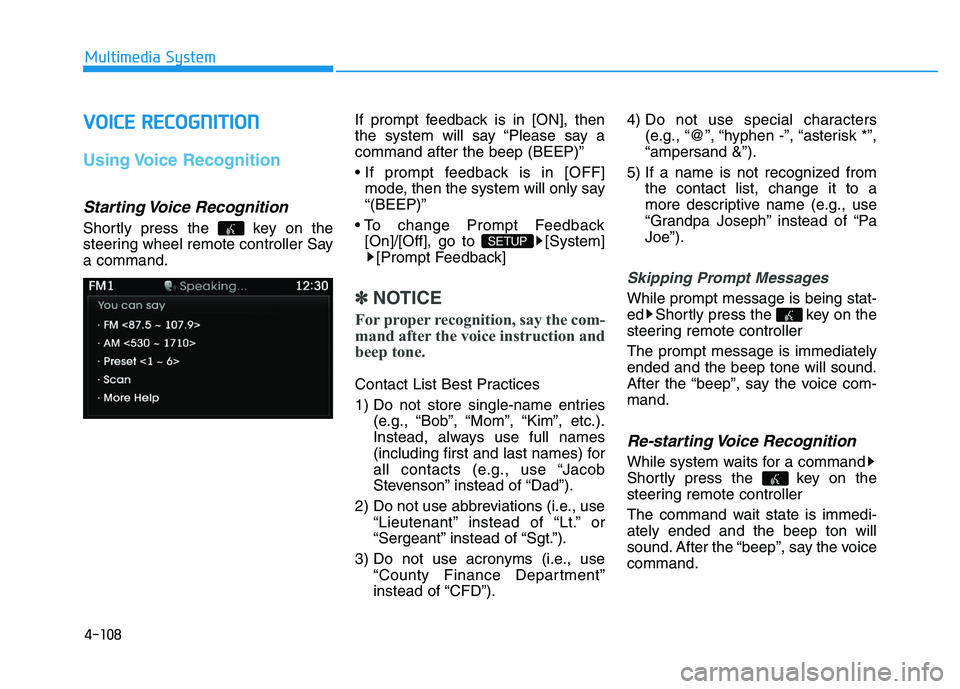
Starting Voice Recognition
Shortly press the key on the
steering wheel remote controller Saya command. If prompt feedback is in [ON], then
the system will say “Please say acommand after the beep (BEEP)”
mode, then the system will only say “(BEEP)”
[On]/[Off], go to [System] [Prompt Feedback]
✽✽ NOTICE
For proper recognition, say the com-
mand after the voice instruction and
beep tone.
Contact List Best Practices
1) Do not store single-name entries (e.g., “Bob”, “Mom”, “Kim”, etc.).
Instead, always use full names
(including first and last names) for
all contacts (e.g., use “Jacob
Stevenson” instead of “Dad”).
2) Do not use abbreviations (i.e., use “Lieutenant” instead of “Lt.” or
“Sergeant” instead of “Sgt.”).
3) Do not use acronyms (i.e., use “County Finance Department”
instead of “CFD”). 4) Do not use special characters
(e.g., “@”, “hyphen -”, “asterisk *”,“ampersand &”).
5) If a name is not recognized from the contact list, change it to a
more descriptive name (e.g., use
“Grandpa Joseph” instead of “PaJoe”).
Skipping Prompt Messages
While prompt message is being stat-
ed Shortly press the key on the
steering remote controller The prompt message is immediately ended and the beep tone will sound.
After the “beep”, say the voice com-mand.
Re-starting Voice Recognition
While system waits for a command
Shortly press the key on the
steering remote controller
The command wait state is immedi- ately ended and the beep ton will
sound. After the “beep”, say the voicecommand.
SETUP
Page 355 of 542
5-19
Driving your vehicle
5
Good driving practices
Never move the shift lever from P(Park) or N (Neutral) to any other
position with the accelerator pedaldepressed.
Never move the shift lever into P (Park) when the vehicle is inmotion.
Be sure the vehicle is completely
stopped before you attempt to shift
into R (Reverse) or D (Drive).
Do not move the shift lever to N (Neutral) when driving. Doing so
may result in an accident because
of a loss of engine braking and the
transaxle could be damaged.
Do not drive with your foot resting on the brake pedal. Even light, butconsistent pedal pressure can
result in the brakes overheating,
brake wear and possibly even
brake failure.
When driving in Sports mode, slow down before shifting to a lower
gear. Otherwise, the lower gear
may not be engaged if the engine
rpms are outside of the allowable
range. Always apply the parking brake
when leaving the vehicle. Do not
depend on placing the transmis-
sion in P (Park) to keep the vehicle
from moving.
Exercise extreme caution when driving on a slippery surface. Be
especially careful when braking,
accelerating or shifting gears. On a
slippery surface, an abrupt change
in vehicle speed can cause the
drive wheels to lose traction and
may cause loss of vehicle controlresulting in an accident
Optimum vehicle performance and economy is obtained by smoothlydepressing and releasing the
accelerator. To reduce the risk of SERIOUS
INJURY or DEATH:
ALWAYS wear your seatbelt.
In a collision, an unbelted
occupant is significantly more
likely to be seriously injured
or killed than a properly belt-ed occupant.
Avoid high speeds when cor- nering or turning.
Do not make quick steering
wheel movements, such as
sharp lane changes or fast,sharp turns.
The risk of rollover is greatly
increased if you lose control
of your vehicle at highwayspeeds.
Loss of control often occurs if
two or more wheels drop off
the roadway and the driver
over steers to reenter the
roadway.
(Continued)
WARNING
Page 357 of 542
5-21
Driving your vehicle
5
The All Wheel Drive (AWD) System
delivers engine power to all front
and rear wheels for maximum trac-
tion. AWD is useful when extra trac-tion is required on roads such slip-
pery, muddy, wet, or snow-covered
roads. Occasional off-road use such as
established unpaved roads and trails
are OK. It is always important that
the driver carefully reduces the
speed to a level that does not exceed
the safe operating speed for those
conditions.✽✽NOTICE
Do not drive in water if the level is higher than the bottom of the vehi-
cle.
Check your brake condition once you are out of mud or water.
Depress the brake pedal several
times as you move slowly until you
feel normal braking return.
Shorten your scheduled mainte- nance interval if you drive in off-
road conditions such as sand, mud
or water (see “Maintenance Under
Severe Usage Conditions” in chap-
ter 7).
Always wash your vehicle thor- oughly after off road use, especial-
ly the bottom of the vehicle.
Be sure to equip the vehicle with four tires of the same size and
type.
Make sure that a full time AWD vehicle is towed by a flat bed tow
truck.
AALLLL WW HHEEEE LL DD RRIIVV EE (( AA WW DD)) (( IIFF EE QQ UUIIPP PPEEDD ))
To reduce the risk of SERIOUS
INJURY or DEATH:
Do not drive in conditions that
exceed the vehicles intended
design such as challenging
off-road conditions.
Avoid high speeds when cor- nering or turning.
Do not make quick steering
wheel movements, such as
sharp lane changes or fast,sharp turns.
The risk of a rollover is great-
ly increased if you lose con-
trol of your vehicle at highwayspeeds.
Loss of control often occurs if
two or more wheels drop off
the roadway and the driver
over steers to reenter the
roadway.
In the event your vehicle
leaves the roadway, do not
steer sharply. Instead, slow
down before pulling back into
the travel lanes.
WARNING
Page 360 of 542
5-24
Driving your vehicle
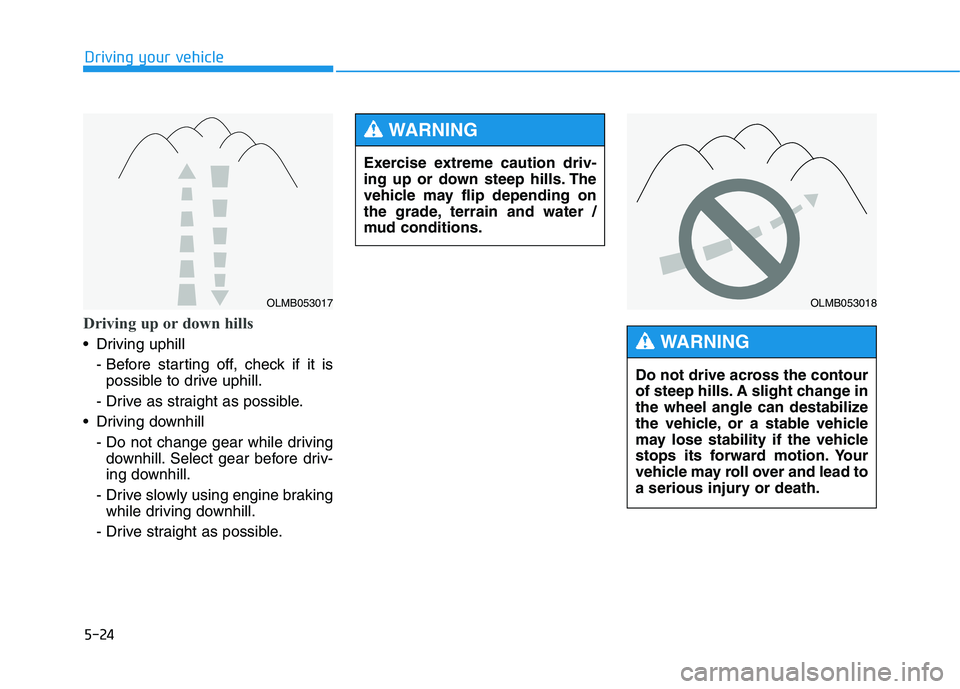
Driving up or down hills
Driving uphill - Before starting off, check if it ispossible to drive uphill.
- Drive as straight as possible.
Driving downhill - Do not change gear while drivingdownhill. Select gear before driv-
ing downhill.
- Drive slowly using engine braking while driving downhill.
- Drive straight as possible.
OLMB053017OLMB053018
Do not drive across the contour
of steep hills. A slight change in
the wheel angle can destabilize
the vehicle, or a stable vehicle
may lose stability if the vehicle
stops its forward motion. Your
vehicle may roll over and lead to
a serious injury or death.
WARNING
Exercise extreme caution driv-
ing up or down steep hills. The
vehicle may flip depending on
the grade, terrain and water /
mud conditions.
WARNING