charging HYUNDAI TUCSON 2014 Owners Manual
[x] Cancel search | Manufacturer: HYUNDAI, Model Year: 2014, Model line: TUCSON, Model: HYUNDAI TUCSON 2014Pages: 542, PDF Size: 7.59 MB
Page 119 of 542
3-33
Convenient features of your vehicle
3
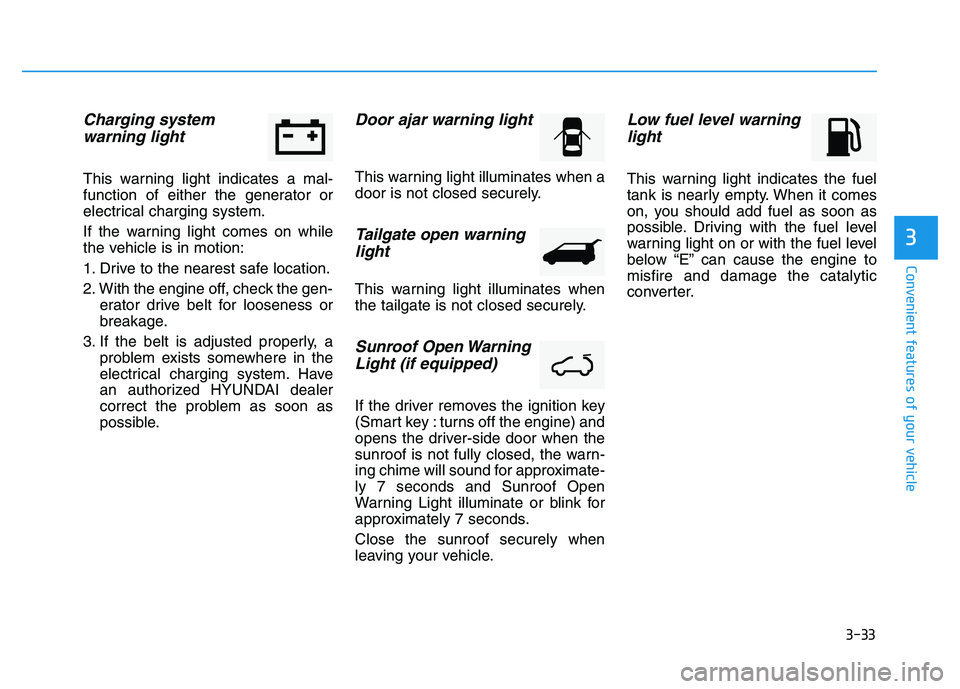
Charging system warning light
This warning light indicates a mal-
function of either the generator or
electrical charging system.
If the warning light comes on while
the vehicle is in motion:
1. Drive to the nearest safe location.
2. With the engine off, check the gen- erator drive belt for looseness or
breakage.
3. If the belt is adjusted properly, a problem exists somewhere in the
electrical charging system. Have
an authorized HYUNDAI dealer
correct the problem as soon as
possible.
Door ajar warning light
This warning light illuminates when a
door is not closed securely.
Tailgate open warning
light
This warning light illuminates when
the tailgate is not closed securely.
Sunroof Open Warning
Light (if equipped)
If the driver removes the ignition key
(Smart key : turns off the engine) and
opens the driver-side door when the
sunroof is not fully closed, the warn-
ing chime will sound for approximate-ly 7 seconds and Sunroof Open
Warning Light illuminate or blink for
approximately 7 seconds. Close the sunroof securely when
leaving your vehicle.
Low fuel level warninglight
This warning light indicates the fuel
tank is nearly empty. When it comes
on, you should add fuel as soon as
possible. Driving with the fuel level
warning light on or with the fuel level
below “E” can cause the engine tomisfire and damage the catalytic
converter.
Page 222 of 542
4-11
Multimedia System
4
(Continued)
Some USB flash memory readers(such as CF, SD, micro SD, etc.) or
external-HDD type devices can be
unrecognizable.
Music files protected by DRM (DIGITAL RIGHTS MANAGE-
MENT) are not recognizable.
The data in the USB memory may be lost while using this audio.
Always back up important data
on a personal storage device.
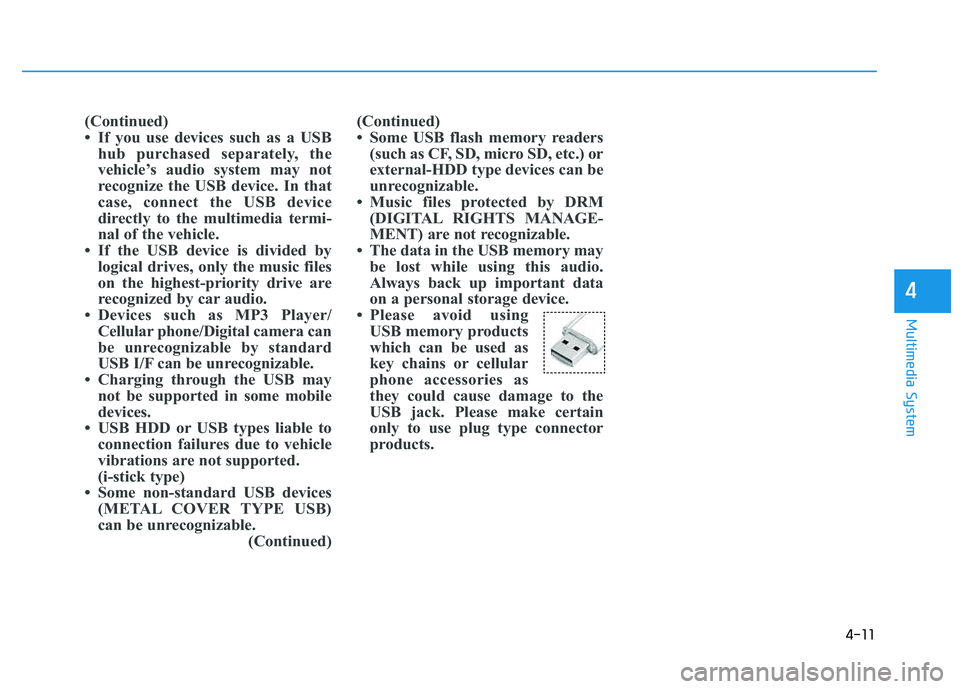
Please avoid using USB memory products
which can be used as
key chains or cellular
phone accessories as
they could cause damage to the
USB jack. Please make certain
only to use plug type connector
products.(Continued)
If you use devices such as a USBhub purchased separately, the
vehicle’s audio system may not
recognize the USB device. In that
case, connect the USB device
directly to the multimedia termi-
nal of the vehicle.
If the USB device is divided by logical drives, only the music files
on the highest-priority drive are
recognized by car audio.
Devices such as MP3 Player/ Cellular phone/Digital camera can
be unrecognizable by standard
USB I/F can be unrecognizable.
Charging through the USB may not be supported in some mobile
devices.
USB HDD or USB types liable to connection failures due to vehicle
vibrations are not supported.
(i-stick type)
Some non-standard USB devices (METAL COVER TYPE USB)
can be unrecognizable. (Continued)
Page 290 of 542
4-79
Multimedia System
4
(Continued)
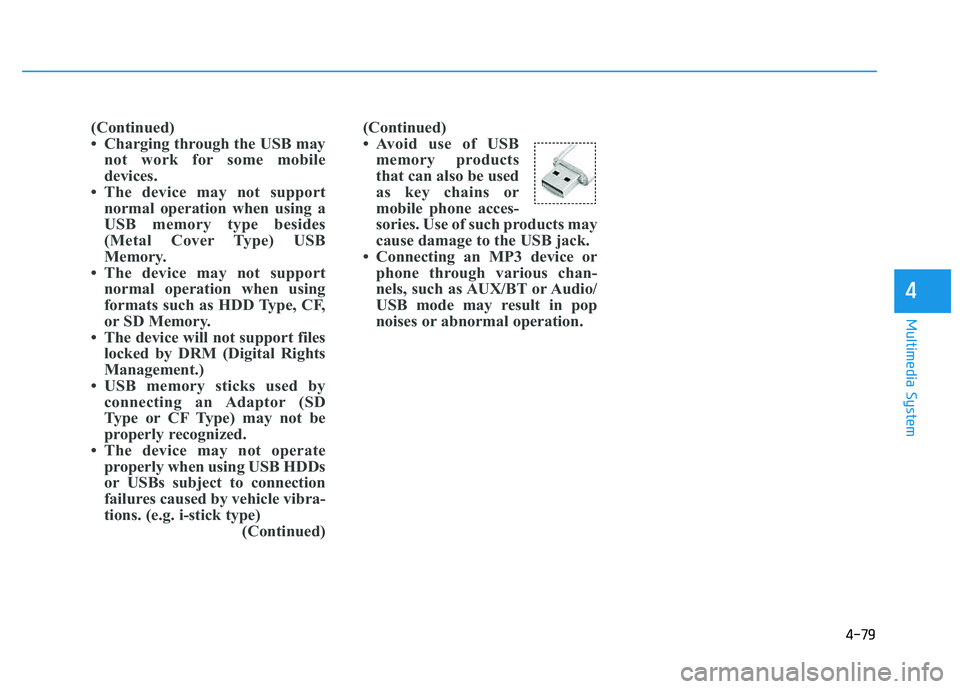
Avoid use of USBmemory products
that can also be used
as key chains or
mobile phone acces-
sories. Use of such products may
cause damage to the USB jack.
Connecting an MP3 device or phone through various chan-
nels, such as AUX/BT or Audio/
USB mode may result in pop
noises or abnormal operation.
(Continued)
Charging through the USB may
not work for some mobile
devices.
The device may not support normal operation when using a
USB memory type besides
(Metal Cover Type) USB
Memory.
The device may not support normal operation when using
formats such as HDD Type, CF,
or SD Memory.
The device will not support files locked by DRM (Digital Rights
Management.)
USB memory sticks used by connecting an Adaptor (SD
Type or CF Type) may not be
properly recognized.
The device may not operate properly when using USB HDDs
or USBs subject to connection
failures caused by vehicle vibra-
tions. (e.g. i-stick type) (Continued)
Page 296 of 542
4-85
Multimedia System
4
iiPP oodd®MM OODDEE
Basic Mode Screen
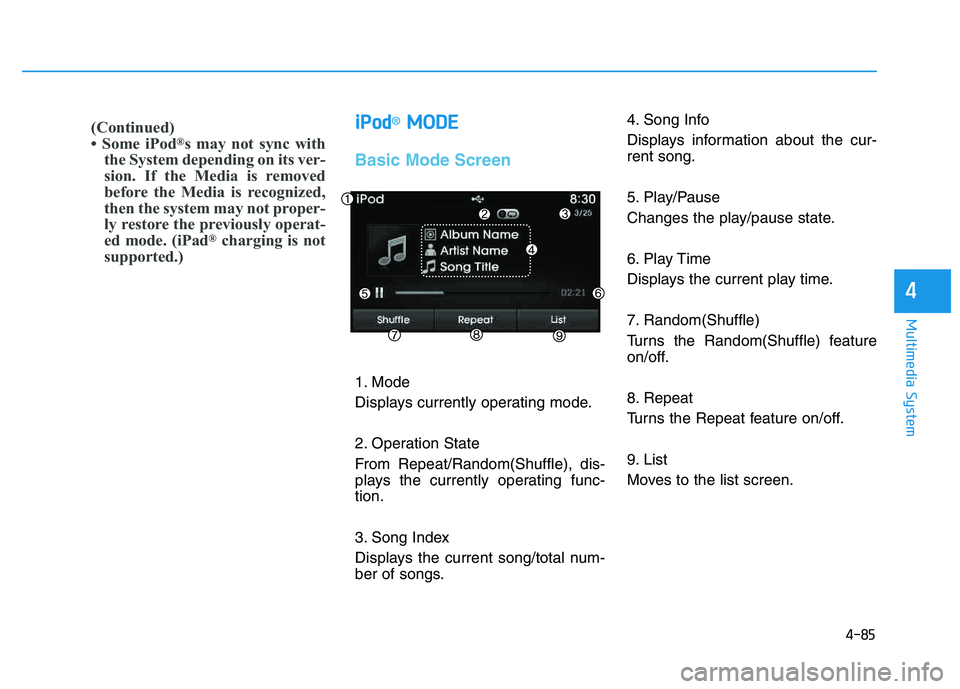
1. Mode
Displays currently operating mode.
2. Operation State
From Repeat/Random(Shuffle), dis-
plays the currently operating func-tion.
3. Song Index
Displays the current song/total num-
ber of songs. 4. Song Info
Displays information about the cur- rent song.
5. Play/Pause
Changes the play/pause state.
6. Play Time
Displays the current play time.
7. Random(Shuffle)
Turns the Random(Shuffle) feature
on/off.
8. Repeat
Turns the Repeat feature on/off.
9. List
Moves to the list screen.
(Continued)
Some iPod
®
s may not sync with
the System depending on its ver-
sion. If the Media is removed
before the Media is recognized,
then the system may not proper-
ly restore the previously operat-
ed mode. (iPad ®
charging is not
supported.)
Page 342 of 542
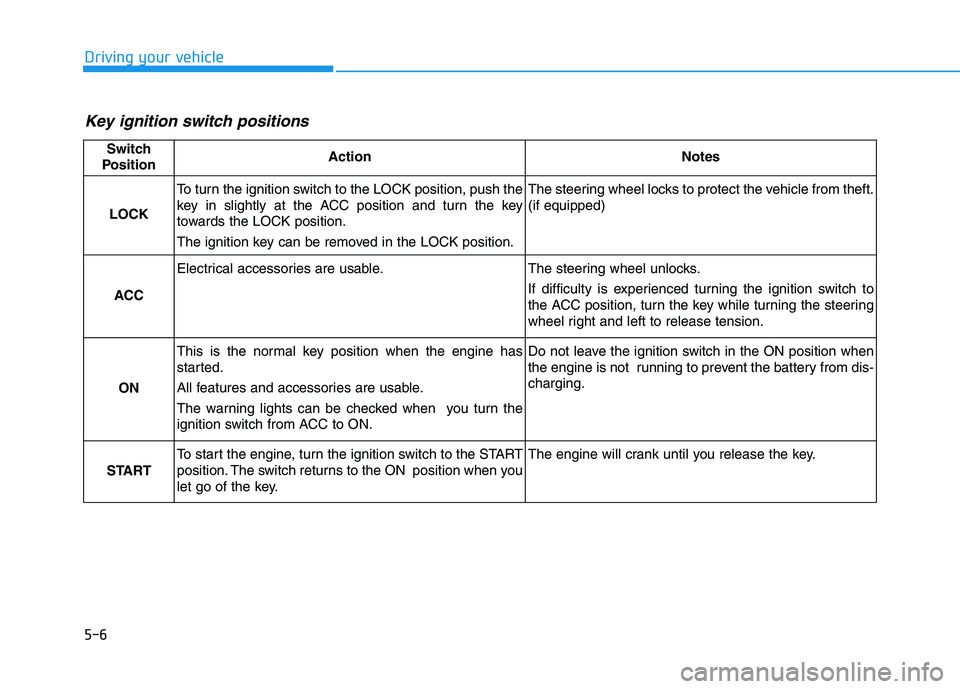
5-6
Driving your vehicle
Key ignition switch positions
Switch
PositionActionNotes
LOCK
To turn the ignition switch to the LOCK position, push the
key in slightly at the ACC position and turn the key
towards the LOCK position.
The ignition key can be removed in the LOCK position.The steering wheel locks to protect the vehicle from theft. (if equipped)
ACC
Electrical accessories are usable.The steering wheel unlocks.
If difficulty is experienced turning the ignition switch to
the ACC position, turn the key while turning the steering
wheel right and left to release tension.
ON
This is the normal key position when the engine has
started.
All features and accessories are usable.
The warning lights can be checked when you turn the
ignition switch from ACC to ON.Do not leave the ignition switch in the ON position when
the engine is not running to prevent the battery from dis-charging.
START
To start the engine, turn the ignition switch to the START
position. The switch returns to the ON position when you
let go of the key.The engine will crank until you release the key.
Page 345 of 542
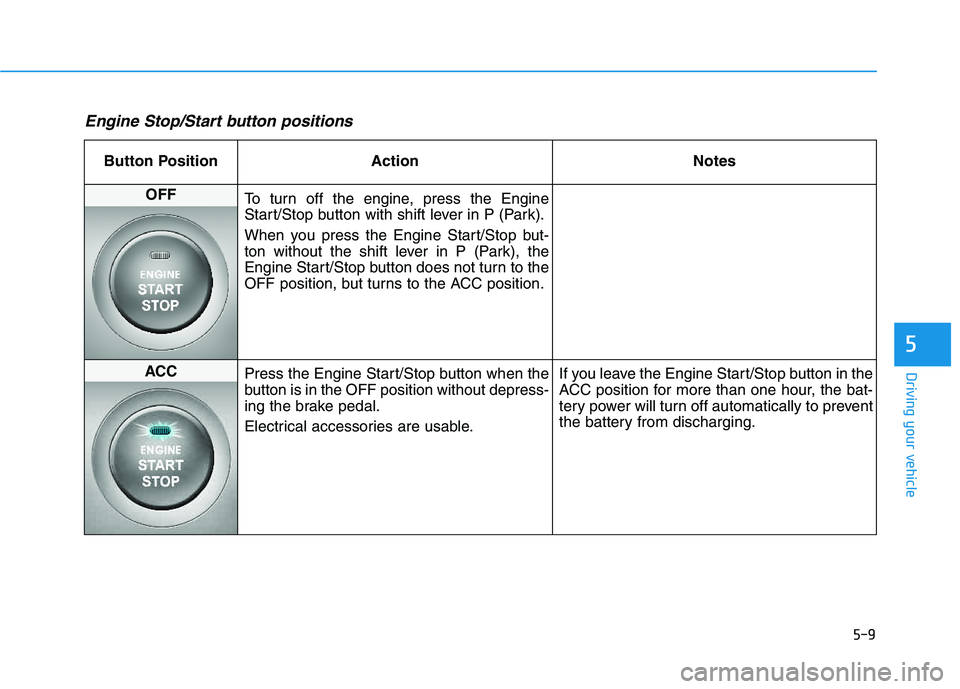
5-9
Driving your vehicle
5
Engine Stop/Start button positions
Button Position ActionNotes
OFF
To turn off the engine, press the Engine
Start/Stop button with shift lever in P (Park).
When you press the Engine Start/Stop but-
ton without the shift lever in P (Park), the
Engine Start/Stop button does not turn to the
OFF position, but turns to the ACC position.
ACC Press the Engine Start/Stop button when the
button is in the OFF position without depress-
ing the brake pedal.
Electrical accessories are usable. If you leave the Engine Start/Stop button in the
ACC position for more than one hour, the bat-
tery power will turn off automatically to prevent
the battery from discharging.
Page 346 of 542
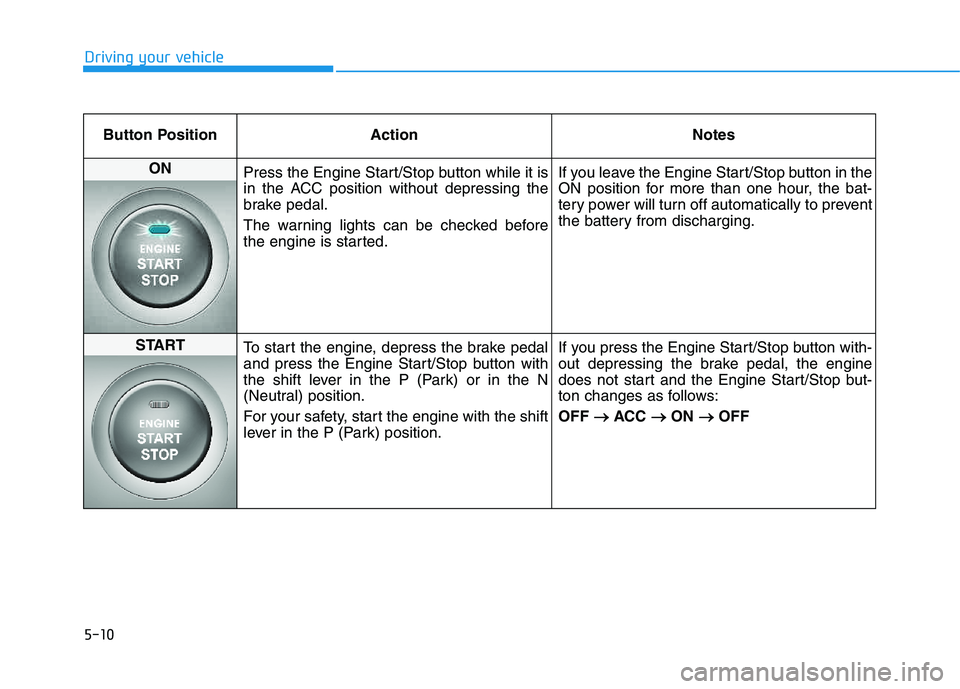
5-10
Driving your vehicle
Button Position ActionNotes
ON
Press the Engine Start/Stop button while it is
in the ACC position without depressing the
brake pedal.
The warning lights can be checked before
the engine is started. If you leave the Engine Start/Stop button in the
ON position for more than one hour, the bat-
tery power will turn off automatically to prevent
the battery from discharging.
START
To start the engine, depress the brake pedal
and press the Engine Start/Stop button with
the shift lever in the P (Park) or in the N
(Neutral) position.
For your safety, start the engine with the shift
lever in the P (Park) position. If you press the Engine Start/Stop button with-
out depressing the brake pedal, the engine
does not start and the Engine Start/Stop but-
ton changes as follows: OFF
ACC
ON
OFF
Page 413 of 542
6-7
What to do in an emergency
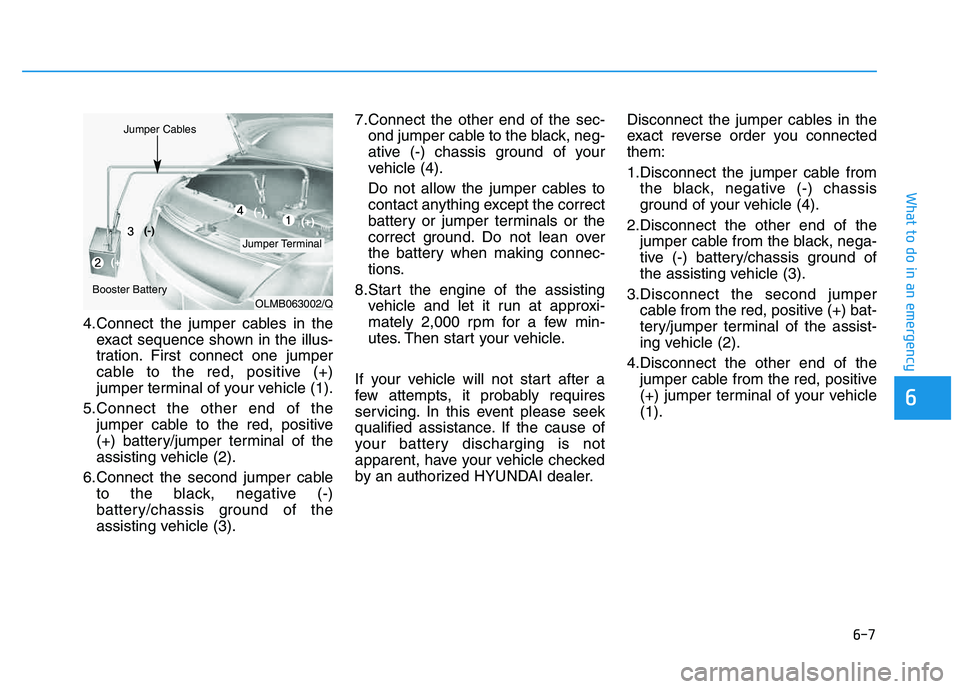
4.Connect the jumper cables in theexact sequence shown in the illus-
tration. First connect one jumper
cable to the red, positive (+)
jumper terminal of your vehicle (1).
5.Connect the other end of the jumper cable to the red, positive
(+) battery/jumper terminal of the
assisting vehicle (2).
6.Connect the second jumper cable to the black, negative (-)
battery/chassis ground of the
assisting vehicle (3). 7.Connect the other end of the sec-
ond jumper cable to the black, neg-
ative (-) chassis ground of your
vehicle (4).
Do not allow the jumper cables to
contact anything except the correct
battery or jumper terminals or the
correct ground. Do not lean over
the battery when making connec-
tions.
8.Start the engine of the assisting vehicle and let it run at approxi-
mately 2,000 rpm for a few min-
utes. Then start your vehicle.
If your vehicle will not start after a
few attempts, it probably requires
servicing. In this event please seek
qualified assistance. If the cause of
your battery discharging is not
apparent, have your vehicle checked
by an authorized HYUNDAI dealer. Disconnect the jumper cables in the
exact reverse order you connectedthem:
1.Disconnect the jumper cable from
the black, negative (-) chassis
ground of your vehicle (4).
2.Disconnect the other end of the jumper cable from the black, nega-
tive (-) battery/chassis ground of
the assisting vehicle (3).
3.Disconnect the second jumper cable from the red, positive (+) bat-
tery/jumper terminal of the assist-
ing vehicle (2).
4.Disconnect the other end of the jumper cable from the red, positive
(+) jumper terminal of your vehicle(1).
6
OLMB063002/Q
Jumper Terminal
Jumper Cables
Booster Battery(-)
(+) (+)
(-)
Page 431 of 542
7
Maintenance
7
Maintenance
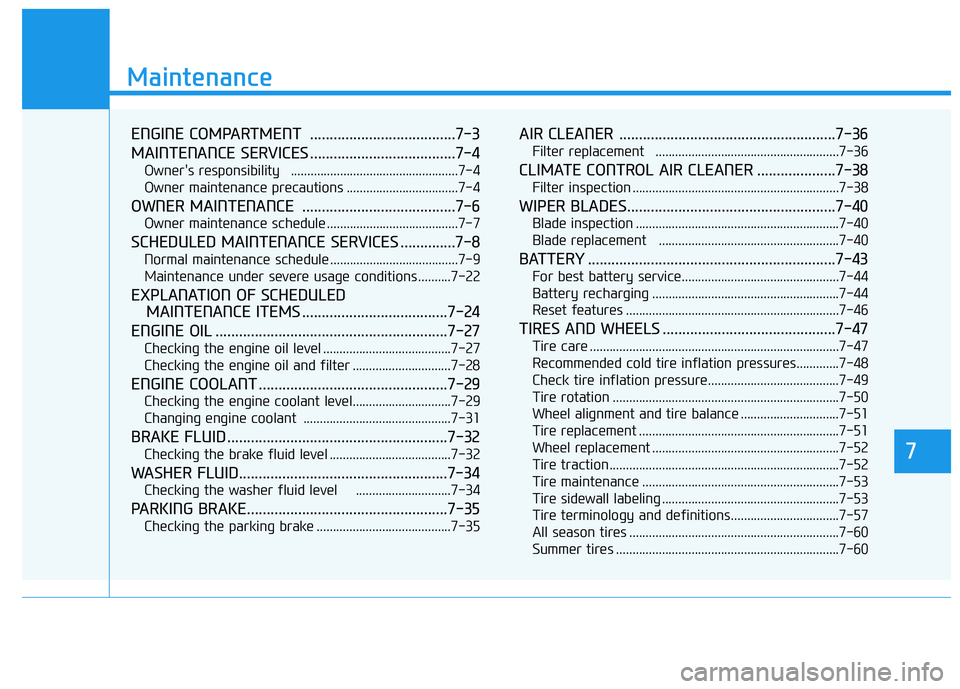
ENGINE COMPARTMENT .....................................7-3
MAINTENANCE SERVICES .....................................7-4
Owner's responsibility ...................................................7-4
Owner maintenance precautions ..................................7-4
OWNER MAINTENANCE .......................................7-6
Owner maintenance schedule ........................................7-7
SCHEDULED MAINTENANCE SERVICES ..............7-8
Normal maintenance schedule .......................................7-9
Maintenance under severe usage conditions ..........7-22
EXPLANATION OF SCHEDULED MAINTENANCE ITEMS .....................................7-24
ENGINE OIL ...........................................................7-27
Checking the engine oil level .......................................7-27
Checking the engine oil and filter ..............................7-28
ENGINE COOLANT ................................................7-29
Checking the engine coolant level..............................7-29
Changing engine coolant .............................................7-31
BRAKE FLUID ........................................................7-32
Checking the brake fluid level .....................................7-32
WASHER FLUID.....................................................7-34
Checking the washer fluid level .............................7-34
PARKING BRAKE...................................................7-35
Checking the parking brake .........................................7-35
AIR CLEANER .......................................................7-36
Filter replacement ........................................................7-36
CLIMATE CONTROL AIR CLEANER ....................7-38
Filter inspection ...............................................................7-38
WIPER BLADES.....................................................7-40
Blade inspection ..............................................................7-40
Blade replacement .......................................................7-40
BATTERY ...............................................................7-43
For best battery service................................................7-44
Battery recharging .........................................................7-44
Reset features .................................................................7-46
TIRES AND WHEELS ............................................7-47
Tire care ............................................................................7-47
Recommended cold tire inflation pressures.............7-48
Check tire inflation pressure........................................7-49
Tire rotation .....................................................................7-50
Wheel alignment and tire balance ..............................7-51
Tire replacement .............................................................7-51
Wheel replacement .........................................................7-52
Tire traction ......................................................................7-52
Tire maintenance ............................................................7-53
Tire sidewall labeling ......................................................7-53
Tire terminology and definitions.................................7-57
All season tires ................................................................7-60
Summer tires ....................................................................7-60
7
Page 475 of 542
7-45
7
Maintenance
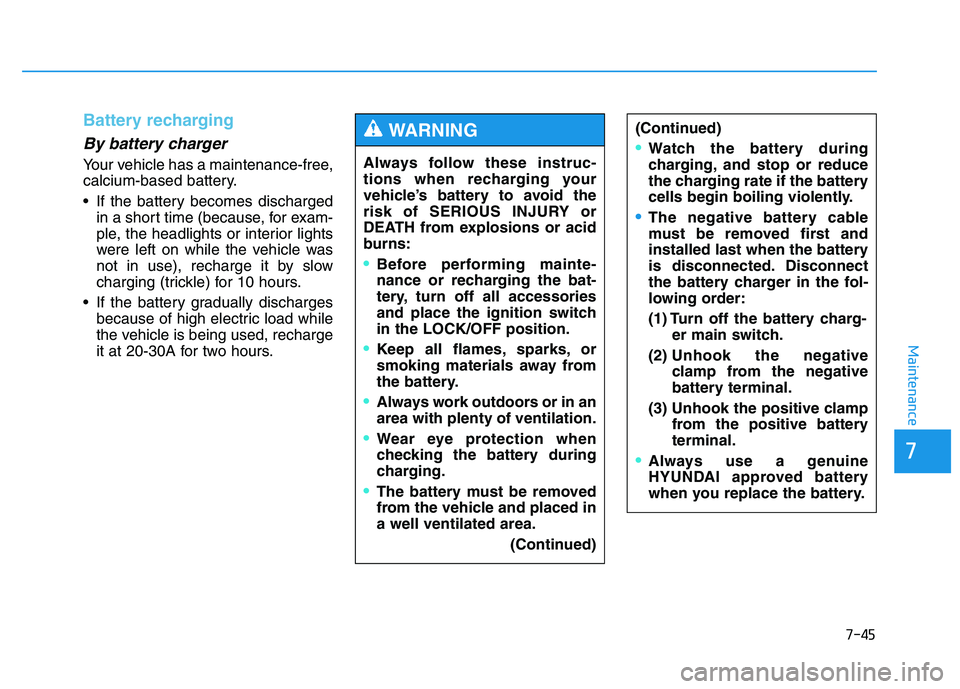
Battery recharging
By battery charger
Your vehicle has a maintenance-free,
calcium-based battery.
If the battery becomes dischargedin a short time (because, for exam-
ple, the headlights or interior lights
were left on while the vehicle was
not in use), recharge it by slow
charging (trickle) for 10 hours.
If the battery gradually discharges because of high electric load while
the vehicle is being used, recharge
it at 20-30A for two hours. Always follow these instruc-
tions when recharging your
vehicle’s battery to avoid the
risk of SERIOUS INJURY or
DEATH from explosions or acid
burns:
Before performing mainte-
nance or recharging the bat-
tery, turn off all accessories
and place the ignition switchin the LOCK/OFF position.
Keep all flames, sparks, or
smoking materials away from
the battery.
Always work outdoors or in an area with plenty of ventilation.
Wear eye protection when
checking the battery during
charging.
The battery must be removed
from the vehicle and placed ina well ventilated area.
(Continued)
WARNING (Continued)
Watch the battery during
charging, and stop or reduce
the charging rate if the battery
cells begin boiling violently.
The negative battery cable
must be removed first and
installed last when the battery
is disconnected. Disconnect
the battery charger in the fol-
lowing order:
(1) Turn off the battery charg-er main switch.
(2) Unhook the negative clamp from the negative
battery terminal.
(3) Unhook the positive clamp from the positive batteryterminal.
Always use a genuine
HYUNDAI approved battery
when you replace the battery.