Less HYUNDAI TUCSON 2015 User Guide
[x] Cancel search | Manufacturer: HYUNDAI, Model Year: 2015, Model line: TUCSON, Model: HYUNDAI TUCSON 2015Pages: 653, PDF Size: 8.45 MB
Page 139 of 653
3-53
Convenient features of your vehicle
3
Erasing HomeLink®
buttons
Individual buttons cannot be erased.
However, to erase all three pro-
grammed buttons:
1. Press and hold the two outer
HomeLink ®
buttons until the indi-
cator light begins to flash-after 20
seconds.
2. Release both buttons. Do not hold for longer than 30 seconds.
The Integrated HomeLink ®
Wireless
Control System is now in the training
(learn) mode and can be pro-
grammed at any time following the
appropriate steps in the Programming
chapters above. NVS ®
is a registered trademark and
Z-Nav™ is a trademark of the Gentex
Corporation, Zeeland, Michigan.HomeLink ®
is a registered trademark
owned by Johnson Controls,
Incorporated, Milwaukee, Wisconsin.
FCC ID: NZLZTVHL3
IC: 4112A-ZTVHL3 This device complies with Part 15 of the FCC Rules.
Operation is subject to the following
two conditions:
1. This device may not cause harm-
ful interference, and
2. This device must accept any inter- ference received, including inter-
ference that may cause undesired
operation.
Electric chromic mirror (ECM)
with HomeLink ®
system,
compass and Blue Link ®
(if equipped)
Your vehicle may be equipped with a
Gentex Automatic-Dimming Mirror
with a Z-Nav™ Electronic Compass
Display and an Integrated HomeLink ®
Wireless Control System. During
nighttime driving, this feature willautomatically detect and reduce
rearview mirror glare while the com-
pass indicates the direction the vehi-
cle is pointed. The HomeLink ®
Universal Transceiver allows you to
activate your garage door(s), electric
gate, home lighting, etc.
The transceiver has been testedand complies with FCC and
Industry Canada rules. Changes
or modifications not expressly
approved by the party responsi-
ble for compliance could voidthe user's authority to operate
the device.
WARNING
Page 142 of 653
3-56
Convenient features of your vehicle
To adjust the Zone setting:
1. Determine the desired ZoneNumber based upon your current
location on the Zone Map.
2. Press and hold the button for 6 seconds, the current Zone
Number will appear on the display.
3. Pressing and holding the button again will cause the numbers to
increment (Note: they will repeat
…13, 14, 15, 1, 2, …). Releasing
the button when the desired Zone
Number appears on the display
will set the new Zone.
4. Within about 5 seconds the com- pass will start displaying a com-pass heading again.
There are some conditions that can
cause changes to the vehicle mag-
nets, such as installing a ski rack or
a CB antenna. Body repair work on
the vehicle can also cause changes
to the vehicle's magnetic field. In
these situations, the compass will
need to be re-calibrated to quickly
correct these changes. If you need to recalibrate the com-pass:
1. Press and hold the button for
more than 9 seconds. When the
compass memory is cleared a "C"
will appear in the display.
2. Drive the vehicle in 2 complete cir- cles at less than 5 mph (8 km/h).Integrated HomeLink ®
Wireless
Control System
The HomeLink ®
Wireless Control
System can replace up to three
hand-held radio-frequency (RF)
transmitters with a single built-in
device. This innovative feature will
learn the radio frequency codes of
most current transmitters to operate
devices such as gate operators,
garage door openers, entry door
locks, security systems, even home
lighting. Both standard and rolling
code-equipped transmitters can be
programmed by following the out-
lined procedures. Additional HomeLink ®
information
can be found at: www.homelink.com
or by calling 1-800-355-3515.
Page 145 of 653
3-59
Convenient features of your vehicle
3
4. Firmly press, hold for 5 secondsand release the programmed HomeLink ®
button up to two sepa-
rate times to activate the door. If the
door does not activate, press and
hold the just-trained HomeLink ®
but-
ton and observe the indicator light.
stantly, programming is complete
and your device should activatewhen the HomeLink ®
button is
pressed and released.
for 2 seconds and then turns to a
constant light, continue with
"Programming" steps 5-7 to com-
plete the programming of a rolling
code equipped device (most com-
monly a garage door opener).
5. At the garage door opener receiv- er (motor-head unit) in the garage,
locate the "learn" or "smart" but-
ton. This can usually be foundwhere the hanging antenna wire isattached to the motor-head unit. 6. Firmly press and release the
"learn" or "smart" button. (The
name and color of the button vary
by manufacturer). There are 30seconds to initiate step 7.
7. Return to the vehicle and firmly press, hold for 2 seconds and
release the programmedHomeLink ®
button. Repeat the
"press/hold/release" sequence a
second time, and, depending on
the brand of the garage dooropener (or other rolling code
equipped device), repeat thissequence a third time to complete
the programming process.
HomeLink ®
should now activate your
rolling code equipped device.Gate operator & Canadian program-
ming
During programming, your handheld
transmitter may automatically stop
transmitting. Continue to press the
Integrated HomeLink ®
Wireless
Control System button (note steps 2
through 3 in the Programming portion
of this document) while you press
and re-press ("cycle") your handheld
transmitter every two seconds untilthe frequency signal has been
learned. The indicator light will flash
slowly and then rapidly after several
seconds upon successful training.
Operating HomeLink ®
To operate, simply press and release
the programmed HomeLink
®
button.
Activation will now occur for the
trained device (i.e. garage door
opener, gate operator, security sys-
tem, entry door lock, home/office
lighting, etc.). For convenience, the
hand-held transmitter of the device
may also be used at any time.
Page 146 of 653
3-60
Convenient features of your vehicle
Reprogramming a single HomeLink®
button
To program a device to HomeLink ®
using a HomeLink ®
button previously
trained, follow these steps:
1.Press and hold the desired HomeLink ®
button. DO NOT release
the button.
2.The indicator light will begin to flash after 20 seconds. Without releasing the HomeLink ®
button, proceed
with "Programming" step 2.
For questions or comments, contactHomeLink ®
at www
.homelink.comor
1-800-355-3515.
Erasing HomeLink®buttons
Individual buttons cannot be erased.
However, to erase all three pro-
grammed buttons:
1. Press and hold the two outer HomeLink ®
buttons until the indi-
cator light begins to flash after 10
seconds.
2. Release both buttons. Do not hold for longer than 20 seconds.
The Integrated HomeLink ®
Wireless
Control System is now in the training
(learn) mode and can be pro-
grammed at any time following the
appropriate steps in the
Programming chapters above. NVS
®
is a registered trademark and
Z-Nav™ is a trademark of the
Gentex Corporation, Zeeland,
Michigan. HomeLink ®
is a registered
trademark owned by Johnson
Controls, Incorporated, Milwaukee,Wisconsin.
Page 151 of 653
3-65
Convenient features of your vehicle
3
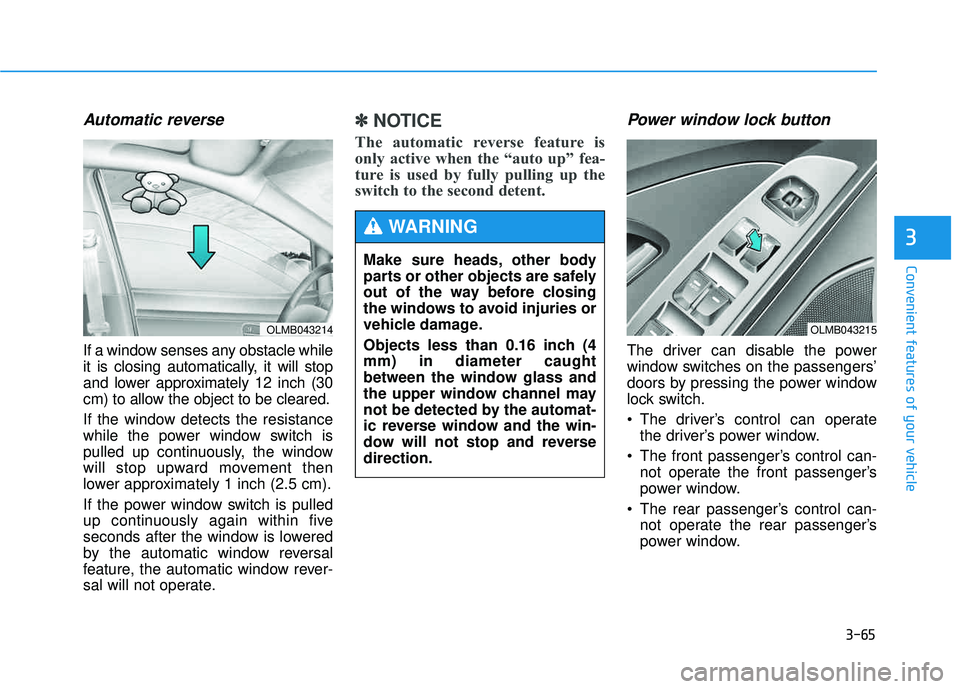
Automatic reverse
If a window senses any obstacle while
it is closing automatically, it will stop
and lower approximately 12 inch (30
cm) to allow the object to be cleared.
If the window detects the resistance
while the power window switch is
pulled up continuously, the window
will stop upward movement then
lower approximately 1 inch (2.5 cm).
If the power window switch is pulled
up continuously again within five
seconds after the window is lowered
by the automatic window reversal
feature, the automatic window rever-
sal will not operate.
✽✽NOTICE
The automatic reverse feature is
only active when the “auto up” fea-
ture is used by fully pulling up the
switch to the second detent. Power window lock button
The driver can disable the power
window switches on the passengers’
doors by pressing the power window
lock switch.
The driver’s control can operate the driver’s power window.
The front passenger’s control can- not operate the front passenger’s
power window.
The rear passenger’s control can- not operate the rear passenger’s
power window.
OLMB043214
Make sure heads, other body
parts or other objects are safely
out of the way before closing
the windows to avoid injuries or
vehicle damage.
Objects less than 0.16 inch (4 mm) in diameter caught
between the window glass and
the upper window channel may
not be detected by the automat-
ic reverse window and the win-
dow will not stop and reversedirection.
WARNING
OLMB043215
Page 153 of 653
3-67
Convenient features of your vehicle
3
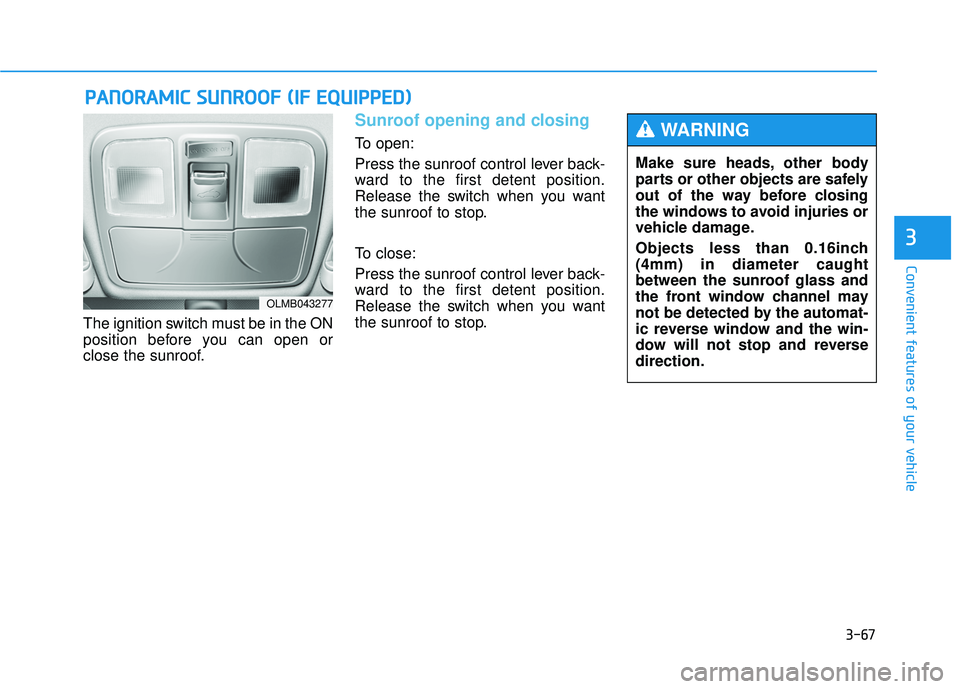
The ignition switch must be in the ON
position before you can open or
close the sunroof.
Sunroof opening and closing
To open:
Press the sunroof control lever back-
ward to the first detent position.
Release the switch when you want
the sunroof to stop.
To close:
Press the sunroof control lever back-
ward to the first detent position.
Release the switch when you want
the sunroof to stop.
PPAA NN OO RRAA MM IICC SS UU NNRROO OOFF (( IIFF EE QQ UUIIPP PP EEDD ))
OLMB043277
Make sure heads, other body
parts or other objects are safely
out of the way before closing
the windows to avoid injuries or
vehicle damage.
Objects less than 0.16inch (4mm) in diameter caught
between the sunroof glass and
the front window channel may
not be detected by the automat-
ic reverse window and the win-
dow will not stop and reversedirection.
WARNING
Page 174 of 653
3-88
Convenient features of your vehicle
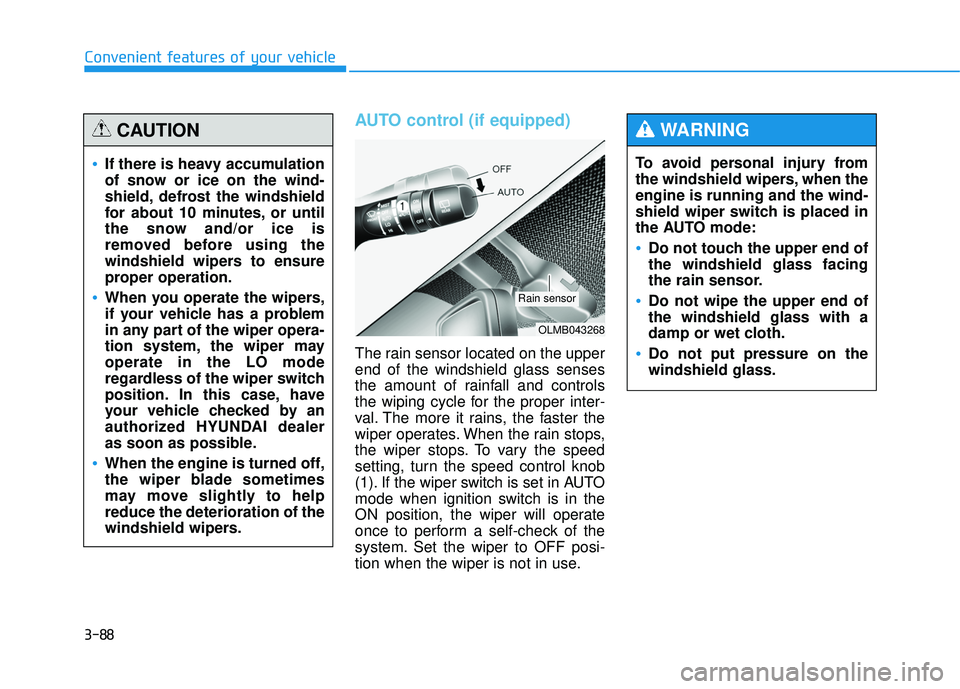
AUTO control (if equipped)
The rain sensor located on the upper end of the windshield glass senses
the amount of rainfall and controls
the wiping cycle for the proper inter-
val. The more it rains, the faster the
wiper operates. When the rain stops,
the wiper stops. To vary the speed
setting, turn the speed control knob
(1). If the wiper switch is set in AUTO
mode when ignition switch is in the
ON position, the wiper will operate
once to perform a self-check of the
system. Set the wiper to OFF posi-
tion when the wiper is not in use.To avoid personal injury from
the windshield wipers, when theengine is running and the wind-
shield wiper switch is placed in
the AUTO mode:
Do not touch the upper end of the windshield glass facing
the rain sensor.
Do not wipe the upper end of the windshield glass with a
damp or wet cloth.
Do not put pressure on the windshield glass.
WARNING
If there is heavy accumulation
of snow or ice on the wind-
shield, defrost the windshield
for about 10 minutes, or until
the snow and/or ice is
removed before using the
windshield wipers to ensure
proper operation.
When you operate the wipers,
if your vehicle has a problem
in any part of the wiper opera-
tion system, the wiper mayoperate in the LO mode
regardless of the wiper switch
position. In this case, have
your vehicle checked by an
authorized HYUNDAI dealer
as soon as possible.
When the engine is turned off,
the wiper blade sometimes
may move slightly to helpreduce the deterioration of the
windshield wipers.
CAUTION
OLMB043268
Rain sensor
Page 206 of 653
3-120
Convenient features of your vehicle
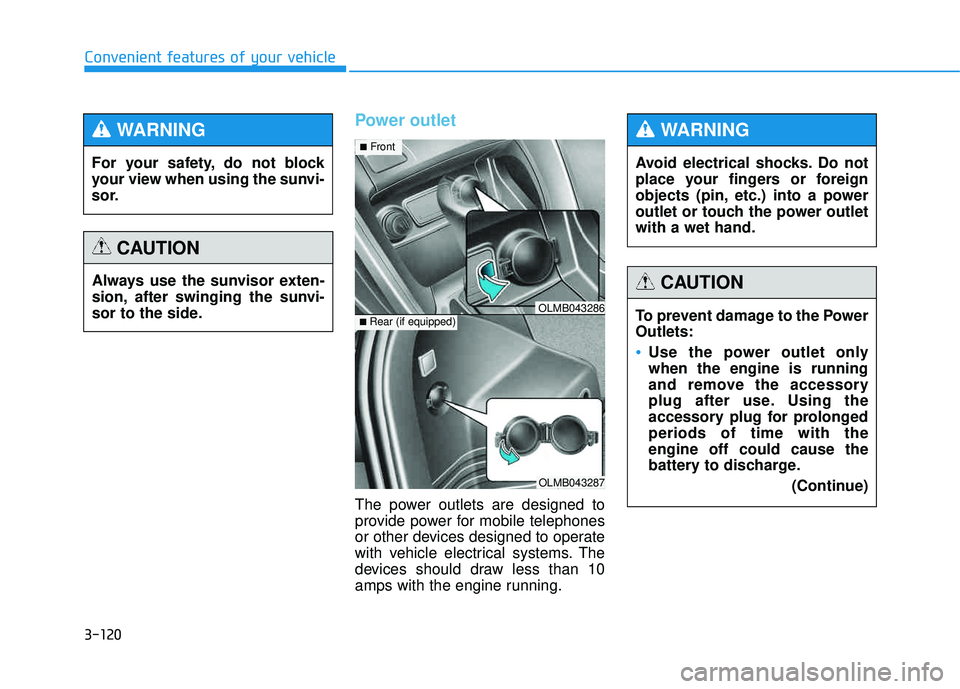
Power outlet
The power outlets are designed to
provide power for mobile telephones
or other devices designed to operate
with vehicle electrical systems. The
devices should draw less than 10
amps with the engine running.
OLMB043287
■Rear (if equipped)OLMB043286
■ Front
For your safety, do not block
your view when using the sunvi-
sor.
WARNING
Always use the sunvisor exten-
sion, after swinging the sunvi-
sor to the side.
CAUTION
Avoid electrical shocks. Do not
place your fingers or foreign
objects (pin, etc.) into a power
outlet or touch the power outletwith a wet hand.
WARNING
To prevent damage to the Power Outlets:
Use the power outlet only when the engine is running
and remove the accessory
plug after use. Using the
accessory plug for prolongedperiods of time with theengine off could cause the
battery to discharge.
(Continue)
CAUTION
Page 207 of 653
3-121
Convenient features of your vehicle
3
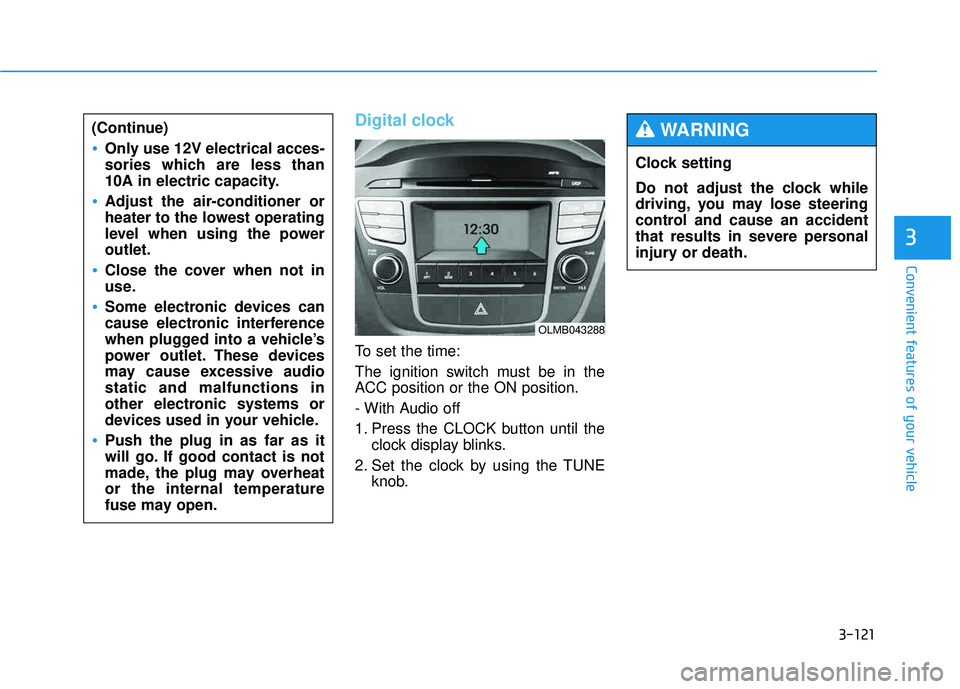
Digital clock
To set the time:
The ignition switch must be in the
ACC position or the ON position.
- With Audio off
1. Press the CLOCK button until theclock display blinks.
2. Set the clock by using the TUNE knob.
(Continue)
Only use 12V electrical acces-
sories which are less than
10A in electric capacity.
Adjust the air-conditioner or
heater to the lowest operating
level when using the poweroutlet.
Close the cover when not in
use.
Some electronic devices can
cause electronic interference
when plugged into a vehicle’s
power outlet. These devices
may cause excessive audiostatic and malfunctions in
other electronic systems or
devices used in your vehicle.
Push the plug in as far as it
will go. If good contact is not
made, the plug may overheator the internal temperature
fuse may open.
OLMB043288
Clock setting
Do not adjust the clock while
driving, you may lose steering
control and cause an accident
that results in severe personal
injury or death.
WARNING
Page 212 of 653
Multimedia System
AUDIO SYSTEM ......................................................4-2
HOW VEHICLE AUDIO WORKS .............................4-4
BEFORE READING THE MANUAL,
CHECK THE FOLLOWING.....................................4-15
CD PLAYER : AC110TMKN, AC1B0TMKN, AC1B1TMAN ......................4-16/4-126
System controllers and functions..................4-17/4-127
Setup .....................................................................4-20/4-130
Radio : FM, AM OR XM ....................................4-24/4-134
Basic method of use .........................................4-27/4-137
Bluetooth®Wireless Technology Audio ........4-34/4-144
Phone ....................................................................4-36/4-146
Voice command list ............................................4-53/4-163
CD PLAYER : AC111TMAN,
AC110TMAN ..............................................4-59/4-169
System controllers and functions..................4-60/4-170
Steering remote controller ..............................4-62/4-172
RADIO mode ........................................................4-64/4-174XM RADIO TM
mode..............................................4-66/4-176
MEDIA mode ........................................................4-70/4-180
AUDIO CD mode ..................................................4-71/4-181
MP3 CD mode .....................................................4-74/4-184
USB mode.............................................................4-80/4-190
iPod ®
mode ..........................................................4-85/4-195
AUX mode ............................................................4-88/4-198 MY MUSIC mode ................................................4-90/4-200
Bluetooth
®Wireless Technology Audio ........4-94/4-204
Pairing a
Bluetooth ®Wireless Technology
Device .......................................................................4-95/4-205Using
Bluetooth ® Wireless Technology.......4-100/4-210
Voice recognition .............................................4-108/4-218
Setup ...................................................................4-115/4-225
Rear view camera ............................................4-121/4-231 Blue Link ®
...........................................................4-122/4-232
4