bluetooth HYUNDAI TUCSON 2015 Workshop Manual
[x] Cancel search | Manufacturer: HYUNDAI, Model Year: 2015, Model line: TUCSON, Model: HYUNDAI TUCSON 2015Pages: 653, PDF Size: 8.45 MB
Page 357 of 653
4-146
Multimedia System
PPHH OO NNEE
Before using the Bluetooth®Wireless
Technology phone features
Bluetooth®Wireless
Technology phone, you must first pair and connect the
Bluetooth®
Wireless Technology mobile phone.
connected, it is not possible to enter
Phone mode. Once a phone ispaired or connected, the guidance
screen will be displayed.
(IGN/ACC ON), the
Bluetooth®
Wireless Technology phone will be
automatically connected. Even if you
are outside, the
Bluetooth® Wireless
Technology phone will be automati-
cally connected once you are in the
vicinity of the vehicle. If you do not
want automatic
Bluetooth®Wireless
Technology phone connection, setthe
Bluetooth®Wireless Technology
power to OFF.
PP HH OO NNEE
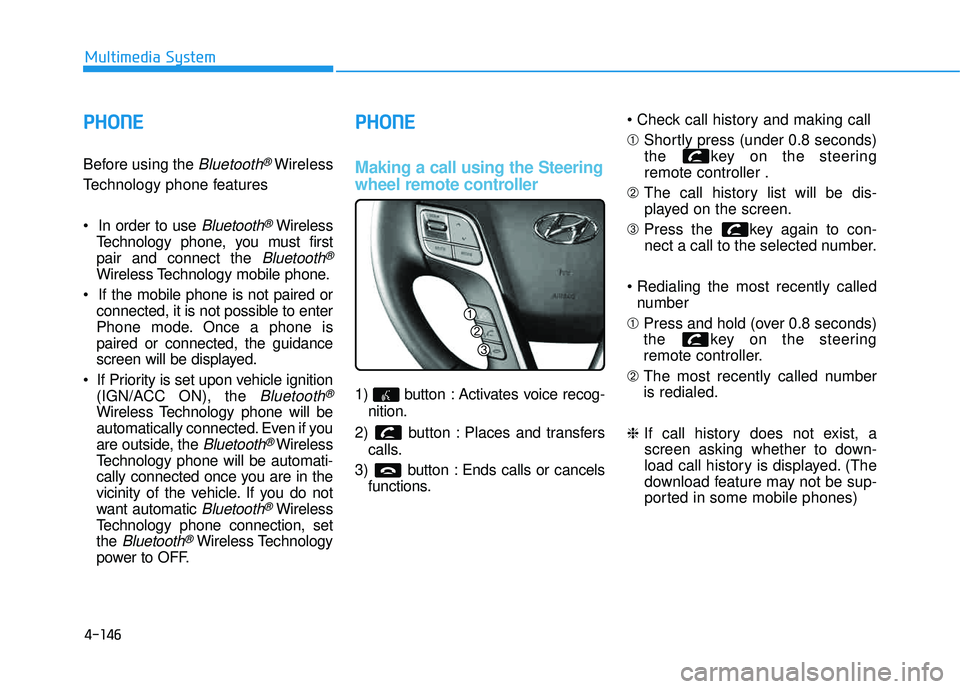
Making a call using the Steering
wheel remote controller
1) button : Activates voice recog-
nition.
2) button : Places and transfers calls.
3) button : Ends calls or cancels functions. ➀
Shortly press (under 0.8 seconds)
the key on the steering remote controller .
➁ The call history list will be dis-
played on the screen.
➂ Press the key again to con-
nect a call to the selected number.
number
➀ Press and hold (over 0.8 seconds)
the key on the steering
remote controller.
➁ The most recently called numberis redialed.
❈ If call history does not exist, a
screen asking whether to down-
load call history is displayed. (The
download feature may not be sup-
ported in some mobile phones)
Page 358 of 653
4-147
Multimedia System
4
Pairing a Bluetooth®Wireless
Technology Device
What is Bluetooth®Wireless
Technology Pairing?
Pairing refers to the process of syn-
chronizing your
Bluetooth®Wireless
Technology phone or device with the
car audio system for connection.
Pairing is necessary to connect anduse the
Bluetooth®Wireless
Technology feature.
Driving while distracted can
result in a loss of vehicle con-
trol that may lead to an acci-
dent, severe personal injury,
and death. The driver’s primary
responsibility is in the safeand legal operation of a vehi-
cle, and use of any handheld
devices, other equipment, or
vehicle systems which take
the driver’s eyes, attention and
focus away from the safe oper-
ation of a vehicle or which are
not permissible by law should
never be used during opera-
tion of the vehicle.
WARNING
Page 359 of 653
4-148
Multimedia System
Pairing Key / Key
on the Steering Remote
Controller
When No Devices have been
Paired
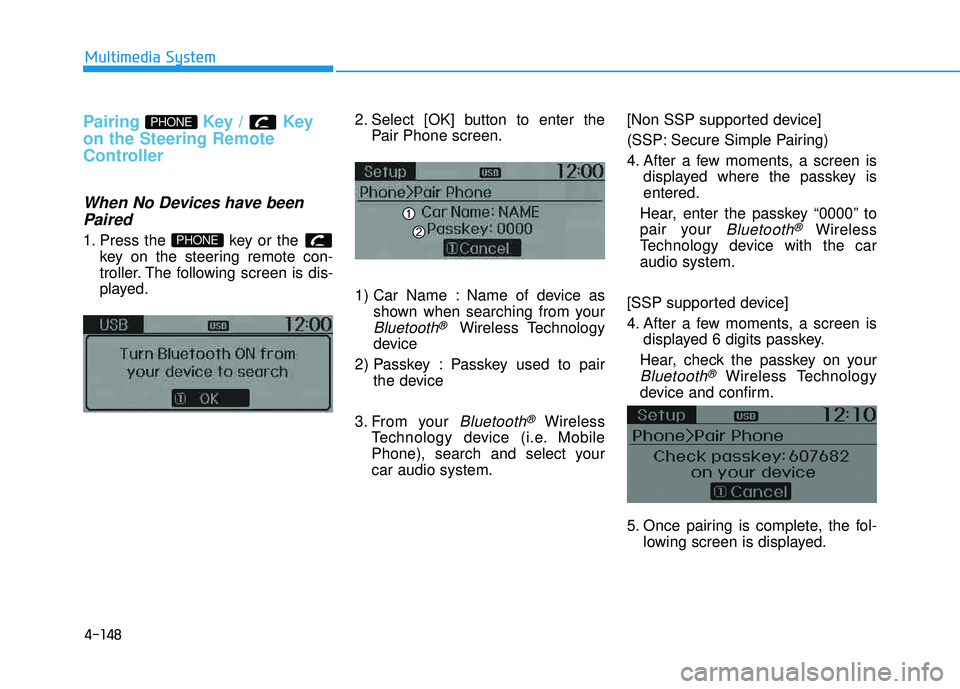
1. Press the key or the key on the steering remote con-
troller. The following screen is dis-
played. 2. Select [OK] button to enter the
Pair Phone screen.
1) Car Name : Name of device as shown when searching from your
Bluetooth®Wireless Technology
device
2) Passkey : Passkey used to pair the device
3. From your
Bluetooth®Wireless
Technology device (i.e. Mobile
Phone), search and select yourcar audio system. [Non SSP supported device]
(SSP: Secure Simple Pairing)
4. After a few moments, a screen is
displayed where the passkey is entered.
Hear, enter the passkey “0000” to
pair your
Bluetooth®Wireless
Technology device with the caraudio system.
[SSP supported device]
4. After a few moments, a screen is displayed 6 digits passkey.
Hear, check the passkey on your
Bluetooth®Wireless Technology
device and confirm.
5. Once pairing is complete, the fol- lowing screen is displayed.
PHONE
PHONE
Page 360 of 653
4-149
Multimedia System
4
✽✽NOTICE
If Bluetooth ®
Wireless Technology
devices are paired but none are cur-
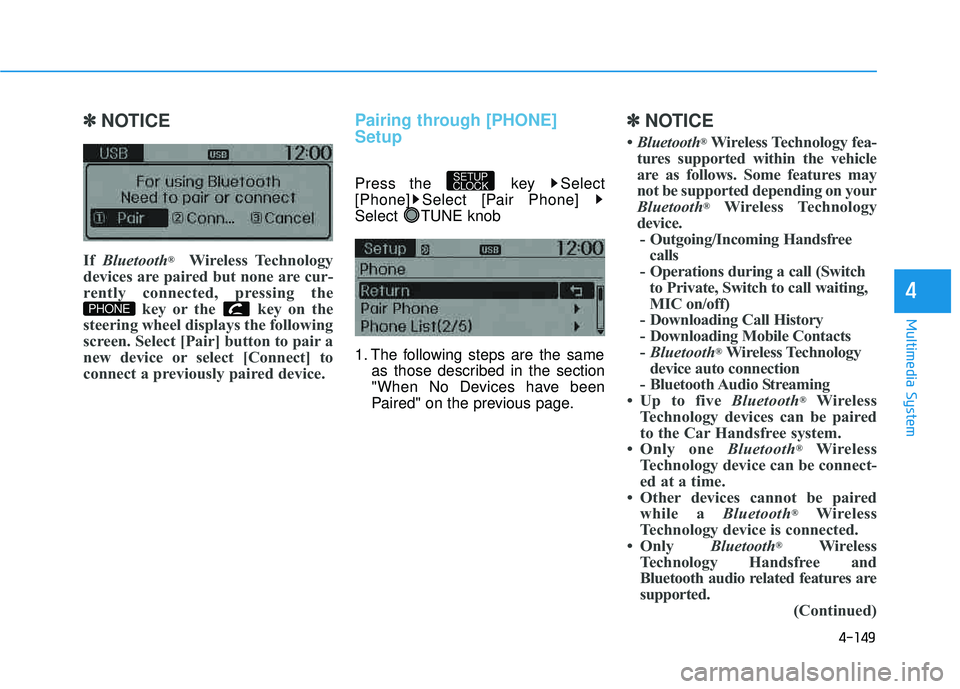
rently connected, pressing the key or the key on the
steering wheel displays the following
screen. Select [Pair] button to pair a
new device or select [Connect] to
connect a previously paired device.Pairing through [PHONE] Setup
Press the key Select
[Phone] Select [Pair Phone]
Select TUNE knob
1. The following steps are the same as those described in the section
"When No Devices have been
Paired" on the previous page.
✽✽ NOTICE
Bluetooth ®
Wireless Technology fea-
tures supported within the vehicle
are as follows. Some features may
not be supported depending on your
Bluetooth ®
Wireless Technology
device. - Outgoing/Incoming Handsfree calls
- Operations during a call (Switch to Private, Switch to call waiting,
MIC on/off)
- Downloading Call History
- Downloading Mobile Contacts- Bluetooth ®
Wireless Technology
device auto connection
- Bluetooth Audio Streaming
Up to five Bluetooth®
Wireless
Technology devices can be paired
to the Car Handsfree system.
Only one Bluetooth®
Wireless
Technology device can be connect-
ed at a time.
Other devices cannot be paired while a Bluetooth®
Wireless
Technology device is connected.
Only Bluetooth®
Wireless
Technology Handsfree and
Bluetooth audio related features are
supported. (Continued)
SETUP
CLOCK
PHONE
Page 361 of 653
4-150
Multimedia System
(Continued)
Bluetooth related operations arepossible only within devices that
support Handsfree or audio fea-
tures, such as a Bluetooth®
Wireless Technology mobile phone
or a Bluetooth audio device.
If a connected Bluetooth®
Wireless
Technology device becomes discon-
nected due to being out of commu-
nication range, turning the device
OFF, or a Bluetooth®
Wireless
Technology communication error,
corresponding Bluetooth®
Wireless
Technology devices are automati-
cally searched and reconnected.
If the system becomes unstable due to communication errors between
the car Handsfree and the
Bluetooth ®
Wireless Technology
device, reset the device by turning
off and back on again. Upon reset-
ting Bluetooth ®
Wireless Technology
device, the system will be restored. (Continued)(Continued)
After pairing is complete, a con-
tacts download request is sent once
to the mobile phone. Some mobile
phones may require confirmation
upon receiving a download
request, ensure your mobile phone
accepts the connection. Refer to
your phones user’s manual for
additional information regarding
phone pairing and connections.
Page 362 of 653
![HYUNDAI TUCSON 2015 Workshop Manual 4-151
Multimedia System
4
Connecting a Device
Press the key Select
[Phone] Select [Paired Phone List]
1) Connected Phone : Device that iscurrently connected
2) Paired Phone : Device that is paired](/img/35/56202/w960_56202-361.png "HYUNDAI TUCSON 2015 Workshop Manual 4-151
Multimedia System
4
Connecting a Device
Press the key Select
[Phone] Select [Paired Phone List]
1) Connected Phone : Device that iscurrently connected
2) Paired Phone : Device that is paired")
4-151
Multimedia System
4
Connecting a Device
Press the key Select
[Phone] Select [Paired Phone List]
1) Connected Phone : Device that iscurrently connected
2) Paired Phone : Device that is paired but not connected From the paired phone list, select the
device you want to connect andselect [Connect].
Changing Priority
What is Priority?
It is possible to pair up to five
Bluetooth®Wireless Technology
devices with the car audio system.
The "Change Priority" feature is used
to set the connection priority of
paired phones.
Press the key Select
[Phone] Select [Paired Phone List]
SETUP
CLOCK
SETUP
CLOCK
Page 364 of 653
![HYUNDAI TUCSON 2015 Workshop Manual 4-153
Multimedia System
4
Disconnecting a Device
Press the key Select
[Phone] Select [Paired Phone List]
From the paired phone list, select the
currently connected device and
select [Disconnect] b](/img/35/56202/w960_56202-363.png "HYUNDAI TUCSON 2015 Workshop Manual 4-153
Multimedia System
4
Disconnecting a Device
Press the key Select
[Phone] Select [Paired Phone List]
From the paired phone list, select the
currently connected device and
select [Disconnect] b")
4-153
Multimedia System
4
Disconnecting a Device
Press the key Select
[Phone] Select [Paired Phone List]
From the paired phone list, select the
currently connected device and
select [Disconnect] button.
Deleting a Device
Press the key Select
[Phone] Select [Paired Phone List]
From the paired phone list, select the
device you want to delete and select
[Delete] button.
✽✽NOTICE
When deleting the currently con- nected device, the device will auto-
matically be disconnected to pro-
ceed with the deleting process.
If a paired Bluetooth®
Wireless
Technology device is deleted, the
device’s call history and contacts
data will also be deleted.
To re-use a deleted device, you must pair the device again.
SETUP
CLOCKSETUP
CLOCK
Page 365 of 653
4-154
Multimedia System
UUSSIINN GG BBlluu eettoo ootthh®®WW iirr ee llee ssss
T
T eecchh nnoo lloo ggyy
Phone Menu Screen
Phone Menus
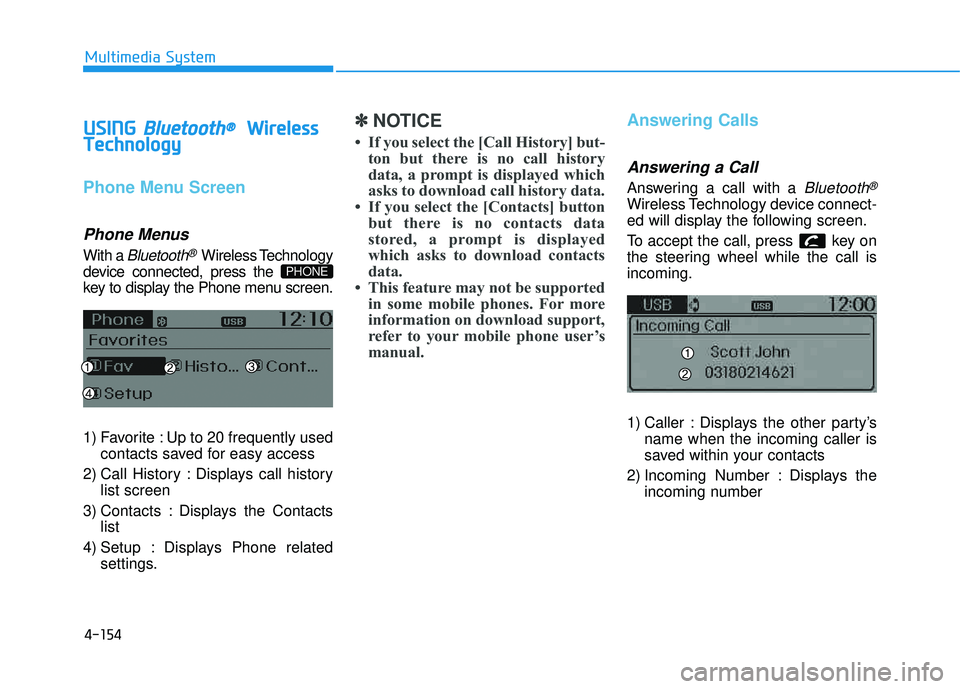
With a Bluetooth®Wireless Technology
device connected, press the
key to display the Phone menu screen.
1) Favorite : Up to 20 frequently used contacts saved for easy access
2) Call History : Displays call history list screen
3) Contacts : Displays the Contacts list
4) Setup : Displays Phone related settings.
✽✽ NOTICE
If you select the [Call History] but- ton but there is no call history
data, a prompt is displayed which
asks to download call history data.
If you select the [Contacts] button but there is no contacts data
stored, a prompt is displayed
which asks to download contacts
data.
This feature may not be supported in some mobile phones. For more
information on download support,
refer to your mobile phone user’s
manual.Answering Calls
Answering a Call
Answering a call with a Bluetooth®
Wireless Technology device connect-
ed will display the following screen.
To accept the call, press key on
the steering wheel while the call isincoming.
1) Caller : Displays the other party’s name when the incoming caller is
saved within your contacts
2) Incoming Number : Displays the incoming number
PHONE
Page 366 of 653
4-155
Multimedia System
4
✽✽NOTICE
When an incoming call pop-up is displayed, most Audio and
SETUP mode features are dis-
abled. Only the call volume will
operate.
The telephone number may not be properly displayed in some mobile
phones.
When a call is answered with the mobile phone, the call mode will
automatically revert to Private
mode.Favorites
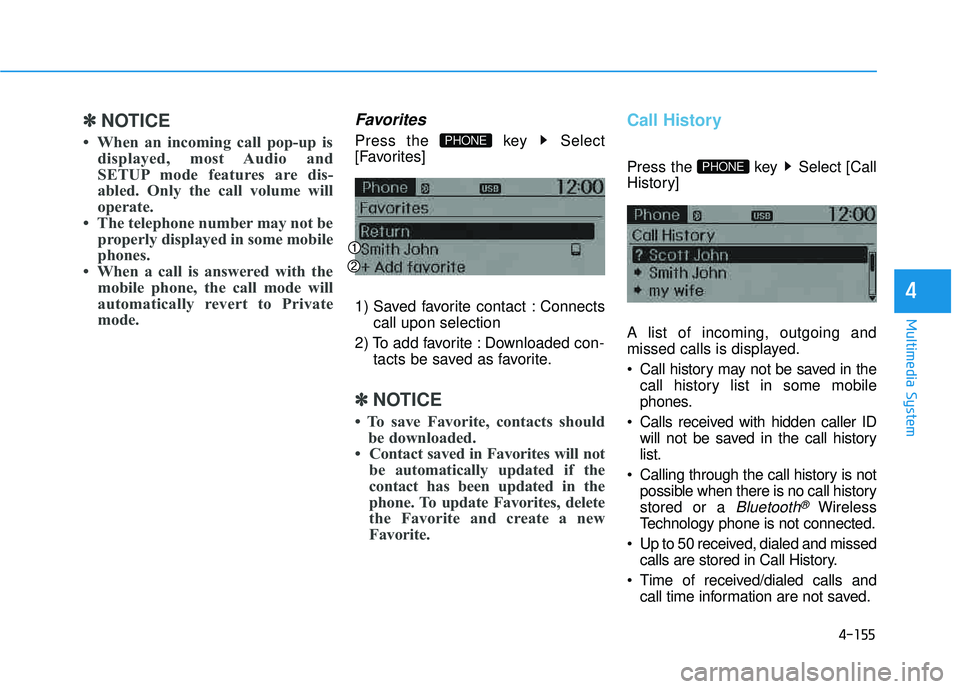
Press the key Select
[Favorites]
1) Saved favorite contact : Connects call upon selection
2) To add favorite : Downloaded con- tacts be saved as favorite.
✽✽NOTICE
To save Favorite, contacts should be downloaded.
Contact saved in Favorites will not be automatically updated if the
contact has been updated in the
phone. To update Favorites, delete
the Favorite and create a new
Favorite.
Call History
Press the key Select [Call
History] A list of incoming, outgoing and
missed calls is displayed.
Call history may not be saved in thecall history list in some mobile
phones.
Calls received with hidden caller ID will not be saved in the call historylist.
Calling through the call history is not possible when there is no call historystored or a
Bluetooth®Wireless
Technology phone is not connected.
Up to 50 received, dialed and missed calls are stored in Call History.
Time of received/dialed calls and call time information are not saved.
PHONE
PHONE
Page 367 of 653
![HYUNDAI TUCSON 2015 Workshop Manual 4-156
Multimedia System
Contacts
Press the key Select [Contacts]
The list of saved phone book entries
is displayed.
NOTE: Find a contact in an alphabetical
order, press the key.
✽✽NOTICE
](/img/35/56202/w960_56202-366.png "HYUNDAI TUCSON 2015 Workshop Manual 4-156
Multimedia System
Contacts
Press the key Select [Contacts]
The list of saved phone book entries
is displayed.
NOTE: Find a contact in an alphabetical
order, press the key.
✽✽NOTICE
")
4-156
Multimedia System
Contacts
Press the key Select [Contacts]
The list of saved phone book entries
is displayed.
NOTE: Find a contact in an alphabetical
order, press the key.
✽✽NOTICE
Up to 1,000 contacts saved in your Bluetooth ®
Wireless Technology
phone can be downloaded into the
car contacts. Contacts that have
been downloaded to the car cannot
be edited or deleted on the phone.
Mobile phone contacts are man- aged separately for each paired
Bluetooth ®
Wireless Technology
device (max 5 devices x 1,000 con-
tacts each). Previously downloaded
data is maintained even if the
Bluetooth ®
Wireless Technology
device has been disconnected.
(However, the contacts and call
history saved to the phone will be
deleted if a paired phone is delet-
ed.)
It is possible to download contacts during Bluetooth streaming audio.
When downloading contacts, the icon will be displayed within the
status bar.
(Continued)(Continued)
It is not possible to begin down-
loading a contact list when the
contact download feature has been
turned off within the Bluetooth®
Wireless Technology device. In
addition, some devices may
require device authorization upon
attempting to download contacts.
If downloading does not normally
occur, check the Bluetooth®
Wireless Technology device set-
tings or the screen state.
The contacts download feature may not be supported in some
mobile phones. For more informa-
tion of supported Bluetooth®
devices and function support,
refer to your phone’s user manual.
MENU
PHONE