key HYUNDAI TUCSON 2016 Owner's Guide
[x] Cancel search | Manufacturer: HYUNDAI, Model Year: 2016, Model line: TUCSON, Model: HYUNDAI TUCSON 2016Pages: 642, PDF Size: 9.78 MB
Page 190 of 642
3-92
Convenient features of your vehicle
Average Fuel Economy (2)
The average fuel economy is calcu-lated by the total driving distance and fuel consumption since the last
average fuel economy reset.
- Fuel economy range:0.0 ~ 99.9 MPG or L/100km or km/L
The average fuel economy can be reset both manually and automati-
cally.
Manual reset
To clear the average fuel economy
manually, press the OK button on the
steering wheel for more than 1 sec-
ond when the average fuel economy
is displayed.
For more information on the OK
button, refer to the "LCD Display
Control" in this chapter.
Automatic reset
To reset the average fuel economy
automatically whenever refueling,select the "After refueling" mode in
User Setting menu of the LCD display(Refer to "LCD Display" ).
Under "After refueling" mode, the
average fuel economy will be cleared
to zero (---) when the vehicle speed
exceeds 1 km/h after refueling morethan 1.6 gallons (6 liters).
Information
The vehicle must be driven for a min-
imum of 0.19 mile [0.3 km] since the
last ignition key cycle before the aver-
age fuel economy will be recalculated.
Instant Fuel Economy (3)
This mode displays the instanta-
neous fuel economy while driving
when the vehicle speed is greaterthan 6.2 mph [10 kph].
- Fuel economy range: 0 ~ 50 MPG or 0 ~ 30 L/100km
i
Page 200 of 642
3-102
Convenient features of your vehicle
Indicator Lights
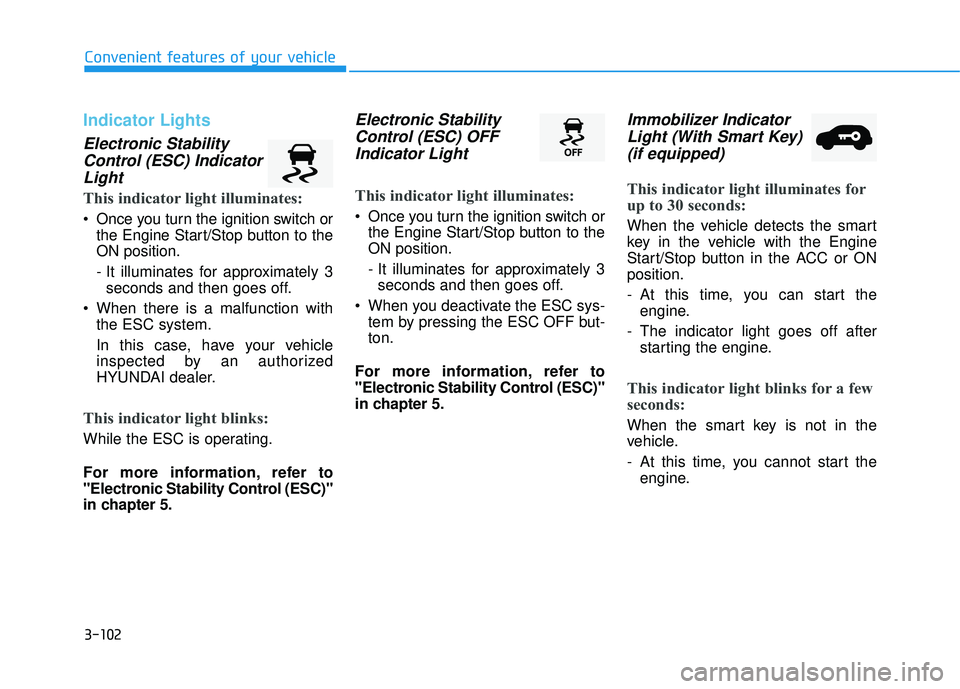
Electronic StabilityControl (ESC) IndicatorLight
This indicator light illuminates:
Once you turn the ignition switch or the Engine Start/Stop button to the ON position.
- It illuminates for approximately 3seconds and then goes off.
When there is a malfunction with the ESC system.
In this case, have your vehicle
inspected by an authorized
HYUNDAI dealer.
This indicator light blinks:
While the ESC is operating.
For more information, refer to
"Electronic Stability Control (ESC)"
in chapter 5.
Electronic Stability
Control (ESC) OFFIndicator Light
This indicator light illuminates:
Once you turn the ignition switch or the Engine Start/Stop button to the ON position.
- It illuminates for approximately 3seconds and then goes off.
When you deactivate the ESC sys- tem by pressing the ESC OFF but- ton.
For more information, refer to
"Electronic Stability Control (ESC)"
in chapter 5.
Immobilizer Indicator Light (With Smart Key)(if equipped)
This indicator light illuminates for
up to 30 seconds:
When the vehicle detects the smart
key in the vehicle with the Engine
Start/Stop button in the ACC or ONposition.
- At this time, you can start the engine.
- The indicator light goes off after starting the engine.
This indicator light blinks for a few
seconds:
When the smart key is not in the
vehicle.
- At this time, you cannot start theengine.
Page 201 of 642
3-103
Convenient features of your vehicle
3
This indicator light illuminates for
2 seconds and goes off:
If the smart key is in the vehicle and
the Engine Start/Stop button is ON,
but the vehicle cannot detect the
smart key.
In this case, have your vehicle inspect-
ed by an authorized HYUNDAI dealer.
This indicator light blinks:
When the battery voltage of thesmart key is low.
- At this time, you can not start theengine. However, you can start the
engine if you press the ignition
switch or the Engine Start/Stop but-
ton with the smart key. (For more
information, refer to "Starting
the Engine" in chapter 5) .
When there is a malfunction with the immobilizer system.
In this case, have your vehicle
inspected by an authorized
HYUNDAI dealer.
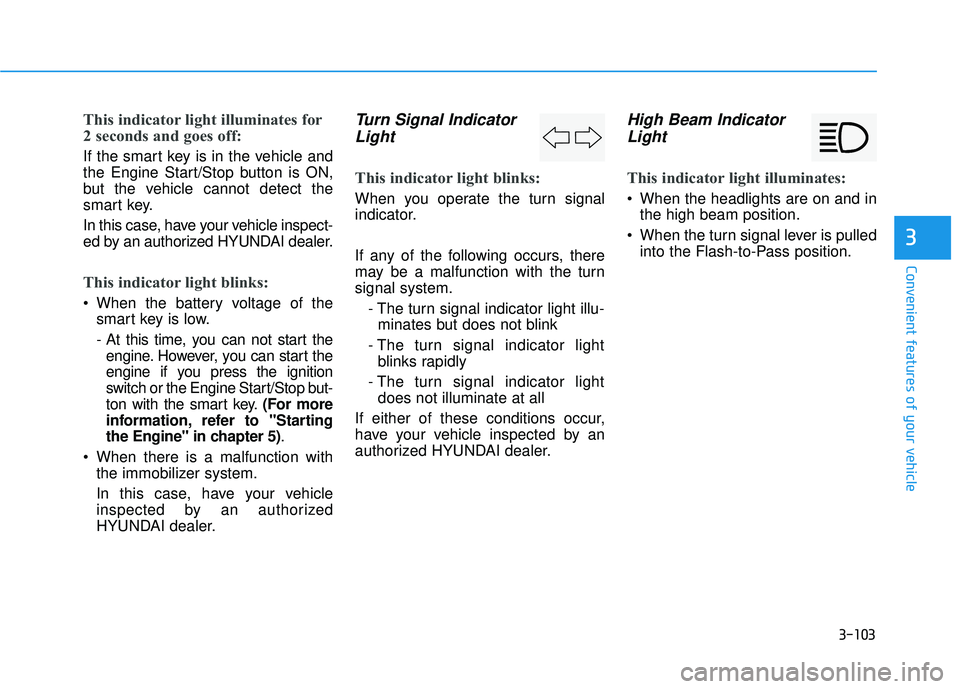
Turn Signal Indicator
Light
This indicator light blinks:
When you operate the turn signal
indicator.
If any of the following occurs, there
may be a malfunction with the turnsignal system.
- The turn signal indicator light illu-minates but does not blink
- The turn signal indicator light blinks rapidly
- The turn signal indicator light does not illuminate at all
If either of these conditions occur,
have your vehicle inspected by an
authorized HYUNDAI dealer.
High Beam Indicator Light
This indicator light illuminates:
When the headlights are on and in the high beam position.
When the turn signal lever is pulled into the Flash-to-Pass position.
Page 209 of 642
3-111
Convenient features of your vehicle
3
When in operation, the fog lamps
consume large amounts of vehicle
electrical power. Only use the fog
lamps when visibility is poor.
Battery saver function
The purpose of this feature is to pre-
vent the battery from being dis-
charged. The system automatically
turns off the parking lamp when the
key is removed (remote key) or when
the driver turns the engine off (smart
key) and opens the driver-side door.
With this feature, the parking lamps
will turn off automatically if the driver
parks on the side of road at night.
If necessary, to keep the lamps on
when the engine is turned off, perform
the following:
1) Open the driver-side door.
2) Turn the parking lamps OFF andON again using the light switch on
the steering column.
Headlamp delay function
If the key is removed from the ignition
switch or placed in the ACC position orthe LOCK/OFF position with the head-lamps ON, the headlamps (and/or
parking lamps) remain on for about 5
minutes. However, if the driver’s dooris opened and closed, the headlights
are turned off after 15 seconds.
However, with the engine off if the dri-
ver’s door is opened and closed, the
headlamps (and/or parking lamps) are
turned off after 15 seconds.
The headlamps (and/or parking lamps)
can be turned off by pressing the lock
button on the remote key or smart key
twice or turning the light switch to the
OFF or AUTO position. However, if you
turn the light switch to the AUTO posi-
tion when it is dark outside, the head-
lamps will not be turned off.
NOTICE
Page 211 of 642
3-113
Convenient features of your vehicle
3
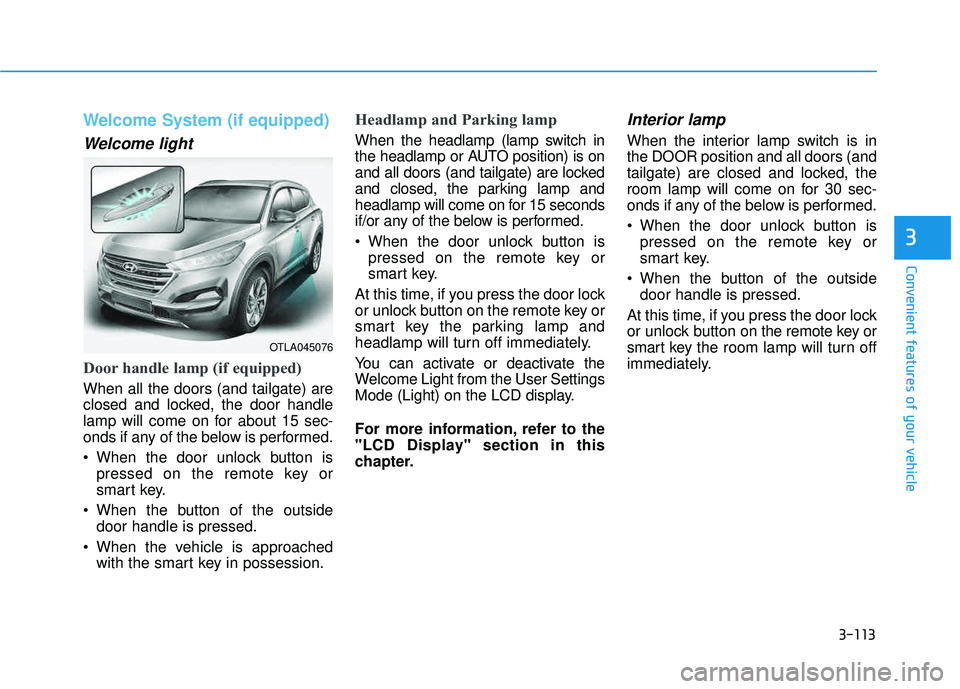
Welcome System (if equipped)
Welcome light
Door handle lamp (if equipped)
When all the doors (and tailgate) are
closed and locked, the door handle
lamp will come on for about 15 sec-
onds if any of the below is performed.
When the door unlock button ispressed on the remote key or
smart key.
When the button of the outside door handle is pressed.
When the vehicle is approached with the smart key in possession.
Headlamp and Parking lamp
When the headlamp (lamp switch in
the headlamp or AUTO position) is on
and all doors (and tailgate) are locked
and closed, the parking lamp and
headlamp will come on for 15 seconds
if/or any of the below is performed.
When the door unlock button ispressed on the remote key or
smart key.
At this time, if you press the door lock
or unlock button on the remote key or
smart key the parking lamp and
headlamp will turn off immediately.
You can activate or deactivate the
Welcome Light from the User Settings
Mode (Light) on the LCD display.
For more information, refer to the
"LCD Display" section in this
chapter.
Interior lamp
When the interior lamp switch is inthe DOOR position and all doors (and
tailgate) are closed and locked, the
room lamp will come on for 30 sec-
onds if any of the below is performed.
When the door unlock button is pressed on the remote key or
smart key.
When the button of the outside door handle is pressed.
At this time, if you press the door lock
or unlock button on the remote key or
smart key the room lamp will turn off
immediately.
OTLA045076
Page 212 of 642
3-114
Convenient features of your vehicle
Interior Lights
Do not use the interior lights for
extended periods when the engine
is turned off or the battery will dis-
charge.
Interior lamp AUTO cut
The interior lamps will automatically
go off approximately 20 minutes after
the engine is turned off and the
doors closed. If a door is opened, the
lamp will go off 40 minutes after the
engine is turned off. If the doors are
locked by the remote key or smart
key and the vehicle enters the armed
stage of the theft alarm system, the
lamps will go off five seconds later.
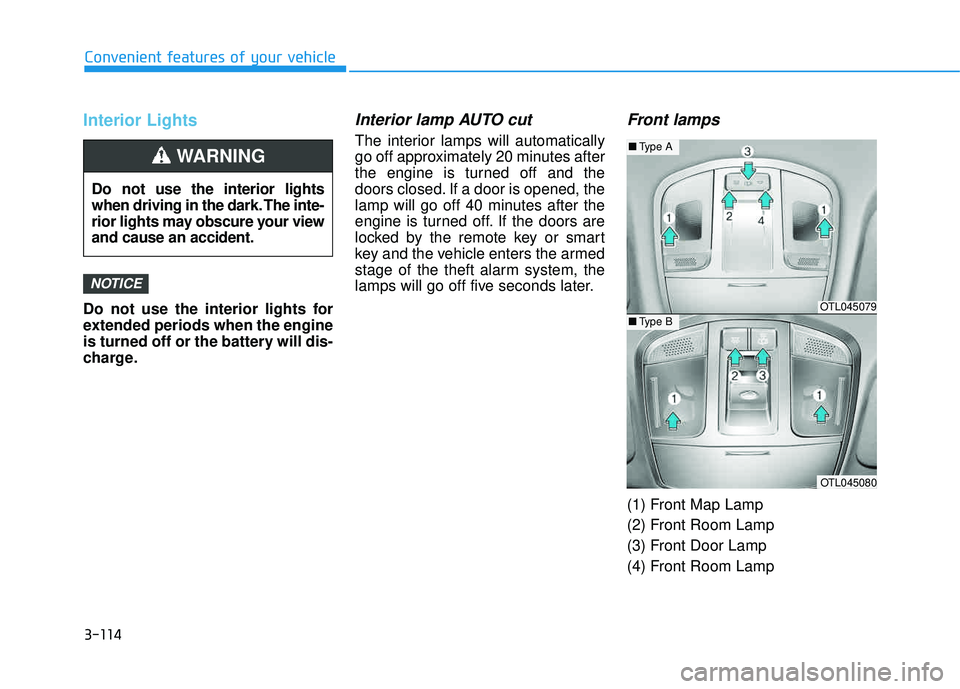
Front lamps
(1) Front Map Lamp
(2) Front Room Lamp
(3) Front Door Lamp
(4) Front Room Lamp
NOTICE
Do not use the interior lights
when driving in the dark. The inte-
rior lights may obscure your viewand cause an accident.
WARNING
OTL045079
OTL045080
■Type A
■Type B
Page 213 of 642
3-115
Convenient features of your vehicle
3
Front map lamp
Press the map lamp cover (1) toturn ON the map lamp. Re-press
the map lamp cover to turn OFF
the map lamp.
Front Room Lamp
(Type A) Press the button to turn
ON the map lamp for the front/rear
seats.
(Type B) Press the button to turn
ON the map lamp for the front/rear
seats. Re-press the button to turn
OFF the map lamp.
(Type A) Press the button to turn
OFF the map lamp for the front/rear
seats.
Front Door Lamp
The map lamp for the front/rear
seats is automatically turned ON
for approximately 30 seconds,when a door is opened.
The map lamp for the front/rear
seats is automatically turned ON
for approximately 15 seconds,
when the remote key (smart key)
unlocks the doors. The map lamp
fades out, when the ignition switchis pressed to the ON position in 15
seconds. The map lamp remains
ON up to 20 minutes, when a door
is opened with the ignition switch in
the either the ACC or OFF position.
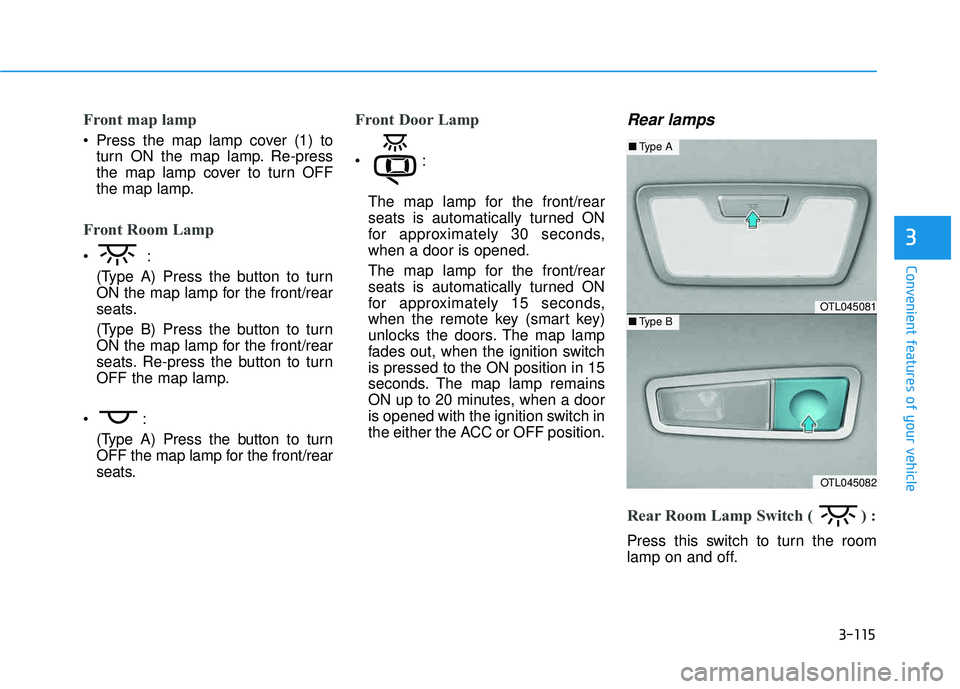
Rear lamps
Rear Room Lamp Switch ( ) :
Press this switch to turn the room
lamp on and off.
OTL045081
OTL045082
■Type A
■Type B
Page 276 of 642

4-13
Multimedia System
4
(Continued)
Avoid use of USB mem-ory products that can
also be used as key
chains or mobile phone
accessories. Use of such products
may cause damage to the USB jack.
Connecting an MP3 device or phone through various channels, such as
AUX/BT or Audio/ USB mode may
result in pop noises or abnormal
operation.Information - Using theiPod®device
iPod
®is a registered trademark of
Apple Inc.
In order to use the iPod
®while oper-
ating the keys, you must use a dedi-
cated iPod
®cable. (the cable that is
supplied when purchasing iPod®
/iPhone®products)
If the iPod
®is connected to the vehi-
cle while it is playing, a high pitch
sound could occur for approximate-
ly 1-2 seconds immediately after
connecting. If possible, connect the
iPod to the vehicle with the iPod
®
stopped/ paused.
During ACC ON state, connecting the iPod
®through the iPod®cable
will charge the iPod®through the
car audio system.
When connecting with the iPod
®
cable, make sure to fully insert the
jack to prevent communication
interference.
(Continued)(Continued)
When the EQ features of an exter-
nal device, such as the iPod
®, and
the audio system are both active, EQ
effects could overlap and cause
sound deterioration and distortion.
Whenever possible, turn off the EQ
feature within the external device
upon use by connecting with the
audio system.
Noise may occur when an iPod
®or
AUX device is connected. When
such devices are not being used, dis-
connect the device for storage.
When the iPod
®or AUX device
power is connected to the power
jack, playing the external device
may result in noise. In such cases,
disconnect the power connection
before use.
Skipping or improper operation may occur depending on the charac-
teristics of your iPod
® /Phone®
device.
(Continued)
i
Page 279 of 642
4-16
(Continued)
Park the vehicle when connectingthe head unit with the mobile phone.
Bluetooth
®connection may become
intermittently disconnected in some
mobile phones. Follow these steps to
try again.
1. Within the mobile phone, turn the Bluetooth
®function off/on and try
again.
2. Turn the mobile phone power Off/On and try again.
3. Completely remove the mobile phone battery, reboot, and then
again.
4. Reboot the Audio System and try again.
5. Delete all paired devices, pair and try again.
Handsfree call quality and volume may differ depending on the model
of your mobile phone.
Information - Using the voicerecognition
When using the voice recognition feature, only commands listed with-
in the user's manual are supported.
Be aware that during the operation of the voice recognition system,
pressing any key other than the
key terminate voice recognition
mode.
For superior voice recognition per- formance, position the microphone
used for voice recognition above the
head of the driver’s seat and main-
tain a proper position when saying
commands.
Within the following situations, voice recognition may not function
properly due to external sound.
- When the windows and sunroof are open
- When the wind of the cooling / heating device is strong
- When entering and passing through tunnels
(Continued)(Continued)
- When driving on rugged anduneven roads
- During severe rain (heavy rains, windstorms)
Phone related voice commands can be used only when a Bluetooth
®
Wireless Technology device is con-
nected.
When making calls by stating a name, the corresponding contact
must be downloaded and stored
within the audio system.
After downloading the Bluetooth
®
Wireless Technology phone book, it
takes some times to convert the
phone book data into voice informa-
tion. During this time, voice recogni-
tion may not properly operate.
Pronounce the voice commands nat- urally and clearly as if in a normal
conversation.
i
Multimedia System
Page 280 of 642
4-17
Multimedia System
4
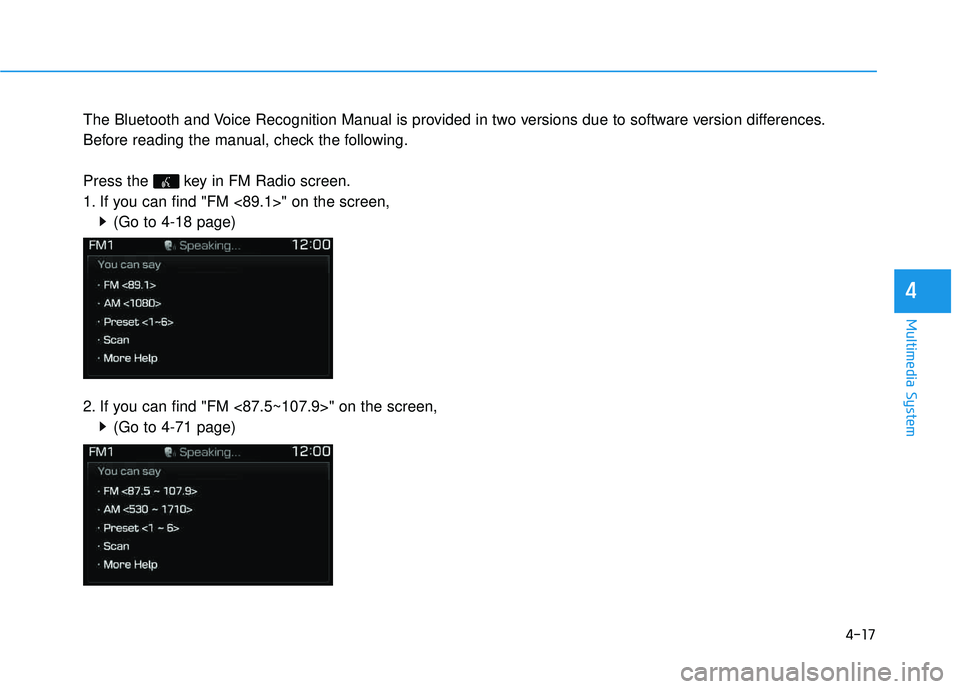
The Bluetooth and Voice Recognition Manual is provided in two versions due to software version differences.
Before reading the manual, check the following.
Press the key in FM Radio screen.
1. If you can find "FM <89.1>" on the screen,(Go to 4-18 page)
2. If you can find "FM <87.5~107.9>" on the screen, (Go to 4-71 page)