wheel HYUNDAI TUCSON 2016 Service Manual
[x] Cancel search | Manufacturer: HYUNDAI, Model Year: 2016, Model line: TUCSON, Model: HYUNDAI TUCSON 2016Pages: 642, PDF Size: 9.78 MB
Page 321 of 642
4-58
Multimedia System
VVooiicc ee RR eeccoo ggnn iitt iioo nn
Using Voice Recognition
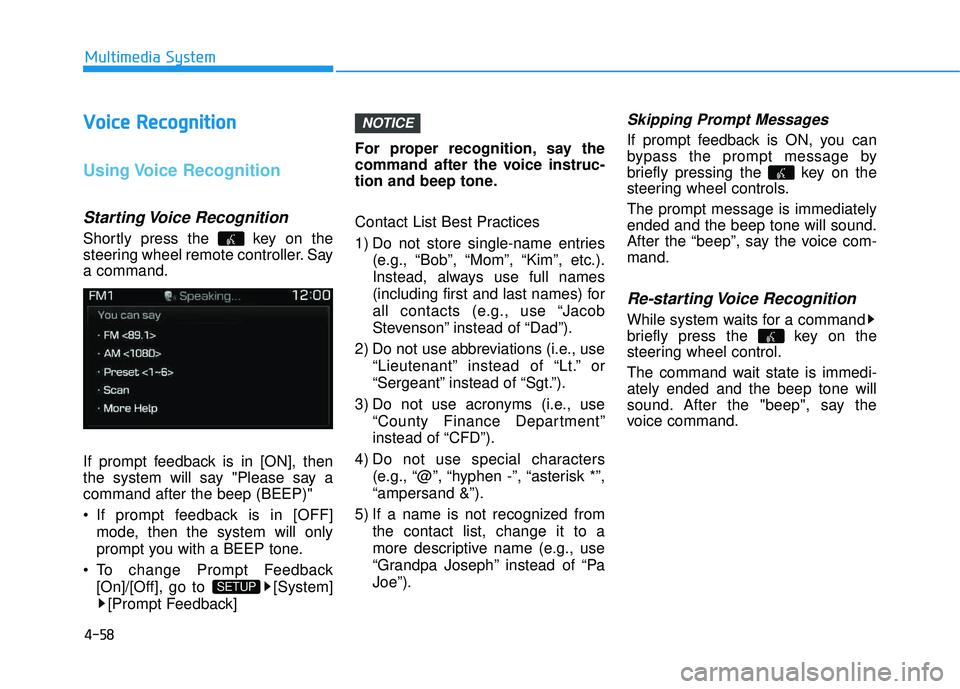
Starting Voice Recognition
Shortly press the key on the
steering wheel remote controller. Saya command.
If prompt feedback is in [ON], then
the system will say "Please say acommand after the beep (BEEP)"
If prompt feedback is in [OFF]
mode, then the system will only
prompt you with a BEEP tone.
To change Prompt Feedback [On]/[Off], go to [System][Prompt Feedback] For proper recognition, say the
command after the voice instruc-
tion and beep tone.
Contact List Best Practices
1) Do not store single-name entries
(e.g., “Bob”, “Mom”, “Kim”, etc.).
Instead, always use full names
(including first and last names) for
all contacts (e.g., use “Jacob
Stevenson” instead of “Dad”).
2) Do not use abbreviations (i.e., use “Lieutenant” instead of “Lt.” or
“Sergeant” instead of “Sgt.”).
3) Do not use acronyms (i.e., use “County Finance Department”
instead of “CFD”).
4) Do not use special characters (e.g., “@”, “hyphen -”, “asterisk *”,“ampersand &”).
5) If a name is not recognized from the contact list, change it to a
more descriptive name (e.g., use
“Grandpa Joseph” instead of “PaJoe”).
Skipping Prompt Messages
If prompt feedback is ON, you can
bypass the prompt message by
briefly pressing the key on the
steering wheel controls. The prompt message is immediately ended and the beep tone will sound.
After the “beep”, say the voice com-mand.
Re-starting Voice Recognition
While system waits for a command
briefly press the key on the
steering wheel control.
The command wait state is immedi- ately ended and the beep tone will
sound. After the "beep", say the
voice command.
NOTICE
SETUP
Page 336 of 642
4-73
Multimedia System
4
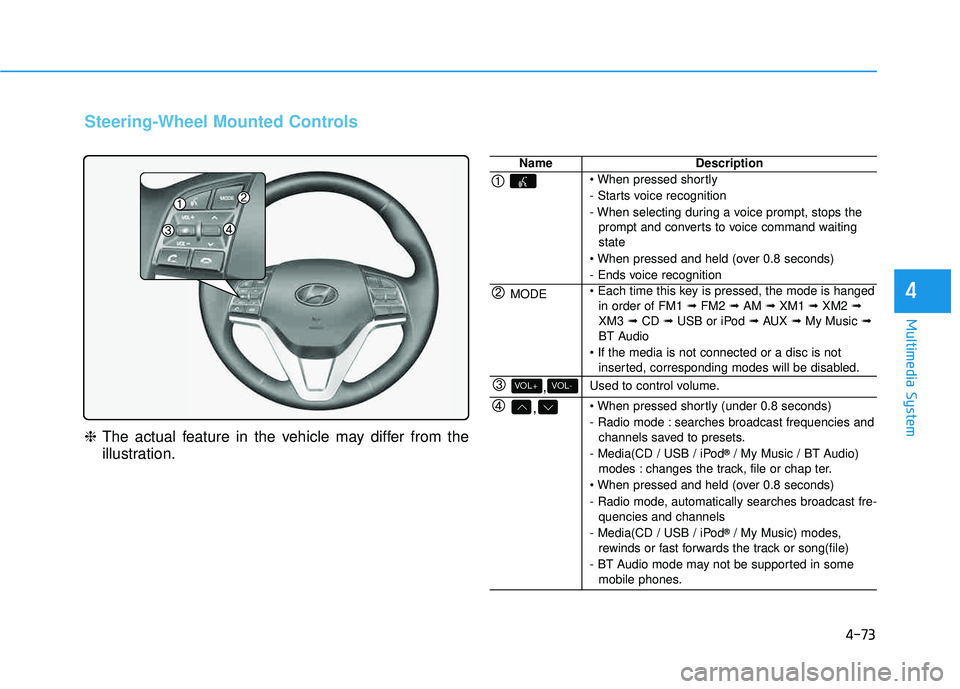
Steering-Wheel Mounted Controls
❈The actual feature in the vehicle may differ from the
illustration.
NameDescription
- Starts voice recognition
- When selecting during a voice prompt, stops the
prompt and converts to voice command waiting state
- Ends voice recognition
MODE in order of FM1 ➟FM2 ➟AM ➟XM1 ➟XM2 ➟
XM3 ➟CD ➟USB or iPod ➟AUX ➟My Music ➟
BT Audio
inserted, corresponding modes will be disabled.
,VOL-VOL+Used to control volume.
,
- Radio mode : searches broadcast frequencies andchannels saved to presets.
- Media(CD / USB / iPod ®
/ My Music / BT Audio)
modes : changes the track, file or chap ter.
- Radio mode, automatically searches broadcast fre- quencies and channels
- Media(CD / USB / iPod ®
/ My Music) modes,
rewinds or fast forwards the track or song(file)
- BT Audio mode may not be supported in some mobile phones.
Page 360 of 642
4-97
Multimedia System
4
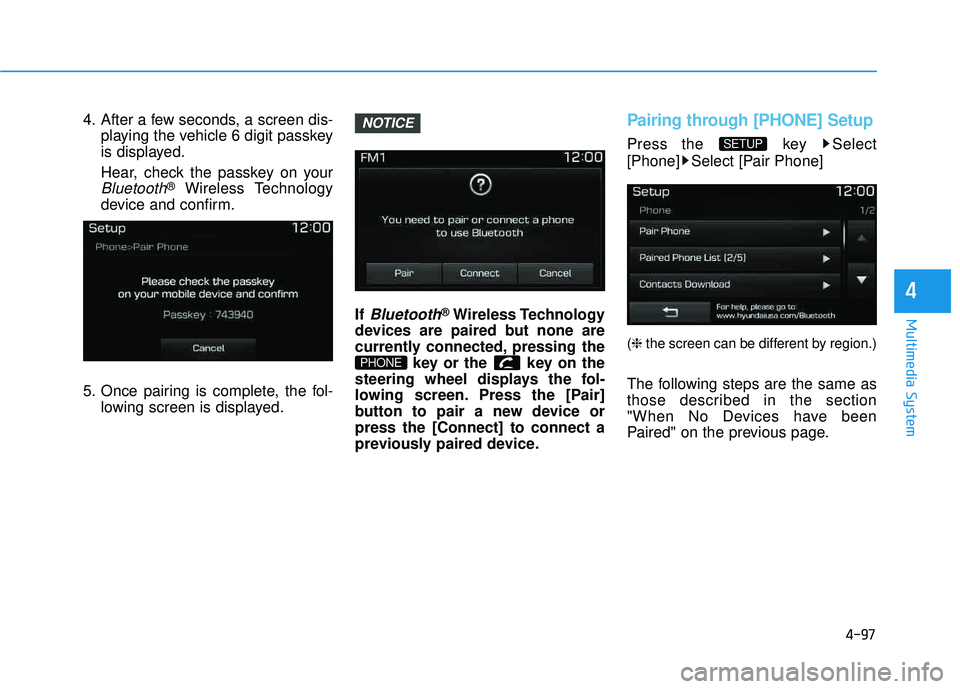
4. After a few seconds, a screen dis-playing the vehicle 6 digit passkey
is displayed.
Hear, check the passkey on your
Bluetooth®Wireless Technology
device and confirm.
5. Once pairing is complete, the fol- lowing screen is displayed. If
Bluetooth®Wireless Technology
devices are paired but none are
currently connected, pressing the key or the key on the
steering wheel displays the fol-
lowing screen. Press the [Pair]
button to pair a new device orpress the [Connect] to connect a
previously paired device.
Pairing through [PHONE] Setup
Press the key Select
[Phone] Select [Pair Phone]
( ❈ the screen can be different by region.)
The following steps are the same as
those described in the section
"When No Devices have been
Paired" on the previous page.
SETUP
PHONE
NOTICE
Page 372 of 642
4-109
Multimedia System
4
VVooiicc ee RR eeccoo ggnn iitt iioo nn
Using Voice Recognition
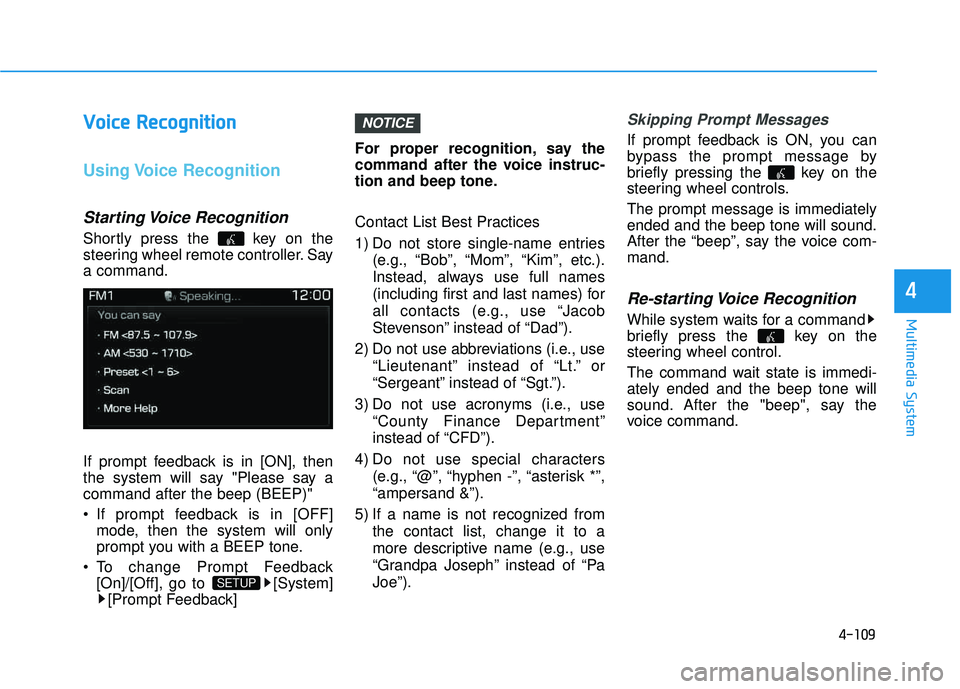
Starting Voice Recognition
Shortly press the key on the
steering wheel remote controller. Saya command.
If prompt feedback is in [ON], then
the system will say "Please say acommand after the beep (BEEP)"
If prompt feedback is in [OFF]
mode, then the system will only
prompt you with a BEEP tone.
To change Prompt Feedback [On]/[Off], go to [System][Prompt Feedback] For proper recognition, say the
command after the voice instruc-
tion and beep tone.
Contact List Best Practices
1) Do not store single-name entries
(e.g., “Bob”, “Mom”, “Kim”, etc.).
Instead, always use full names
(including first and last names) for
all contacts (e.g., use “Jacob
Stevenson” instead of “Dad”).
2) Do not use abbreviations (i.e., use “Lieutenant” instead of “Lt.” or
“Sergeant” instead of “Sgt.”).
3) Do not use acronyms (i.e., use “County Finance Department”
instead of “CFD”).
4) Do not use special characters (e.g., “@”, “hyphen -”, “asterisk *”,“ampersand &”).
5) If a name is not recognized from the contact list, change it to a
more descriptive name (e.g., use
“Grandpa Joseph” instead of “PaJoe”).
Skipping Prompt Messages
If prompt feedback is ON, you can
bypass the prompt message by
briefly pressing the key on the
steering wheel controls. The prompt message is immediately ended and the beep tone will sound.
After the “beep”, say the voice com-mand.
Re-starting Voice Recognition
While system waits for a command
briefly press the key on the
steering wheel control.
The command wait state is immedi- ately ended and the beep tone will
sound. After the "beep", say the
voice command.
NOTICE
SETUP
Page 385 of 642
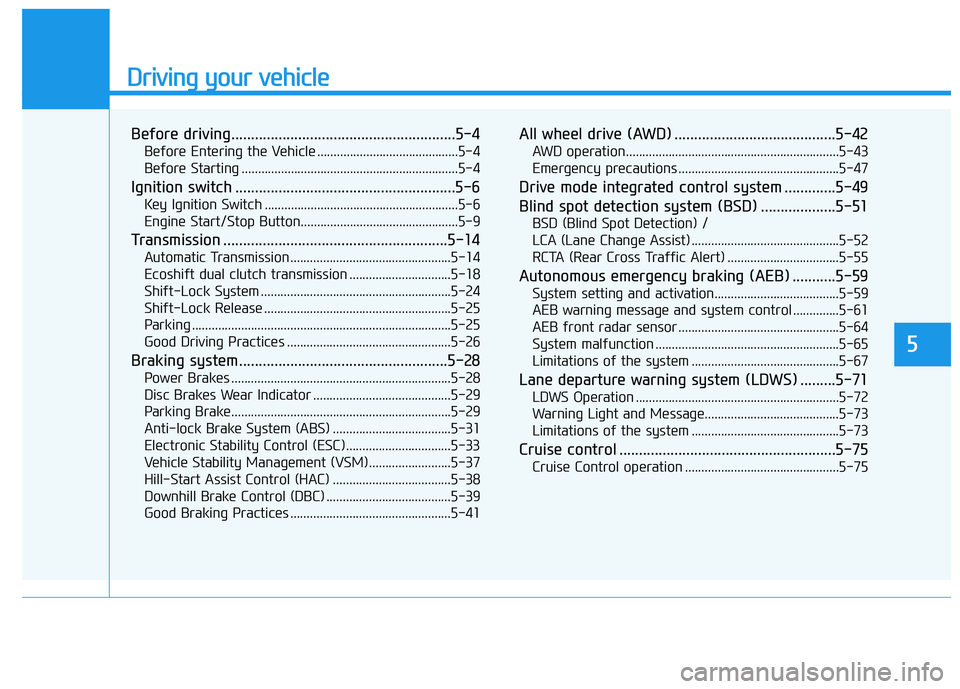
Driving your vehicle
5
Before driving.........................................................5-4
Before Entering the Vehicle ...........................................5-4
Before Starting ..................................................................5-4
Ignition switch ........................................................5-6
Key Ignition Switch ...........................................................5-6
Engine Start/Stop Button................................................5-9
Transmission .........................................................5-14
Automatic Transmission .................................................5-14
Ecoshift dual clutch transmission ...............................5-18
Shift-Lock System ..........................................................5-24
Shift-Lock Release .........................................................5-25
Parking ...............................................................................5-25
Good Driving Practices ..................................................5-26
Braking system.....................................................5-28
Power Brakes ...................................................................5-28
Disc Brakes Wear Indicator ..........................................5-29
Parking Brake...................................................................5-29
Anti-lock Brake System (ABS) ....................................5-31
Electronic Stability Control (ESC) ................................5-33
Vehicle Stability Management (VSM).........................5-37
Hill-Start Assist Control (HAC) ....................................5-38
Downhill Brake Control (DBC) ......................................5-39
Good Braking Practices .................................................5-41
All wheel drive (AWD) .........................................5-42
AWD operation.................................................................5-43
Emergency precautions .................................................5-47
Drive mode integrated control system .............5-49
Blind spot detection system (BSD) ...................5-51
BSD (Blind Spot Detection) /
LCA (Lane Change Assist) .............................................5-52
RCTA (Rear Cross Traffic Alert) ..................................5-55
Autonomous emergency braking (AEB) ...........5-59
System setting and activation......................................5-59
AEB warning message and system control ..............5-61
AEB front radar sensor .................................................5-64
System malfunction ........................................................5-65
Limitations of the system .............................................5-67
Lane departure warning system (LDWS) .........5-71
LDWS Operation ..............................................................5-72
Warning Light and Message.........................................5-73
Limitations of the system .............................................5-73
Cruise control .......................................................5-75
Cruise Control operation ...............................................5-75
Page 388 of 642
5-4
Driving your vehicle
Before Entering the Vehicle
• Be sure all windows, outside mir-ror(s), and outside lights are clean
and unobstructed.
Remove frost, snow, or ice.
Visually check the tires for uneven wear and damage.
Check under the vehicle for any sign of leaks.
Be sure there are no obstacles behind you if you intend to back up.
Before Starting
Make sure the hood, the liftgate,and the doors are securely closed
and locked.
Adjust the position of the seat and steering wheel.
Adjust the inside and outside rearview mirrors.
Verify all the lights work.
Fasten your seatbelt. Check that all passengers have fastened their
seatbelts.
Check the gauges and indicators in the instrument panel and the mes-
sages on the instrument display
when the ignition switch is in theON position.
Check that any items you are car- rying are stored properly or fas-
tened down securely.
CALIFORNIA PROPOSITION 65
WARNING
Engine exhaust and a wide vari- ety of automobile components
including components found inthe interior furnishings in a
vehicle, contain or emit harmful
chemicals known to the State of
California to cause cancer and
birth defects and reproductive
harm. In addition, certain fluids
contained in vehicles and cer-
tain products of components
contain or emit chemicals
known to the State of California
to cause cancer and birth
defects or other reproductiveharm.WARNING
BB
EEFFOO RREE DD RRIIVV IINN GG
Page 390 of 642
5-6
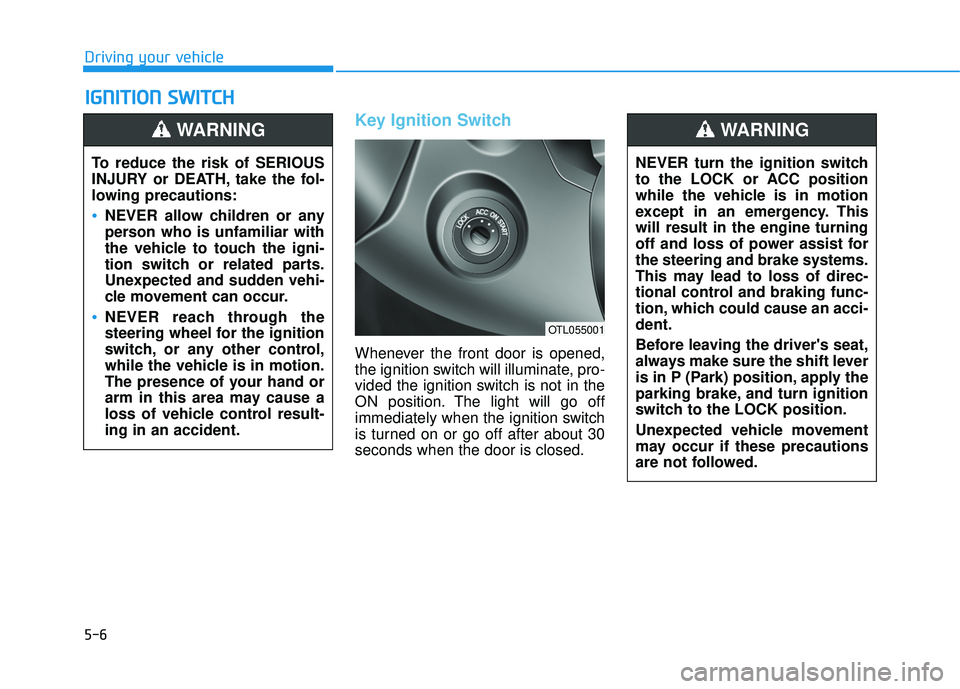
Key Ignition Switch
Whenever the front door is opened,
the ignition switch will illuminate, pro-
vided the ignition switch is not in the
ON position. The light will go off
immediately when the ignition switch
is turned on or go off after about 30seconds when the door is closed.
IIGG NN IITT IIOO NN SS WW IITT CCHH
Driving your vehicle
To reduce the risk of SERIOUS
INJURY or DEATH, take the fol-
lowing precautions:
NEVER allow children or any
person who is unfamiliar with
the vehicle to touch the igni-
tion switch or related parts.
Unexpected and sudden vehi-
cle movement can occur.
NEVER reach through the
steering wheel for the ignition
switch, or any other control,
while the vehicle is in motion.
The presence of your hand or
arm in this area may cause a
loss of vehicle control result-ing in an accident.
WARNING
NEVER turn the ignition switch
to the LOCK or ACC position
while the vehicle is in motion
except in an emergency. Thiswill result in the engine turning
off and loss of power assist forthe steering and brake systems.
This may lead to loss of direc-
tional control and braking func-
tion, which could cause an acci-dent.
Before leaving the driver's seat,
always make sure the shift lever
is in P (Park) position, apply the
parking brake, and turn ignition
switch to the LOCK position.
Unexpected vehicle movement
may occur if these precautions
are not followed.
WARNING
OTL055001
Page 391 of 642
5-7
Driving your vehicle
5
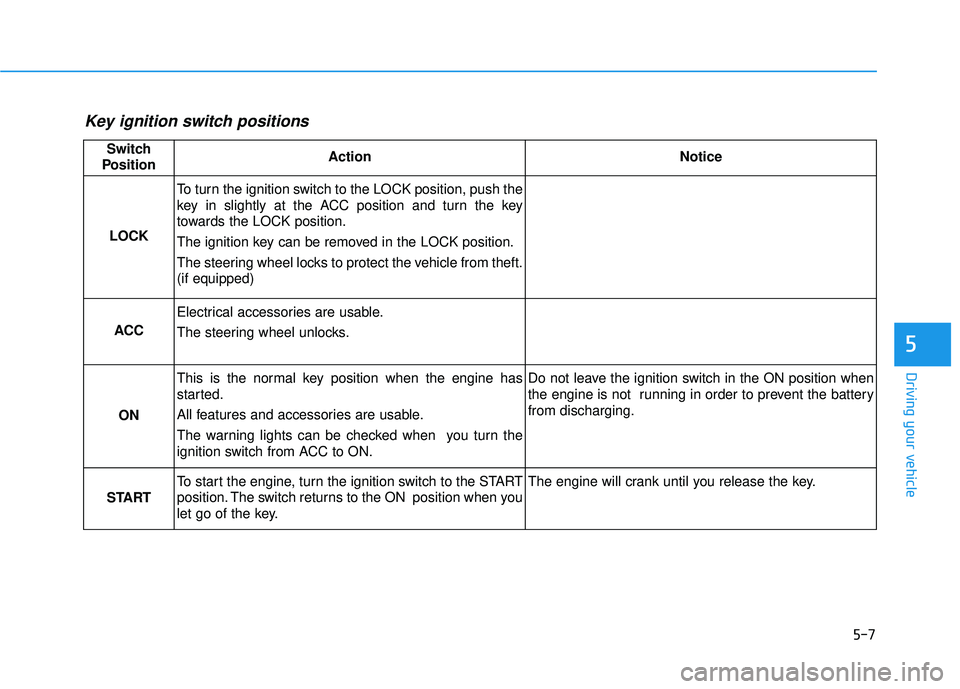
Key ignition switch positions
Switch
PositionActionNotice
LOCK
To turn the ignition switch to the LOCK position, push the
key in slightly at the ACC position and turn the key
towards the LOCK position.
The ignition key can be removed in the LOCK position.
The steering wheel locks to protect the vehicle from theft. (if equipped)
ACC
Electrical accessories are usable.
The steering wheel unlocks.
ON
This is the normal key position when the engine has
started.
All features and accessories are usable.
The warning lights can be checked when you turn the
ignition switch from ACC to ON.Do not leave the ignition switch in the ON position when
the engine is not running in order to prevent the battery from discharging.
START
To start the engine, turn the ignition switch to the START
position. The switch returns to the ON position when you
let go of the key.The engine will crank until you release the key.
Page 393 of 642
5-9
Driving your vehicle
5
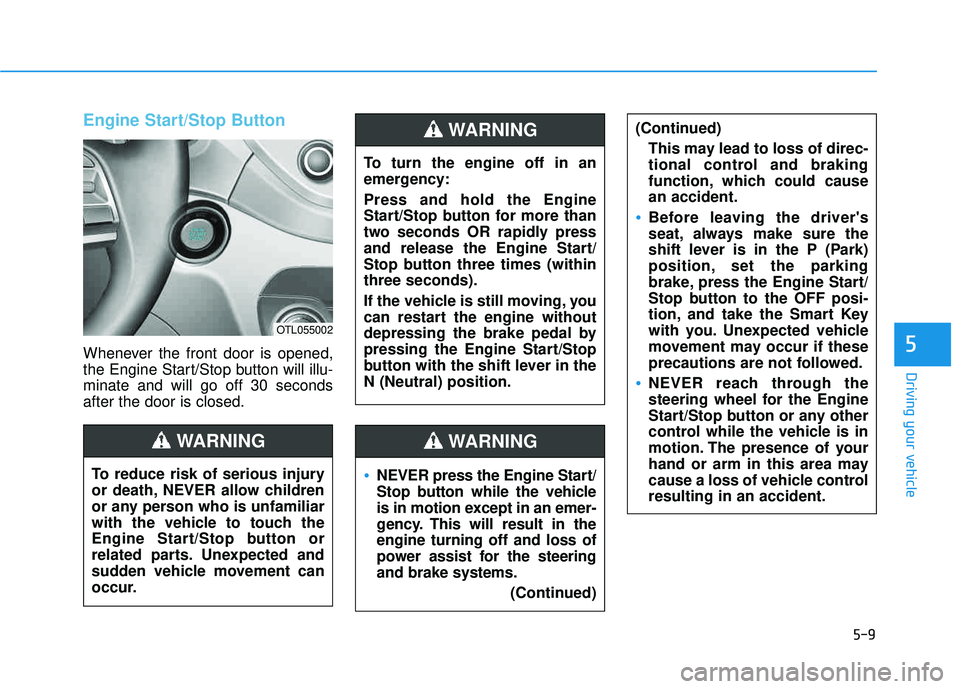
Engine Start/Stop Button
Whenever the front door is opened,
the Engine Start/Stop button will illu-minate and will go off 30 secondsafter the door is closed.
NEVER press the Engine Start/
Stop button while the vehicle
is in motion except in an emer-
gency. This will result in theengine turning off and loss of
power assist for the steeringand brake systems.(Continued)
WARNING
To turn the engine off in an
emergency: Press and hold the Engine
Start/Stop button for more than
two seconds OR rapidly press
and release the Engine Start/
Stop button three times (withinthree seconds).
If the vehicle is still moving, you
can restart the engine without
depressing the brake pedal by
pressing the Engine Start/Stop
button with the shift lever in theN (Neutral) position.
(Continued)This may lead to loss of direc-
tional control and braking
function, which could causean accident.
Before leaving the driver's
seat, always make sure the
shift lever is in the P (Park)
position, set the parking
brake, press the Engine Start/
Stop button to the OFF posi-
tion, and take the Smart Key
with you. Unexpected vehicle
movement may occur if these
precautions are not followed.
NEVER reach through the
steering wheel for the Engine
Start/Stop button or any other
control while the vehicle is in
motion. The presence of your
hand or arm in this area may
cause a loss of vehicle controlresulting in an accident.
WARNING
To reduce risk of serious injury
or death, NEVER allow children
or any person who is unfamiliar
with the vehicle to touch the
Engine Start/Stop button or
related parts. Unexpected and
sudden vehicle movement can
occur.
WARNING
OTL055002
Page 400 of 642
5-16
Driving your vehicle
R (Reverse)
Use this position to drive the vehicle
backward.
N (Neutral)
The wheels and transmission are not engaged.
Use N (Neutral) if you need to restart
a stalled engine, or if it is necessary
to stop with the engine ON. Shift into
P (Park) if you need to leave your
vehicle for any reason.
Always depress the brake pedal
when you are shifting from N
(Neutral) to another gear.
D (Drive)
This is the normal driving position.
The transmission will automatically
shift through a six-gear sequence,
providing the best fuel economy and
power.
For extra power when passing anoth-
er vehicle or driving uphill depress
the accelerator pedal further until
you feel the transmission downshift
to a lower gear.
The DRIVE MODE switch, located
on the shift lever console, allows the
driver to switch from NORMAL mode
to SPORT or ECO mode.
For more information, refer to
"Drive Mode Integrated Control
System" later in this chapter.
Always come to a complete
stop before shifting into or out
of R (Reverse); you may dam-
age the transmission if you shift
into R (Reverse) while the vehi-
cle is in motion.
CAUTION
Do not shift into gear unless
your foot is firmly on the brake
pedal. Shifting into gear whenthe engine is running at high
speed can cause the vehicle to
move very rapidly. You could
lose control of the vehicle andhit people or objects.
WARNING