ECO mode HYUNDAI TUCSON 2016 Repair Manual
[x] Cancel search | Manufacturer: HYUNDAI, Model Year: 2016, Model line: TUCSON, Model: HYUNDAI TUCSON 2016Pages: 642, PDF Size: 9.78 MB
Page 358 of 642
4-95
Multimedia System
4
Information
The play/pause feature may operate
differently depending on the mobile
phone.
Changing Files
Press the , key to
move to the previous or next file.
Setting Connection
If a Bluetooth®Wireless Technology
device has not been connected, press
the key [Phone] button to
display the
Bluetooth®Wireless
Technology connection screen.
It is possible to use the pair phone,
connect/disconnect and delete fea-
tures from your
Bluetooth®Wireless
Technology phone.
Information
If the Bluetooth®Wireless Technology
audio is not operating properly,
check whether the feature is turned
off at [Phone] [Streaming
Audio]. If the feature is off, turn back
on and try again.
If music is not yet playing from your mobile device after converting to
Bluetooth
®Wireless Technology
Audio mode, pressing the play but-
ton once may start playing the mode.
Check to see that music is playing
from the Bluetooth
®Wireless
Technology device after convertingto Bluetooth
®Wireless Technology
Audio Mode.
Information - Pairing through
[PHONE] Setup
The Bluetooth
®and Voice Recognition
Manual is provided in two versions
due to software version differences.
Before reading the manual, check the following.
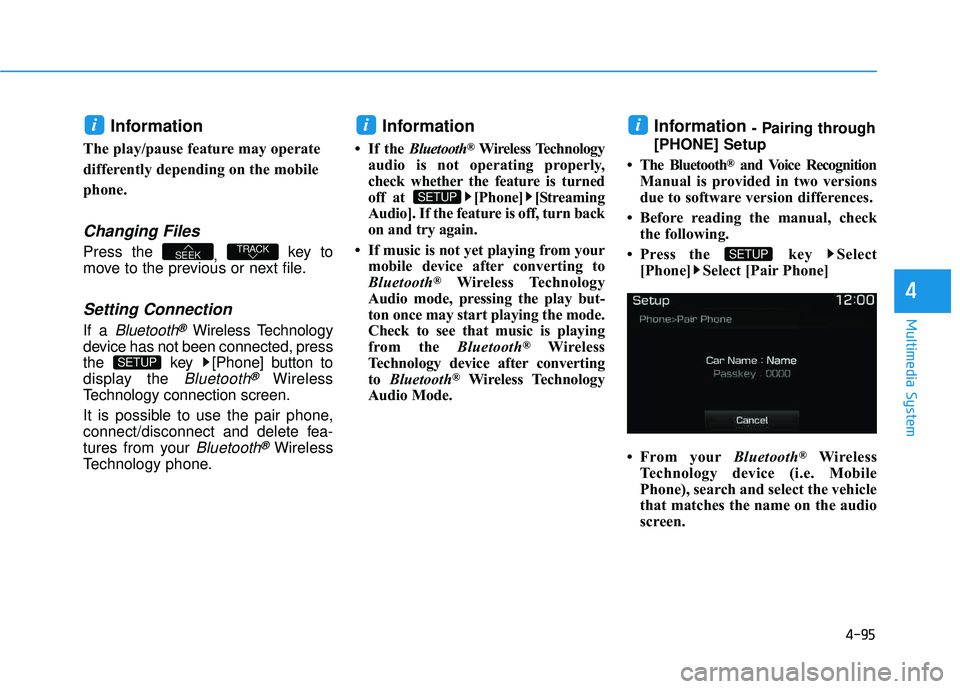
Press the key Select [Phone] Select [Pair Phone]
From your Bluetooth
®Wireless
Technology device (i.e. Mobile
Phone), search and select the vehicle
that matches the name on the audio
screen.
SETUP
i
SETUP
i
SETUP
TRACKSEEK
i
Page 372 of 642
4-109
Multimedia System
4
VVooiicc ee RR eeccoo ggnn iitt iioo nn
Using Voice Recognition
Starting Voice Recognition
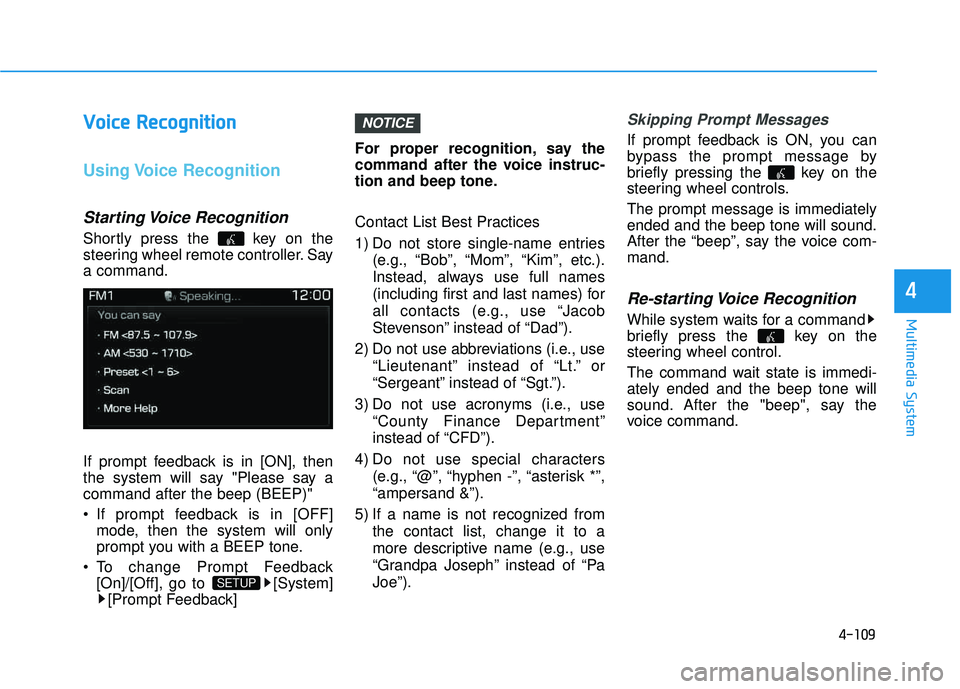
Shortly press the key on the
steering wheel remote controller. Saya command.
If prompt feedback is in [ON], then
the system will say "Please say acommand after the beep (BEEP)"
If prompt feedback is in [OFF]
mode, then the system will only
prompt you with a BEEP tone.
To change Prompt Feedback [On]/[Off], go to [System][Prompt Feedback] For proper recognition, say the
command after the voice instruc-
tion and beep tone.
Contact List Best Practices
1) Do not store single-name entries
(e.g., “Bob”, “Mom”, “Kim”, etc.).
Instead, always use full names
(including first and last names) for
all contacts (e.g., use “Jacob
Stevenson” instead of “Dad”).
2) Do not use abbreviations (i.e., use “Lieutenant” instead of “Lt.” or
“Sergeant” instead of “Sgt.”).
3) Do not use acronyms (i.e., use “County Finance Department”
instead of “CFD”).
4) Do not use special characters (e.g., “@”, “hyphen -”, “asterisk *”,“ampersand &”).
5) If a name is not recognized from the contact list, change it to a
more descriptive name (e.g., use
“Grandpa Joseph” instead of “PaJoe”).
Skipping Prompt Messages
If prompt feedback is ON, you can
bypass the prompt message by
briefly pressing the key on the
steering wheel controls. The prompt message is immediately ended and the beep tone will sound.
After the “beep”, say the voice com-mand.
Re-starting Voice Recognition
While system waits for a command
briefly press the key on the
steering wheel control.
The command wait state is immedi- ately ended and the beep tone will
sound. After the "beep", say the
voice command.
NOTICE
SETUP
Page 373 of 642
4-110
Multimedia System
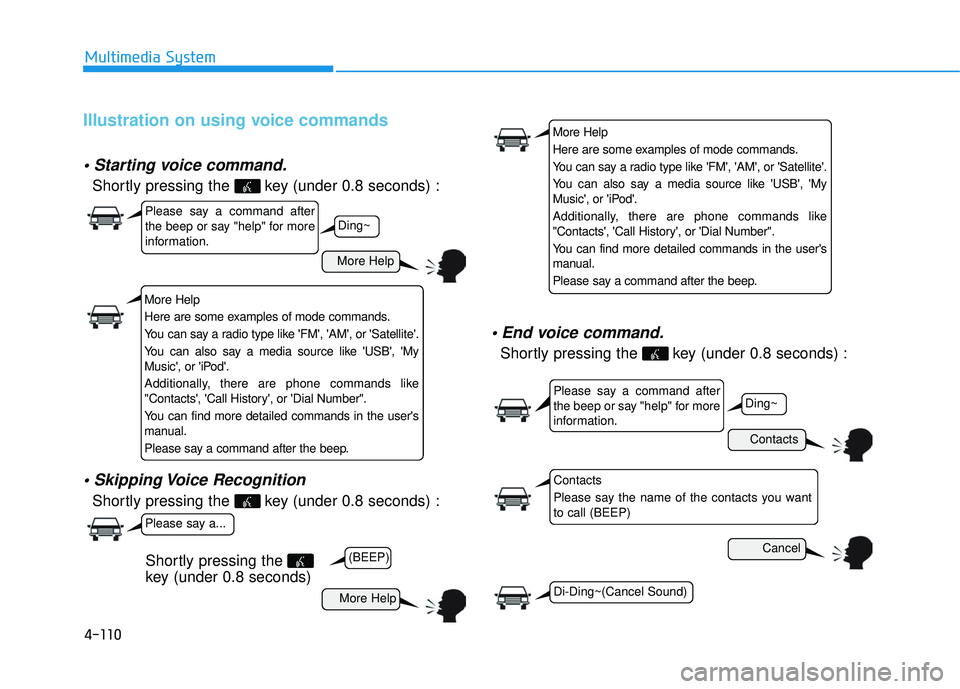
Illustration on using voice commands
Shortly pressing the key (under 0.8 seconds) :
Shortly pressing the key (under 0.8 seconds) :
Shortly pressing the key (under 0.8 seconds) :
More Help
Contacts
Cancel
More Help
Please say a command after
the beep or say "help" for more
information.
Please say a command after
the beep or say "help" for more
information.
Please say a...
Contacts
Please say the name of the contacts you want to call (BEEP)
Ding~
(BEEP)
Ding~
Di-Ding~(Cancel Sound)
Shortly pressing the
key (under 0.8 seconds)
More Help
Here are some examples of mode commands.
You can say a radio type like 'FM', 'AM', or 'Satellite'.
You can also say a media source like 'USB', 'My
Music', or 'iPod'.
Additionally, there are phone commands like
"Contacts', 'Call History', or 'Dial Number".
You can find more detailed commands in the user's
manual.
Please say a command after the beep.
More Help
Here are some examples of mode commands.
You can say a radio type like 'FM', 'AM', or 'Satellite'.
You can also say a media source like 'USB', 'My
Music', or 'iPod'.
Additionally, there are phone commands like
"Contacts', 'Call History', or 'Dial Number".
You can find more detailed commands in the user's
manual.
Please say a command after the beep.
Page 374 of 642
4-111
Multimedia System
4
Command Function
More Help Provides guidance on commands that can be
used anywhere in the system.
Help Provides guidance on commands that can be
used within the current mode.
Call
Ex) Call “John Smith”
Call
Ex) Call "John Smith" on Mobile
Call
Ex) Call "John Smith" in Office
Call
Ex) Call "John Smith" at Home
Call
Ex) Call "John Smith" on Other
Phone Provides guidance on Phone related com- mands. After saying this command, say
“Favorites”,“Dial Number”, “Call History” or
“Contacts” execute corresponding functions.
Favorites Displays the Favorite screen.
Call History Displays the Call History screen.
Command Function
Contacts Displays the Contacts screen. After saying this command, say the name of a contact
saved in the Contacts to automatically con-
nect the call.
Dial Number Displays the Dial number screen. After saying this command, you can say the number that
you want to call.
Redial Connects the most recently called number.
Tutorial Pro vides guidance on how to use voice
recognition and Bluetooth®connections.
When listening to the radio, displays the next
radio screen. (FM1➟FM2➟AM➟XM1➟XM2➟XM3➟FM1)
Radio
When listening to a different mode, displays
the most recently played radio screen.
When currently listening to the FM radio, maintains the current state.
When listening to a different mode, displaysthe most recently played FM screen.
FM1(FM One) Displays the FM1 screen.
FM2(FM Two) Displays the FM2 screen.
AM Displays the AM screen.
(Call by Name)
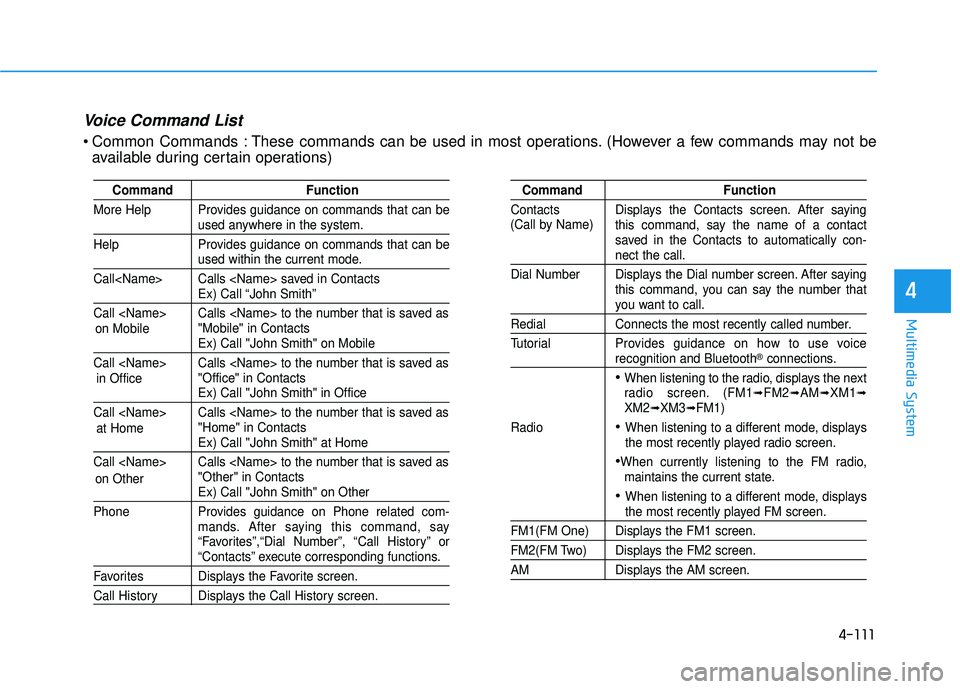
Voice Command List
Common Commands : These commands can be used in most operations. (However a few commands may not be
available during certain operations)
on Mobile
in Officeat Home
on Other
Page 385 of 642
Driving your vehicle
5
Before driving.........................................................5-4
Before Entering the Vehicle ...........................................5-4
Before Starting ..................................................................5-4
Ignition switch ........................................................5-6
Key Ignition Switch ...........................................................5-6
Engine Start/Stop Button................................................5-9
Transmission .........................................................5-14
Automatic Transmission .................................................5-14
Ecoshift dual clutch transmission ...............................5-18
Shift-Lock System ..........................................................5-24
Shift-Lock Release .........................................................5-25
Parking ...............................................................................5-25
Good Driving Practices ..................................................5-26
Braking system.....................................................5-28
Power Brakes ...................................................................5-28
Disc Brakes Wear Indicator ..........................................5-29
Parking Brake...................................................................5-29
Anti-lock Brake System (ABS) ....................................5-31
Electronic Stability Control (ESC) ................................5-33
Vehicle Stability Management (VSM).........................5-37
Hill-Start Assist Control (HAC) ....................................5-38
Downhill Brake Control (DBC) ......................................5-39
Good Braking Practices .................................................5-41
All wheel drive (AWD) .........................................5-42
AWD operation.................................................................5-43
Emergency precautions .................................................5-47
Drive mode integrated control system .............5-49
Blind spot detection system (BSD) ...................5-51
BSD (Blind Spot Detection) /
LCA (Lane Change Assist) .............................................5-52
RCTA (Rear Cross Traffic Alert) ..................................5-55
Autonomous emergency braking (AEB) ...........5-59
System setting and activation......................................5-59
AEB warning message and system control ..............5-61
AEB front radar sensor .................................................5-64
System malfunction ........................................................5-65
Limitations of the system .............................................5-67
Lane departure warning system (LDWS) .........5-71
LDWS Operation ..............................................................5-72
Warning Light and Message.........................................5-73
Limitations of the system .............................................5-73
Cruise control .......................................................5-75
Cruise Control operation ...............................................5-75
Page 392 of 642
5-8
Starting the engine
1. Make sure the parking brake isapplied.
2. Make sure the shift lever is in P (Park).
3. Depress the brake pedal.
4. Turn the ignition switch to the START position. Hold the key
(maximum of 10 seconds) until the
engine starts and release it.
Information
It is best to maintain a moderateengine speed until the vehicle engine
comes up to normal operating tem-
perature. Avoid harsh or abrupt
acceleration or deceleration while
the engine is still cold.
Whether the engine is cold or warm, always start the vehicle with your
foot on the brake pedal. Do not
depress the accelerator while start-
ing the vehicle. Do not race the
engine while warming it up. To prevent damage to the vehicle:
Do not hold the ignition key in
the START position for more
than 10 seconds. Wait 5 to 10
seconds before trying again.
Do not push or tow your vehicle to start the engine.
NOTICEi
Driving your vehicle
Always wear appropriate shoes
when operating your vehicle.
Unsuitable shoes, such as high
heels, ski boots, sandals, flip-
flops, etc., may interfere with
your ability to use the brake andaccelerator pedals.
WARNING
Page 396 of 642
5-12
Driving your vehicle
Always wear appropriate shoes
when operating your vehicle.
Unsuitable shoes, such as
high heels, ski boots, sandals,
flip-flops, etc., may interfere
with your ability to use thebrake and accelerator pedals.
Do not start the vehicle with the accelerator pedal depressed.
The vehicle can move and leadto an accident.
Wait until the engine rpm is
normal. The vehicle may sud-
denly move if the brake pedalis released when the rpm ishigh.
WARNING
Starting the engine Information
The engine will start by pressing theEngine Start/Stop button, only when
the smart key is in the vehicle.
Even if the smart key is in the vehi- cle, if it is far away from the driver,
the engine may not start.
When the Engine Start/Stop button is in the ACC or ON position, if any
door is open, the system checks for
the smart key. If the smart key is not
in the vehicle, the " " indicator
will blink and the warning "Key not
in vehicle" will come on and if all
doors are closed, the chime will also
sound for about 5 seconds. Keep the
smart key in the vehicle when using
the ACC position or if the vehicle
engine is ON. 1. Always carry the smart key with
you.
2. Make sure the parking brake is applied.
3. Make sure the shift lever is in P (Park).
4. Depress the brake pedal.
5. Press the Engine Start/Stop but- ton.
Information
Do not wait for the engine to warmup while the vehicle remains station-
ary. Start driving at moderate
engine speeds. (Steep accelerating
and decelerating should be avoided.)
Always start the vehicle with your foot on the brake pedal. Do not
depress the accelerator while start-
ing the vehicle. Do not race the
engine while warming it up.
i
i
Page 400 of 642
5-16
Driving your vehicle
R (Reverse)
Use this position to drive the vehicle
backward.
N (Neutral)
The wheels and transmission are not engaged.
Use N (Neutral) if you need to restart
a stalled engine, or if it is necessary
to stop with the engine ON. Shift into
P (Park) if you need to leave your
vehicle for any reason.
Always depress the brake pedal
when you are shifting from N
(Neutral) to another gear.
D (Drive)
This is the normal driving position.
The transmission will automatically
shift through a six-gear sequence,
providing the best fuel economy and
power.
For extra power when passing anoth-
er vehicle or driving uphill depress
the accelerator pedal further until
you feel the transmission downshift
to a lower gear.
The DRIVE MODE switch, located
on the shift lever console, allows the
driver to switch from NORMAL mode
to SPORT or ECO mode.
For more information, refer to
"Drive Mode Integrated Control
System" later in this chapter.
Always come to a complete
stop before shifting into or out
of R (Reverse); you may dam-
age the transmission if you shift
into R (Reverse) while the vehi-
cle is in motion.
CAUTION
Do not shift into gear unless
your foot is firmly on the brake
pedal. Shifting into gear whenthe engine is running at high
speed can cause the vehicle to
move very rapidly. You could
lose control of the vehicle andhit people or objects.
WARNING
Page 404 of 642
5-20
When traveling at a lower vehiclespeed, if you release the accelera-
tor pedal quickly, you may feel
engine braking before the trans-
mission changes gears. This
engine braking feeling is similar to
operating a manual transmission at
low speed.
When driving downhill, you may wish to move the gear shift lever to
Manual Shift mode and downshift
to a lower gear in order to control
your speed without using the brake
pedal excessively.
When you turn the engine on and off, you may hear clicking soundsas the system goes through a self
test. This is a normal sound for the
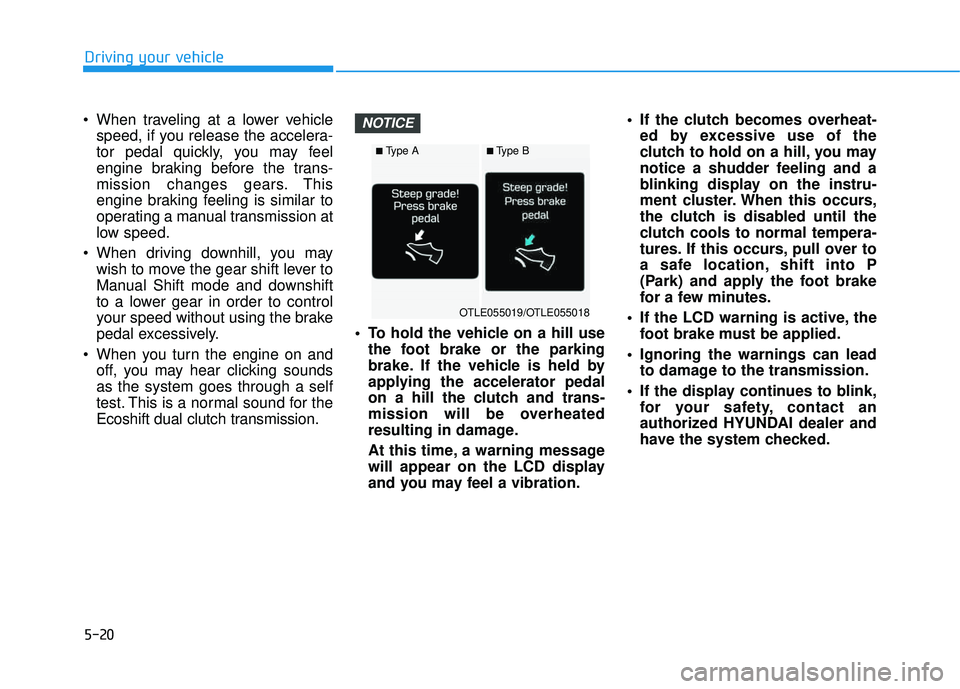
Ecoshift dual clutch transmission. To hold the vehicle on a hill use
the foot brake or the parking
brake. If the vehicle is held by
applying the accelerator pedal
on a hill the clutch and trans-
mission will be overheated
resulting in damage.
At this time, a warning message
will appear on the LCD display
and you may feel a vibration. If the clutch becomes overheat-
ed by excessive use of the
clutch to hold on a hill, you may
notice a shudder feeling and a
blinking display on the instru-
ment cluster. When this occurs,
the clutch is disabled until the
clutch cools to normal tempera-
tures. If this occurs, pull over to
a safe location, shift into P
(Park) and apply the foot brake
for a few minutes.
If the LCD warning is active, the foot brake must be applied.
Ignoring the warnings can lead to damage to the transmission.
If the display continues to blink, for your safety, contact an
authorized HYUNDAI dealer and
have the system checked.NOTICE
Driving your vehicle
OTLE055019/OTLE055018
■Type A■Type B
Page 405 of 642
5-21
Driving your vehicle
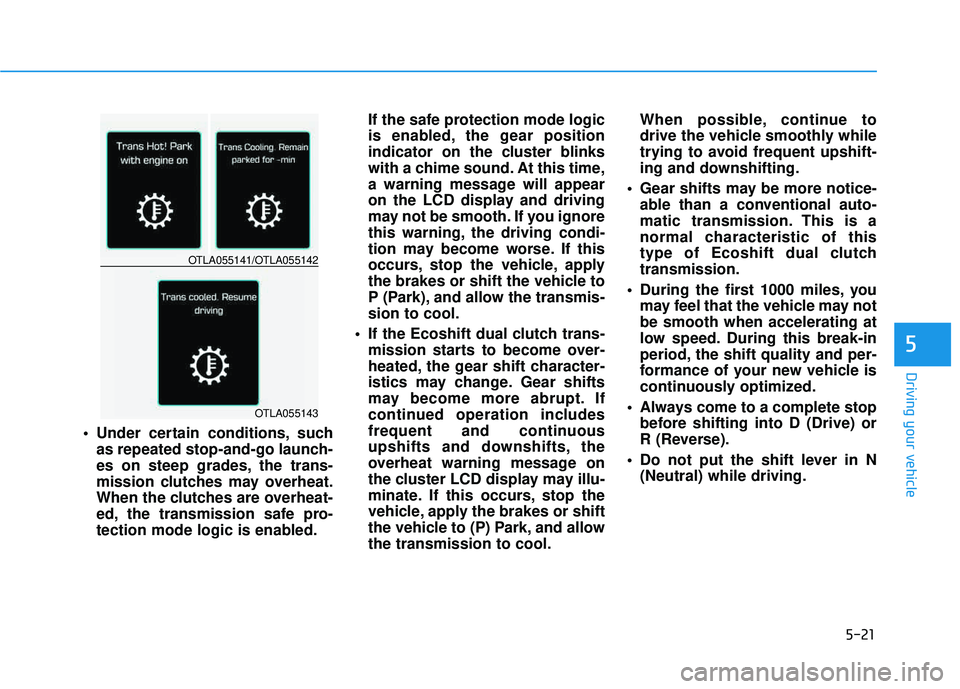
Under certain conditions, suchas repeated stop-and-go launch-
es on steep grades, the trans-
mission clutches may overheat.
When the clutches are overheat-
ed, the transmission safe pro-
tection mode logic is enabled. If the safe protection mode logic
is enabled, the gear position
indicator on the cluster blinks
with a chime sound. At this time,
a warning message will appear
on the LCD display and driving
may not be smooth. If you ignore
this warning, the driving condi-
tion may become worse. If this
occurs, stop the vehicle, apply
the brakes or shift the vehicle to
P (Park), and allow the transmis-sion to cool.
If the Ecoshift dual clutch trans- mission starts to become over-
heated, the gear shift character-
istics may change. Gear shifts
may become more abrupt. If
continued operation includes
frequent and continuous
upshifts and downshifts, the
overheat warning message on
the cluster LCD display may illu-
minate. If this occurs, stop the
vehicle, apply the brakes or shift
the vehicle to (P) Park, and allowthe transmission to cool. When possible, continue to
drive the vehicle smoothly while
trying to avoid frequent upshift-
ing and downshifting.
Gear shifts may be more notice- able than a conventional auto-
matic transmission. This is a
normal characteristic of this
type of Ecoshift dual clutchtransmission.
During the first 1000 miles, you may feel that the vehicle may notbe smooth when accelerating at
low speed. During this break-in
period, the shift quality and per-
formance of your new vehicle is
continuously optimized.
Always come to a complete stop before shifting into D (Drive) or
R (Reverse).
Do not put the shift lever in N (Neutral) while driving.
5
OTLA055141/OTLA055142
OTLA055143