Light Hyundai Tucson 2019 Owner's Manual
[x] Cancel search | Manufacturer: HYUNDAI, Model Year: 2019, Model line: Tucson, Model: Hyundai Tucson 2019Pages: 546, PDF Size: 61.38 MB
Page 340 of 546
5-74
Driving your vehicle
The warning light illumi-
nates on the LCD display,
when you cancel the FCA
system. The driver can
monitor the FCA ON/OFF status on
the LCD display. Also, the warning
light illuminates when the ESC
(Electronic Stability Control) is
turned off (Traction & Stability control
disabled).
If the warning light remains ON when
the FCA is activated, have the sys-
tem checked by an authorized
HYUNDAI dealer. The driver can select the initial warn-
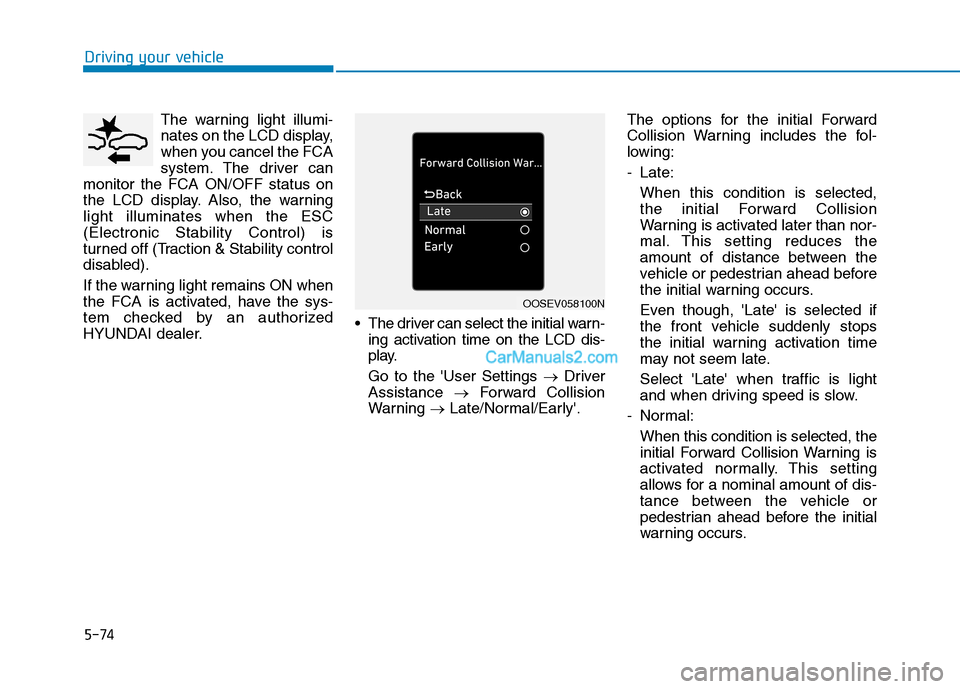
ing activation time on the LCD dis-
play.
Go to the 'User Settings →Driver
Assistance →Forward Collision
Warning →Late/Normal/Early'.The options for the initial Forward
Collision Warning includes the fol-
lowing:
- Late:
When this condition is selected,
the initial Forward Collision
Warning is activated later than nor-
mal. This setting reduces the
amount of distance between the
vehicle or pedestrian ahead before
the initial warning occurs.
Even though, 'Late' is selected if
the front vehicle suddenly stops
the initial warning activation time
may not seem late.
Select 'Late' when traffic is light
and when driving speed is slow.
- Normal:
When this condition is selected, the
initial Forward Collision Warning is
activated normally. This setting
allows for a nominal amount of dis-
tance between the vehicle or
pedestrian ahead before the initial
warning occurs.
OOSEV058100N
Page 341 of 546
5-75
Driving your vehicle
5
- Early:
When this condition is selected, the
initial Forward Collision Warning is
activated earlier than normal. This
setting maximizes the amount of
distance between the vehicle or
pedestrian ahead before the initial
warning occurs.
Even though, 'Early' is selected if
the front vehicle suddenly stops the
initial warning activation time may
not seem fast.
If you feel the warning activates too
early, set the Forward Collision
Warning to "Normal".Prerequisite for activation
The FCA system is on and ready
when FCA is selected on the LCD
display and when the following pre-
requisites are satisfied:
- The ESC (Electronic Stability
Control) on.
- Driving speed exceeds approxi-
mately 6 mph (10 km/h). (The FCA
is only activated within a certain
speed range.)
- The system detects a pedestrian or
a vehicle in front, which may collide
with your vehicle. (The FCA may
not be activated or may sound a
warning alarm in accordance with
the driving situation or vehicle con-
dition.)
Completely stop the vehicle
on a safe location before
operating the switch on the
steering wheel to activate/
deactivate the FCA system.
The FCA automatically acti-
vates upon placing the igni-
tion switch to the ON position.
The driver can deactivate the
FCA by canceling the system
setting on the LCD display.
If you cancel the ESC
(Electronic Stability Control)
when the FCA system is
turned on the FCA automati-
cally deactivates and the FCA
warning light illuminates.
When the ESC is canceled the
FCA cannot be activated on
the LCD display. The FCA
warning light will illuminate
which is normal.
WARNING
Page 345 of 546
5-79
Driving your vehicle
5
Do not tint the window or install
stickers, accessories around the
inside mirror where the camera
is installed.
NEVER locate any reflective
objects (i.e. white paper, mirror)
over the dashboard. Any light
reflection may cause a malfunc-
tion of the system.
Pay extreme caution to keep the
camera out of water.
NEVER arbitrarily disassemble
the camera assembly, nor apply
any impact on the camera
assembly.
The FCA warning chime may be
difficult to hear if the audio sys-
tem volume is set to a high level.
Information
Have the system checked by an
authorized HYUNDAI dealer when:
• The windshield glass is replaced.
• The front bumper is replaced.
• The radar sensor or cover gets dam-
aged or replaced.
Warning message and warning
light
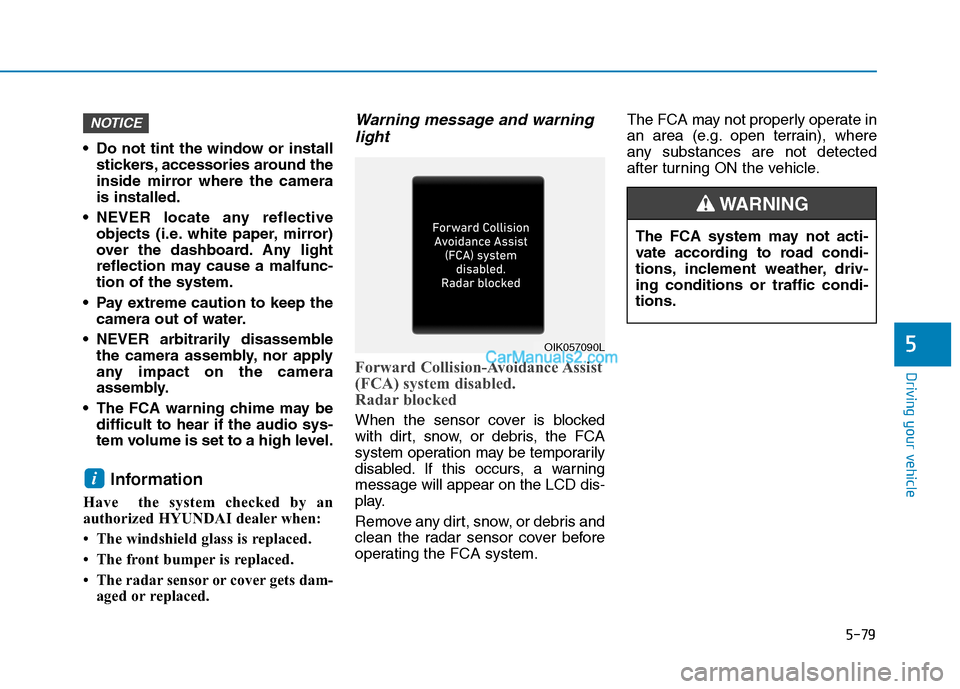
Forward Collision-Avoidance Assist
(FCA) system disabled.
Radar blocked
When the sensor cover is blocked
with dirt, snow, or debris, the FCA
system operation may be temporarily
disabled. If this occurs, a warning
message will appear on the LCD dis-
play.
Remove any dirt, snow, or debris and
clean the radar sensor cover before
operating the FCA system.The FCA may not properly operate in
an area (e.g. open terrain), where
any substances are not detected
after turning ON the vehicle.
i
NOTICE
OIK057090L
The FCA system may not acti-
vate according to road condi-
tions, inclement weather, driv-
ing conditions or traffic condi-
tions.
WARNING
Page 346 of 546
5-80
Driving your vehicle
System Not Operating
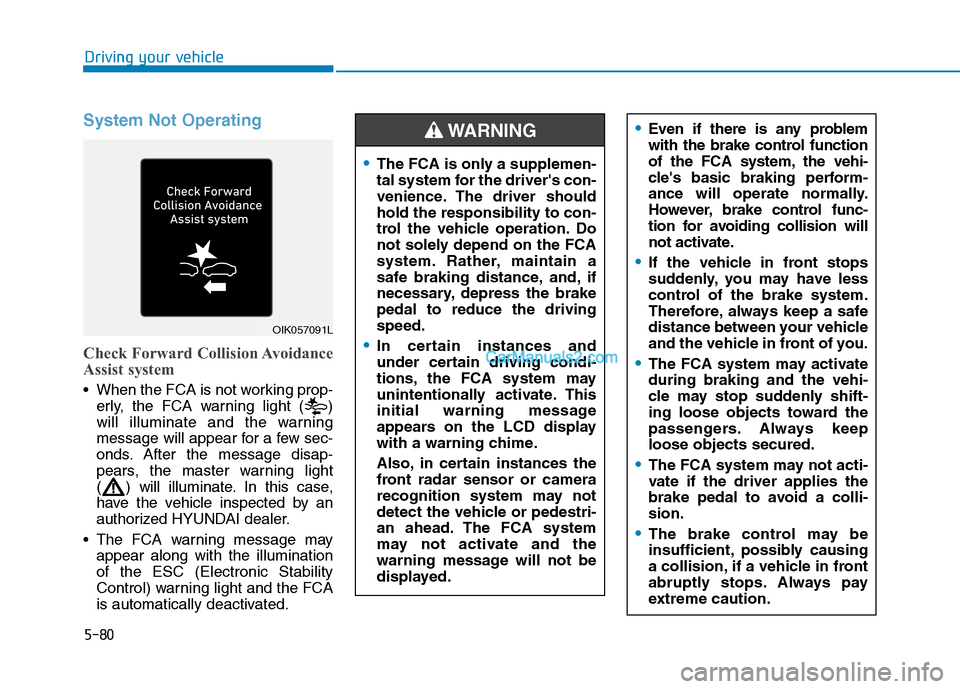
Check Forward Collision Avoidance
Assist system
When the FCA is not working prop-
erly, the FCA warning light ( )
will illuminate and the warning
message will appear for a few sec-
onds. After the message disap-
pears, the master warning light
( ) will illuminate. In this case,
have the vehicle inspected by an
authorized HYUNDAI dealer.
The FCA warning message may
appear along with the illumination
of the ESC (Electronic Stability
Control) warning light and the FCA
is automatically deactivated.
OIK057091L
Even if there is any problem
with the brake control function
of the FCA system, the vehi-
cle's basic braking perform-
ance will operate normally.
However, brake control func-
tion for avoiding collision will
not activate.
If the vehicle in front stops
suddenly, you may have less
control of the brake system.
Therefore, always keep a safe
distance between your vehicle
and the vehicle in front of you.
The FCA system may activate
during braking and the vehi-
cle may stop suddenly shift-
ing loose objects toward the
passengers. Always keep
loose objects secured.
The FCA system may not acti-
vate if the driver applies the
brake pedal to avoid a colli-
sion.
The brake control may be
insufficient, possibly causing
a collision, if a vehicle in front
abruptly stops. Always pay
extreme caution.
The FCA is only a supplemen-
tal system for the driver's con-
venience. The driver should
hold the responsibility to con-
trol the vehicle operation. Do
not solely depend on the FCA
system. Rather, maintain a
safe braking distance, and, if
necessary, depress the brake
pedal to reduce the driving
speed.
In certain instances and
under certain driving condi-
tions, the FCA system may
unintentionally activate. This
initial warning message
appears on the LCD display
with a warning chime.
Also, in certain instances the
front radar sensor or camera
recognition system may not
detect the vehicle or pedestri-
an ahead. The FCA system
may not activate and the
warning message will not be
displayed.
WARNING
Page 348 of 546
5-82
Driving your vehicle
Detecting vehicles
The sensor may be limited when:
The radar sensor or camera is
blocked with a foreign object or
debris
The camera lens is contaminated
due to tinted, filmed or coated
windshield, damaged glass, or
stuck of foreign matter (sticker,
bug, etc.) on the glass
Inclement weather such as heavy
rain or snow obscures the field of
view of the radar sensor or camera
There is interference by electro-
magnetic waves
The vehicle is on unpaved or
uneven rough surfaces, or road
with sudden gradient changes.
The vehicle drives through a con-
struction area, on an unpaved
road, or above metal materials,
such as a railway
The radar/camera sensor recogni-
tion is limited
The vehicle in front is too small to
be detected (for example a motor-
cycle or a bicycle, etc.) The camera does not recognize
the entire vehicle in front.
The vehicle in front is an oversize
vehicle or trailer that is too big to
be detected by the camera recog-
nition system (for example a tractor
trailer, etc.)
The camera's field of view is not
well illuminated (either too dark or
too much reflection or too much
backlight that obscures the field of
view)
The vehicle in front does not have
their rear lights properly turned ON
The outside brightness changes
suddenly, for example when enter-
ing or exiting a tunnel
The field of view in front is
obstructed by sun glare
The vehicle drives inside a build-
ing, such as a basement parking
lot
The adverse road conditions cause
excessive vehicle vibrations while
driving
The camera is damaged. The brightness outside is too low
such as when the headlamps are
not on at night or the vehicle is
going through a tunnel.
Light coming from a street light or
an oncoming vehicle is reflected on
a wet road surface such as a pud-
dle in the road
The shadow is on the road by a
median strip, trees, etc.
The vehicle drives through a toll-
gate.
The windshield glass is fogged up;
a clear view of the road is obstruct-
ed
The rear part of the vehicle in front
is not normally visible (for example,
the vehicle is spinning or the vehi-
cle is overturned)
There is severe irregular reflection
from the radar sensor
The sensor recognition changes
suddenly when passing over a
speed bump
The vehicle in front is driving errat-
ically
The vehicle in front is moving verti-
cally to the driving direction
Page 351 of 546
5-85
Driving your vehicle
5
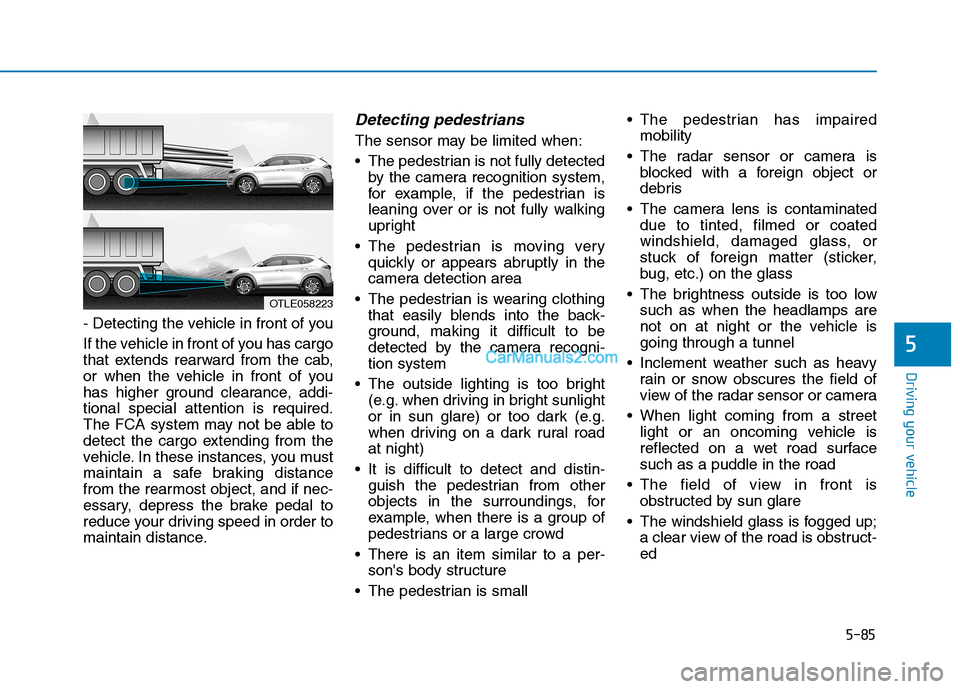
- Detecting the vehicle in front of you
If the vehicle in front of you has cargo
that extends rearward from the cab,
or when the vehicle in front of you
has higher ground clearance, addi-
tional special attention is required.
The FCA system may not be able to
detect the cargo extending from the
vehicle. In these instances, you must
maintain a safe braking distance
from the rearmost object, and if nec-
essary, depress the brake pedal to
reduce your driving speed in order to
maintain distance.
Detecting pedestrians
The sensor may be limited when:
The pedestrian is not fully detected
by the camera recognition system,
for example, if the pedestrian is
leaning over or is not fully walking
upright
The pedestrian is moving very
quickly or appears abruptly in the
camera detection area
The pedestrian is wearing clothing
that easily blends into the back-
ground, making it difficult to be
detected by the camera recogni-
tion system
The outside lighting is too bright
(e.g. when driving in bright sunlight
or in sun glare) or too dark (e.g.
when driving on a dark rural road
at night)
It is difficult to detect and distin-
guish the pedestrian from other
objects in the surroundings, for
example, when there is a group of
pedestrians or a large crowd
There is an item similar to a per-
son's body structure
The pedestrian is small The pedestrian has impaired
mobility
The radar sensor or camera is
blocked with a foreign object or
debris
The camera lens is contaminated
due to tinted, filmed or coated
windshield, damaged glass, or
stuck of foreign matter (sticker,
bug, etc.) on the glass
The brightness outside is too low
such as when the headlamps are
not on at night or the vehicle is
going through a tunnel
Inclement weather such as heavy
rain or snow obscures the field of
view of the radar sensor or camera
When light coming from a street
light or an oncoming vehicle is
reflected on a wet road surface
such as a puddle in the road
The field of view in front is
obstructed by sun glare
The windshield glass is fogged up;
a clear view of the road is obstruct-
ed
OTLE058223
Page 354 of 546
5-88
Driving your vehicle
Always have your hands on
the steering wheel while the
LKA system is activated. Also,
when Active LKA is selected
from the User Settings mode
and if you continue to drive
with your hands off the steer-
ing wheel after the "Keep
hands on steering wheel"
warning message appears,
the system will stop control-
ling the steering wheel.
However, if the driver has their
hands on the steering wheel
again, the system will start
controlling the steering
wheel.
The steering wheel is not con-
tinuously controlled so if the
vehicle speed is at a higher
speed when leaving a lane the
vehicle may not be able to be
controlled by the system. The
driver must always follow the
speed limit when using the
system.
If you attach objects to the
steering wheel, the system
may not assist steering or the
hands off alarm may not work
properly. When you tow a trail-
er, make sure that you turn off
the LKA system.
When you tow a trailer, make
sure that you turn off the LKA
system.
The system detects lane lines
and controls the steering
wheel by a camera, therefore,
if the lane lines are hard to
detect, the system may not
work properly.
Please refer to "Limitations of
the system".
Do not remove or damage the
related parts of LKA system.
You may not hear a warning
sound of LKA system
because of excessive audio
sound.
If any other warning sound
such as seat belt warning
chime is already generated,
the Lane Keeping Assist
(LKA) system warning may
not sound.
Do not place objects on the
dashboard that reflects light
such as mirrors, white paper,
etc. The system may malfunc-
tion if the sunlight is reflected.
Page 357 of 546
5-91
Driving your vehicle
5
2. The LKA system will control the
vehicle's steering to prevent the
vehicle from crossing the lane
maker in below conditions.
- Vehicle speed is over 40 mph (64
km/h)
- The system detects both lane
markers
- When driving, the vehicle is locat-
ed between both lanes normally.
- The steering wheel is not turned
suddenly.
When lanes are detected and all the
conditions to activate the LKA sys-
tem are satisfied, a LKA system indi-
cator light ( ) will change from
white to green. This indicates that the
LKA system is in the ENABLED state
and the steering wheel will be able to
be controlled.Warning Light and Message
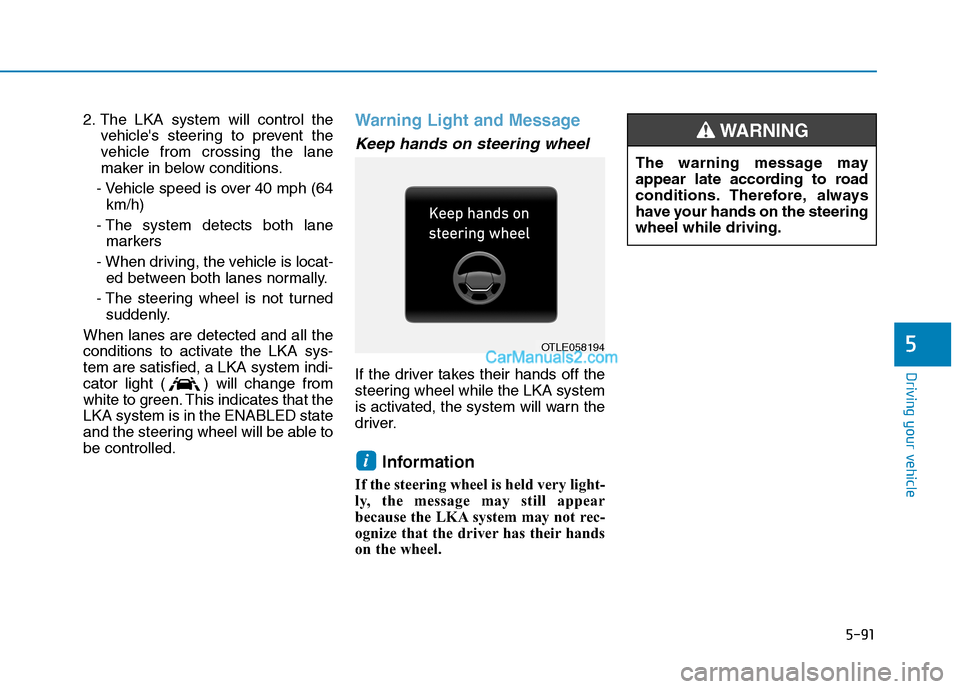
Keep hands on steering wheel
If the driver takes their hands off the
steering wheel while the LKA system
is activated, the system will warn the
driver.
Information
If the steering wheel is held very light-
ly, the message may still appear
because the LKA system may not rec-
ognize that the driver has their hands
on the wheel.
i
The warning message may
appear late according to road
conditions. Therefore, always
have your hands on the steering
wheel while driving.
WARNING
OTLE058194
Page 360 of 546
5-94
Driving your vehicle
The lane marker is merged or
divided. (e.g. tollgate)
The lane number increases or
decreases or the lane marker are
crossing complicatedly.
There are more than two lane
markers on the road in front of you.
The lane marker is very thick or
thin.
The lane marker ahead is not visi-
ble due to rain, snow, water on the
road, damaged or stained road
surface, or other factors.
The shadow is on the lane marker
by a median strip, trees, guardrail,
noise barriers, etc.
The lane markers are complicated
or a structure substitutes for the
lines such as a construction area.
There are crosswalk signs or other
symbols on the road.
The lane marker in a tunnel is
stained with oil, etc.
The lane suddenly disappears
such as at the intersection.When external condition is inter-
vened
The brightness outside changes
suddenly such as when entering or
exiting a tunnel, or when passing
under a bridge.
The brightness outside is too low
such as when the headlamps are
not on at night or the vehicle is
going through a tunnel.
There is a boundary structure in
the roadway such as a concrete
barrier, guardrail and reflector post
that is inadvertently being detected
by the camera.
When light coming from a street
light or an oncoming vehicle is
reflected on a wet road surface
such as a puddle in the road.
The field of view in front is
obstructed by sun glare.
There is not enough distance
between you and the vehicle in
front to be able to detect the lane
marker or the vehicle ahead is driv-
ing on the lane marker. Driving on a steep grade, over a
hill, or when driving on a curved
road.
The adverse road conditions cause
excessive vehicle vibrations while
driving.
The surrounding of the inside rear
view mirror temperature is high
due to direct sunlight, etc.
Page 365 of 546
5-99
Driving your vehicle
5
The Driver Attention Warning sys-
tem utilizes the camera sensor on
the front windshield for its opera-
tion. To keep the camera sensor in
the best condition, you should
observe the followings:
Do not disassemble the camera
temporarily to tint the window or
to attach any types of coatings
and accessories. If you disas-
semble a camera and assemble
it again, take your vehicle to an
authorized HYUNDAI dealer and
have the system checked for cal-
ibration.
NEVER install any accessories
or stickers on the front wind-
shield, nor tint the front wind-
shield.
NEVER locate any reflective
objects (i.e. white paper, mirror)
over the dashboard. Any light
reflection may cause a malfunc-
tion of the Driver Attention Alert
(DAW) system.
Pay extreme caution to keep the
camera sensor out of water.
NOTICE
The Driver Attention Warning
(DAW) system may not properly
operate with limited alerting in
the following situations:
The lane detection perform-
ance is limited. (For more
details, refer to "Lane Keeping
Assist (LKA) system" in this
chapter.)
The vehicle is violently driven
or is abruptly turned for
obstacle avoidance (e.g. con-
struction area, other vehicles,
fallen objects, bumpy road).
Forward drivability of the
vehicle is severely under-
mined (possibly due to wide
variation in tire pressures,
uneven tire wear-out, toe-
in/toe-out alignment).
The vehicle drives on a curvy
road.
The vehicle drives on a
bumpy road.
The vehicle drives through a
windy area.
The vehicle is controlled by
the following driving assist
systems:
- Lane Keeping Assist (LKA)
system
- Forward Collision-Avoidance
Assist (FCA) system
- Smart Cruise Control (SCC)
system
CAUTION
The DAW system warning
chime may be difficult to hear if
the audio system volume is set
to a high level.
CAUTION