Auto light Hyundai Tucson 2019 Service Manual
[x] Cancel search | Manufacturer: HYUNDAI, Model Year: 2019, Model line: Tucson, Model: Hyundai Tucson 2019Pages: 546, PDF Size: 61.38 MB
Page 323 of 546
5-57
Driving your vehicle
5
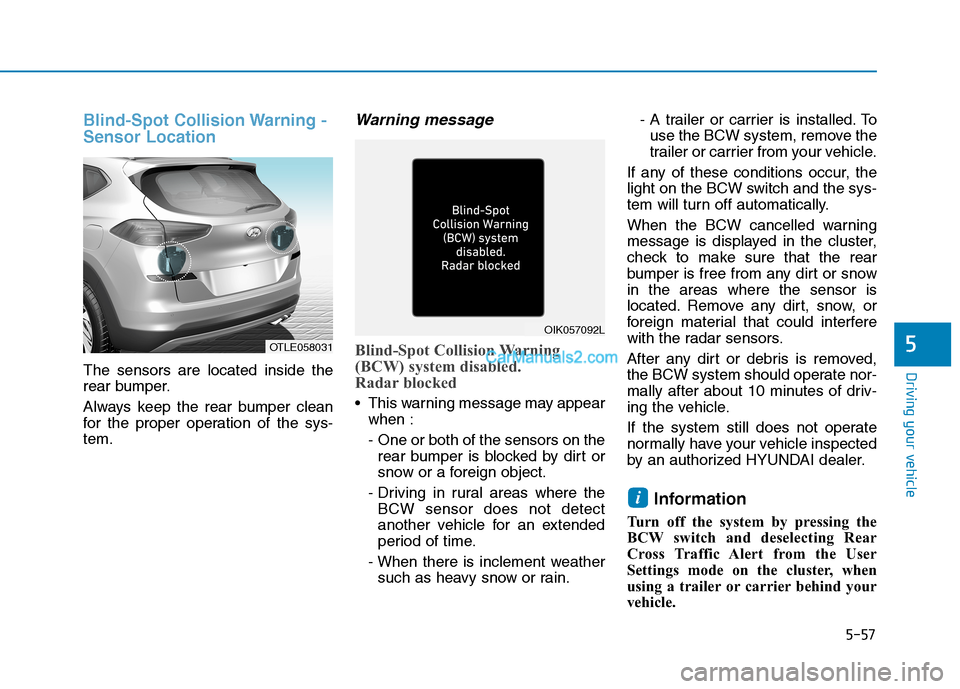
Blind-Spot Collision Warning -
Sensor Location
The sensors are located inside the
rear bumper.
Always keep the rear bumper clean
for the proper operation of the sys-
tem.
Warning message
Blind-Spot Collision Warning
(BCW) system disabled.
Radar blocked
This warning message may appear
when :
- One or both of the sensors on the
rear bumper is blocked by dirt or
snow or a foreign object.
- Driving in rural areas where the
BCW sensor does not detect
another vehicle for an extended
period of time.
- When there is inclement weather
such as heavy snow or rain.- A trailer or carrier is installed. To
use the BCW system, remove the
trailer or carrier from your vehicle.
If any of these conditions occur, the
light on the BCW switch and the sys-
tem will turn off automatically.
When the BCW cancelled warning
message is displayed in the cluster,
check to make sure that the rear
bumper is free from any dirt or snow
in the areas where the sensor is
located. Remove any dirt, snow, or
foreign material that could interfere
with the radar sensors.
After any dirt or debris is removed,
the BCW system should operate nor-
mally after about 10 minutes of driv-
ing the vehicle.
If the system still does not operate
normally have your vehicle inspected
by an authorized HYUNDAI dealer.
Information
Turn off the system by pressing the
BCW switch and deselecting Rear
Cross Traffic Alert from the User
Settings mode on the cluster, when
using a trailer or carrier behind your
vehicle.
i
OTLE058031
OIK057092L
Page 324 of 546
5-58
Driving your vehicle
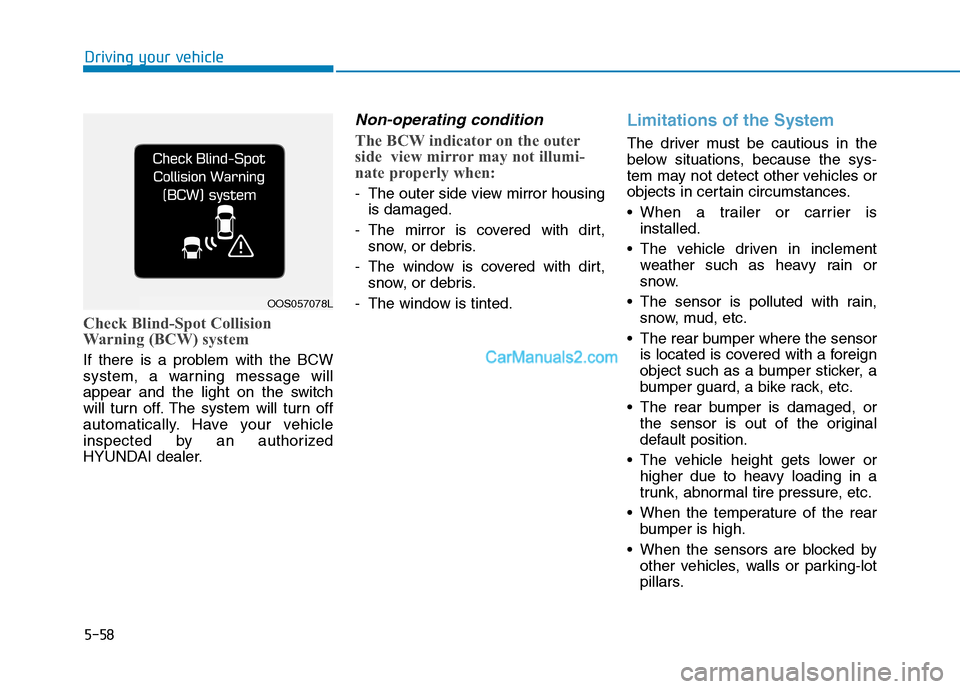
Check Blind-Spot Collision
Warning (BCW) system
If there is a problem with the BCW
system, a warning message will
appear and the light on the switch
will turn off. The system will turn off
automatically. Have your vehicle
inspected by an authorized
HYUNDAI dealer.
Non-operating condition
The BCW indicator on the outer
side view mirror may not illumi-
nate properly when:
- The outer side view mirror housing
is damaged.
- The mirror is covered with dirt,
snow, or debris.
- The window is covered with dirt,
snow, or debris.
- The window is tinted.
Limitations of the System
The driver must be cautious in the
below situations, because the sys-
tem may not detect other vehicles or
objects in certain circumstances.
When a trailer or carrier is
installed.
The vehicle driven in inclement
weather such as heavy rain or
snow.
The sensor is polluted with rain,
snow, mud, etc.
The rear bumper where the sensor
is located is covered with a foreign
object such as a bumper sticker, a
bumper guard, a bike rack, etc.
The rear bumper is damaged, or
the sensor is out of the original
default position.
The vehicle height gets lower or
higher due to heavy loading in a
trunk, abnormal tire pressure, etc.
When the temperature of the rear
bumper is high.
When the sensors are blocked by
other vehicles, walls or parking-lot
pillars.
OOS057078L
Page 328 of 546
5-62
Driving your vehicle
- Early:
When this condition is selected, the
initial Forward Collision Warning is
activated earlier than normal. This
setting maximizes the amount of
distance between the vehicle
ahead before the initial warning
occurs.
Even though, 'Early' is selected if
the front vehicle suddenly stops the
initial warning activation time may
not seem fast.
If you feel the warning activates too
early, set the Forward Collision
Warning to "Normal".
Prerequisite for activation
The FCA system is on and ready
when FCA is selected on the LCD
display and when the following pre-
requisites are satisfied:
- The ESC (Electronic Stability
Control) on.
- Driving speed exceeds approxi-
mately 6 mph (10 km/h). (The FCA
is only activated within a certain
speed range.)
- The system detects a vehicle in
front, which may collide with your
vehicle. (The FCA may not be acti-
vated or may sound a warning
alarm in accordance with the driv-
ing situation or vehicle condition.)
Completely stop the vehicle
on a safe location before
operating the switch on the
steering wheel to activate/
deactivate the FCA system.
The FCA automatically acti-
vates upon placing the igni-
tion switch to the ON position.
The driver can deactivate the
FCA by canceling the system
setting on the LCD display.
If you cancel the ESC
(Electronic Stability Control)
when the FCA system is
turned on the FCA automati-
cally deactivates and the FCA
warning light illuminates.
When the ESC is canceled the
FCA cannot be activated on
the LCD display. The FCA
warning light will illuminate
which is normal.
WARNING
Page 333 of 546
5-67
Driving your vehicle
5
System Not Operating
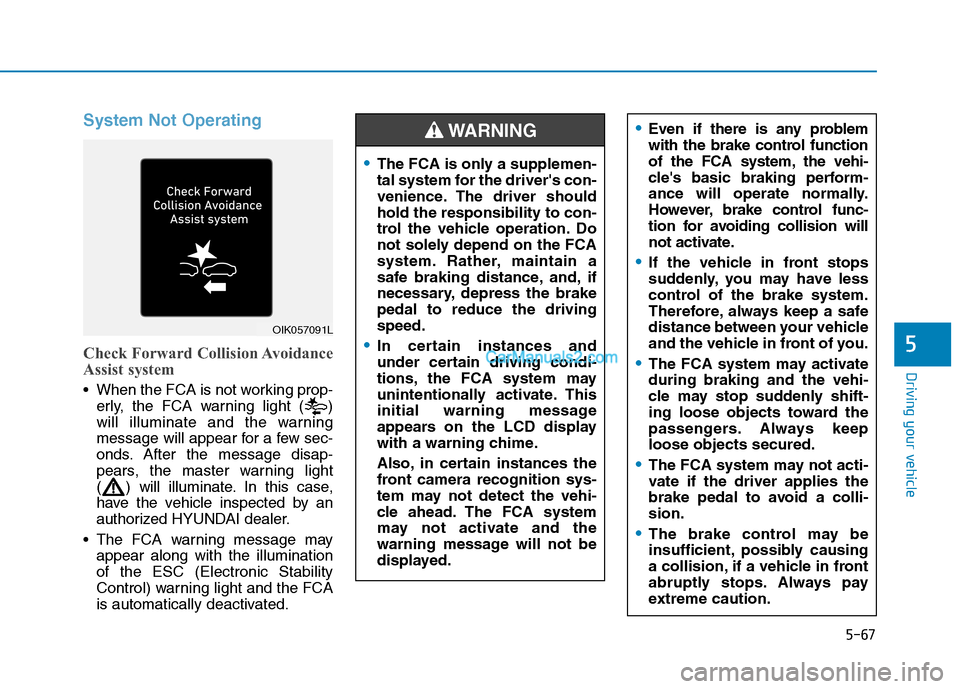
Check Forward Collision Avoidance
Assist system
When the FCA is not working prop-
erly, the FCA warning light ( )
will illuminate and the warning
message will appear for a few sec-
onds. After the message disap-
pears, the master warning light
( ) will illuminate. In this case,
have the vehicle inspected by an
authorized HYUNDAI dealer.
The FCA warning message may
appear along with the illumination
of the ESC (Electronic Stability
Control) warning light and the FCA
is automatically deactivated.
OIK057091L
Even if there is any problem
with the brake control function
of the FCA system, the vehi-
cle's basic braking perform-
ance will operate normally.
However, brake control func-
tion for avoiding collision will
not activate.
If the vehicle in front stops
suddenly, you may have less
control of the brake system.
Therefore, always keep a safe
distance between your vehicle
and the vehicle in front of you.
The FCA system may activate
during braking and the vehi-
cle may stop suddenly shift-
ing loose objects toward the
passengers. Always keep
loose objects secured.
The FCA system may not acti-
vate if the driver applies the
brake pedal to avoid a colli-
sion.
The brake control may be
insufficient, possibly causing
a collision, if a vehicle in front
abruptly stops. Always pay
extreme caution.
The FCA is only a supplemen-
tal system for the driver's con-
venience. The driver should
hold the responsibility to con-
trol the vehicle operation. Do
not solely depend on the FCA
system. Rather, maintain a
safe braking distance, and, if
necessary, depress the brake
pedal to reduce the driving
speed.
In certain instances and
under certain driving condi-
tions, the FCA system may
unintentionally activate. This
initial warning message
appears on the LCD display
with a warning chime.
Also, in certain instances the
front camera recognition sys-
tem may not detect the vehi-
cle ahead. The FCA system
may not activate and the
warning message will not be
displayed.
WARNING
Page 341 of 546
5-75
Driving your vehicle
5
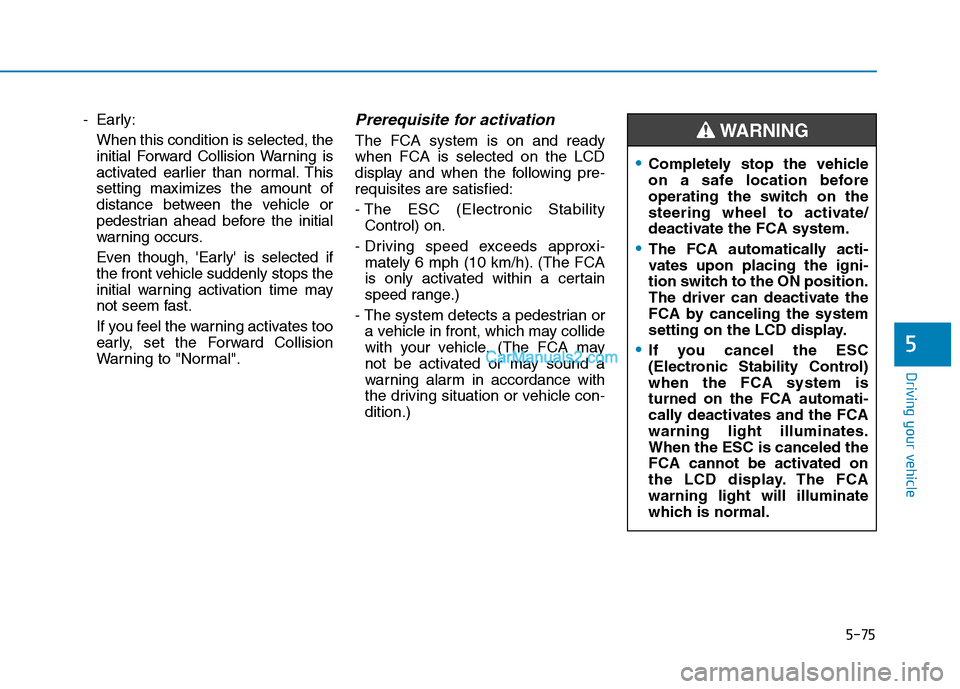
- Early:
When this condition is selected, the
initial Forward Collision Warning is
activated earlier than normal. This
setting maximizes the amount of
distance between the vehicle or
pedestrian ahead before the initial
warning occurs.
Even though, 'Early' is selected if
the front vehicle suddenly stops the
initial warning activation time may
not seem fast.
If you feel the warning activates too
early, set the Forward Collision
Warning to "Normal".Prerequisite for activation
The FCA system is on and ready
when FCA is selected on the LCD
display and when the following pre-
requisites are satisfied:
- The ESC (Electronic Stability
Control) on.
- Driving speed exceeds approxi-
mately 6 mph (10 km/h). (The FCA
is only activated within a certain
speed range.)
- The system detects a pedestrian or
a vehicle in front, which may collide
with your vehicle. (The FCA may
not be activated or may sound a
warning alarm in accordance with
the driving situation or vehicle con-
dition.)
Completely stop the vehicle
on a safe location before
operating the switch on the
steering wheel to activate/
deactivate the FCA system.
The FCA automatically acti-
vates upon placing the igni-
tion switch to the ON position.
The driver can deactivate the
FCA by canceling the system
setting on the LCD display.
If you cancel the ESC
(Electronic Stability Control)
when the FCA system is
turned on the FCA automati-
cally deactivates and the FCA
warning light illuminates.
When the ESC is canceled the
FCA cannot be activated on
the LCD display. The FCA
warning light will illuminate
which is normal.
WARNING
Page 346 of 546
5-80
Driving your vehicle
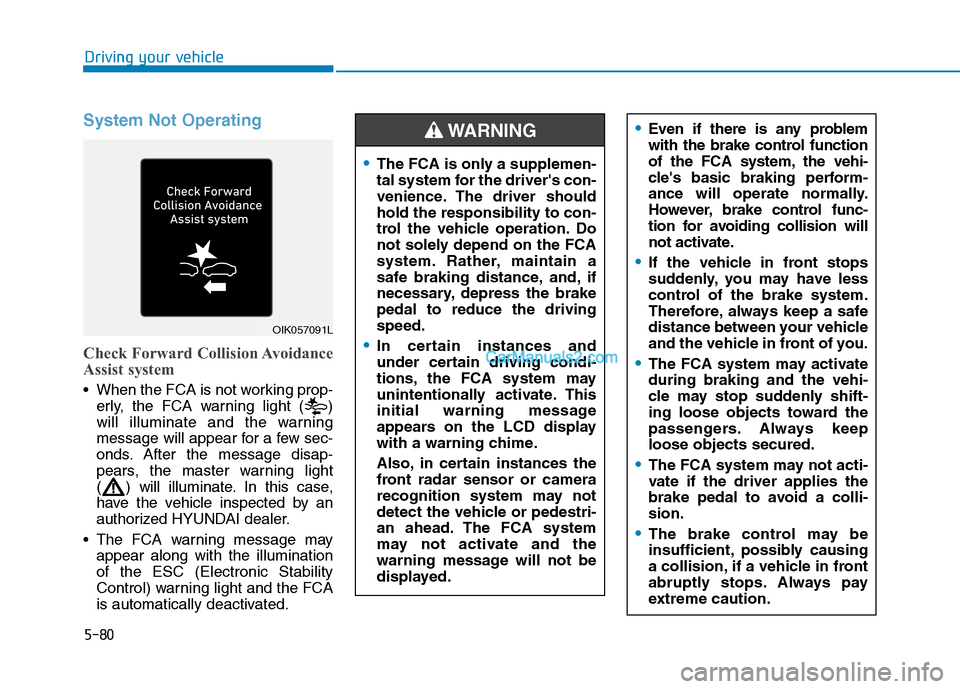
System Not Operating
Check Forward Collision Avoidance
Assist system
When the FCA is not working prop-
erly, the FCA warning light ( )
will illuminate and the warning
message will appear for a few sec-
onds. After the message disap-
pears, the master warning light
( ) will illuminate. In this case,
have the vehicle inspected by an
authorized HYUNDAI dealer.
The FCA warning message may
appear along with the illumination
of the ESC (Electronic Stability
Control) warning light and the FCA
is automatically deactivated.
OIK057091L
Even if there is any problem
with the brake control function
of the FCA system, the vehi-
cle's basic braking perform-
ance will operate normally.
However, brake control func-
tion for avoiding collision will
not activate.
If the vehicle in front stops
suddenly, you may have less
control of the brake system.
Therefore, always keep a safe
distance between your vehicle
and the vehicle in front of you.
The FCA system may activate
during braking and the vehi-
cle may stop suddenly shift-
ing loose objects toward the
passengers. Always keep
loose objects secured.
The FCA system may not acti-
vate if the driver applies the
brake pedal to avoid a colli-
sion.
The brake control may be
insufficient, possibly causing
a collision, if a vehicle in front
abruptly stops. Always pay
extreme caution.
The FCA is only a supplemen-
tal system for the driver's con-
venience. The driver should
hold the responsibility to con-
trol the vehicle operation. Do
not solely depend on the FCA
system. Rather, maintain a
safe braking distance, and, if
necessary, depress the brake
pedal to reduce the driving
speed.
In certain instances and
under certain driving condi-
tions, the FCA system may
unintentionally activate. This
initial warning message
appears on the LCD display
with a warning chime.
Also, in certain instances the
front radar sensor or camera
recognition system may not
detect the vehicle or pedestri-
an ahead. The FCA system
may not activate and the
warning message will not be
displayed.
WARNING
Page 372 of 546
5-106
Driving your vehicle
Smart Cruise Control Speed
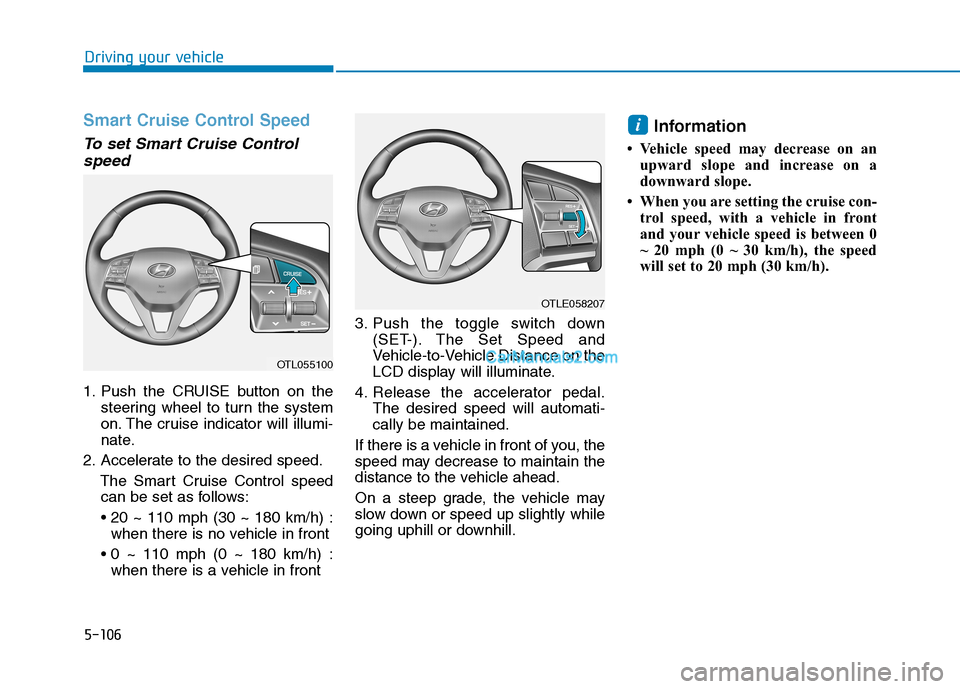
To set Smart Cruise Control
speed
1. Push the CRUISE button on the
steering wheel to turn the system
on. The cruise indicator will illumi-
nate.
2. Accelerate to the desired speed.
The Smart Cruise Control speed
can be set as follows:
when there is no vehicle in front
when there is a vehicle in front3. Push the toggle switch down
(SET-). The Set Speed and
Vehicle-to-Vehicle Distance on the
LCD display will illuminate.
4. Release the accelerator pedal.
The desired speed will automati-
cally be maintained.
If there is a vehicle in front of you, the
speed may decrease to maintain the
distance to the vehicle ahead.
On a steep grade, the vehicle may
slow down or speed up slightly while
going uphill or downhill.
Information
• Vehicle speed may decrease on an
upward slope and increase on a
downward slope.
• When you are setting the cruise con-
trol speed, with a vehicle in front
and your vehicle speed is between 0
~ 20 mph (0 ~ 30 km/h), the speed
will set to 20 mph (30 km/h).
i
OTL055100
OTLE058207
Page 379 of 546
5-113
Driving your vehicle
5
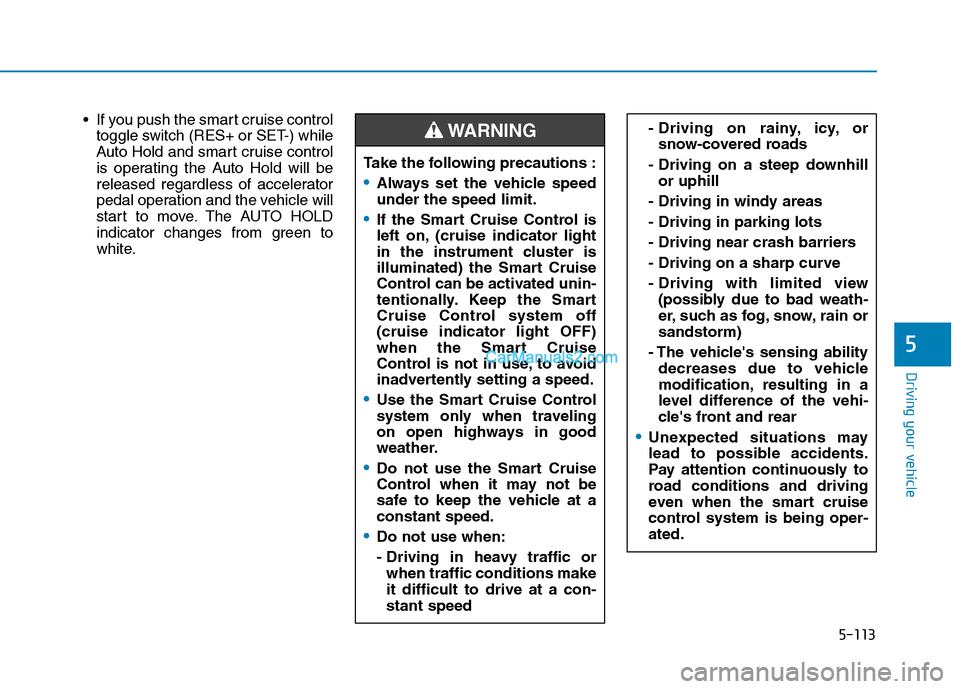
If you push the smart cruise control
toggle switch (RES+ or SET-) while
Auto Hold and smart cruise control
is operating the Auto Hold will be
released regardless of accelerator
pedal operation and the vehicle will
start to move. The AUTO HOLD
indicator changes from green to
white.- Driving on rainy, icy, or
snow-covered roads
- Driving on a steep downhill
or uphill
- Driving in windy areas
- Driving in parking lots
- Driving near crash barriers
- Driving on a sharp curve
- Driving with limited view
(possibly due to bad weath-
er, such as fog, snow, rain or
sandstorm)
- The vehicle's sensing ability
decreases due to vehicle
modification, resulting in a
level difference of the vehi-
cle's front and rear
Unexpected situations may
lead to possible accidents.
Pay attention continuously to
road conditions and driving
even when the smart cruise
control system is being oper-
ated.
Take the following precautions :
Always set the vehicle speed
under the speed limit.
If the Smart Cruise Control is
left on, (cruise indicator light
in the instrument cluster is
illuminated) the Smart Cruise
Control can be activated unin-
tentionally. Keep the Smart
Cruise Control system off
(cruise indicator light OFF)
when the Smart Cruise
Control is not in use, to avoid
inadvertently setting a speed.
Use the Smart Cruise Control
system only when traveling
on open highways in good
weather.
Do not use the Smart Cruise
Control when it may not be
safe to keep the vehicle at a
constant speed.
Do not use when:
- Driving in heavy traffic or
when traffic conditions make
it difficult to drive at a con-
stant speed
WARNING
Page 388 of 546
5-122
Driving your vehicle
Hazardous driving conditions
When hazardous driving elements
are encountered such as water,
snow, ice, mud and sand, take the
below suggestions:
Drive cautiously and keep a longer
braking distance.
Avoid abrupt braking or steering.
When your vehicle is stuck in snow,
mud, or sand, use second gear.
Accelerate slowly to avoid unnec-
essary wheel spin.
Put sand, rock salt, tire chains or
other non-slip materials under the
wheels to provide additional trac-
tion while the vehicle becomes
stuck in ice, snow, or mud.
Rocking the vehicle
If it is necessary to rock the vehicle
to free it from snow, sand, or mud,
first turn the steering wheel right and
left to clear the area around your
front wheels. Then, shift back and
forth between R (Reverse) and a for-
ward gear.
Try to avoid spinning the wheels, and
do not race the engine.
To prevent transmission wear, wait
until the wheels stop spinning before
shifting gears. Release the accelera-
tor pedal while shifting, and press
lightly on the accelerator pedal while
the transmission is in gear. Slowly
spinning the wheels in forward and
reverse directions causes a rocking
motion that may free the vehicle.
S SP
PE
EC
CI
IA
AL
L
D
DR
RI
IV
VI
IN
NG
G
C
CO
ON
ND
DI
IT
TI
IO
ON
NS
S
Downshifting with an automatic
transmission while driving on
slippery surfaces can cause an
accident. The sudden change in
tire speed could cause the tires
to skid. Be careful when down-
shifting on slippery surfaces.
WARNING
If the vehicle is stuck and
excessive wheel spin occurs,
the temperature in the tires can
increase very quickly. If the tires
become damaged, a tire blow
out or tire explosion can occur.
This condition is dangerous -
you and others may be injured.
Do not attempt this procedure if
people or objects are anywhere
near the vehicle.
If you attempt to free the vehicle,
the vehicle can overheat quickly,
possibly causing an engine
compartment fire or other dam-
age. Try to avoid spinning the
wheels as much as possible to
prevent overheating of either the
tires or the engine. DO NOT
allow the vehicle to spin the
wheels above 35 mph (56 km/h).
WARNING
Page 402 of 546
5-136
Driving your vehicle
5. Start the vehicle, apply the brakes,
shift to neutral, release the park-
ing brake and slowly release the
brakes until the trailer chocks
absorb the load.
6. Reapply the brakes and parking
brakes.
7. Move the shift lever to P (Park).
8. Shut off the vehicle and release
the vehicle brakes but leave the
parking brake set.
Driving the vehicle after it has
been parked on a hill
1. With the gear shift lever in P
(Park), apply the brakes and hold
the brake pedal down while per-
forming the following:
and
2. Slowly remove your foot from the
brake pedal.
3. Drive slowly until the trailer is clear
of the chocks.
4. Stop and have someone pick up
and store the chocks.
Maintenance when trailer tow-
ing
Your vehicle will need service more
often when you regularly pull a trail-
er. Important items to pay particular
attention to include engine oil, auto-
matic transmission fluid, axle lubri-
cant and cooling system fluid. Brake
condition is another important item to
frequently check. If you’re trailering,
it’s a good idea to review these items
before you start your trip. Don't forget
to also maintain your trailer and
hitch. Follow the maintenance sched-
ule that accompanied your trailer and
check it periodically. Preferably,
inspect the vehicle and trailer at the
start of each day's driving. Inspect
the hitch mounting to make sure the
hitch is properly secured to the vehi-
cle. Inspect the trailer electrical
wiring to make sure brake lights, turn
signal lights, running lights, and haz-
ard lights are working properly.
Do not get out of the vehicle
without the parking brake
firmly set. If you have left the
engine running, the vehicle
can move suddenly. You and
others could be seriously or
fatally injured.
Do not apply the accelerator
pedal to hold the vehicle on
an uphill.
WARNING