tail Hyundai Tucson 2019 Service Manual
[x] Cancel search | Manufacturer: HYUNDAI, Model Year: 2019, Model line: Tucson, Model: Hyundai Tucson 2019Pages: 546, PDF Size: 61.38 MB
Page 240 of 546
3-149
Convenient features of your vehicle
3
If the air flow rate suddenly decreas-
es, the system should be checked at
an authorized HYUNDAI dealer.
Checking the amount of air
conditioner refrigerant and
compressor lubricant
When the amount of refrigerant is
low, the performance of the air con-
ditioning is reduced. Overfilling also
has a negative influence on the air
conditioning system.
Therefore, if abnormal operation is
found, have the system inspected by
an authorized HYUNDAI dealer.
It is important that the correct
type and amount of oil and refrig-
erant is used. Otherwise, damage
to the compressor and abnormal
system operation may occur.The air conditioning system should
be serviced by an authorized
HYUNDAI dealer.
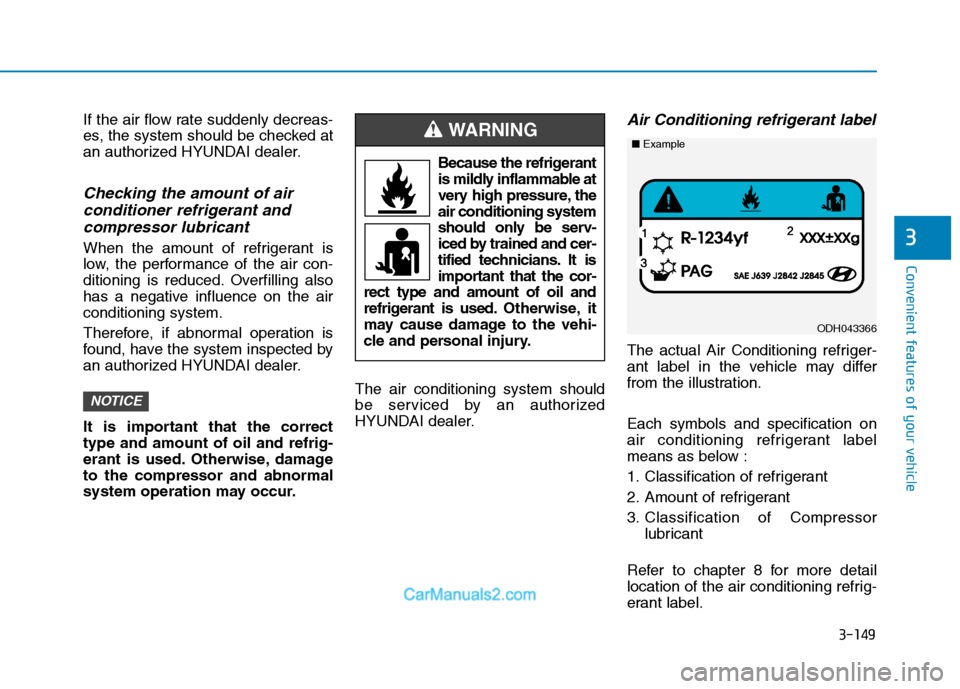
Air Conditioning refrigerant label
The actual Air Conditioning refriger-
ant label in the vehicle may differ
from the illustration.
Each symbols and specification on
air conditioning refrigerant label
means as below :
1. Classification of refrigerant
2. Amount of refrigerant
3. Classification of Compressor
lubricant
Refer to chapter 8 for more detail
location of the air conditioning refrig-
erant label.
NOTICE
ODH043366
■Example
Because the refrigerant
is mildly inflammable at
very high pressure, the
air conditioning system
should only be serv-
iced by trained and cer-
tified technicians. It is
important that the cor-
rect type and amount of oil and
refrigerant is used.Otherwise, it
may cause damage to the vehi-
cle and personal injury.
WARNING
Page 256 of 546
3-165
Convenient features of your vehicle
3
Clock
Set the clock on the multimedia dis-
play by pressing the SETUP button
on the side of the audio unit and
selecting Date/Time icon on the dis-
play.
For more details, refer to the
"Multimedia System" in chapter 4 or
Navigation System (AVN) Manual
that was supplied with your vehicle.
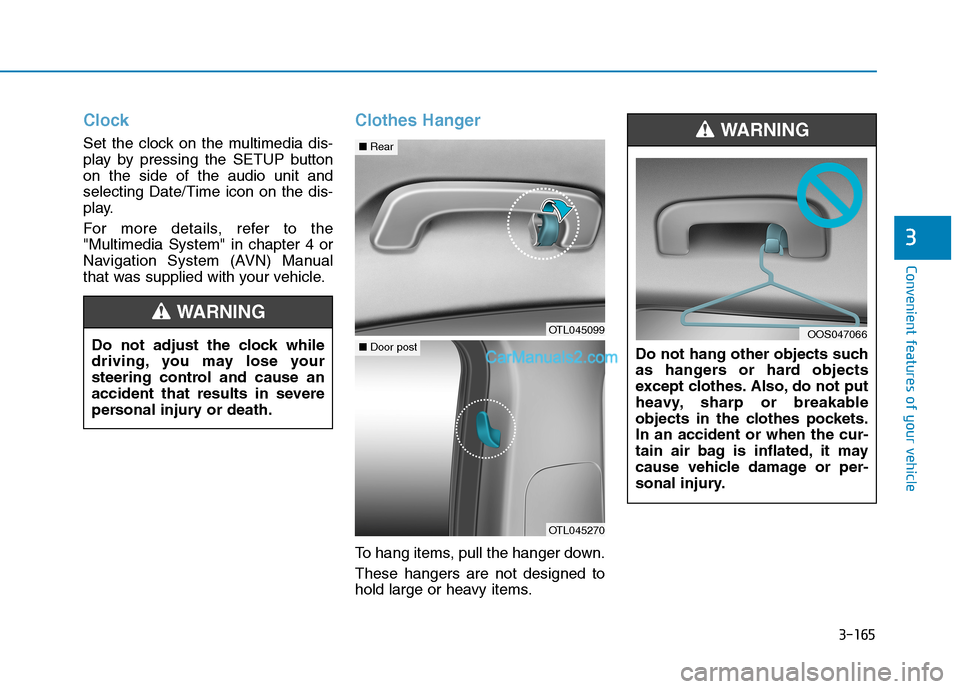
Clothes Hanger
To hang items, pull the hanger down.
These hangers are not designed to
hold large or heavy items.Do not hang other objects such
as hangers or hard objects
except clothes. Also, do not put
heavy, sharp or breakable
objects in the clothes pockets.
In an accident or when the cur-
tain air bag is inflated, it may
cause vehicle damage or per-
sonal injury.
WARNING
OOS047066Do not adjust the clock while
driving, you may lose your
steering control and cause an
accident that results in severe
personal injury or death.
WARNING
OTL045099
■Rear
OTL045270
■Door post
Page 257 of 546
3-166
Convenient features of your vehicle
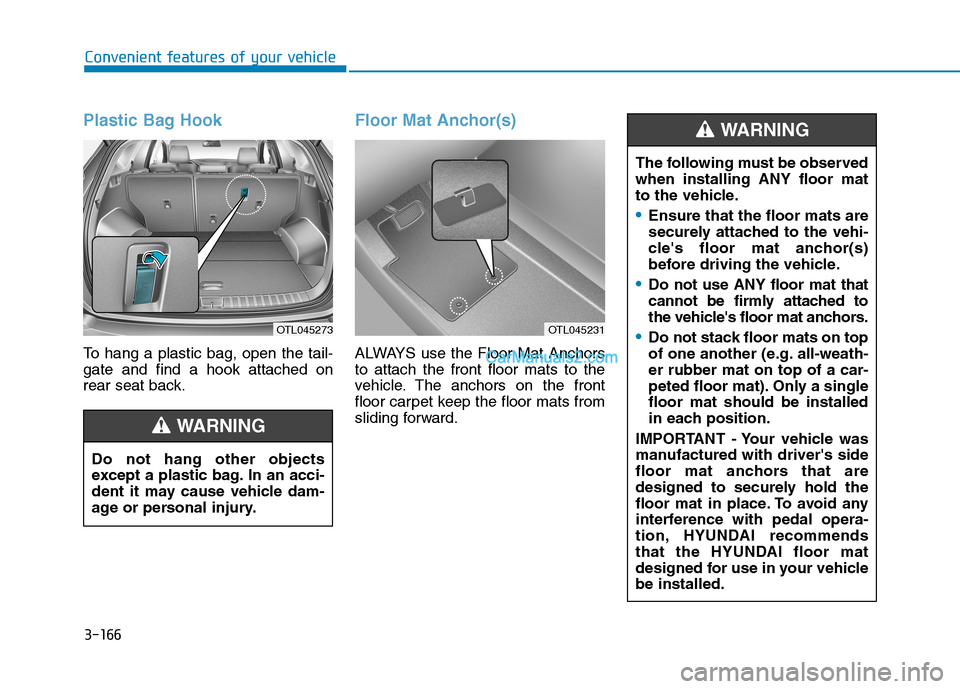
Plastic Bag Hook
To hang a plastic bag, open the tail-
gate and find a hook attached on
rear seat back.
Floor Mat Anchor(s)
ALWAYS use the Floor Mat Anchors
to attach the front floor mats to the
vehicle. The anchors on the front
floor carpet keep the floor mats from
sliding forward.
OTL045273
Do not hang other objects
except a plastic bag. In an acci-
dent it may cause vehicle dam-
age or personal injury.
WARNING
OTL045231
The following must be observed
when installing ANY floor mat
to the vehicle.
Ensure that the floor mats are
securely attached to the vehi-
cle's floor mat anchor(s)
before driving the vehicle.
Do not use ANY floor mat that
cannot be firmly attached to
the vehicle's floor mat anchors.
Do not stack floor mats on top
of one another (e.g. all-weath-
er rubber mat on top of a car-
peted floor mat). Only a single
floor mat should be installed
in each position.
IMPORTANT - Your vehicle was
manufactured with driver's side
floor mat anchors that are
designed to securely hold the
floor mat in place. To avoid any
interference with pedal opera-
tion, HYUNDAI recommends
that the HYUNDAI floor mat
designed for use in your vehicle
be installed.
WARNING
Page 265 of 546
4-3
Multimedia System
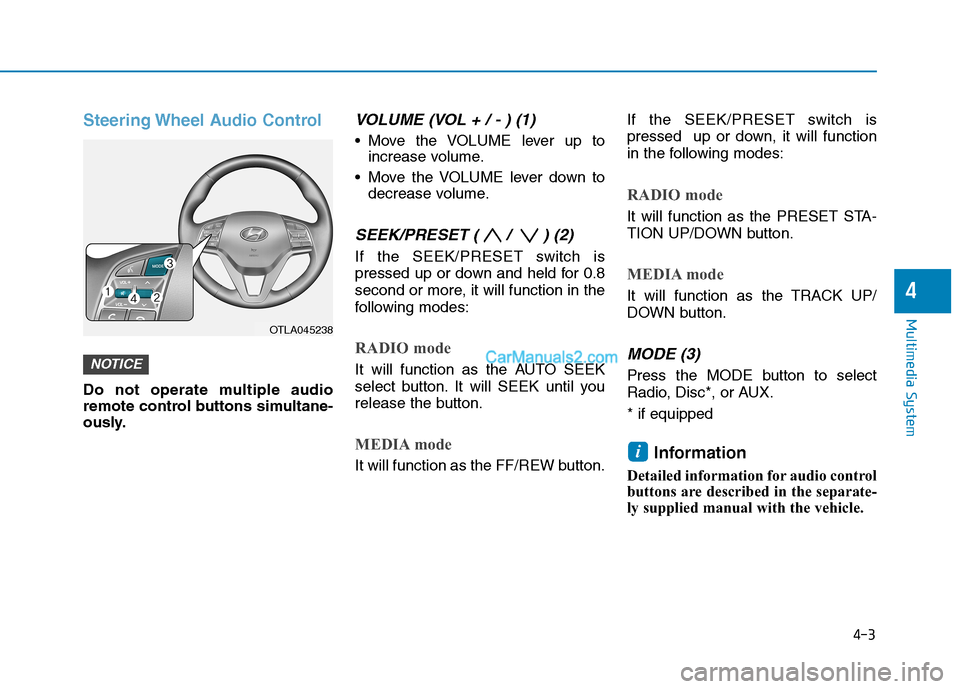
Steering Wheel Audio Control
Do not operate multiple audio
remote control buttons simultane-
ously.
VOLUME (VOL + / - ) (1)
Move the VOLUME lever up to
increase volume.
Move the VOLUME lever down to
decrease volume.
SEEK/PRESET ( / ) (2)
If the SEEK/PRESET switch is
pressed up or down and held for 0.8
second or more, it will function in the
following modes:
RADIO mode
It will function as the AUTO SEEK
select button. It will SEEK until you
release the button.
MEDIA mode
It will function as the FF/REW button.If the SEEK/PRESET switch is
pressed up or down, it will function
in the following modes:
RADIO mode
It will function as the PRESET STA-
TION UP/DOWN button.
MEDIA mode
It will function as the TRACK UP/
DOWN button.
MODE (3)
Press the MODE button to select
Radio, Disc*, or AUX.
* if equipped
Information
Detailed information for audio control
buttons are described in the separate-
ly supplied manual with the vehicle.
i
NOTICE
4
OTLA045238
Page 266 of 546
4-4
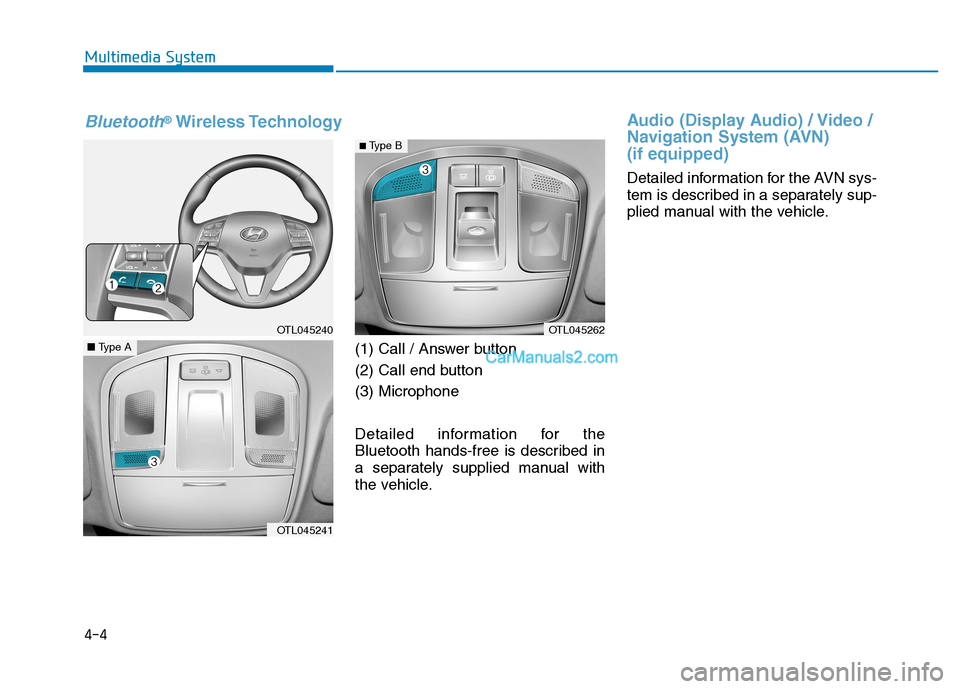
(1) Call / Answer button
(2) Call end button
(3) Microphone
Detailed information for the
Bluetooth hands-free is described in
a separately supplied manual with
the vehicle.
Audio (Display Audio) / Video /
Navigation System (AVN)
(if equipped)
Detailed information for the AVN sys-
tem is described in a separately sup-
plied manual with the vehicle. Multimedia System
OTL045240
OTL045241
■Type A
OTL045262
Bluetooth®Wireless Technology
■ Type B
Page 271 of 546
5-5
Driving your vehicle
5
NEVER drink or take drugs and
drive.
Drinking or taking drugs and
driving is dangerous and may
result in an accident and SERI-
OUS INJURY or DEATH.
Drunk driving is the number
one contributor to the highway
death toll each year. Even a
small amount of alcohol will
affect your reflexes, percep-
tions and judgment. Just one
drink can reduce your ability to
respond to changing conditions
and emergencies and your reac-
tion time gets worse with each
additional drink.
Driving while under the influ-
ence of drugs is as dangerous
or more dangerous than driving
under the influence of alcohol.
WARNING You are much more likely to have
a serious accident if you drink or
take drugs and drive. If you are
drinking or taking drugs, don't
drive. Do not ride with a driver
who has been drinking or taking
drugs. Choose a designated
driver or call a taxi.
To reduce the risk of SERIOUS
INJURY or DEATH, take the fol-
lowing precautions:
•ALWAYS wear your seat belt.
All passengers must be prop-
erly belted whenever the vehi-
cle is moving. For more
details, refer to "Seat Belts" in
chapter 2.
Always drive defensively.
Assume other drivers or pedes-
trians may be careless and
make mistakes.
Stay focused on the task of
driving. Driver distraction can
cause accidents.
Leave plenty of space between
you and the vehicle in front of
you.
WARNING
Page 282 of 546
5-16
Driving your vehicle
R (Reverse)
Use this position to drive the vehicle
backward.
Always come to a complete stop
before shifting into or out of R
(Reverse); you may damage the
transmission if you shift into R
(Reverse) while the vehicle is in
motion.
N (Neutral)
The wheels and transmission are not
engaged.
Use N (Neutral) if you need to restart
a stalled engine, or if it is necessary
to stop with the engine ON. Shift into
P (Park) if you need to leave your
vehicle for any reason.
Always depress the brake pedal
when you are shifting from N
(Neutral) to another gear.
D (Drive)
This is the normal driving position.
The transmission will automatically
shift through a six-gear sequence,
providing the best fuel economy and
power.
For extra power when passing anoth-
er vehicle or driving uphill depress
the accelerator pedal further until
you feel the transmission downshift
to a lower gear.
The DRIVE MODE switch, located
on the shift lever console, allows the
driver to switch from COMFORT
mode to SPORT mode.
For more details, refer to "Drive
Mode Integrated Control System"
later in this chapter.
NOTICE
Do not shift into gear unless
your foot is firmly on the brake
pedal. Shifting into gear when
the engine is running at high
speed can cause the vehicle to
move very rapidly. You could
lose control of the vehicle and
hit people or objects.
WARNING
Page 315 of 546
5-49
Driving your vehicle
5
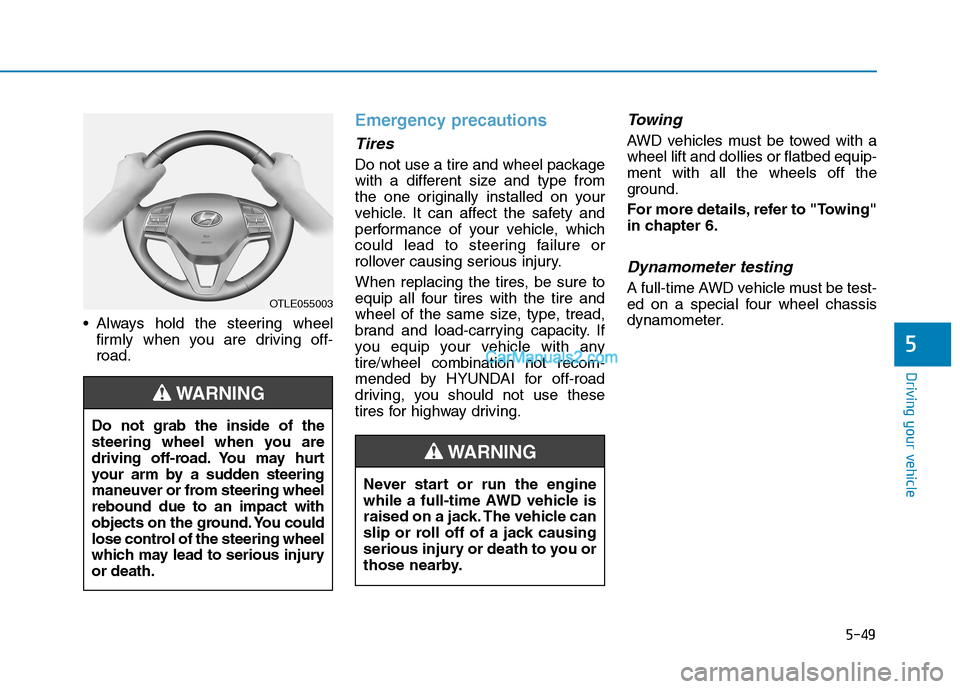
Always hold the steering wheel
firmly when you are driving off-
road.
Emergency precautions
Tires
Do not use a tire and wheel package
with a different size and type from
the one originally installed on your
vehicle. It can affect the safety and
performance of your vehicle, which
could lead to steering failure or
rollover causing serious injury.
When replacing the tires, be sure to
equip all four tires with the tire and
wheel of the same size, type, tread,
brand and load-carrying capacity. If
you equip your vehicle with any
tire/wheel combination not recom-
mended by HYUNDAI for off-road
driving, you should not use these
tires for highway driving.
Towing
AWD vehicles must be towed with a
wheel lift and dollies or flatbed equip-
ment with all the wheels off the
ground.
For more details, refer to "Towing"
in chapter 6.
Dynamometer testing
A full-time AWD vehicle must be test-
ed on a special four wheel chassis
dynamometer.OTLE055003
Do not grab the inside of the
steering wheel when you are
driving off-road. You may hurt
your arm by a sudden steering
maneuver or from steering wheel
rebound due to an impact with
objects on the ground. You could
lose control of the steering wheel
which may lead to serious injury
or death.
WARNING
Never start or run the engine
while a full-time AWD vehicle is
raised on a jack. The vehicle can
slip or roll off of a jack causing
serious injury or death to you or
those nearby.
WARNING
Page 321 of 546
5-55
Driving your vehicle
5
RCCW (Rear Cross-Traffic
Collision Warning)
The Rear Cross-Traffic Collision
Warning function monitors approach-
ing cross traffic from the left and right
side of the vehicle when your vehicle
is in reverse.
Operating conditions
To operate:
Go to the 'User Settings →Driver
Assistance and select Rear Cross-
Traffic Collision Warning' on the LCD
display.(For more details, refer to
"LCD Display" in chapter 3.)
The system will turn on and standby
to activate. The system will activate
when vehicle speed is below 6 mph
(10 km/h) and with the shift lever in R
(Reverse).
Information
The Rear Cross-Traffic Collision
Warning (RCCW) detecting range is
approximately 1 - 65 ft (0.5 – 20 m).
An approaching vehicle will be detect-
ed if their vehicle speed is within 2.5 -
22.5 mph (4 - 36 km/h).
Note that the detecting range may
vary under certain conditions. As
always, use caution and pay close
attention to your surroundings when
backing up your vehicle.
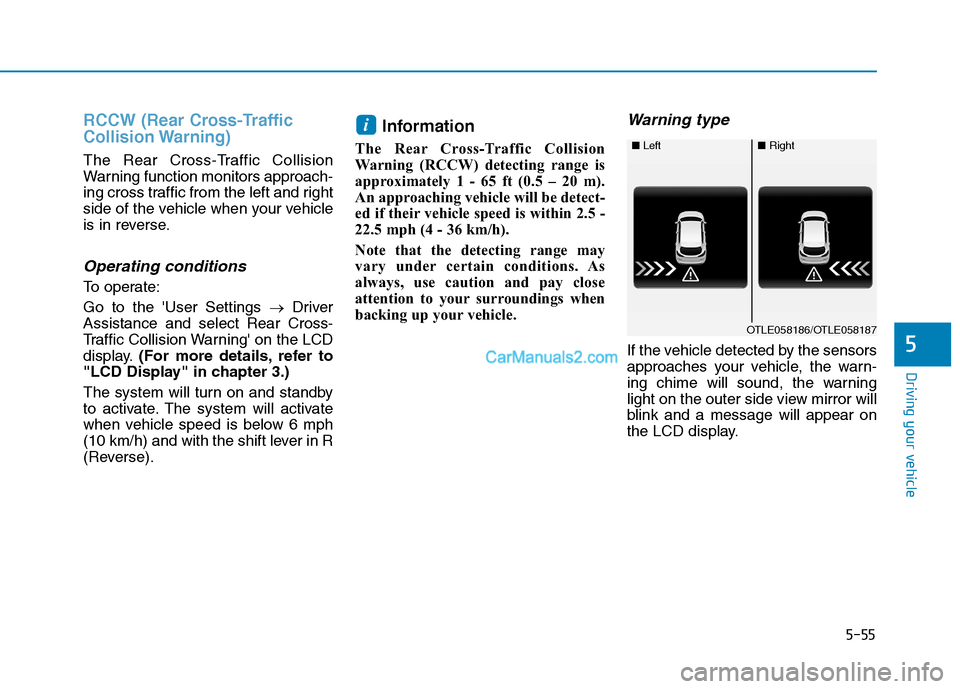
Warning type
If the vehicle detected by the sensors
approaches your vehicle, the warn-
ing chime will sound, the warning
light on the outer side view mirror will
blink and a message will appear on
the LCD display.
i
■ Left■Right
OTLE058186/OTLE058187
Page 355 of 546
5-89
Driving your vehicle
5
LKA System Operation
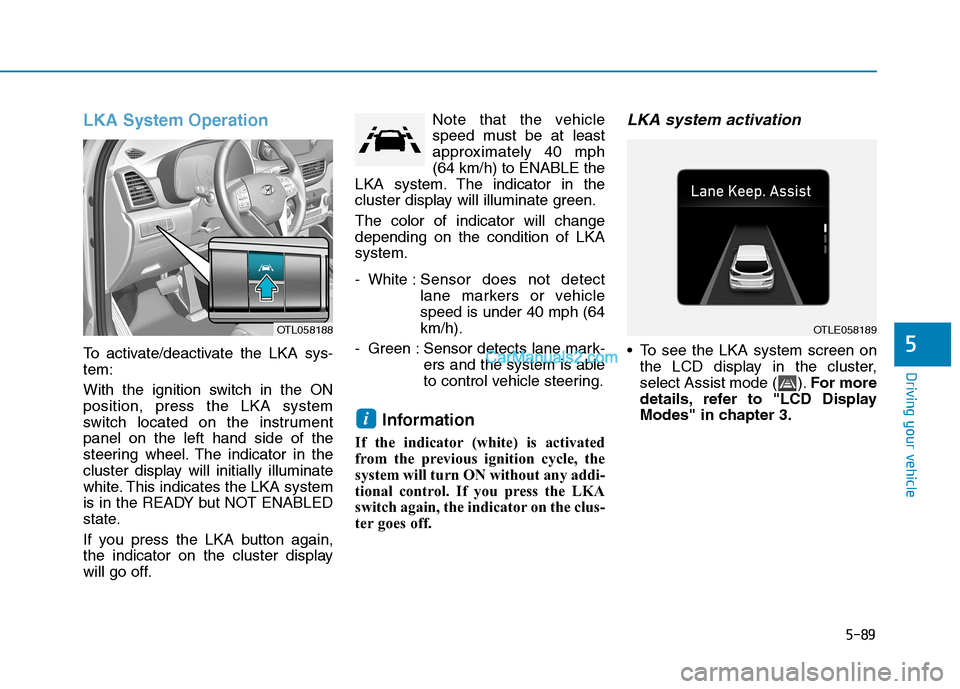
To activate/deactivate the LKA sys-
tem:
With the ignition switch in the ON
position, press the LKA system
switch located on the instrument
panel on the left hand side of the
steering wheel. The indicator in the
cluster display will initially illuminate
white. This indicates the LKA system
is in the READY but NOT ENABLED
state.
If you press the LKA button again,
the indicator on the cluster display
will go off.Note that the vehicle
speed must be at least
approximately 40 mph
(64 km/h) to ENABLE the
LKA system. The indicator in the
cluster display will illuminate green.
The color of indicator will change
depending on the condition of LKA
system.
- White :Sensor does not detect
lane markers or vehicle
speed is under 40 mph (64
km/h).
- Green : Sensor detects lane mark-
ers and the system is able
to control vehicle steering.
Information
If the indicator (white) is activated
from the previous ignition cycle, the
system will turn ON without any addi-
tional control. If you press the LKA
switch again, the indicator on the clus-
ter goes off.
LKA system activation
To see the LKA system screen on
the LCD display in the cluster,
select Assist mode ( ).For more
details, refer to "LCD Display
Modes" in chapter 3.
i
OTLE058189OTL058188