LCD Hyundai Tucson 2019 Workshop Manual
[x] Cancel search | Manufacturer: HYUNDAI, Model Year: 2019, Model line: Tucson, Model: Hyundai Tucson 2019Pages: 546, PDF Size: 61.38 MB
Page 380 of 546
5-114
Driving your vehicle
Smart Cruise Control Radar
Sensor
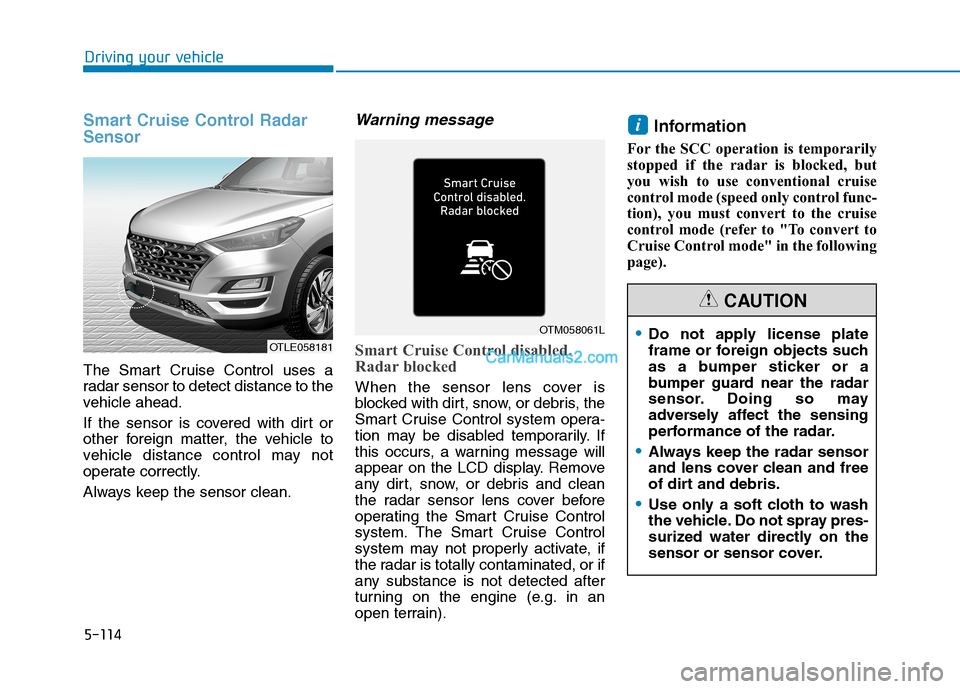
The Smart Cruise Control uses a
radar sensor to detect distance to the
vehicle ahead.
If the sensor is covered with dirt or
other foreign matter, the vehicle to
vehicle distance control may not
operate correctly.
Always keep the sensor clean.
Warning message
Smart Cruise Control disabled.
Radar blocked
When the sensor lens cover is
blocked with dirt, snow, or debris, the
Smart Cruise Control system opera-
tion may be disabled temporarily. If
this occurs, a warning message will
appear on the LCD display. Remove
any dirt, snow, or debris and clean
the radar sensor lens cover before
operating the Smart Cruise Control
system. The Smart Cruise Control
system may not properly activate, if
the radar is totally contaminated, or if
any substance is not detected after
turning on the engine (e.g. in an
open terrain).
Information
For the SCC operation is temporarily
stopped if the radar is blocked, but
you wish to use conventional cruise
control mode (speed only control func-
tion), you must convert to the cruise
control mode (refer to "To convert to
Cruise Control mode" in the following
page).
i
OTLE058181
OTM058061LDo not apply license plate
frame or foreign objects such
as a bumper sticker or a
bumper guard near the radar
sensor. Doing so may
adversely affect the sensing
performance of the radar.
Always keep the radar sensor
and lens cover clean and free
of dirt and debris.
Use only a soft cloth to wash
the vehicle. Do not spray pres-
surized water directly on the
sensor or sensor cover.
CAUTION
Page 381 of 546
5-115
Driving your vehicle
5
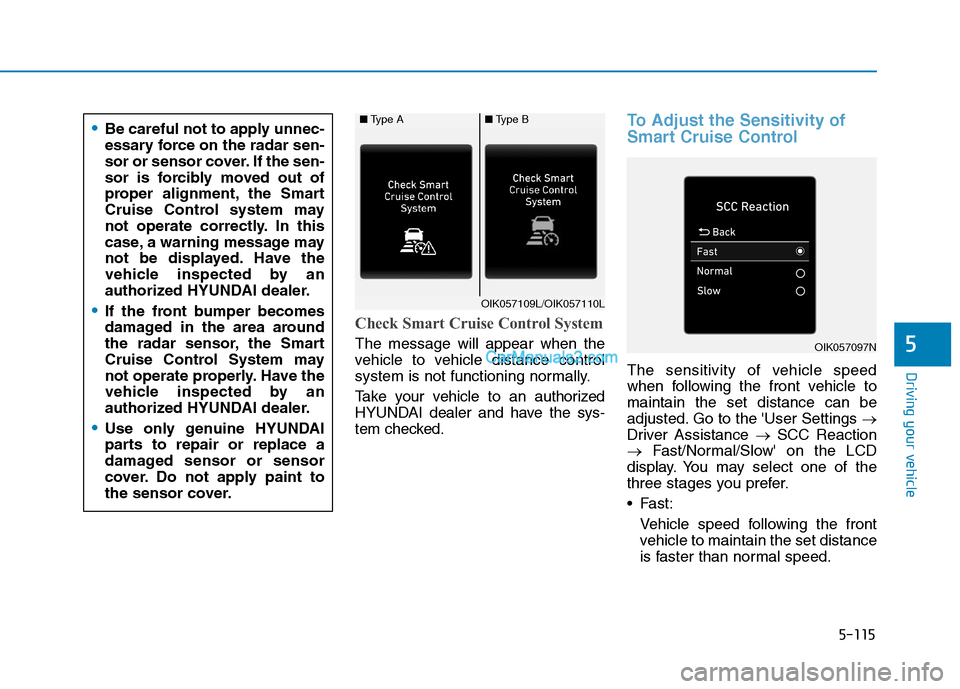
Check Smart Cruise Control System
The message will appear when the
vehicle to vehicle distance control
system is not functioning normally.
Take your vehicle to an authorized
HYUNDAI dealer and have the sys-
tem checked.
To Adjust the Sensitivity of
Smart Cruise Control
The sensitivity of vehicle speed
when following the front vehicle to
maintain the set distance can be
adjusted. Go to the 'User Settings →
Driver Assistance →SCC Reaction
→Fast/Normal/Slow' on the LCD
display. You may select one of the
three stages you prefer.
Fast:
Vehicle speed following the front
vehicle to maintain the set distance
is faster than normal speed.
OIK057097N
■Type A■Type B
OIK057109L/OIK057110L
Be careful not to apply unnec-
essary force on the radar sen-
sor or sensor cover. If the sen-
sor is forcibly moved out of
proper alignment, the Smart
Cruise Control system may
not operate correctly. In this
case, a warning message may
not be displayed. Have the
vehicle inspected by an
authorized HYUNDAI dealer.
If the front bumper becomes
damaged in the area around
the radar sensor, the Smart
Cruise Control System may
not operate properly. Have the
vehicle inspected by an
authorized HYUNDAI dealer.
Use only genuine HYUNDAI
parts to repair or replace a
damaged sensor or sensor
cover. Do not apply paint to
the sensor cover.
Page 410 of 546
What to do in an emergency
6
Hazard Warning Flasher .......................................6-2
In Case of an Emergency While Driving.............6-2
If the Engine Stalls While Driving .................................6-2
If the Engine Stalls at a Crossroad or Crossing ........6-2
If you Have a Flat Tire While Driving ..........................6-3
If the Engine Will Not Start..................................6-3
If the Engine Doesn't Turn Over or
Turns Over Slowly .............................................................6-3
If the Engine Turns Over Normally but
Doesn't Start ......................................................................6-3
Jump Starting ..........................................................6-4
If The Engine Overheats .......................................6-6
Tire Pressure Monitoring System (TPMS).........6-8
Check Tire Pressure .........................................................6-8
Tire Pressure Monitoring System .................................6-9
Low Tire Pressure Telltale ............................................6-10
Low Tire Pressure LCD Display with
Position Indicator ............................................................6-10
TPMS Malfunction Indicator ........................................6-11
Changing a Tire with TPMS..........................................6-12
If You Have a Flat Tire........................................6-14
Jack and Tools .................................................................6-14
Changing Tires .................................................................6-15
Towing ...................................................................6-21
Towing Service .................................................................6-21
Removable Towing Hook ...............................................6-22
Emergency Towing..........................................................6-23
Tie-down Hook ................................................................6-25
Page 417 of 546
6-8
What to do in an emergency
T TI
IR
RE
E
P
PR
RE
ES
SS
SU
UR
RE
E
M
MO
ON
NI
IT
TO
OR
RI
IN
NG
G
S
SY
YS
ST
TE
EM
M
(
(T
TP
PM
MS
S)
)
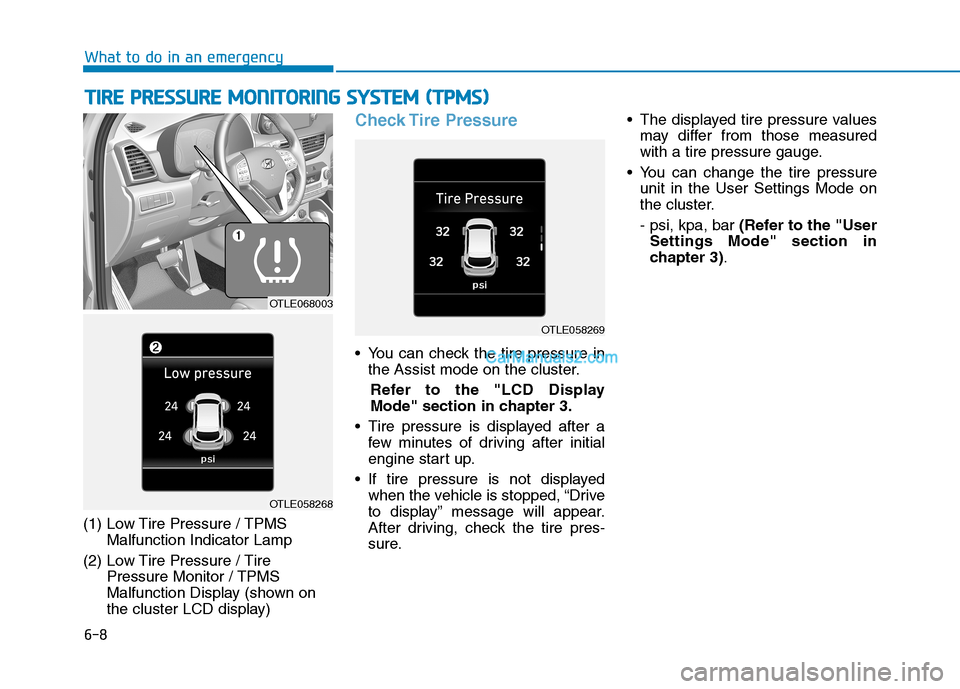
(1) Low Tire Pressure / TPMS
Malfunction Indicator Lamp
(2) Low Tire Pressure / Tire
Pressure Monitor / TPMS
Malfunction Display (shown on
the cluster LCD display)
Check Tire Pressure
You can check the tire pressure in
the Assist mode on the cluster.
Refer to the "LCD Display
Mode" section in chapter 3.
Tire pressure is displayed after a
few minutes of driving after initial
engine start up.
If tire pressure is not displayed
when the vehicle is stopped, “Drive
to display” message will appear.
After driving, check the tire pres-
sure. The displayed tire pressure values
may differ from those measured
with a tire pressure gauge.
You can change the tire pressure
unit in the User Settings Mode on
the cluster.
- psi, kpa, bar (Refer to the "User
Settings Mode" section in
chapter 3).
OTLE058269
OTLE068003
OTLE058268
Page 419 of 546
6-10
What to do in an emergency
If any of the below happens, have
the system checked by an author-
ized HYUNDAI dealer.
1. The Low Tire Pressure TPMS
Malfunction Indicator does not
illuminate for 3 seconds when
the ignition switch is placed to
the ON position or engine is
running.
2. The TPMS Malfunction Indicator
remains illuminated after blink-
ing for approximately 1 minute.
3. The Low Tire Pressure LCD dis-
play remains illuminated
Low Tire Pressure
Telltale
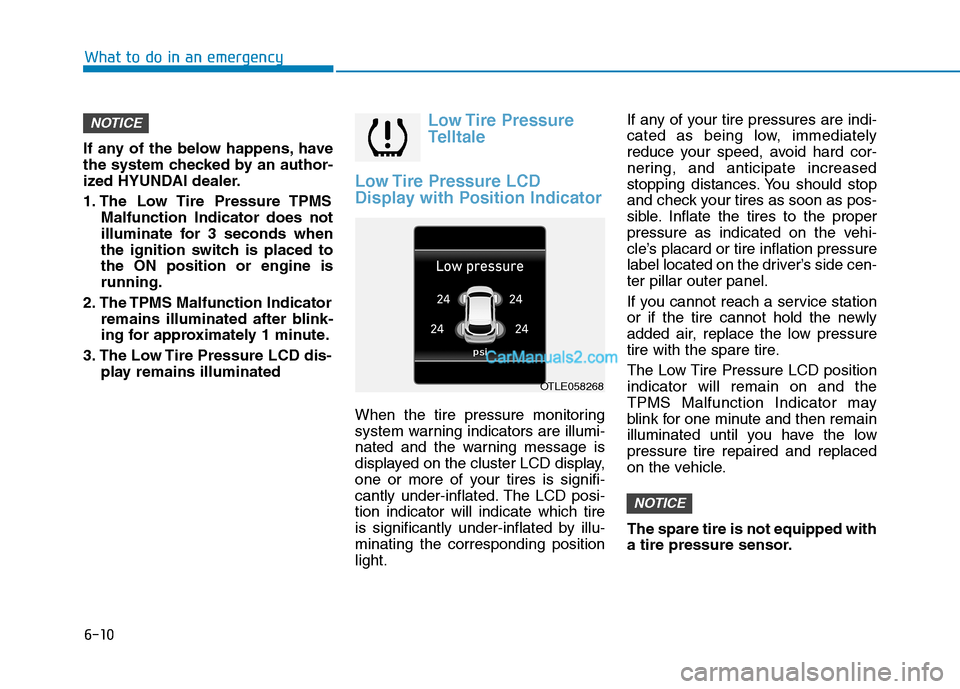
Low Tire Pressure LCD
Display with Position Indicator
When the tire pressure monitoring
system warning indicators are illumi-
nated and the warning message is
displayed on the cluster LCD display,
one or more of your tires is signifi-
cantly under-inflated. The LCD posi-
tion indicator will indicate which tire
is significantly under-inflated by illu-
minating the corresponding position
light.If any of your tire pressures are indi-
cated as being low, immediately
reduce your speed, avoid hard cor-
nering, and anticipate increased
stopping distances. You should stop
and check your tires as soon as pos-
sible. Inflate the tires to the proper
pressure as indicated on the vehi-
cle’s placard or tire inflation pressure
label located on the driver’s side cen-
ter pillar outer panel.
If you cannot reach a service station
or if the tire cannot hold the newly
added air, replace the low pressure
tire with the spare tire.
The Low Tire Pressure LCD position
indicator will remain on and the
TPMS Malfunction Indicator may
blink for one minute and then remain
illuminated until you have the low
pressure tire repaired and replaced
on the vehicle.
The spare tire is not equipped with
a tire pressure sensor.
NOTICE
NOTICE
OTLE058268
Page 420 of 546
6-11
What to do in an emergency
6
TPMS Malfunction
Indicator
The TPMS Malfunction Indicator will
illuminate after it blinks for approxi-
mately one minute when there is a
problem with the Tire Pressure
Monitoring System.
Have the system checked by an
authorized HYUNDAI dealer as soon
as possible.
If there is a malfunction with the
TPMS, the individual tire pres-
sures in the cluster LCD display
will not be available. Have the sys-
tem checked by an authorized
HYUNDAI dealer as soon as possi-
ble.
NOTICE
During winter or cold weather,
the TPMS indicator may illumi-
nate if the tire pressures were
set when the outside tempera-
ture was warm. As the outside
air becomes colder, the pres-
sure in the tires will decrease.
Similarly, if the outside air
becomes warmer, the pressure
in the tires will increase. As you
drive your vehicle, the tempera-
ture of the tires will heat up,
therefore the tire pressures will
increase. Check and adjust your
tire pressures regularly before
driving to make sure your vehi-
cle is operating at the correct
pressures as designed.
CAUTION
Low pressure damage
Significantly low tire pressure
makes the vehicle unstable and
can contribute to loss of vehicle
control and increased braking
distances.
Continued driving on low pres-
sure tires can cause the tires to
overheat and fail.
WARNING
Page 421 of 546
6-12
What to do in an emergency
The TPMS Malfunction Indicator
may illuminate after blinking for
one minute if the vehicle is near
electric power supply cables or
radio transmitters such as police
stations, government and public
offices, broadcasting stations,
military installations, airports,
transmitting towers, etc.
Additionally, the TPMS Malfunction
Indicator may illuminate if snow
chains are used or electronic
devices such as computers, charg-
ers, remote starters, navigation,
etc. This may interfere with normal
operation of the TPMS.
Changing a Tire with TPMS
If you have a flat tire, the Low Tire
Pressure and LCD position indicator
will come on. Have the flat tire
repaired by an authorized HYUNDAI
dealer as soon as possible or
replace the flat tire with the spare
tire.
The spare tire does not come with a
tire pressure monitoring sensor.
When the low pressure tire or the flat
tire is replaced with the spare tire,
the Low Tire Pressure LCD position
indicator will remain on. Also, the
TPMS Malfunction Indicator will illu-
minate after blinking for one minute if
the vehicle is driven at speed above
15.5 mph (25 km/h) for approximate-
ly 20 minutes.Once the original tire equipped with
a tire pressure monitoring sensor is
reinflated to the recommended pres-
sure and reinstalled on the vehicle,
the Low Tire Pressure LCD position
indicator and TPMS Malfunction
Indicator will go off within a few min-
utes of driving.
If the indicators do not disappear
after a few minutes, please visit an
authorized HYUNDAI dealer.
Each wheel is equipped with a tire
pressure sensor mounted inside the
tire behind the valve stem (except for
the spare tire). You must use TPMS
specific wheels. It is recommended
that you always have your tires serv-
iced by an authorized HYUNDAI
dealer.
A cold tire means the vehicle has
been sitting for 3 hours and driven for
less than 1 mile (1.6 km) in that 3
hour period.
Allow the tire to cool before measur-
ing the inflation pressure. Always be
sure the tire is cold before inflating to
the recommended pressure.
NOTICE
Never use a puncture-repairing
agent not approved by HYUNDAI
dealer to repair and/or inflate a
low pressure tire. Tire sealant
not approved by HYUNDAI deal-
er may damage the tire pressure
sensor.
CAUTION
Page 541 of 546
I-6
Important Safety Precautions............................................2-2
Air Bag Hazards ...........................................................2-2
Always Wear Your Seat Belt ........................................2-2
Control Your Speed ......................................................2-3
Driver Distraction.........................................................2-2
Keep Your Vehicle in Safe Condition ..........................2-3
Restrain All Children....................................................2-2
In Case of an Emergency While Driving .........................6-2
If the Engine Stalls at a Crossroad or Crossing ...........6-2
If the Engine Stalls While Driving...............................6-2
If you Have a Flat Tire While Driving.........................6-3
Inside Rearview Mirror...................................................3-24
Instrument Cluster...........................................................3-65
Gauges and Meters .....................................................3-67
Icy Road Warning Light .............................................3-70
Instrument Cluster Control .........................................3-66
LCD Display Messages ..............................................3-84
Warning and Indicator Lights.....................................3-72
Instrument panel overview ...............................................1-5
Interior Features ............................................................3-159
Cargo Net Holder .....................................................3-167
Cargo Security Screen ..............................................3-167
Clock ........................................................................3-165
Clothes Hanger .........................................................3-165
Cup Holder ...............................................................3-159
Floor Mat Anchor(s) .................................................3-166Luggage Tray............................................................3-170
Plastic Bag Hook ......................................................3-166
Power Outlet.............................................................3-161
Sunvisor ....................................................................3-160
USB Charger ............................................................3-162
Wireless Cellular Phone Charging System ..............3-162
Interior Lights ...............................................................3-116
Front Door Lamp ......................................................3-118
Front Map Lamp.......................................................3-117
Front Room Lamp ....................................................3-117
Glove box lamp ........................................................3-119
Interior lamp AUTO cut ...........................................3-117
Liftgate room lamp ...................................................3-119
Rear lamp..................................................................3-118
Vanity mirror lamp ...................................................3-119
Interior overview...............................................................1-4
Jump Starting ....................................................................6-4
Index
J
Page 542 of 546
I-7
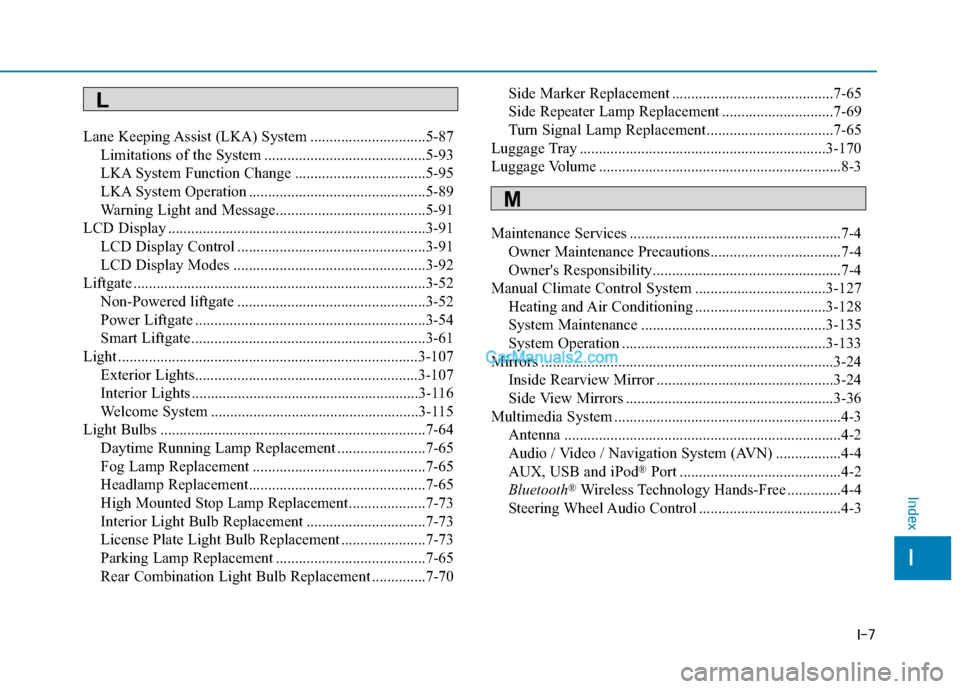
Lane Keeping Assist (LKA) System ..............................5-87
Limitations of the System ..........................................5-93
LKA System Function Change ..................................5-95
LKA System Operation ..............................................5-89
Warning Light and Message.......................................5-91
LCD Display ...................................................................3-91
LCD Display Control .................................................3-91
LCD Display Modes ..................................................3-92
Liftgate ............................................................................3-52
Non-Powered liftgate .................................................3-52
Power Liftgate ............................................................3-54
Smart Liftgate.............................................................3-61
Light ..............................................................................3-107
Exterior Lights..........................................................3-107
Interior Lights ...........................................................3-116
Welcome System ......................................................3-115
Light Bulbs .....................................................................7-64
Daytime Running Lamp Replacement .......................7-65
Fog Lamp Replacement .............................................7-65
Headlamp Replacement..............................................7-65
High Mounted Stop Lamp Replacement....................7-73
Interior Light Bulb Replacement ...............................7-73
License Plate Light Bulb Replacement ......................7-73
Parking Lamp Replacement .......................................7-65
Rear Combination Light Bulb Replacement ..............7-70Side Marker Replacement ..........................................7-65
Side Repeater Lamp Replacement .............................7-69
Turn Signal Lamp Replacement.................................7-65
Luggage Tray ................................................................3-170
Luggage Volume ...............................................................8-3
Maintenance Services .......................................................7-4
Owner Maintenance Precautions..................................7-4
Owner's Responsibility.................................................7-4
Manual Climate Control System ..................................3-127
Heating and Air Conditioning ..................................3-128
System Maintenance ................................................3-135
System Operation .....................................................3-133
Mirrors ............................................................................3-24
Inside Rearview Mirror ..............................................3-24
Side View Mirrors ......................................................3-36
Multimedia System ...........................................................4-3
Antenna ........................................................................4-2
Audio / Video / Navigation System (AVN) .................4-4
AUX, USB and iPod
®Port ..........................................4-2
Bluetooth®Wireless Technology Hands-Free ..............4-4
Steering Wheel Audio Control .....................................4-3
I
Index
L
M
Page 545 of 546
I-10
Theft-Alarm System .......................................................3-20
Tilt Steering/Telescope Steering .....................................3-22
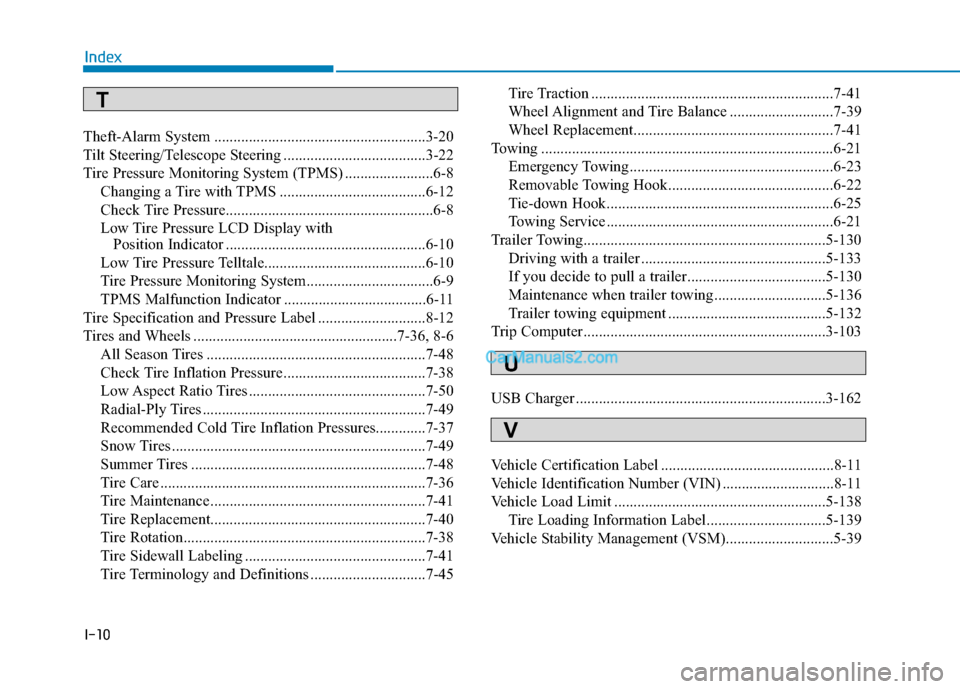
Tire Pressure Monitoring System (TPMS) .......................6-8
Changing a Tire with TPMS ......................................6-12
Check Tire Pressure......................................................6-8
Low Tire Pressure LCD Display with
Position Indicator ....................................................6-10
Low Tire Pressure Telltale..........................................6-10
Tire Pressure Monitoring System.................................6-9
TPMS Malfunction Indicator .....................................6-11
Tire Specification and Pressure Label ............................8-12
Tires and Wheels .....................................................7-36, 8-6
All Season Tires .........................................................7-48
Check Tire Inflation Pressure .....................................7-38
Low Aspect Ratio Tires ..............................................7-50
Radial-Ply Tires ..........................................................7-49
Recommended Cold Tire Inflation Pressures.............7-37
Snow Tires ..................................................................7-49
Summer Tires .............................................................7-48
Tire Care .....................................................................7-36
Tire Maintenance ........................................................7-41
Tire Replacement........................................................7-40
Tire Rotation...............................................................7-38
Tire Sidewall Labeling ...............................................7-41
Tire Terminology and Definitions ..............................7-45Tire Traction ...............................................................7-41
Wheel Alignment and Tire Balance ...........................7-39
Wheel Replacement....................................................7-41
Towing ............................................................................6-21
Emergency Towing.....................................................6-23
Removable Towing Hook...........................................6-22
Tie-down Hook...........................................................6-25
Towing Service ...........................................................6-21
Trailer Towing...............................................................5-130
Driving with a trailer ................................................5-133
If you decide to pull a trailer....................................5-130
Maintenance when trailer towing .............................5-136
Trailer towing equipment .........................................5-132
Trip Computer ...............................................................3-103
USB Charger .................................................................3-162
Vehicle Certification Label .............................................8-11
Vehicle Identification Number (VIN) .............................8-11
Vehicle Load Limit .......................................................5-138
Tire Loading Information Label...............................5-139
Vehicle Stability Management (VSM)............................5-39
Index
U
V
T