manual transmission Hyundai Tucson 2020 Owner's Manual - RHD (UK, Australia)
[x] Cancel search | Manufacturer: HYUNDAI, Model Year: 2020, Model line: Tucson, Model: Hyundai Tucson 2020Pages: 637, PDF Size: 64.45 MB
Page 4 of 637
F4
FOREWORD
Congratulations, and thank you for choosing HYUNDAI.We are pleased to welcome you to the growing number of dis-
cerning people who drive HYUNDAIs.We are very proud of the advanced engineering and high-quality construction
of each HYUNDAI we build.
Your Owner’s Manual will introduce you to the features and operation of your new HYUNDAI. To become familiar with
your new HYUNDAI, so that you can fully enjoy it, read this Owner’s Manual carefully before driving your new vehicle.
This manual contains important safety information and instructions intended to familiarize you with your vehicle’s con-
trols and safety features so you can safely operate your vehicle.
This manual also contains information on maintenance designed to enhance safe operation of the vehicle. It is rec-
ommended that all service and maintenance on your car be performed by an authorised HYUNDAI dealer. HYUNDAI
dealers are prepared to provide high-quality service, maintenance and any other assistance that may be required.
This Owner’s Manual should be considered a permanent part of your vehicle, and should be kept in the vehicle so
you can refer to it at any time. The manual should stay with the vehicle if you sell it to provide the next owner with
important operating, safety and maintenance information.
HYUNDAI MOTOR COMPANY
Copyright 2019 HYUNDAI Motor Company. All rights reserved. No part of this publication may be reproduced, stored
in any retrieval system or transmitted in any form or by any means without the prior written permission of HYUNDAI
Motor Company.Severe engine and transmission damage may result from the use of poor quality fuels and lubricants that
do not meet HYUNDAI specifications. You must always use high quality fuels and lubricants that meet the
specifications listed on Page 8-7 in the Vehicle Specifications section of the Owner's Manual.
CAUTION
Page 104 of 637
3-18
Convenient features of your vehicle
Auto door lock/unlock features
Impact sensing door unlock
system (if equipped)
All doors will be automatically
unlocked when an impact causes the
air bags to deploy.
Speed sensing door lock system
(if equipped)
All doors will be automatically locked
when vehicle speed exceeds 15
km/h.
You can activate or deactivate the
Auto Door Lock/Unlock features from
the User Settings Mode on the LCD
display.For more details, refer to
"LCD Display" in this chapter. Always secure your vehicle.
Leaving your vehicle unlocked
can invite theft or entry into the
vehicle.
To secure your vehicle, whilst
depressing the brake, move the
shift lever to the P (Park) posi-
tion (for automatic transmis-
sion/dual clutch transmission)
or first gear or R (Reverse, for
manual transmission), engage
the parking brake, and place the
ignition switch in the LOCK/OFF
position, close all windows,
lock all doors, and always take
the key with you.
WARNING
Opening a door when some-
thing is approaching may cause
damage or injury. Be careful
when opening doors and watch
for vehicles, motorcycles, bicy-
cles or pedestrians approach-
ing the vehicle in the path of the
door.
WARNING
If you stay in the vehicle for a
long time whilst the weather is
very hot or cold, there are risks
of injuries or danger to life. Do
not lock the vehicle from the
outside when someone is in the
vehicle.
WARNING
Page 135 of 637
3-49
Convenient features of your vehicle
3
Power tailgate (if equipped)
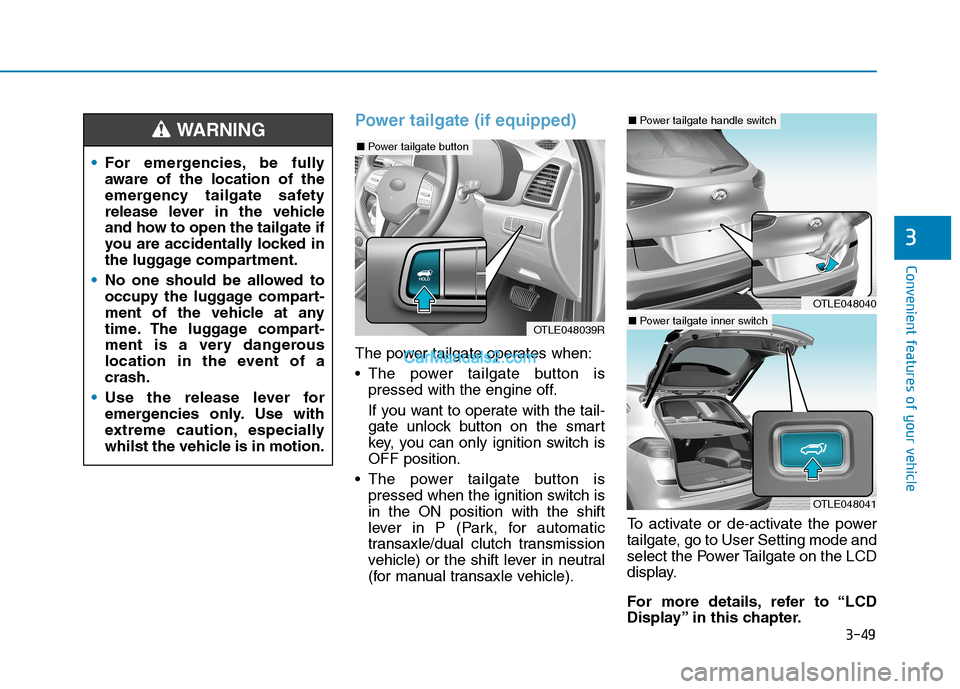
The power tailgate operates when:
The power tailgate button is
pressed with the engine off.
If you want to operate with the tail-
gate unlock button on the smart
key, you can only ignition switch is
OFF position.
The power tailgate button is
pressed when the ignition switch is
in the ON position with the shift
lever in P (Park, for automatic
transaxle/dual clutch transmission
vehicle) or the shift lever in neutral
(for manual transaxle vehicle).To activate or de-activate the power
tailgate, go to User Setting mode and
select the Power Tailgate on the LCD
display.
For more details, refer to “LCD
Display” in this chapter. For emergencies, be fully
aware of the location of the
emergency tailgate safety
release lever in the vehicle
and how to open the tailgate if
you are accidentally locked in
the luggage compartment.
No one should be allowed to
occupy the luggage compart-
ment of the vehicle at any
time. The luggage compart-
ment is a very dangerous
location in the event of a
crash.
Use the release lever for
emergencies only. Use with
extreme caution, especially
whilst the vehicle is in motion.
WARNING
OTLE048039R
OTLE048040
■Power tailgate handle switch
OTLE048041
■Power tailgate inner switch
■Power tailgate button
Page 140 of 637
3-54
Convenient features of your vehicle
How to reset the power tailgate
If the battery has been discharged or
disconnected, or if the related fuse
has been replaced or disconnected,
for the power tailgate to operate nor-
mally, reset the power tailgate as fol-
lows:
1. Automatic transmission / Dual
Clutch Transmission :
Put the shift lever is in P (Park).
Manual transmission :
Put the shift lever is in N (Neutral).
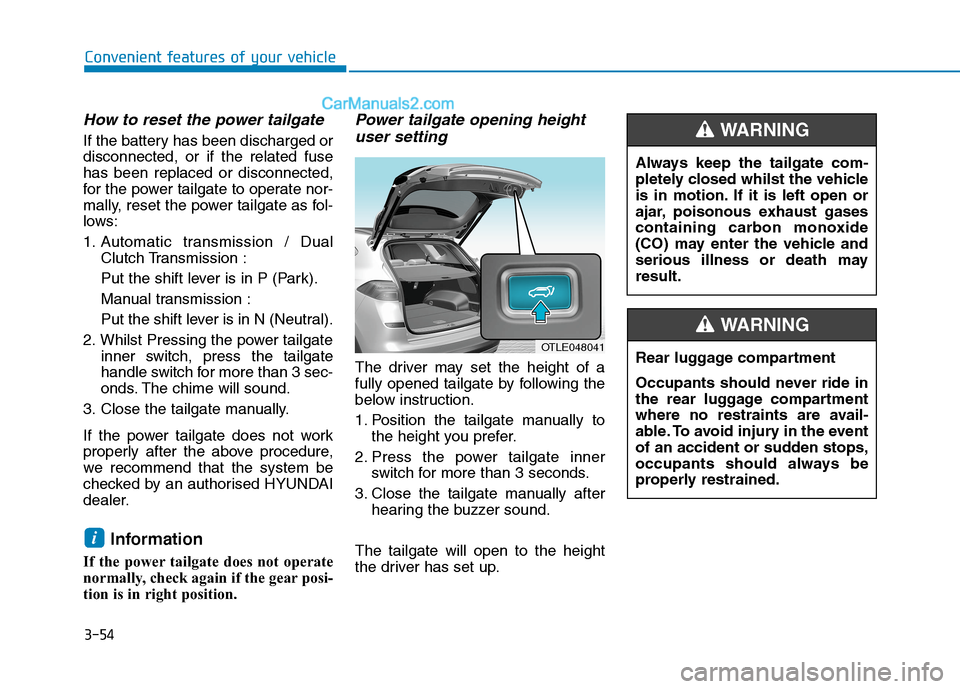
2. Whilst Pressing the power tailgate
inner switch, press the tailgate
handle switch for more than 3 sec-
onds. The chime will sound.
3. Close the tailgate manually.
If the power tailgate does not work
properly after the above procedure,
we recommend that the system be
checked by an authorised HYUNDAI
dealer.
Information
If the power tailgate does not operate
normally, check again if the gear posi-
tion is in right position.
Power tailgate opening height
user setting
The driver may set the height of a
fully opened tailgate by following the
below instruction.
1. Position the tailgate manually to
the height you prefer.
2. Press the power tailgate inner
switch for more than 3 seconds.
3. Close the tailgate manually after
hearing the buzzer sound.
The tailgate will open to the height
the driver has set up.
i
OTLE048041
Always keep the tailgate com-
pletely closed whilst the vehicle
is in motion. If it is left open or
ajar, poisonous exhaust gases
containing carbon monoxide
(CO) may enter the vehicle and
serious illness or death may
result.
WARNING
Rear luggage compartment
Occupants should never ride in
the rear luggage compartment
where no restraints are avail-
able. To avoid injury in the event
of an accident or sudden stops,
occupants should always be
properly restrained.
WARNING
Page 154 of 637
3-68
Convenient features of your vehicle
Manual transmission Shift
Indicator (if equipped)
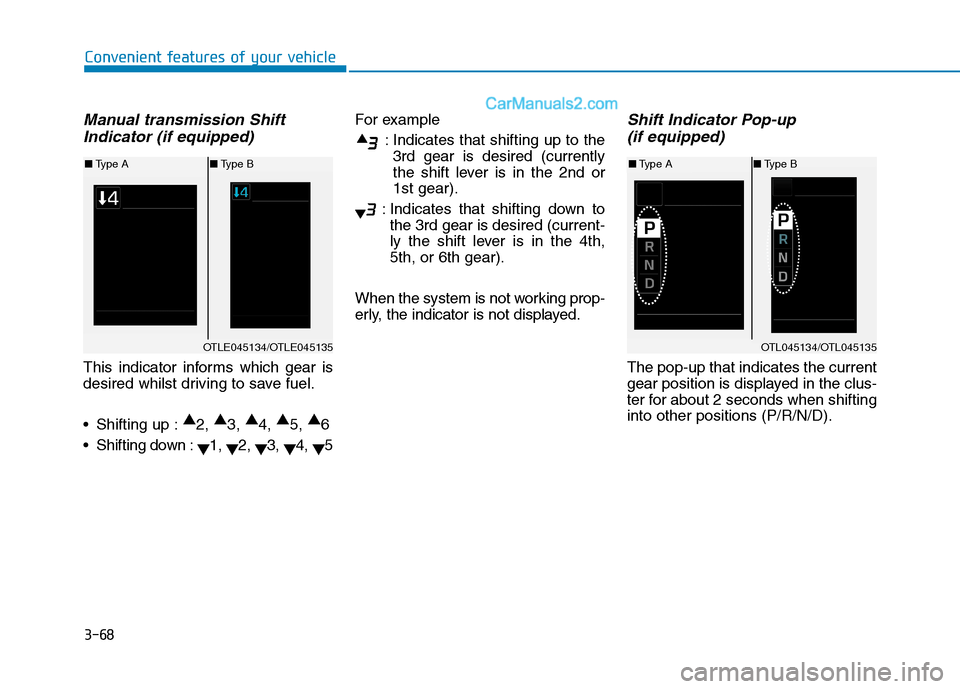
This indicator informs which gear is
desired whilst driving to save fuel.
Shifting up :▲
2, ▲
3, ▲
4, ▲
5, ▲
6
Shifting down :
▼1,
▼2,
▼3,
▼4,
▼5For example
: Indicates that shifting up to the
3rd gear is desired (currently
the shift lever is in the 2nd or
1st gear).
: Indicates that shifting down to
the 3rd gear is desired (current-
ly the shift lever is in the 4th,
5th, or 6th gear).
When the system is not working prop-
erly, the indicator is not displayed.
Shift Indicator Pop-up
(if equipped)
The pop-up that indicates the current
gear position is displayed in the clus-
ter for about 2 seconds when shifting
into other positions (P/R/N/D).
OTL045134/OTL045135
■Type A■Type B
OTLE045134/OTLE045135
■Type A■Type B
Page 157 of 637
3-71
Convenient features of your vehicle
3
Shift to P to edit settings /
Engage parking brake to edit
settings
This warning message illuminates if
you try to select the other User
Settings items when driving.
- Automatic transmission/
dual clutch transmission
For safety, change the User Settings
after parking the vehicle, applying
the parking brake and moving the
shift lever to P (Park) position.
- Manual transmission
For safety, change the User Settings
after engaging parking brake.
Quick guide (Help, if equipped)
If you press and hold the OK button
in the User Settings Mode, an expla-
nation about the selected item is dis-
played in the LCD display.
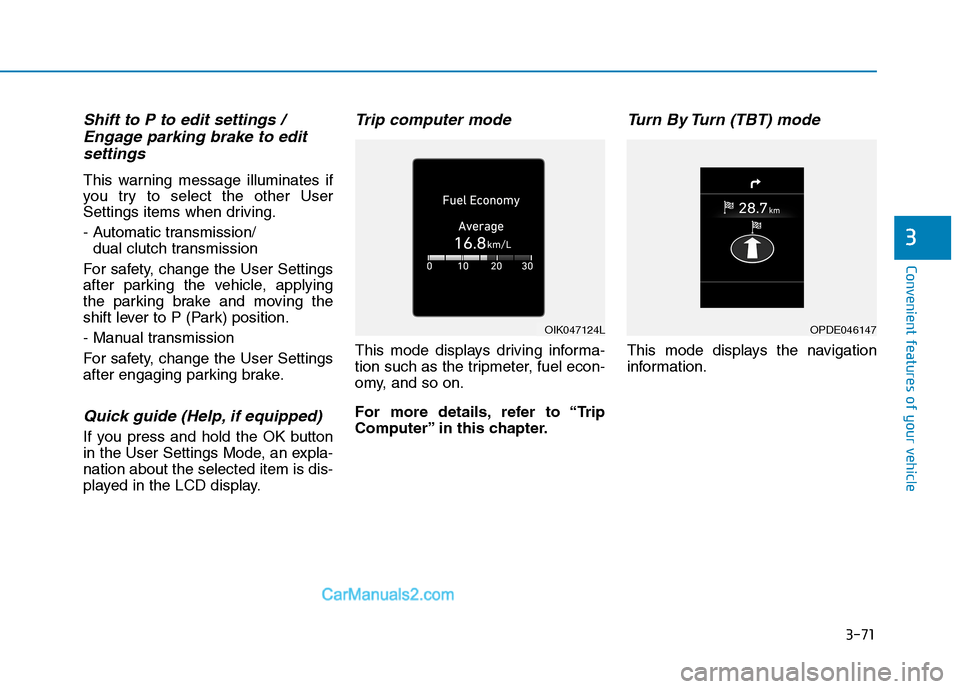
Trip computer mode
This mode displays driving informa-
tion such as the tripmeter, fuel econ-
omy, and so on.
For more details, refer to “Trip
Computer” in this chapter.
Turn By Turn (TBT) mode
This mode displays the navigation
information.
OIK047124LOPDE046147
Page 166 of 637
3-80
Convenient features of your vehicle
Warning messages (if equipped)
Shift to P position
(for smart key system and auto-
matic transmission/dual clutch
transmission)
This warning message illuminates if
you try to turn off the engine without
the shift lever in P (Park) position.
At this time, the Engine Start/Stop
button turns to the ACC position (If
you press the Engine Start/Stop but-
ton once more, it will turn to the ON
position).
Low key battery
(for smart key system)
This warning message illuminates if
the battery of the smart key is dis-
charged when the Engine Start/Stop
button changes to the OFF position.
Press START button whilst turn-
ing wheel (for smart key sys-
tem)
This warning message illuminates if
the steering wheel does not unlock
normally when the Engine Start/Stop
button is pressed.
It means that you should press the
Engine Start/Stop button whilst turn-
ing the steering wheel right and left.
Steering wheel unlocked
(for smart key system)
This warning message illuminates if
the steering wheel does not lock
when the Engine Start/Stop button
changes to the OFF position.
Check steering wheel lock
system (for smart key system)
This warning message illuminates if
the steering wheel does not lock nor-
mally when the Engine Start/Stop
button changes to the OFF position.
Press brake pedal to start
engine (for smart key system
and automatic transmission/
dual clutch transmission)
This warning message illuminates if
the Engine Start/Stop button
changes to the ACC position twice
by pressing the button repeatedly
without depressing the brake pedal.
It means that you should depress the
brake pedal to start the engine.
Press clutch pedal to start
engine (for smart key system
and manual transmission)
This warning message illuminates if
the Engine Start/Stop button is in the
ACC position twice by pressing the
button repeatedly without depressing
the clutch pedal.
Depress the clutch pedal to start the
engine.
Page 216 of 637
3-130
Convenient features of your vehicle
Operating conditions
When the Engine Start/Stop button
is in the ON position
When the transmission is in D, N or
R
When vehicle speed is under
15km/h
Information
• When vehicle speed is over 15km/h,
the system will turn off. The system
will not automatically turn on again,
even though vehicle speed gets
below 15 km/h. Push the button (1,
indicator ON) again, to turn on the
system.
• When the vehicle is reversing, the
system will turn ON regardless of
vehicle speed or button status.
However, if vehicle speed is over 15
km/h when driving forward, the
SVM system will turn off. • A warning appears on the system
when:
- The tailgate is opened
- The driver's door is opened
- The passenger's door is opened
- The outside rearview mirrors are
folded
• If the system is not operating nor-
mally, we recommend that you take
your vehicle to an authorised
HYUNDAI dealer and have the sys-
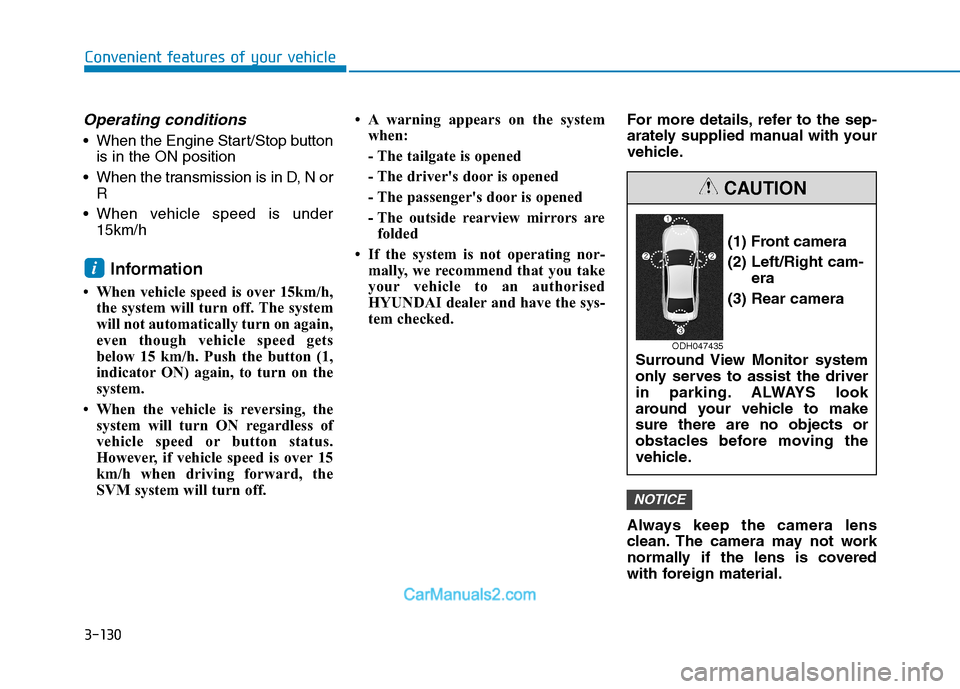
tem checked.For more details, refer to the sep-
arately supplied manual with your
vehicle.
Always keep the camera lens
clean. The camera may not work
normally if the lens is covered
with foreign material.
NOTICE
i
(1) Front camera
(2) Left/Right cam-
era
(3) Rear camera
Surround View Monitor system
only serves to assist the driver
in parking. ALWAYS look
around your vehicle to make
sure there are no objects or
obstacles before moving the
vehicle.
CAUTION
ODH047435
Page 318 of 637
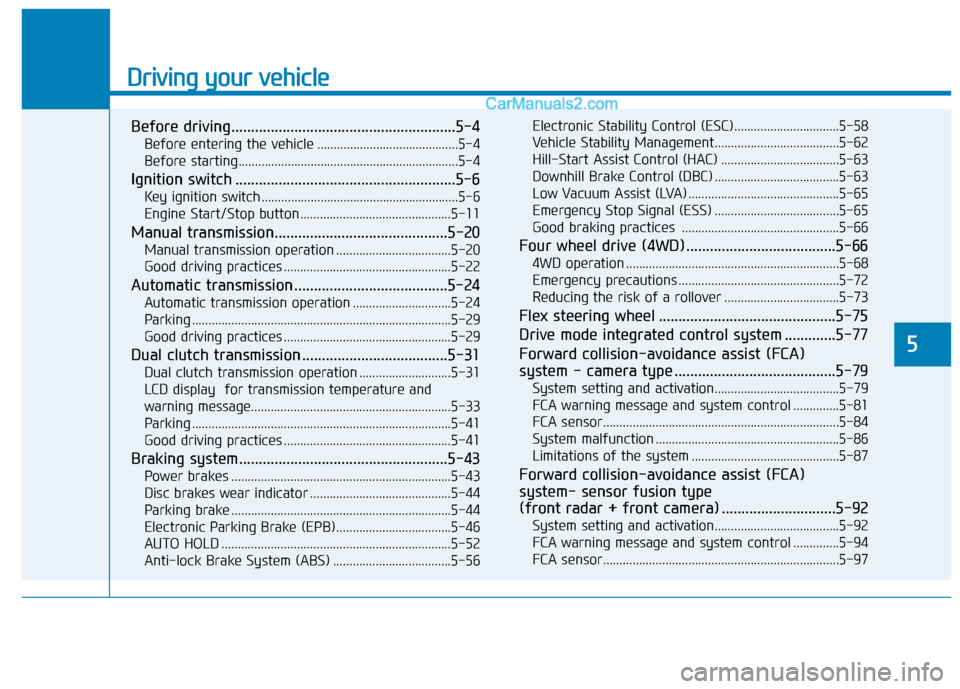
Driving your vehicle
Before driving.........................................................5-4
Before entering the vehicle ...........................................5-4
Before starting...................................................................5-4
Ignition switch ........................................................5-6
Key ignition switch ............................................................5-6
Engine Start/Stop button ..............................................5-11
Manual transmission............................................5-20
Manual transmission operation ...................................5-20
Good driving practices ...................................................5-22
Automatic transmission .......................................5-24
Automatic transmission operation ..............................5-24
Parking ...............................................................................5-29
Good driving practices ...................................................5-29
Dual clutch transmission .....................................5-31
Dual clutch transmission operation ............................5-31
LCD display for transmission temperature and
warning message.............................................................5-33
Parking ...............................................................................5-41
Good driving practices ...................................................5-41
Braking system.....................................................5-43
Power brakes ...................................................................5-43
Disc brakes wear indicator ...........................................5-44
Parking brake ...................................................................5-44
Electronic Parking Brake (EPB)...................................5-46
AUTO HOLD ......................................................................5-52
Anti-lock Brake System (ABS) ....................................5-56Electronic Stability Control (ESC)................................5-58
Vehicle Stability Management......................................5-62
Hill-Start Assist Control (HAC) ....................................5-63
Downhill Brake Control (DBC) ......................................5-63
Low Vacuum Assist (LVA) ..............................................5-65
Emergency Stop Signal (ESS) ......................................5-65
Good braking practices ................................................5-66
Four wheel drive (4WD) ......................................5-66
4WD operation .................................................................5-68
Emergency precautions .................................................5-72
Reducing the risk of a rollover ...................................5-73
Flex steering wheel .............................................5-75
Drive mode integrated control system .............5-77
Forward collision-avoidance assist (FCA)
system - camera type .........................................5-79
System setting and activation......................................5-79
FCA warning message and system control ..............5-81
FCA sensor........................................................................5-84
System malfunction ........................................................5-86
Limitations of the system .............................................5-87
Forward collision-avoidance assist (FCA)
system- sensor fusion type
(front radar + front camera) .............................5-92
System setting and activation......................................5-92
FCA warning message and system control ..............5-94
FCA sensor........................................................................5-97
5
Page 323 of 637
5-6
Driving your vehicle
I IG
GN
NI
IT
TI
IO
ON
N
S
SW
WI
IT
TC
CH
H
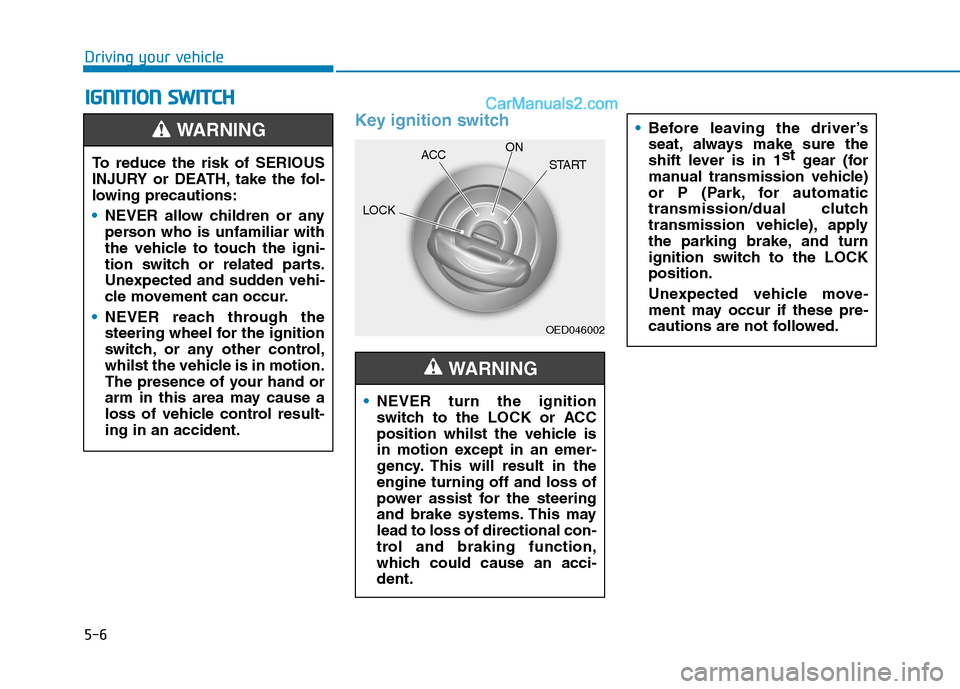
Key ignition switch
OED046002
NEVER turn the ignition
switch to the LOCK or ACC
position whilst the vehicle is
in motion except in an emer-
gency. This will result in the
engine turning off and loss of
power assist for the steering
and brake systems. This may
lead to loss of directional con-
trol and braking function,
which could cause an acci-
dent.
WARNING
Before leaving the driver’s
seat, always make sure the
shift lever is in 1st
gear (for
manual transmission vehicle)
or P (Park, for automatic
transmission/dual clutch
transmission vehicle), apply
the parking brake, and turn
ignition switch to the LOCK
position.
Unexpected vehicle move-
ment may occur if these pre-
cautions are not followed.
To reduce the risk of SERIOUS
INJURY or DEATH, take the fol-
lowing precautions:
NEVER allow children or any
person who is unfamiliar with
the vehicle to touch the igni-
tion switch or related parts.
Unexpected and sudden vehi-
cle movement can occur.
NEVER reach through the
steering wheel for the ignition
switch, or any other control,
whilst the vehicle is in motion.
The presence of your hand or
arm in this area may cause a
loss of vehicle control result-
ing in an accident.
WARNING
LOCKACCON
START