warning HYUNDAI TUCSON 2021 Owners Manual
[x] Cancel search | Manufacturer: HYUNDAI, Model Year: 2021, Model line: TUCSON, Model: HYUNDAI TUCSON 2021Pages: 546, PDF Size: 44.38 MB
Page 343 of 546
5-77
Driving your vehicle
5
Brake operation
The braking system enters into the
ready status to react promptly to
urgent situations.
The FCA provides additional brak-
ing power for optimum braking per-
formance, when the driver depress-
es the brake pedal.
The braking control is automatical-
ly deactivated, when the driver
sharply depresses the accelerator
pedal, or when the driver abruptly
operates the steering wheel.
The FCA brake control is automat-
ically canceled, when risk factors
disappear.
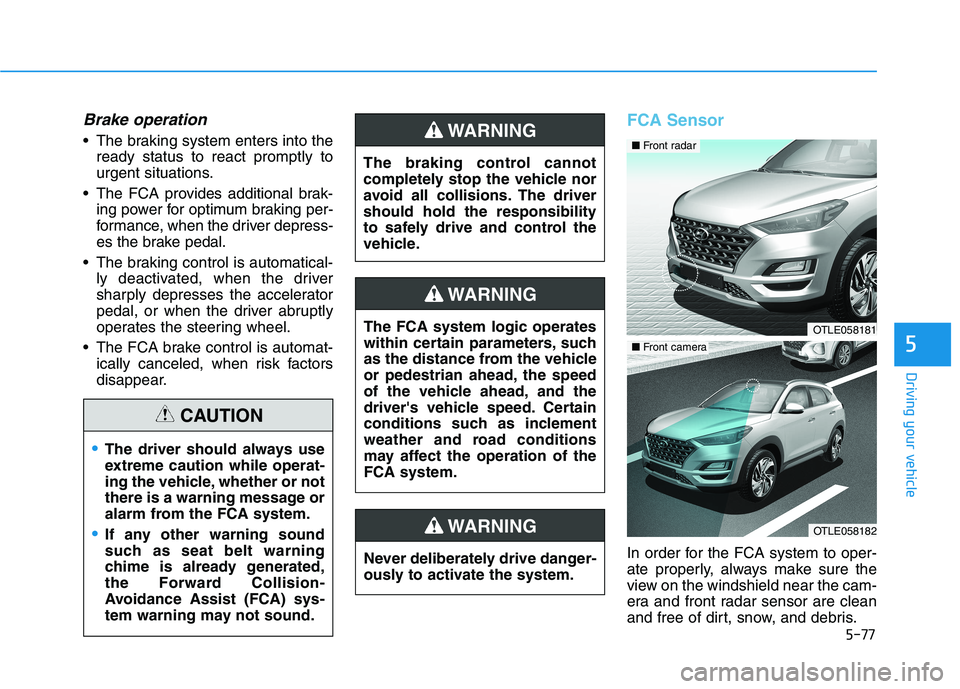
FCA Sensor
In order for the FCA system to oper-
ate properly, always make sure the
view on the windshield near the cam-
era and front radar sensor are clean
and free of dirt, snow, and debris.
The driver should always use
extreme caution while operat-
ing the vehicle, whether or not
there is a warning message or
alarm from the FCA system.
If any other warning sound
such as seat belt warning
chime is already generated,
the Forward Collision-
Avoidance Assist (FCA) sys-
tem warning may not sound.
CAUTION
The braking control cannot
completely stop the vehicle nor
avoid all collisions. The driver
should hold the responsibility
to safely drive and control the
vehicle.
WARNING
The FCA system logic operates
within certain parameters, such
as the distance from the vehicle
or pedestrian ahead, the speed
of the vehicle ahead, and the
driver's vehicle speed. Certain
conditions such as inclement
weather and road conditions
may affect the operation of the
FCA system.
WARNING
Never deliberately drive danger-
ously to activate the system.
WARNING
OTLE058181
OTLE058182
■ Front camera
■ Front radar
Page 344 of 546
5-78
Driving your vehicle
Dirt, snow, or foreign substances on
the front radar sensor may adversely
affect the performance of the sys-
tem.
Do not apply license plate frame
or foreign objects such as a
bumper sticker or a bumper
guard near the radar sensor.
Doing so may adversely affect
the sensing performance of the
radar.
Always keep the radar sensor
and cover clean and free of dirt
and debris.
Use only a soft cloth to wash the
vehicle. Do not spray pressur-
ized water directly on the sensor
or sensor cover.
Be careful not to apply unneces-
sary force on the sensor or sen-
sor cover. If the sensor is
forcibly moved out of proper
alignment, the FCA system may
not operate correctly. In this
case, a warning message may
not be displayed. Have the vehi-
cle inspected by an authorized
HYUNDAI dealer. If the front bumper becomes
damaged in the area around the
sensor, the FCA system may not
operate properly. Have the vehi-
cle inspected by authorized
HYUNDAI.
Use only genuine parts to repair
or replace a damaged sensor or
sensor cover. Do not apply paint
to the sensor cover. Do not tint the window or install
stickers, accessories around the
inside mirror where the camera
is installed.
NEVER locate any reflective
objects (i.e. white paper, mirror)
over the dashboard. Any light
reflection may cause a malfunc-
tion of the system.
Pay extreme caution to keep the
camera out of water.
NEVER arbitrarily disassemble
the camera assembly, nor apply
any impact on the camera
assembly.
The FCA warning chime may be
difficult to hear if the audio sys-
tem volume is set to a high level.
Information
Have the system checked by an
authorized HYUNDAI dealer when:
• The windshield glass is replaced.
• The front bumper is replaced.
• The radar sensor or cover gets dam-
aged or replaced.
i
NOTICE
NOTICE
Page 345 of 546
5-79
Driving your vehicle
5
Warning message and warning
light
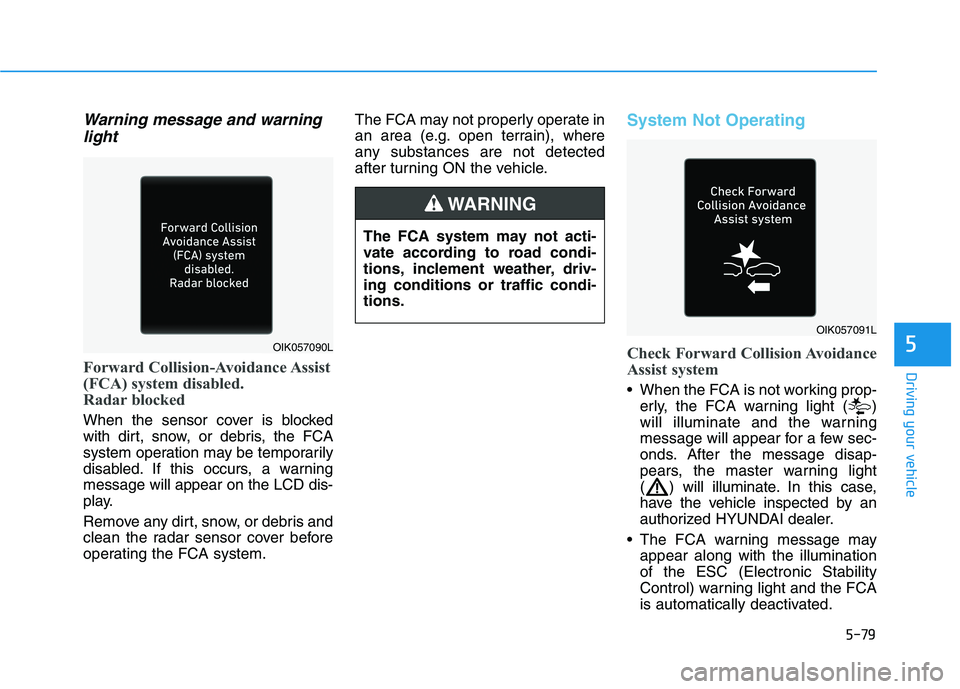
Forward Collision-Avoidance Assist
(FCA) system disabled.
Radar blocked
When the sensor cover is blocked
with dirt, snow, or debris, the FCA
system operation may be temporarily
disabled. If this occurs, a warning
message will appear on the LCD dis-
play.
Remove any dirt, snow, or debris and
clean the radar sensor cover before
operating the FCA system.The FCA may not properly operate in
an area (e.g. open terrain), where
any substances are not detected
after turning ON the vehicle.
System Not Operating
Check Forward Collision Avoidance
Assist system
When the FCA is not working prop-
erly, the FCA warning light ( )
will illuminate and the warning
message will appear for a few sec-
onds. After the message disap-
pears, the master warning light
( ) will illuminate. In this case,
have the vehicle inspected by an
authorized HYUNDAI dealer.
The FCA warning message may
appear along with the illumination
of the ESC (Electronic Stability
Control) warning light and the FCA
is automatically deactivated.
OIK057090L
The FCA system may not acti-
vate according to road condi-
tions, inclement weather, driv-
ing conditions or traffic condi-
tions.
WARNING
OIK057091L
Page 346 of 546
5-80
Driving your vehicle
Even if there is any problem
with the brake control function
of the FCA system, the vehi-
cle's basic braking perform-
ance will operate normally.
However, brake control func-
tion for avoiding collision will
not activate.
If the vehicle in front stops
suddenly, you may have less
control of the brake system.
Therefore, always keep a safe
distance between your vehicle
and the vehicle in front of you.
The FCA system may activate
during braking and the vehi-
cle may stop suddenly shift-
ing loose objects toward the
passengers. Always keep
loose objects secured.
The FCA system may not acti-
vate if the driver applies the
brake pedal to avoid a colli-
sion.
The brake control may not
work, possibly causing a colli-
sion, if a vehicle in front
abruptly stops. Always pay
extreme caution.
The FCA is only a supplemen-
tal system for the driver's con-
venience. The driver should
hold the responsibility to con-
trol the vehicle operation. Do
not solely depend on the FCA
system. Rather, maintain a
safe braking distance, and, if
necessary, depress the brake
pedal to reduce the driving
speed.
In certain instances and
under certain driving condi-
tions, the FCA system may
unintentionally activate. This
initial warning message
appears on the LCD display
with a warning chime.
Also, in certain instances the
front radar sensor or camera
recognition system may not
detect the vehicle or pedestri-
an ahead. The FCA system
may not activate and the
warning message will not be
displayed.
WARNING Occupants may get injured, if
the vehicle abruptly stops by
the activated FCA system. Pay
extreme caution.
The FCA system operates
only to help detect vehicles or
pedestrians in front of the
vehicle.
The FCA system does not
operate when the vehicle is in
reverse.
The FCA system is not
designed to detect other
objects on the road such as
animals.
The FCA system does not
detect vehicles in the oppo-
site lane.
The FCA system does not
detect cross traffic vehicles
that are approaching.
WARNING
Page 352 of 546
5-86
Driving your vehicle
The adverse road conditions cause
excessive vehicle vibrations while
driving
The sensor recognition changes
suddenly when passing over a
speed bump
You are on a roundabout
Information
In some instances, the FCA system
may be cancelled when subjected to
electromagnetic interference.
Information
This device complies with Part 15 of
the FCC rules.
Operation is subject to the following
two conditions:
1. This device may not cause harmful
interference, and
2. This device must accept any inter-
ference received, including interfer-
ence that may cause undesired
operation.
i
i
Do not use the Forward
Collision-Avoidance Assist
(FCA) system when towing a
vehicle. Application of the
FCA system while towing may
adversely affect the safety of
your vehicle or the towing
vehicle.
Use extreme caution when the
vehicle in front of you has
cargo that extends rearward
from the cab, or when the
vehicle in front of you has
higher ground clearance.
Forward Collision-Avoidance
Assist system may operate
when an object, which has
similar shape or characteris-
tic to a vehicle or pedestrian,
is detected.
The FCA system is designed
to help detect and monitor the
vehicle ahead or help detect a
pedestrian in the roadway
through radar signals and
camera recognition. It is not
designed to detect bicycles,
motorcycles, or smaller
wheeled objects such as lug-
gage bags, shopping carts, or
strollers.
Never try to test the operation
of the FCA system. Doing so
may cause severe injury or
death.
If the front bumper, front
glass, radar or camera have
been replaced or repaired,
have your vehicle inspected
by an authorized HYUNDAI
dealer.
WARNING
Page 353 of 546
5-87
Driving your vehicle
5
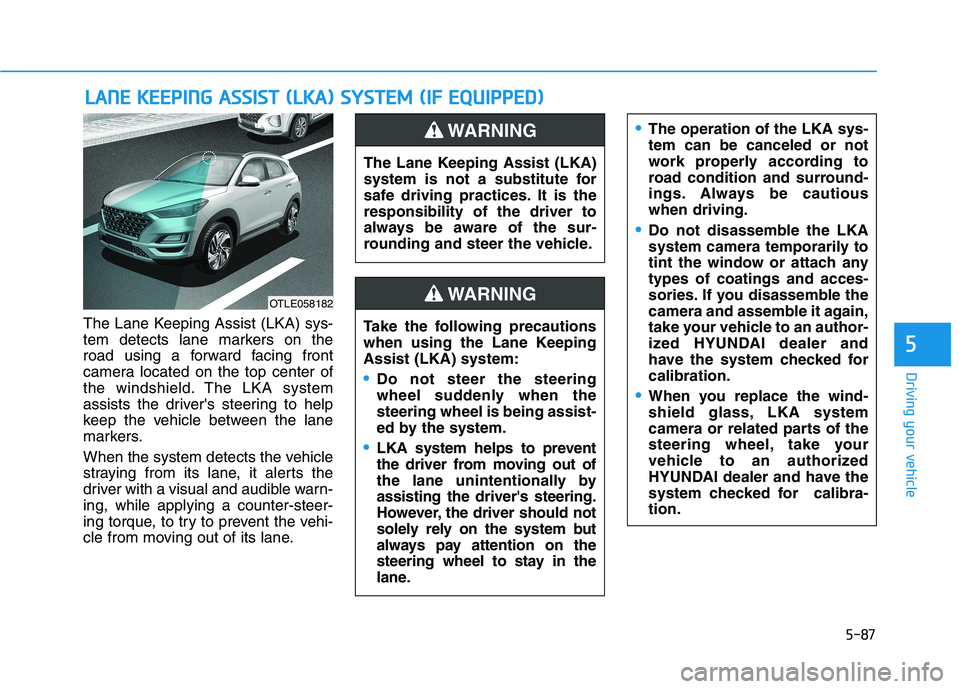
The Lane Keeping Assist (LKA) sys-
tem detects lane markers on the
road using a forward facing front
camera located on the top center of
the windshield. The LKA system
assists the driver's steering to help
keep the vehicle between the lane
markers.
When the system detects the vehicle
straying from its lane, it alerts the
driver with a visual and audible warn-
ing, while applying a counter-steer-
ing torque, to try to prevent the vehi-
cle from moving out of its lane.
L LA
AN
NE
E
K
KE
EE
EP
PI
IN
NG
G
A
AS
SS
SI
IS
ST
T
(
(L
LK
KA
A)
)
S
SY
YS
ST
TE
EM
M
(
(I
IF
F
E
EQ
QU
UI
IP
PP
PE
ED
D)
)
OTLE058182
The Lane Keeping Assist (LKA)
system is not a substitute for
safe driving practices. It is the
responsibility of the driver to
always be aware of the sur-
rounding and steer the vehicle.
WARNING
Take the following precautions
when using the Lane Keeping
Assist (LKA) system:
Do not steer the steering
wheel suddenly when the
steering wheel is being assist-
ed by the system.
LKA system helps to prevent
the driver from moving out of
the lane unintentionally by
assisting the driver's steering.
However, the driver should not
solely rely on the system but
always pay attention on the
steering wheel to stay in the
lane.
WARNING
The operation of the LKA sys-
tem can be canceled or not
work properly according to
road condition and surround-
ings. Always be cautious
when driving.
Do not disassemble the LKA
system camera temporarily to
tint the window or attach any
types of coatings and acces-
sories. If you disassemble the
camera and assemble it again,
take your vehicle to an author-
ized HYUNDAI dealer and
have the system checked for
calibration.
When you replace the wind-
shield glass, LKA system
camera or related parts of the
steering wheel, take your
vehicle to an authorized
HYUNDAI dealer and have the
system checked for calibra-
tion.
Page 354 of 546
5-88
Driving your vehicle
Always have your hands on
the steering wheel while the
LKA system is activated. Also,
when Active LKA is selected
from the User Settings mode
and if you continue to drive
with your hands off the steer-
ing wheel after the "Keep
hands on steering wheel"
warning message appears,
the system will stop control-
ling the steering wheel.
However, if the driver has their
hands on the steering wheel
again, the system will start
controlling the steering
wheel.
The steering wheel is not con-
tinuously controlled so if the
vehicle speed is at a higher
speed when leaving a lane the
vehicle may not be able to be
controlled by the system. The
driver must always follow the
speed limit when using the
system.
If you attach objects to the
steering wheel, the system
may not assist steering or the
hands off alarm may not work
properly. When you tow a trail-
er, make sure that you turn off
the LKA system.
When you tow a trailer, make
sure that you turn off the LKA
system.
The system detects lane lines
and controls the steering
wheel by a camera, therefore,
if the lane lines are hard to
detect, the system may not
work properly.
Please refer to "Limitations of
the system".
Do not remove or damage the
related parts of LKA system.
You may not hear a warning
sound of LKA system
because of excessive audio
sound.
If any other warning sound
such as seat belt warning
chime is already generated,
the Lane Keeping Assist
(LKA) system warning may
not sound.
Do not place objects on the
dashboard that reflects light
such as mirrors, white paper,
etc. The system may malfunc-
tion if the sunlight is reflected.
Page 356 of 546
5-90
Driving your vehicle
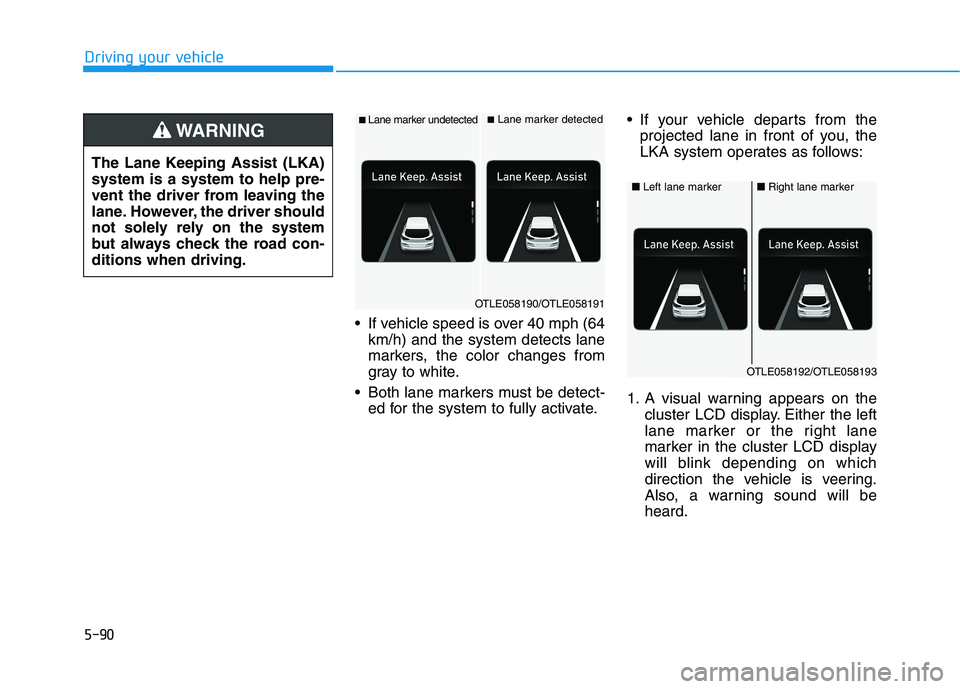
If vehicle speed is over 40 mph (64
km/h) and the system detects lane
markers, the color changes from
gray to white.
Both lane markers must be detect-
ed for the system to fully activate. If your vehicle departs from the
projected lane in front of you, the
LKA system operates as follows:
1. A visual warning appears on the
cluster LCD display. Either the left
lane marker or the right lane
marker in the cluster LCD display
will blink depending on which
direction the vehicle is veering.
Also, a warning sound will be
heard. The Lane Keeping Assist (LKA)
system is a system to help pre-
vent the driver from leaving the
lane. However, the driver should
not solely rely on the system
but always check the road con-
ditions when driving.
WARNING ■Lane marker undetected■Lane marker detected
OTLE058190/OTLE058191
■Left lane marker■Right lane marker
OTLE058192/OTLE058193
Page 357 of 546
5-91
Driving your vehicle
5
2. The LKA system will control the
vehicle's steering to prevent the
vehicle from crossing the lane
maker in below conditions.
- Vehicle speed is over 40 mph (64
km/h)
- The system detects both lane
markers
- When driving, the vehicle is locat-
ed between both lanes normally.
- The steering wheel is not turned
suddenly.
When lanes are detected and all the
conditions to activate the LKA sys-
tem are satisfied, a LKA system indi-
cator light ( ) will change from
white to green. This indicates that the
LKA system is in the ENABLED state
and the steering wheel will be able to
be controlled.Warning Light and Message
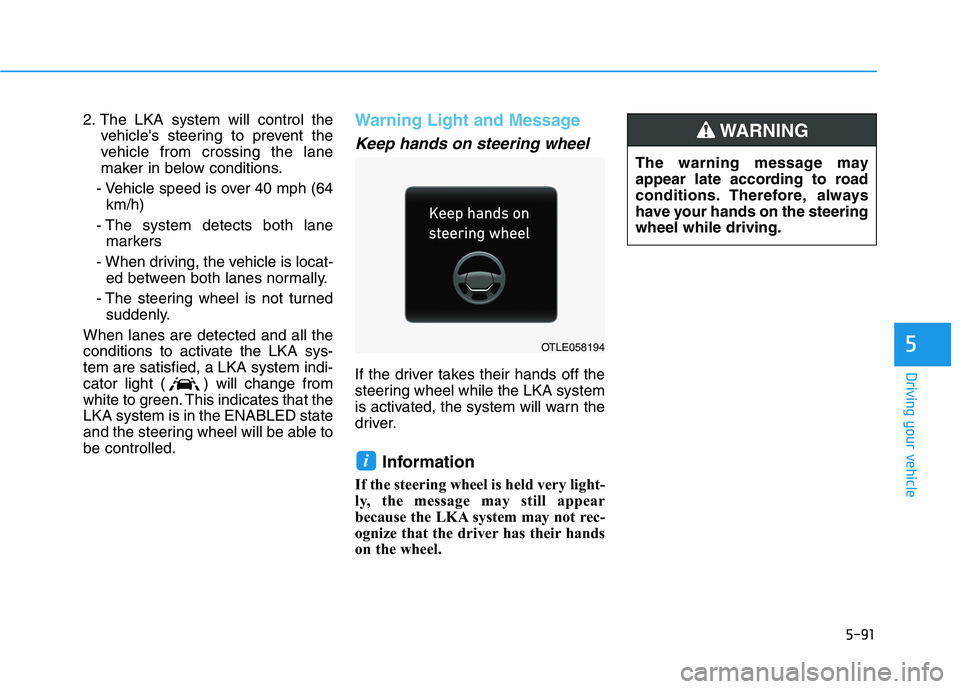
Keep hands on steering wheel
If the driver takes their hands off the
steering wheel while the LKA system
is activated, the system will warn the
driver.
Information
If the steering wheel is held very light-
ly, the message may still appear
because the LKA system may not rec-
ognize that the driver has their hands
on the wheel.
i
The warning message may
appear late according to road
conditions. Therefore, always
have your hands on the steering
wheel while driving.
WARNING
OTLE058194
Page 358 of 546
5-92
Driving your vehicle
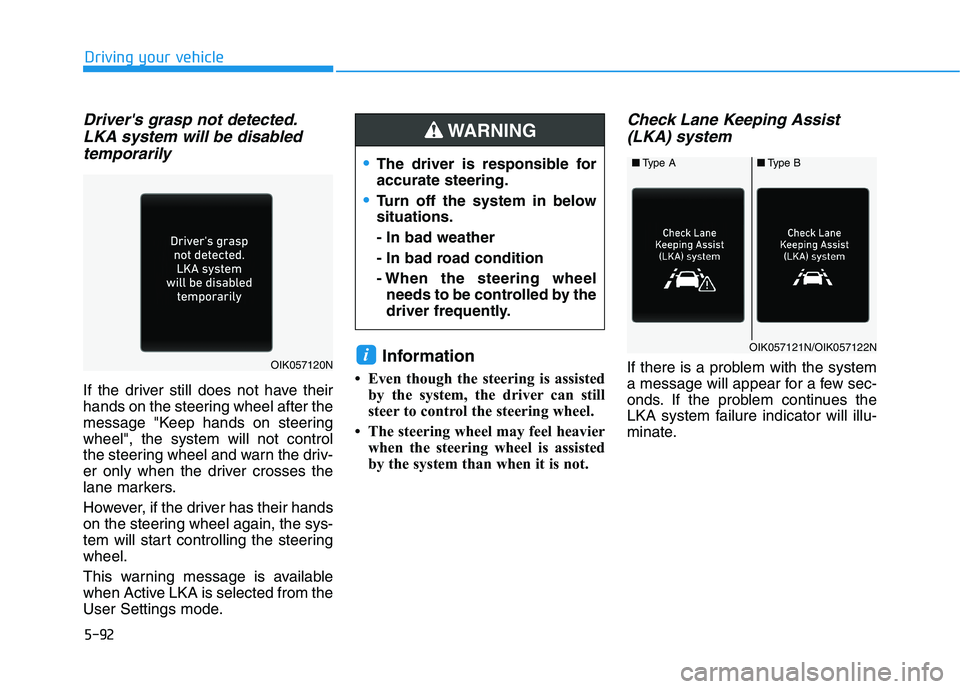
Driver's grasp not detected.
LKA system will be disabled
temporarily
If the driver still does not have their
hands on the steering wheel after the
message "Keep hands on steering
wheel", the system will not control
the steering wheel and warn the driv-
er only when the driver crosses the
lane markers.
However, if the driver has their hands
on the steering wheel again, the sys-
tem will start controlling the steering
wheel.
This warning message is available
when Active LKA is selected from the
User Settings mode.
Information
• Even though the steering is assisted
by the system, the driver can still
steer to control the steering wheel.
• The steering wheel may feel heavier
when the steering wheel is assisted
by the system than when it is not.
Check Lane Keeping Assist
(LKA) system
If there is a problem with the system
a message will appear for a few sec-
onds. If the problem continues the
LKA system failure indicator will illu-
minate.iOIK057120N
■Type A■Type B
OIK057121N/OIK057122N
The driver is responsible for
accurate steering.
Turn off the system in below
situations.
- In bad weather
- In bad road condition
- When the steering wheel
needs to be controlled by the
driver frequently.
WARNING