stop start HYUNDAI TUCSON 2022 Owners Manual
[x] Cancel search | Manufacturer: HYUNDAI, Model Year: 2022, Model line: TUCSON, Model: HYUNDAI TUCSON 2022Pages: 638, PDF Size: 82.3 MB
Page 423 of 638
Driver assistance system7-60
INTELLIGENT SPEED LIMIT ASSIST (ISLA) (IF EQUIPPED)
Intelligent Speed Limit Assist uses
information from the detected road sign
and navigation system to inform the
driver of the speed limit and additional
information of the current road. Also,
Intelligent Speed Limit Assist helps the
driver to maintain within the speed limit
of the road.
CAUTION
Intelligent Speed Limit Assist may not
operate properly if the function is used
in other countries.
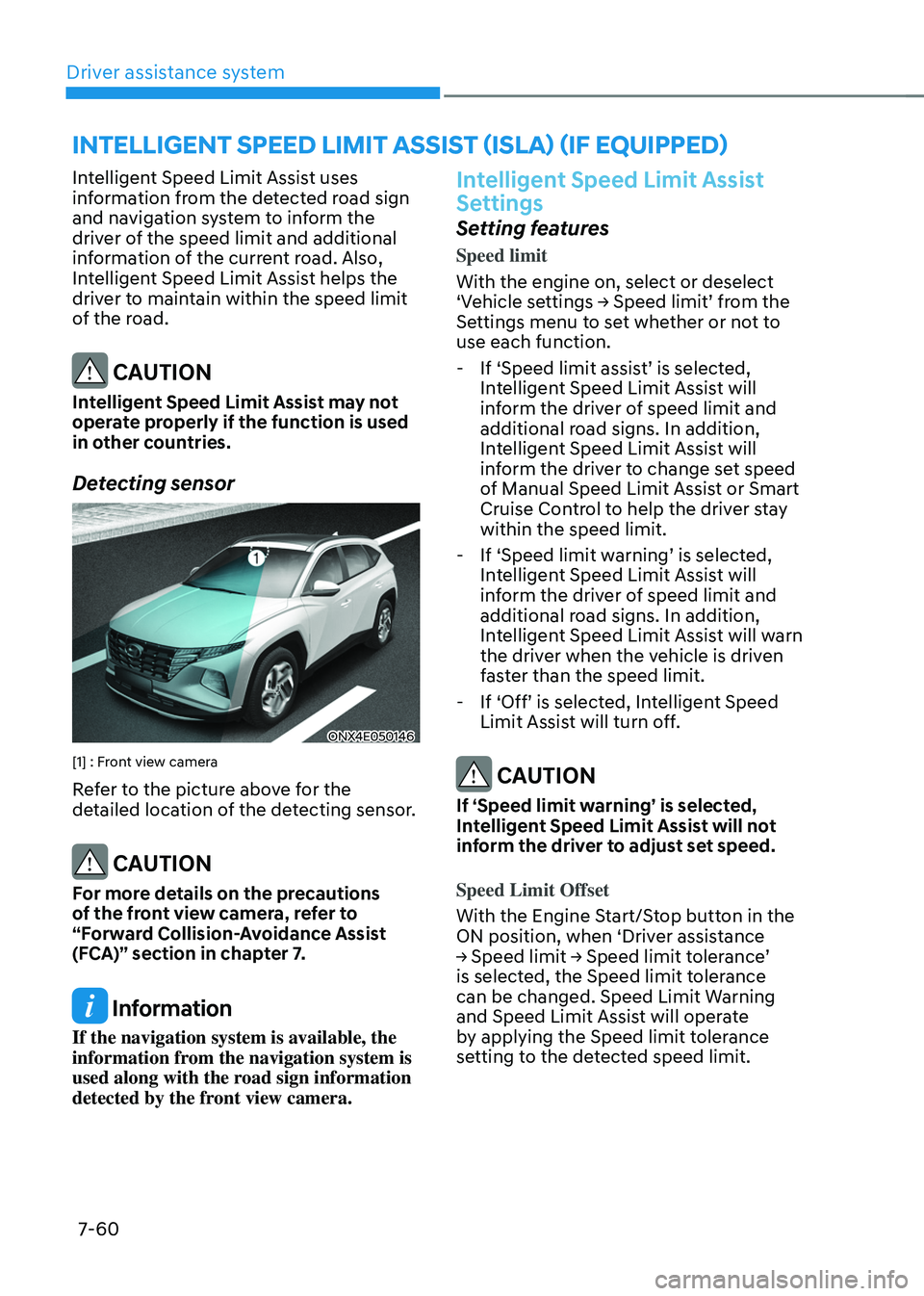
Detecting sensor
ONX4E050146
[1] : Front view camera
Refer to the picture above for the
detailed location of the detecting sensor.
CAUTION
For more details on the precautions
of the front view camera, refer to
“Forward Collision-Avoidance Assist
(FCA)” section in chapter 7.
Information
If the navigation system is available, the
information from the navigation system is
used along with the road sign information
detected by the front view camera.
Intelligent Speed Limit Assist
Settings
Setting features
Speed limit
With the engine on, select or deselect
‘Vehicle settings → Speed limit’ from the Settings menu to set whether or not to
use each function.
-If ‘Speed limit assist’ is selected, Intelligent Speed Limit Assist will
inform the driver of speed limit and
additional road signs. In addition,
Intelligent Speed Limit Assist will
inform the driver to change set speed
of Manual Speed Limit Assist or Smart
Cruise Control to help the driver stay
within the speed limit.
-If ‘Speed limit warning’ is selected, Intelligent Speed Limit Assist will
inform the driver of speed limit and
additional road signs. In addition,
Intelligent Speed Limit Assist will warn
the driver when the vehicle is driven
faster than the speed limit.
-If ‘Off’ is selected, Intelligent Speed Limit Assist will turn off.
CAUTION
If ‘Speed limit warning’ is selected,
Intelligent Speed Limit Assist will not
inform the driver to adjust set speed.
Speed Limit Offset
With the Engine Start/Stop button in the
ON position, when ‘Driver assistance
→ Speed limit → Speed limit tolerance’ is selected, the Speed limit tolerance
can be changed. Speed Limit Warning
and Speed Limit Assist will operate
by applying the Speed limit tolerance
setting to the detected speed limit.
Page 448 of 638
07
7-85
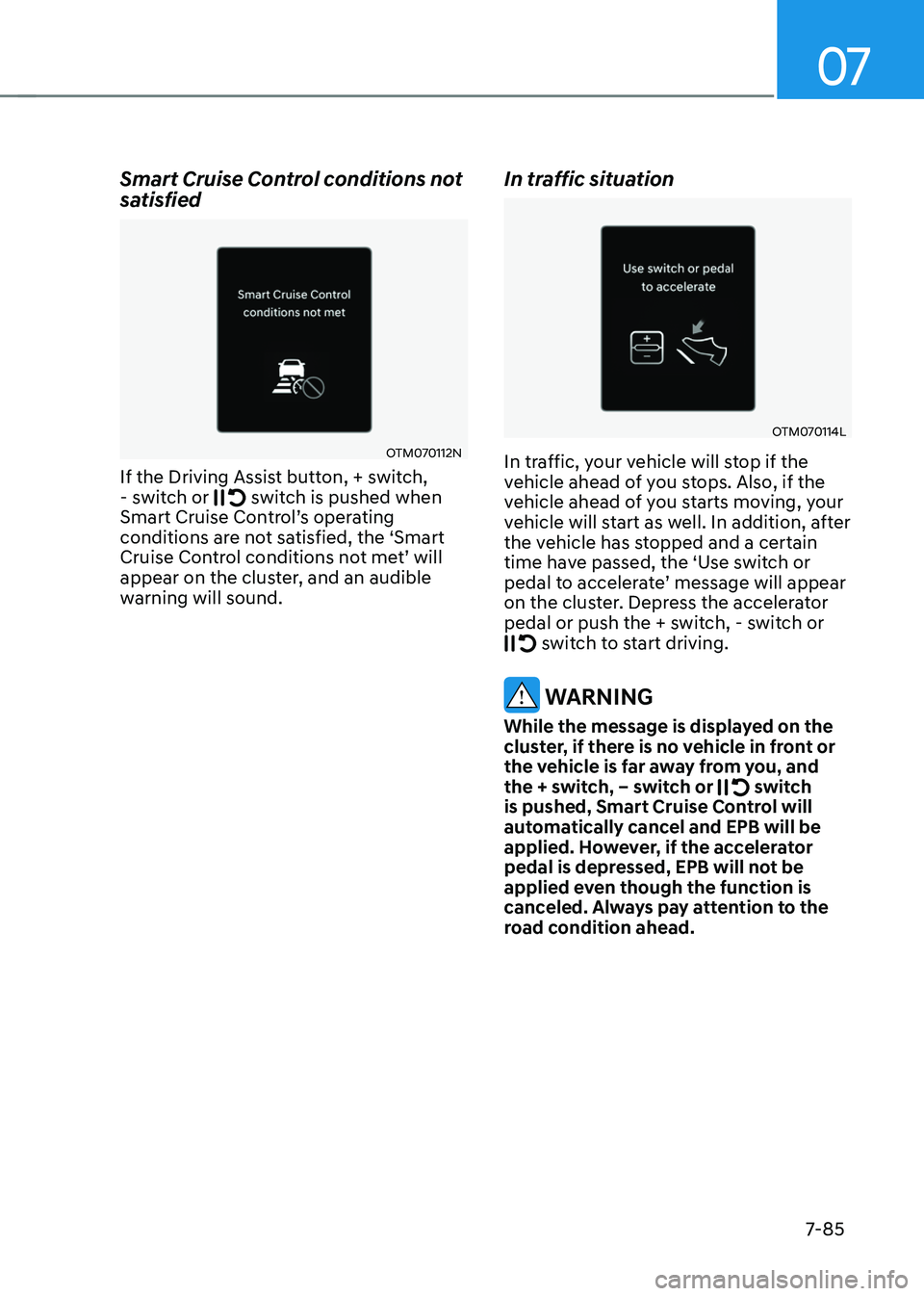
Smart Cruise Control conditions not
satisfied
OTM070112N
If the Driving Assist button, + switch, - switch or switch is pushed when Smart Cruise Control’s operating conditions are not satisfied, the ‘Smart Cruise Control conditions not met’ will appear on the cluster, and an audible
warning will sound.
In traffic situation
OTM070114L
In traffic, your vehicle will stop if the
vehicle ahead of you stops. Also, if the
vehicle ahead of you starts moving, your
vehicle will start as well. In addition, after
the vehicle has stopped and a certain
time have passed, the ‘Use switch or
pedal to accelerate’ message will appear on the cluster. Depress the accelerator
pedal or push the + switch, - switch or
switch to start driving.
WARNING
While the message is displayed on the
cluster, if there is no vehicle in front or
the vehicle is far away from you, and
the + switch, – switch or
switch is pushed, Smart Cruise Control will
automatically cancel and EPB will be
applied. However, if the accelerator
pedal is depressed, EPB will not be
applied even though the function is
canceled. Always pay attention to the
road condition ahead.
Page 450 of 638
07
7-87
WARNING
Take the following precautions when
using Smart Cruise Control:
• Smart Cruise Control does not
substitute for proper and safe
driving. It is the responsibility of the
driver to always check the speed and
distance to the vehicle ahead.
• Smart Cruise Control may not
recognize unexpected and sudden
situations or complex driving
situations, so always pay attention to
driving conditions and control your
vehicle speed.
• Keep Smart Cruise Control off when
the function is not in use to avoid
inadvertently setting a speed.
• Do not open the door or leave the
vehicle when Smart Cruise Control
is operating, even if the vehicle is
stopped.
• Always be aware of the selected
speed and vehicle distance.
• Keep a safe distance according to
road conditions and vehicle speed.
If the vehicle distance is too close
during high-speed driving, a serious
collision may result.
• When maintaining distance with
the vehicle ahead, if the front
vehicle disappears, Smart Cruise
Control may suddenly accelerate to
the set speed. Always be aware of
unexpected and sudden situations
from occurring.
• Vehicle speed may decrease on an
upward slope and increase on a
downward slope.
• Always be aware of situations such
as when a vehicle cuts in suddenly.
• When you are towing a trailer or
another vehicle, we recommend that
Smart Cruise Control is turned off
due to safety reasons.
• Turn off Smart Cruise Control when
your vehicle is being towed. •
Smart Cruise Control may not
operate normally if interfered by
strong electromagnetic waves.
• Smart Cruise Control may not
detect an obstacle in front and lead
to a collision. Always look ahead
cautiously to prevent unexpected
and sudden situations from
occurring.
• Vehicles moving in front of you with
a frequent lane change may cause
a delay in Smart Cruise Control
reaction or may cause Smart Cruise
Control to react to a vehicle actually
in an adjacent lane. Always drive
cautiously to prevent unexpected
and sudden situations from
occurring.
• Always be aware of the surroundings
and drive safely, even though a
warning message does not appear or
an audible warning does not sound.
• If any other system’s warning
message is displayed or warning
sound is generated, Smart Cruise
Control warning message may not
be displayed and warning sound may
not be generated.
• You may not hear the warning sound
of Forward Collision-Avoidance
Assist if the surrounding is noisy.
• The vehicle manufacturer is not
responsible for any traffic violation
or accidents caused by the driver.
• Always set the vehicle speed to the
speed limit in your country.
Information
• Smart Cruise Control may not operate
for 15 seconds after the vehicle is
started or the front view camera or
front radar is initialized.
• You may hear a sound when the brake
is controlled by Smart Cruise Control.
Page 471 of 638
Driver assistance system
7-108
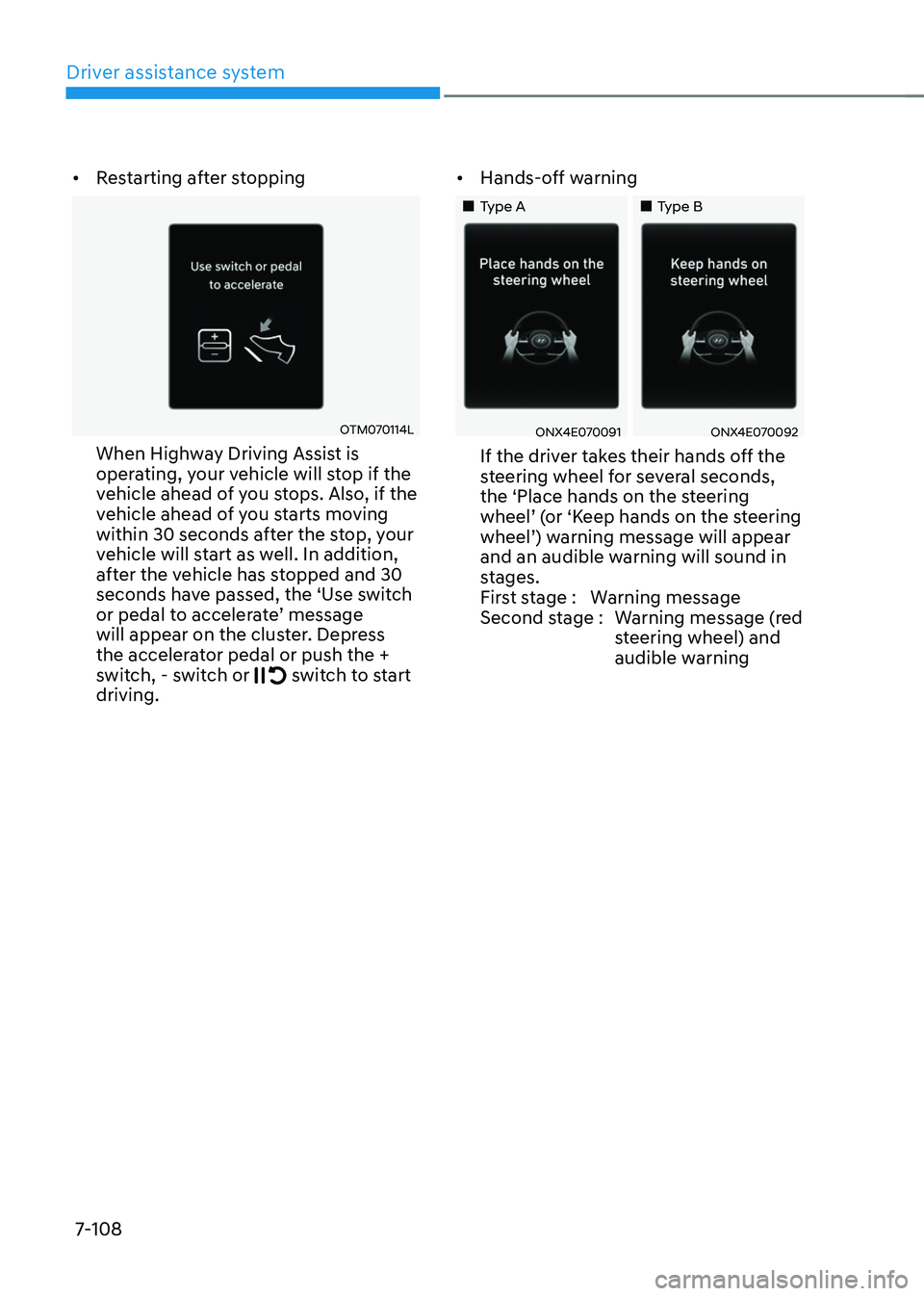
• Restarting after stopping
OTM070114L
When Highway Driving Assist is
operating, your vehicle will stop if the
vehicle ahead of you stops. Also, if the
vehicle ahead of you starts moving
within 30 seconds after the stop, your
vehicle will start as well. In addition,
after the vehicle has stopped and 30
seconds have passed, the ‘Use switch
or pedal to accelerate’ message will appear on the cluster. Depress
the accelerator pedal or push the +
switch, - switch or
switch to start driving. •
Hands-off warning
„„Type A„„Type B
ONX4E070091ONX4E070092
If the driver takes their hands off the
steering wheel for several seconds,
the ‘Place hands on the steering
wheel’ (or ‘Keep hands on the steering wheel’) warning message will appear and an audible warning will sound in
stages.
First stage : Warning message
Second stage : Warning message (red
steering wheel) and
audible warning
Page 487 of 638
Driver assistance system
7-124
OTM070141N
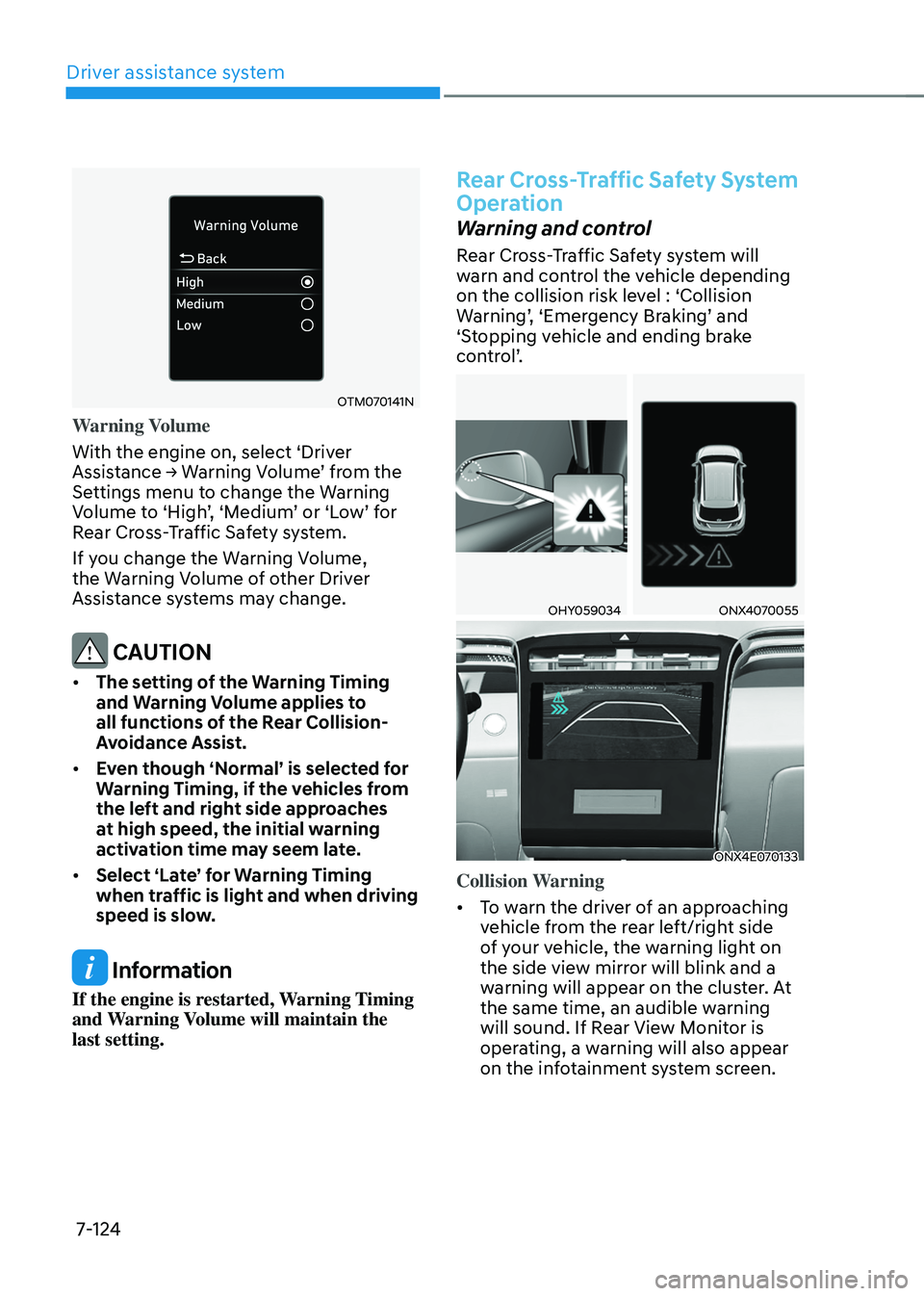
Warning Volume
With the engine on, select ‘Driver
Assistance → Warning Volume’ from the Settings menu to change the Warning Volume to ‘High’, ‘Medium’ or ‘Low’ for Rear Cross-Traffic Safety system.
If you change the Warning Volume,
the Warning Volume of other Driver
Assistance systems may change.
CAUTION
• The setting of the Warning Timing
and Warning Volume applies to
all functions of the Rear Collision-
Avoidance Assist.
• Even though ‘Normal’ is selected for
Warning Timing, if the vehicles from
the left and right side approaches
at high speed, the initial warning
activation time may seem late.
• Select ‘Late’ for Warning Timing
when traffic is light and when driving
speed is slow.
Information
If the engine is restarted, Warning Timing
and Warning Volume will maintain the
last setting.
Rear Cross-Traffic Safety System
Operation
Warning and control
Rear Cross-Traffic Safety system will
warn and control the vehicle depending
on the collision risk level : ‘Collision
Warning’, ‘Emergency Braking’ and ‘Stopping vehicle and ending brake
control’.
OHY059034ONX4070055
ONX4E070133
Collision Warning
• To warn the driver of an approaching
vehicle from the rear left/right side
of your vehicle, the warning light on
the side view mirror will blink and a
warning will appear on the cluster. At
the same time, an audible warning
will sound. If Rear View Monitor is
operating, a warning will also appear
on the infotainment system screen.
Page 517 of 638
Driver assistance system
7-154
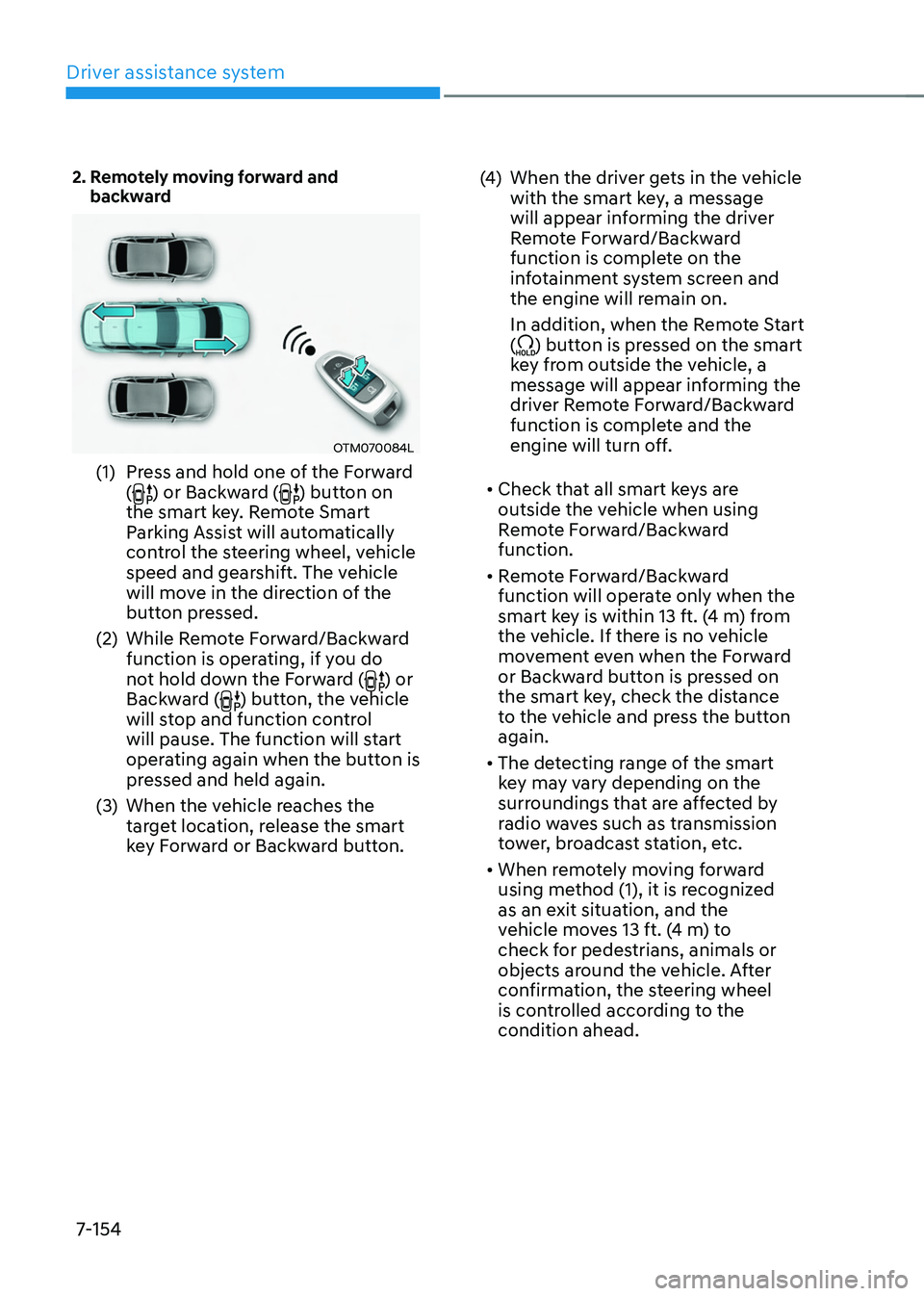
2. Remotely moving forward and backward
OTM070084L
(1) Press and hold one of the Forward
() or Backward () button on
the smart key. Remote Smart
Parking Assist will automatically
control the steering wheel, vehicle
speed and gearshift. The vehicle
will move in the direction of the
button pressed.
(2) While Remote Forward/Backward
function is operating, if you do
not hold down the Forward (
) or
Backward () button, the vehicle
will stop and function control
will pause. The function will start
operating again when the button is
pressed and held again.
(3) When the vehicle reaches the
target location, release the smart
key Forward or Backward button.
(4) When the driver gets in the vehicle
with the smart key, a message
will appear informing the driver
Remote Forward/Backward
function is complete on the
infotainment system screen and
the engine will remain on.
In addition, when the Remote Start
(
) button is pressed on the smart
key from outside the vehicle, a
message will appear informing the
driver Remote Forward/Backward
function is complete and the
engine will turn off.
• Check that all smart keys are
outside the vehicle when using
Remote Forward/Backward
function.
• Remote Forward/Backward
function will operate only when the
smart key is within 13 ft. (4 m) from
the vehicle. If there is no vehicle
movement even when the Forward
or Backward button is pressed on
the smart key, check the distance
to the vehicle and press the button
again.
• The detecting range of the smart
key may vary depending on the
surroundings that are affected by
radio waves such as transmission
tower, broadcast station, etc.
• When remotely moving forward
using method (1), it is recognized
as an exit situation, and the
vehicle moves 13 ft. (4 m) to
check for pedestrians, animals or
objects around the vehicle. After
confirmation, the steering wheel
is controlled according to the
condition ahead.
Page 520 of 638
07
7-157
The function will pause in the
following conditions when:
• There is a pedestrian, animal or object
in the direction the vehicle is moving
• The door or liftgate is open
• The Forward (
) or Backward ()
button is not continuously pressed
• Simultaneously pressing multiple
buttons on a smart key
• The smart key is not operated within
13 ft. (4 m) from the vehicle
• Button of another smart key is pressed
in addition to the operating smart key
• Blind-Spot Collision-Avoidance
Assist or Rear Cross-Traffic Collision-
Avoidance Assist operates while the
vehicle is being controlled in the
backward direction.
• The vehicle moves 22 ft. (7 m)
while the smart key is pressed with
Remote Forward/Backward function
(maximum travel distance per button
press)
When Remote Forward/Backward
function is paused, the vehicle will stop.
If the condition that made the function
to pause disappears, the function may
operate again.
The function will cancel in the
following conditions when:
• The steering wheel is steered
• The gear is shifted while the vehicle is
moving
• Operating EPB while the vehicle is
moving
• The engine hood is open
• The brake pedal or accelerator pedal
is depressed when all the doors are
closed
• The smart key is outside the vehicle
when the brake pedal is depressed
while the driver's door is open
• Rapid acceleration occurs
• Vehicle skid occurs
• The wheel is stuck by an obstacle and
cannot move
• There are pedestrians, animals or
objects at the front and rear of the
vehicle at the same time
• Approximately 3 minutes and 50
seconds have past after Remote
Forward/Backward function has
started to operate
• The slope of the road exceeds the
operational range
• The function is paused for more than
1 minute
• The total travel distance of the vehicle
has exceeded 45 ft. (14 m) after
Remote Forward/Backward function
operation
Page 528 of 638
Emergency situations
8-2
HAZARD WARNING
FLASHER
ONX4080001
The hazard warning flasher serves as
a warning to other drivers to exercise
extreme caution when approaching,
overtaking, or passing your vehicle.
It should be used whenever emergency
repairs are being made or when the
vehicle is stopped near the edge of a
roadway.
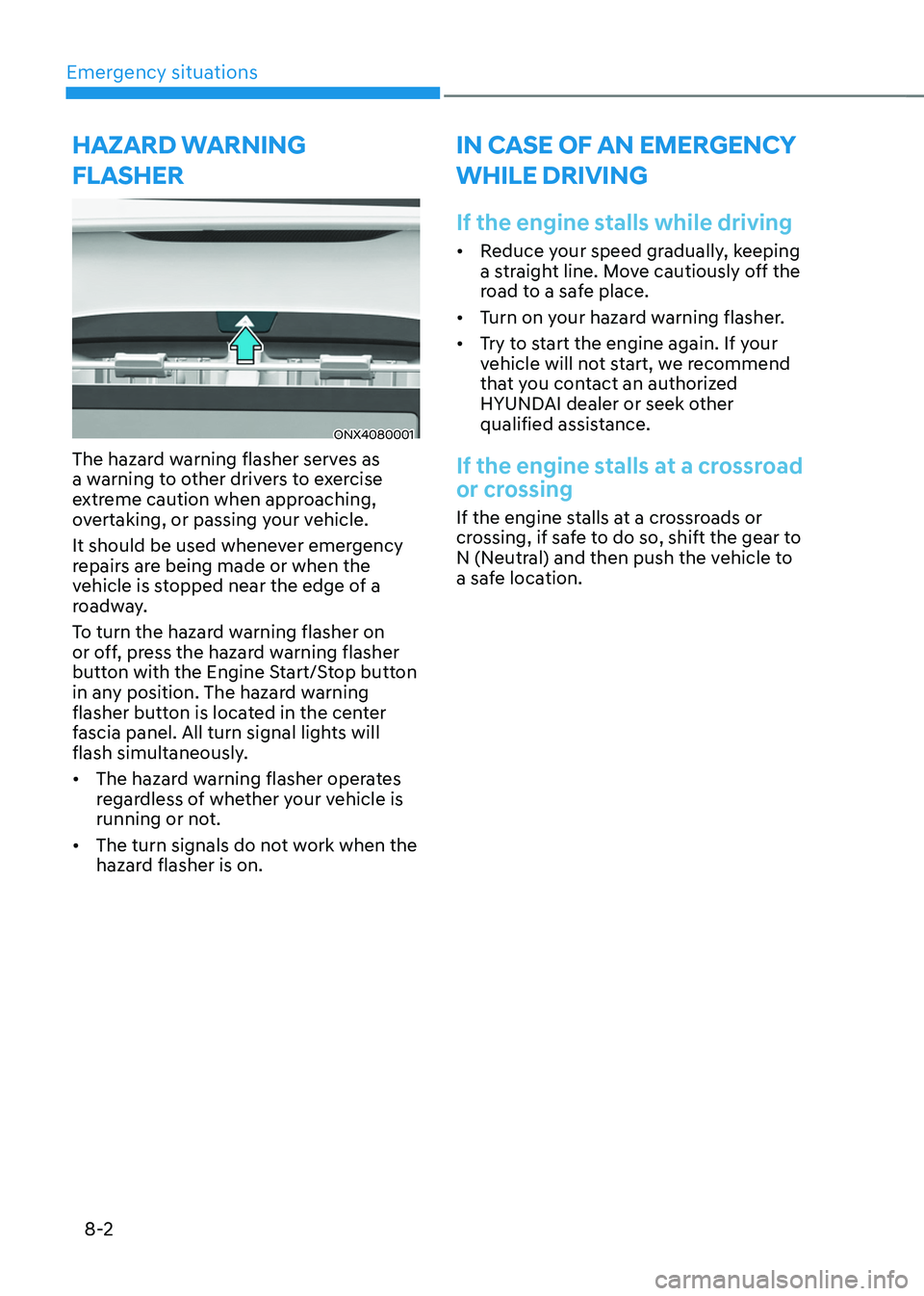
To turn the hazard warning flasher on
or off, press the hazard warning flasher
button with the Engine Start/Stop button
in any position. The hazard warning
flasher button is located in the center
fascia panel. All turn signal lights will
flash simultaneously.
• The hazard warning flasher operates
regardless of whether your vehicle is
running or not.
• The turn signals do not work when the
hazard flasher is on.
IN CASE OF AN EMERGENCY
WHILE DRIVING
If the engine stalls while driving
• Reduce your speed gradually, keeping
a straight line. Move cautiously off the
road to a safe place.
• Turn on your hazard warning flasher.
• Try to start the engine again. If your
vehicle will not start, we recommend
that you contact an authorized
HYUNDAI dealer or seek other
qualified assistance.
If the engine stalls at a crossroad
or crossing
If the engine stalls at a crossroads or
crossing, if safe to do so, shift the gear to
N (Neutral) and then push the vehicle to
a safe location.
Page 529 of 638
08
8-3
If you have a flat tire while
driving
If a tire goes flat while you are driving:
• Take your foot off the accelerator
pedal and let the vehicle slow down
while driving straight ahead. Do not
apply the brakes immediately or
attempt to pull off the road as this
may cause loss of vehicle control
resulting in an accident. When the
vehicle has slowed to such a speed
that it is safe to do so, brake carefully
and pull off the road. Drive off the
road as far as possible and park on
firm, level ground. If you are on a
divided highway, do not park in the
median area between the two traffic
lanes.
• When the vehicle is stopped, press the
hazard warning flasher button, shift
the gear to P (Park), apply the parking
brake, and press the Engine Start/Stop
button to the OFF position.
• Have all passengers get out of the
vehicle. Be sure they all get out on the
side of the vehicle that is away from
traffic.
• When changing a flat tire, follow the
instructions provided later in this
chapter.
IF THE ENGINE WILL NOT
S TA RT
• Be sure to shift the gear to N (Neutral)
or P (Park). The engine starts only
when the gear is in N (Neutral) or P
(Park).
• Turn on the interior light. If the light
dims or goes out when you operate
the starter, the battery is drained.
See instructions for “Jump Starting”
provided in this chapter.
• Check the fuel level and add fuel if
necessary.
If the vehicle still does not start, we
recommend that you call an authorized
HYUNDAI dealer for assistance.
NOTICE
Push or pull starting the vehicle may
cause the catalytic converter to
overload which can lead to damage to
the emission control system.
Page 530 of 638
Emergency situations
8-4
Jump starting can be dangerous if done
incorrectly. Follow the jump starting
procedure in this section to avoid serious
injury or damage to your vehicle. If in
doubt about how to properly jump start
your vehicle, we strongly recommend
that you have a service technician or
towing service do it for you.
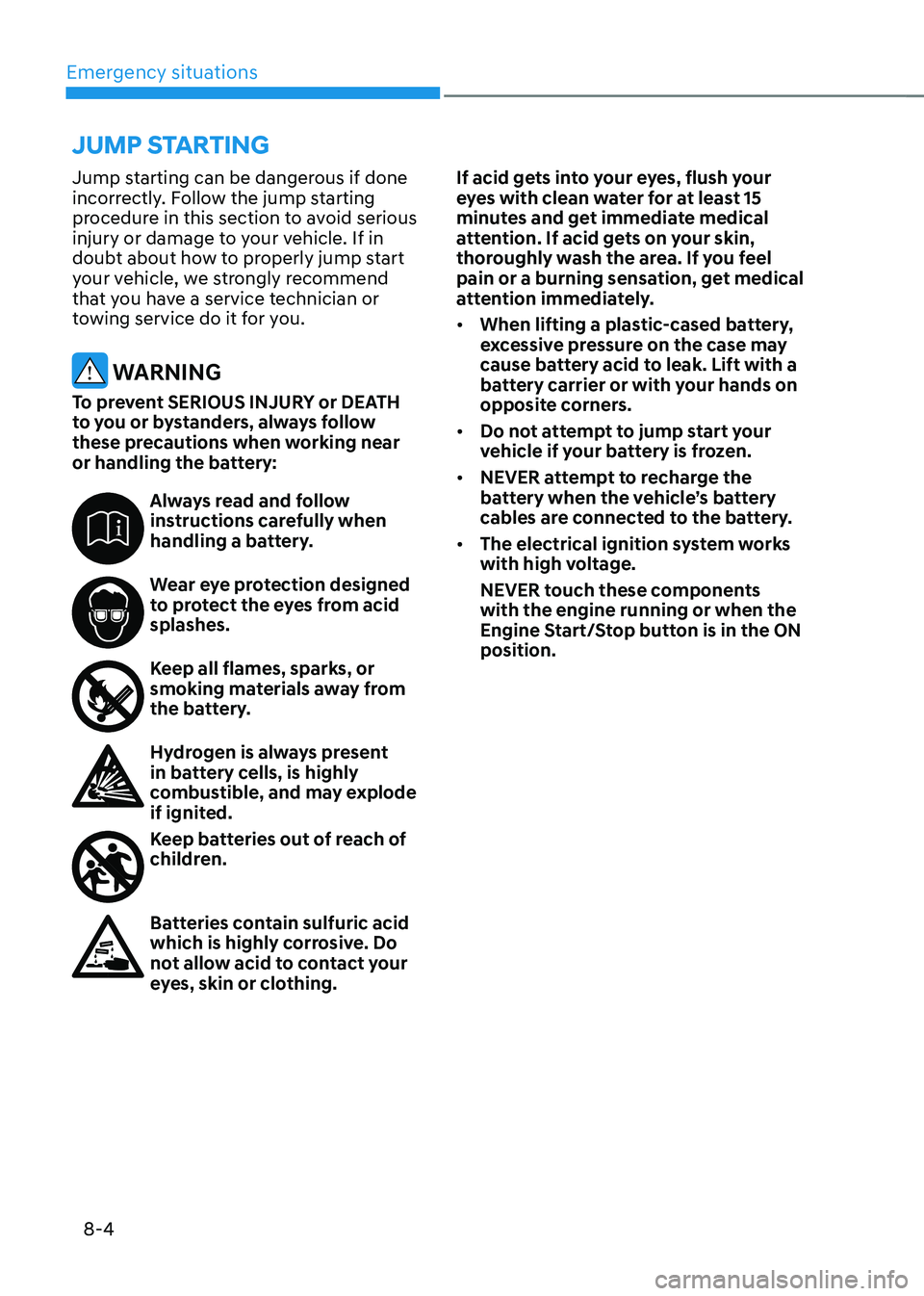
WARNING
To prevent SERIOUS INJURY or DEATH
to you or bystanders, always follow
these precautions when working near
or handling the battery:
Always read and follow instructions carefully when
handling a battery.
Wear eye protection designed to protect the eyes from acid
splashes.
Keep all flames, sparks, or smoking materials away from
the battery.
Hydrogen is always present in battery cells, is highly
combustible, and may explode
if ignited.
Keep batteries out of reach of children.
Batteries contain sulfuric acid which is highly corrosive. Do
not allow acid to contact your
eyes, skin or clothing.If acid gets into your eyes, flush your
eyes with clean water for at least 15
minutes and get immediate medical
attention. If acid gets on your skin,
thoroughly wash the area. If you feel
pain or a burning sensation, get medical
attention immediately.
•
When lifting a plastic-cased battery,
excessive pressure on the case may
cause battery acid to leak. Lift with a
battery carrier or with your hands on
opposite corners.
• Do not attempt to jump start your
vehicle if your battery is frozen.
• NEVER attempt to recharge the
battery when the vehicle’s battery
cables are connected to the battery.
• The electrical ignition system works
with high voltage.
NEVER touch these components
with the engine running or when the
Engine Start/Stop button is in the ON
position.
JUMP STARTING