fuel HYUNDAI TUCSON 2022 User Guide
[x] Cancel search | Manufacturer: HYUNDAI, Model Year: 2022, Model line: TUCSON, Model: HYUNDAI TUCSON 2022Pages: 638, PDF Size: 82.3 MB
Page 102 of 638
4-4
Instrument cluster
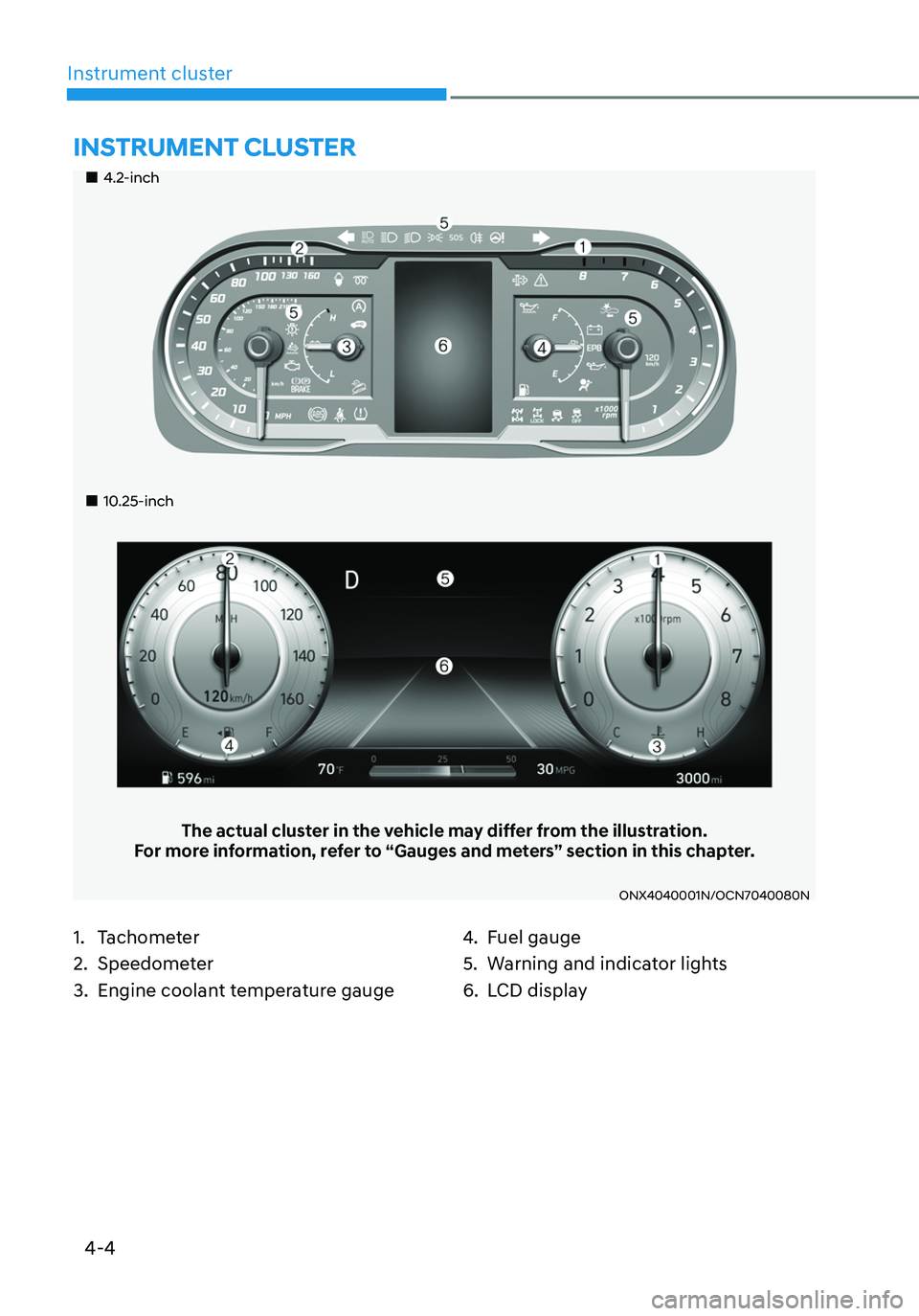
„„4.2-inch
„„10.25-inch
The actual cluster in the vehicle may differ from the illustration.For more information, refer to “Gauges and meters” section in this chapter.
ONX4040001N/OCN7040080N
1. Tachometer
2. Speedometer
3. Engine coolant temperature gauge
4. Fuel gauge
5. Warning and indicator lights
6. LCD display
INSTRUMENT CLUSTER
Page 104 of 638
Instrument cluster
4-6
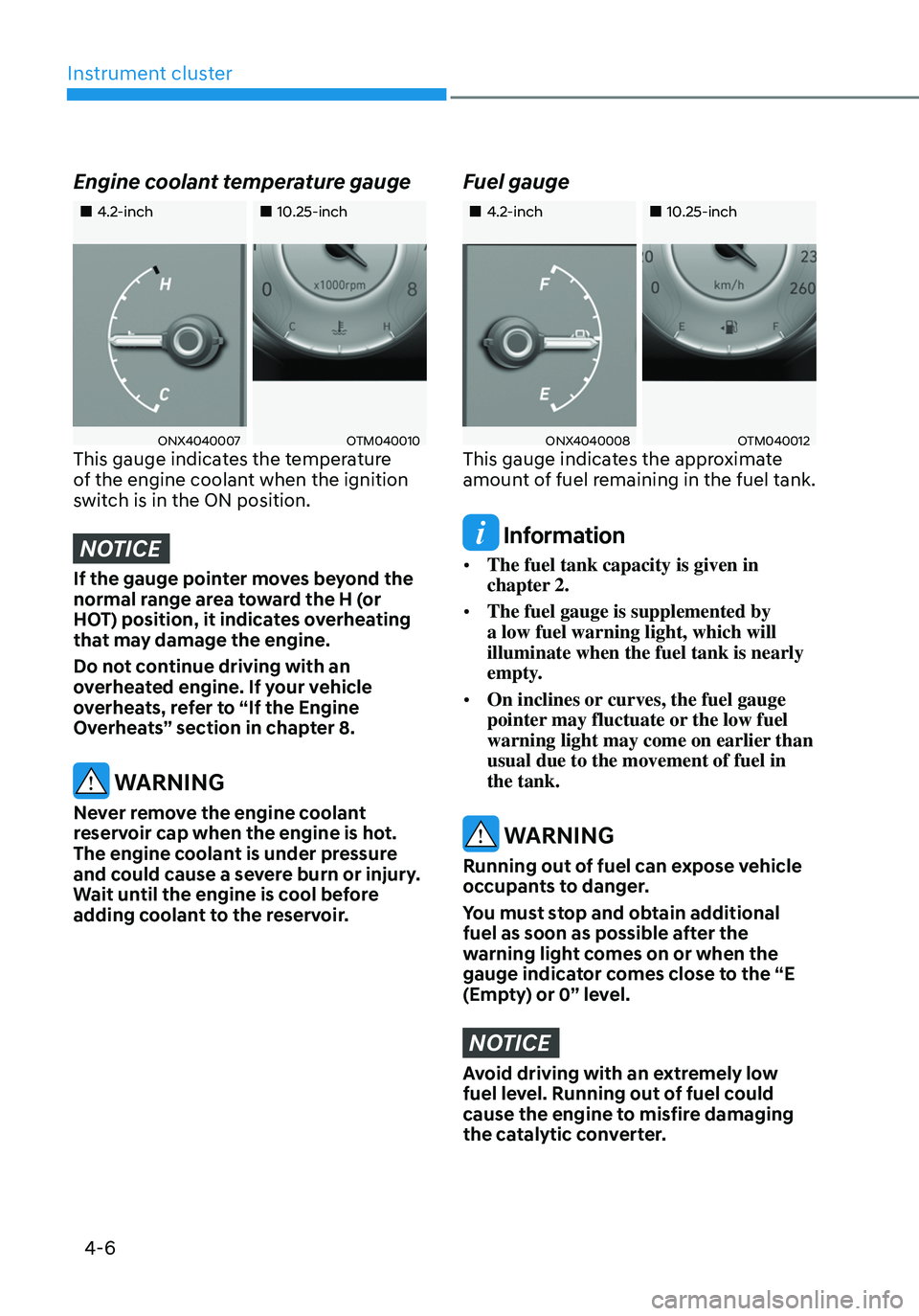
Engine coolant temperature gauge
„„4.2-inch„„10.25-inch
ONX4040007OTM040010This gauge indicates the temperature
of the engine coolant when the ignition
switch is in the ON position.
NOTICE
If the gauge pointer moves beyond the
normal range area toward the H (or
HOT) position, it indicates overheating
that may damage the engine.
Do not continue driving with an
overheated engine. If your vehicle
overheats, refer to “If the Engine
Overheats” section in chapter 8.
WARNING
Never remove the engine coolant
reservoir cap when the engine is hot.
The engine coolant is under pressure
and could cause a severe burn or injury.
Wait until the engine is cool before
adding coolant to the reservoir.
Fuel gauge
„„4.2-inch„„10.25-inch
ONX4040008 OTM040012This gauge indicates the approximate
amount of fuel remaining in the fuel tank.
Information
• The fuel tank capacity is given in
chapter 2.
• The fuel gauge is supplemented by
a low fuel warning light, which will
illuminate when the fuel tank is nearly
empty.
• On inclines or curves, the fuel gauge
pointer may fluctuate or the low fuel
warning light may come on earlier than
usual due to the movement of fuel in
the tank.
WARNING
Running out of fuel can expose vehicle
occupants to danger.
You must stop and obtain additional
fuel as soon as possible after the
warning light comes on or when the
gauge indicator comes close to the “E
(Empty) or 0” level.
NOTICE
Avoid driving with an extremely low
fuel level. Running out of fuel could
cause the engine to misfire damaging
the catalytic converter.
Page 106 of 638
Instrument cluster
4-8
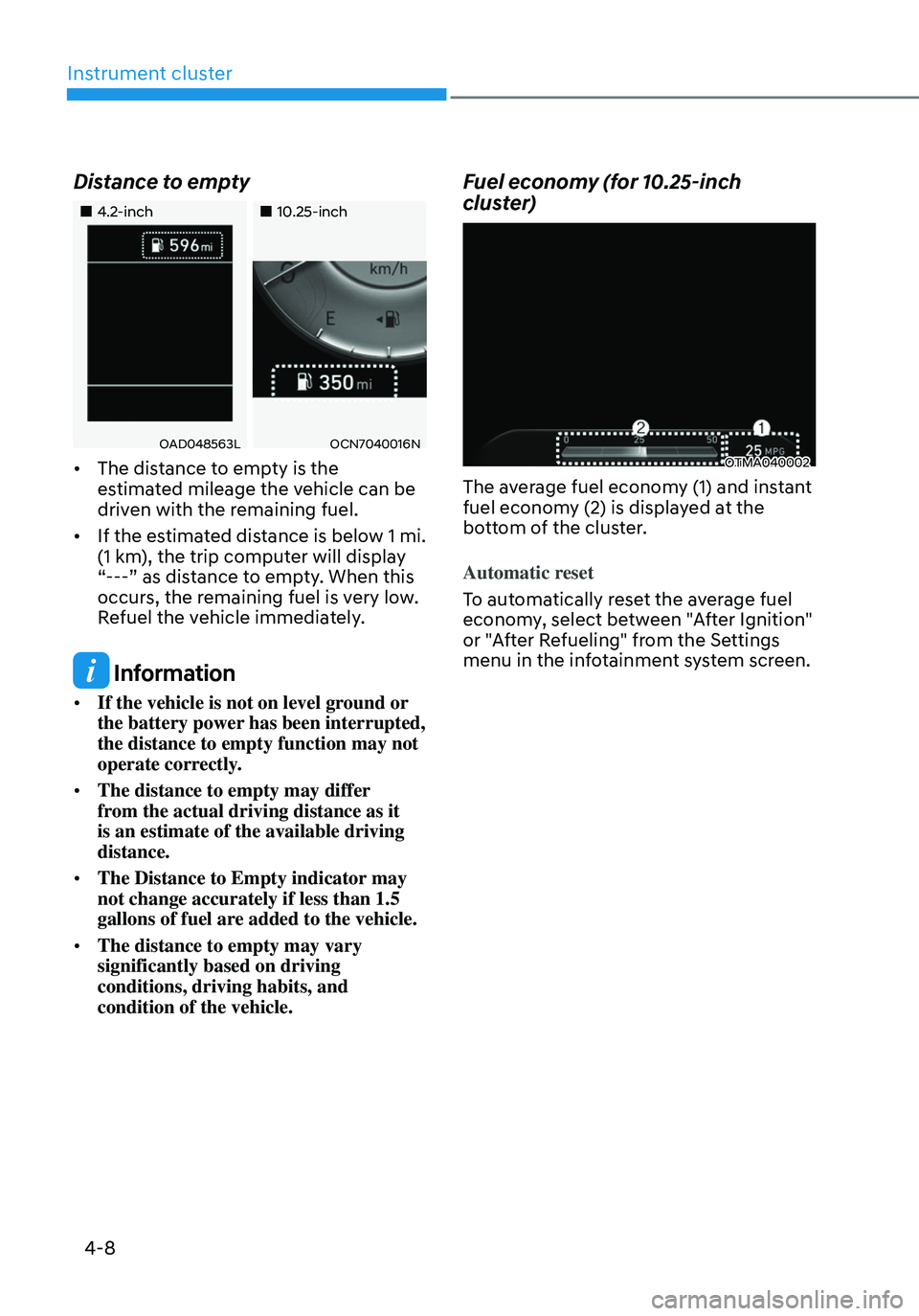
Distance to empty
„„4.2-inch„„10.25-inch
OAD048563LOCN7040016N
• The distance to empty is the
estimated mileage the vehicle can be
driven with the remaining fuel.
• If the estimated distance is below 1 mi.
(1 km), the trip computer will display
“---” as distance to empty. When this
occurs, the remaining fuel is very low.
Refuel the vehicle immediately.
Information
• If the vehicle is not on level ground or
the battery power has been interrupted,
the distance to empty function may not
operate correctly.
• The distance to empty may differ
from the actual driving distance as it
is an estimate of the available driving
distance.
• The Distance to Empty indicator may
not change accurately if less than 1.5
gallons of fuel are added to the vehicle.
• The distance to empty may vary
significantly based on driving
conditions, driving habits, and
condition of the vehicle.
Fuel economy (for 10.25-inch
cluster)
OTMA040002
The average fuel economy (1) and instant
fuel economy (2) is displayed at the
bottom of the cluster.
Automatic reset
To automatically reset the average fuel
economy, select between "After Ignition"
or "After Refueling" from the Settings
menu in the infotainment system screen.
Page 111 of 638
04
4-13
NOTICE
• If the engine does not stop
immediately after the Engine Oil
Pressure warning light is illuminated,
severe damage could result.
• If the warning light stays on while the
engine is running, it indicates that
there may be serious engine damage
or malfunction. In this case:
1. Stop the vehicle as soon as it is
safe to do so.
2. Turn off the engine and check the
oil level. If the oil level is low, fill
the engine oil to the proper level.
3. Start the engine again. If the
warning light stays on after the
engine is started, turn the engine
off immediately. If this occurs,
we recommend that you have
the vehicle inspected by an
authorized HYUNDAI dealer.
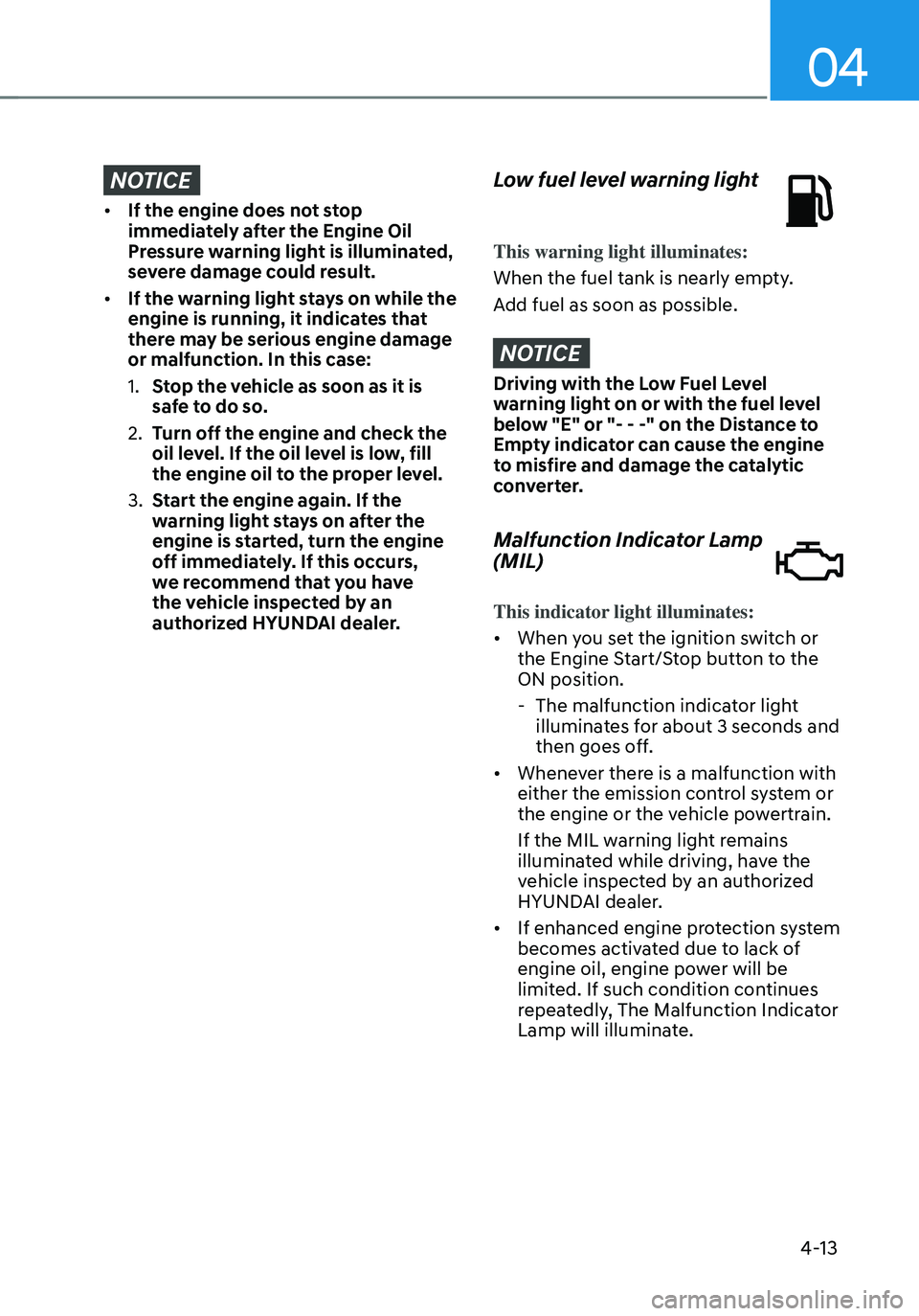
Low fuel level warning light
This warning light illuminates:
When the fuel tank is nearly empty.
Add fuel as soon as possible.
NOTICE
Driving with the Low Fuel Level
warning light on or with the fuel level
below "E" or "- - -" on the Distance to
Empty indicator can cause the engine
to misfire and damage the catalytic
converter.
Malfunction Indicator Lamp
(MIL)
This indicator light illuminates:
• When you set the ignition switch or
the Engine Start/Stop button to the
ON position.
-The malfunction indicator light
illuminates for about 3 seconds and
then goes off.
• Whenever there is a malfunction with
either the emission control system or
the engine or the vehicle powertrain.
If the MIL warning light remains
illuminated while driving, have the
vehicle inspected by an authorized
HYUNDAI dealer.
• If enhanced engine protection system
becomes activated due to lack of
engine oil, engine power will be
limited. If such condition continues
repeatedly, The Malfunction Indicator
Lamp will illuminate.
Page 112 of 638
Instrument cluster
4-14
NOTICE
• Driving with the Malfunction
Indicator Lamp (MIL) on may cause
damage to the emission control
system which could affect drivability
and/or fuel economy.
• If the enhanced engine protection
system becomes activated due to
lack of engine oil, engine power
will be limited. If such condition
continues repeatedly, the
Malfunction Indicator Lamp will
illuminate.
NOTICE
If the Malfunction Indicator Lamp
(MIL) illuminates, potential catalytic
converter damage is possible which
could result in loss of engine power.
If this occurs, we recommend that
you have the vehicle inspected by an
authorized HYUNDAI dealer as soon as
possible.
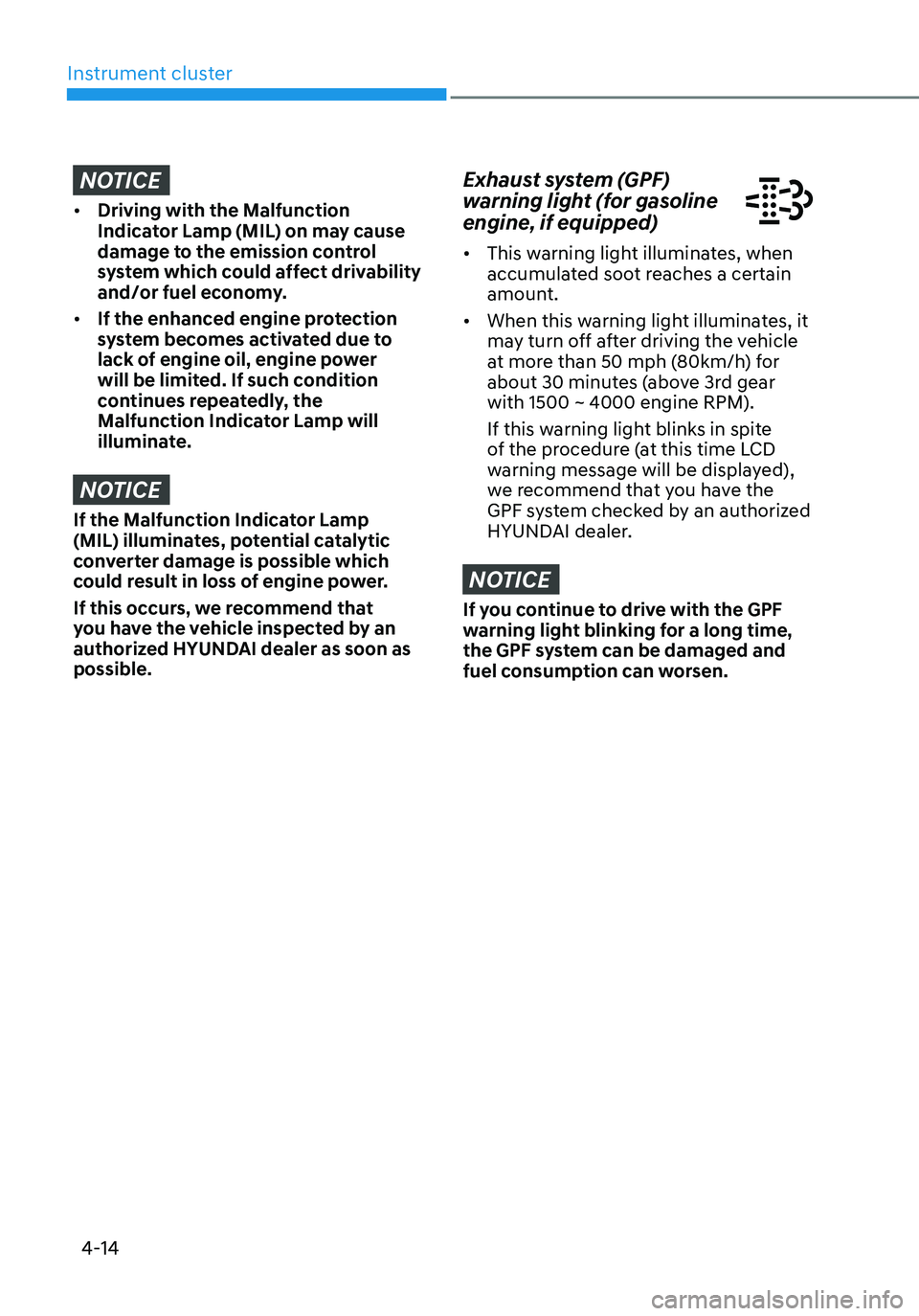
Exhaust system (GPF)
warning light (for gasoline
engine, if equipped)
• This warning light illuminates, when
accumulated soot reaches a certain
amount.
• When this warning light illuminates, it
may turn off after driving the vehicle
at more than 50 mph (80km/h) for
about 30 minutes (above 3rd gear
with 1500 ~ 4000 engine RPM).
If this warning light blinks in spite
of the procedure (at this time LCD
warning message will be displayed),
we recommend that you have the
GPF system checked by an authorized
HYUNDAI dealer.
NOTICE
If you continue to drive with the GPF
warning light blinking for a long time,
the GPF system can be damaged and
fuel consumption can worsen.
Page 124 of 638
Instrument cluster
4-26
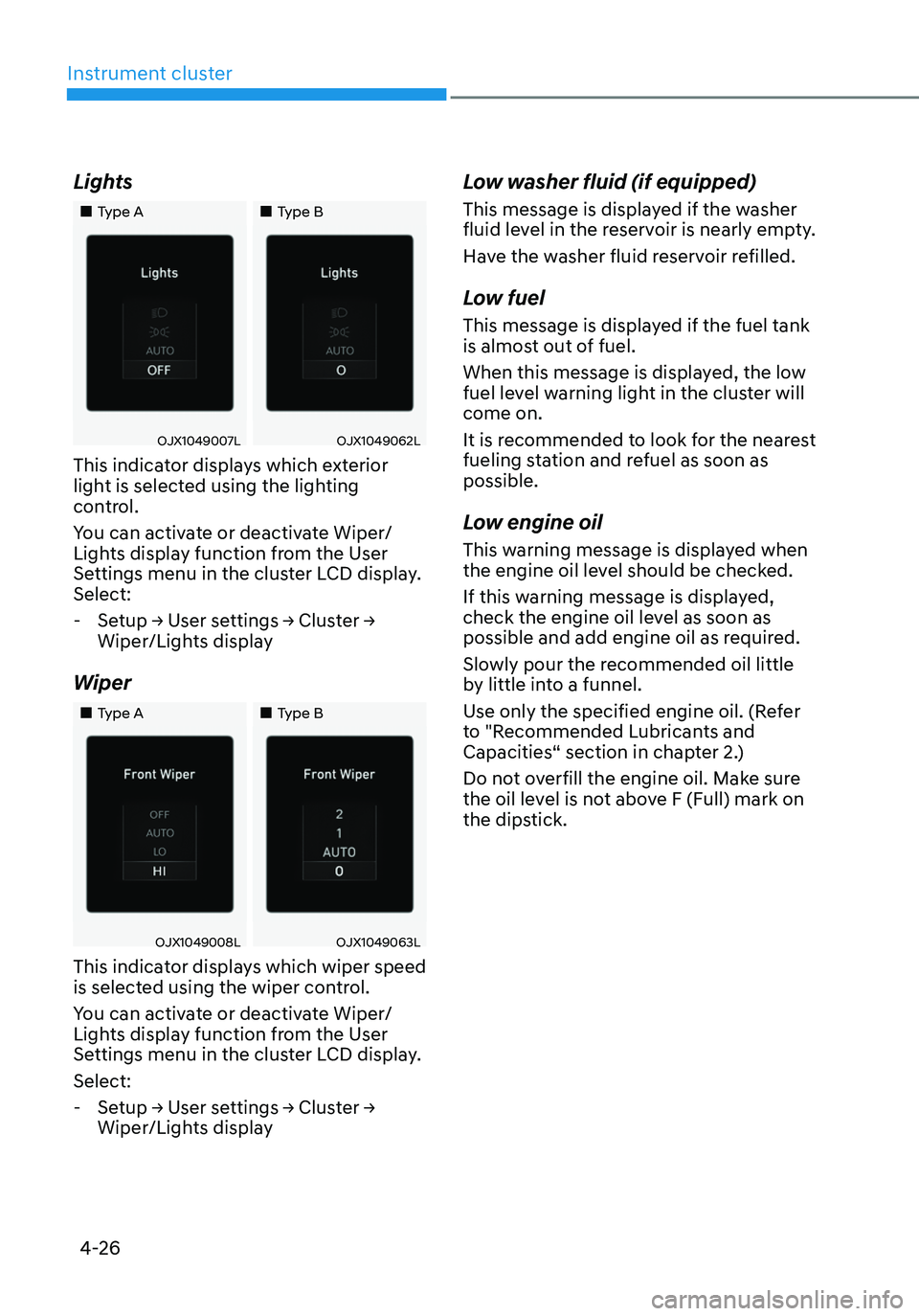
Lights
„„Type A„„Type B
OJX1049007LOJX1049062L
This indicator displays which exterior
light is selected using the lighting
control.
You can activate or deactivate Wiper/
Lights display function from the User
Settings menu in the cluster LCD display.
Select:
-Setup → User settings → Cluster →
Wiper/Lights display
Wiper
„„Type A„„Type B
OJX1049008LOJX1049063L
This indicator displays which wiper speed
is selected using the wiper control.
You can activate or deactivate Wiper/
Lights display function from the User
Settings menu in the cluster LCD display.
Select:
-Setup → User settings → Cluster →
Wiper/Lights display
Low washer fluid (if equipped)
This message is displayed if the washer
fluid level in the reservoir is nearly empty.
Have the washer fluid reservoir refilled.
Low fuel
This message is displayed if the fuel tank
is almost out of fuel.
When this message is displayed, the low
fuel level warning light in the cluster will
come on.
It is recommended to look for the nearest
fueling station and refuel as soon as
possible.
Low engine oil
This warning message is displayed when
the engine oil level should be checked.
If this warning message is displayed,
check the engine oil level as soon as
possible and add engine oil as required.
Slowly pour the recommended oil little
by little into a funnel.
Use only the specified engine oil. (Refer
to "Recommended Lubricants and
Capacities“ section in chapter 2.)
Do not overfill the engine oil. Make sure
the oil level is not above F (Full) mark on
the dipstick.
Page 128 of 638
Instrument cluster
4-30
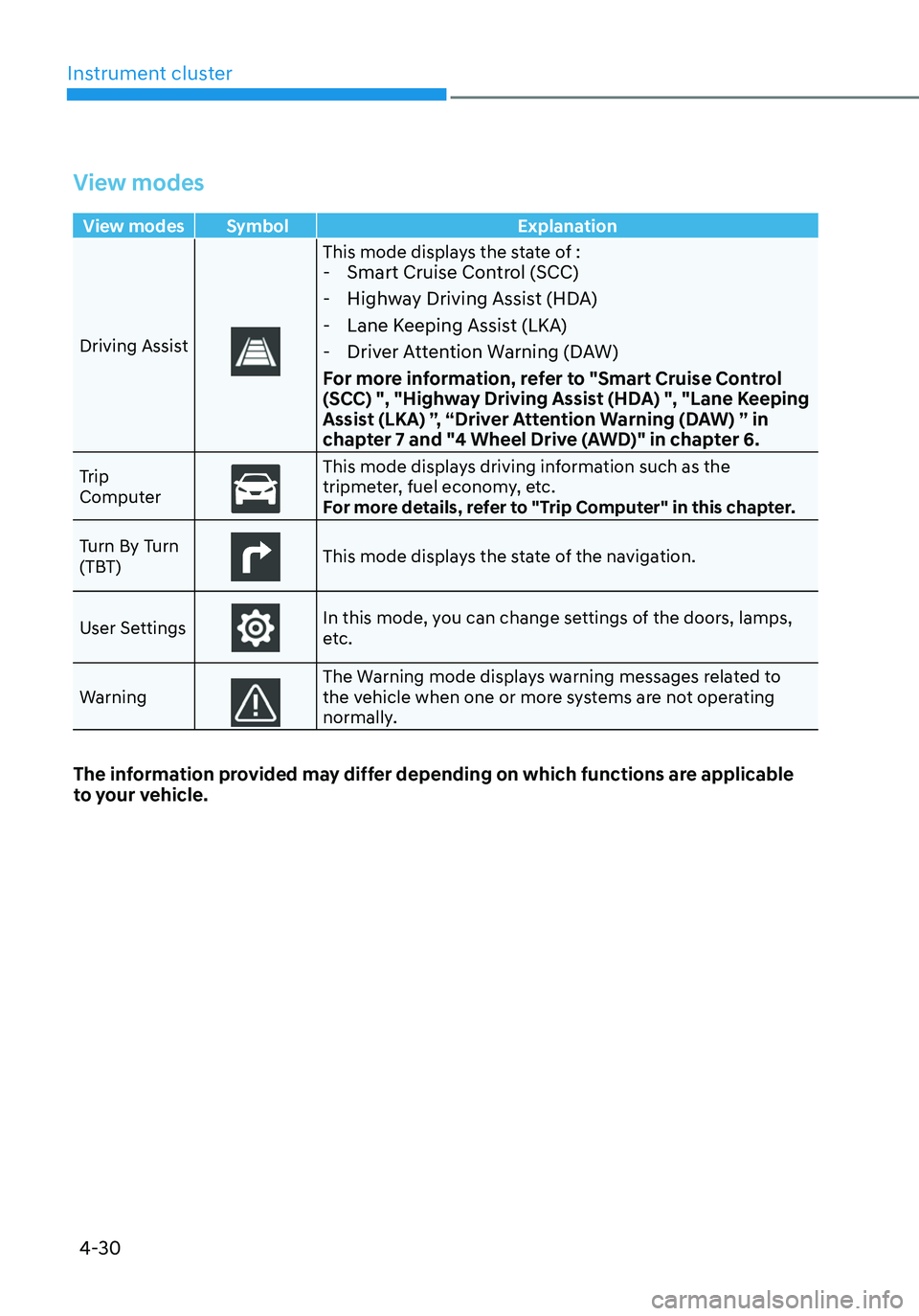
View modes
View modes Symbol Explanation
Driving Assist
This mode displays the state of : - Smart Cruise Control (SCC)
-Highway Driving Assist (HDA)
-Lane Keeping Assist (LKA)
-Driver Attention Warning (DAW)
For more information, refer to "Smart Cruise Control
(SCC) ", "Highway Driving Assist (HDA) ", "Lane Keeping
Assist (LKA) ”, “Driver Attention Warning (DAW) ” in
chapter 7 and "4 Wheel Drive (AWD)" in chapter 6.
Trip
ComputerThis mode displays driving information such as the tripmeter, fuel economy, etc.
For more details, refer to "Trip Computer" in this chapter.
Turn By Turn
(TBT)
This mode displays the state of the navigation.
User Settings
In this mode, you can change settings of the doors, lamps,
etc.
Warning
The Warning mode displays warning messages related to the vehicle when one or more systems are not operating
normally.
The information provided may differ depending on which functions are applicable
to your vehicle.
Page 129 of 638
04
4-31
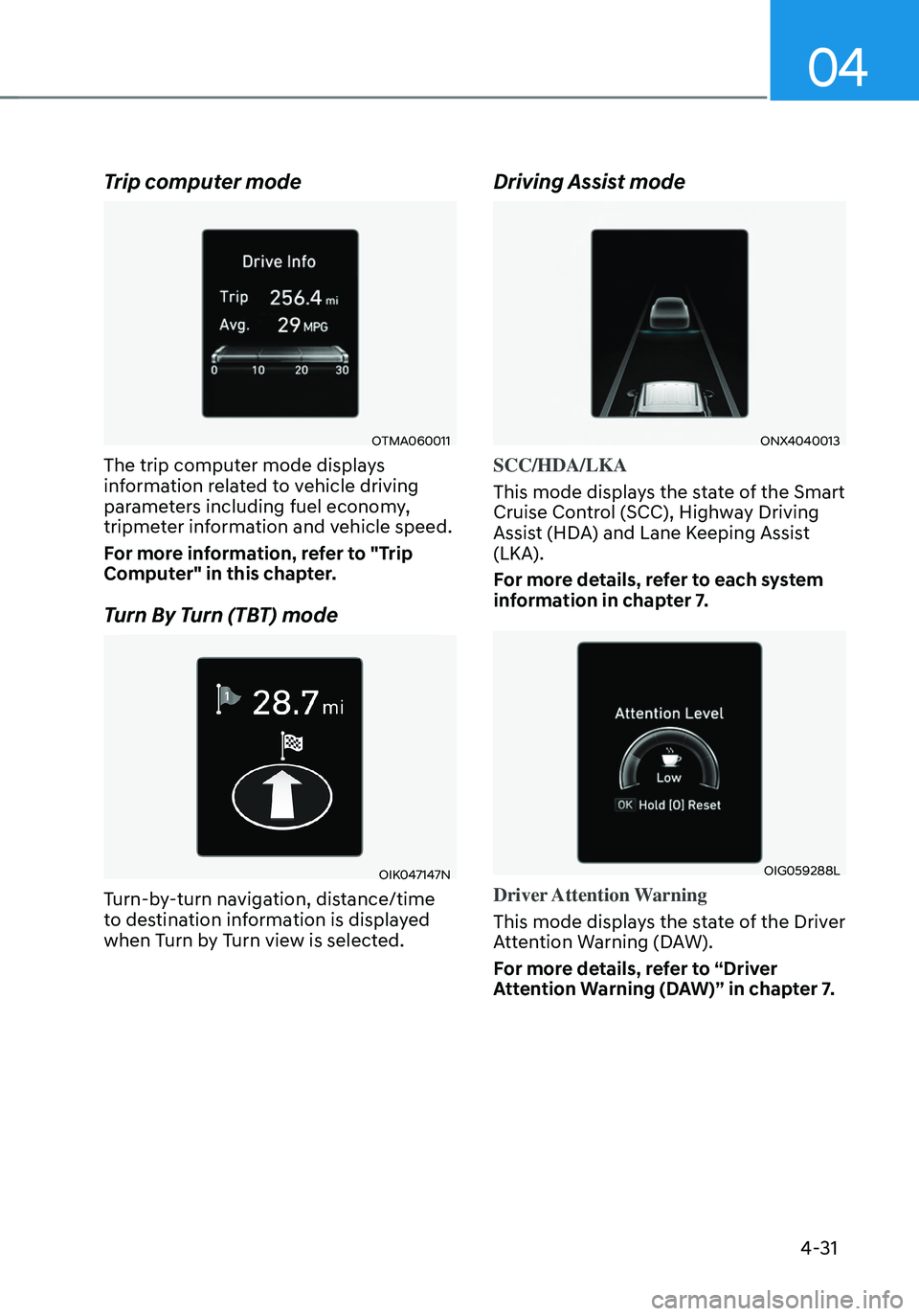
Trip computer mode
OTMA060011
The trip computer mode displays
information related to vehicle driving
parameters including fuel economy,
tripmeter information and vehicle speed.
For more information, refer to "Trip
Computer" in this chapter.
Turn By Turn (TBT) mode
OIK047147N
Turn-by-turn navigation, distance/time
to destination information is displayed
when Turn by Turn view is selected.
Driving Assist mode
ONX4040013
SCC/HDA/LKA
This mode displays the state of the Smart
Cruise Control (SCC), Highway Driving
Assist (HDA) and Lane Keeping Assist
(LKA).
For more details, refer to each system
information in chapter 7.
OIG059288L
Driver Attention Warning
This mode displays the state of the Driver
Attention Warning (DAW).
For more details, refer to “Driver
Attention Warning (DAW)” in chapter 7.
Page 134 of 638
Instrument cluster
4-36
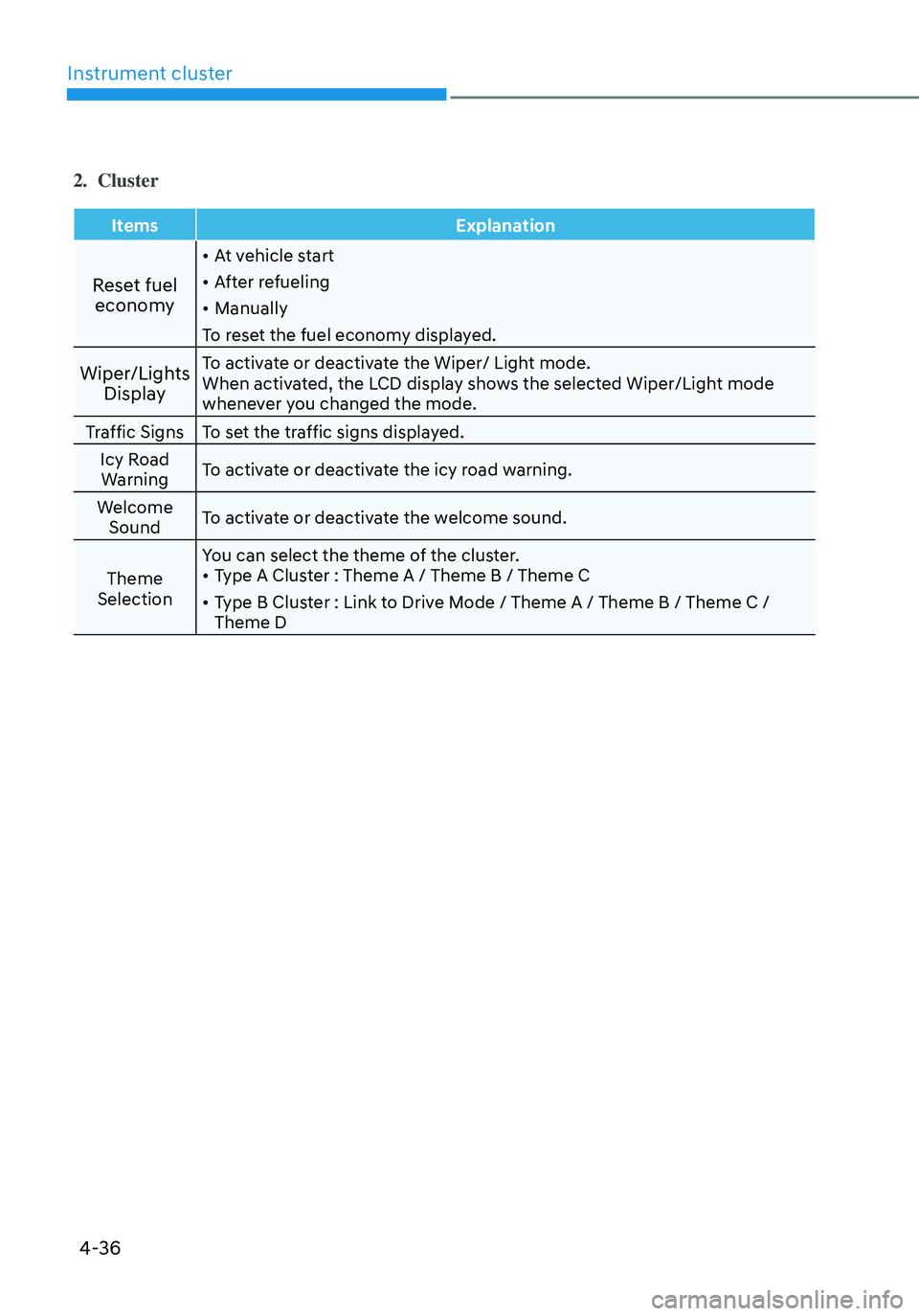
2. Cluster
ItemsExplanation
Reset fuel
economy
• At vehicle start
• After refueling
• Manually
To reset the fuel economy displayed.
Wiper/Lights DisplayTo activate or deactivate the Wiper/ Light mode.
When activated, the LCD display shows the selected Wiper/Light mode
whenever you changed the mode.
Traffic Signs To set the traffic signs displayed.
Icy Road Warning To activate or deactivate the icy road warning.
Welcome Sound To activate or deactivate the welcome sound.
Theme
Selection You can select the theme of the cluster.
• Type A Cluster : Theme A / Theme B / Theme C
• Type B Cluster : Link to Drive Mode / Theme A / Theme B / Theme C /
Theme D
Page 137 of 638
04
4-39
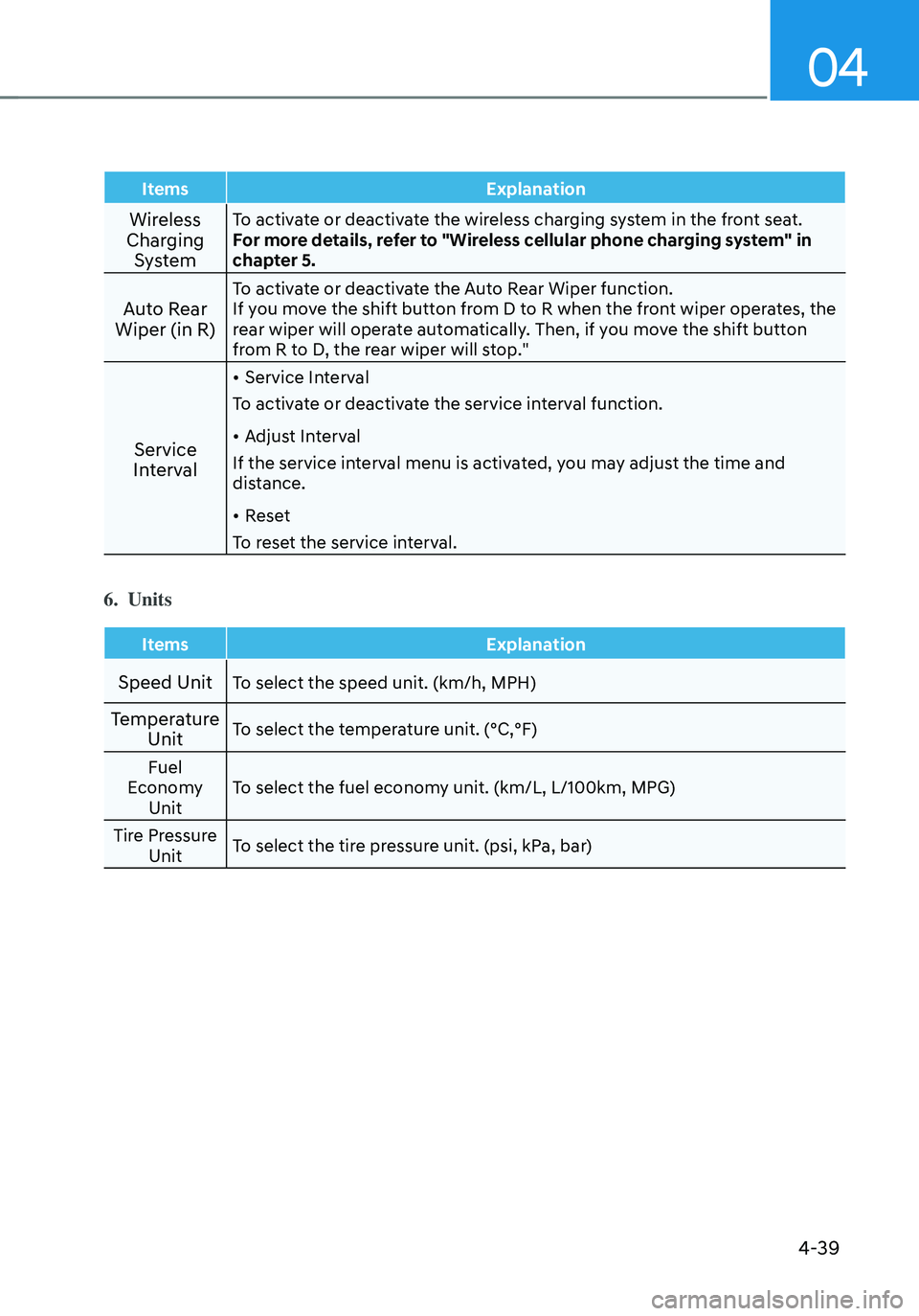
ItemsExplanation
Wireless
Charging SystemTo activate or deactivate the wireless charging system in the front seat.
For more details, refer to "Wireless cellular phone charging system" in
chapter 5.
Auto Rear
Wiper (in R)To activate or deactivate the Auto Rear Wiper function.
If you move the shift button from D to R when the front wiper operates, the
rear wiper will operate automatically. Then, if you move the shift button
from R to D, the rear wiper will stop."
Service
Interval
• Service Interval
To activate or deactivate the service interval function.
• Adjust Interval
If the service interval menu is activated, you may adjust the time and
distance.
• Reset
To reset the service interval.
6. Units
Items Explanation
Speed UnitTo select the speed unit. (km/h, MPH)
Temperature
UnitTo select the temperature unit. (°C,°F)
Fuel
Economy Unit To select the fuel economy unit. (km/L, L/100km, MPG)
Tire Pressure Unit To select the tire pressure unit. (psi, kPa, bar)