ISG HYUNDAI TUCSON 2022 Owners Manual
[x] Cancel search | Manufacturer: HYUNDAI, Model Year: 2022, Model line: TUCSON, Model: HYUNDAI TUCSON 2022Pages: 638, PDF Size: 82.3 MB
Page 18 of 638
2-6
Vehicle Information, Consumer Information and Reporting Safety Defects
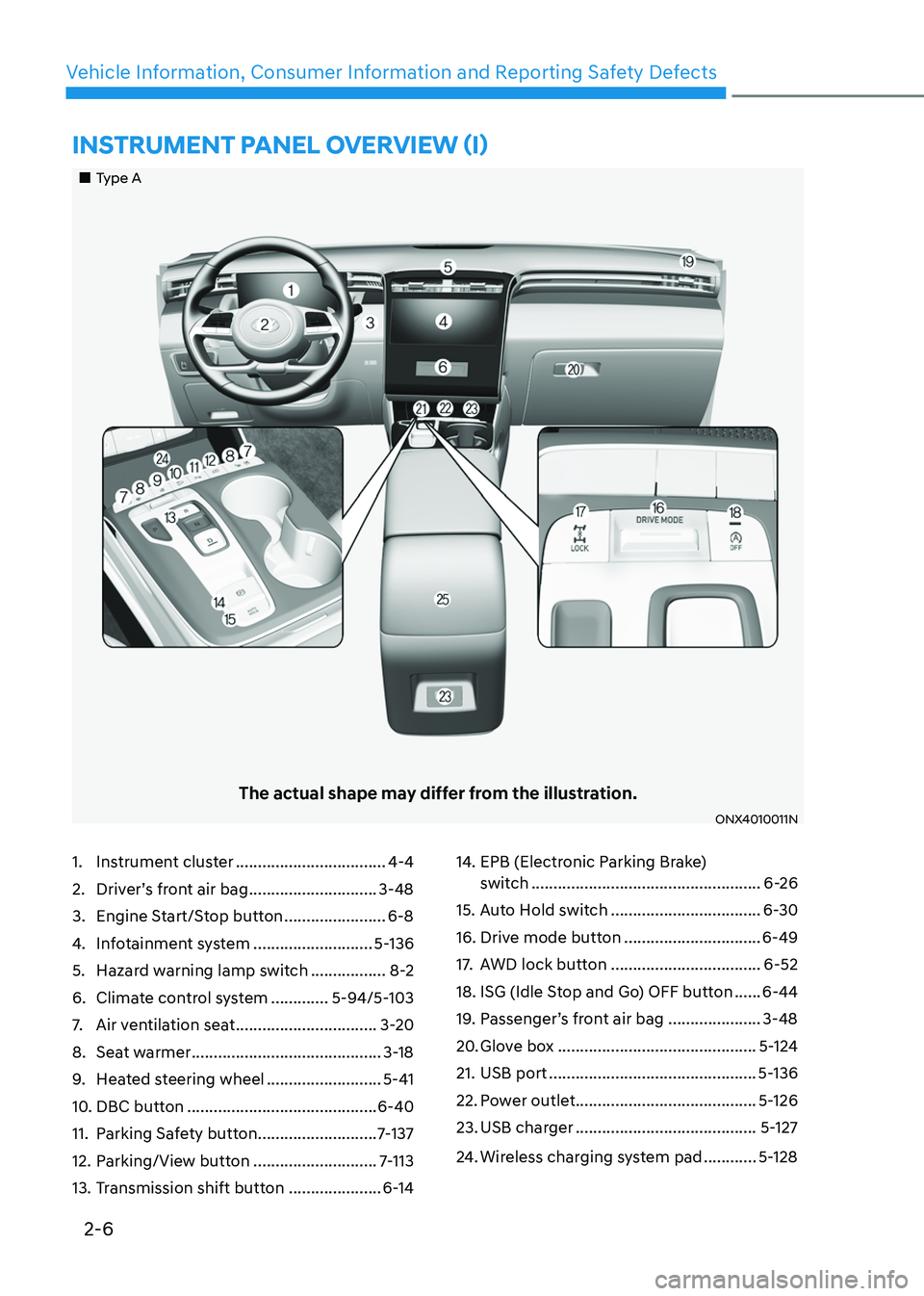
1. Instrument cluster ..................................4-4
2. Driver’s front air bag .............................3-48
3. Engine Start/Stop button .......................6-8
4. Infotainment system ...........................5-136
5. Hazard warning lamp switch .................8-2
6. Climate control system .............5-94/5-103
7. Air ventilation seat ................................3-20
8. Seat warmer ...........................................3-18
9. Heated steering wheel ..........................5-41
10. DBC button ...........................................6-40
11. Parking Safety button ...........................7-137
12. Parking/View button ............................7-113
13. Transmission shift button .....................6-14
14. EPB (Electronic Parking Brake)
switch ....................................................6-26
15. Auto Hold switch ..................................6-30
16. Drive mode button ...............................6-49
17. AWD lock button ..................................6-52
18. ISG (Idle Stop and Go) OFF button ......6-44
19. Passenger’s front air bag .....................3-48
20. Glove box .............................................5-124
21. USB port ...............................................5-136
22. Power outlet .........................................5-126
23. USB charger .........................................5-127
24. Wireless charging system pad ............5-128
„„Type A
The actual shape may differ from the illustration.
ONX4010011N
INSTRUMENT PANEL OVERVIEW (I)
Page 19 of 638
2-7
02
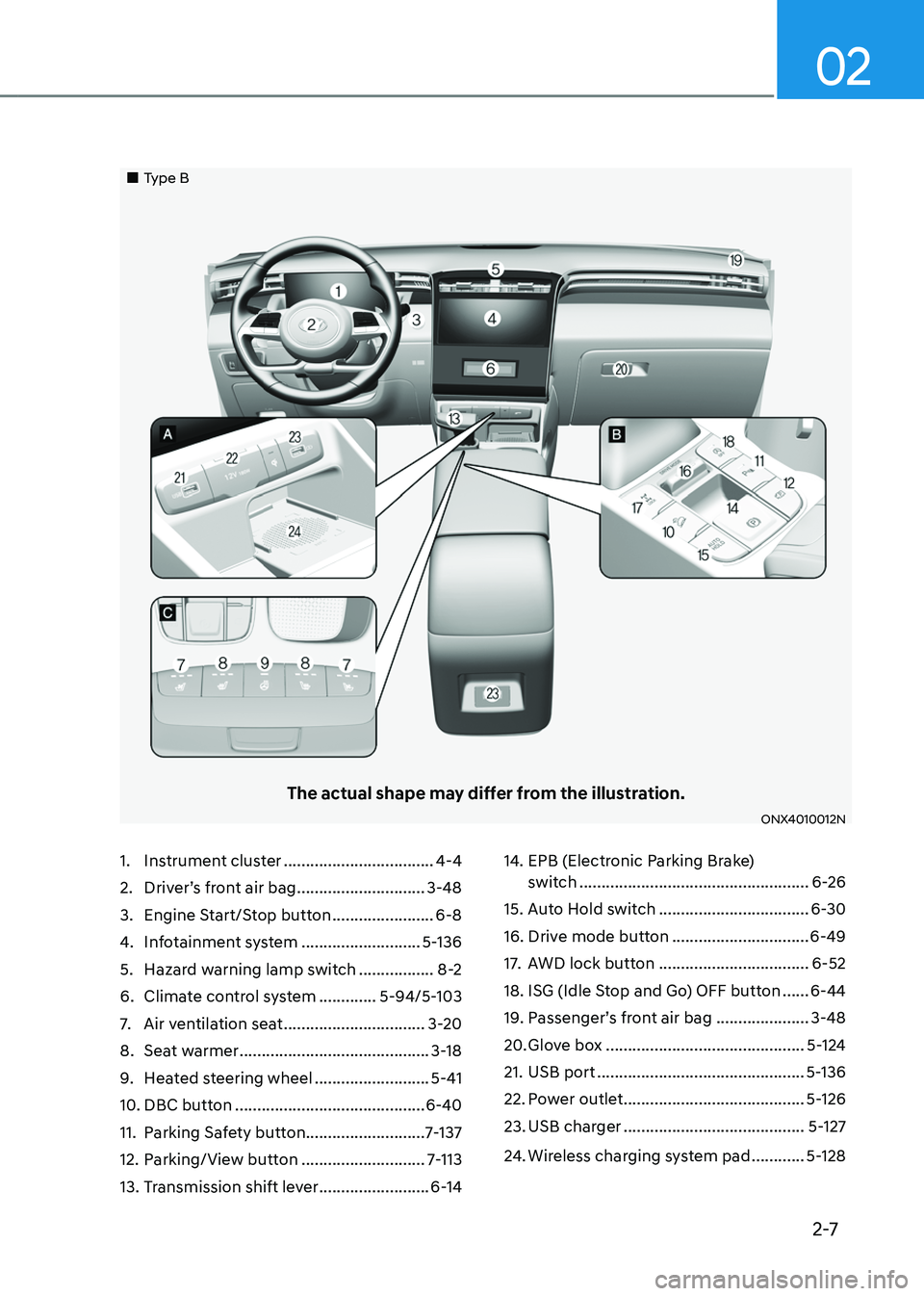
1. Instrument cluster ..................................4-4
2. Driver’s front air bag .............................3-48
3. Engine Start/Stop button .......................6-8
4. Infotainment system ...........................5-136
5. Hazard warning lamp switch .................8-2
6. Climate control system .............5-94/5-103
7. Air ventilation seat ................................3-20
8. Seat warmer ...........................................3-18
9. Heated steering wheel ..........................5-41
10. DBC button ...........................................6-40
11. Parking Safety button ...........................7-137
12. Parking/View button ............................7-113
13. Transmission shift lever .........................6-14
14. EPB (Electronic Parking Brake)
switch ....................................................6-26
15. Auto Hold switch ..................................6-30
16. Drive mode button ...............................6-49
17. AWD lock button ..................................6-52
18. ISG (Idle Stop and Go) OFF button ......6-44
19. Passenger’s front air bag .....................3-48
20. Glove box .............................................5-124
21. USB port ...............................................5-136
22. Power outlet .........................................5-126
23. USB charger .........................................5-127
24. Wireless charging system pad ............5-128
„„Type B
The actual shape may differ from the illustration.
ONX4010012N
Page 118 of 638
Instrument cluster
4-20
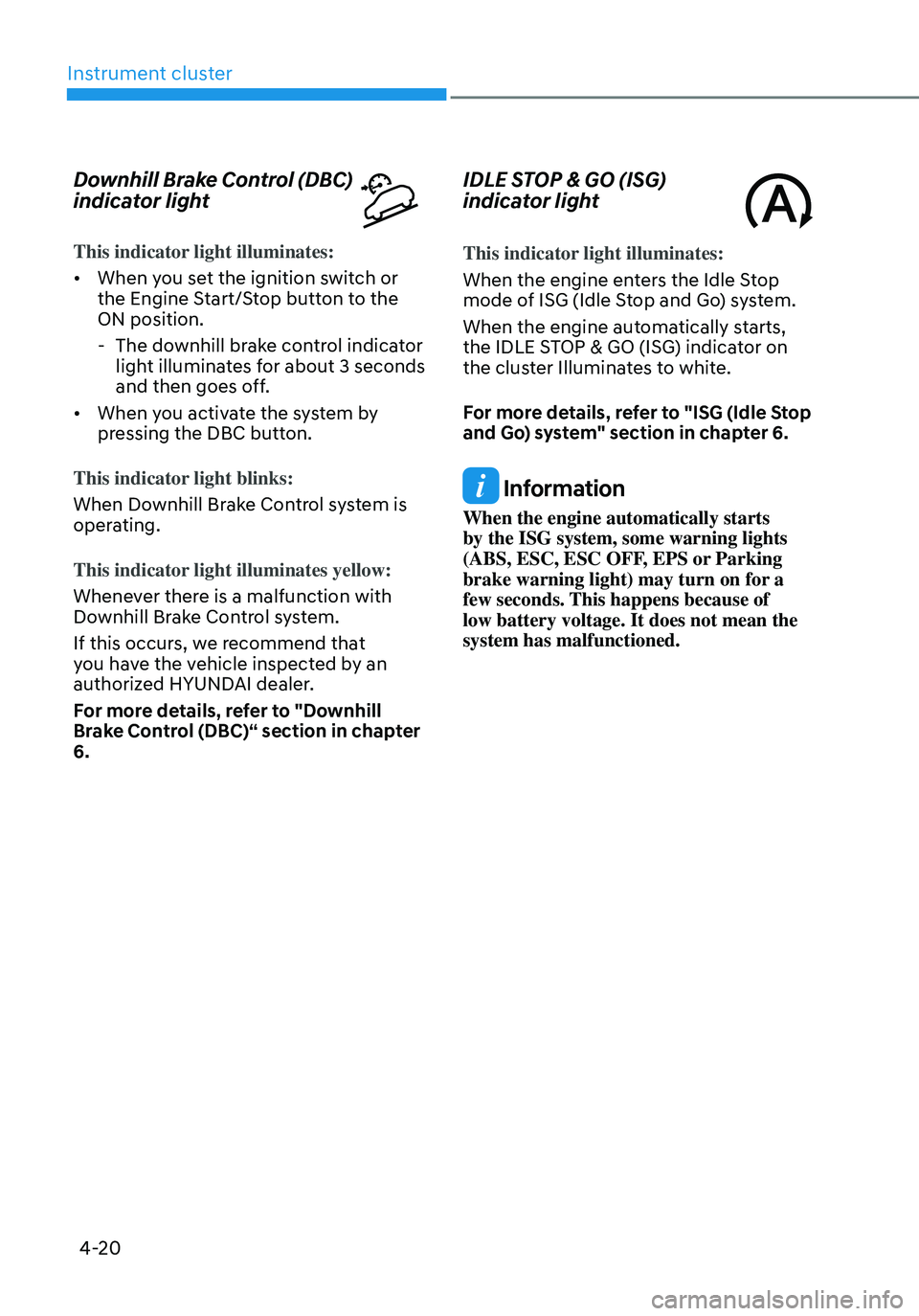
Downhill Brake Control (DBC)
indicator light
This indicator light illuminates:
• When you set the ignition switch or
the Engine Start/Stop button to the
ON position.
-The downhill brake control indicator
light illuminates for about 3 seconds
and then goes off.
• When you activate the system by
pressing the DBC button.
This indicator light blinks:
When Downhill Brake Control system is
operating.
This indicator light illuminates yellow:
Whenever there is a malfunction with
Downhill Brake Control system.
If this occurs, we recommend that
you have the vehicle inspected by an
authorized HYUNDAI dealer.
For more details, refer to "Downhill
Brake Control (DBC)“ section in chapter
6.
IDLE STOP & GO (ISG)
indicator light
This indicator light illuminates:
When the engine enters the Idle Stop
mode of ISG (Idle Stop and Go) system.
When the engine automatically starts,
the IDLE STOP & GO (ISG) indicator on
the cluster Illuminates to white.
For more details, refer to "ISG (Idle Stop
and Go) system" section in chapter 6.
Information
When the engine automatically starts
by the ISG system, some warning lights
(ABS, ESC, ESC OFF, EPS or Parking
brake warning light) may turn on for a
few seconds. This happens because of
low battery voltage. It does not mean the
system has malfunctioned.
Page 140 of 638
Instrument cluster
4-42
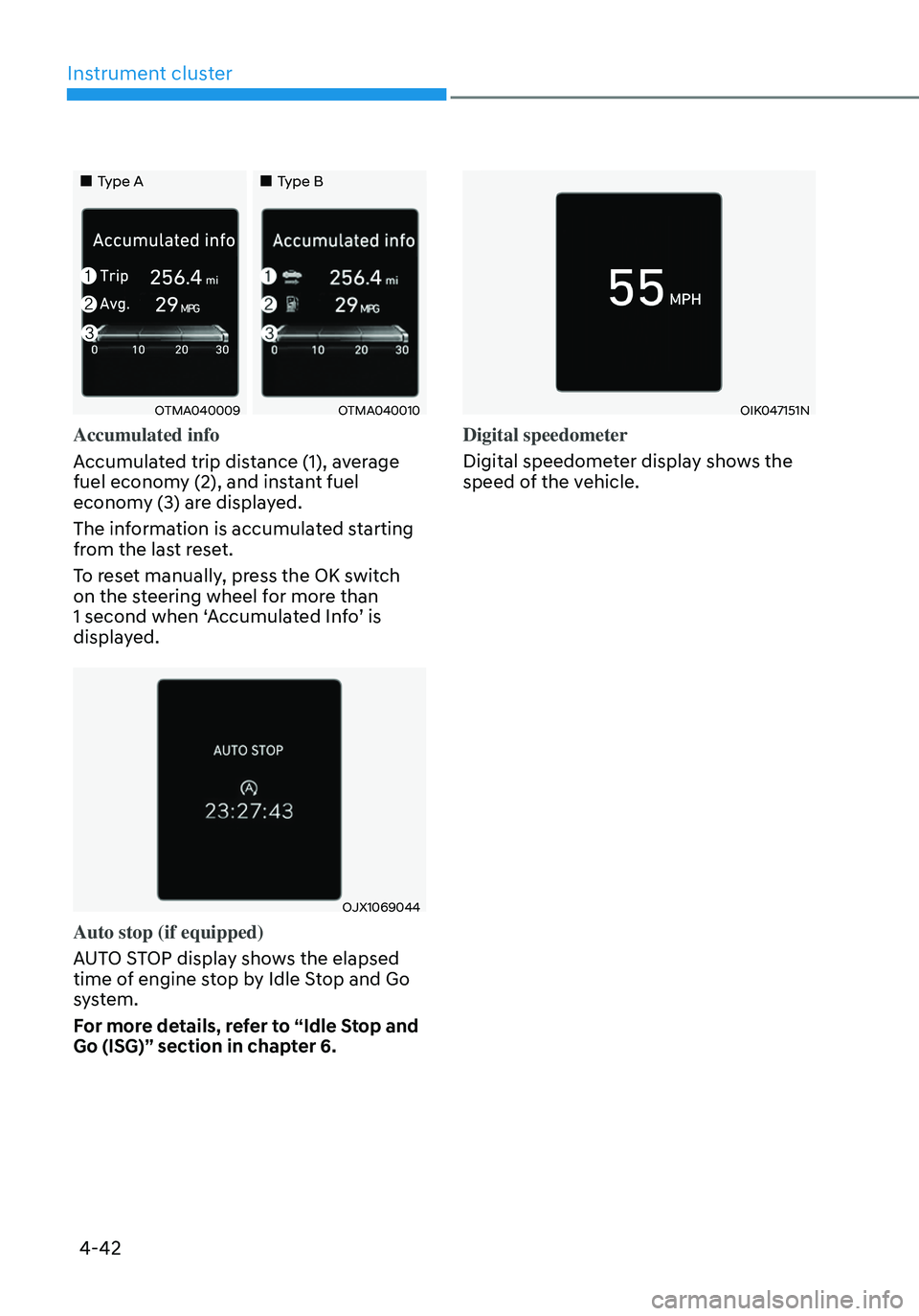
„„Type A„„Type B
OTMA040009OTMA040010
Accumulated info
Accumulated trip distance (1), average
fuel economy (2), and instant fuel
economy (3) are displayed.
The information is accumulated starting
from the last reset.
To reset manually, press the OK switch
on the steering wheel for more than
1 second when ‘Accumulated Info’ is
displayed.
OJX1069044
Auto stop (if equipped)
AUTO STOP display shows the elapsed
time of engine stop by Idle Stop and Go
system.
For more details, refer to “Idle Stop and
Go (ISG)” section in chapter 6.
OIK047151N
Digital speedometer
Digital speedometer display shows the
speed of the vehicle.
Page 143 of 638
04
4-45
„„Type A„„Type B
OTMA040016OTMA040017
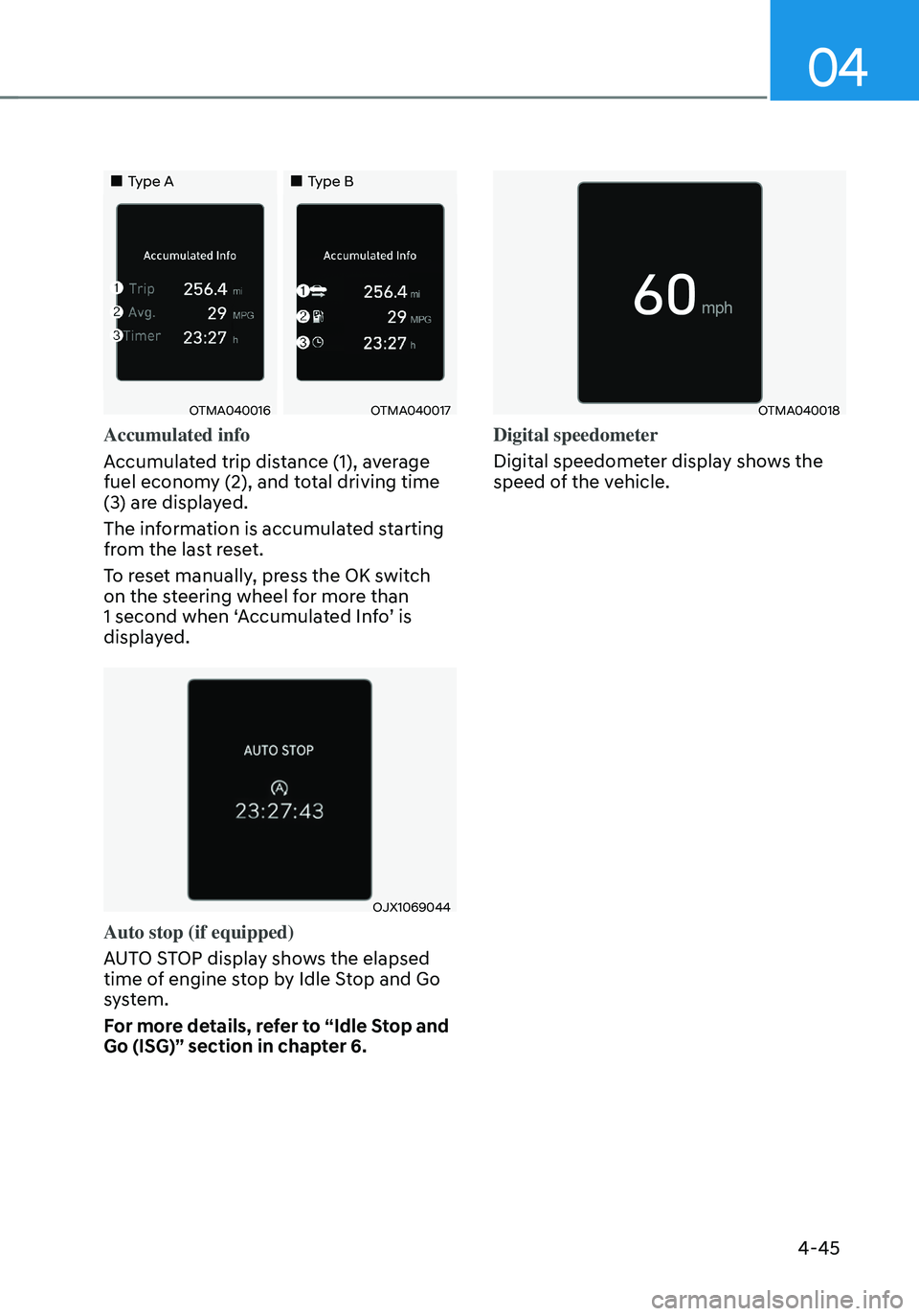
Accumulated info
Accumulated trip distance (1), average
fuel economy (2), and total driving time
(3) are displayed.
The information is accumulated starting
from the last reset.
To reset manually, press the OK switch
on the steering wheel for more than
1 second when ‘Accumulated Info’ is
displayed.
OJX1069044
Auto stop (if equipped)
AUTO STOP display shows the elapsed
time of engine stop by Idle Stop and Go
system.
For more details, refer to “Idle Stop and
Go (ISG)” section in chapter 6.
OTMA040018
Digital speedometer
Digital speedometer display shows the
speed of the vehicle.
Page 286 of 638

Before driving ........................................................................\
............................6-4Before entering the vehicle ........................................................................\
................6-4
Before starting ........................................................................\
.....................................6-4
Ignition switch ........................................................................\
...........................6-5Key ignition switch ........................................................................\
...............................6-5
Key ignition switch positions ........................................................................\
..............6-6
Starting the engine ........................................................................\
...............................6 -7
Engine Start/Stop button ........................................................................\
.........6-8Engine Stop/Start button positions ........................................................................\
...6-9
Starting the engine ........................................................................\
.............................6-10
Turning off the engine ........................................................................\
.........................6-11
Remote start ........................................................................\
.......................................6-12
Automatic transmission ........................................................................\
..........6-14Automatic transmission operation ........................................................................\
....6-14
LCD display message (button type) ........................................................................\
..6-21
Paddle shifter (Manual shift mode) ........................................................................\
...6-22
Good driving practices ........................................................................\
.......................6-23
Braking system ........................................................................\
........................6-25Power-assist brakes ........................................................................\
...........................6-25
Disc brakes wear indicator ........................................................................\
................6-25
Electronic Parking Brake (EPB) ........................................................................\
.........6-26
Auto Hold ........................................................................\
...........................................6-30
Anti-lock Brake System (ABS) ........................................................................\
............6-34
Electronic Stability Control (ESC) ........................................................................\
.....6-35
Vehicle Stability Management (VSM) .....................................................................6-38
Trailer stability assist (TSA) ........................................................................\
...............6-39
Hill-Start Assist Control (HAC) ........................................................................\
.........6-40
Downhill Brake Control (DBC) ........................................................................\
.........6-40
Good braking practices ........................................................................\
.....................6-43
Idle Stop and Go (ISG) ........................................................................\
...........6-44ISG system operation ........................................................................\
........................6-44
ISG system off ........................................................................\
.....................................6-47
Forced to restart engine
........................................................................\
...................6-48
ISG malfunction ........................................................................\
.................................6-48
Drive mode integrated control system .........................................................6-49
All Wheel Drive (AWD)
........................................................................\
...........6-52AWD operation ........................................................................\
...................................6-53
Emergency precautions
........................................................................\
....................6-56
6. Driving your v ehicle
Driving your vehicle
6
Page 329 of 638
Driving your vehicle6-44
IDLE STOP AND GO (ISG) SYSTEM
Idle Stop and Go helps reduce fuel
consumption by automatically shutting
down the engine, when the vehicle is
at a standstill (i.e. red stop light, stop
sign, and traffic jam) subject to certain
prerequisite conditions being satisfied as
listed below.
The engine is automatically started upon
satisfying the starting conditions.
ISG system is always active, when the
engine is running.
Information
When the engine is automatically started
by ISG system, warning lights (i.e. ABS,
ESC, ESC OFF, EPS, and parking brake
warning light) may illuminate for a few
seconds due to low battery voltage.
However, it does not indicate a
malfunction with ISG system.
ISG system operation
Prerequisite for activation
ISG system operates in the following
situations.
• The driver's seatbelt is fastened
• The driver's door and hood are closed
• The brake vacuum pressure is
adequate
• The battery sensor is activated and
the battery is sufficiently charged
• Outside temperature is not too low or
too high
• The vehicle is driven over a constant
speed and stops
• The climate control system satisfies
the conditions
• The vehicle is sufficiently warmed up
• ISG related parts are working properly
• The incline is gradual
• The steering wheel is turned less than
180 degrees and then the vehicle
stops
Information
If the ISG light (white) is turned on on the
instrument cluster and does not meet the
ISG system operating conditions, the ISG
system is not activated.
When the ISG light (yellow) is on while the
ISG system meets operating conditions, we
recommend that the system be inspected
by an authorized HYUNDAI dealer.
Page 330 of 638
06
6-45
Auto stop
When ISG is on the engine will be
stopped automatically when both of the
following occurs:
1. Vehicle speed decreases to 0 mph (0
km/h) full stop condition.
2. Brake pedal is depressed and gear is
in D (Drive) or N (Neutral).
The Auto Stop (
) indicator illuminates
in green on the instrument cluster, when
the engine stops.
Information
Idle stop cannot reoccur again until the
vehicle speed goes above 3 mph (5 km/h)
and then returns again to the automatic
stop conditions as previously mentioned. In the Auto Stop mode, if the engine
hood is opened, ISG system will be
deactivated.
„„Type A
ONX4060016
„„Type B
ONX4E060033
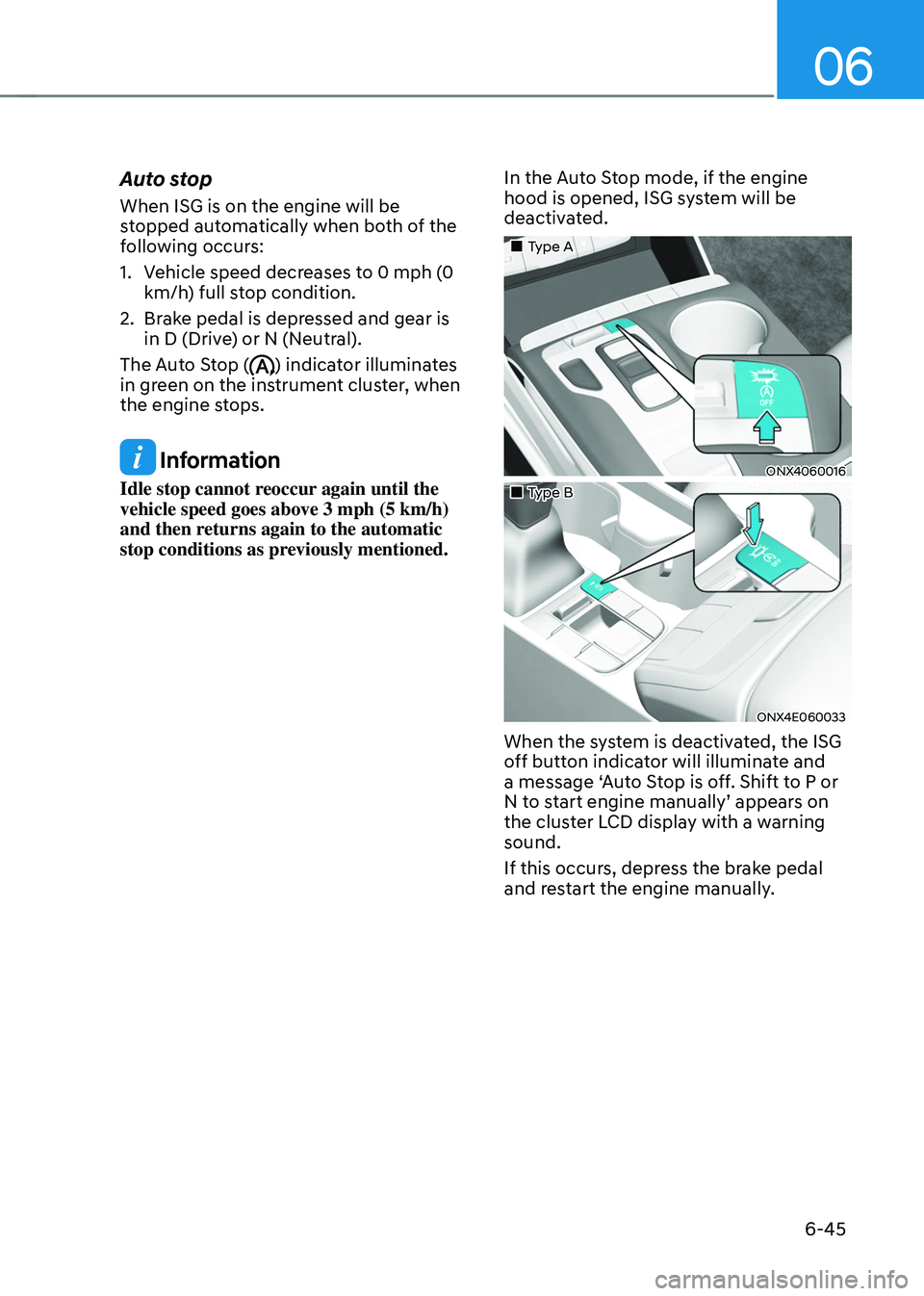
When the system is deactivated, the ISG
off button indicator will illuminate and
a message ‘Auto Stop is off. Shift to P or
N to start engine manually’ appears on
the cluster LCD display with a warning
sound.
If this occurs, depress the brake pedal
and restart the engine manually.
Page 331 of 638

Driving your vehicle
6-46
Auto start
When the engine stops automatically by
ISG, the engine will restart if one of the
following is done.
-Release the brake pedal.
-When Auto Hold is activated, take
your foot off the brake pedal and then
depress the accelerator pedal.
-While depressing the brake pedal,
shift the gear from N (Neutral) or D
(Drive) to R (Reverse) or P (Park).
-While depressing the brake pedal,
shift the gear from N (Neutral) to D
(Drive).
The Auto Stop (
) indicator goes to
white on the instrument cluster, when
the engine is restarted.
LCD display messages
The messages are displayed on the
instrument cluster to help use ISG
system.
OJX1069042L
Auto Stop is Off. Shift to P or N to start
engine
When the system is deactivated, the ISG
off button indicator will illuminate and
a message will appear on the cluster
LCD display with a warning sound in the
following situations.
- When the engine hood is opened.
-When ISG system is not working
normally.
If this occurs, depress the brake pedal
and restart the engine manually. For your
safety, restart the vehicle in the P (Park)
position.
Page 332 of 638
06
6-47
„„Type A„„Type B
OJX1069071LOJX1069070L
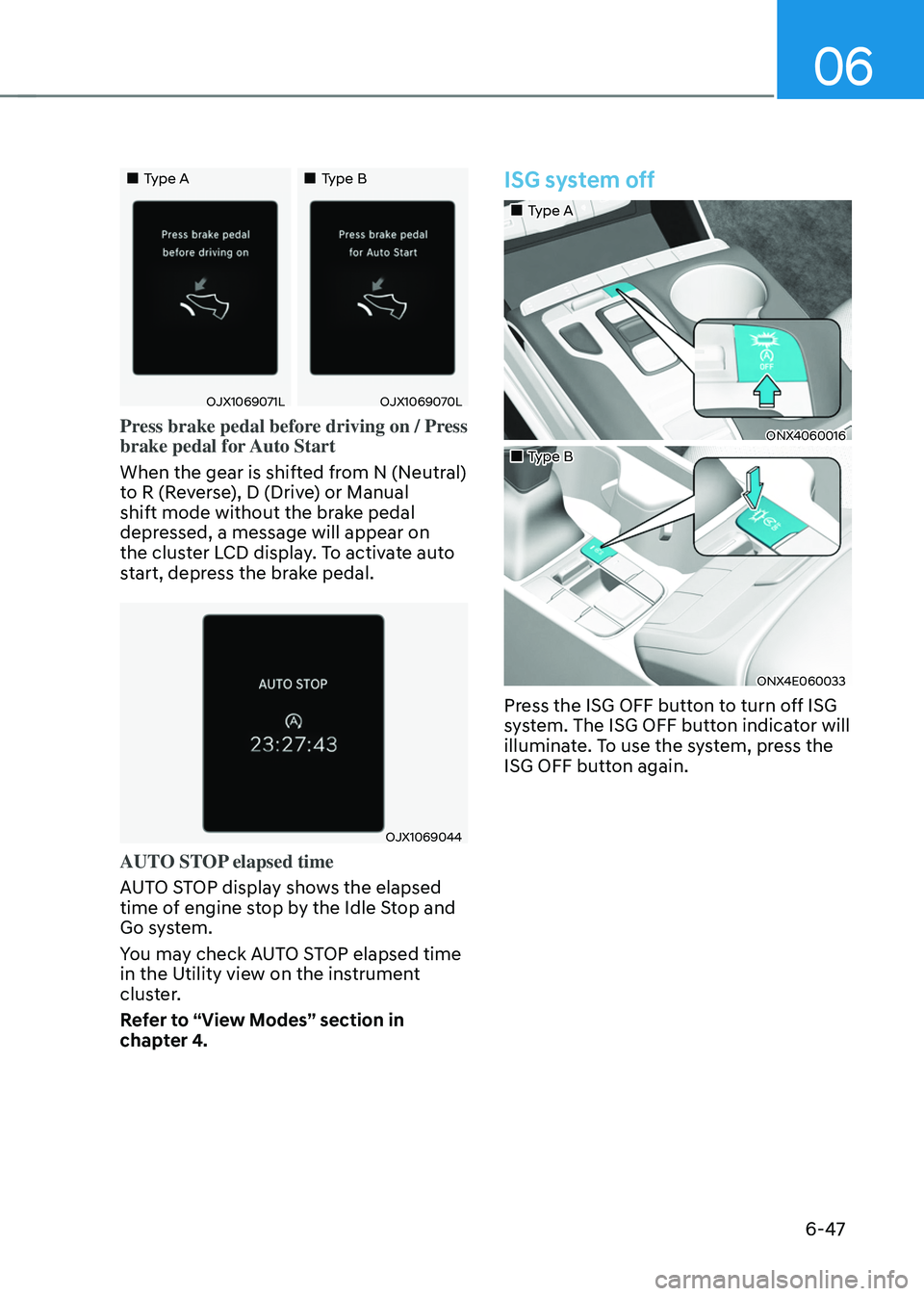
Press brake pedal before driving on / Press
brake pedal for Auto Start
When the gear is shifted from N (Neutral)
to R (Reverse), D (Drive) or Manual
shift mode without the brake pedal
depressed, a message will appear on
the cluster LCD display. To activate auto
start, depress the brake pedal.
OJX1069044
AUTO STOP elapsed time
AUTO STOP display shows the elapsed
time of engine stop by the Idle Stop and
Go system.
You may check AUTO STOP elapsed time
in the Utility view on the instrument
cluster.
Refer to “View Modes” section in
chapter 4.
ISG system off
„„Type A
ONX4060016
„„Type B
ONX4E060033
Press the ISG OFF button to turn off ISG
system. The ISG OFF button indicator will
illuminate. To use the system, press the
ISG OFF button again.