lock HYUNDAI TUCSON 2023 Owners Manual
[x] Cancel search | Manufacturer: HYUNDAI, Model Year: 2023, Model line: TUCSON, Model: HYUNDAI TUCSON 2023Pages: 638, PDF Size: 26.51 MB
Page 419 of 638
Driver assistance system
7-56
WARNING
• Even though the warning message
does not appear on the cluster,
Safe Exit Warning may not properly
operate.
• Safe Exit Warning may not properly
operate in an area (e.g. open
terrain) where any substance are
not detected right after the engine
is turned on, or when the detecting
sensor is blocked with foreign
material right after the engine is
turned on.
CAUTION
Turn off Safe Exit Warning to install
a trailer, carrier, etc., or remove the
trailer, carrier, etc. to use Safe Exit
Warning.
Limitations of Safe Exit Warning
Safe Exit Warning may not operate
normally, or the function may operate
unexpectedly under the following
circumstances:
• Getting out of the vehicle where trees
or grass are overgrown
• Getting out of the vehicle where the
road is wet
• The approaching vehicle is very fast or
very slow
Information
For more details on the limitations of the
rear corner radar, refer to “Blind- Spot
Collision-Avoidance Assist (BCA)” section
in this chapter.
WARNING
• Safe Exit Warning may not operate
normally if interfered by strong
electromagnetic waves.
• Safe Exit Warning may not operate
for 3 seconds after the vehicle is
started, or rear corner radars are
initialized.
Page 451 of 638
Driver assistance system
7-88
Smart Cruise Control
Malfunction and Limitations
Smart Cruise Control malfunction
OTM070116N
When Smart Cruise Control is not working
properly, the ‘Check Smart Cruise Control
system’ warning message will appear, and the warning light will illuminate on the
cluster. have the vehicle inspected by an
authorized HYUNDAI dealer.
Smart Cruise Control disabled
OTM070115N
When the front radar cover or sensor
is covered with snow, rain, or foreign
material, it can reduce the detecting
performance and temporarily limit or
disable Smart Cruise Control.
If this occurs the ‘Smart Cruise Control
disabled. Radar blocked’ warning message will appear for a certain period
of time on the cluster.
Smart Cruise Control will operate
normally when snow, rain or foreign
material is removed.
WARNING
Even though the warning message does
not appear on the cluster, Smart Cruise
Control may not properly operate.
CAUTION
Smart Cruise Control may not properly
operate in an area (e.g. open terrain),
where there is nothing to detect after
turning ON the engine.
Page 452 of 638
07
7-89
Limitations of Smart Cruise Control
Smart Cruise Control may not operate
normally, or it may operate unexpectedly
under the following circumstances:
• The detecting sensor or the
surroundings are contaminated or
damaged
• Washer fluid is continuously sprayed,
or the wiper is on
• The camera lens is contaminated due
to tinted, filmed or coated windshield,
damaged glass, or sticky foreign
material (sticker, bug, etc.) on the
glass
• Moisture is not removed or frozen on
the windshield
• The field of view of the front view
camera is obstructed by sun glare
• Street light or light from an oncoming
vehicle is reflected on the wet road
surface, such as a puddle on the road
• The temperature around the front
view camera is high or low
• An object is placed on the dashboard
• The surrounding is very bright
• The surrounding is very dark, such as
in a tunnel, etc.
• The brightness changes suddenly, for
example when entering or exiting a
tunnel
• The brightness outside is low, and the
headlamps are not on or are not bright
• Driving in heavy rain or snow, or thick
fog
• Driving through steam, smoke or
shadow •
Only part of the vehicle is detected
• The vehicle in front has no tail lights,
tail lights are located unusually, etc.
• The brightness outside is low, and the
tail lamps are not on or are not bright
• The rear of the front vehicle is small
or does not look normal (i.e. tilted,
overturned, etc.)
•
The front vehicle’s ground clearance is low or high
• A vehicle suddenly cuts in front
• Your vehicle is being towed
• Driving through a tunnel or iron bridge
• Driving near areas containing metal
substances, such as a construction
zone, railroad, etc.
• A material is near that reflects very
well on the front radar, such as a
guardrail, nearby vehicle, etc.
• The bumper around the front radar is
impacted, damaged or the front radar
is out of position
• The temperature around the front
radar is high or low
• Driving in large areas where there are
few vehicles or structures (i.e. desert,
meadow, suburb, etc.)
• The vehicle in front is made of
material that does not reflect on the
front radar
• Driving near a highway (or motorway)
interchange or tollgate
• Driving on a slippery surface due to
snow, water puddle, ice, etc.
• Driving on a curved road
• The vehicle in front is detected late
• The vehicle in front is suddenly
blocked by a obstacle
• The vehicle in front suddenly changes
lane or suddenly reduces speed
Page 460 of 638
07
7-97
Limitations of Navigation-based
Smart Cruise Control
Navigation-based Smart Cruise Control
may not operate normally under the
following circumstances:
• The navigation is not working properly
• Speed limit and road information in
the navigation is not updated
• The map information and the actual
road is different because of real-time
GPS data or map information error
• The navigation searches for a route
while driving
• GPS signals are blocked in areas such
as a tunnel
• The navigation is updated while
driving
• Map information is not transmitted
due to infotainment system's
abnormal operation
• A road that divides into two or more
roads and joins again
• The driver goes off course the route
set in the navigation
• The route to the destination is
changed or canceled by resetting the
navigation •
The vehicle enters a service station or
rest area
• The speed limit of some sections
changes according to the road
situations
• Android Auto or Car Play is operating
• The navigation cannot detect the
current vehicle position (ex: elevated
roads including overpass adjacent to
general roads or nearby roads exist in
a parallel way)
• The navigation is being updated while
driving
• The navigation is being restarted while
driving
• There is bad weather, such as heavy
rain, heavy snow, etc.
• Driving on a road under construction
• Driving on a road that is controlled
• Driving on a road that is sharply
curved
Page 474 of 638
07
7-111
Limitations of Highway Driving
Assist
Highway Driving Assist may not operate
normally, or may not operate under the
following circumstances:
• The map information and the
actual road is different because the
navigation is not updated
• The map information and the actual
road is different because of real-time
GPS data or map information error
• The infotainment system is overloaded
by simultaneously performing
functions such as route search, video
playback, voice recognition, etc.
• GPS signals are blocked in areas such
as a tunnel
• The driver goes off course or the
route to the destination is changed or
canceled by resetting the navigation
• The vehicle enters a service station or
rest area
• Android Auto or Car Play is operating
• The navigation cannot detect the
current vehicle position (ex: elevated
roads including overpass adjacent to
general roads or nearby roads exist in
a parallel way)
Information
For more details on the limitations of
the front view camera, front radar, front
corner radar and rear corner radar, refer
to “Forward Collision-Avoidance Assist
(FCA)” section in chapter 7.
Information
This device complies with Part 15 of the
FCC rules.
Operation is subject to the following three
conditions:
1. This device may not cause harmful
interference, and
2. This device must accept any
interference received, including
interference that may cause undesired
operation.
3. Changes or modifications not expressly
approved by the party responsible
for compliance could void the user's
authority to operate the device.
Information
Radio frequency radiation exposure
information:
This equipment complies with FCC
radiation exposure limits set forth for an
uncontrolled environment.
This equipment should be installed and
operated with minimum distance of 8 in.
(20 cm) between the radiator (antenna)
and your body.
This transmitter must not be co-located or
operating in conjunction with any other
antenna or transmitter.
Page 491 of 638
Driver assistance system
7-128
Rear Cross-Traffic Safety System
Malfunction and Limitations
Rear Cross-Traffic Safety system
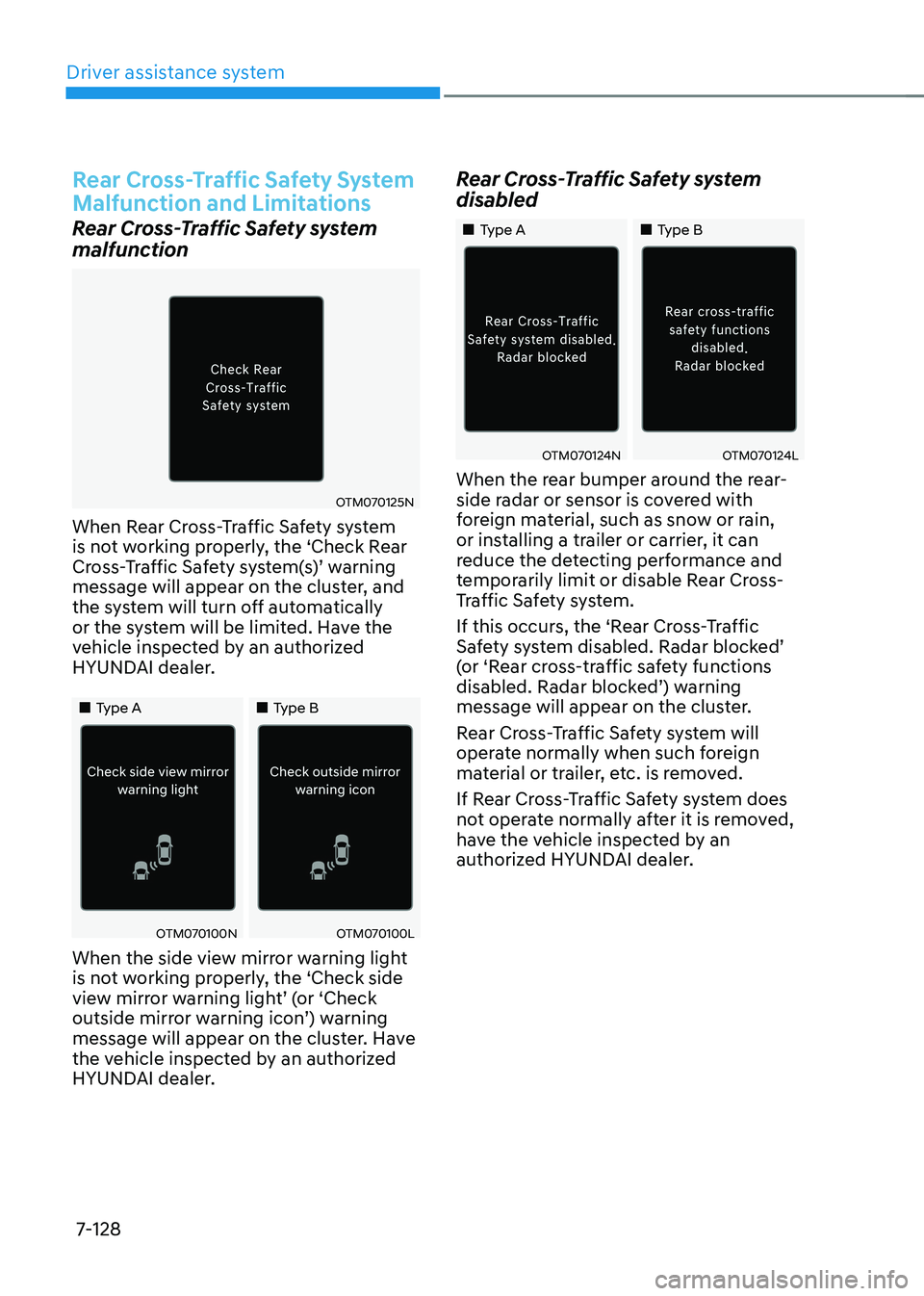
malfunction
OTM070125N
When Rear Cross-Traffic Safety system
is not working properly, the ‘Check Rear
Cross-Traffic Safety system(s)’ warning message will appear on the cluster, and
the system will turn off automatically
or the system will be limited. Have the
vehicle inspected by an authorized
HYUNDAI dealer.
„„Type A„„Type B
OTM070100NOTM070100L
When the side view mirror warning light
is not working properly, the ‘Check side
view mirror warning light’ (or ‘Check outside mirror warning icon’) warning message will appear on the cluster. Have
the vehicle inspected by an authorized
HYUNDAI dealer.
Rear Cross-Traffic Safety system
disabled
„„Type A„„Type B
OTM070124NOTM070124L
When the rear bumper around the rear-
side radar or sensor is covered with
foreign material, such as snow or rain,
or installing a trailer or carrier, it can
reduce the detecting performance and
temporarily limit or disable Rear Cross-
Traffic Safety system.
If this occurs, the ‘Rear Cross-Traffic
Safety system disabled. Radar blocked’ (or ‘Rear cross-traffic safety functions disabled. Radar blocked’) warning message will appear on the cluster.
Rear Cross-Traffic Safety system will
operate normally when such foreign
material or trailer, etc. is removed.
If Rear Cross-Traffic Safety system does
not operate normally after it is removed,
have the vehicle inspected by an
authorized HYUNDAI dealer.
Page 497 of 638
Driver assistance system
7-134
Reverse Parking Distance Warning
• Reverse Parking Distance Warning
will operate when the gear is in R
(Reverse).
• Reverse Parking Distance Warning
helps detect a person, animal or
object in the rear when the vehicle’s rearward speed is below 6 mph (10
km/h).
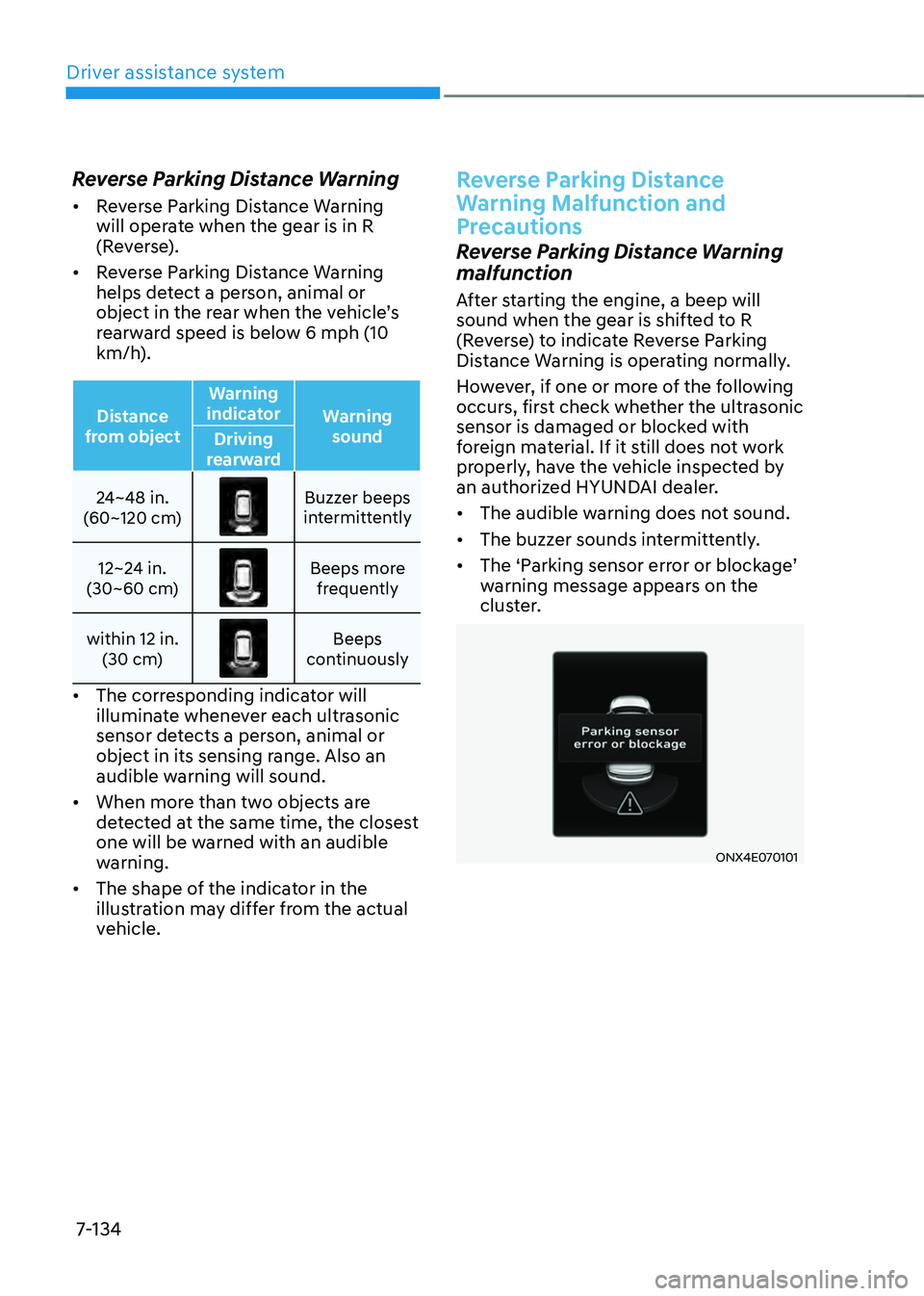
Distance
from object Warning
indicator Warning
sound
Driving
rearward
24~48 in.
(60~120 cm)
Buzzer beeps intermittently
12~24 in.
(30~60 cm)
Beeps more frequently
within 12 in. (30 cm)
Beeps continuously
• The corresponding indicator will
illuminate whenever each ultrasonic
sensor detects a person, animal or
object in its sensing range. Also an
audible warning will sound.
• When more than two objects are
detected at the same time, the closest
one will be warned with an audible
warning.
• The shape of the indicator in the
illustration may differ from the actual
vehicle.
Reverse Parking Distance
Warning Malfunction and
Precautions
Reverse Parking Distance Warning
malfunction
After starting the engine, a beep will
sound when the gear is shifted to R
(Reverse) to indicate Reverse Parking
Distance Warning is operating normally.
However, if one or more of the following
occurs, first check whether the ultrasonic
sensor is damaged or blocked with
foreign material. If it still does not work
properly, have the vehicle inspected by
an authorized HYUNDAI dealer.
• The audible warning does not sound.
• The buzzer sounds intermittently.
•
The ‘Parking sensor error or blockage’ warning message appears on the
cluster.
ONX4E070101
Page 502 of 638
07
7-139
Forward/Reverse Parking
Distance Warning Malfunction
and Precautions
Forward/Reverse Parking Distance
Warning malfunction
After starting the engine, a beep will
sound when the gear is shifted to R
(Reverse) to indicate Forward/Reverse
Parking Distance Warning is operating
normally.
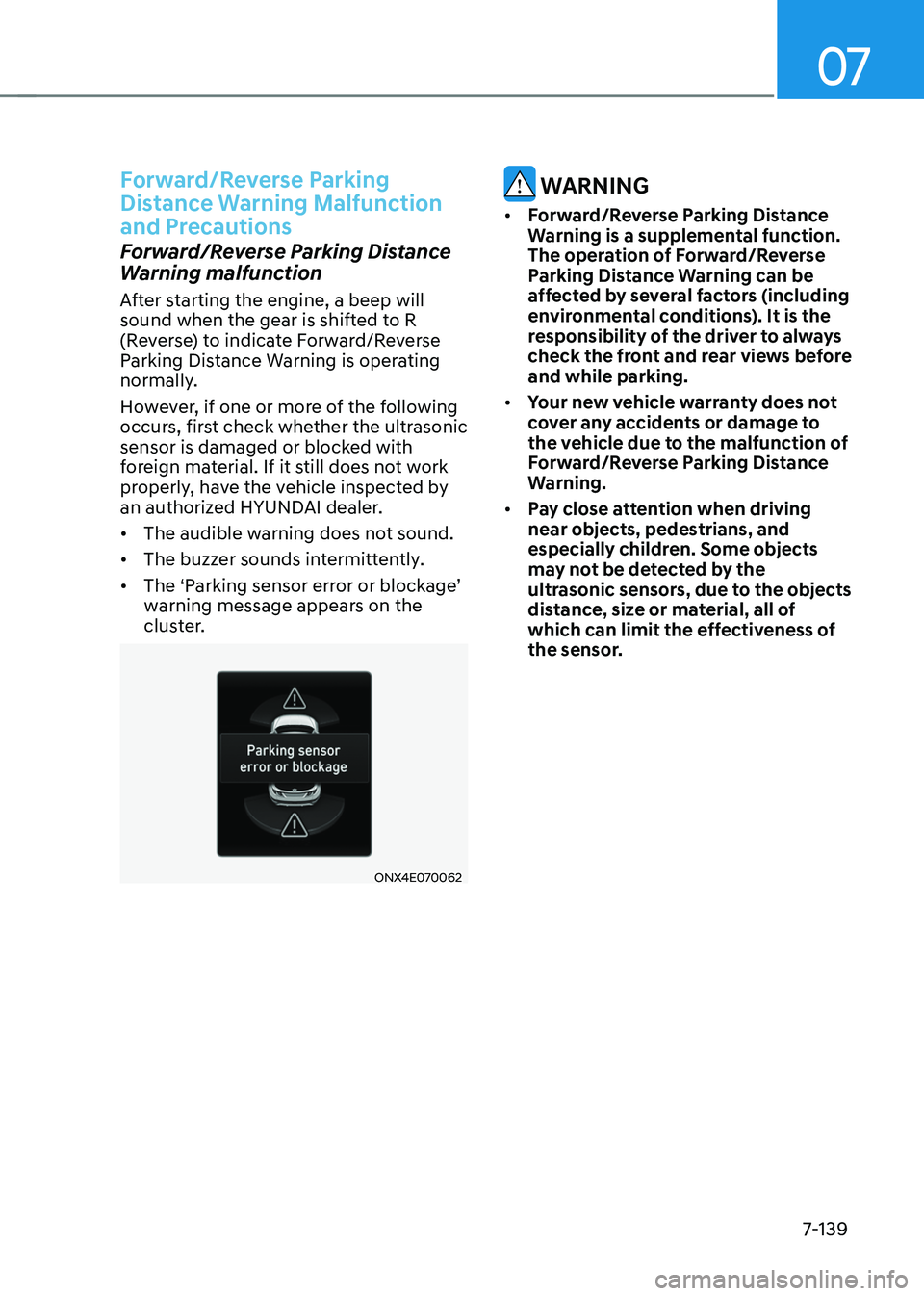
However, if one or more of the following
occurs, first check whether the ultrasonic
sensor is damaged or blocked with
foreign material. If it still does not work
properly, have the vehicle inspected by
an authorized HYUNDAI dealer.
• The audible warning does not sound.
• The buzzer sounds intermittently.
•
The ‘Parking sensor error or blockage’ warning message appears on the
cluster.
ONX4E070062
WARNING
• Forward/Reverse Parking Distance
Warning is a supplemental function.
The operation of Forward/Reverse
Parking Distance Warning can be
affected by several factors (including
environmental conditions). It is the
responsibility of the driver to always
check the front and rear views before
and while parking.
• Your new vehicle warranty does not
cover any accidents or damage to
the vehicle due to the malfunction of
Forward/Reverse Parking Distance
Warning.
• Pay close attention when driving
near objects, pedestrians, and
especially children. Some objects
may not be detected by the
ultrasonic sensors, due to the objects
distance, size or material, all of
which can limit the effectiveness of
the sensor.
Page 508 of 638
07
7-145
Reverse Parking Collision-Avoidance
Assist disabled
ONX4070037
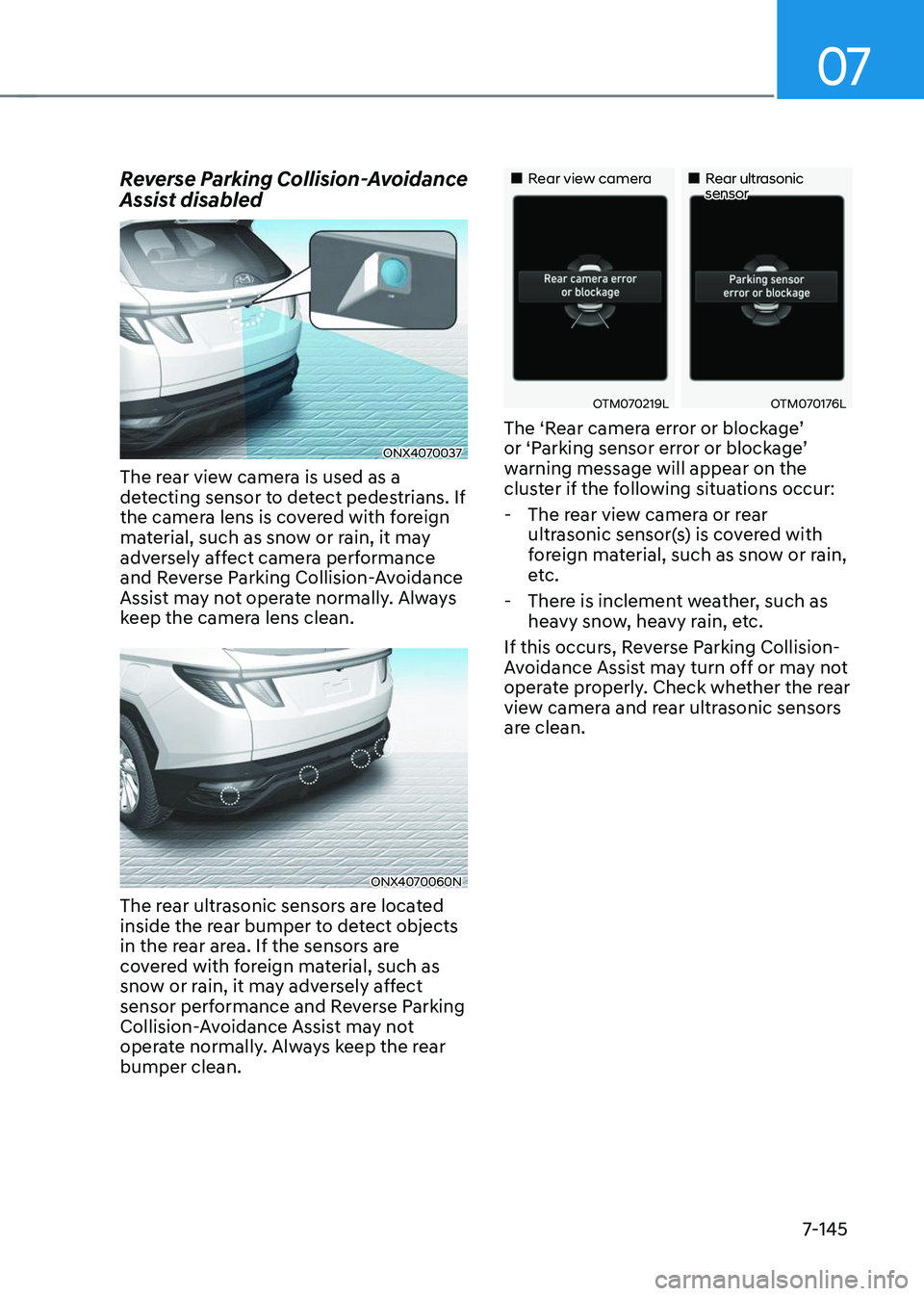
The rear view camera is used as a
detecting sensor to detect pedestrians. If
the camera lens is covered with foreign
material, such as snow or rain, it may
adversely affect camera performance
and Reverse Parking Collision-Avoidance
Assist may not operate normally. Always
keep the camera lens clean.
ONX4070060N
The rear ultrasonic sensors are located
inside the rear bumper to detect objects
in the rear area. If the sensors are
covered with foreign material, such as
snow or rain, it may adversely affect
sensor performance and Reverse Parking
Collision-Avoidance Assist may not
operate normally. Always keep the rear
bumper clean.
„„Rear view camera„„Rear ultrasonic sensor
OTM070219LOTM070176L
The ‘Rear camera error or blockage’ or ‘Parking sensor error or blockage’ warning message will appear on the
cluster if the following situations occur:
-The rear view camera or rear
ultrasonic sensor(s) is covered with
foreign material, such as snow or rain,
etc.
-There is inclement weather, such as
heavy snow, heavy rain, etc.
If this occurs, Reverse Parking Collision-
Avoidance Assist may turn off or may not
operate properly. Check whether the rear
view camera and rear ultrasonic sensors
are clean.
Page 515 of 638
Driver assistance system
7-152
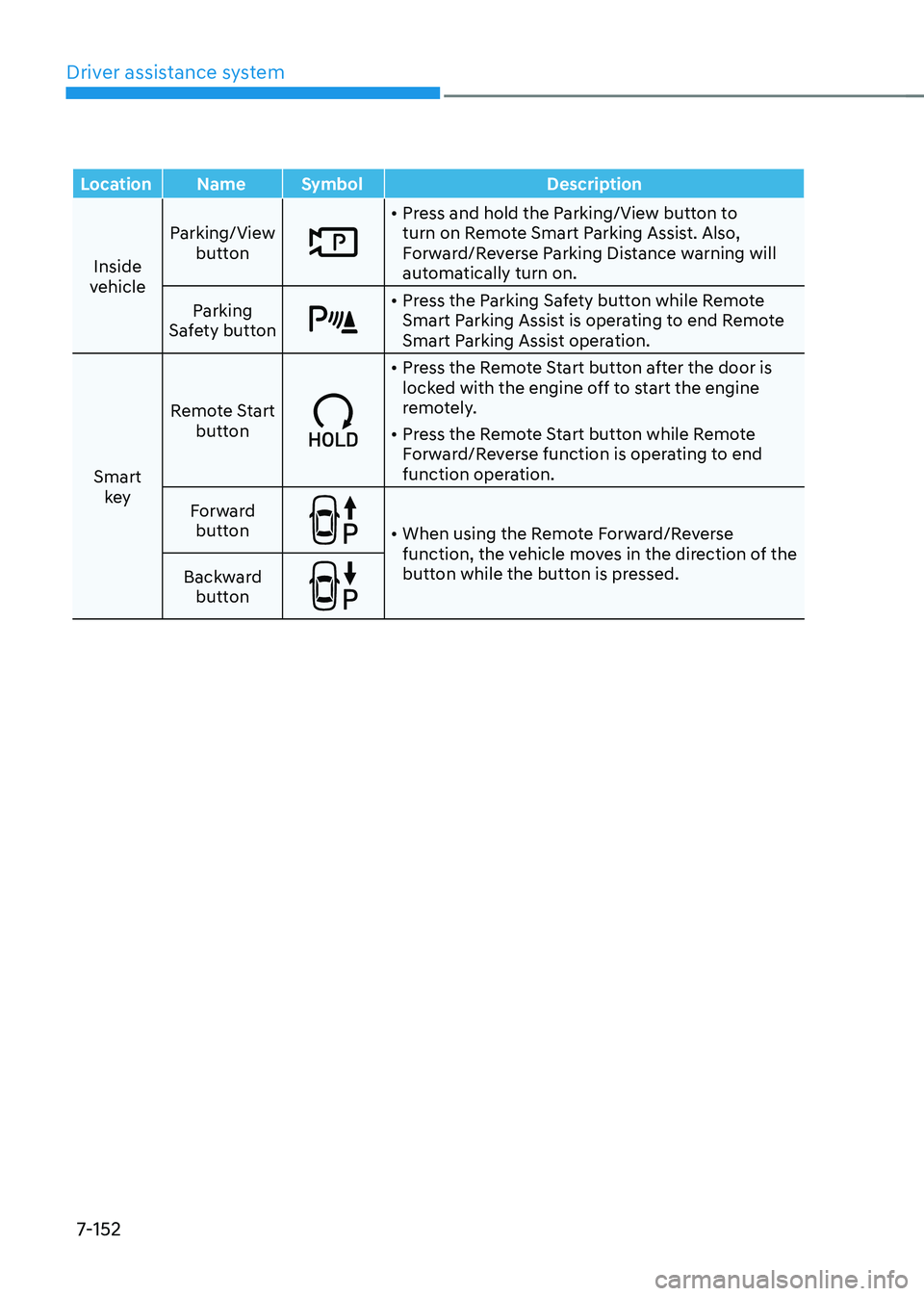
LocationNameSymbol Description
Inside
vehicle Parking/View
button
• Press and hold the Parking/View button to
turn on Remote Smart Parking Assist. Also,
Forward/Reverse Parking Distance warning will
automatically turn on.
Parking
Safety button
• Press the Parking Safety button while Remote
Smart Parking Assist is operating to end Remote
Smart Parking Assist operation.
Smart key Remote Start
button
• Press the Remote Start button after the door is
locked with the engine off to start the engine
remotely.
• Press the Remote Start button while Remote
Forward/Reverse function is operating to end
function operation.
Forward button
• When using the Remote Forward/Reverse
function, the vehicle moves in the direction of the
button while the button is pressed.
Backward
button