instrument panel HYUNDAI TUCSON 2023 User Guide
[x] Cancel search | Manufacturer: HYUNDAI, Model Year: 2023, Model line: TUCSON, Model: HYUNDAI TUCSON 2023Pages: 638, PDF Size: 26.51 MB
Page 87 of 638
Seats & Safety System
3-56
Main components of the Occupant
Classification System
• A detection device located within the
front passenger seat cushion.
• Electronic system to determine
whether the passenger air bag
systems should be activated or
deactivated.
• An indicator light located on the
instrument panel which illuminates
the words “PASSENGER AIR BAG OFF”
indicating the front passenger air bag
system is deactivated.
• The instrument panel air bag indicator
light is interconnected with the OCS.
The OCS is designed to help detect
the presence of a properly-seated
front passenger and determine if the
passenger’s front air bag should be
enabled (may inflate) or not.
The purpose is to help reduce the risk
of injury or death from an inflating air
bag to certain front passenger seat
occupants, such as children, by requiring
the air bag to be automatically turned
OFF.
For example, if a child restraint of the
type specified in the regulations is on the
seat, the occupant classification sensor
can detect it and cause the air bag to
turn OFF.
Front passenger seat adult occupants
who are properly seated and wearing the
seat belt properly, should not cause the
passenger air bag to be automatically
turned OFF. For smaller adults it may turn
OFF, however, if the occupant does not
sit in the seat properly (for example, by
not sitting upright, by sitting on the edge
of the seat, or by otherwise being out of
position), this could cause the sensor to
turn the air bag OFF. You will find the “PASSENGER AIR BAG
OFF” indicator on the overhead console
panel. This system detects the conditions
1-4 in the following table and activates or
deactivates the front passenger air bag
based on these conditions.
Always be sure that you and all vehicle
occupants are seated properly and
wearing the seat belt properly for the
most effective protection by the air bag
and the seat belt.
The OCS may not function properly if the
passenger takes actions which can affect
the classification system. These include:
•
Failing to sit in an upright position.
• Leaning against the door or center
console.
• Sitting towards the sides of the front
of the seat.
• Putting their legs on the dashboard or
resting them on other locations which
reduce the passenger weight on the
front seat.
• Wearing the seat belt improperly.
• Reclining the seatback.
• Wearing thick clothes like ski wear or
hip protection wear.
• Putting an additional thick cushion on
the seat.
• Putting electrical devices (e.g.
notebook, satellite radio) on the seat
with inverter charging.
Page 97 of 638
Seats & Safety System
3-66
SRS care
The SRS is virtually maintenance-free
and there are no parts you can safely
service by yourself. If the SRS air bag
warning light does not illuminate when
the Engine Start/Stop button is in the
ON position, or continuously remains
on, we recommend that the system be
immediately inspected by an authorized
HYUNDAI dealer.
We recommend any work on the SRS
system, such as removing, installing,
repairing, or any work on the steering
wheel, the front passenger’s panel, front
seats and roof rails be performed by an
authorized HYUNDAI dealer. Improper
handling of the SRS system may result in
serious personal injury. WARNING
To reduce the risk of serious injury or
death take the following precautions:
• Do not attempt to modify or
disconnect the SRS components or
wiring, including the addition of any
kind of badges to the pad covers or
modifications to the body structure.
• Do not place objects over or near
the air bag modules on the steering
wheel, instrument panel, and the
front passenger’s panel above the
glove box.
• Clean the air bag pad covers with
a soft cloth moistened with plain
water. Solvents or cleaners could
adversely affect the air bag covers
and proper deployment of the
system.
• We recommend that inflated air
bags be replaced by an authorized
HYUNDAI dealer.
• If components of the air bag system
must be discarded, or if the vehicle
must be scrapped, certain safety
precautions must be observed.
We recommend that you consult
an authorized HYUNDAI dealer for
the necessary information. Failure
to follow these precautions could
increase the risk of personal injury.
Page 99 of 638

Instrument cluster
Instrument cluster ........................................................................\
....................4-4Instrument cluster control ........................................................................\
...................4-5
Instrument panel illumination ........................................................................\
...........4-5
Gauges and meters ........................................................................\
..............................4-5
Speedometer ........................................................................\
.....................................4-5
Tachometer ........................................................................\
........................................4-5
Engine coolant temperature gauge ........................................................................\
.4-6
Fuel gauge ........................................................................\
.........................................4-6
Outside temperature gauge ........................................................................\
..............4 -7
Odometer ........................................................................\
...........................................4 -7
Distance to empty ........................................................................\
............................4-8
Fuel economy (for 10.25-inch cluster) ....................................................................4-8
Transmission shift indicator ........................................................................\
................4-9
Automatic transmission ........................................................................\
...................4-9
Warning and indicator lights ........................................................................\
..............4-9
Seat belt warning light ........................................................................\
.....................4-9
Air bag warning light ........................................................................\
........................4-9
Parking brake & Brake fluid warning light ..............................................................4-10
Anti-lock Brake System (ABS) warning light ...........................................................4-11
Electronic Brake Force Distribution (EBD) system warning light ..........................4-11
Electric Power Steering (EPS) warning light ..........................................................4-12
Charging system warning light ........................................................................\
.......4-12
Engine oil pressure warning light ........................................................................\
...4-12
Low fuel level warning light ........................................................................\
............4-13
Malfunction Indicator Lamp (MIL) ........................................................................\
..4-13
Exhaust system (GPF) warning light .......................................................................4-14
Electronic Parking Brake (EPB) warning light ........................................................4-15
AUTO HOLD indicator light ........................................................................\
.............4-15
Low tire pressure warning light ........................................................................\
......4-15
Forward Safety warning light ........................................................................\
..........4-16
Lane Safety indicator light ........................................................................\
..............4-16
4 Wheel Drive (AWD) warning light ........................................................................\
4-16
4 Wheel Drive (AWD) LOCK Indicator Light ............................................................4-17
LED headlight warning light ........................................................................\
.............4-17
Icy road warning light ........................................................................\
......................4-18
Electronic Stability Control (ESC) indicator light ...................................................4-18
Electronic Stability Control (ESC) OFF indicator light ...........................................4-18
Immobilizer Indicator Light (without smart key) ...................................................4-19
Immobilizer Indicator Light (with smart key) ........................................................4-19
Downhill Brake Control (DBC) indicator light ........................................................4-20
4. Instrument cluster
4
Page 103 of 638
04
4-5
Instrument cluster control
Instrument panel illumination
When the vehicle’s parking lights or
headlamps are on, press the illumination
control switch to adjust the brightness of
the instrument panel illumination.
When pressing the illumination control
switch, the interior switch illumination
intensity also adjusted.
You can adjust the brightness of the
instrument panel illumination from the
User Settings Mode on the LCD display
when the ignition switch is on (‘Lights →
Illumination’). When the vehicle’s parking
lights or headlamps are on, interior
switch illumination intensity and mood
lamps are also adjusted.
If your vehicle is equipped with
additional navigation, please refer
to the infotainment system manual
separately supplied.
WARNING
Never adjust the instrument cluster
while driving. This could result in loss
of control and lead to an accident that
may cause vehicle damage, or lead to
serious injury or death.
• The brightness of the instrument
panel illumination is displayed.
• When the brightness setting reaches
either the minimum or maximum
level, a chime will sound.
Gauges and meters
Speedometer
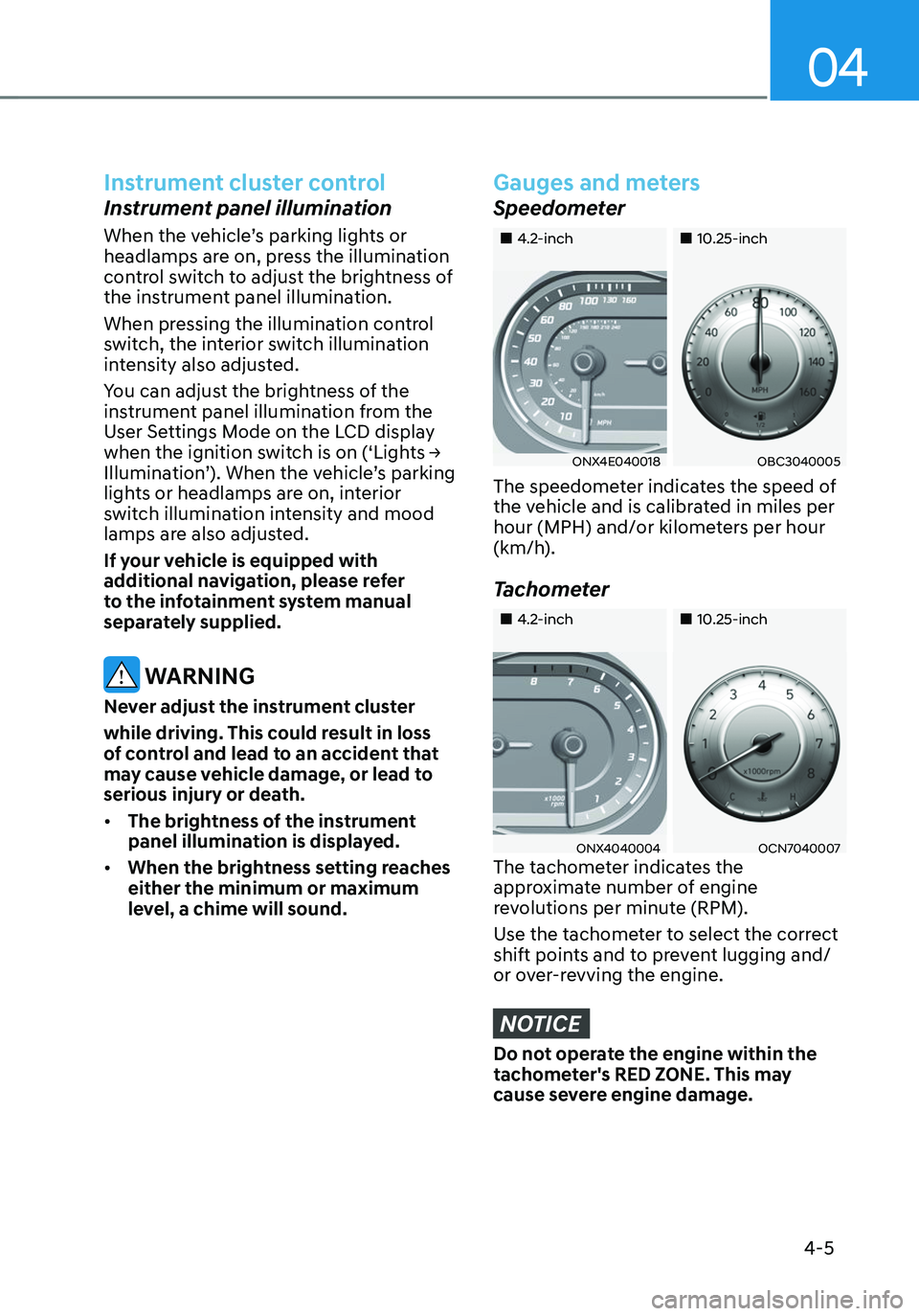
„„4.2-inch„„10.25-inch
ONX4E040018OBC3040005
The speedometer indicates the speed of
the vehicle and is calibrated in miles per
hour (MPH) and/or kilometers per hour
(km/h).
Tachometer
„„4.2-inch„„10.25-inch
ONX4040004OCN7040007The tachometer indicates the
approximate number of engine
revolutions per minute (RPM).
Use the tachometer to select the correct
shift points and to prevent lugging and/
or over-revving the engine.
NOTICE
Do not operate the engine within the
tachometer's RED ZONE. This may
cause severe engine damage.
Page 224 of 638
Convenient features
5-80
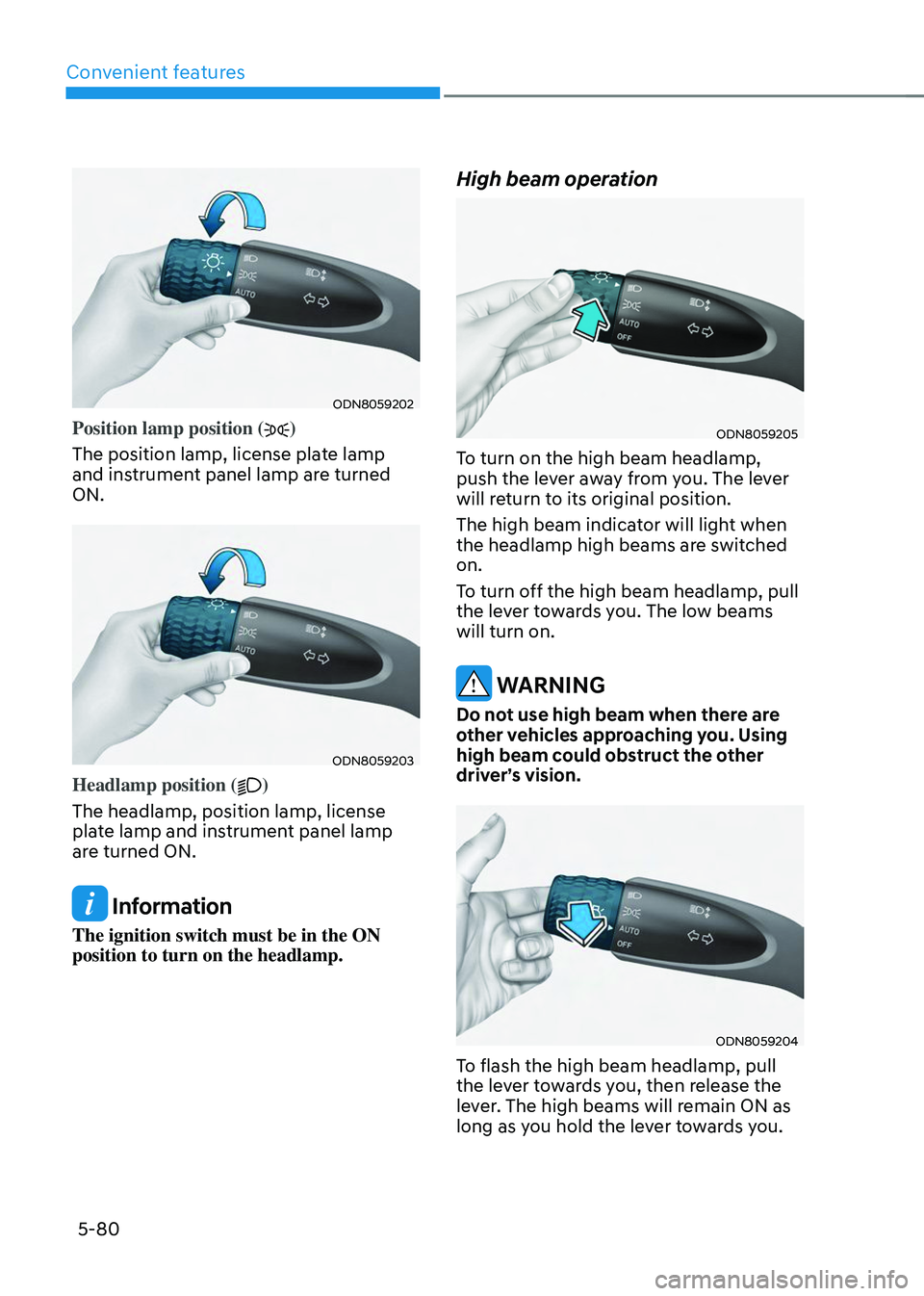
ODN8059202
Position lamp position ()
The position lamp, license plate lamp
and instrument panel lamp are turned
ON.
ODN8059203
Headlamp position ()
The headlamp, position lamp, license
plate lamp and instrument panel lamp
are turned ON.
Information
The ignition switch must be in the ON
position to turn on the headlamp.
High beam operation
ODN8059205
To turn on the high beam headlamp,
push the lever away from you. The lever
will return to its original position.
The high beam indicator will light when
the headlamp high beams are switched
on.
To turn off the high beam headlamp, pull
the lever towards you. The low beams
will turn on.
WARNING
Do not use high beam when there are
other vehicles approaching you. Using
high beam could obstruct the other
driver’s vision.
ODN8059204
To flash the high beam headlamp, pull
the lever towards you, then release the
lever. The high beams will remain ON as
long as you hold the lever towards you.
Page 225 of 638
05
5-81
Turn signals and lane change signals
ODN8059207
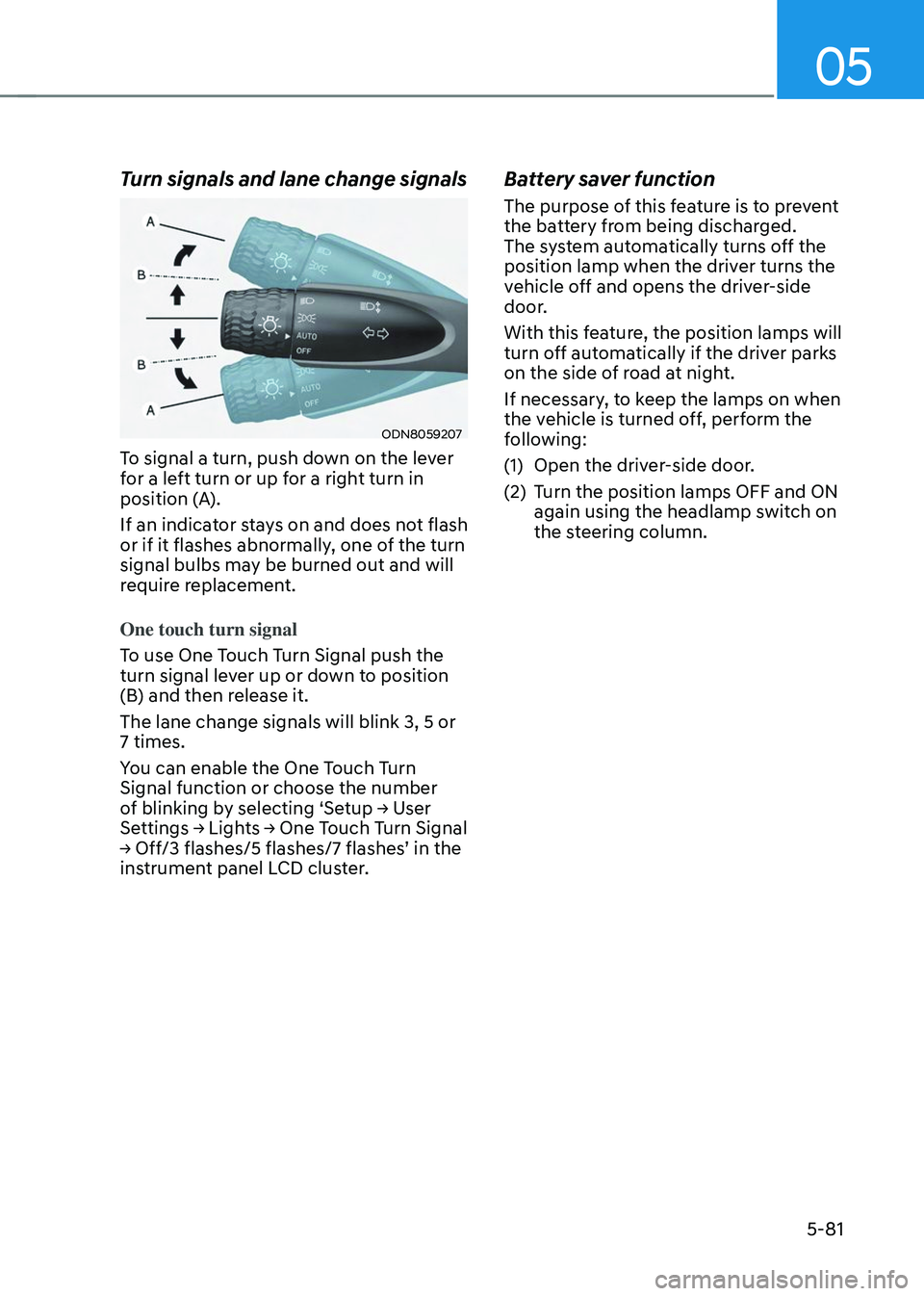
To signal a turn, push down on the lever
for a left turn or up for a right turn in
position (A).
If an indicator stays on and does not flash
or if it flashes abnormally, one of the turn
signal bulbs may be burned out and will
require replacement.
One touch turn signal
To use One Touch Turn Signal push the
turn signal lever up or down to position
(B) and then release it.
The lane change signals will blink 3, 5 or
7 times.
You can enable the One Touch Turn
Signal function or choose the number
of blinking by selecting ‘Setup → User Settings → Lights → One Touch Turn Signal → Off/3 flashes/5 flashes/7 flashes’ in the instrument panel LCD cluster.
Battery saver function
The purpose of this feature is to prevent
the battery from being discharged.
The system automatically turns off the
position lamp when the driver turns the
vehicle off and opens the driver-side
door.
With this feature, the position lamps will
turn off automatically if the driver parks
on the side of road at night.
If necessary, to keep the lamps on when
the vehicle is turned off, perform the
following:
(1) Open the driver-side door.
(2) Turn the position lamps OFF and ON
again using the headlamp switch on
the steering column.
Page 241 of 638
05
5-97
„„Front
ONX4050104
„„Rear
ONX4050105
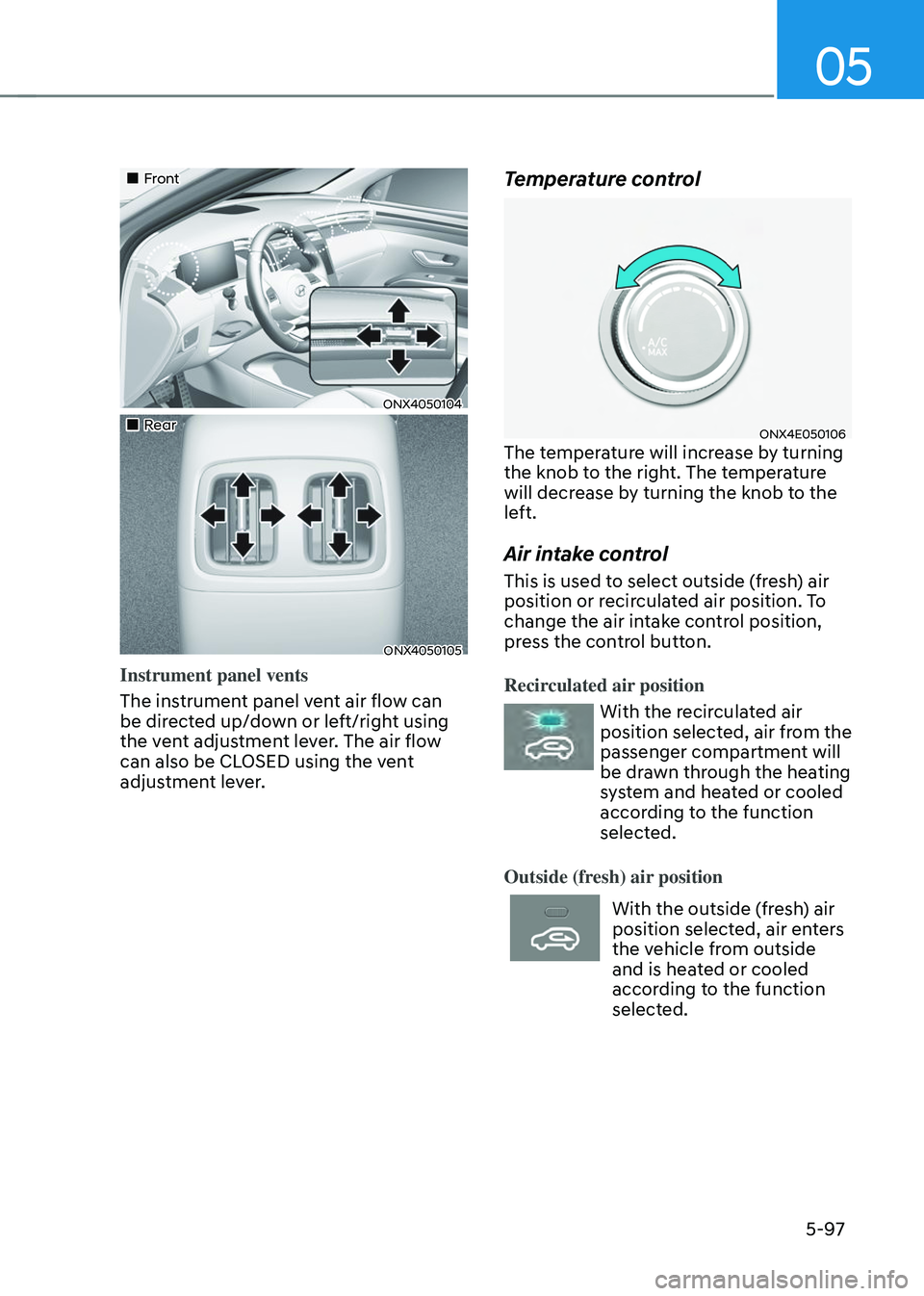
Instrument panel vents
The instrument panel vent air flow can
be directed up/down or left/right using
the vent adjustment lever. The air flow
can also be CLOSED using the vent
adjustment lever.
Temperature control
ONX4E050106The temperature will increase by turning
the knob to the right. The temperature
will decrease by turning the knob to the
left.
Air intake control
This is used to select outside (fresh) air
position or recirculated air position. To
change the air intake control position,
press the control button.
Recirculated air position
With the recirculated air
position selected, air from the
passenger compartment will
be drawn through the heating
system and heated or cooled
according to the function
selected.
Outside (fresh) air position
With the outside (fresh) air
position selected, air enters
the vehicle from outside
and is heated or cooled
according to the function
selected.
Page 252 of 638
Convenient features
5-108
„„Front
ONX4050104
„„Rear
ONX4050105
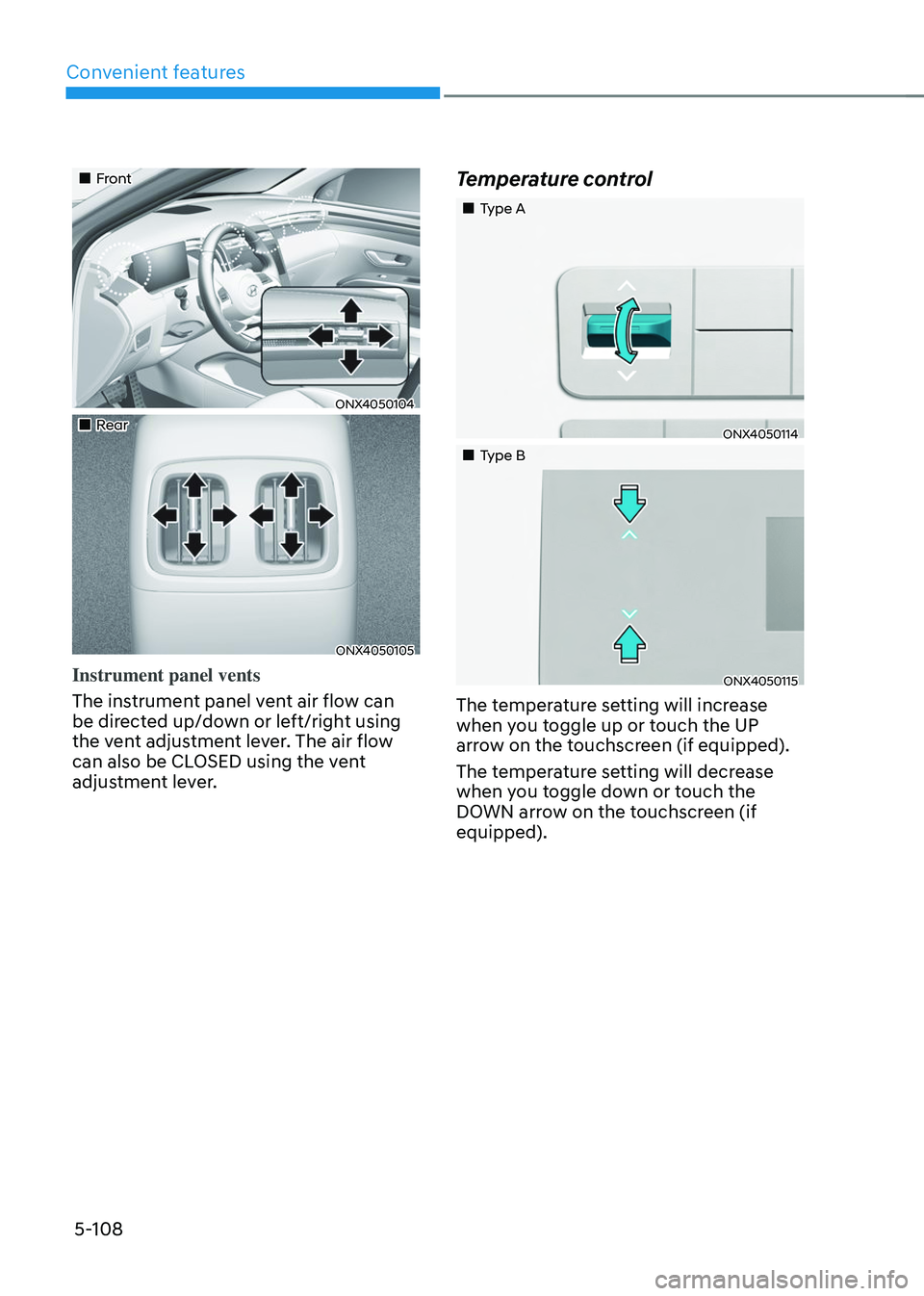
Instrument panel vents
The instrument panel vent air flow can
be directed up/down or left/right using
the vent adjustment lever. The air flow
can also be CLOSED using the vent
adjustment lever.
Temperature control
„„Type A
ONX4050114
„„Type B
ONX4050115
The temperature setting will increase
when you toggle up or touch the UP
arrow on the touchscreen (if equipped).
The temperature setting will decrease
when you toggle down or touch the
DOWN arrow on the touchscreen (if
equipped).
Page 256 of 638
Convenient features
5-112
ONX4050128
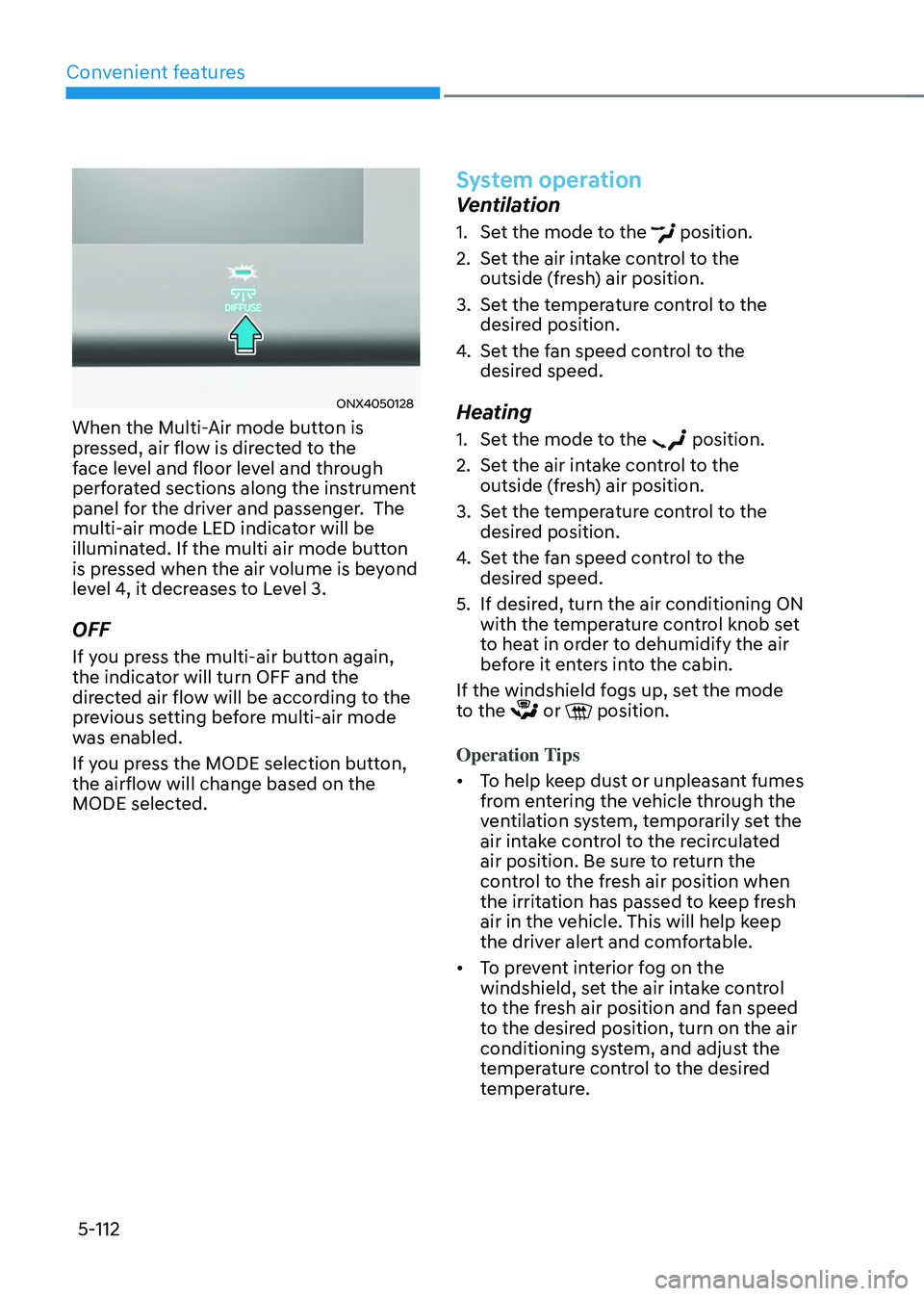
When the Multi-Air mode button is
pressed, air flow is directed to the
face level and floor level and through
perforated sections along the instrument
panel for the driver and passenger. The
multi-air mode LED indicator will be
illuminated. If the multi air mode button
is pressed when the air volume is beyond
level 4, it decreases to Level 3.
OFF
If you press the multi-air button again,
the indicator will turn OFF and the
directed air flow will be according to the
previous setting before multi-air mode
was enabled.
If you press the MODE selection button,
the airflow will change based on the
MODE selected.
System operation
Ventilation
1. Set the mode to the position.
2. Set the air intake control to the
outside (fresh) air position.
3. Set the temperature control to the
desired position.
4. Set the fan speed control to the
desired speed.
Heating
1. Set the mode to the position.
2. Set the air intake control to the
outside (fresh) air position.
3. Set the temperature control to the
desired position.
4. Set the fan speed control to the
desired speed.
5. If desired, turn the air conditioning ON
with the temperature control knob set
to heat in order to dehumidify the air
before it enters into the cabin.
If the windshield fogs up, set the mode
to the
or position.
Operation Tips
• To help keep dust or unpleasant fumes
from entering the vehicle through the
ventilation system, temporarily set the
air intake control to the recirculated
air position. Be sure to return the
control to the fresh air position when
the irritation has passed to keep fresh
air in the vehicle. This will help keep
the driver alert and comfortable.
• To prevent interior fog on the
windshield, set the air intake control
to the fresh air position and fan speed
to the desired position, turn on the air
conditioning system, and adjust the
temperature control to the desired
temperature.
Page 263 of 638
05
5-119
Rear window defrosterNOTICE
To prevent damage to the rear window
defroster conducting elements bonded
to the inside surface of the rear window,
never use sharp instruments or window
cleaners containing abrasives to clean
the window.
The defroster heats the window to remove frost, fog
and thin ice from the interior
and exterior of the rear
window, while the engine is
running.
• To activate the rear window defroster,
press the rear window defroster
button located in the center control
panel. The indicator on the rear
window defroster button illuminates
when the defroster is ON.
• To turn off the defroster, press the rear
window defroster button again.
Information
• If there is heavy accumulation of snow
on the rear window, brush it off before
operating the rear defroster.
• The rear window defroster
automatically turns off after
approximately 20 minutes or when the
Engine Start/Stop button is in the OFF
position.
Side view mirror defroster (if
equipped)
If your vehicle is equipped with the Side
view mirror defrosters, they will operate
at the same time you turn on the rear
window defroster.